
Buying Groups
1 min
Now that we've defined our Role Templates and Solution Interests we can start to create Buying Groups.
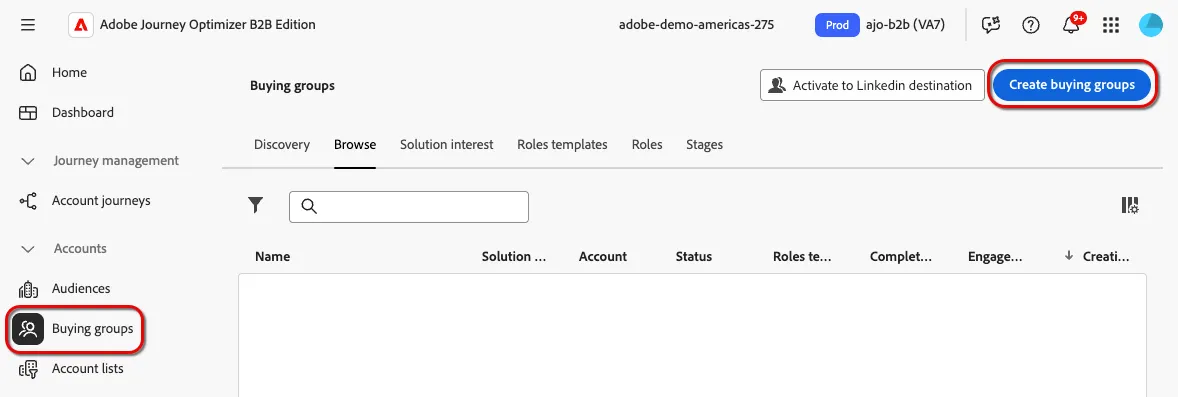
- From the menu, select "Buying Groups" on the left navigation bar, select "Browse" from the section titles and click "Create buying groups". Click the "Next" button on the subsequent screen to proceed.
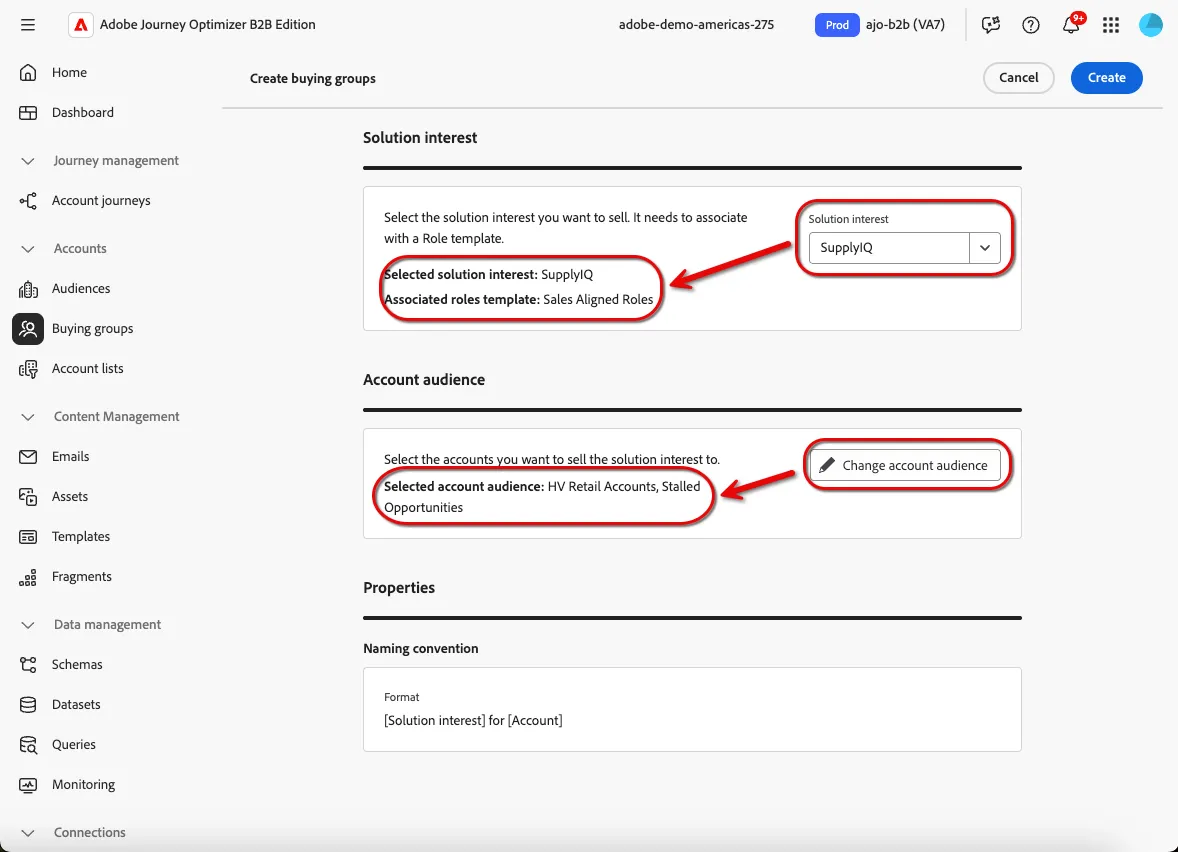
- Select your solution interest and the "High-Value, Engaged, Retail Accounts + {your initials} " account audience from the dropdowns. Click "Create".
Congratulations, you've created your first set of buying groups!