
Account Profiles
2 min
In this exercise you learn how to view an Account (ie. company) record in Adobe Experience Platform. Accounts are linked to people and opportunities.
The identities (or keys) used to look up an account are composite in order to support multiple source systems.
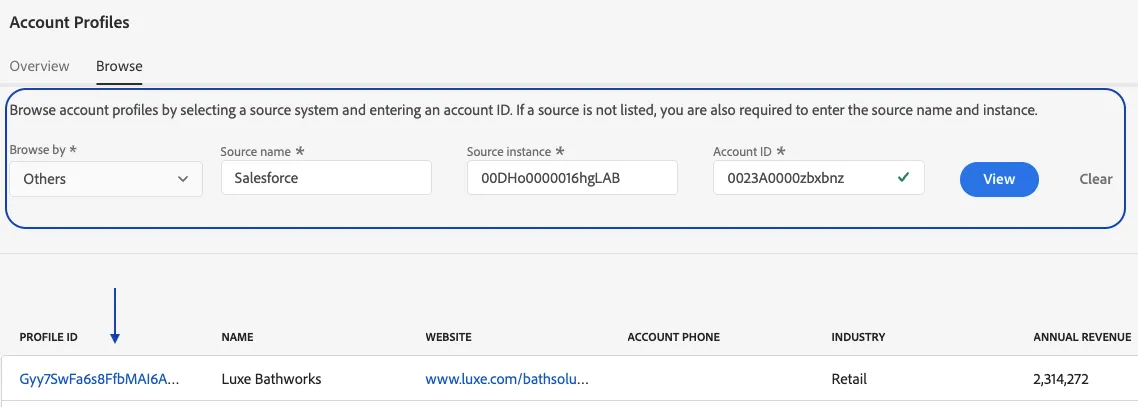
- Navigate to Profiles under the Accounts section from the left-hand navigation bar
- Click on the Browse tab
- Set the field values as listed below
Browse by: Select Others from the dorpdown
Sourcename: Salesforce
Source instance: 00DHo0000016hgLAB
Account ID: 0023A0000zbxbnz
4. Click on the Profile Id
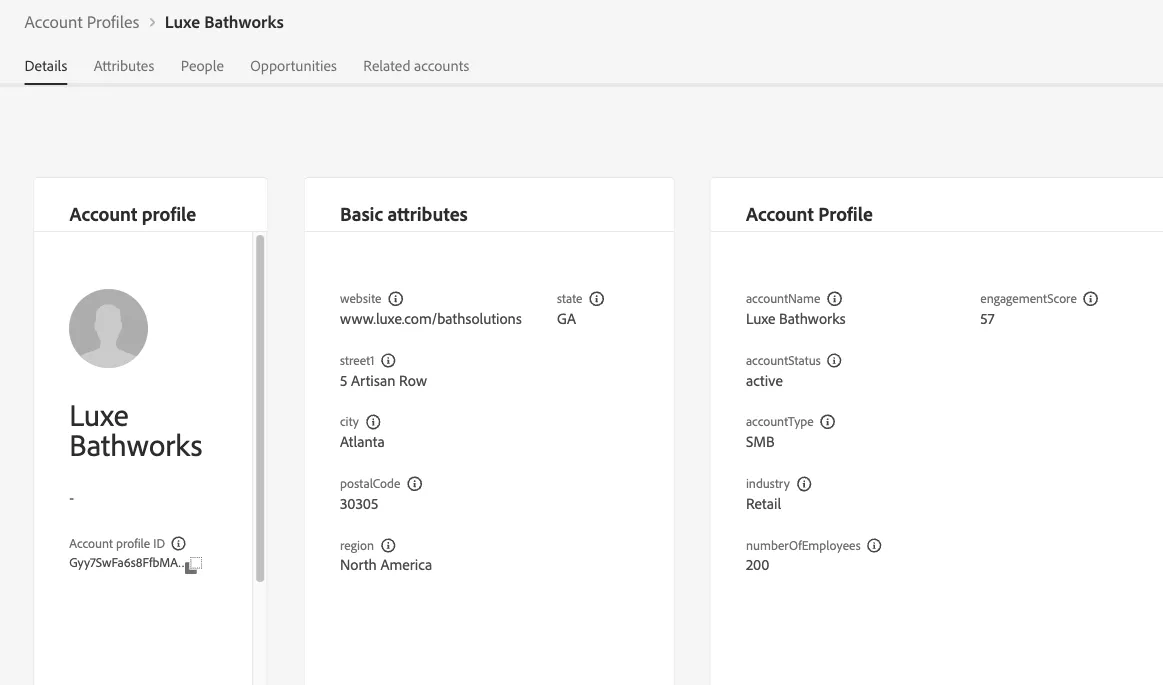
6. Review the following tabs
- Details - All Widgets
- Attributes
- People - Recognize the Person Profile you reviewed earlier
- Related Accounts
Related Account Demo uses - [email protected] on a different sandbox where related accounts and lead to account match were enabled
- Oportunities - Click into the AdCore Opportunity and review details of the opportunity
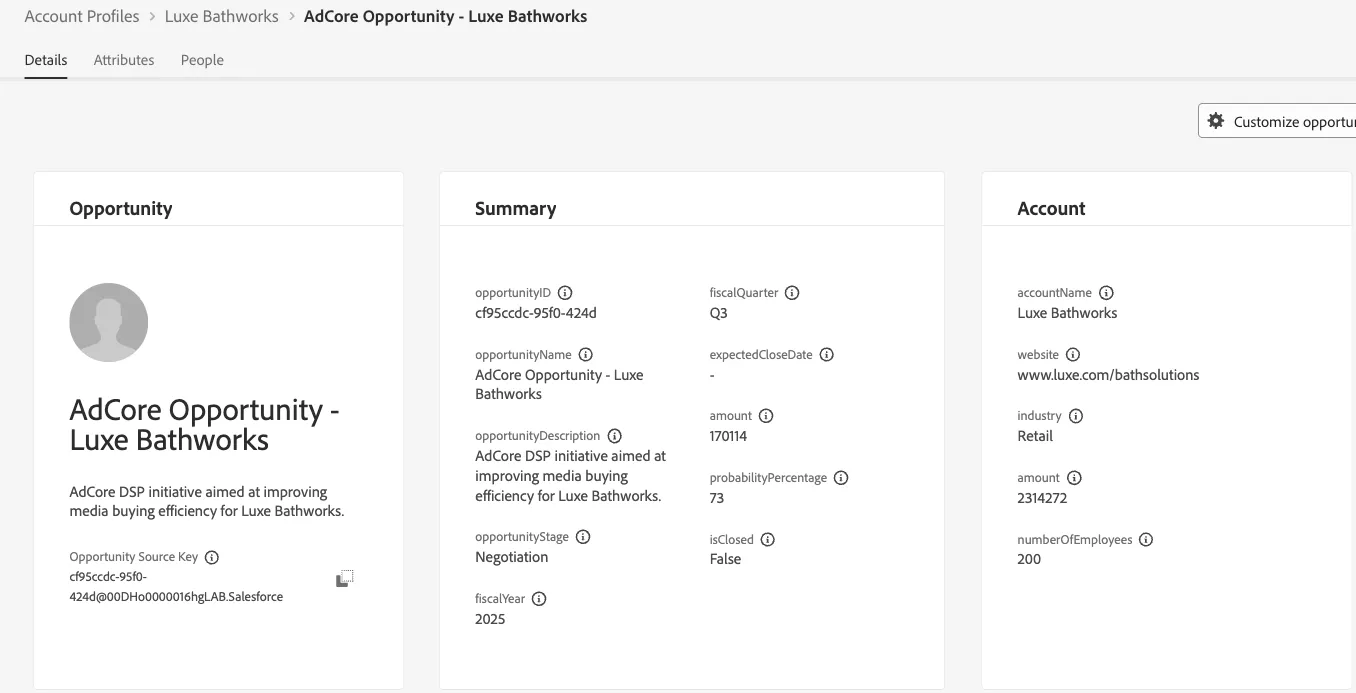
This is what an Account profile with associated opportunities would potentially look like.