Lab 4: Commerce Marketing
Objective
In this lab you'll learn how audiences shared from Adobe Real-time CDP can be used to trigger cart based promotions within Adobe Commerce and how to configure product recommendations for display across the website and mobile app. These same recommendations can be passed to Adobe Journey Optimizer for inclusion in outbound communications.
Access
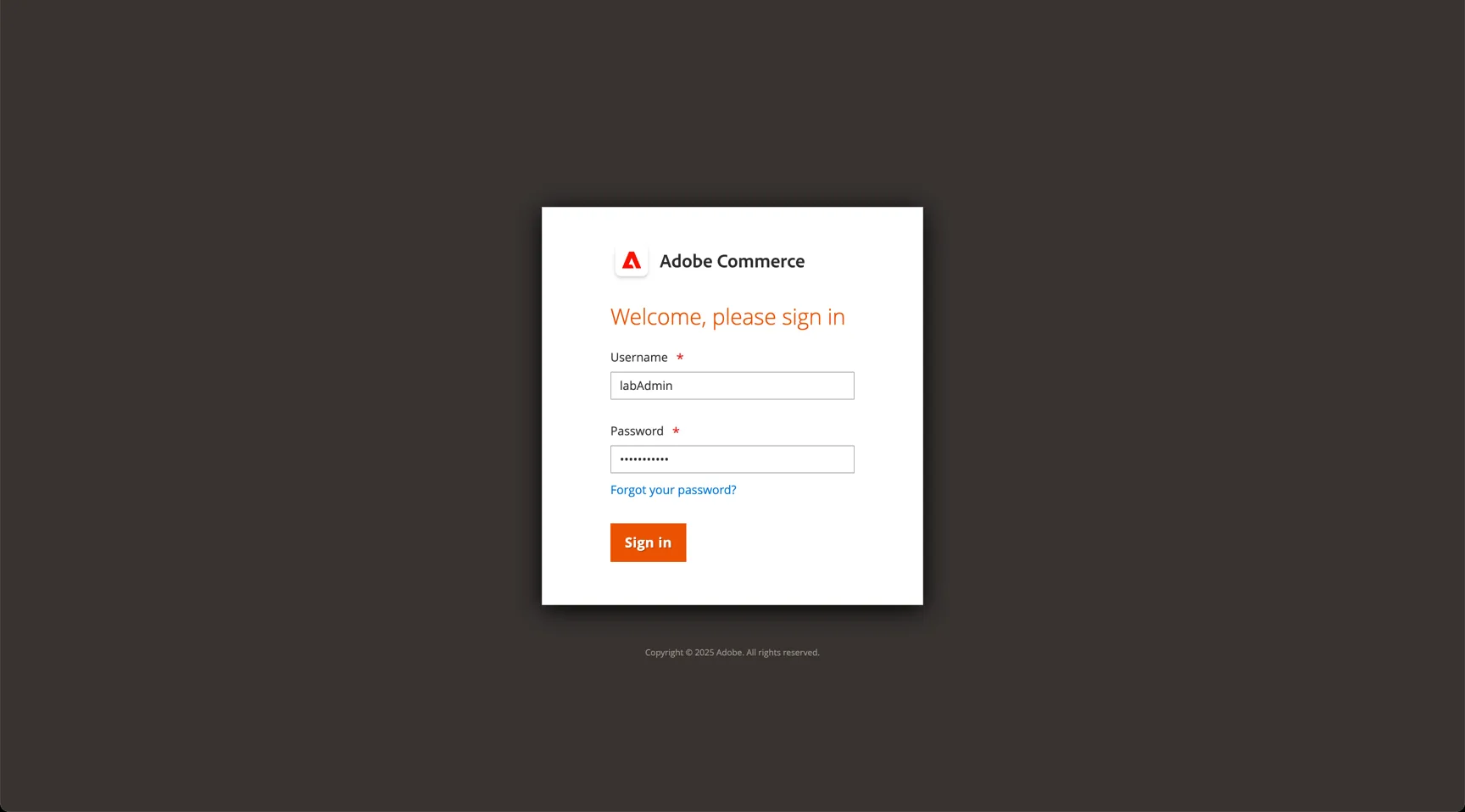
Our lab instance today has not been connected to the Adobe IMS, use the following URL and credentials to access the Adobe Commerce Backend UI.
Production instances will be integrated with Adobe IMS and utilise the federated identity solution as your other Adobe products.
Admin URL: https://com574.adobedemo.com/admin_8uj2nk
Username: labAdmin
Password: twgUCX@2025
Real-time CDP Audiences
The Adobe Commerce CDP destination allows AEP audiences to be shared with Adobe Commerce.
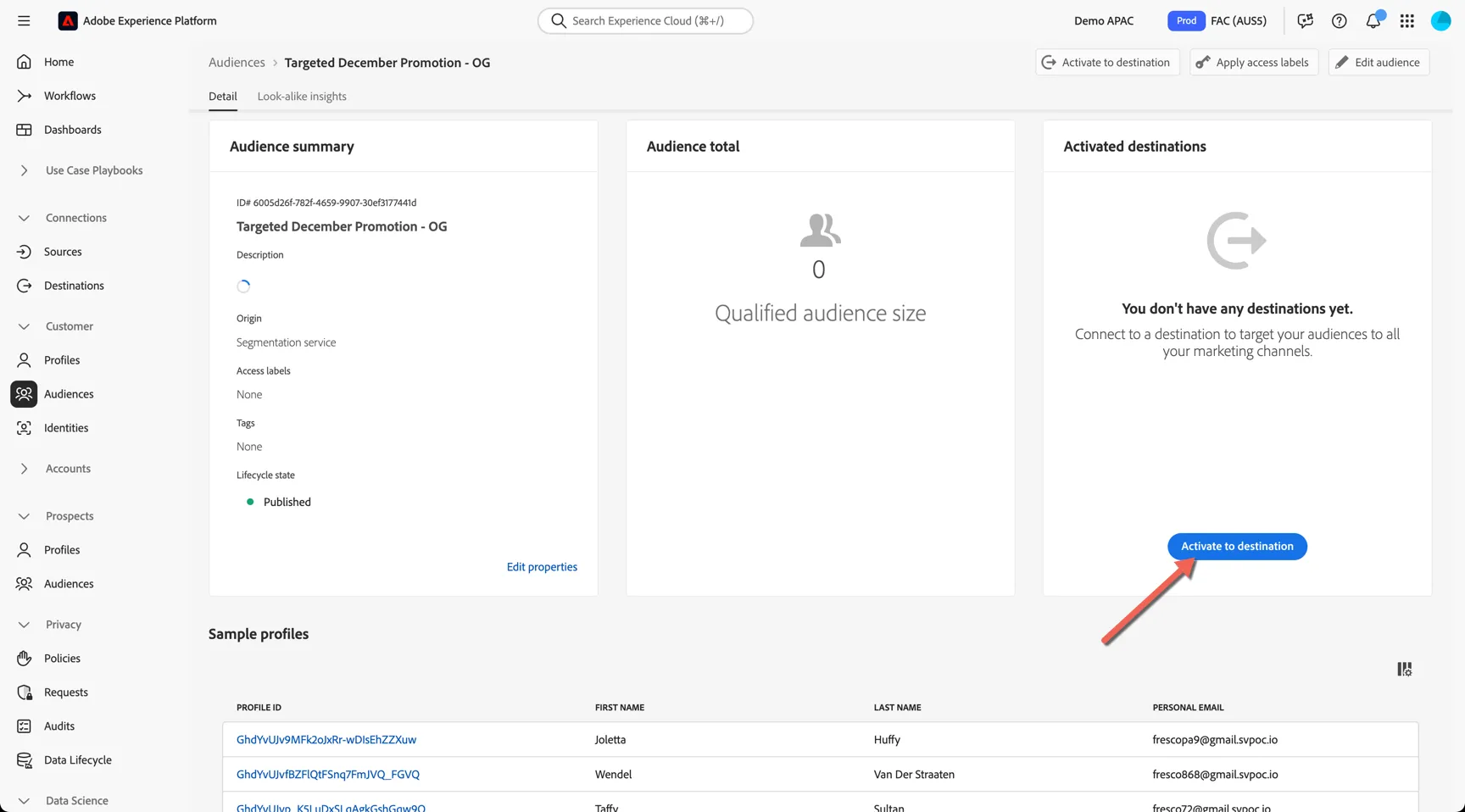
- Select to activate your audience from Adobe CDP
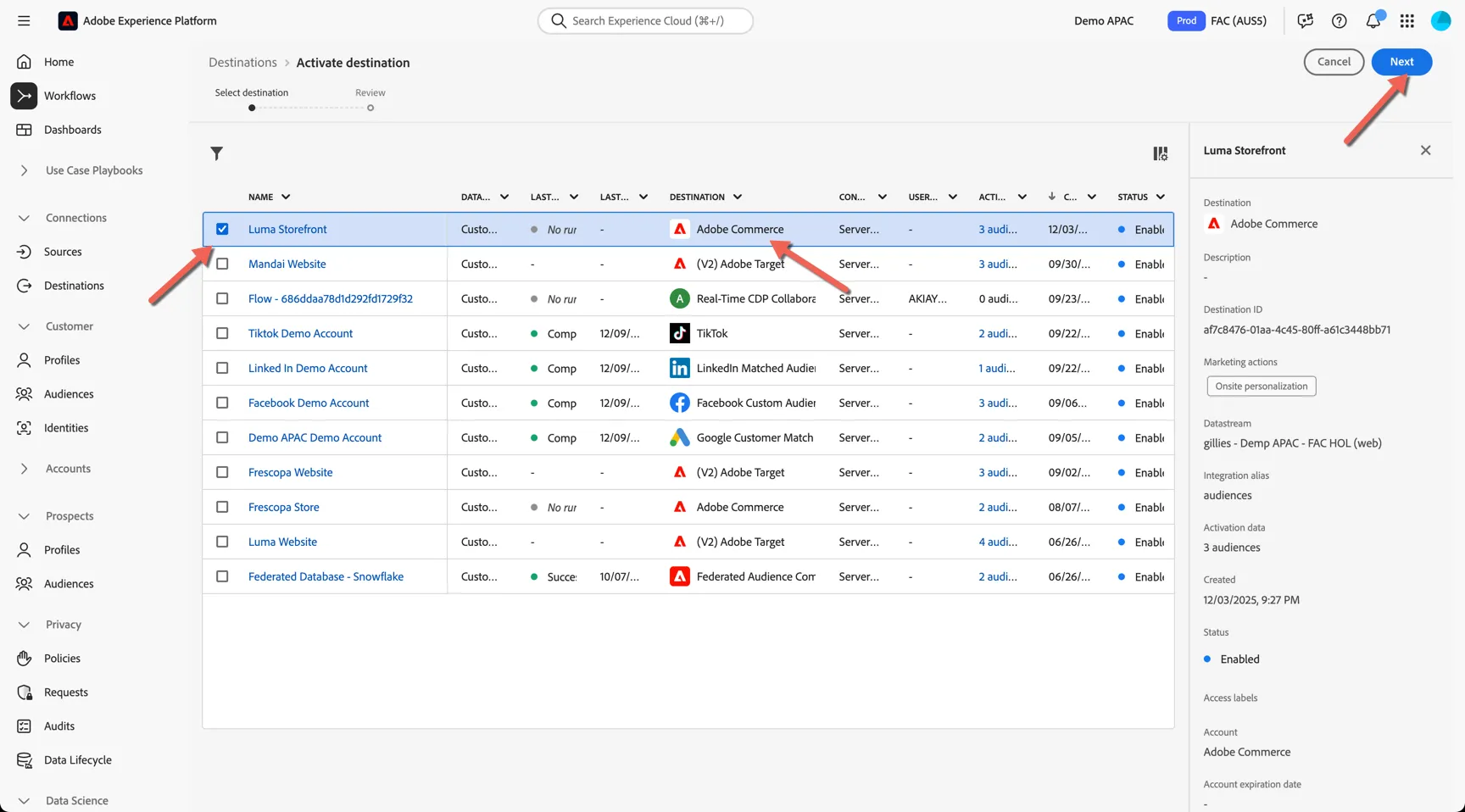
- Select the Adobe Commerce -> Luma Storefront destination
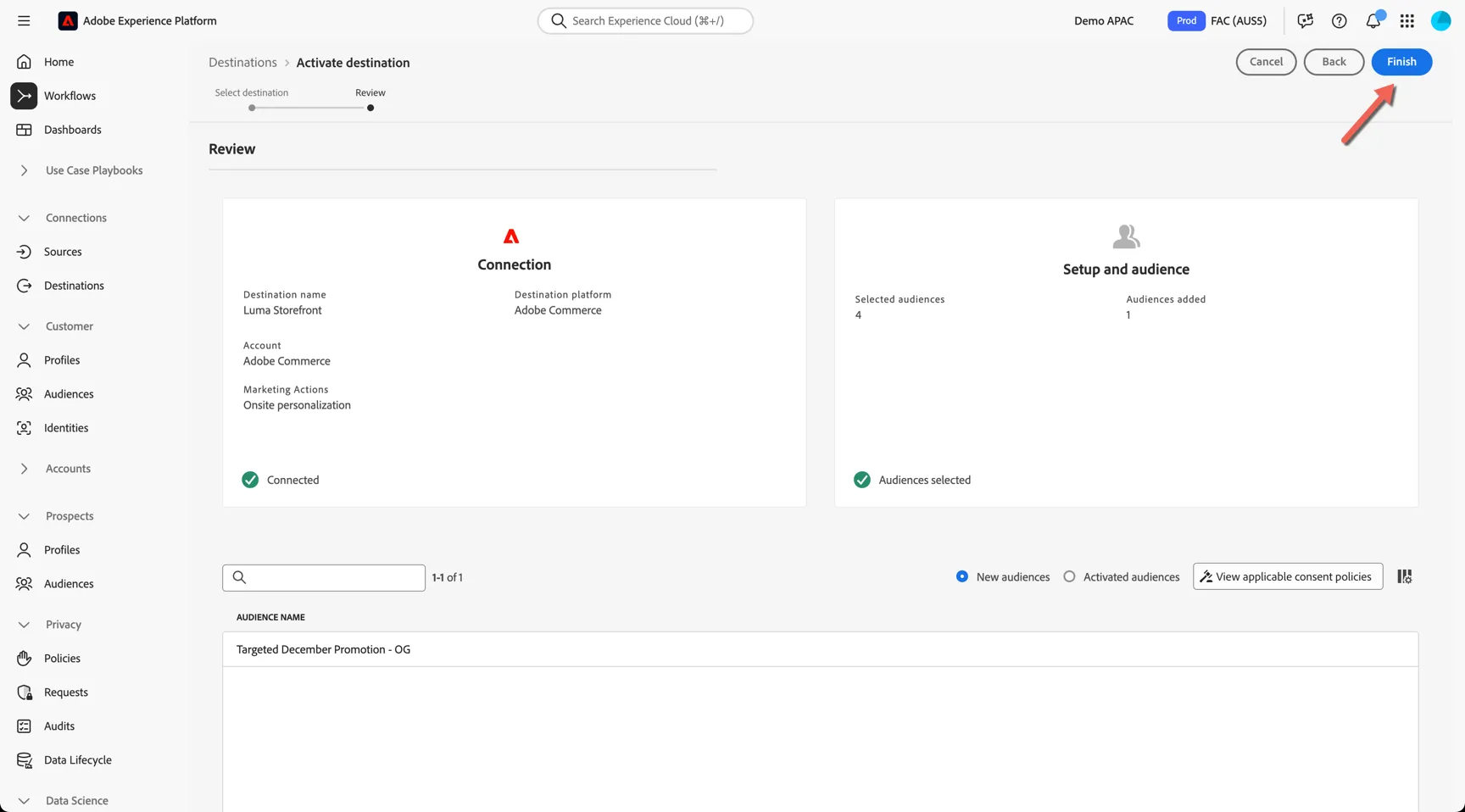
- Click Finish to activate the audience
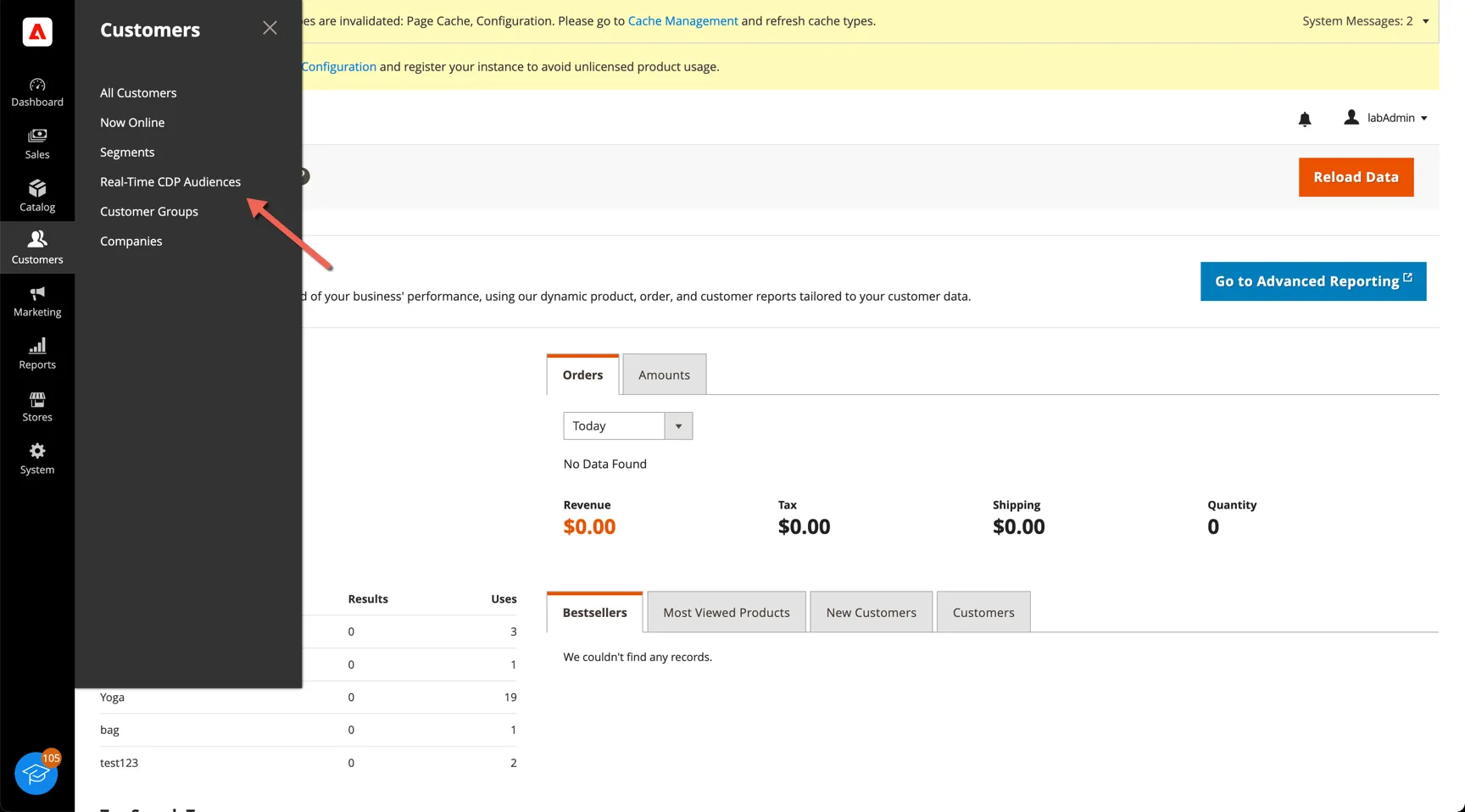
- Switch to Adobe commerce and click into Customers --> Real-time CDP
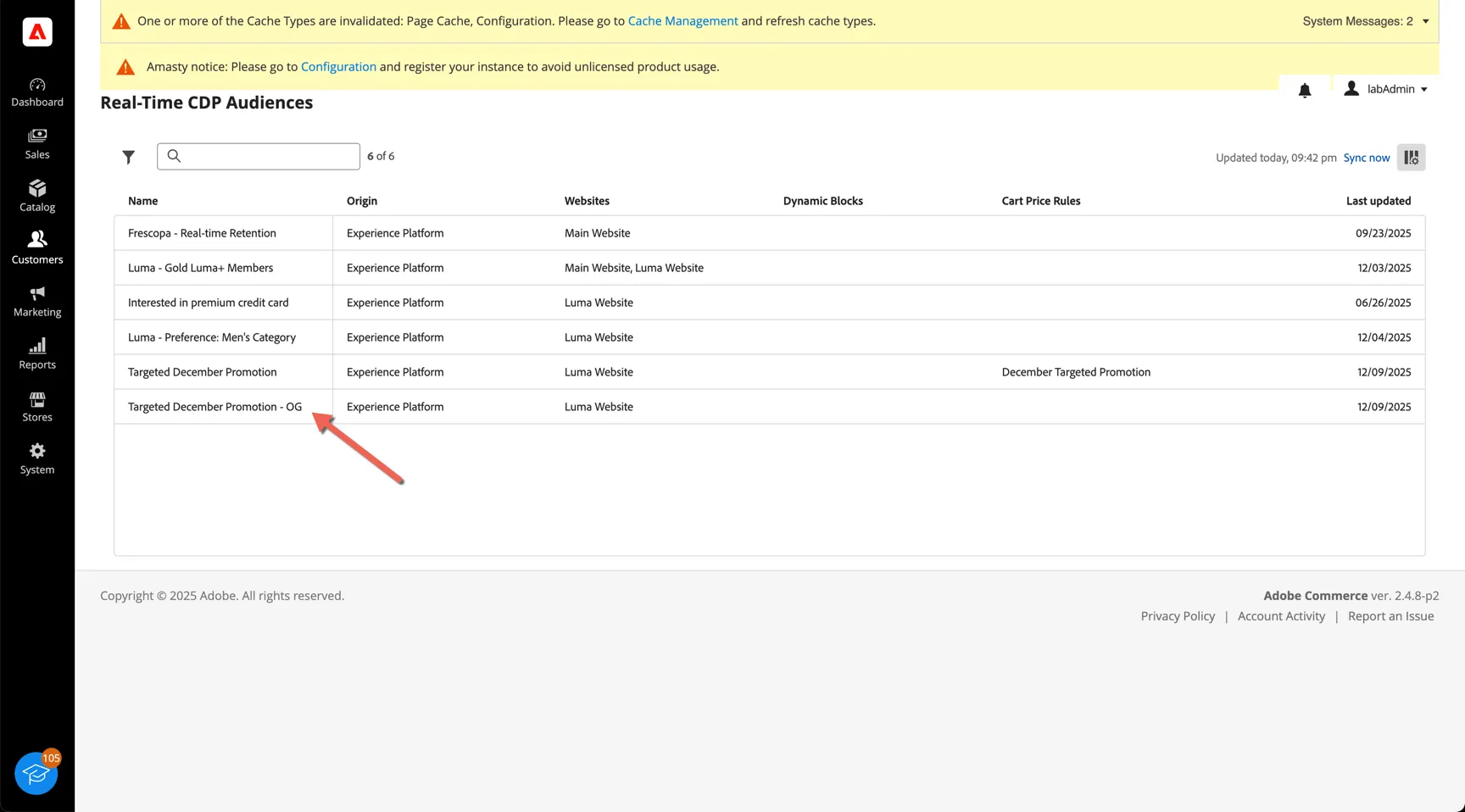
- Your audience is now available in Adobe Commerce
Apply Cart Rules
Once the audience is availabe it can be used to apply targeted promotions using cart price rules.
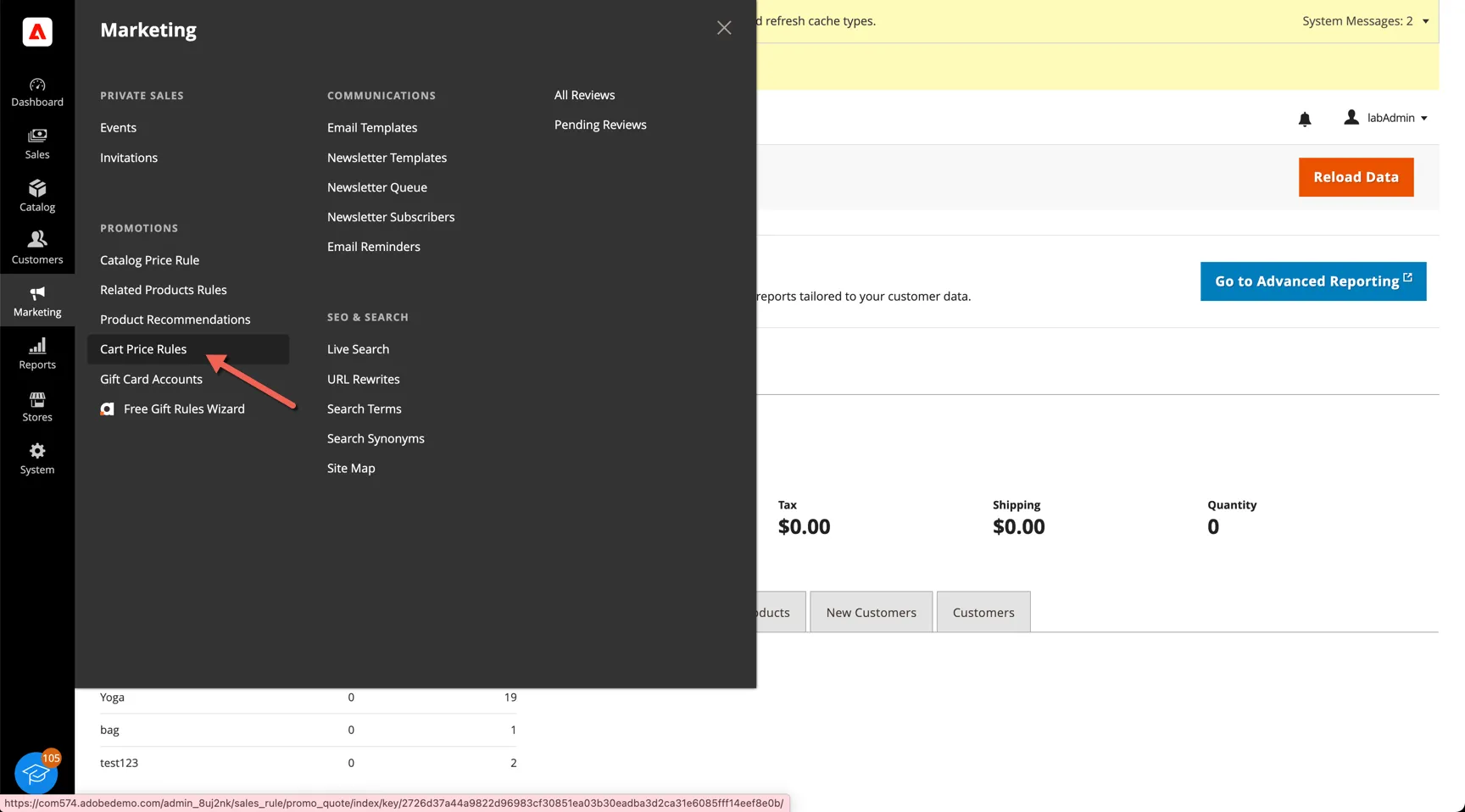
- Click on Marketing -> Cart Price Rules
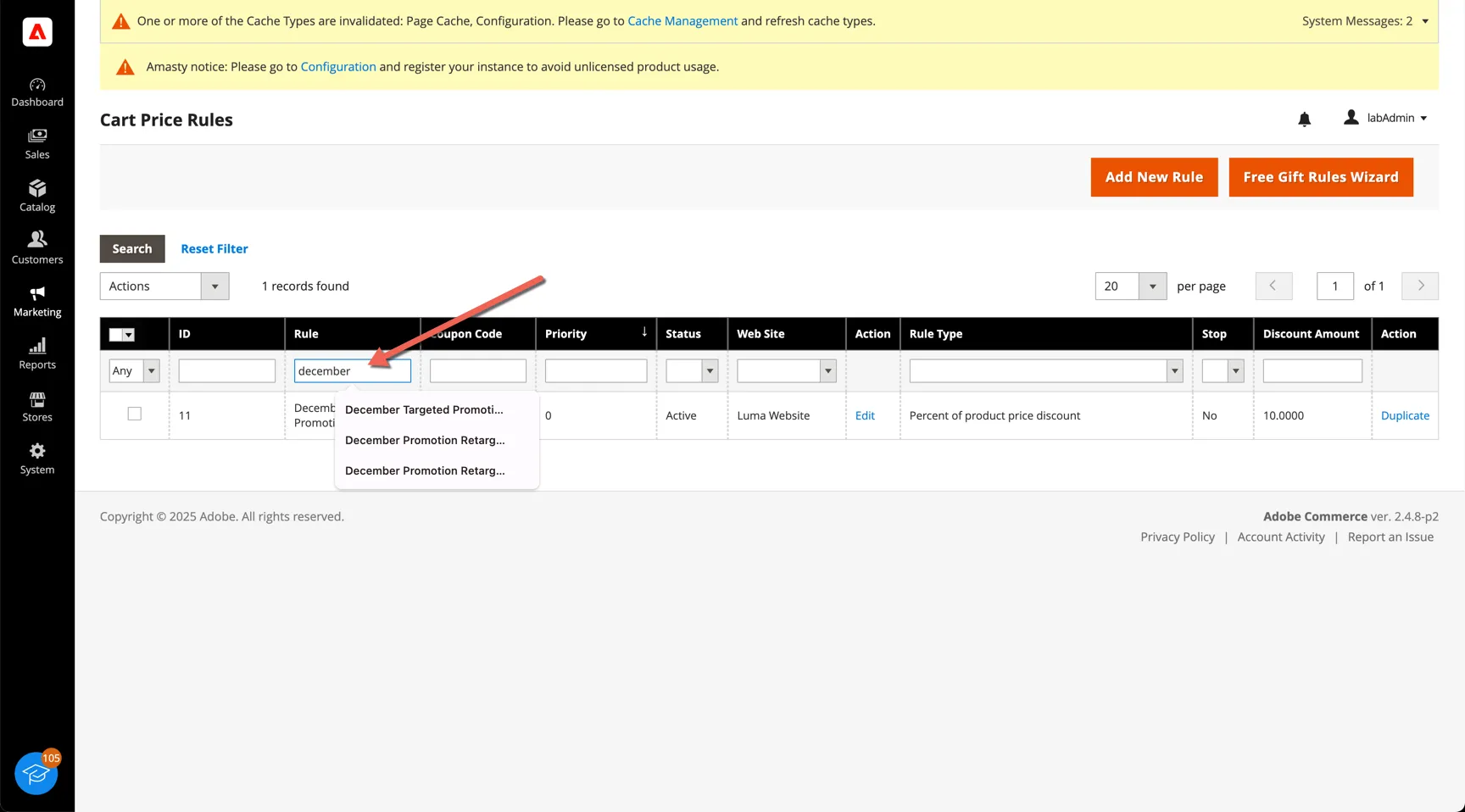
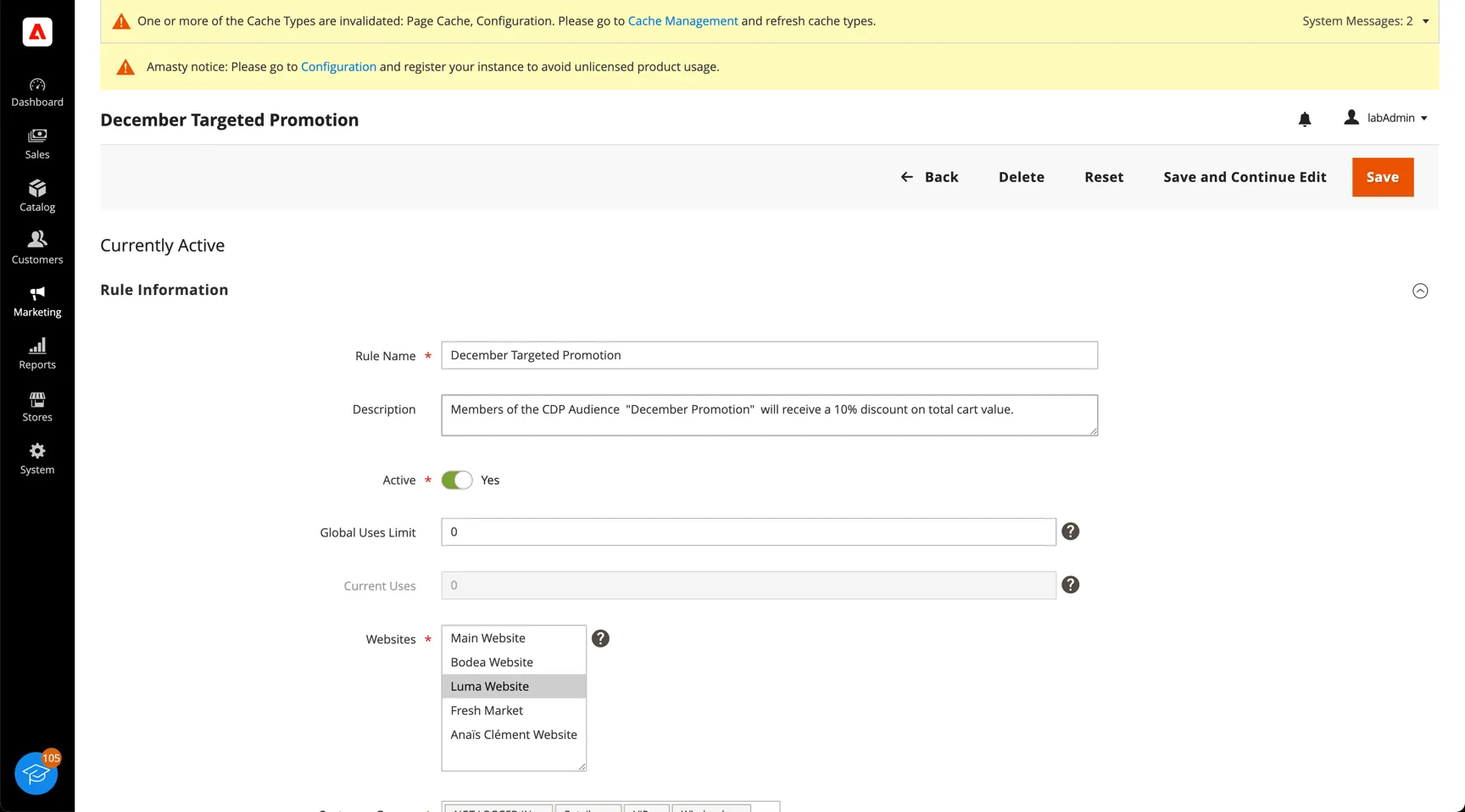
- Use the search bar to look for the December Targeted Promotion
- Click in to view the rule settings
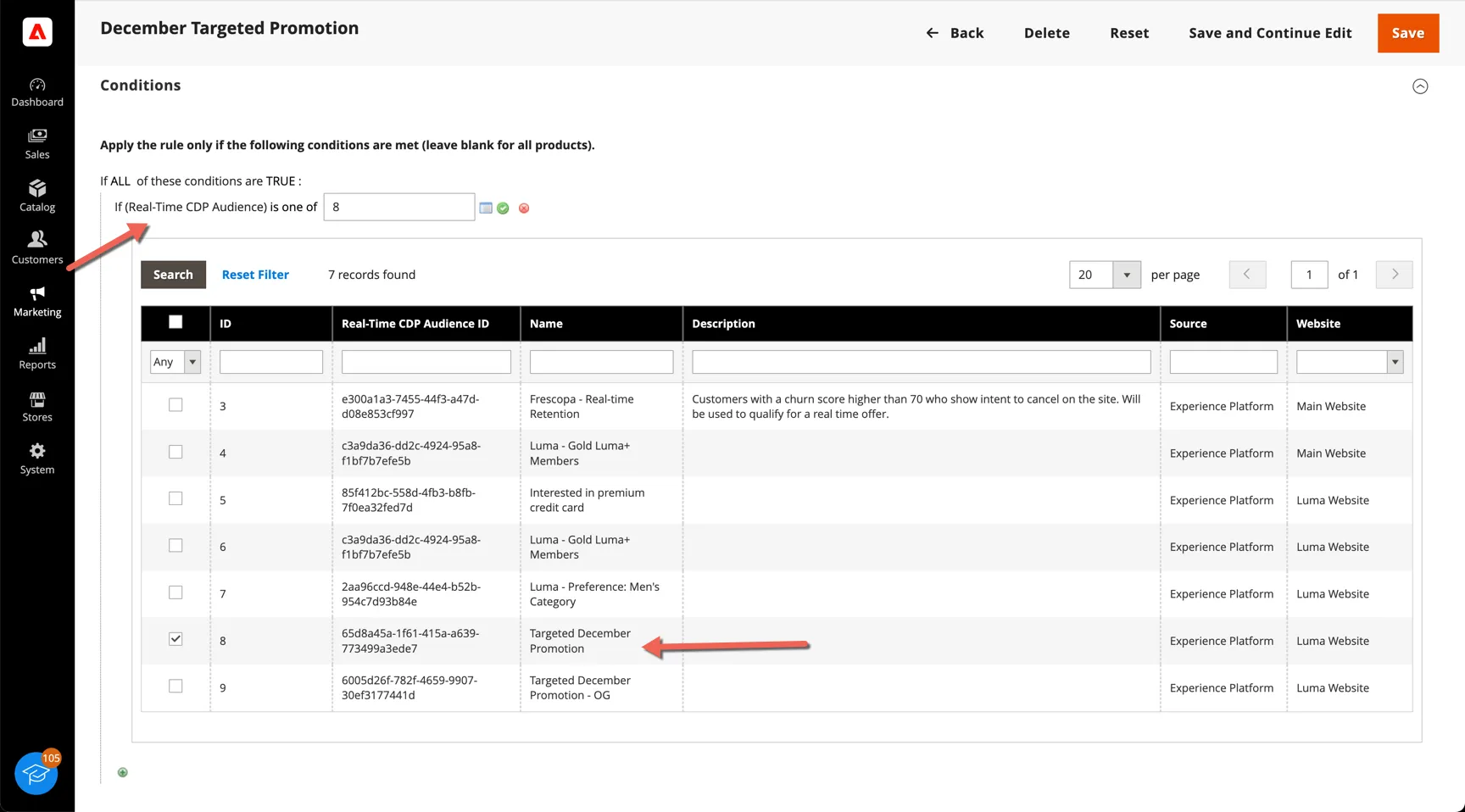
- Check the rule Conditions - this configuration ensures the rule is only applied to members of the CDP audience
Product Recommendations
In this exercise you'll learn how to configure AI based product recommendations.
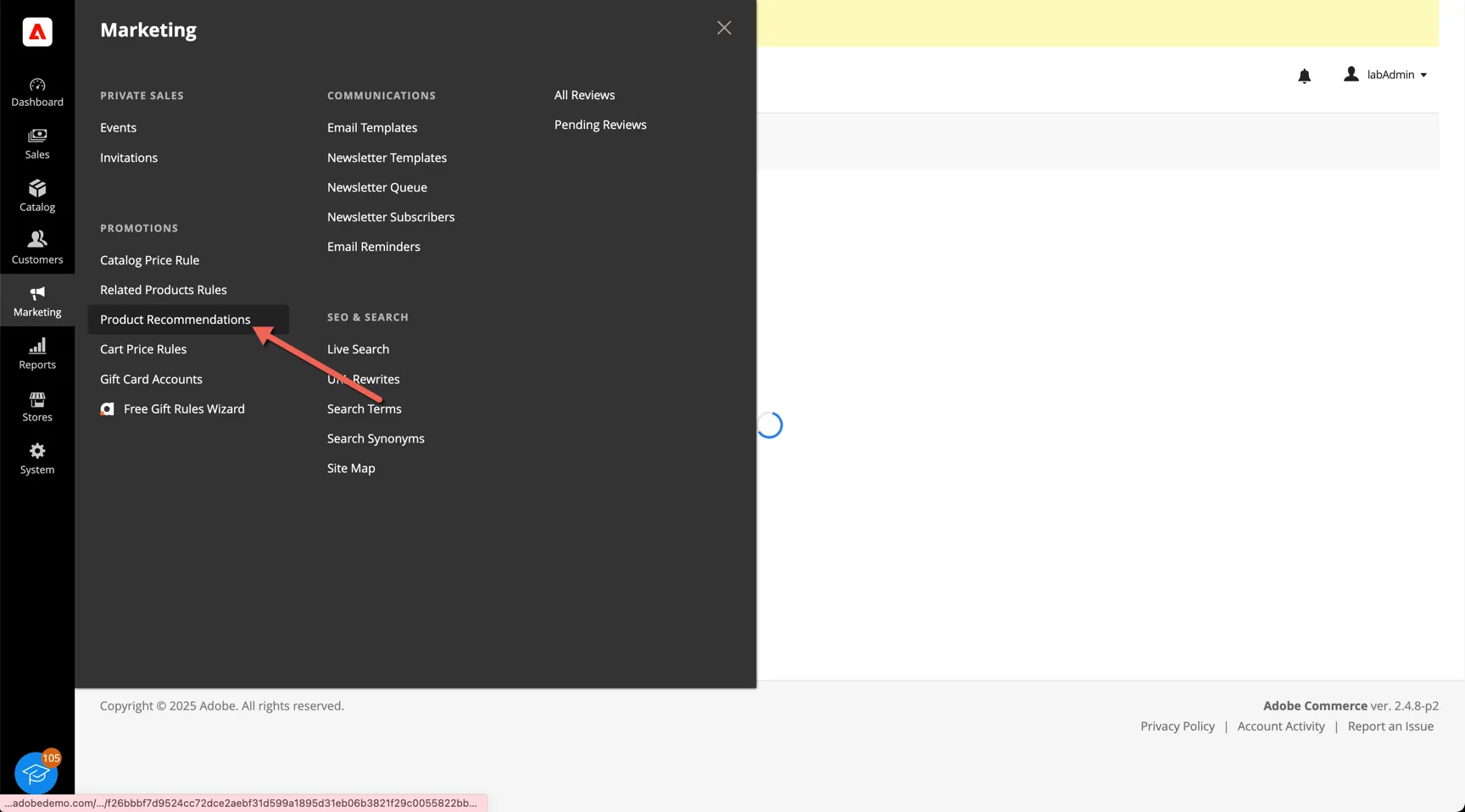
- Click into Marketing -> Product Recommendations
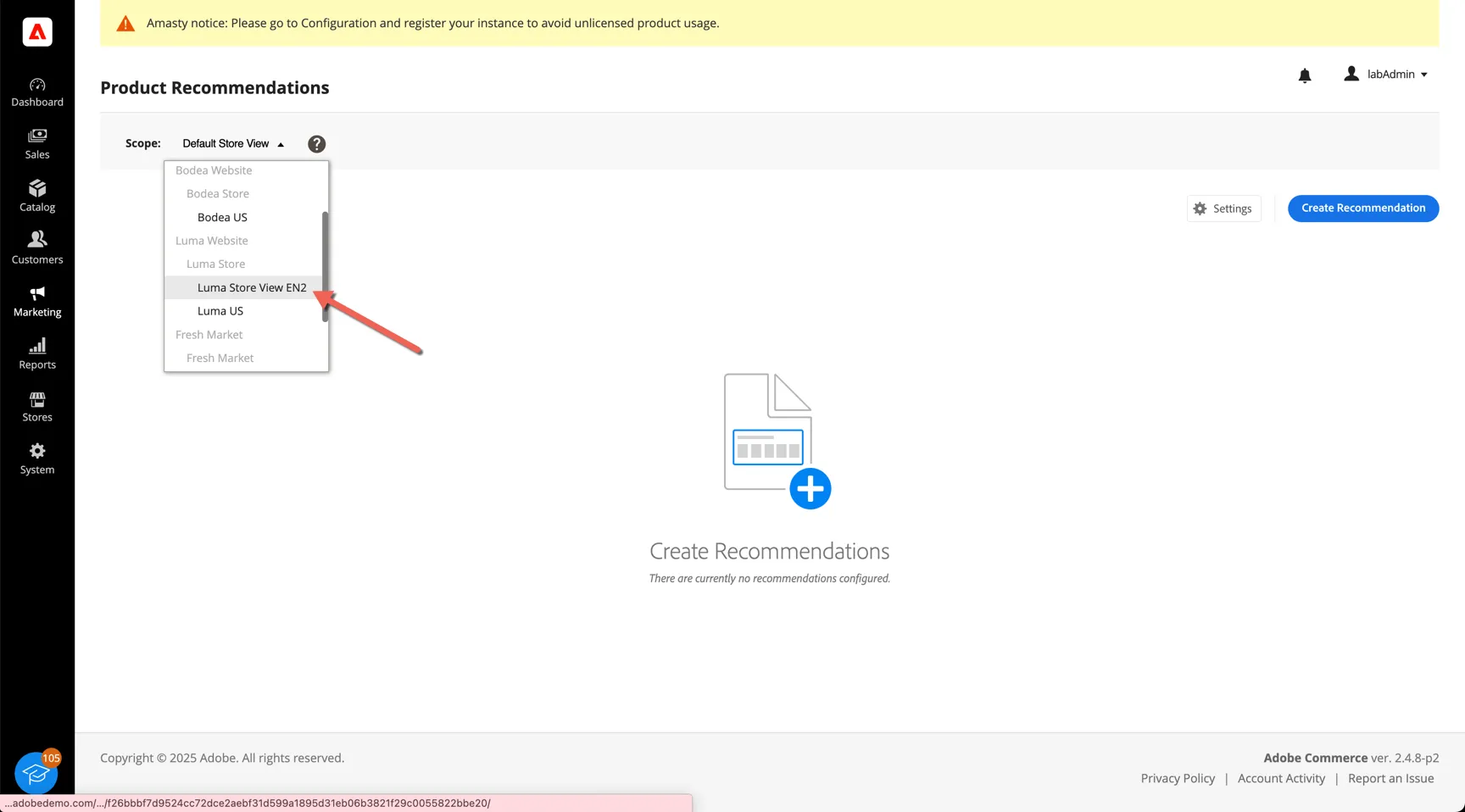
- Select the Luma Store View EN2
- You can see the Product Recs that you saw in the demo on the cart page.
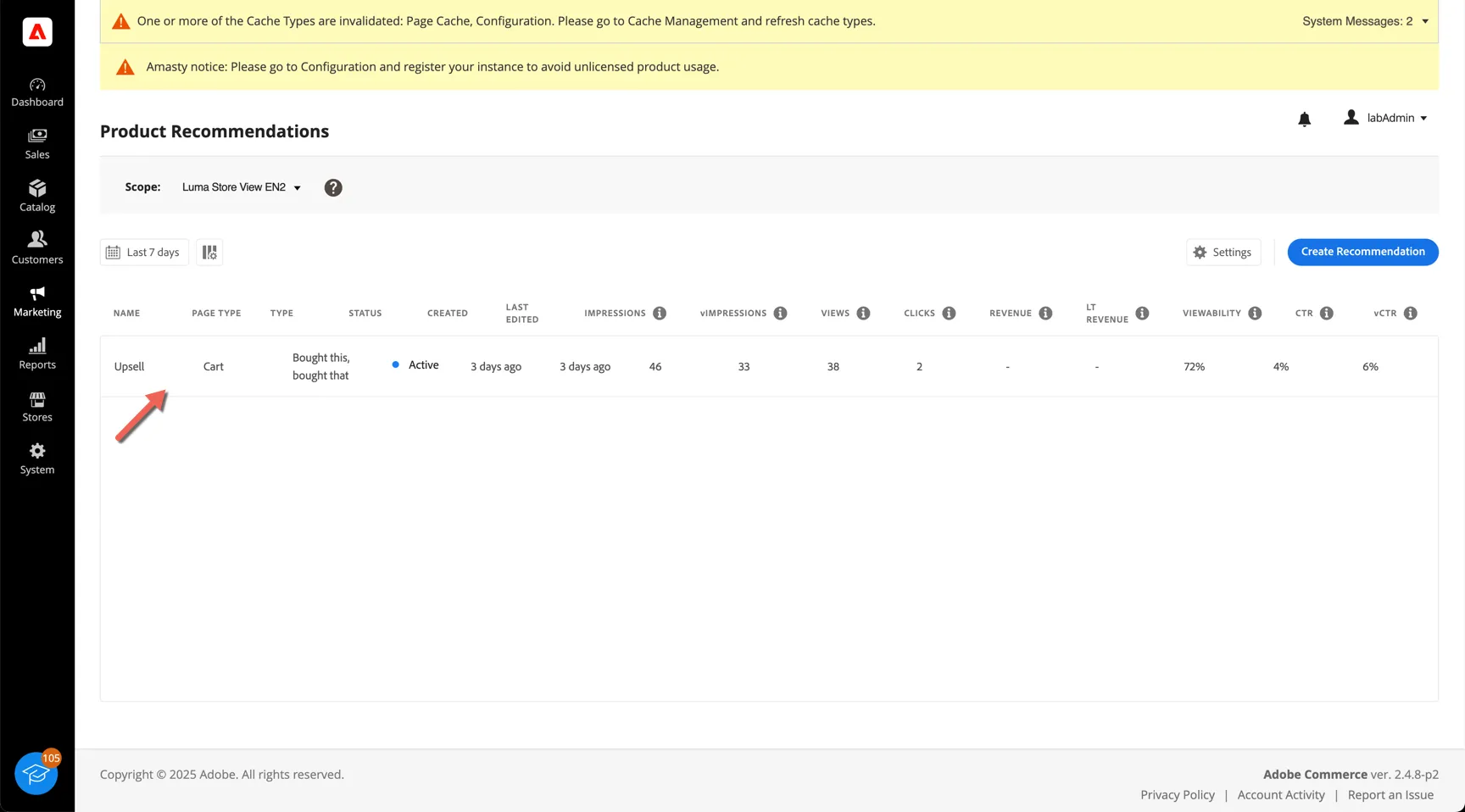
- Click to Create Recommendation
- Give your recomendations a name and select which page type they should appear on
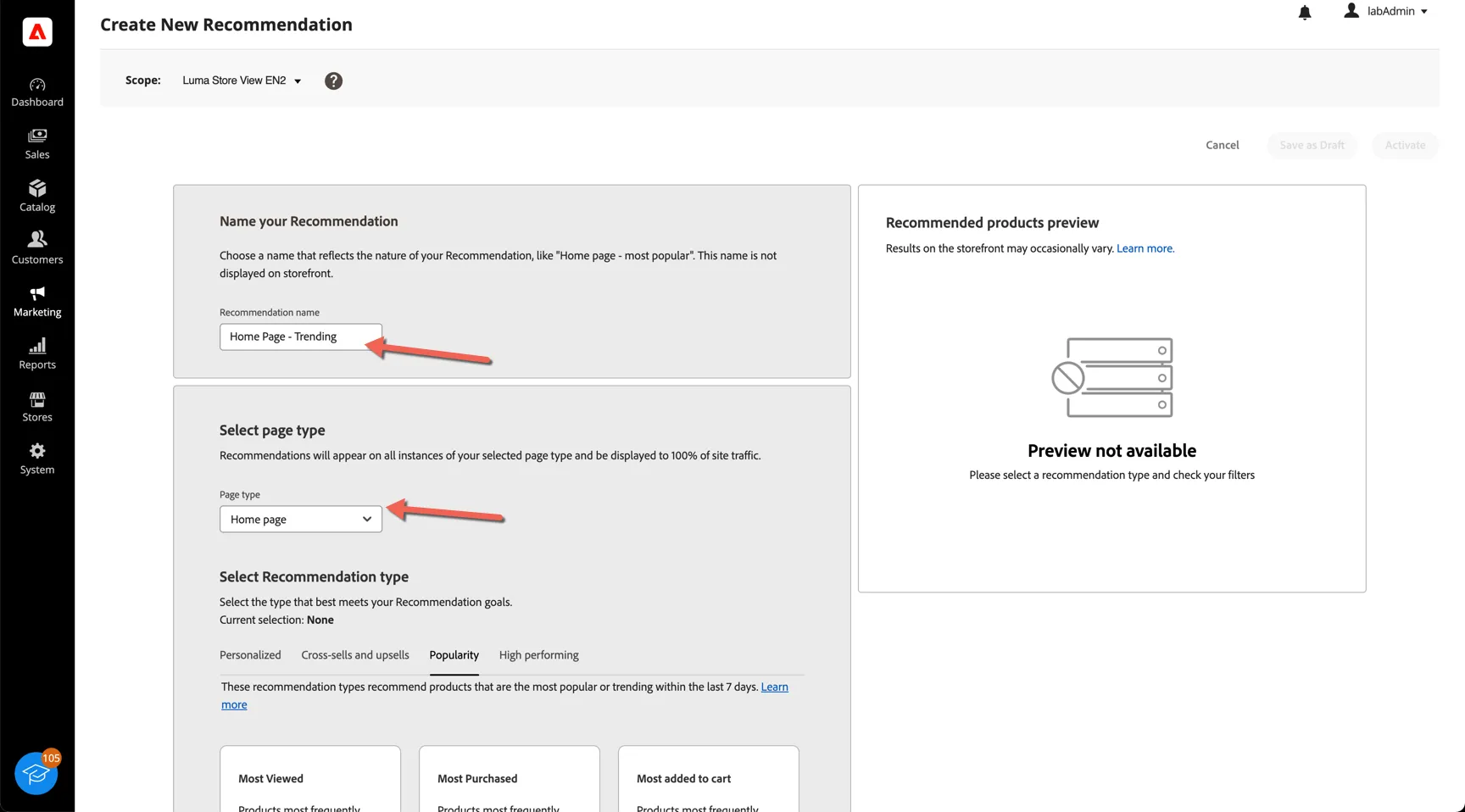
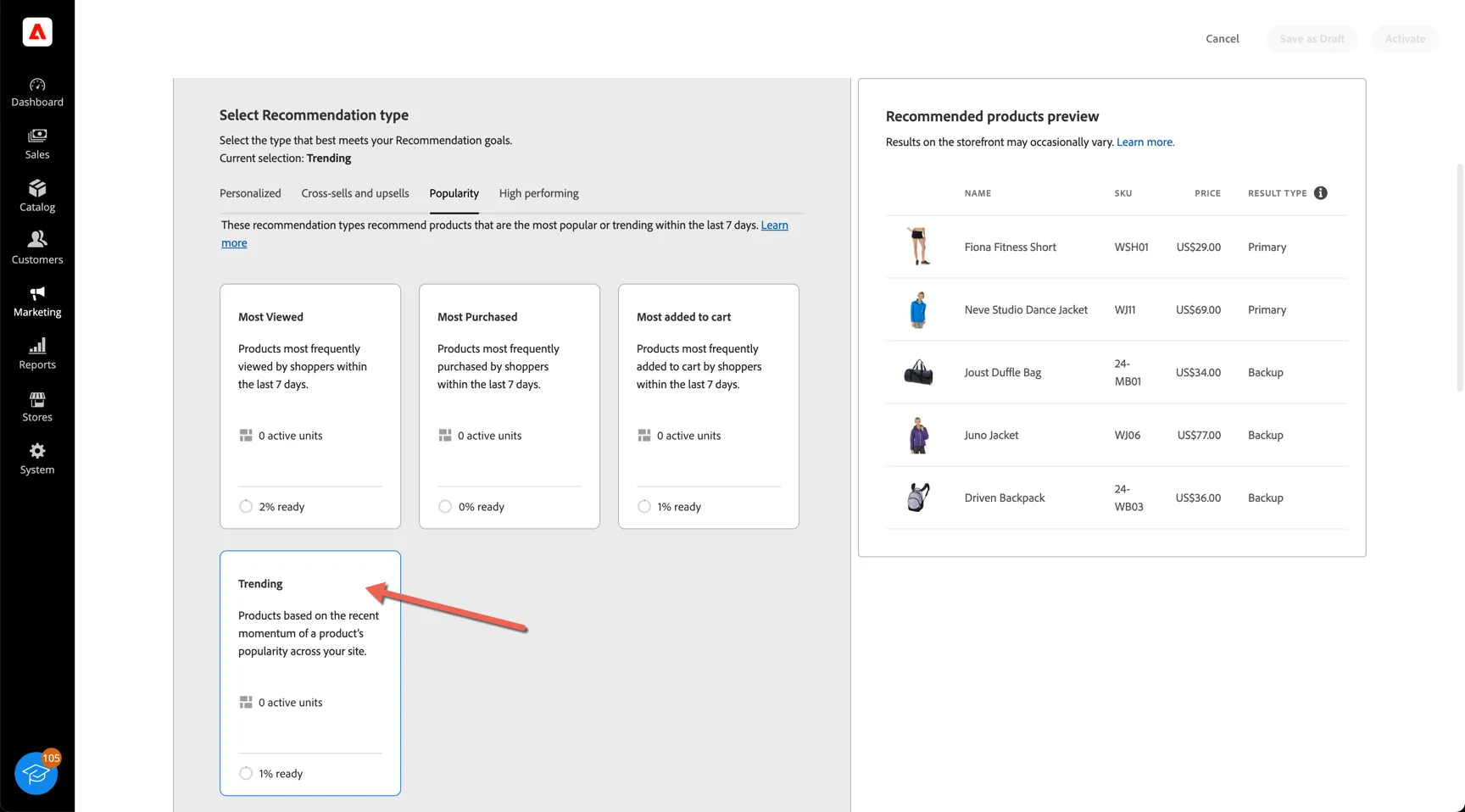
- Explore the recommendation types and select which one you prefer
- Lastly provide a label - add your initials to make yours unique and select how many products you want returned as well as the location
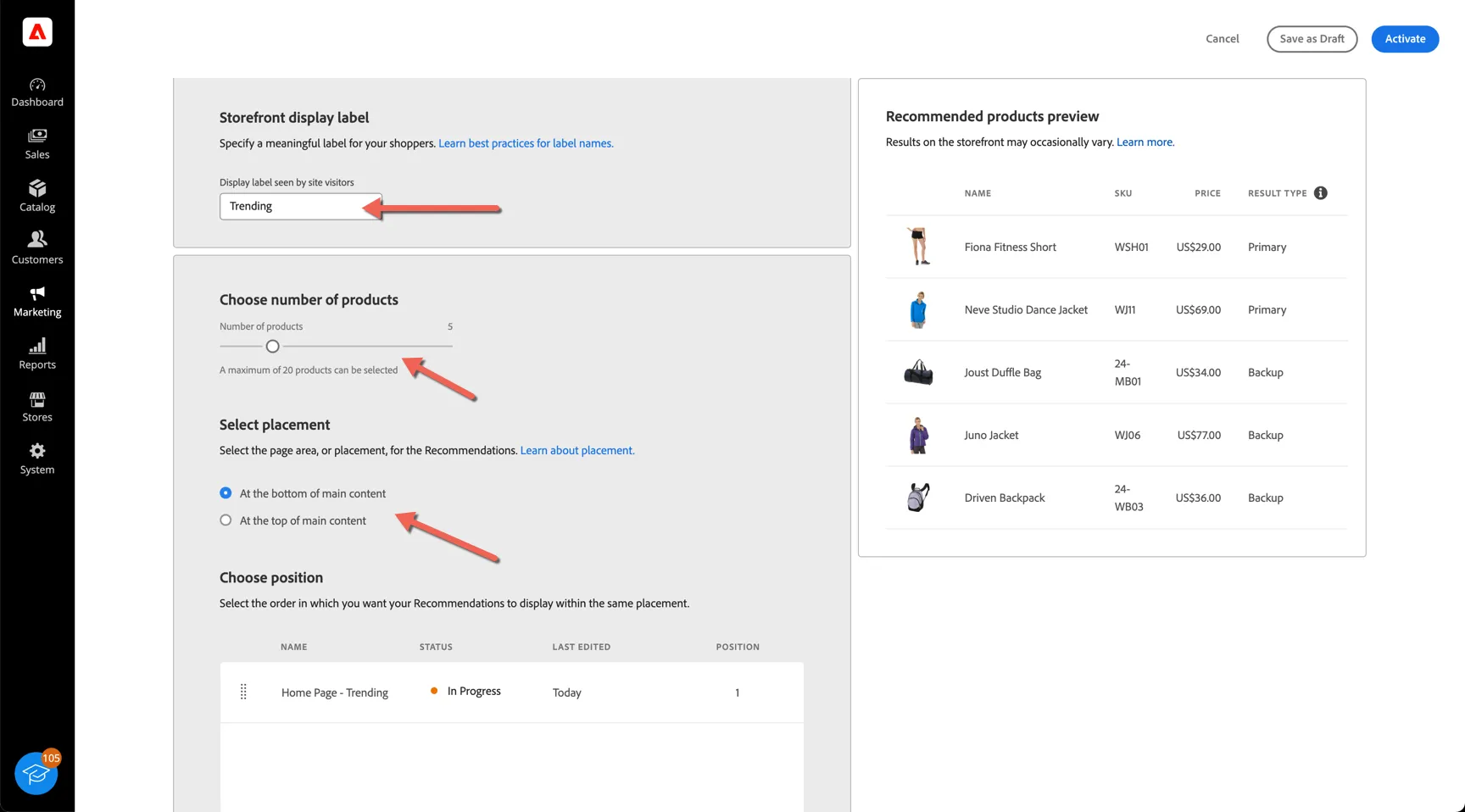
- Activate your recommendations then check the front end to see your changes.
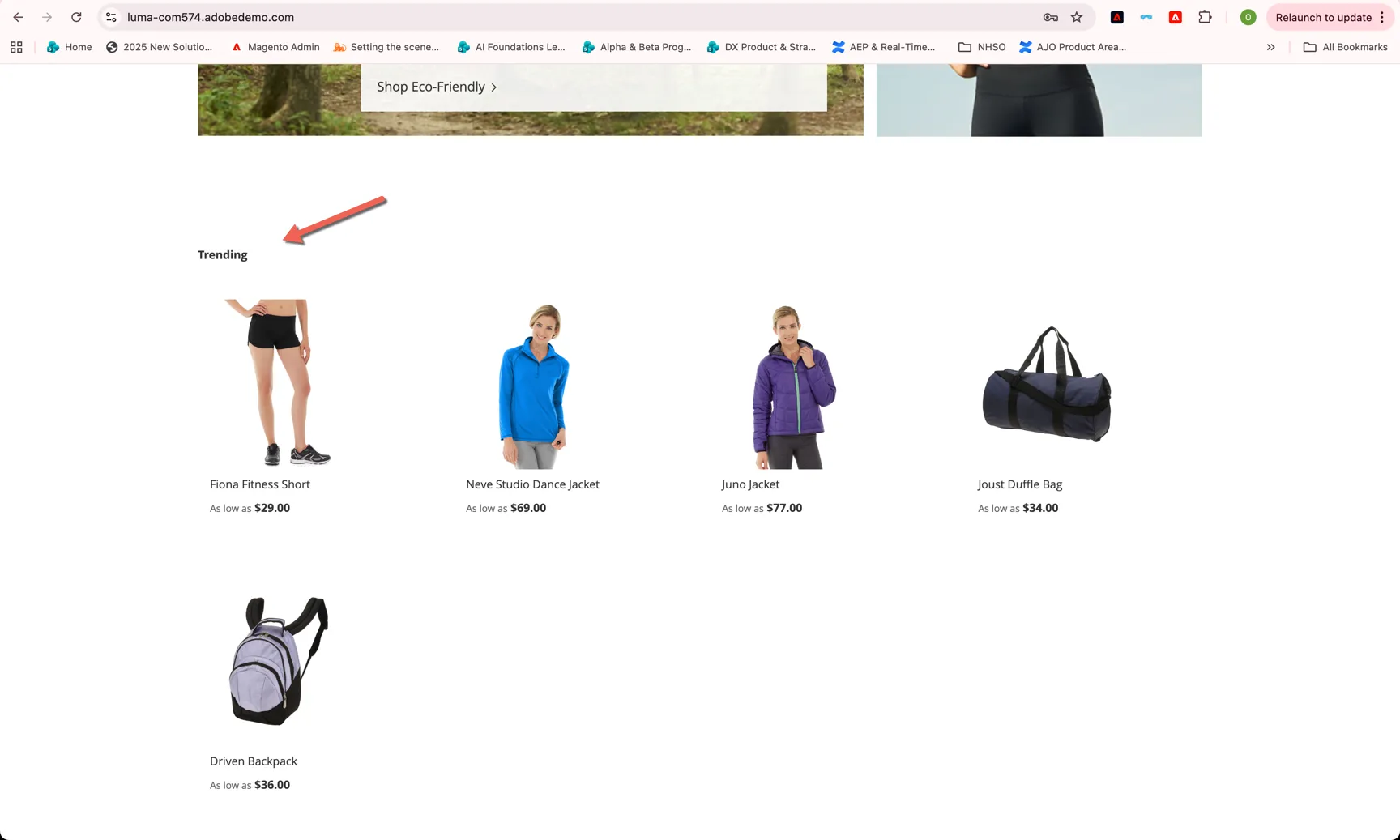
Live Search
Live search configurations can be found under the Marketing -> Live Search menu item.
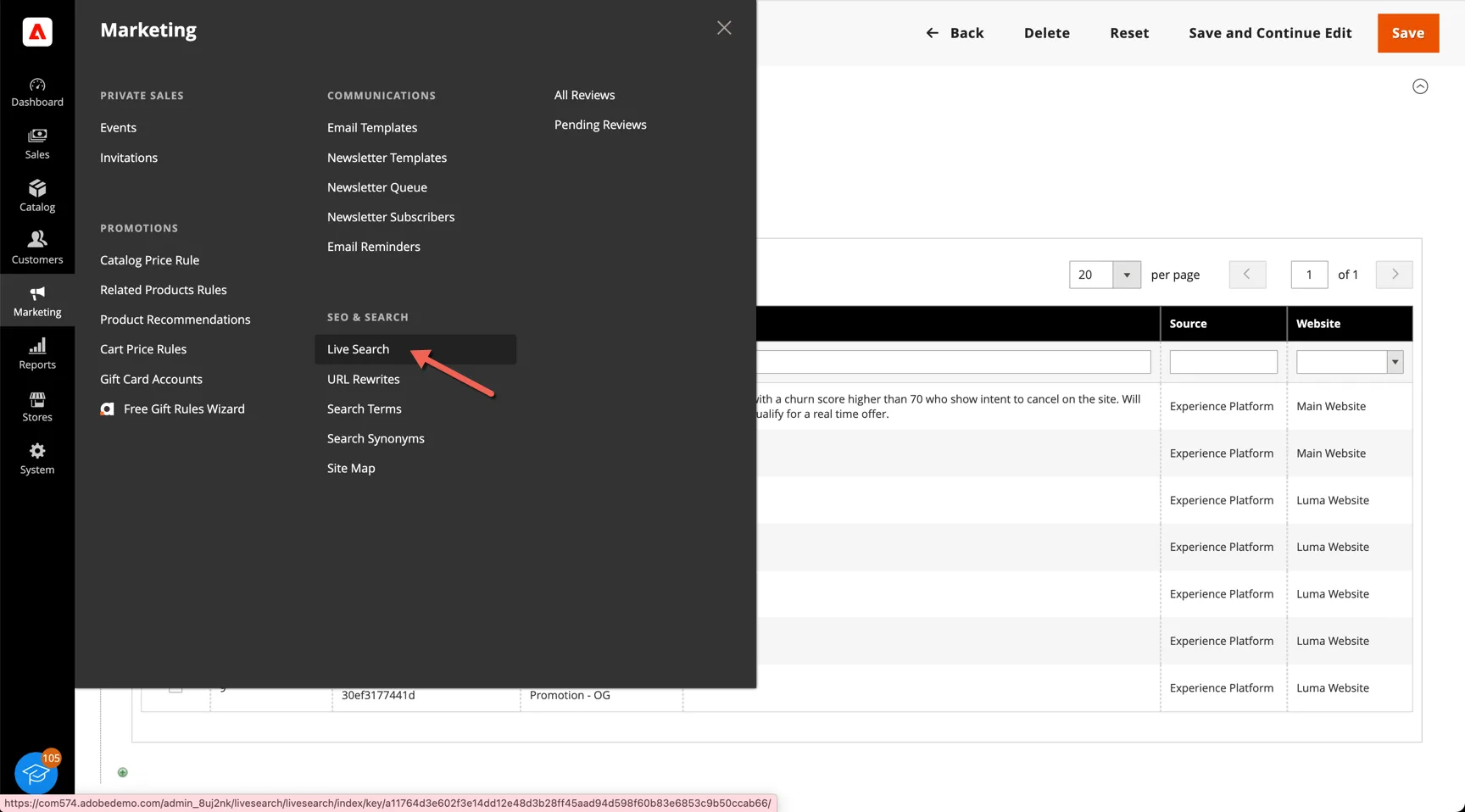
Jason will walk through a demo of this feature and the configuraiton options available.