Workfront Intake Request
8 min
Purpose:
Provide users the option to enter key details to programmatically create and executereusable Adobe AJO Experience Decisioning workflows. The pre-defined Adobe Workfront Workflow templates expedite and streamline future use cases which provide easily modifiable macro assets for technical and business users.
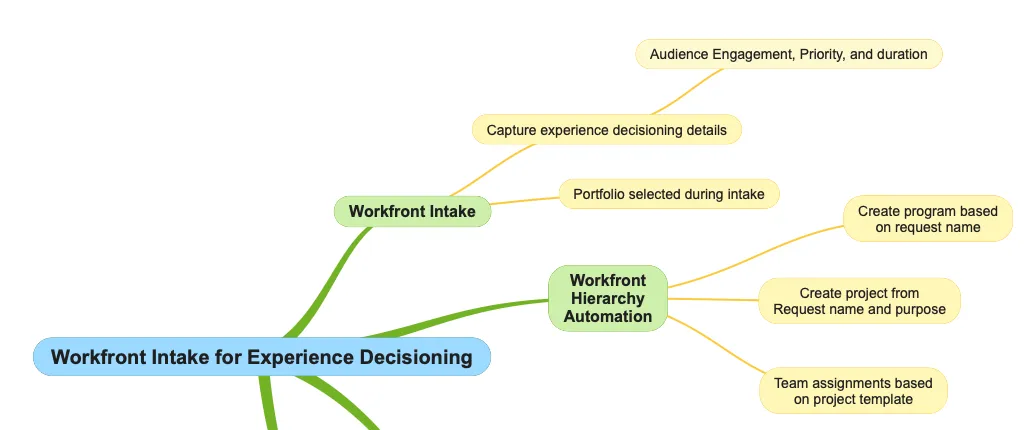
Adobe Workfront Workflow Intake Process
Step 1: Adobe Workfront Workflow Access
Navigate to Adobe Workfront Workflow
Step 2: Navigate to Requests Queue
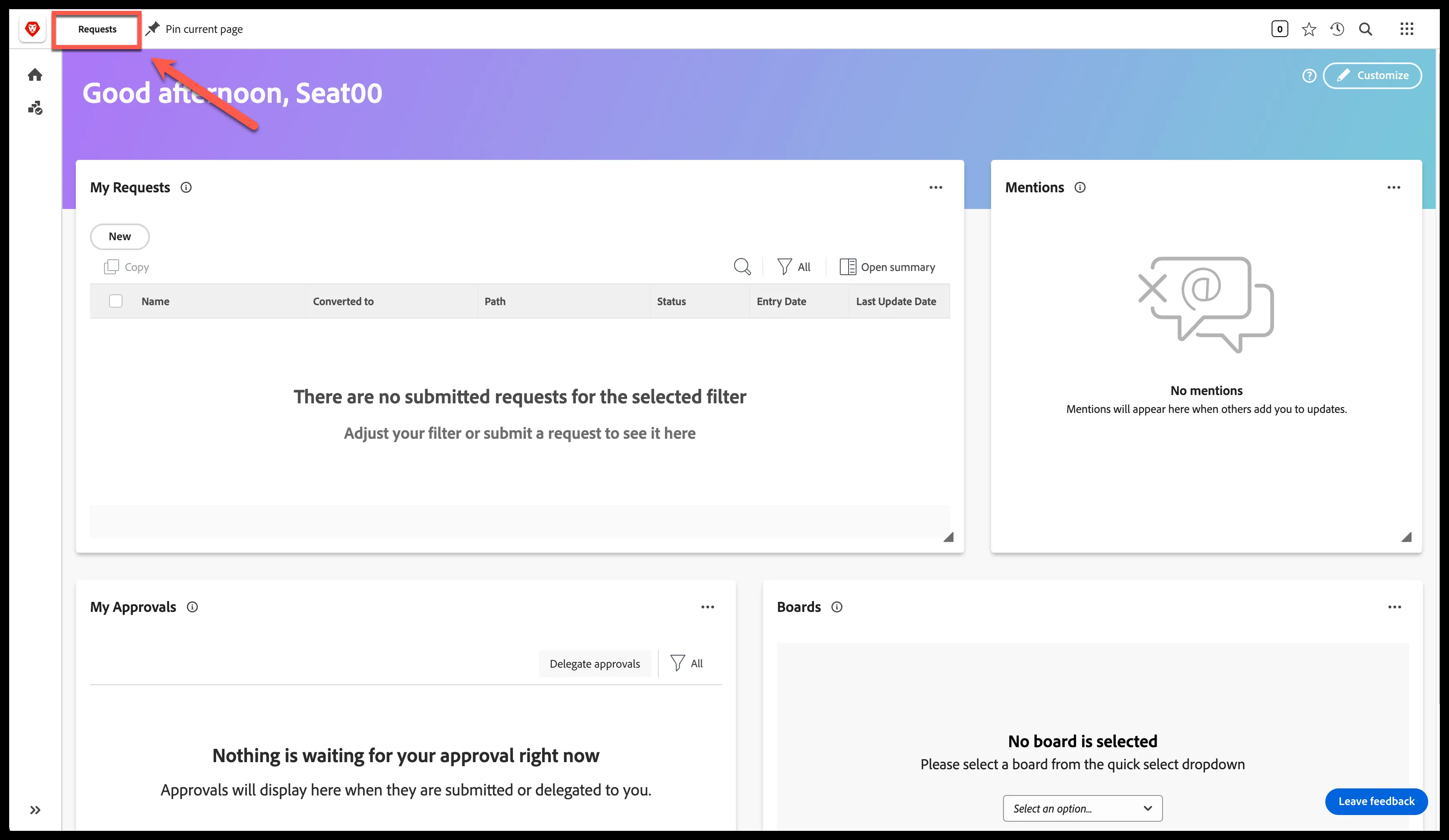
Adobe Workfront Workflow Home
Step 3: Create New Adobe Workfront Request
Click the 'New request' button in the top right corner of the screen
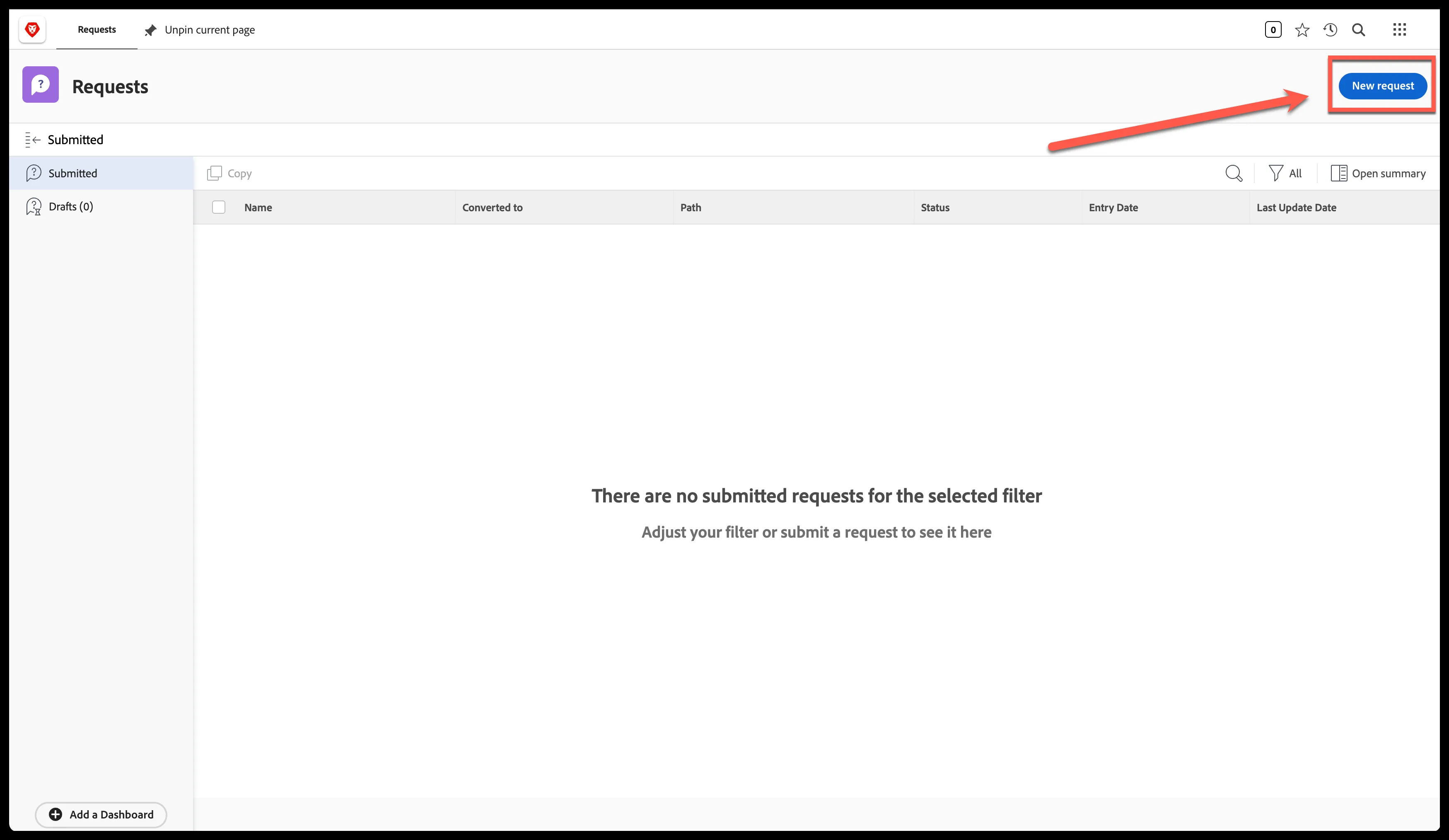
Adobe Workfront Request Queue Submitted Request
Step 4: Select Appropriate Request Queue
- Click on 'Request Type' dropdown
- Select 'Workfront & AJO Experience Decisioning'
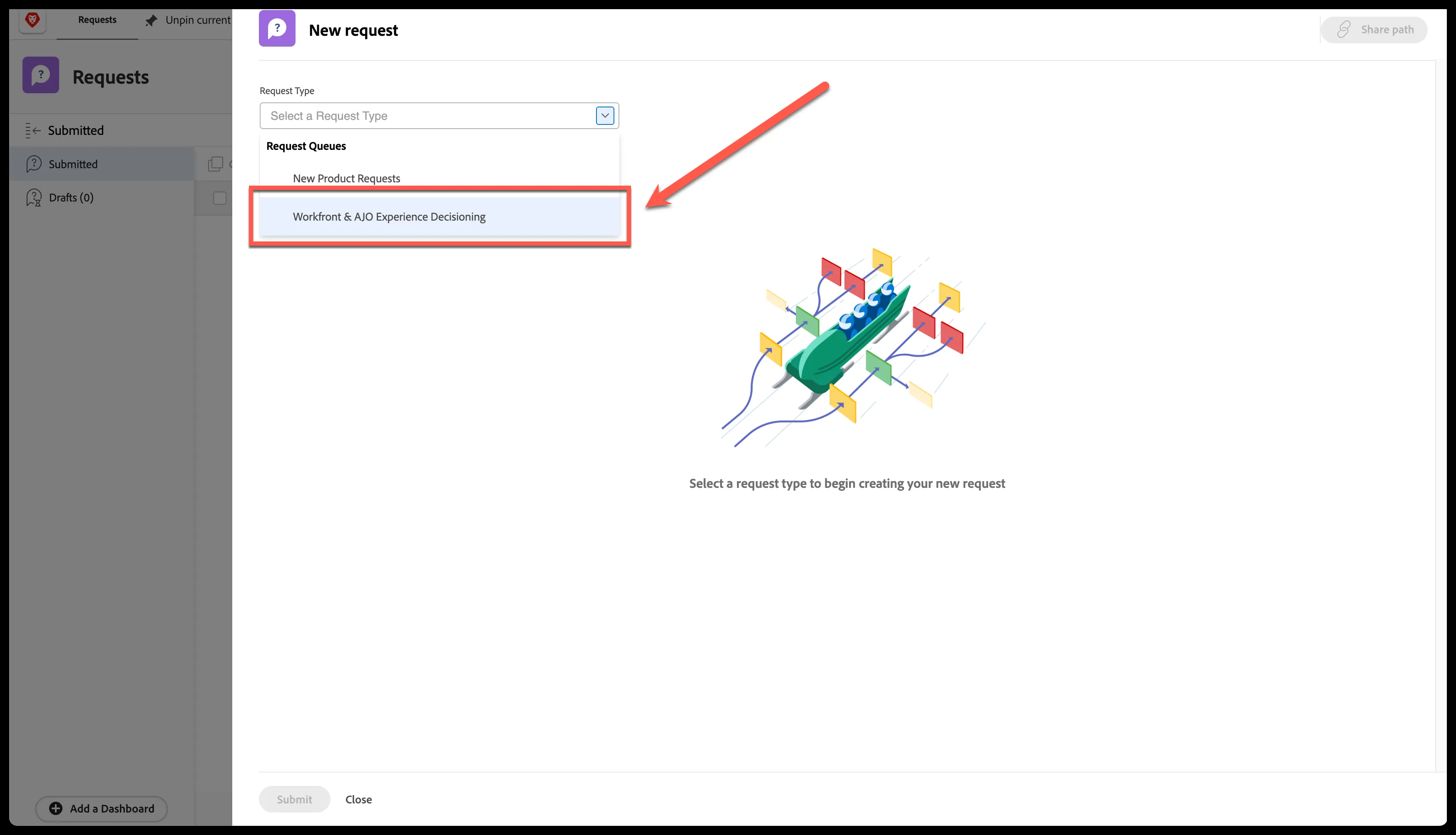
Request Queue Selection
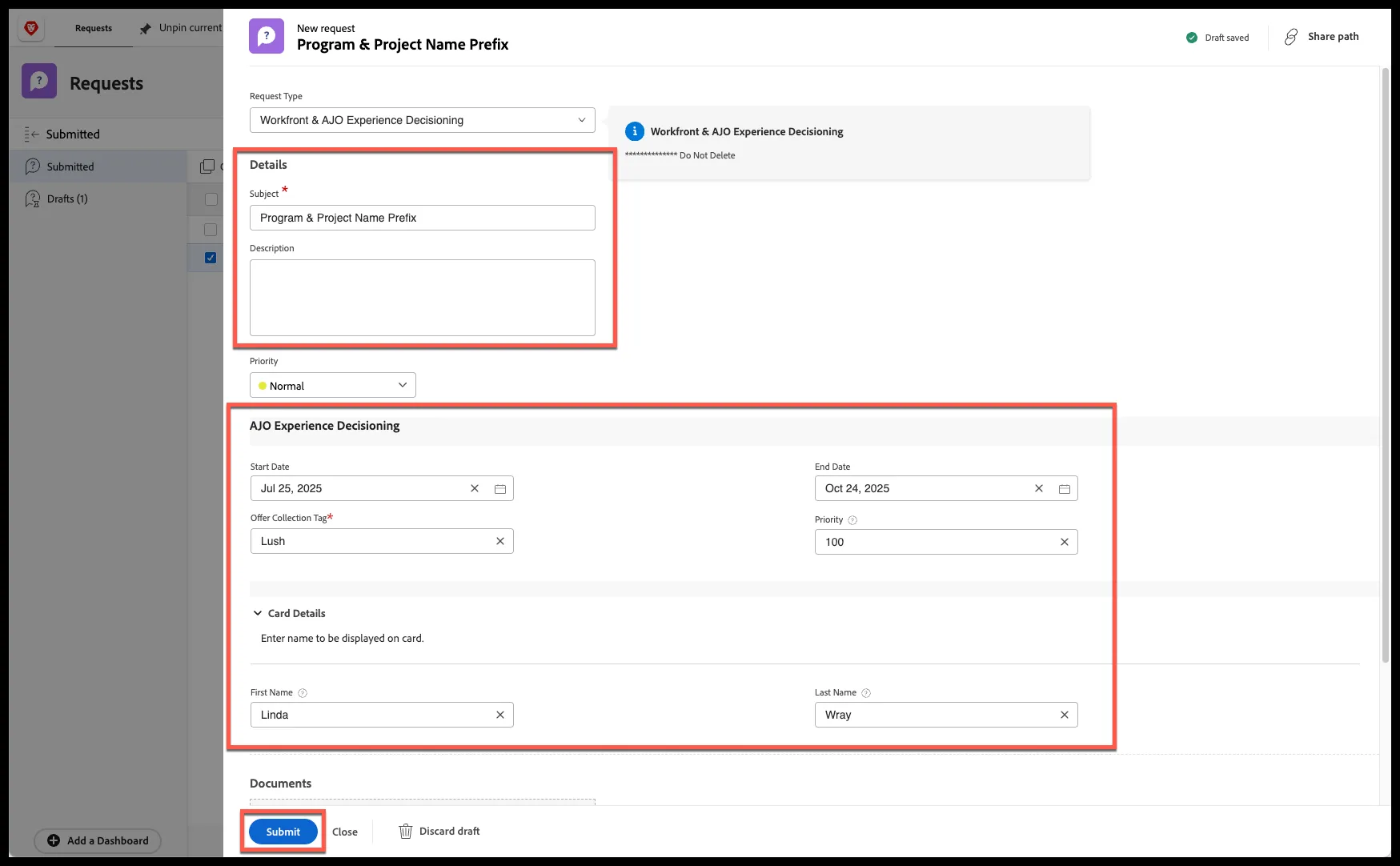
Step 5: Enter Workflow & Experience Decisioning Details
**Please note the 'Subject' and 'Offer Collection Tag' fields will be used to name the Program and Project containers within Adobe Workfront Workflow.
- Enter field details
- Click 'Submit'
Step 6: Access Adobe Workfront Workflow Project
- Refresh browser window
- Click on 'Converted to' project name used in the request 'Subject'
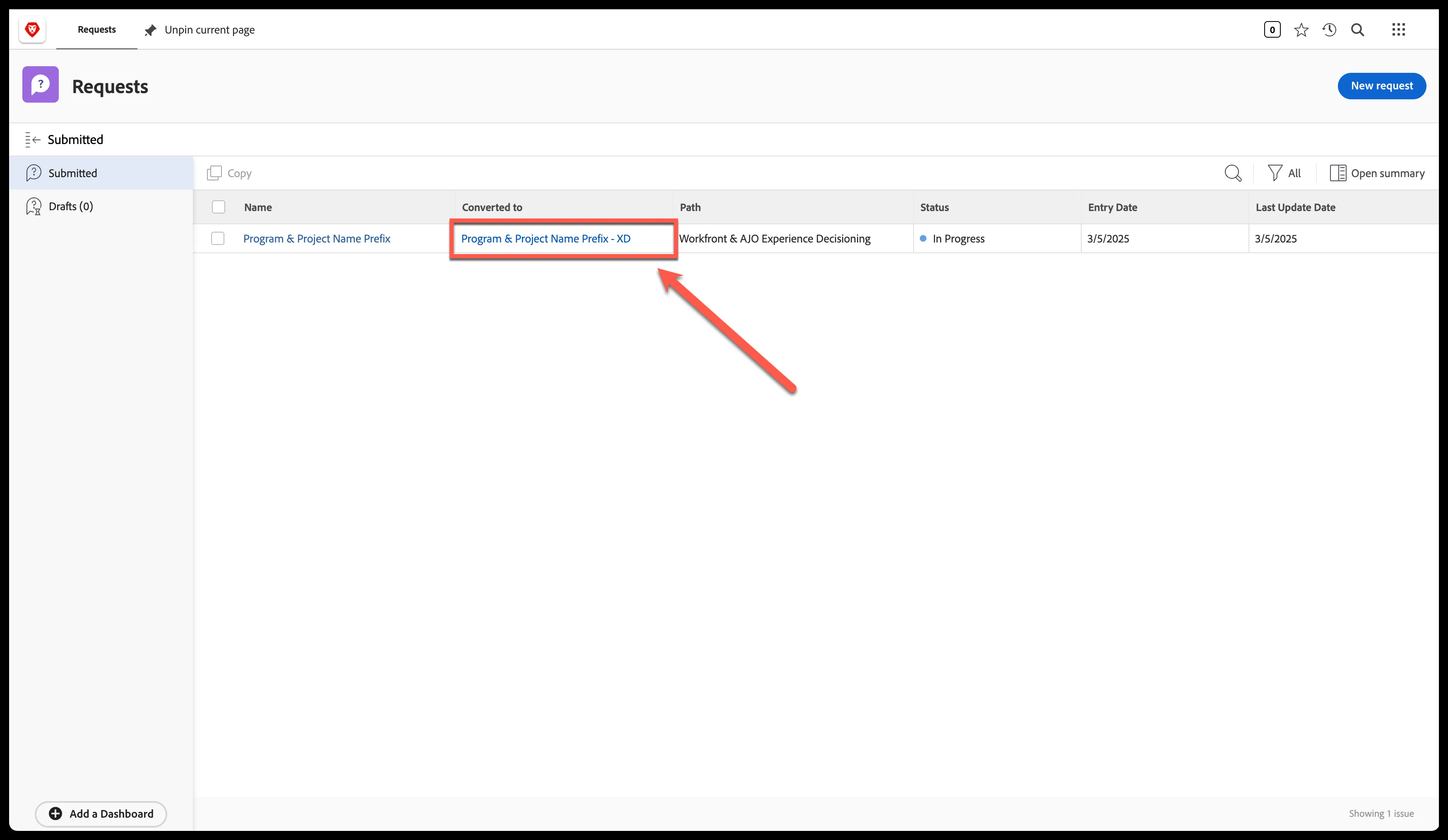
Submitted Request & Project Access
Step 7: Pin Project as Adobe Workfront Workflow tab
Click 'Pin current page' on the top navigation bar
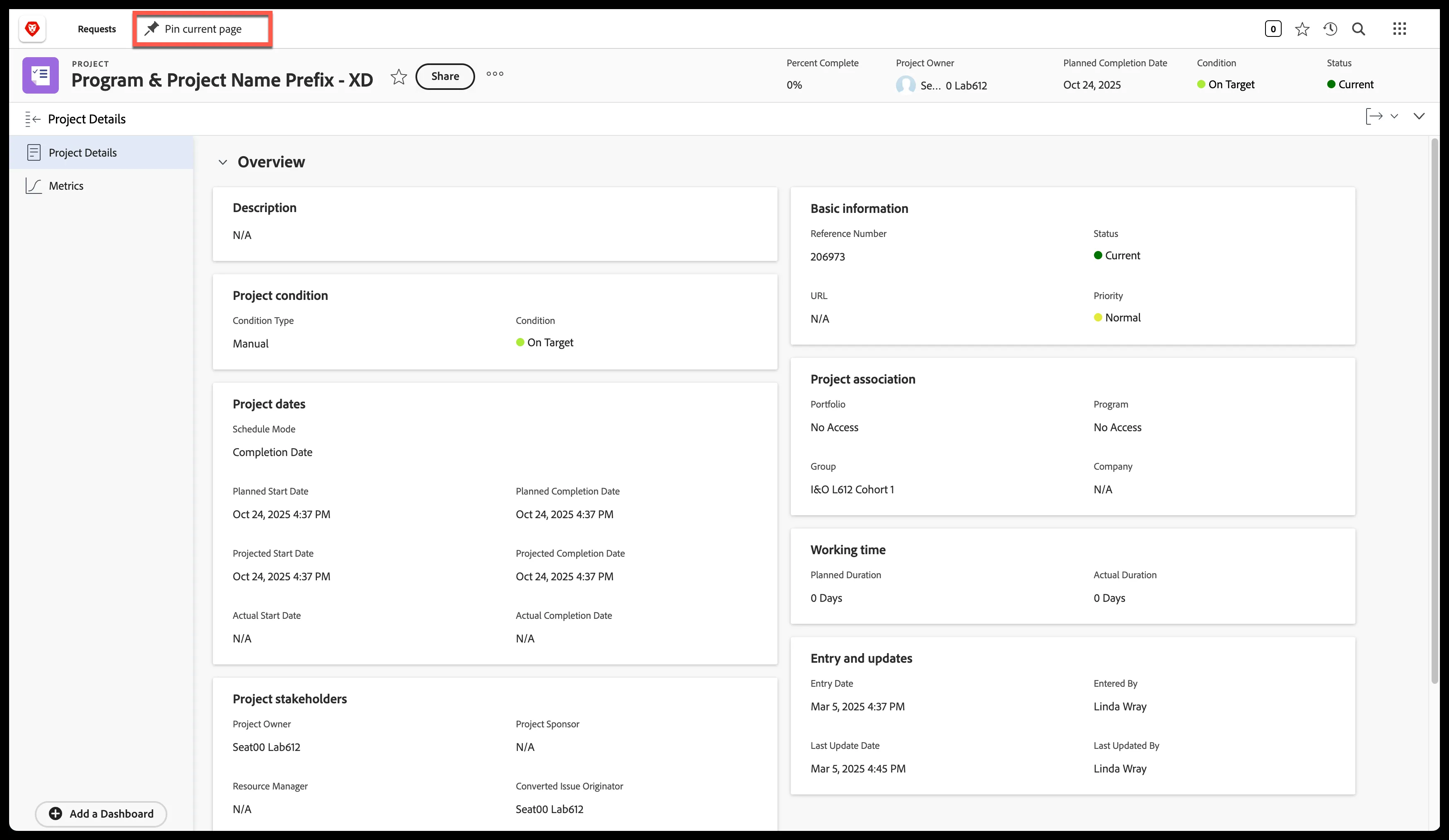
Workfront Workflow Project