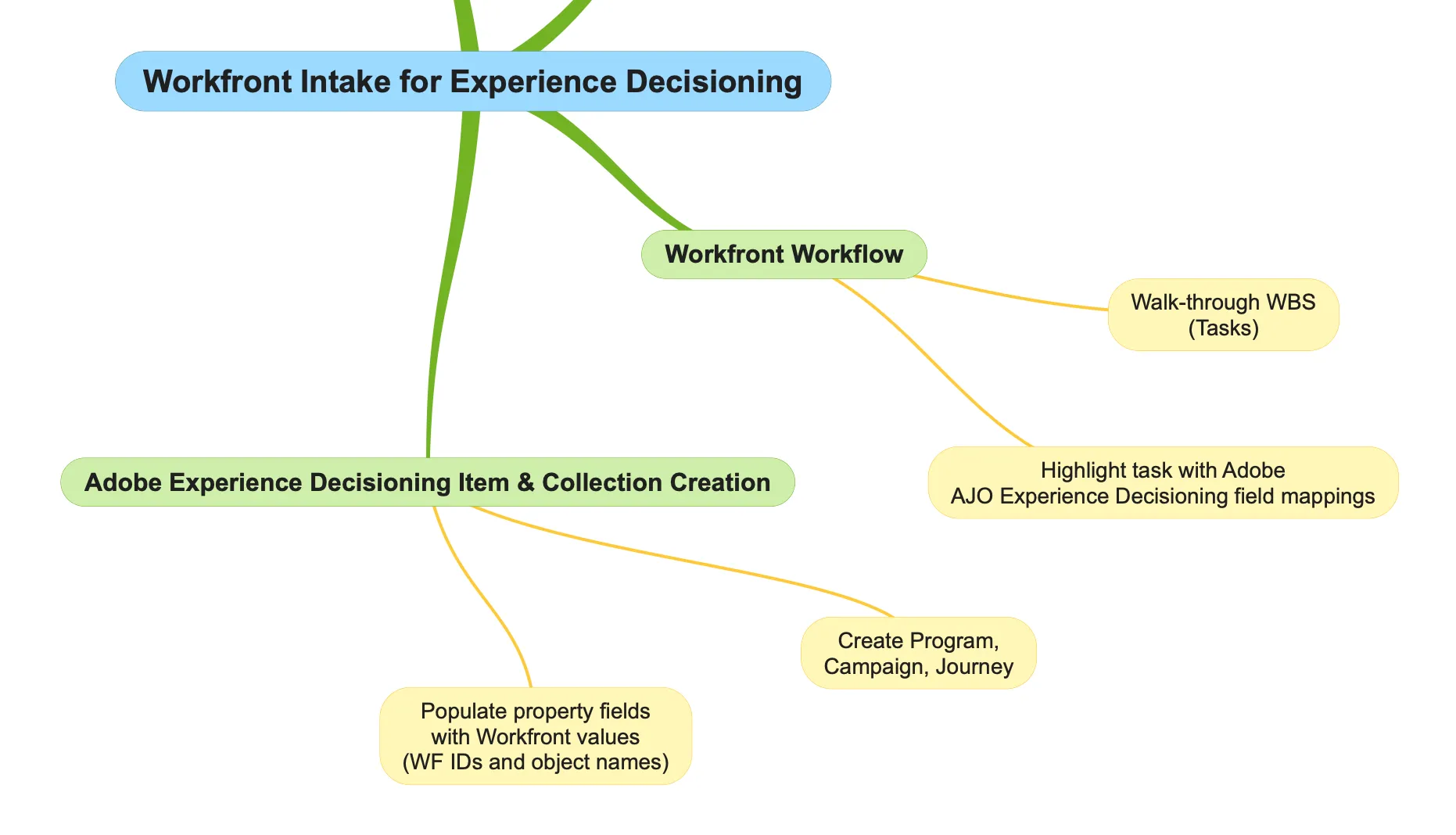
Workfront Project WBS
Purpose:
Leverage data capture from the Workfront intake process to manage a repeatable project workflow focused on the creation of Adobe Experience Decisioning catalog collections, selection strategies, and catalog offers. While using the power of Adobe Workfront Workflow to manage resource assignments, collaboration, approval processes, and project management at scale.
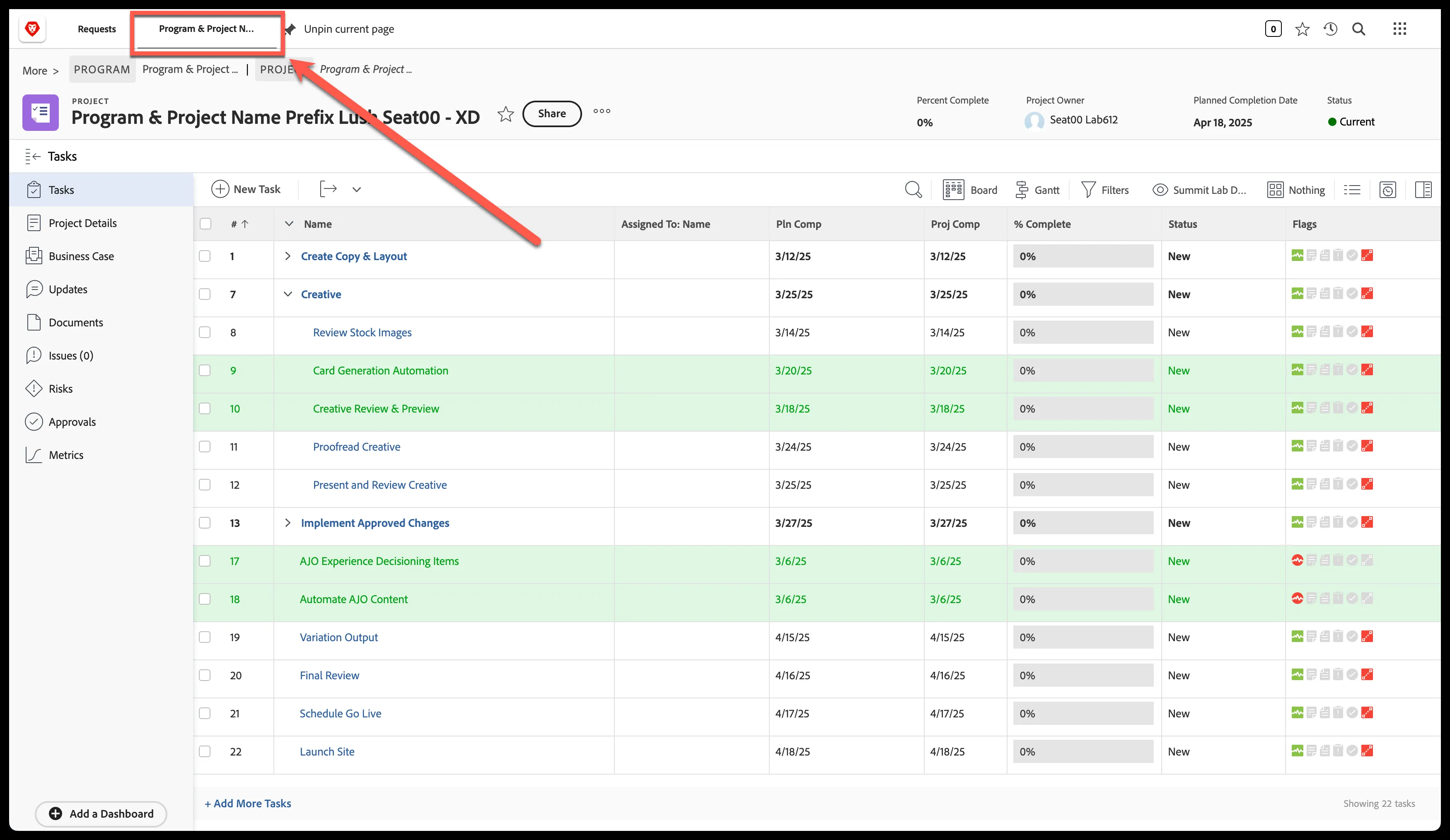
Navigate to Workfront Project
Click on the pinned tab on the top of the screen with the project name
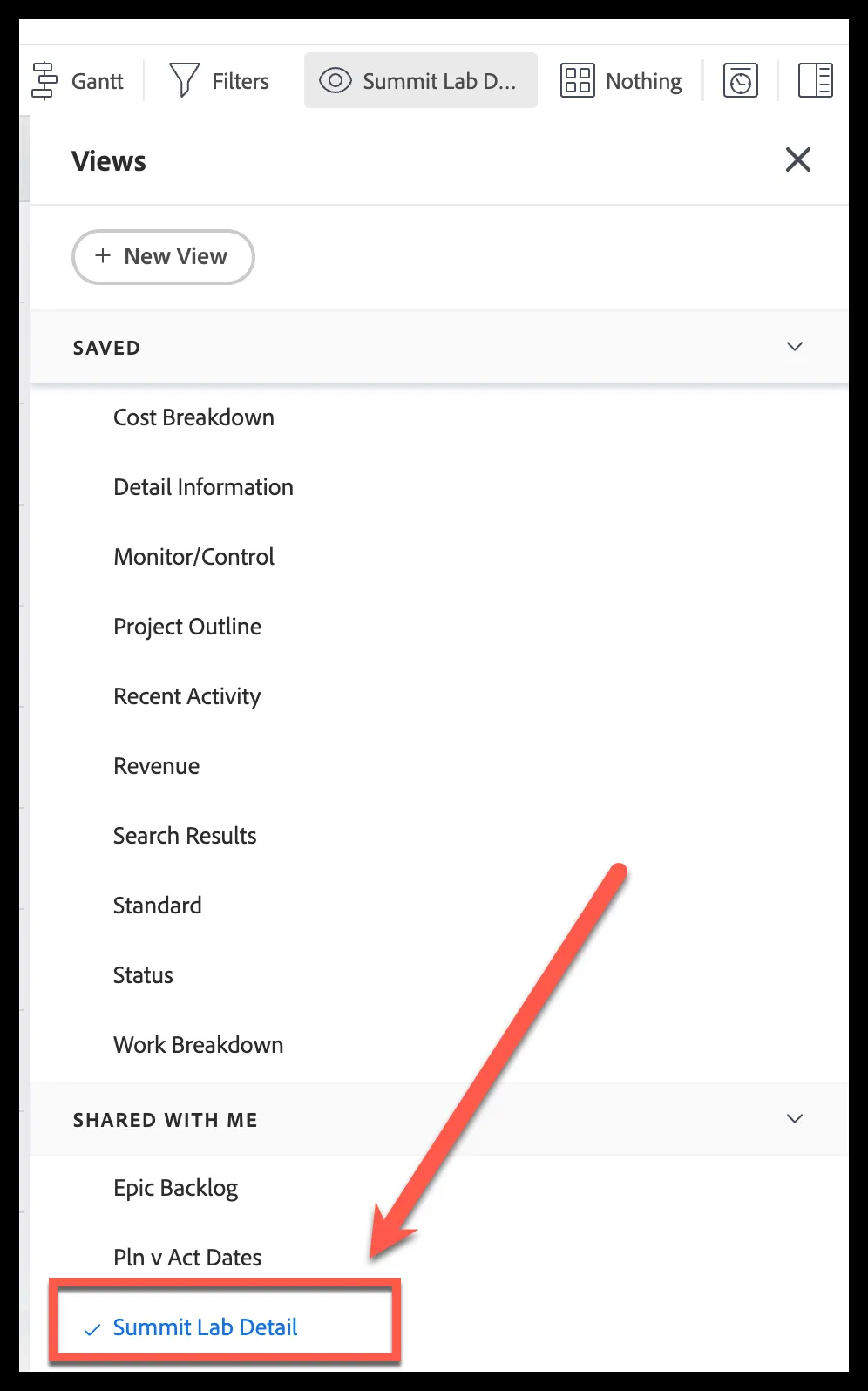
If Green rows aren't displayed, update view to 'Summit Lab Detail'
Step 1: Trigger Card Content Automation
This automation is driven from Adobe Workfront Fusion. The Photoshop connector is used to update the name on a platinum card after querying the Workfront project custom form populated from the intake conversion process.
Update the 'Card Generation Automation' task status to 'Automating'
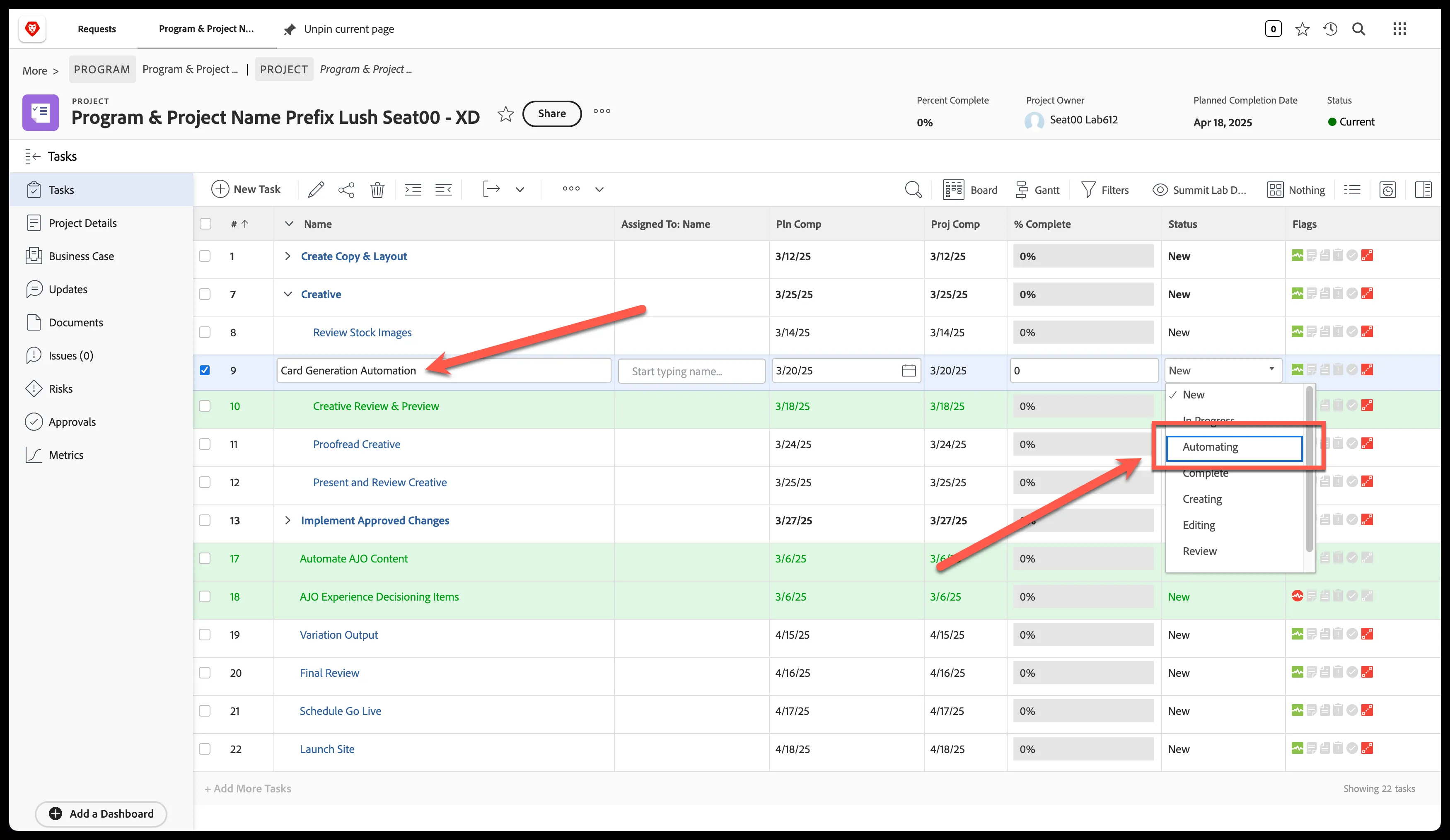
**Note: The automation will trigger and once complete the status will update to 'Complete'
Step 2: Preview Card Output
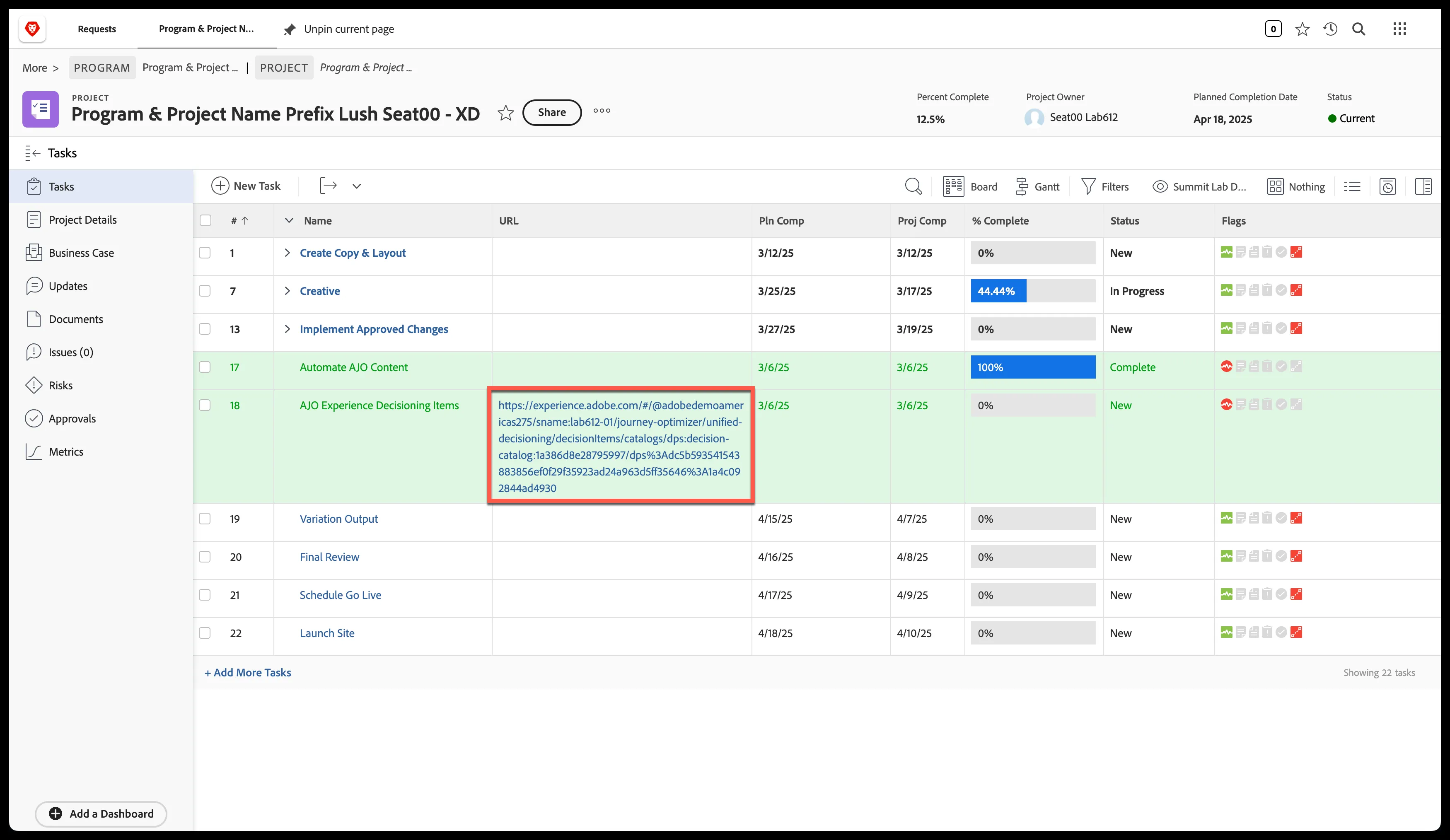
Click on the URL populated in the 'URL' field
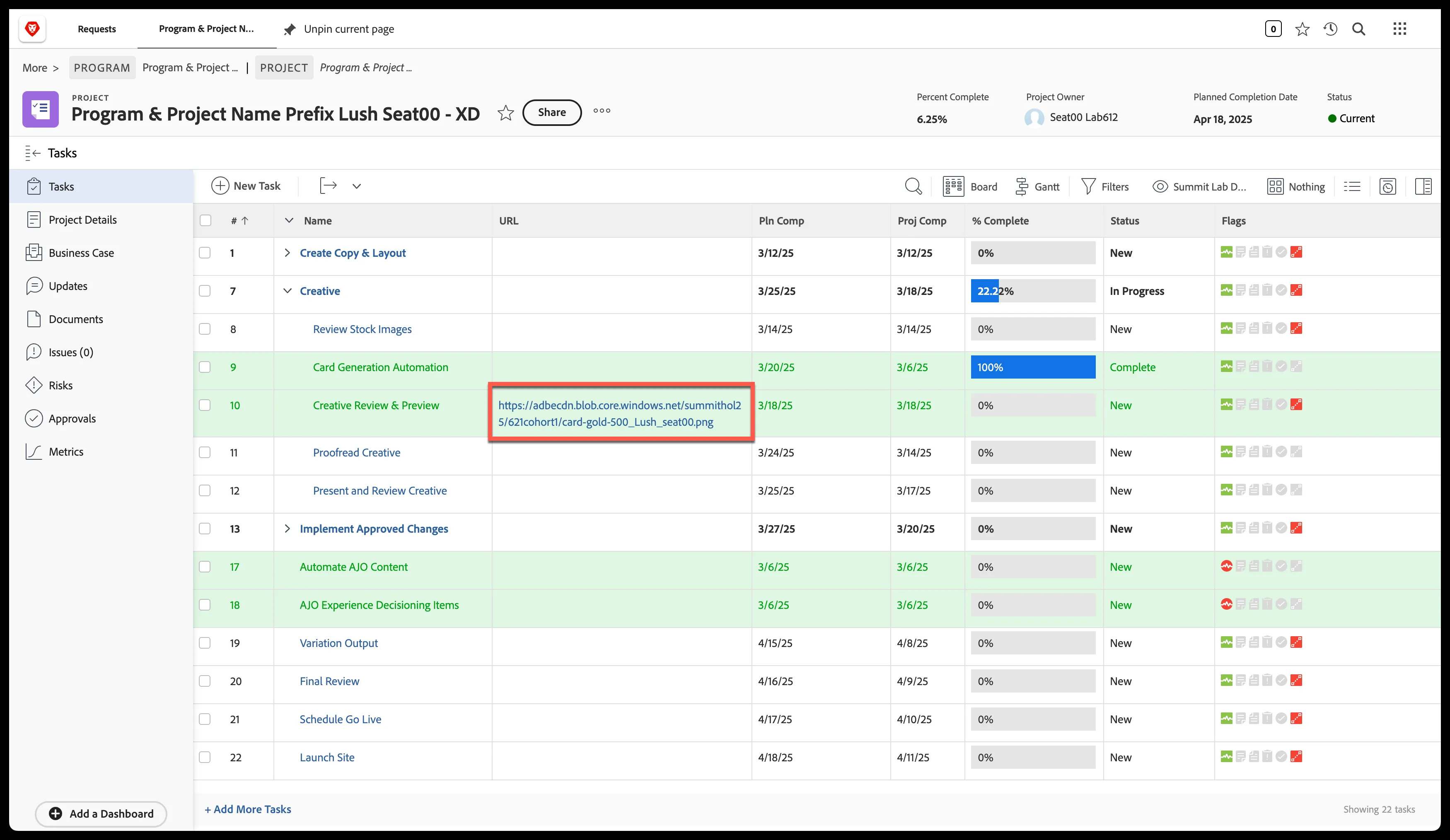
Review Image Preview

Step 3: Automate AJO Experience Decisioning Items Creation
Update the 'Automate AJO Content' status to 'Automating'
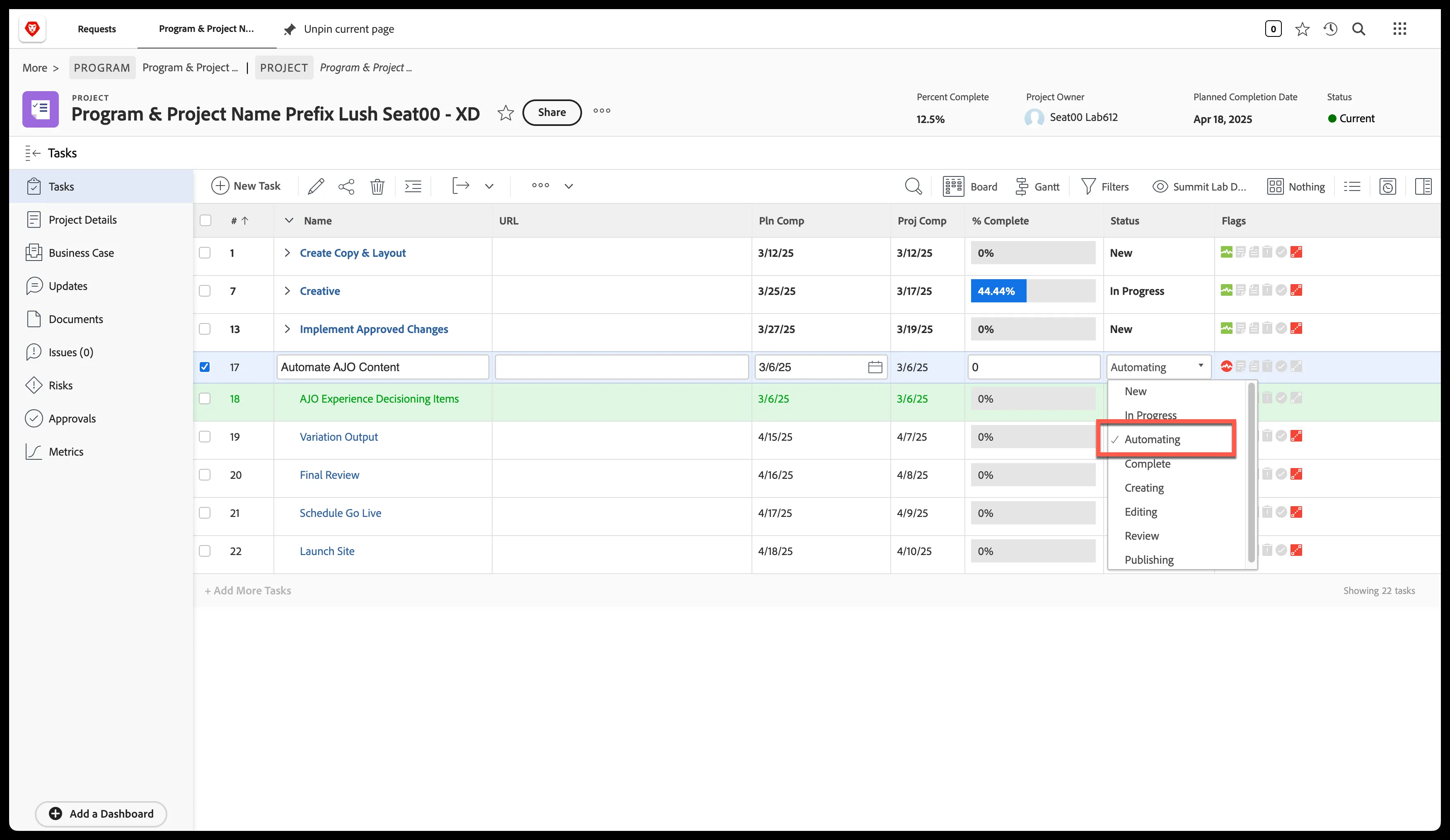
Step 4: Review Experience Decisioning Task
Click on 'AJO Experience Decisioning Items'