Audience: Lapsed Customers Browsing Special Offers
As part of this section, we will create an audience of customers who are
- Lapsed Customers Likely to Churn
- Browse special offers on site in the last day
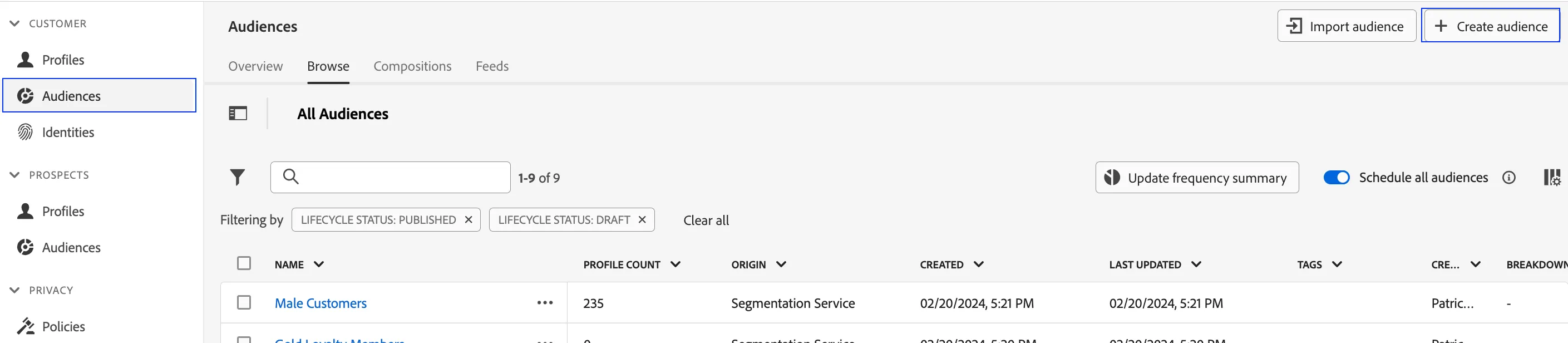
- Click on Audiences in the left navigation panel.
- In the top right corner of the screen, click Create Audience.
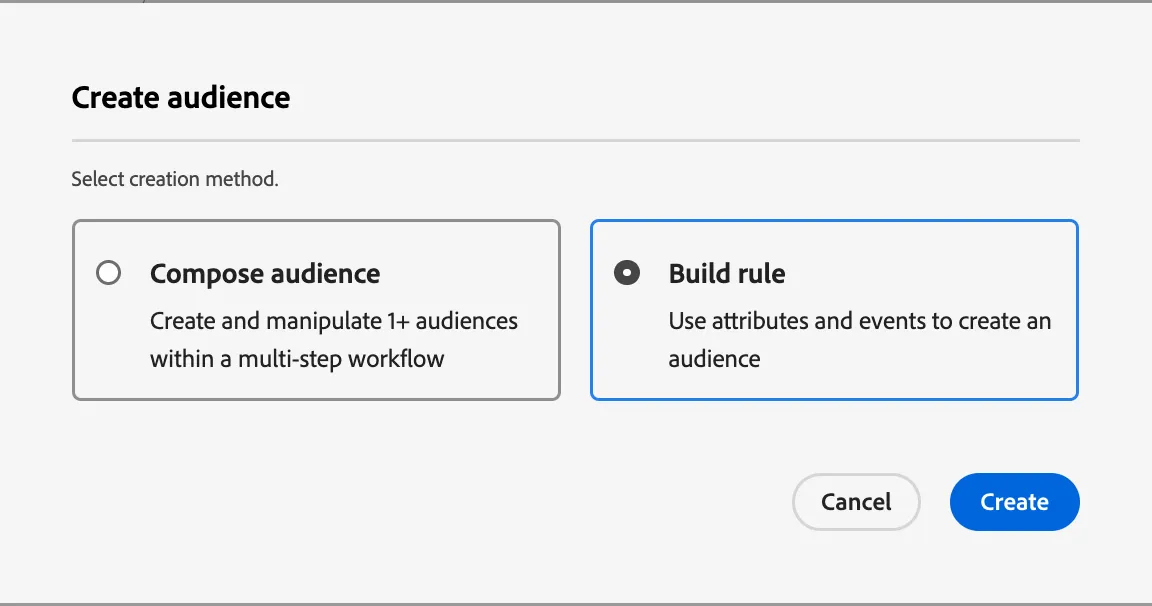
3. Select Build Rule.
4. Click Create.
5. Explore the segmentation canvas. This canvas allows marketers to build audiences from ALL existing attributes and events available on the real-time customer profile.
6. Name your audience - Lapsed Customers Browsing Special Offers + your initials
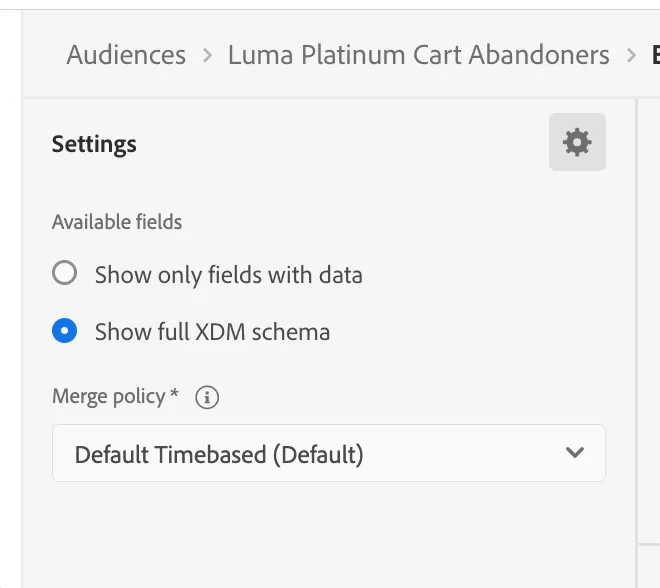
Before we begin, click the gear icon above the Fields Navigator and select "Show full XDM schema". In doing so, the audience builder will show all available data fields regardless of data availability.
7. Click on Events in the Fields navigator. This selection will list all experience events in the union schema
Drill down to the following folder path, or simply search Web Page Details in the search field
XDM ExperienceEvent > Web > Web page details > Name
In the Events container, change the operator to contains and enter Special Offers
To add recency, change the time condition to In last 1 Day
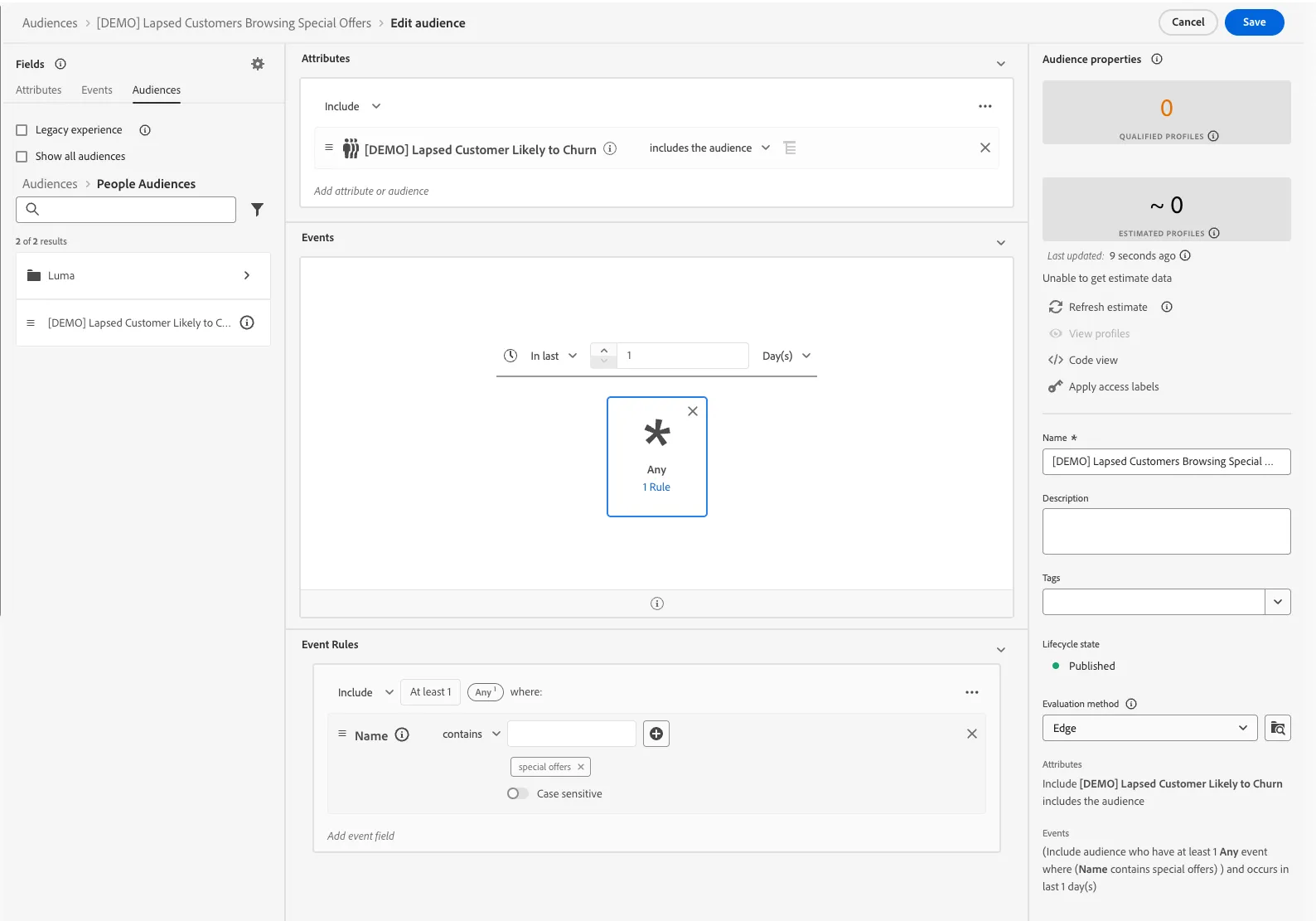
With this recency setting, you can change your evaluation method to Edge, for Edge segmentation and personalization.