Federated Audience Composition: Lapsed Customer Likely to Churn
In this section we will use the data points from Luma's Snowflake table to build the following audience condition
- LASTORDERDATE on or before last year
- CHURNPREDICTION is greater than or equal to .60
Building a Federated Audience
- In the Customer > Audiences portal, click the Federated compositions tab.
2. Click Create composition.

3. Label your composition Lapsed Customers Likely to Churn + your lab user ID. Click Create.
4. Click the + button in the canvas and select Build audience. The right-hand rail should appear.
5. Click Select a schema and select the RETAIL_CRM schema then click Confirm
6. Click Continue. In the query builder window, click the + button and then Custom Condition. Create the following condition
AND
Your query should now look as follows
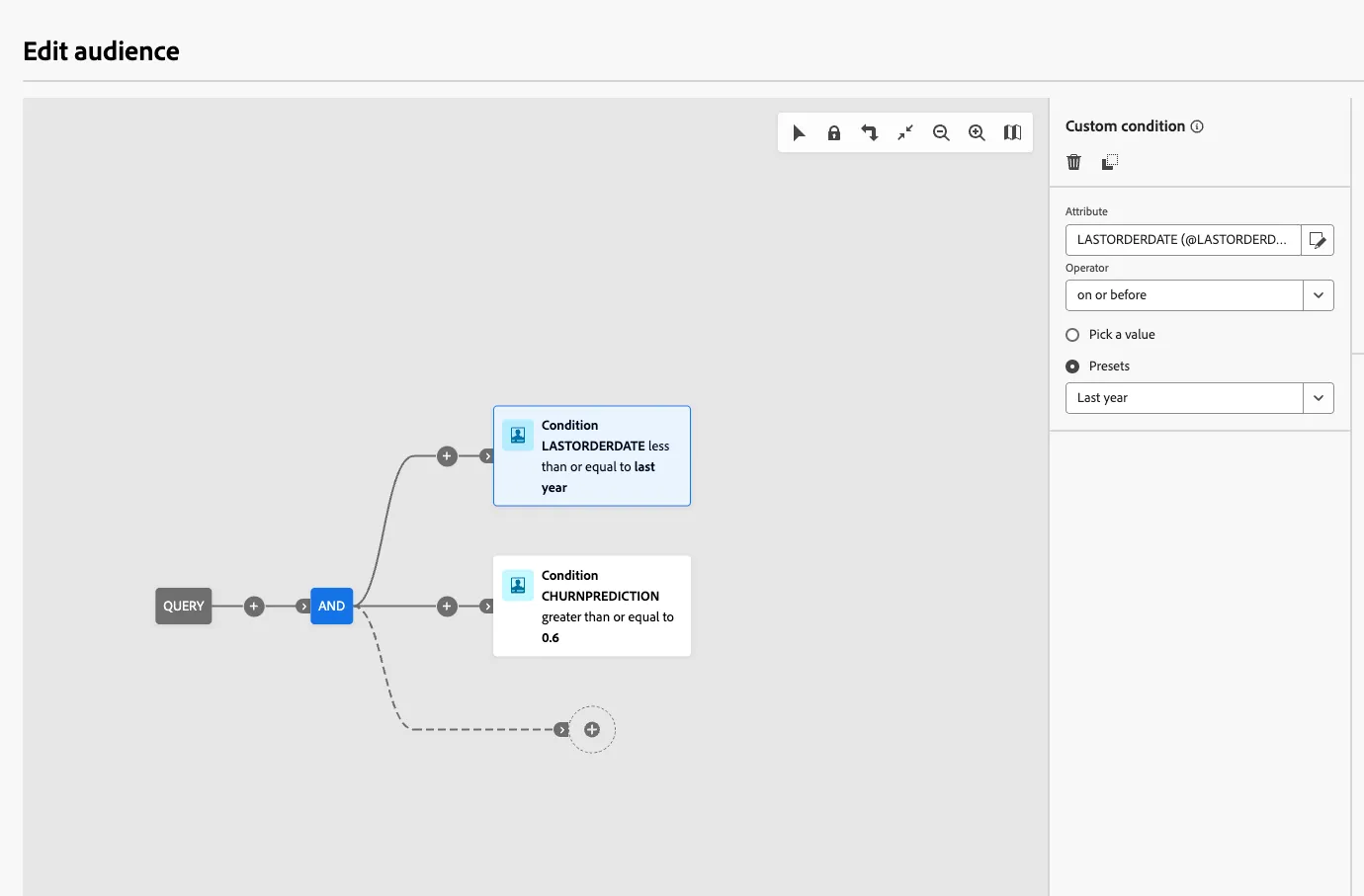
7. Click the next + button then click Save audience.
Label this step Lapsed Customers Likely to Churn + your lab user ID. Use the same value as the audience label.
Add the following audience mappings:
8. Click Save and then click Start, to run the query of the composition you just built.
Note: We used order and propensity data in the data warehouse to build our audience without moving these attributes into Adobe Experience Platform.