Creating a custom action
Introduction
We want to use an external service to get the current weather of a city. For this lab, we will be using a service from openweathermap.org
To open Adobe Journey Optimizer, click on nine dots on the top bar and select Journey optimizer. Check the Welcome section.
Actions overview
To get an overview of all actions in Adobe Journey Optimizer:
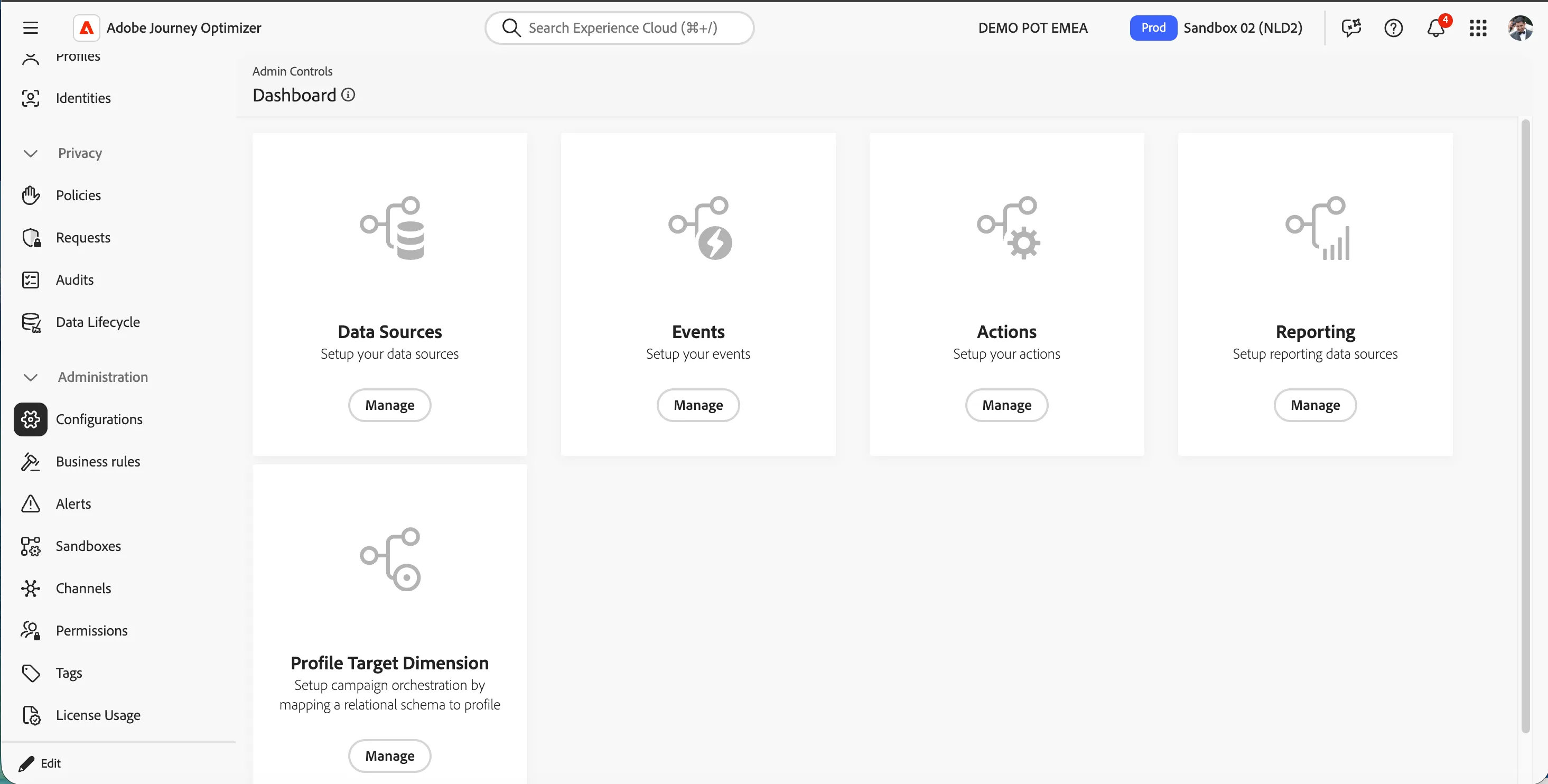
In the menu on the left side, under Administration, click on Configurations. You will see a set of tiles. Click on Manage in the Actions tile to get an overview with all existing events.
Configuring an action
We'll be configuring an event that we can use in our journey. The event should trigger whenever a customer books a flight.
To configure a new event, click Create Action. A menu will open on the right side.
Action metadata
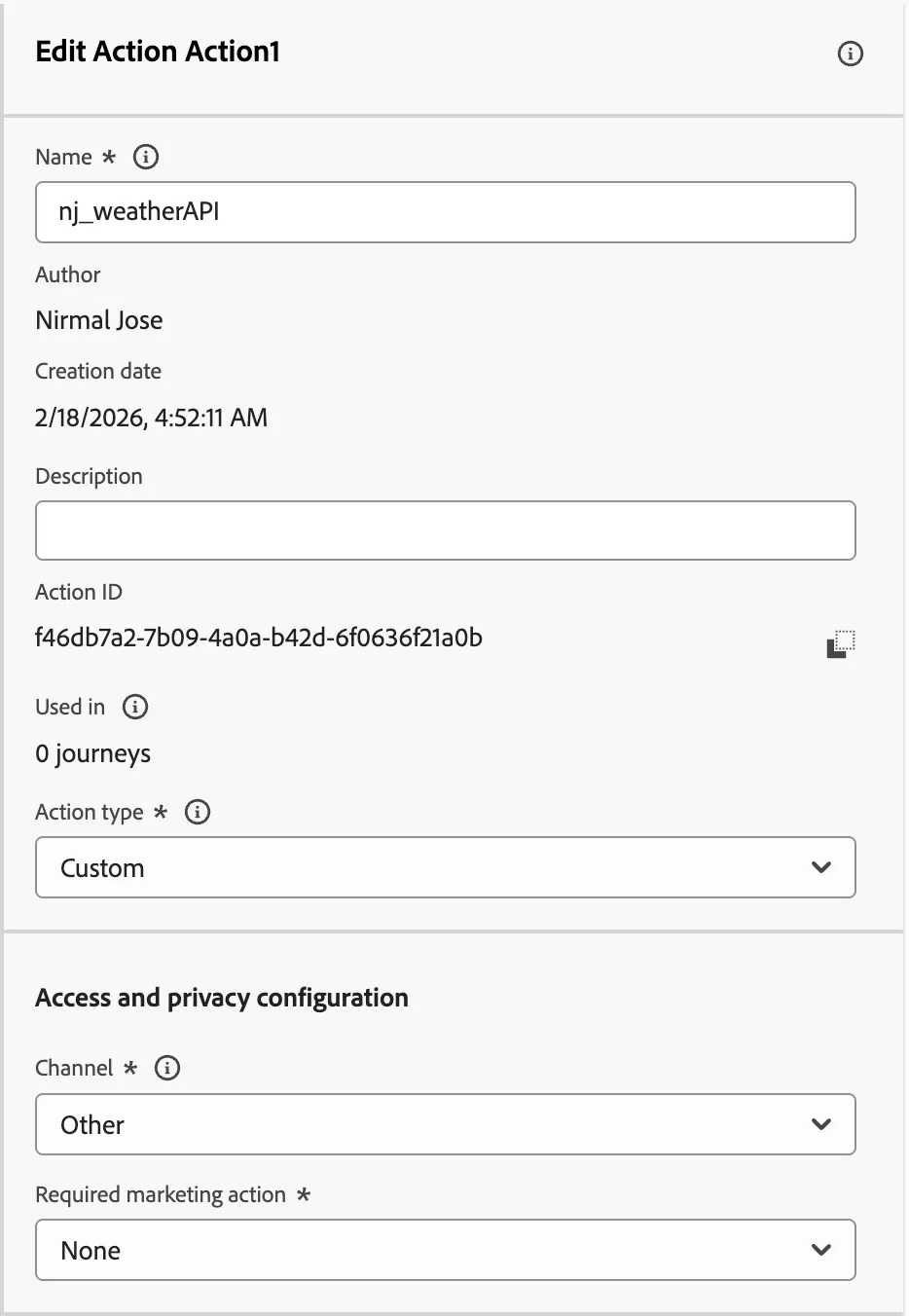
- Set the name to yourname_weatherAPI.
- Enter a Description (optional).
- Keep Action Type as Custom.
- Keep Channel as Other.
- Keep Required marketing action as None.
Endpoint configuration
- Enter URL as http://api.openweathermap.org/data/2.5/weather
- Select Method as GET
- Keep both the headers for Content-Type:application/json and Charset:UTR-8 as such.
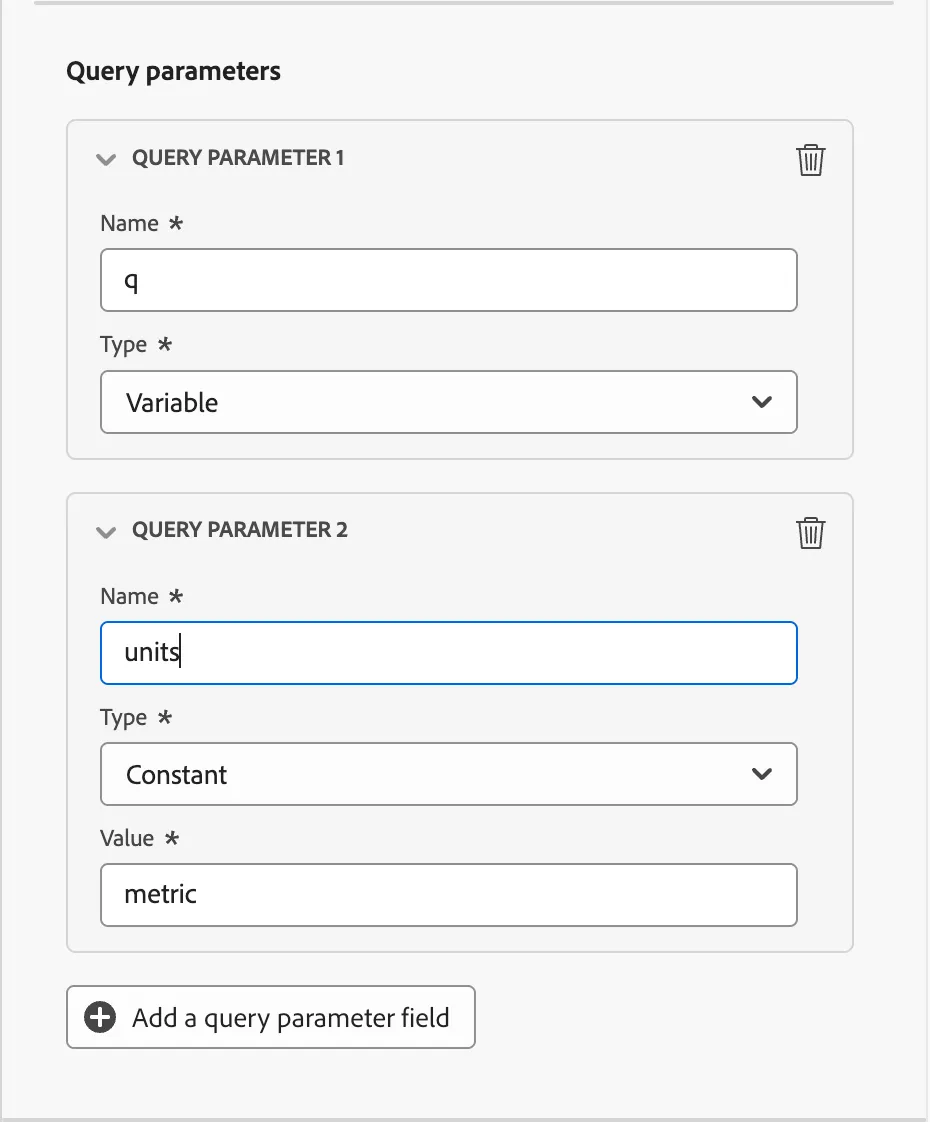
- Click Add a query parameter field.
- Enter the query parameter name as q.
- Select the type as Variable.
- Click Add a query parameter field again.
- Enter the query parameter name as units.
- Select the type as Constant.
- Enter the Value as metric.
Authentication
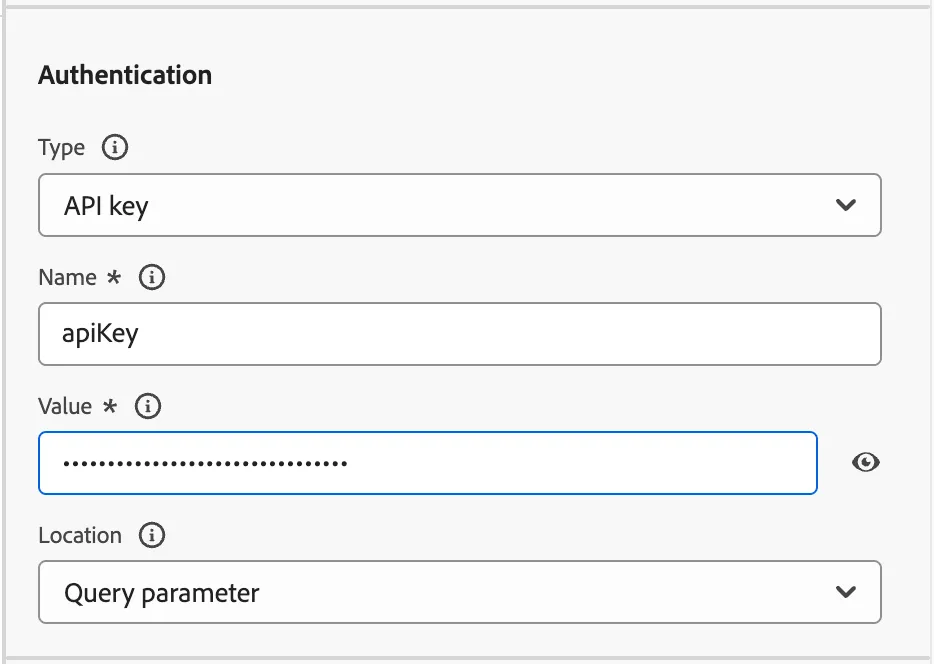
- Select Type as API key.
- Enter Name as apiKey
- Enter Value as ed89eda737a7618a502b1f6600e26f7a
- Keep the Location as Query parameter.
Payloads
Click on 0 fields selected or -icon next to it to open a pop up to configure the fields.
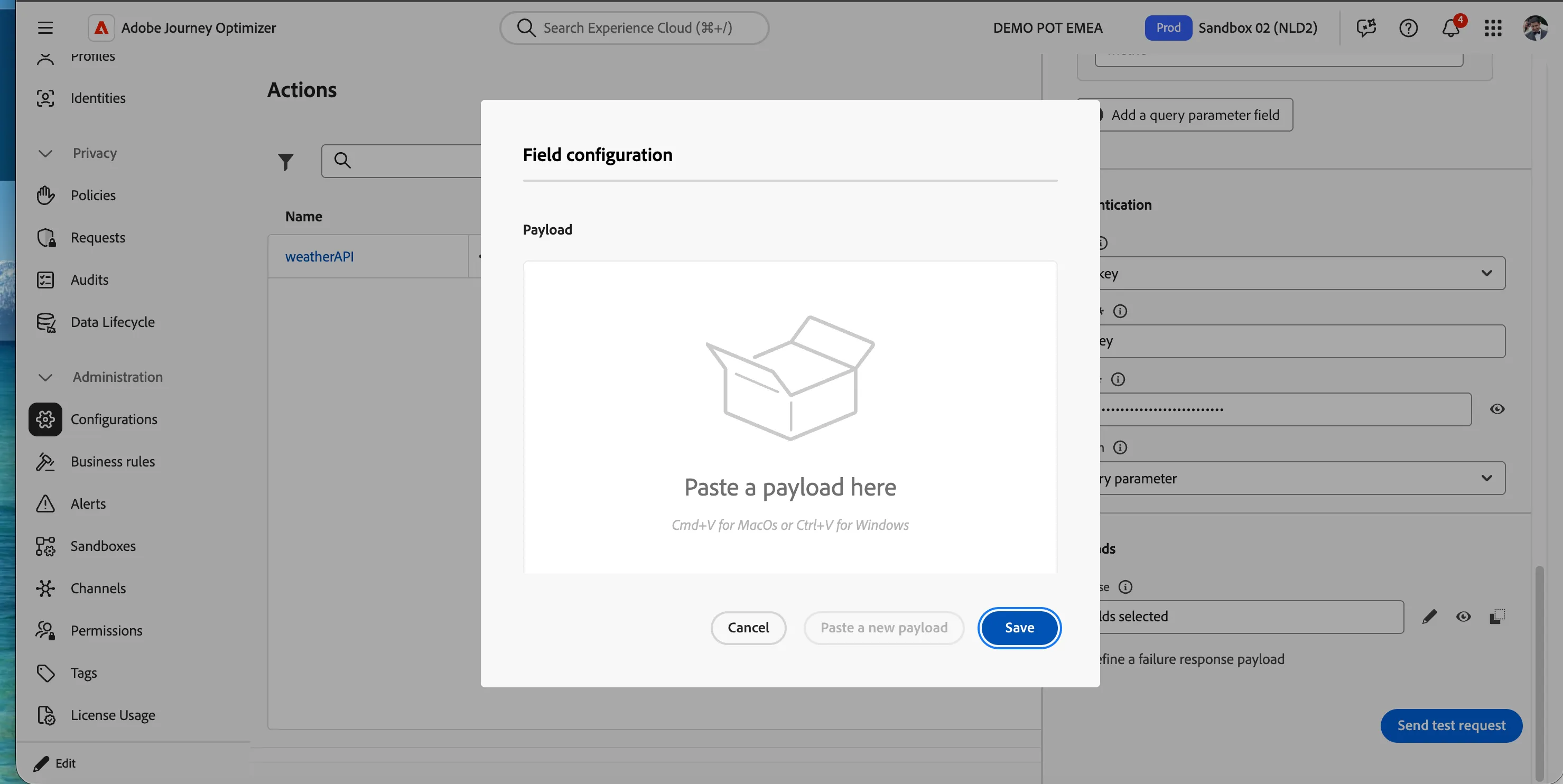
Copy the below API response structure and paste the payload(Cmd+V in mac)
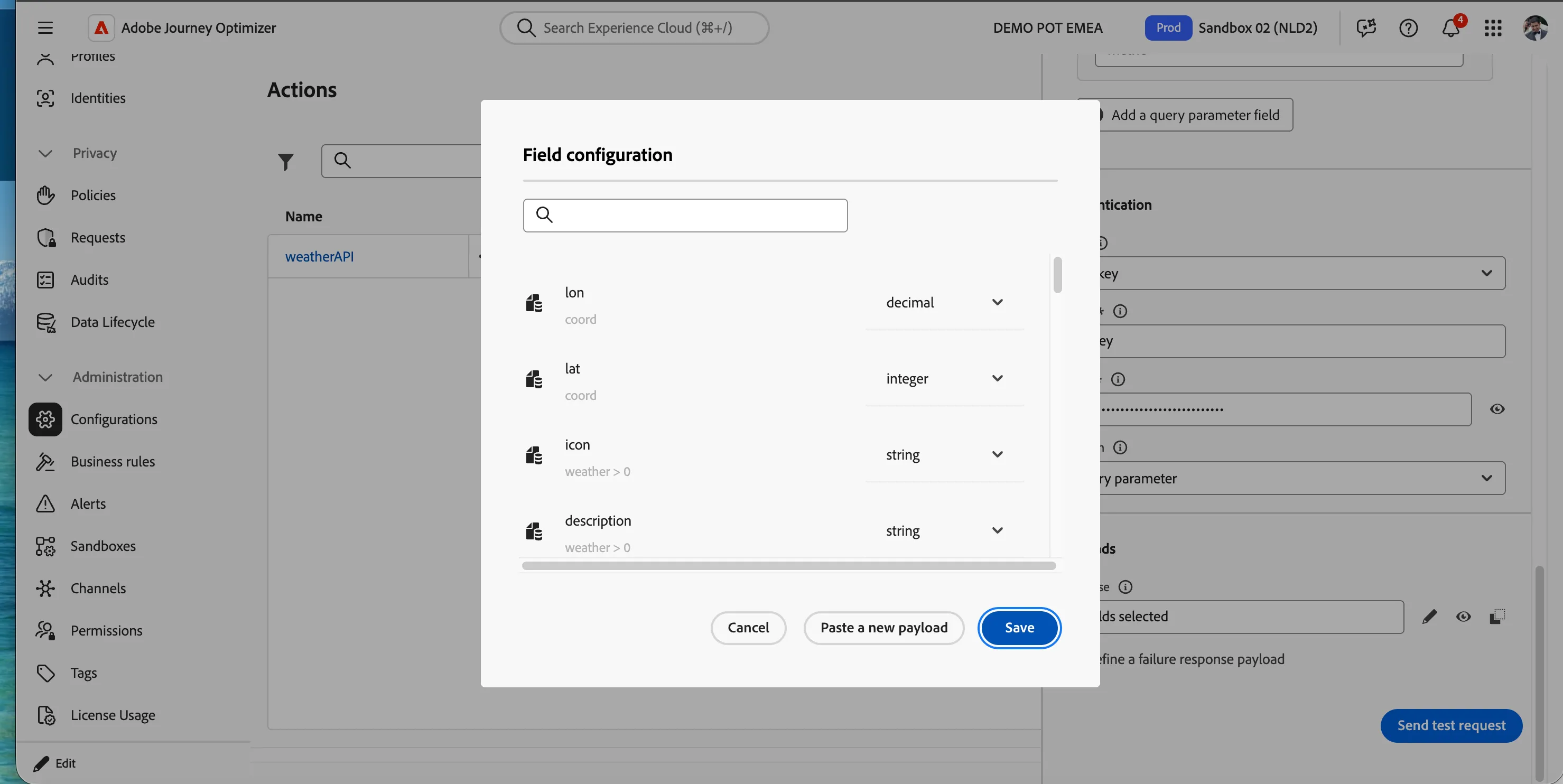
You should see the field configuration automatically picks up the response structure and assign the field types. Keep everything as default and click on Save.
Your screen should look like the image below. Scroll up to the top and click on Save button on the top right corner.
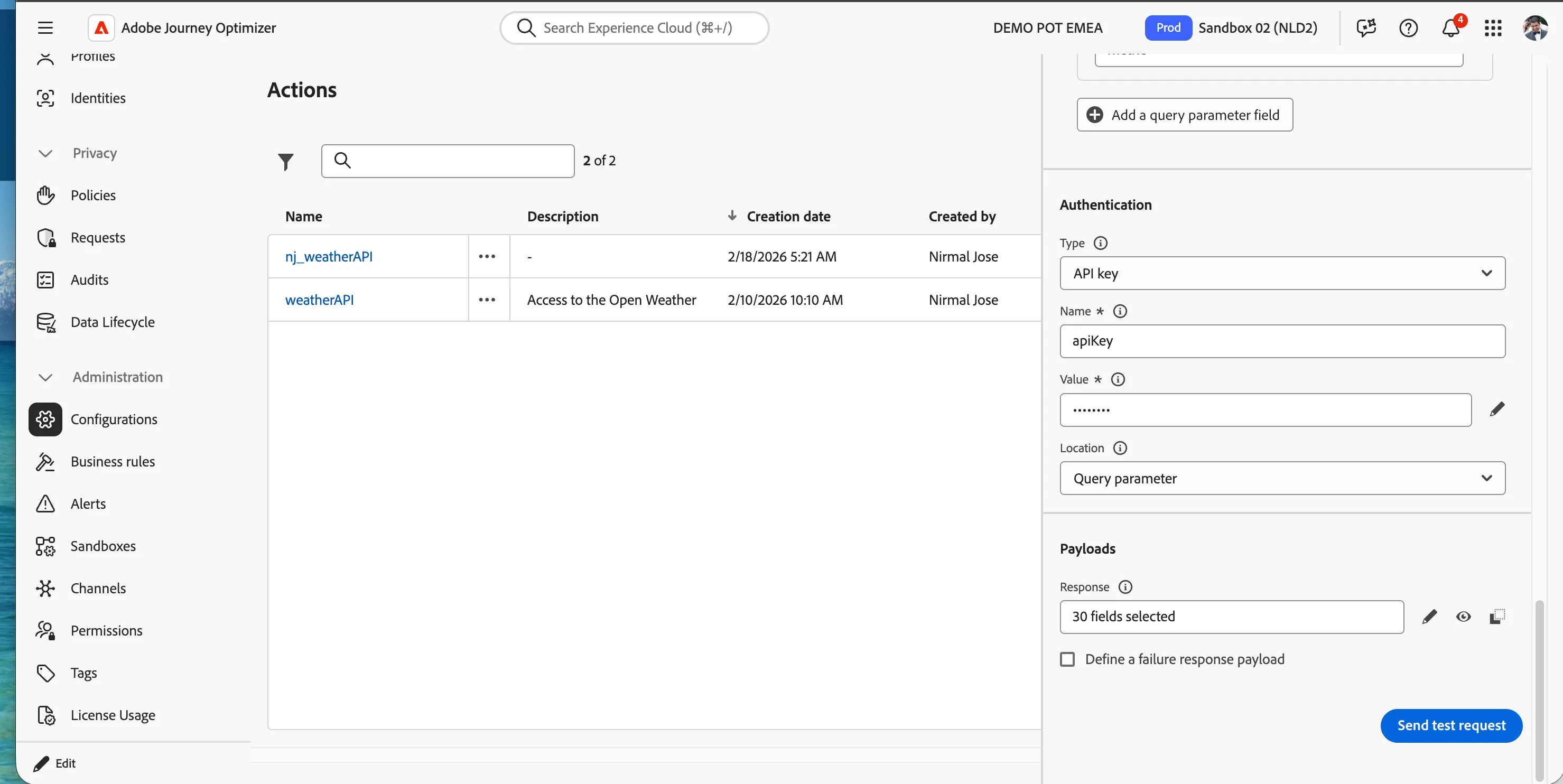
You have successfully created a custom action which will get current weather in a city that will be sent as a query parameter.