Personalise the App experience
Reinforce the meal deal message in the mobile app
Journey Optimizer allows you to personalize the mobile app experience you deliver to your customers through inbound journeys or campaigns.
In our use case, Customers may ignore email but open the app. We want to keep the Meal Deal messaging consistent across channels.
We will configure a Code-based experience for the mobile app channel, which will use the same Selection Strategy as the Email channel.
Exercise 4: Configuring the code based experience for mobile app
- From the actions tab, choose Action and drag it onto the icon after the Meal Deal Offer Email.
- Choose Code-based experience from the action types.
- Select Add.
- Click on the activity to open the detailed view.
- Set the label to Meal Deal Offer App.
- Select Configure action.
- Choose DSN_Mobile_App_CBE from the code-based experience configuration dropdown.
- Select Edit Content to open the editor and start designing your code-based experience.
We appreciate this level of technical depth is not neccessary for all attendees, feel free to skip to the next section - it won't impact your experience in the rest of the Lab.
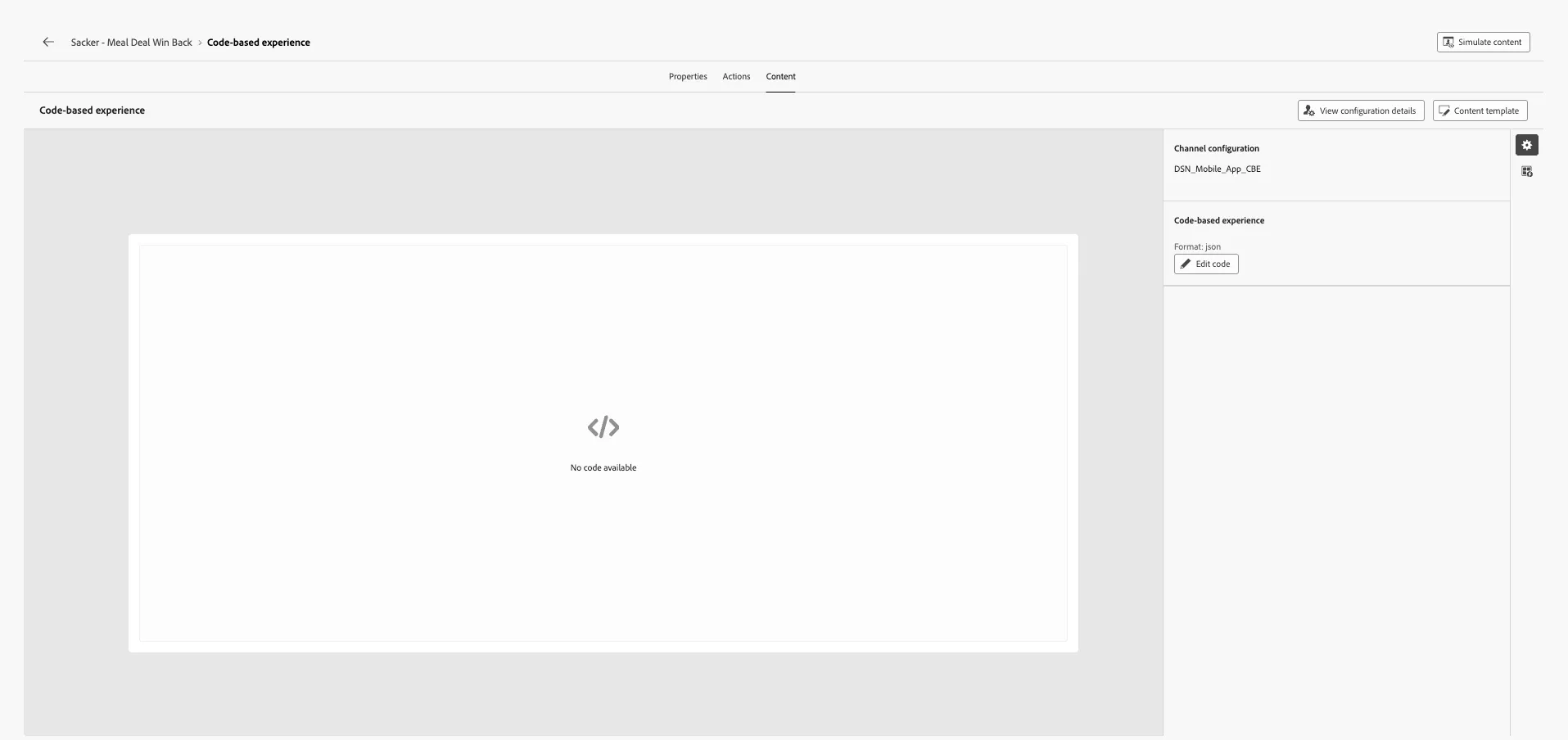
- To create our code-based offer, select Edit Code
- In the expression editor,
- Select Decision policy from the left menu.
- Select Add decision policy
- Set the name of the decision policy to:Your name meal Deal Offer Decision
- Click Next.
- Under Strategy sequence, select +Add > Selection Strategy.
- Select the Meal Deal Win Back Selection Strategy from the list.
- Click Save to close the window.
- Click Next and review your decision policy. Click Create.
Now we want to use this decision policy in our Code-based experience. To do this,
- Select +Insert policy from the Decision policy menu
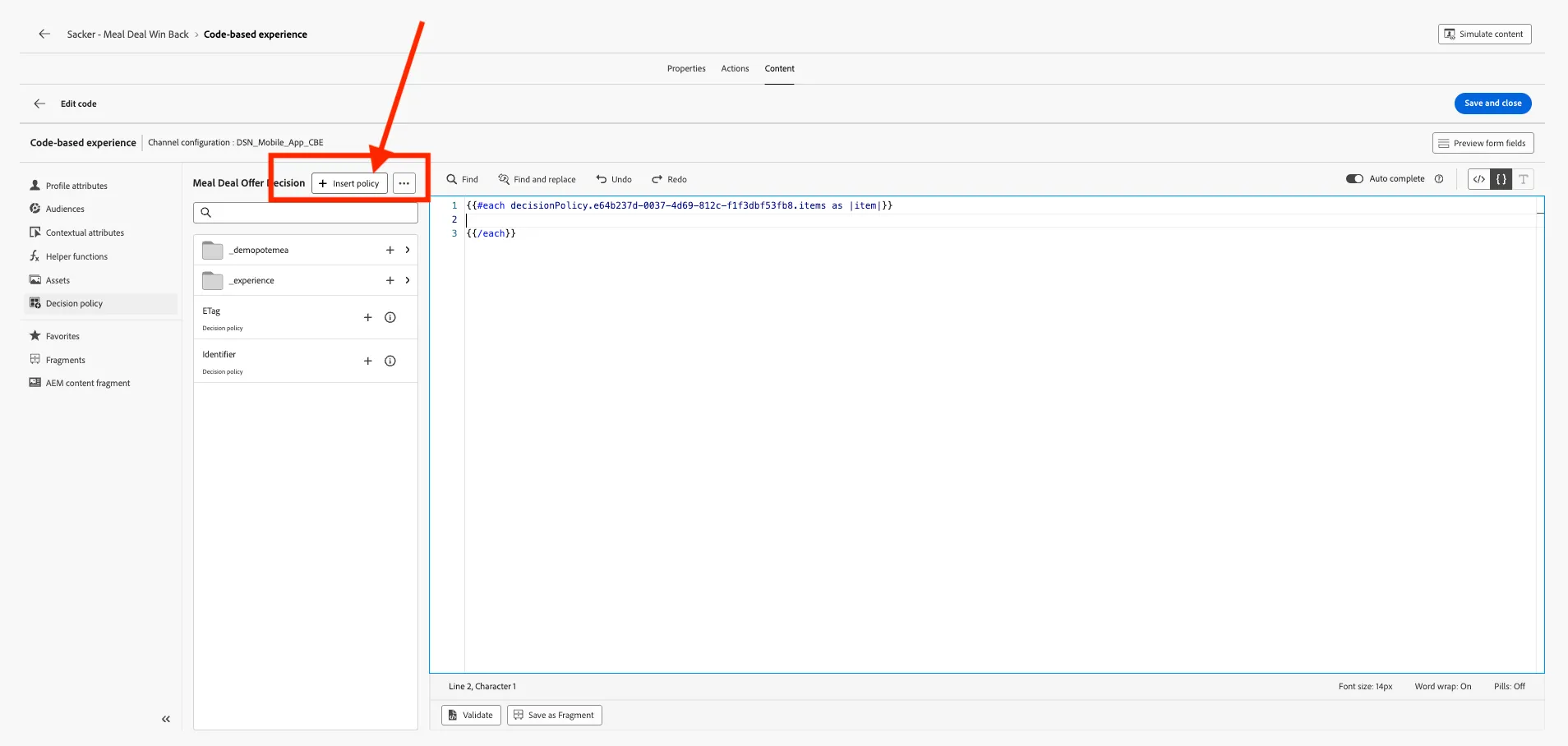
This inserts an eachloop that exposes each returned offer as item. Use item.<org>.<offerAttributes> to reference offer custom attributes inside your JSON.
The code-based experience must output valid JSON that the mobile app parses, we will produce an object with image URL, and text keys personalised.
- To construct this JSON code-based experience, copy and paste the following code into the expression editor inside the each function
{
    "image":"{{item._demopotemea.offerAttributes.imageURL}}",
    "url":"",
    "buttonText":"Claim Offer",
    "title":"Meal Deal",
    "text":"Get your regular {{item._demopotemea.offerAttributes.offerName}}"
}
As you will notice, the image URL and Offer Name custom attributes that have been referenced in the JSON expression will be replaced with the customers personalised offer name and image when the Code-based experience renders in the app.
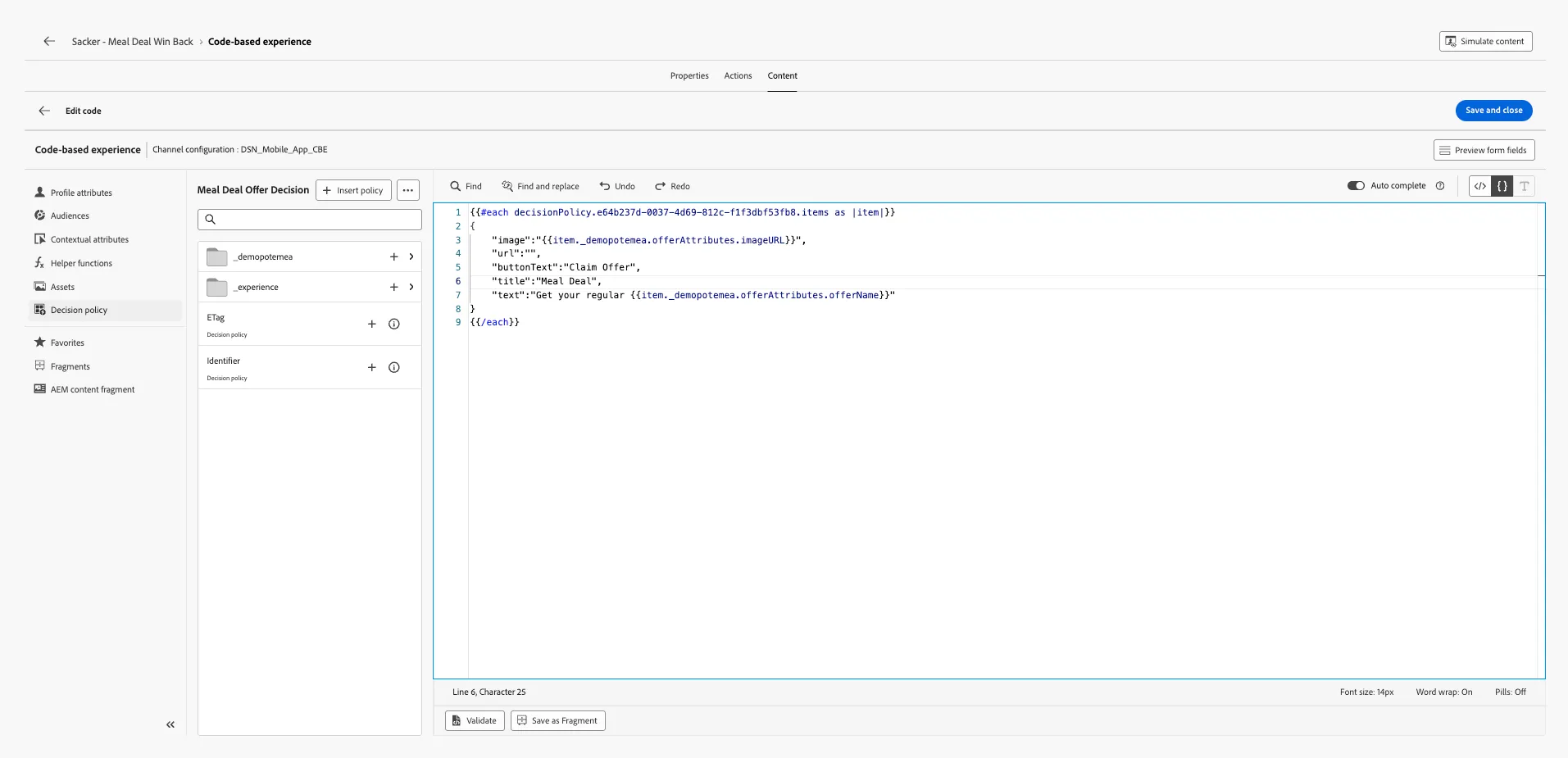
Your complete JSON expression should look like:
- Click Save and Close.
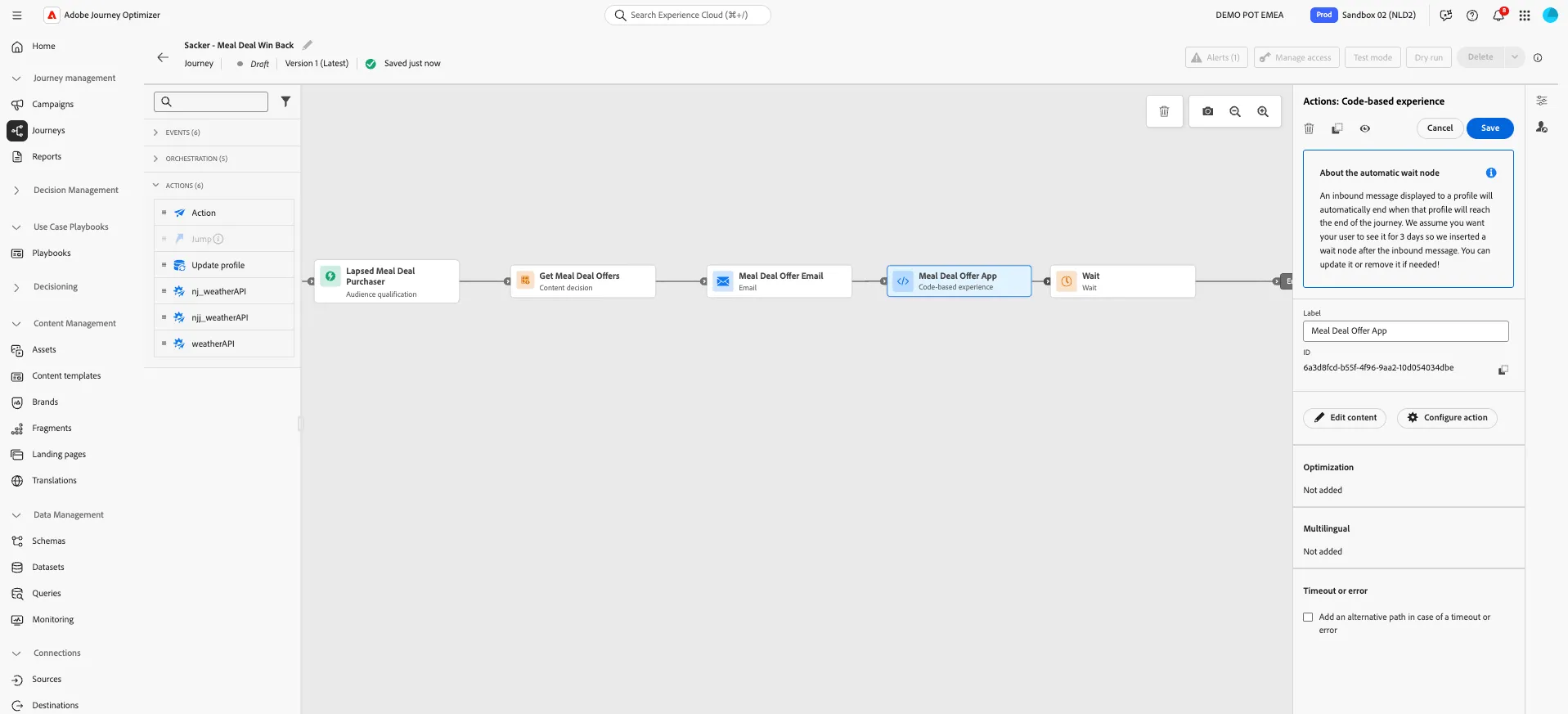
- Click on icon to go back to the journey. Your screen will look like this. Click Save to save the configuration of the Code-based experience step in the journey.
You've successfully created a code based experience that will display in the mobile app.