Wait: Offer Expires in 5 days
3 min
Our Journey so far:
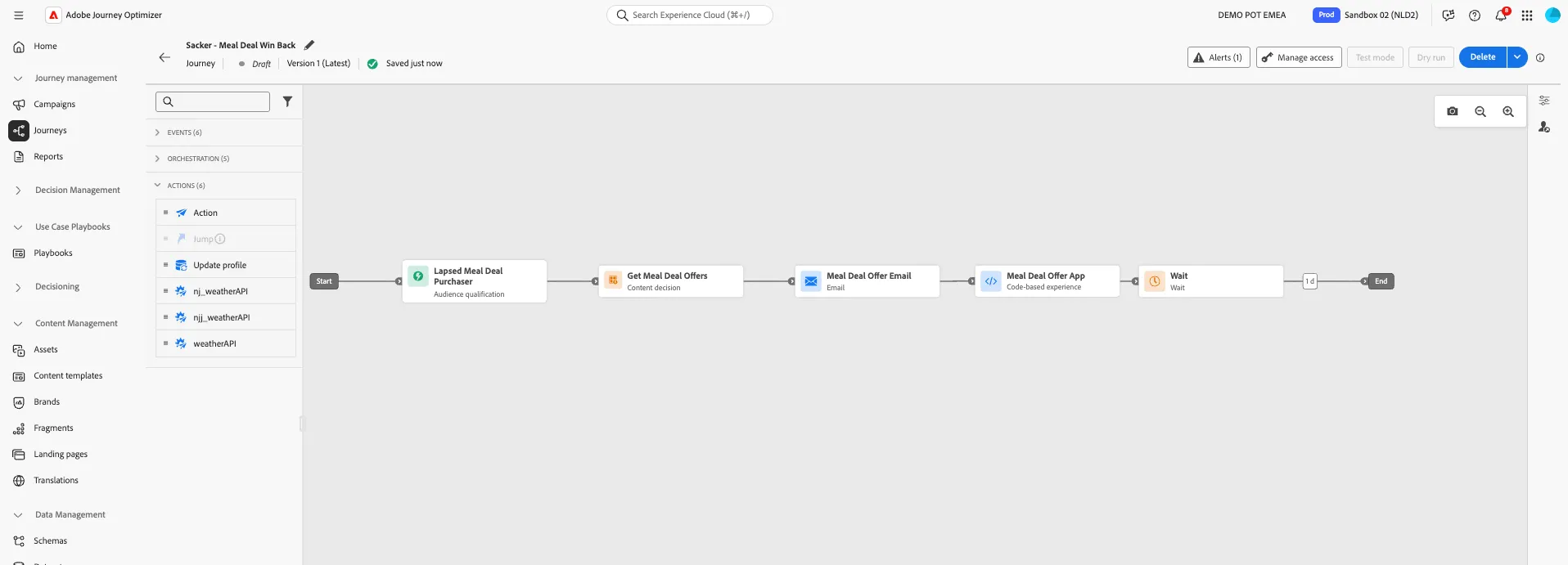
Exercise 5: Add a Wait Condition
We want customers have time to redeem their meal deal offer before reminders start, but we also want to send them a gentle nudge if they have not yet done so.
Add a Condition to wait 5 days before offer expiry
We want to add a Wait condition into our journey that will wait until the offer is expiring in 5 days before moving the customer to the next step of our journey.
- From the Orchastration tab, choose Wait and drag it onto the canvas after the Meal Deal Offer App Code-based experience.
- Note: There may already be a Wait action in your journey from the last exercise. If this is the case, use this.
- Click on the Wait activity to open the detailed view
- Set the Label to Offer Expires in < 5 days
- Set the Type to Custom
- Click on the pencil icon to Add an expression
- Copy and paste the following code into the expression editor
This expression compares the expiry date of the offer with the current date. When the difference reaches 5 days, the profile move to the next action in the journey.
toDateTimeOnly(toDateTime((toInteger(toDateTime(toString(@decision{ContentdecisionGetMealDealOffers.items.at(0)._demopotemea.offerAttributes.expiryDate})))) - (toInteger(5*24*60*60*1000))))- Click Ok to close the editor, then Save.
Your condition should look like:
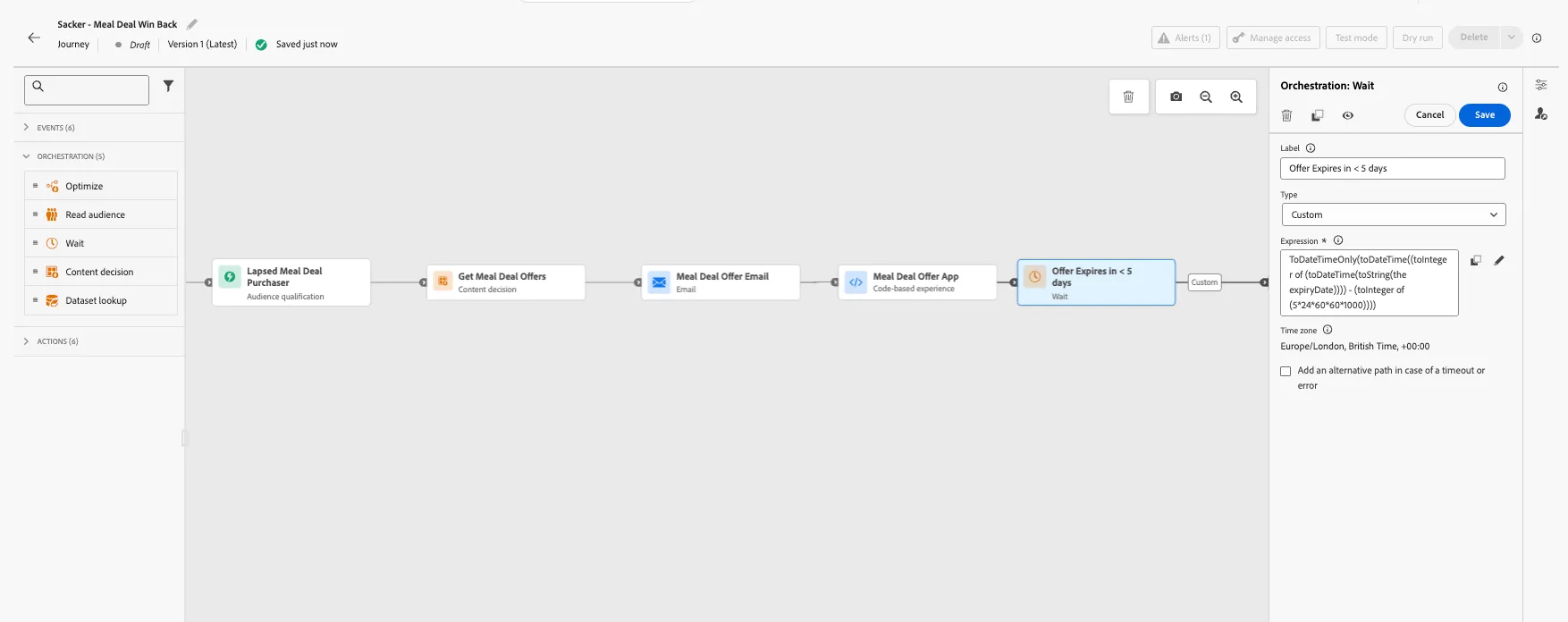
You've successfully added a Wait Condition into your Journey, that references the context attributes of the meal deal offer.
Proceed to the next steps where we will compose our Push reminder messages.