Check the Alerts
2 min
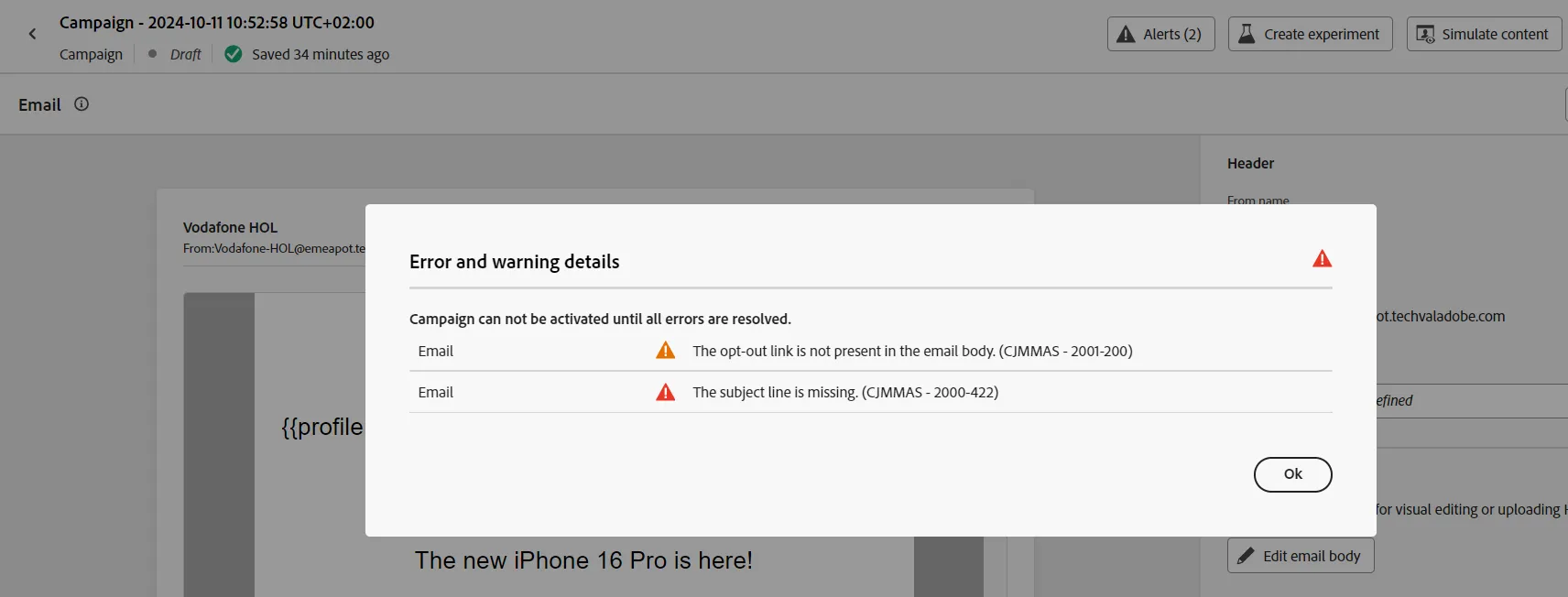
Go to the dashboard and click on the Alerts (2) button:
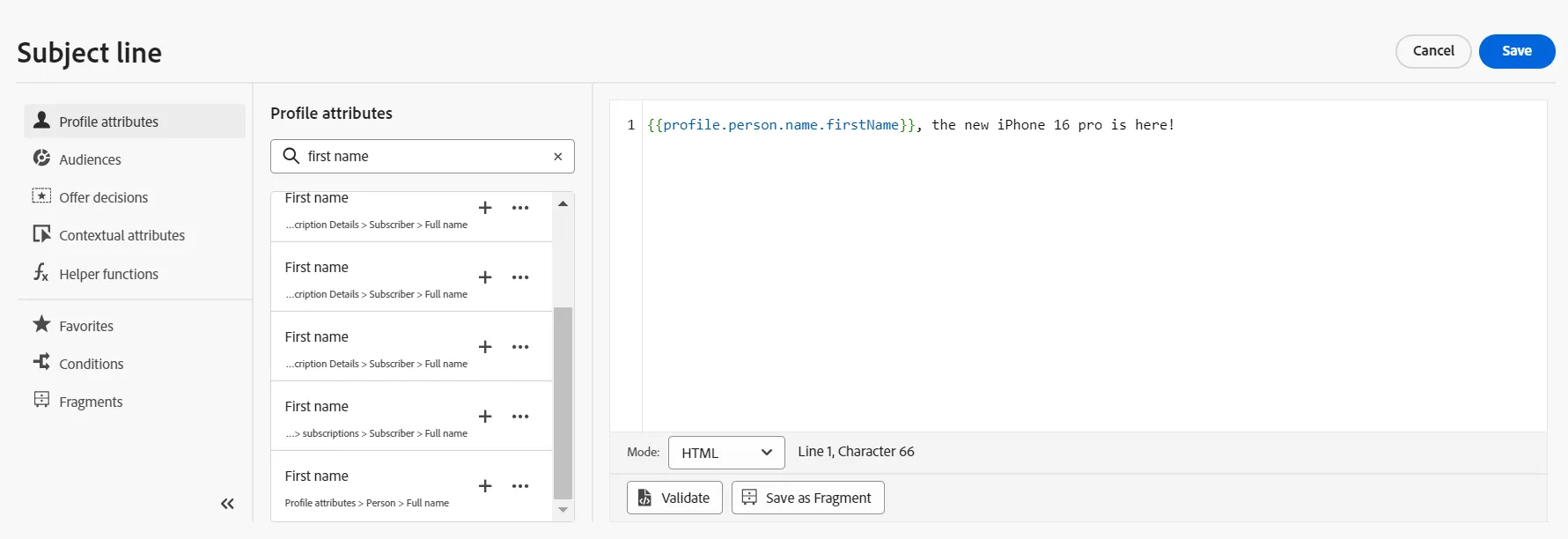
Set the subject line:
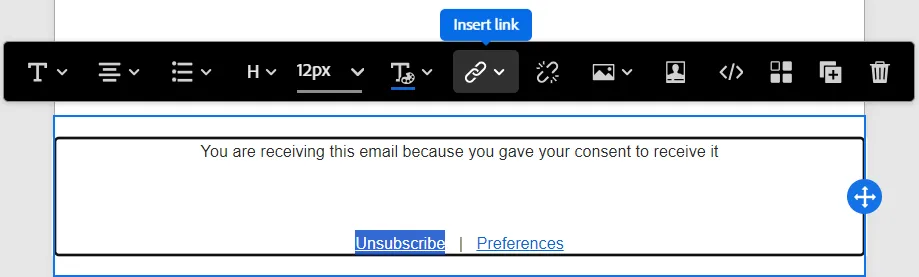
Click on Edit email body, select the Unsubscribe link and click on the Insert link button:
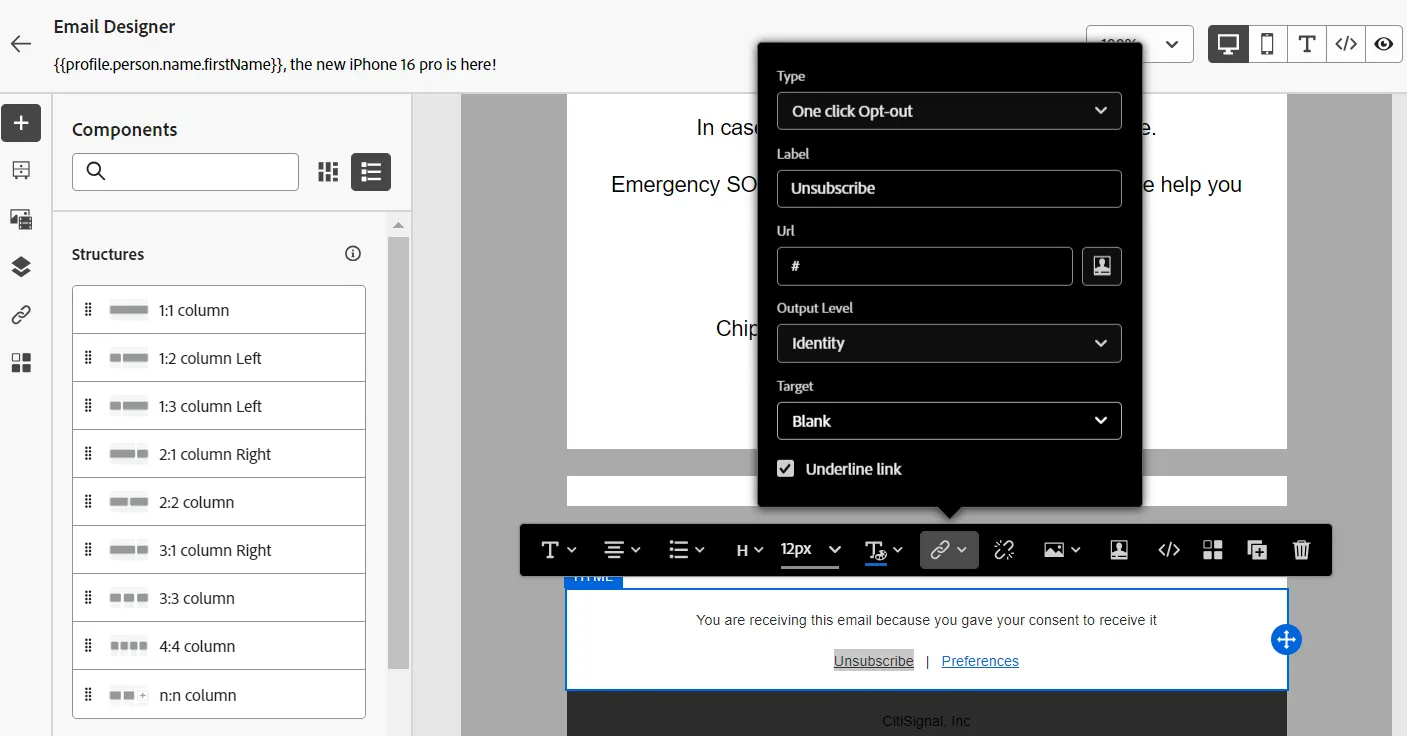
Set the link to One click Opt-out
Close, save, go back to the Campaign dashboard and check that the Alert (..) button has disappeared.
Congratulations, the content is ready! The next step is to generate multiple variations and enable experimentation.