Campaign Analysis
In this exercise we will create a couple of journeys to review the AJO Campaign journeys. You will need to build a Freeform Table to collect the event data. From there you will be able to build out several visualizations.
This exercise will also require to set different attributions for each journey using Attribution IQ.
1. Create a "Freeform Table" by dragging the "Freeform Table" visualization into the panel. You can either create a new panel or you can drag the Freeform Table into the top of the "Campaign Performance" panel.
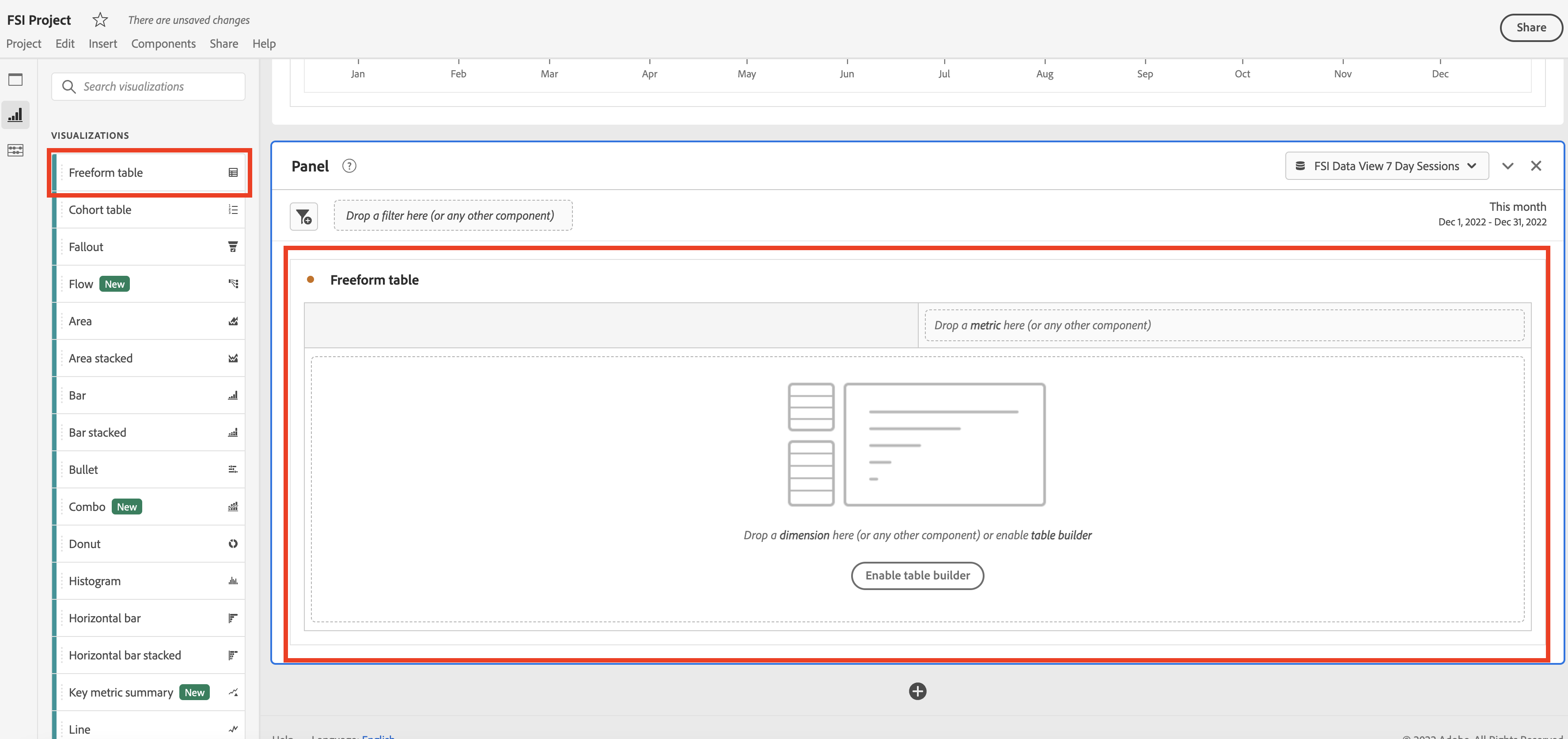
2. Search for "Banking AJO Campaign" in the left-side navigation and drag-in the dimension into the Freeform table.
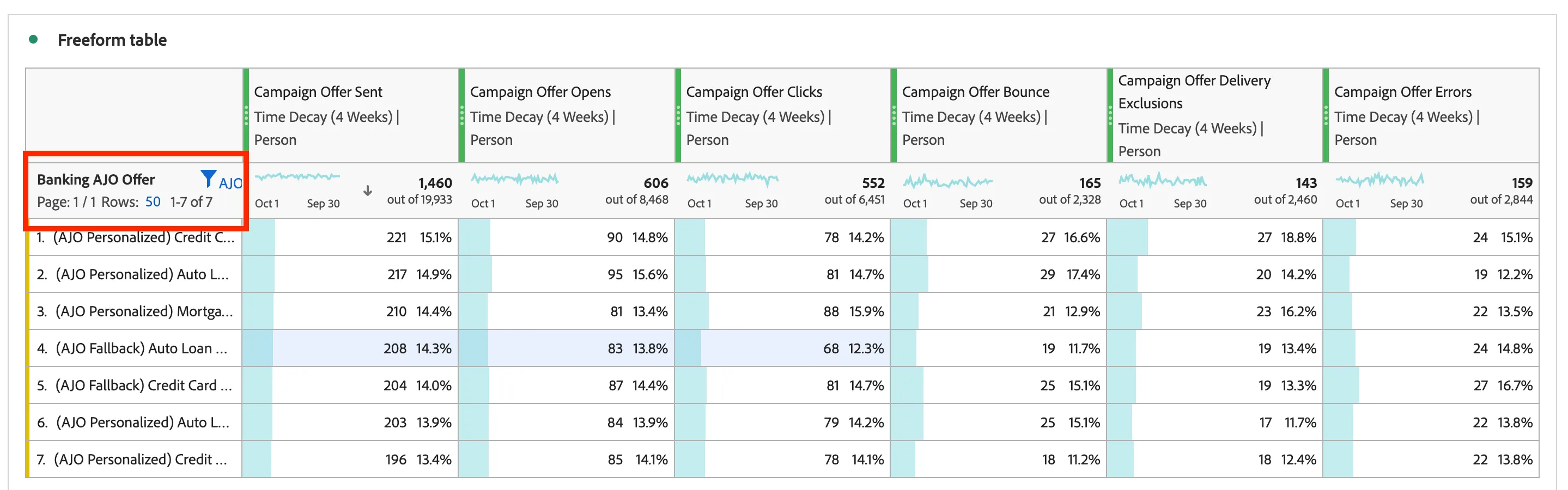
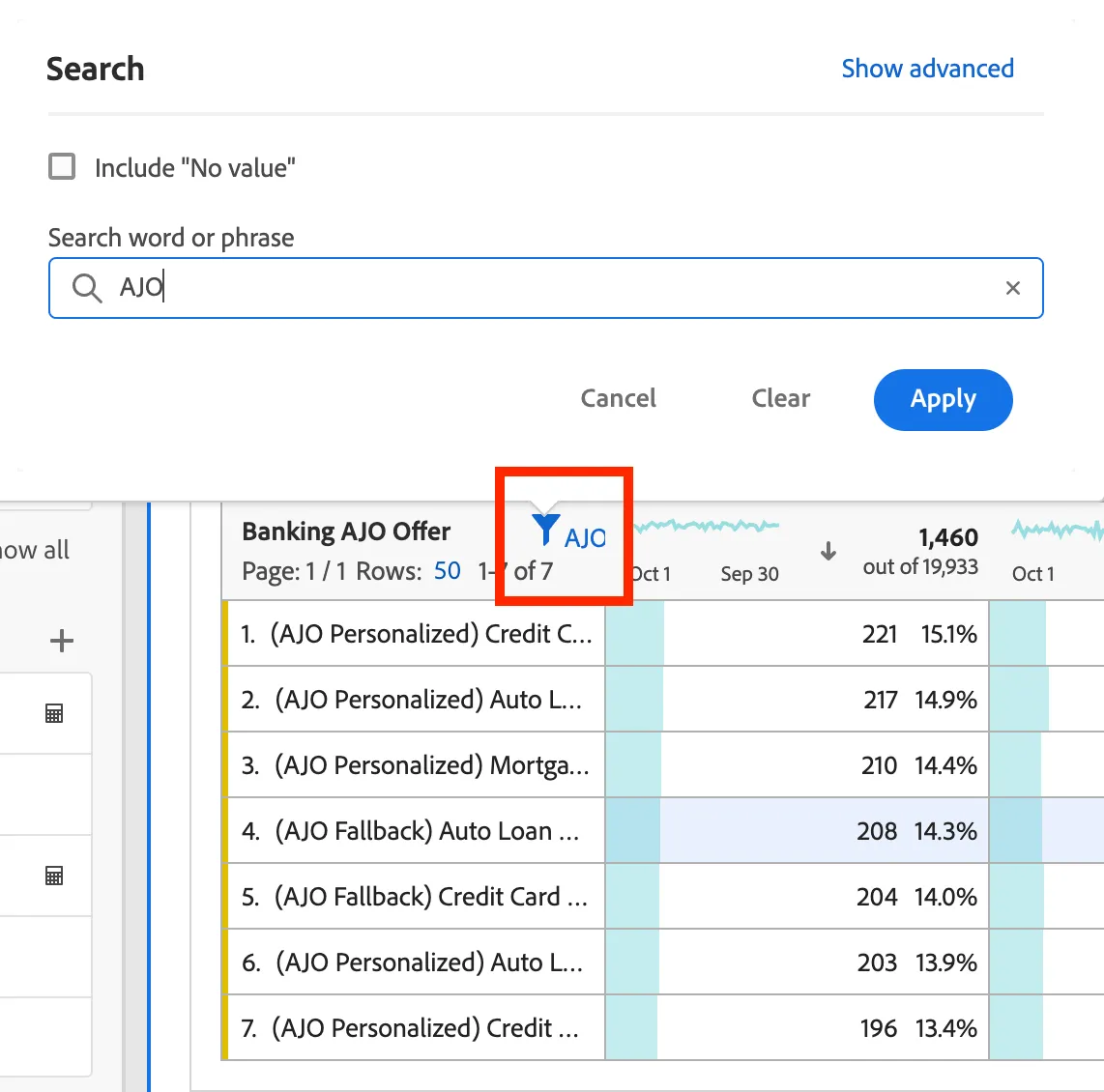
3. Now you will filter AJO campaign information for this exercise to see a subset of the campaign data. Click on the filter icon and type in AJO then click Apply.
4. Since you have done this in previous exercises, you will now drag in several events side by side in this order:
- Campaign Offer Sent
- Campaign Offer Opens
- Campaign Offer Clicks
- Campaign Offer Bounce
- Campaign Offer Delivery Exclusions
- Campaign Offer Errors
You will notice that you get 0 number of events from all the events brought in. This is because we need to set an attribution model using Attribution IQ. Right click on each event and select "Modify Attribution Model" from the pop-up.
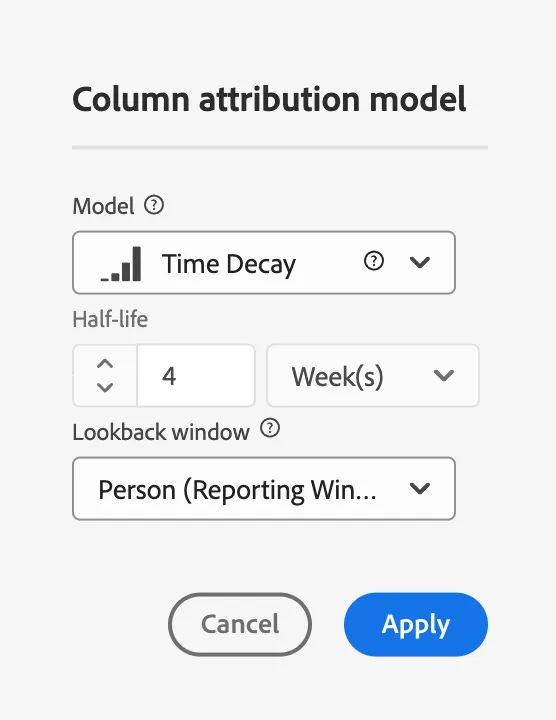
5. In the pop-up select "Time Decay" for the model, 4 Weeks for the Half-life, and "Person" for the lookback window. Then click "Apply".
6. You will now see that you have call events attributed to a webpage. These will be page views on web to call.
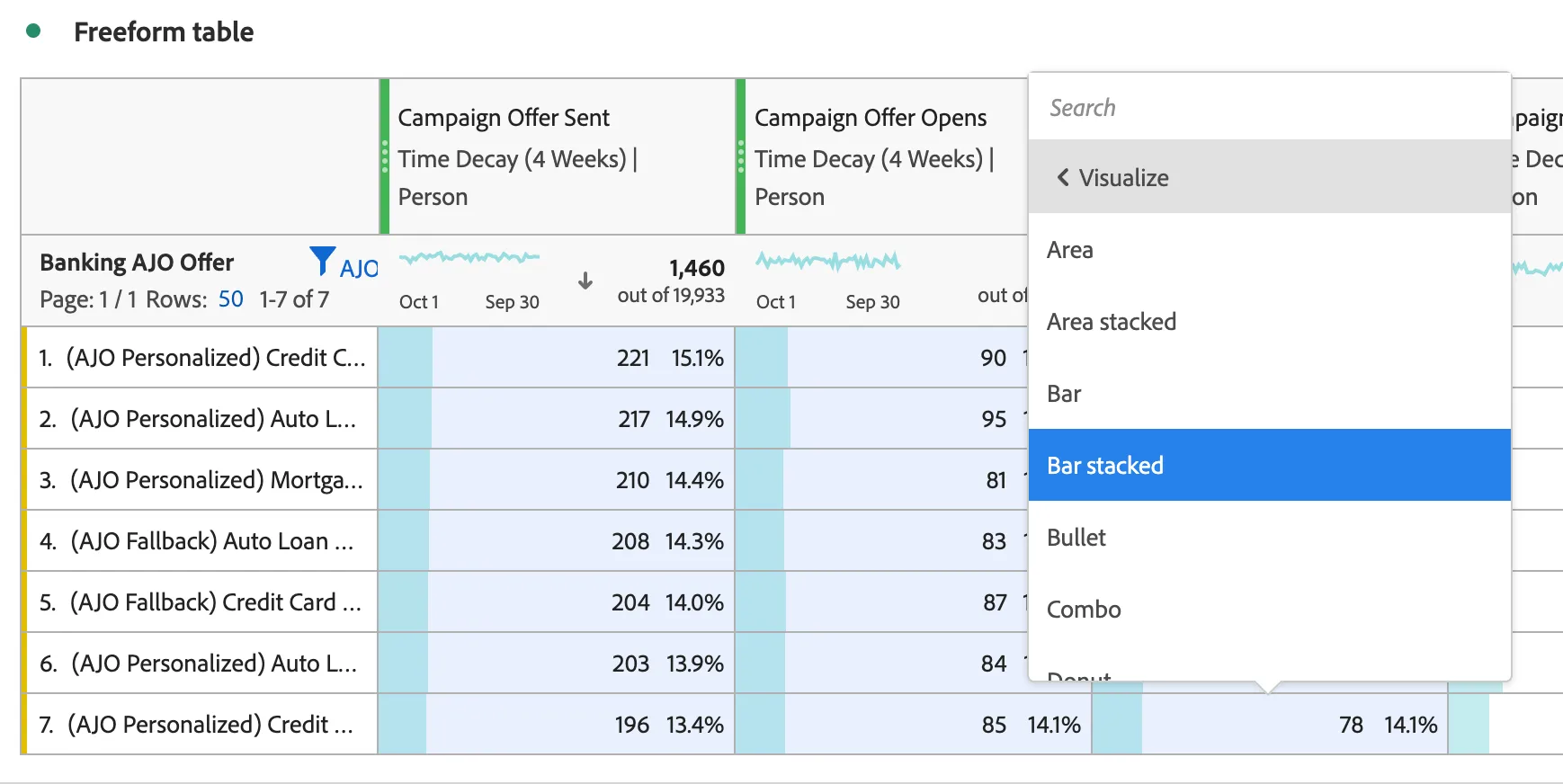
7. Now that we have part of the table completed, let's create some visualizations. Select all the rows in the first 3 columns. Right click and select Visualize. Next select Bar stacked.
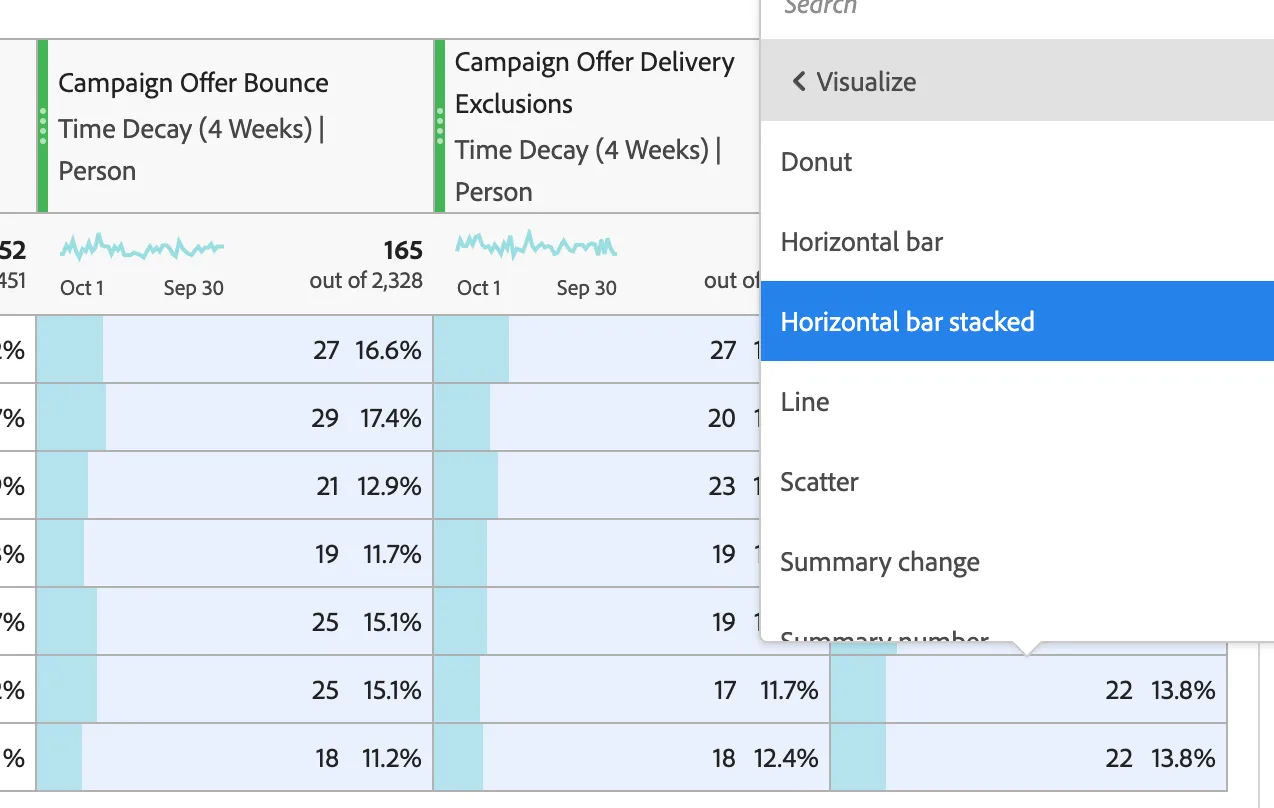
8. Now that we have part of the table completed, let's create some visualizations. Select all the rows in the last 3 columns. Right click and select Visualize. Next select Horizontal bar stacked.
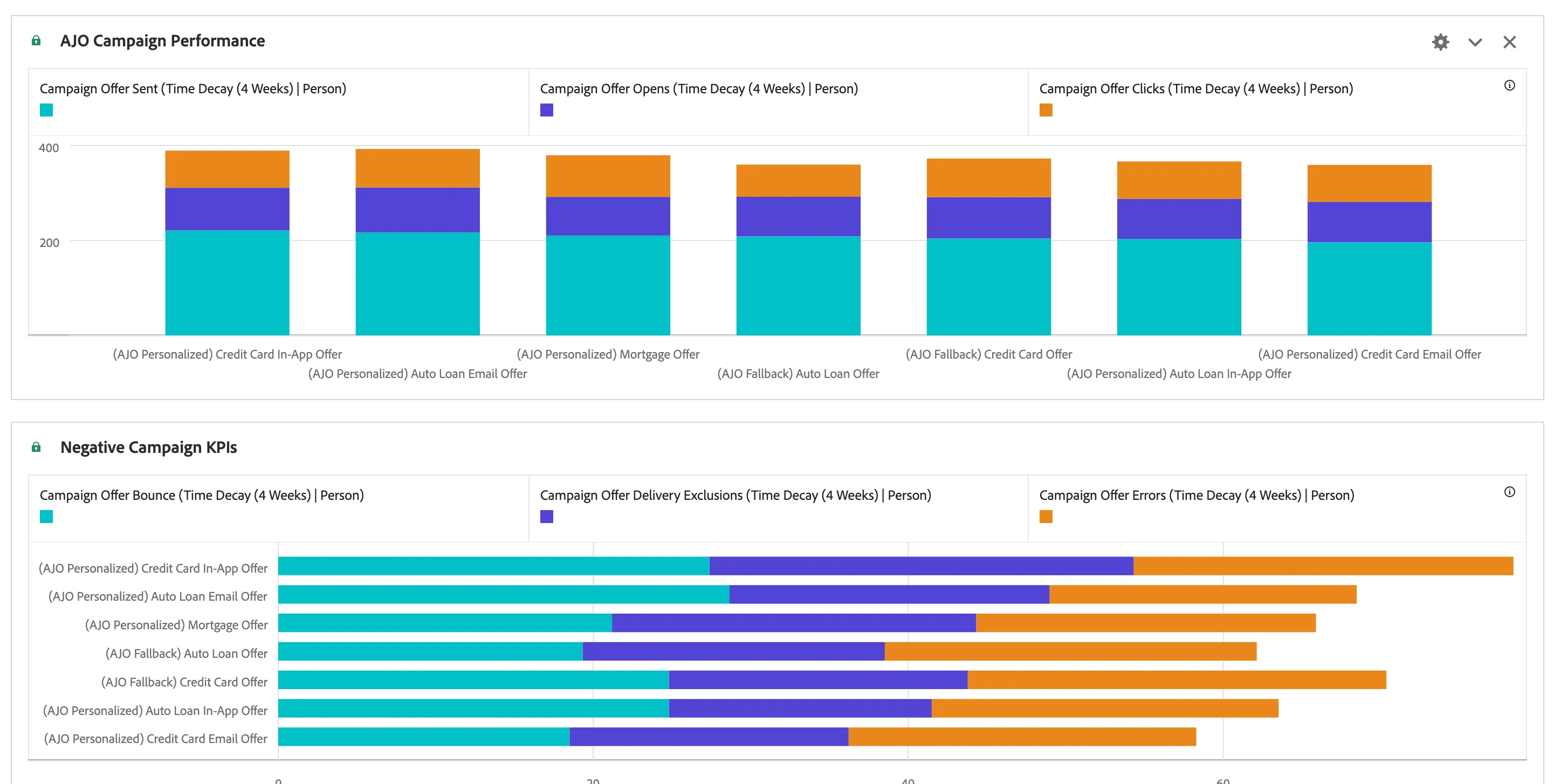
Congratulations!. You have created a Freeform table, added metrics and dimensions, set an attribution model and created data visualizations.