Expand your Journey
1 min
This lab will walk through the steps some expansions and added content within your Adobe Journey Optimizer journey.
NOTE: Some exercise steps may differ from lab presentation content.
Adding a Reaction Node
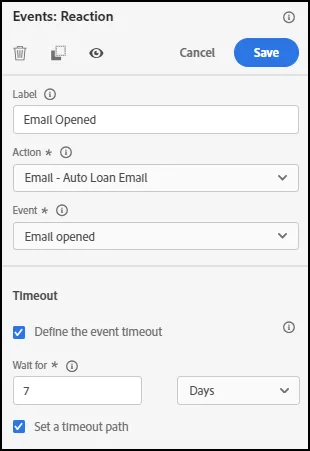
- Under Events, drag on Reaction node to the email message path. Click on Event and select “Email Opened.”
- Ensure the Auto Loan email is chosen for the Action value.
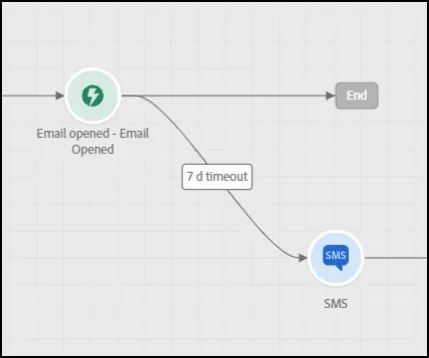
After the Reaction Node, add an SMS Message on the Timeout Path:
- End of Lab.