Flows and Fallouts
In this exercise we will create a couple of Flows and Fallouts for web pages visited before and after a call to the call center and auto campaign fallout. You will need to build a Freeform Table to collect the event data. From there you will be able to build out several visualizations.
This exercise will also require to set different attributions for each journey using Attribution IQ.
1. Create a "Flow" by dragging the "Flow" visualization into the panel. You can either create a new panel or you can drag the Flow into the top of the "Flows and Fallouts" panel.
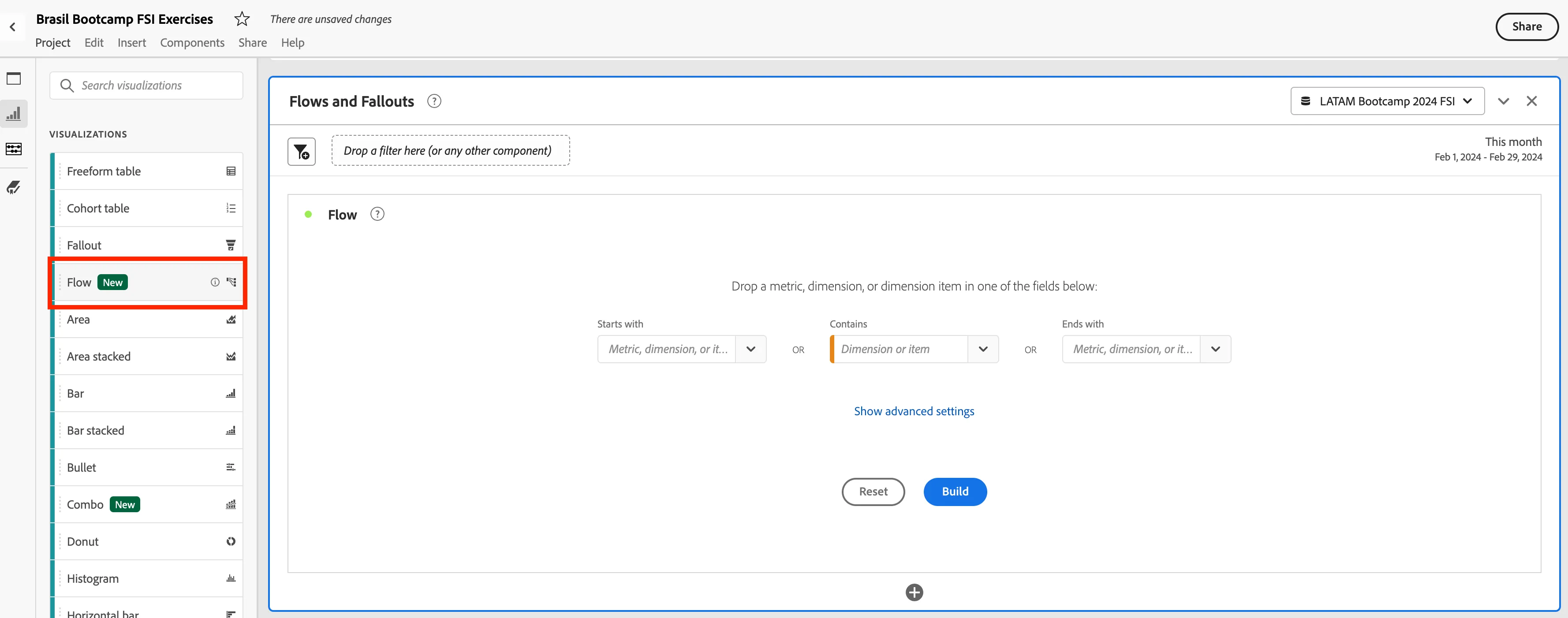
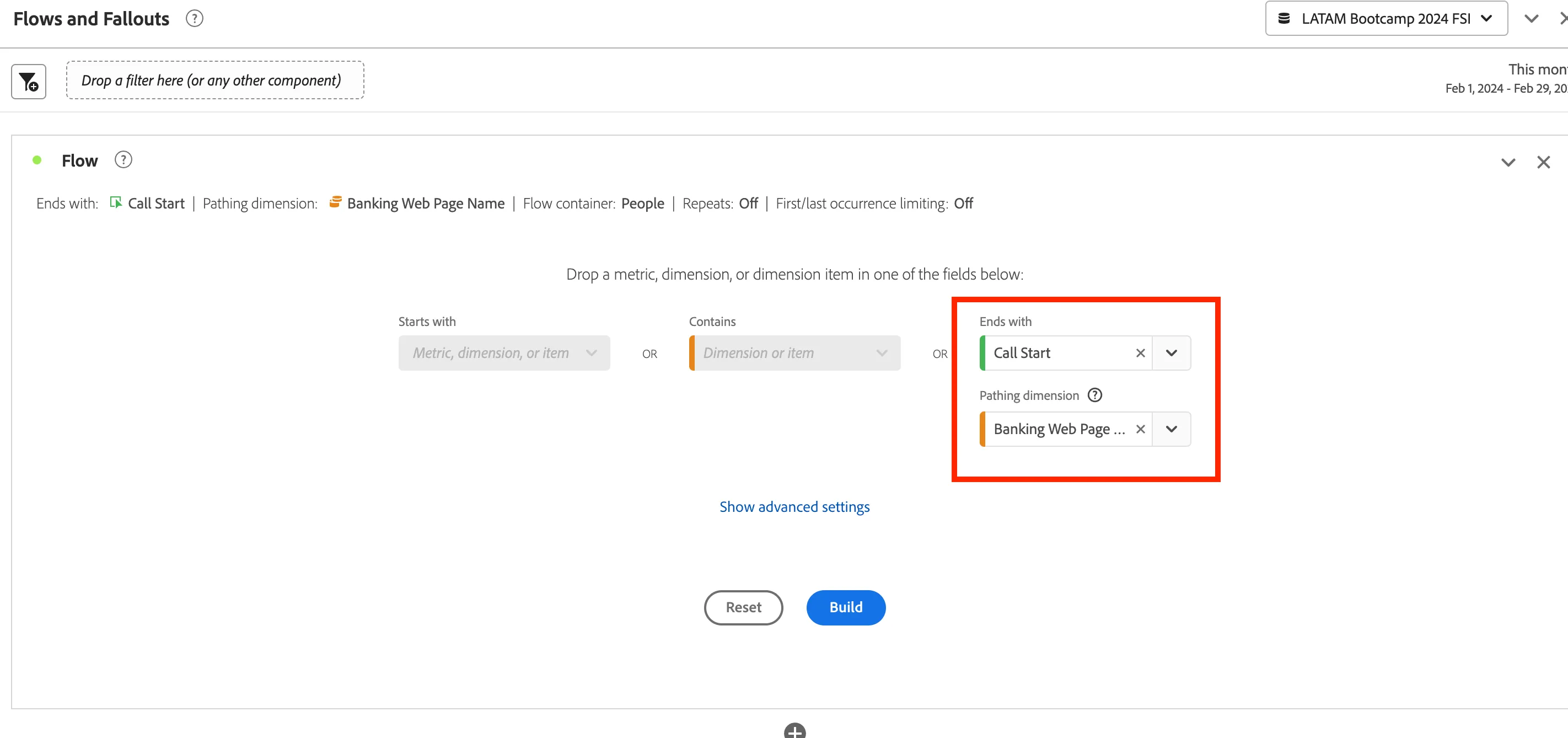
2. Set the End with to "Call Start" in the Flow. Then set the Pathing Dimension to "Banking Web Page Name" This will create a flow of the web pages a person visited before making a call to the call center. Click on "Build"
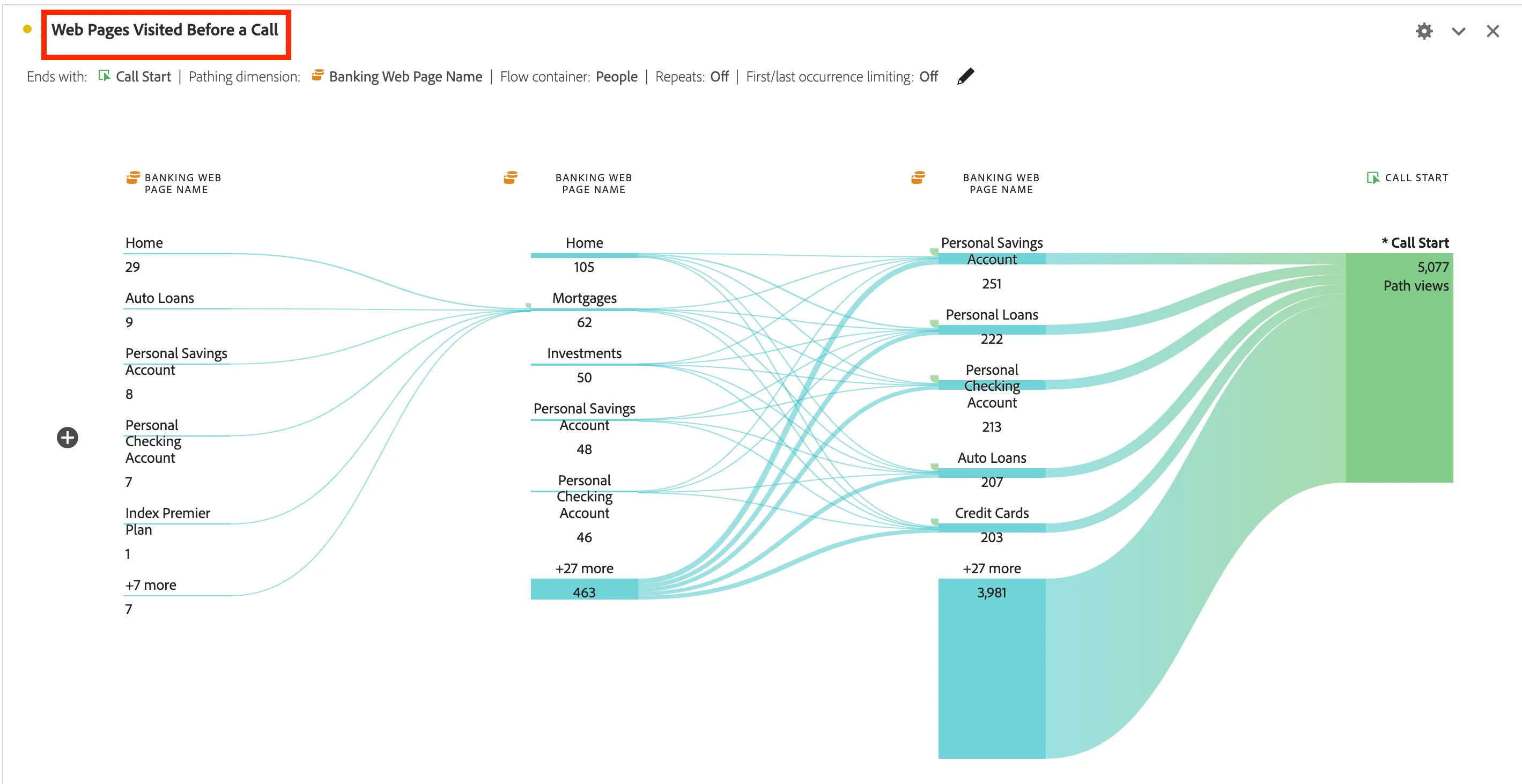
3. Now, give your Flow panel the name of "Web Pages Visited Before a Call."
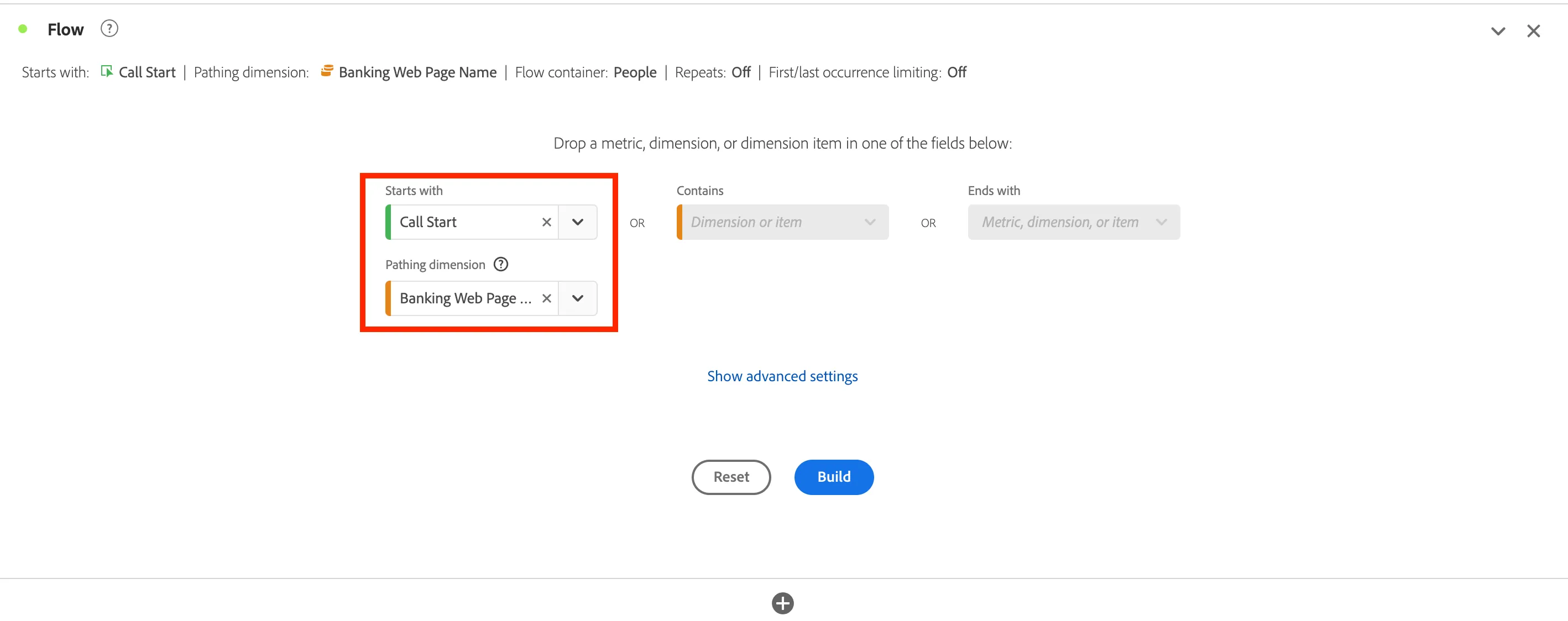
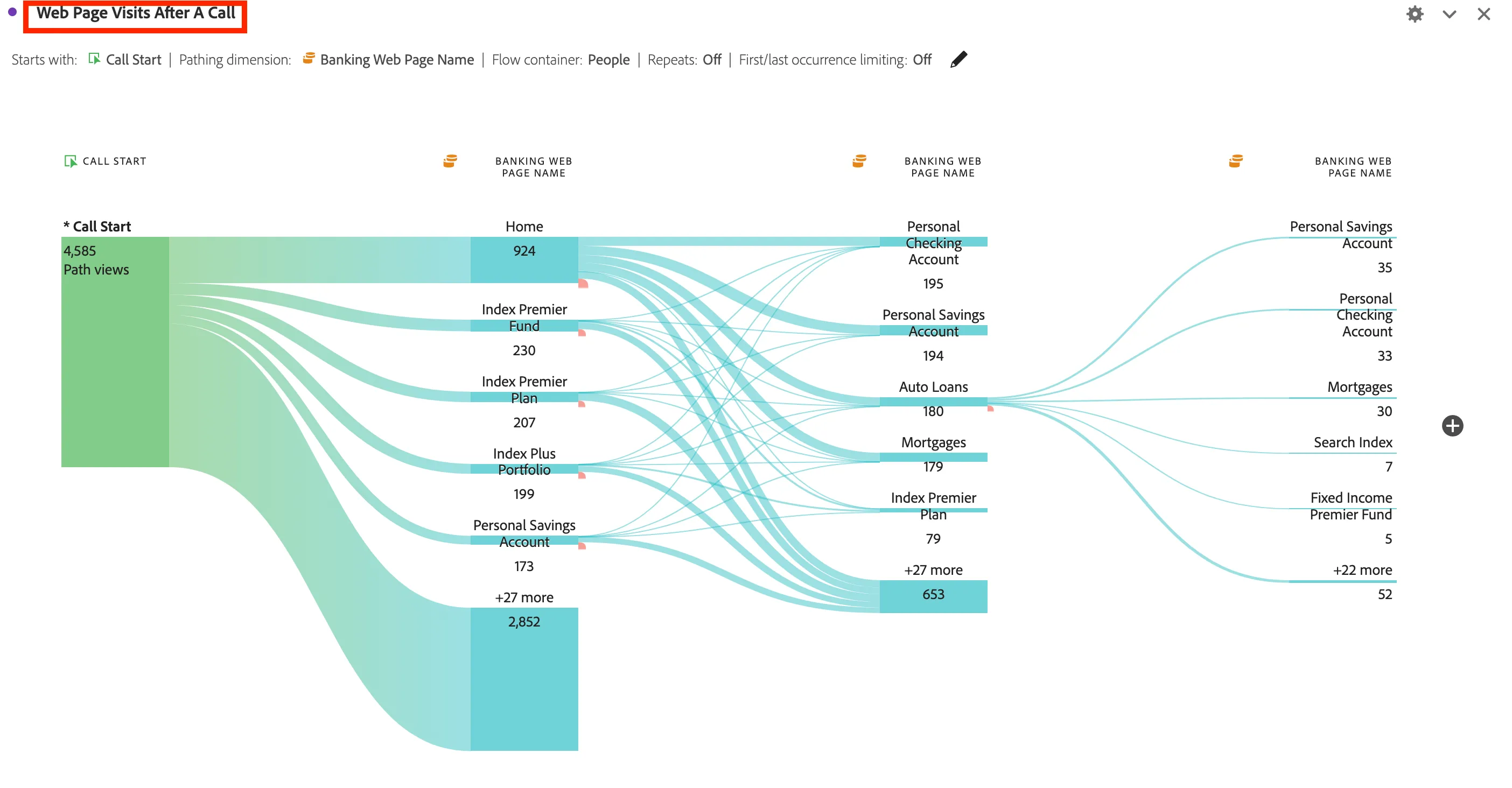
4. You will add another Flow visualization into the Panel. Set the Start with to "Call Start" in the Flow. Then set the Pathing Dimension to "Banking Web Page Name" This will create a flow of the web pages a person visited After making a call to the call center. Click on "Build"
5. Now, give your Flow panel the name of "Web Pages Visited After a Call."
6. Create a "Fallout" by dragging the "Fallout" visualization into the panel. You can either create a new panel or you can drag the Fallout into the top of the "Flows and Fallouts" panel.
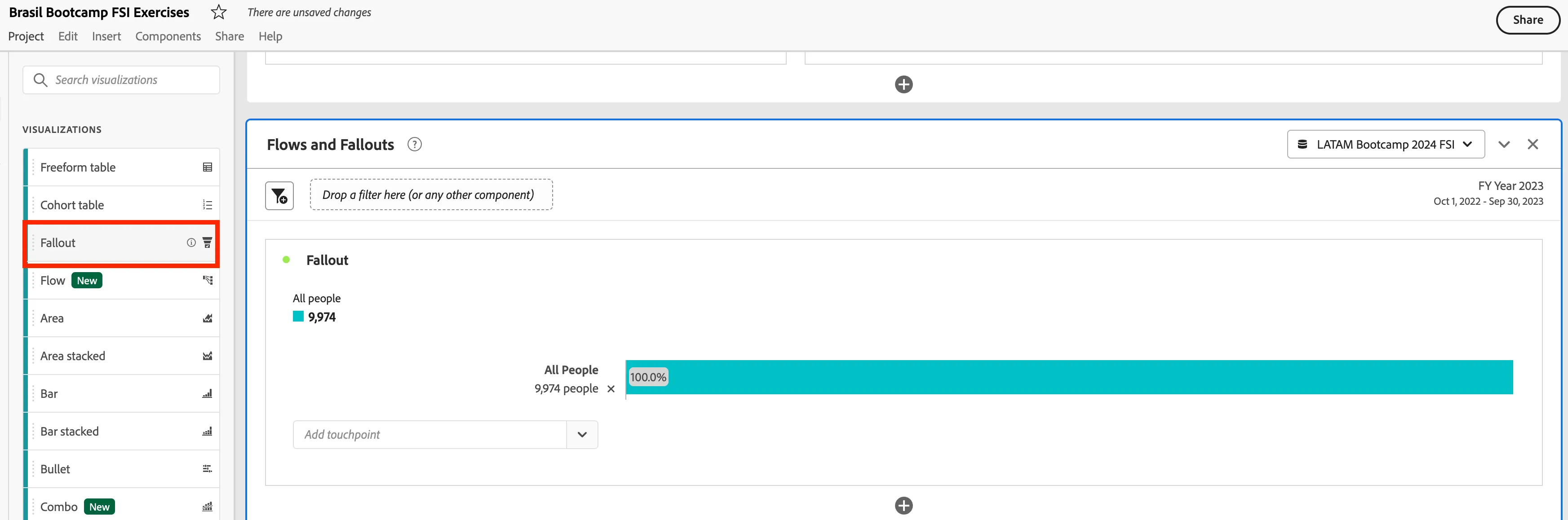
7. Now that you have the Fallout visualization started, you will need to select the touchpoints need to build out the fallout.
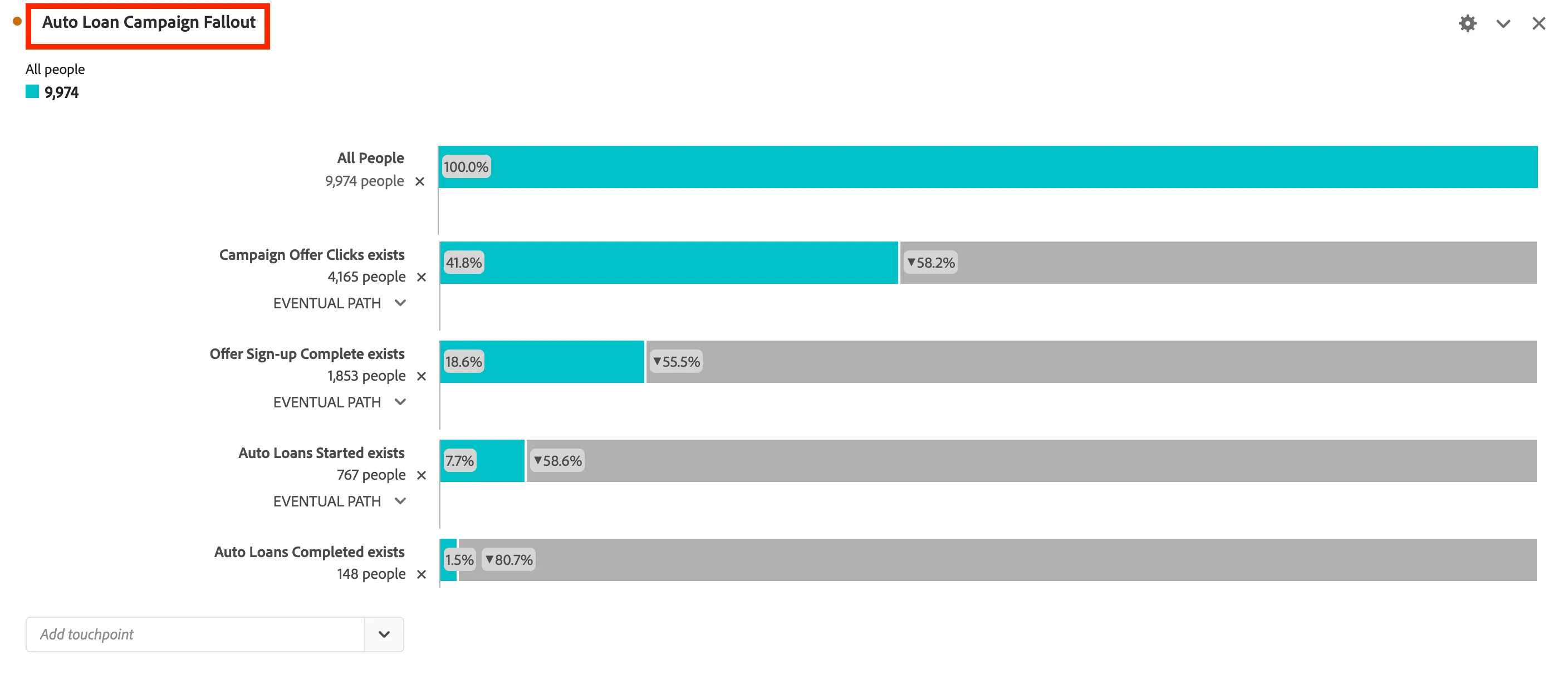
The touchpoints that you will add in order:
- Campaign Offer Clicks
- Offer Sign-up Complete
- Auto Loans Started
- Auto Loans Completed
Now give you Fallout the name "Auto Loan Campaign Fallout
Congratulations!. You have created Flows and Fallout Visualizations.