Environment Access
For todays lab you will be working on a demo Commerce as a Cloud service environment and a shared asset repository.
You will be working with the following products:
- Adobe Commerce as a Cloud Service.
- Adobe Experience Manager Assets.
- Adobe Express
- An Edge Delivery Storefront.
Enter and save your lab number below to enable your environment details.
Lab Number | {{LAB_NUMBER_INPUT}} |
|---|
Environment Details
These are your instance details for todays lab:
Your Lab Number | {{LAB_NUMBER}} |
|---|---|
User Name | {{LOGIN_EMAIL}} |
Password | accs@2026 |
Storefront | {{STOREFRONT_URL}} |
Admin URL | {{ADMIN_URL}} |
Content URL | {{CONTENT_URL}} |
Asset Repository Name | {{REPO_NAME}} |
Asset Repository URL | {{REPO_URL}} |
Product SKU | {{PRODUCT_SKU}} |
Pre-Requisities
- Chrome Browser
- AEM Sidekick Editor Chrome Extension
Install the AEM Sidekick Extension
The AEM Sidekick is a Chrome extension that enables in-context editing, previewing and publishing of content directly within your browser. In this lab, it will be used to quickly update and manage storefront content in the Edge Delivery environment.
In this exercise, you will install and verify the Sidekick extension to ensure your environment is ready for the upcoming steps.
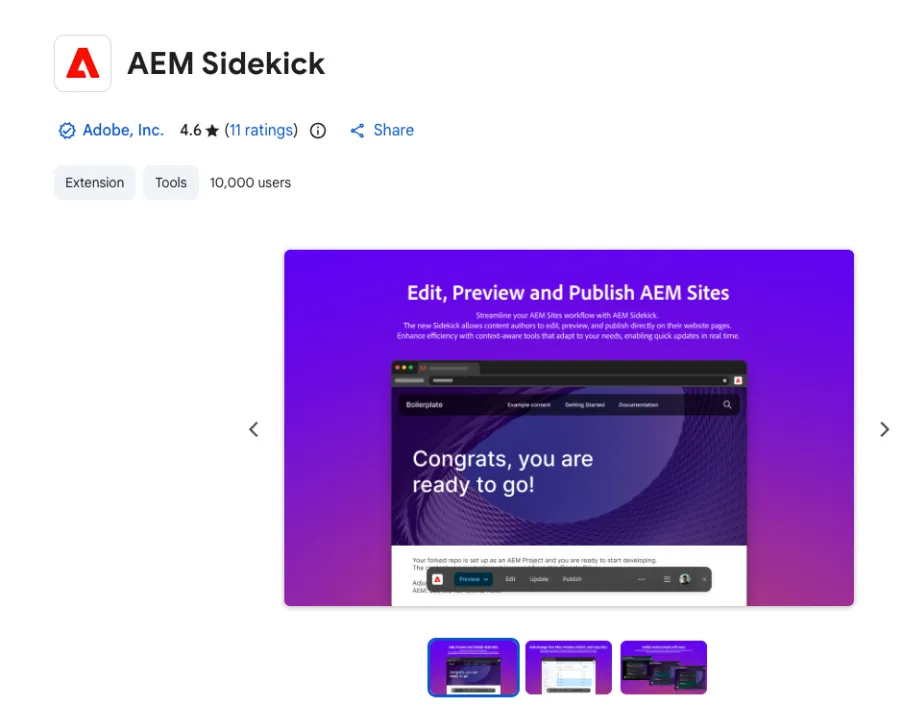
Step 1: Open the Chrome Web Store
- Open Google Chrome
- Navigate to the Sidekick extension page: https://chromewebstore.google.com/detail/aem-sidekick/igkmdomcgoebiipaifhmpfjhbjccggml
Step 2: Add the Extension
- Click Add to Chrome
- When prompted, click Add extension
Step 3: Verify Installation
- Open your storefront in a new window or tab{{STOREFRONT_URL}}
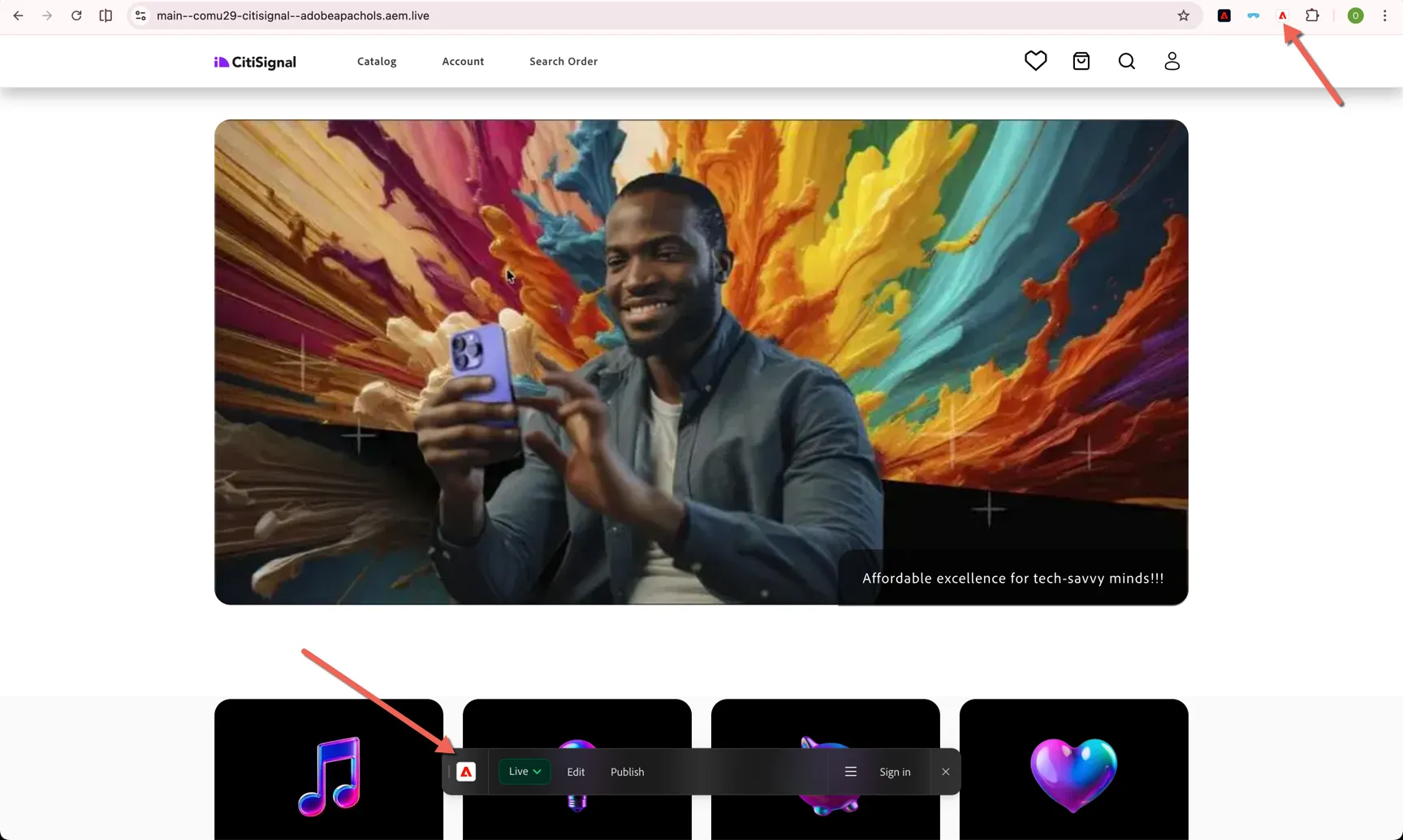
- Click the Extensions icon in the Chrome toolbar
- Locate AEM Sidekick in the list
- Click the pin icon to keep it visible in your toolbar
- Click the Sidekick icon in your browser
The Sidekick toolbar will appear on the page, allowing you to preview and publish content directly.

Step 5: Sign In
- Click Sign in with Adobe
Username: {{LOGIN_EMAIL}} Password: accs@2026
Once signed in, the Sidekick will enable editing and preview capabilities.
You have successfully installed and activated the AEM Sidekick extension. The Sidekick toolbar is visible and ready to be used for editing, previewing and publishing content in subsequent exercises.
If the Sidekick does not appear, try refreshing the page and confirm the extension is enabled.