Lab: Basic Journey
description: >-
  This lab will walk through the steps to create a Basic Email and SMS Journey
  in Adobe Journey Optimizer.
Create a Journey
Navigate to Journeys
Click on “Create Journey”
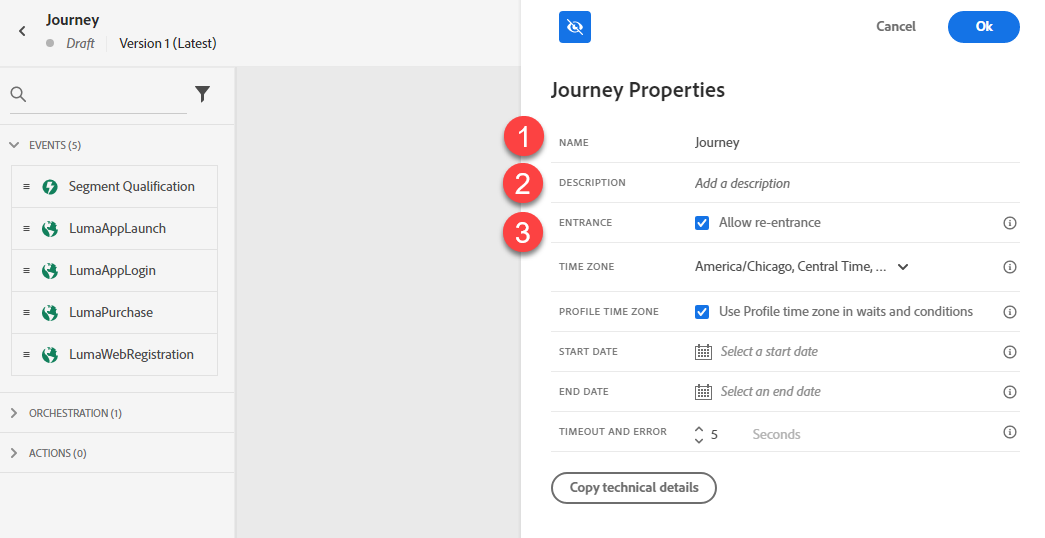
Provide a Name and Description. Unclick “Allow Re-Entrance.” Click Ok.
Define the Audience
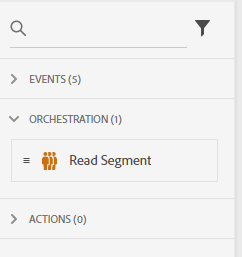
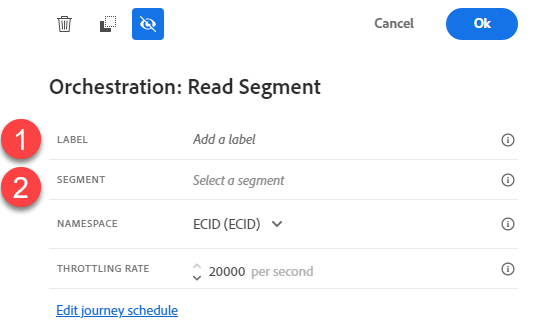
Under Orchestration Node, drag the “Read Segment” onto the Canvas.
Change the label to “Silver Loyalty Members”. Click on Select a Segment.
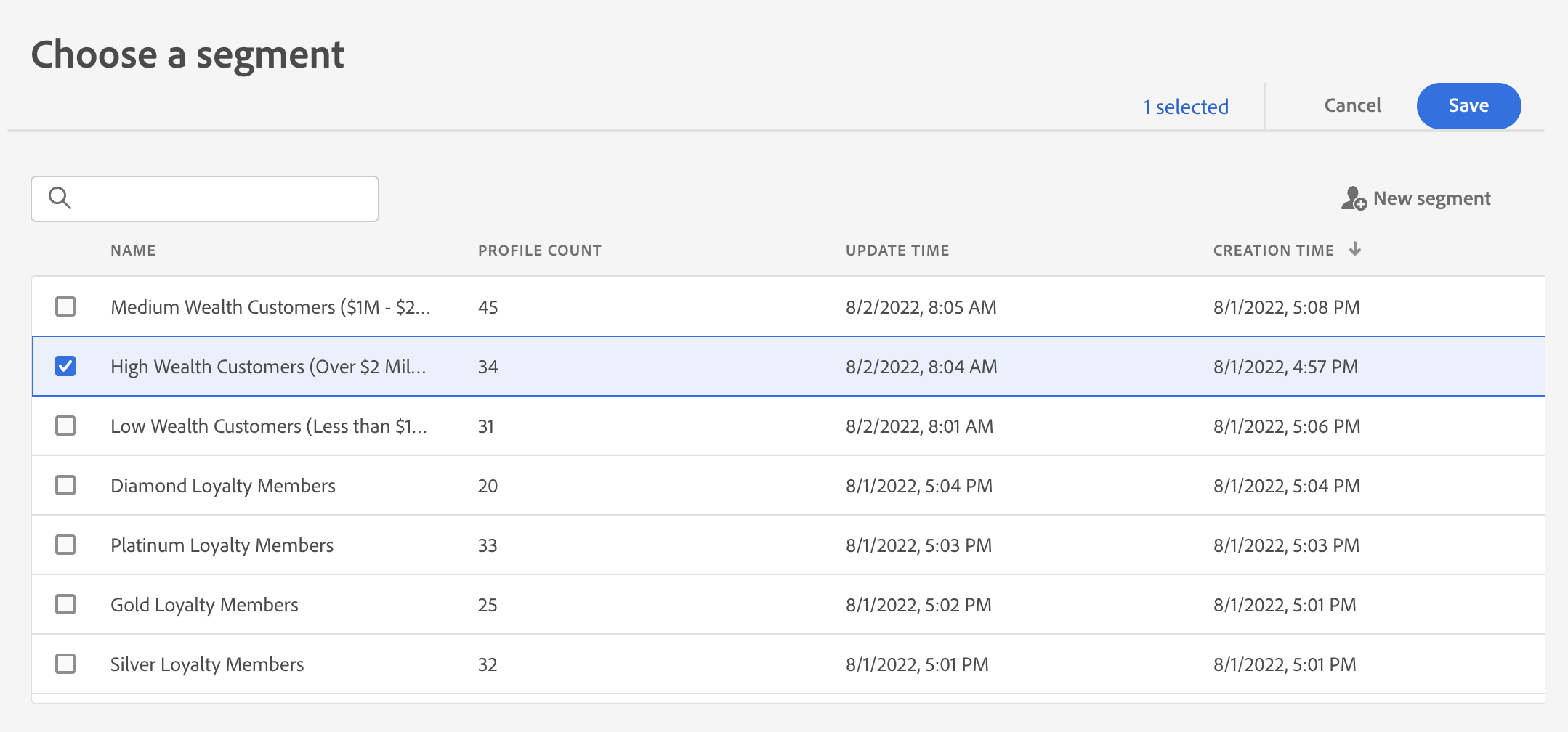
Select “Silver Loyalty Members”. Click Save.
Setup Branching
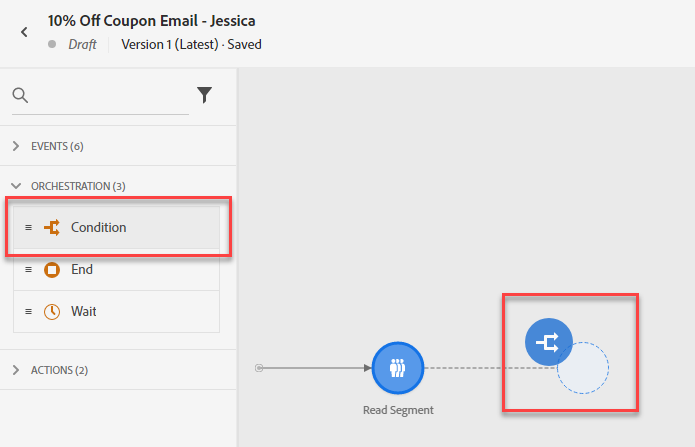
Under Orchestration Node, drag the “Condition” after the Read Segment.
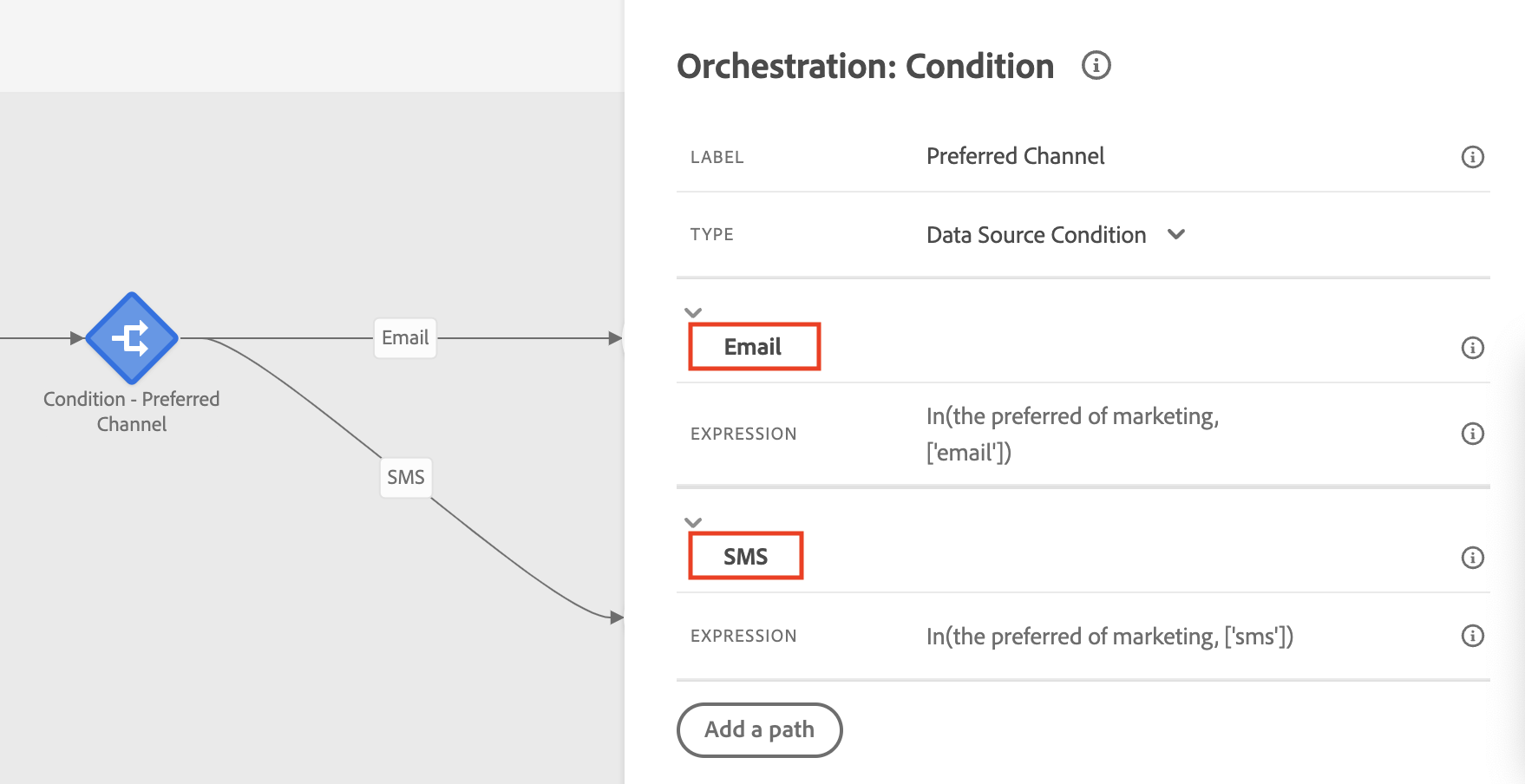
Add the label “Preferred Channel”. Set Type to “Data Source Condition”. Click on “Add a Path”
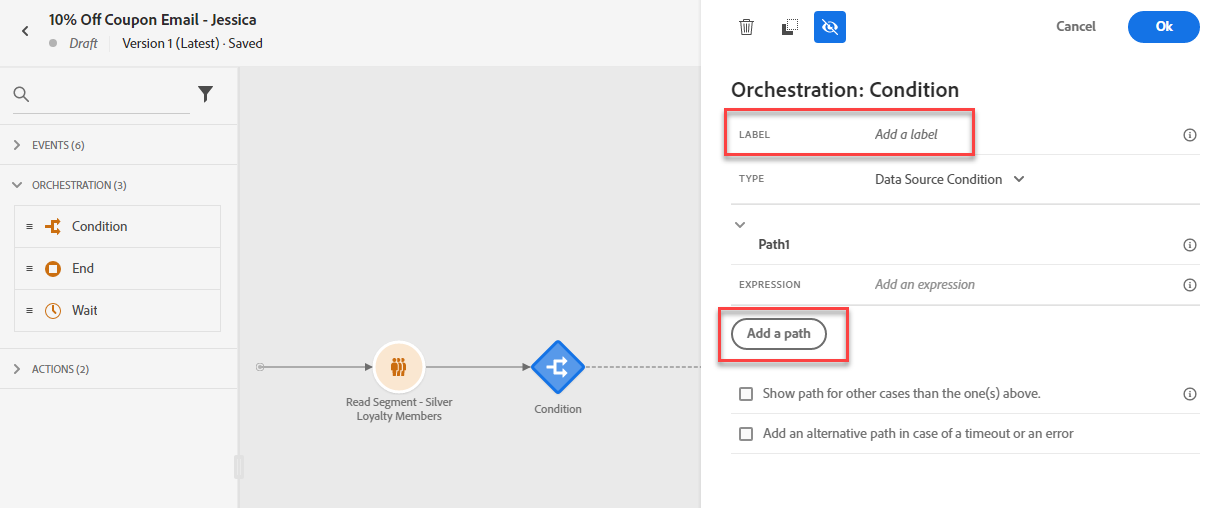
Click Path1 and rename as "Email". Click Path2 and rename as "SMS"
Add Messages
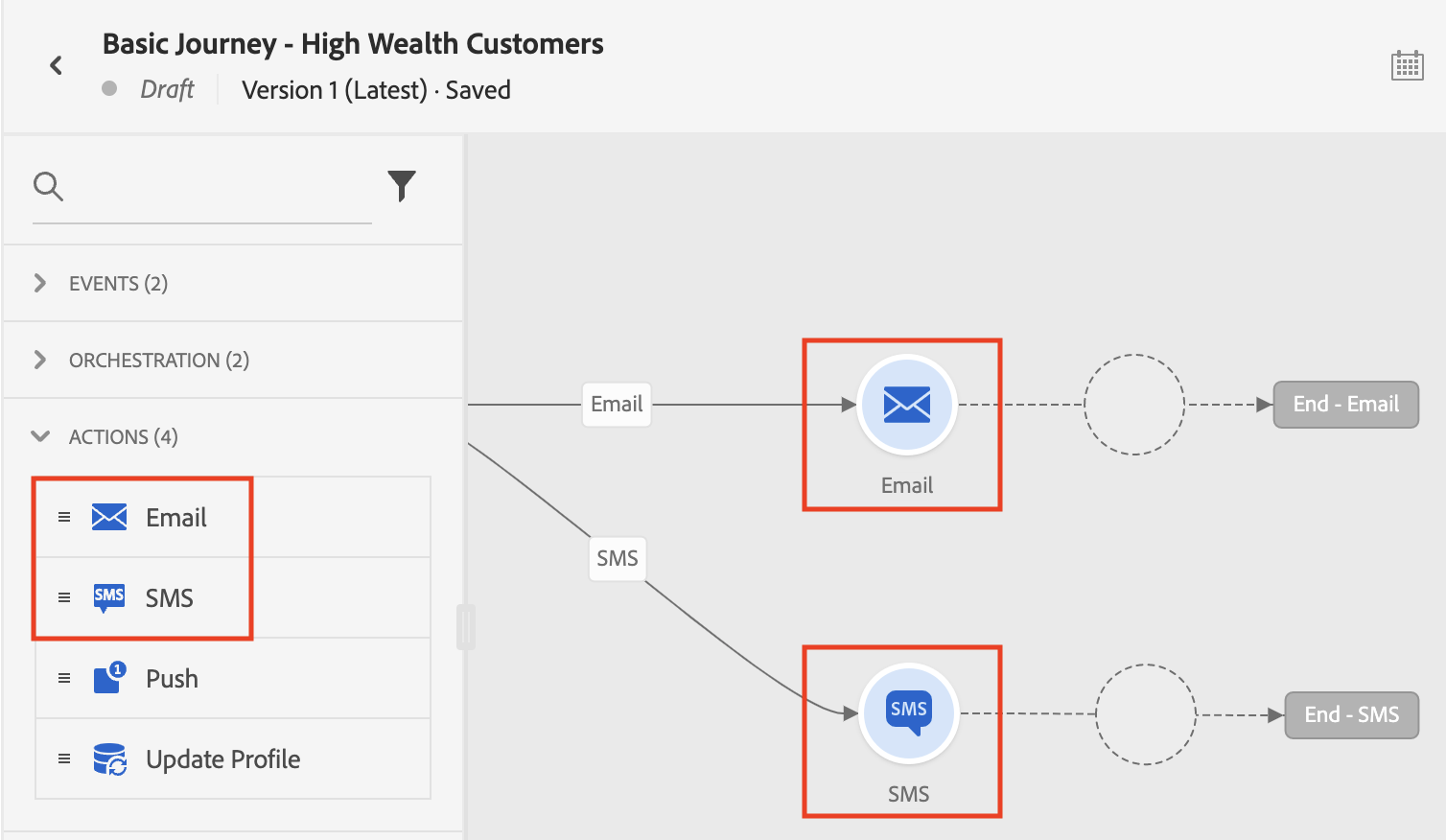
Under Actions, drag the Email Action onto the Canvas on Email path and drag SMS Action onto the SMS path.
Next, we will design the Email and SMS messages. Navigate to the Email Designer Lab from the GitBook navigation menu.
\