Basic Journey
This lab will walk through the steps to create a Basic Email and SMS Journey in Adobe Journey Optimizer.
NOTE: Some exercises may vary during the actual Hands on Lab versus what is listed in the Archbee Page, due to industry setup and / or Presenter preferences.
Create a Journey
Navigate to Journeys
Click on “Create Journey”
Name your campaign "Booked w/ No Add-ons - " and append your initials to the end. Unclick “Allow Re-Entrance.” Click Ok.
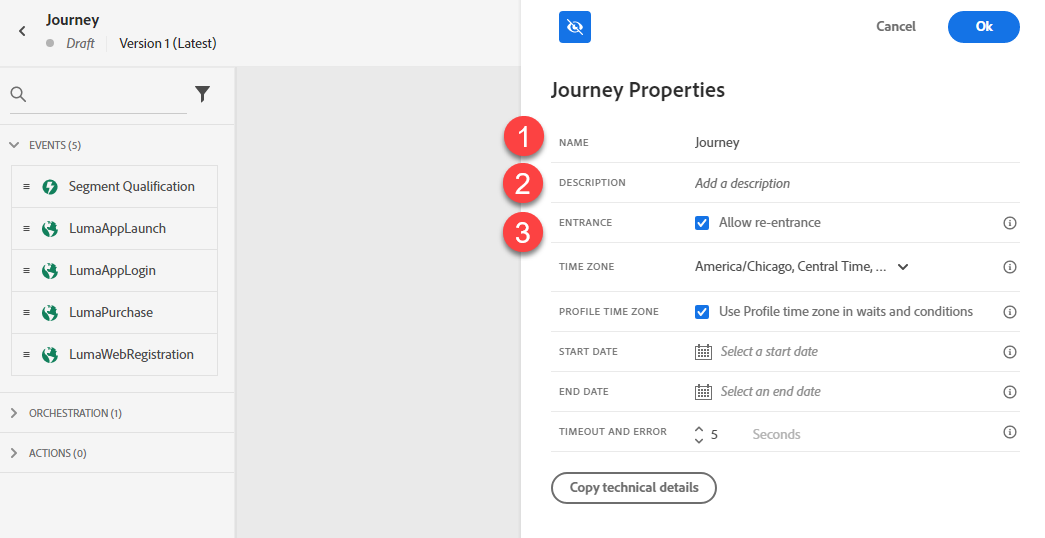
Define the Audience
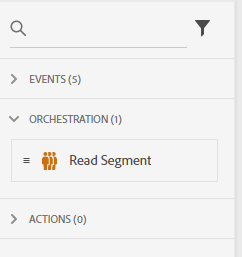
Under Orchestration Node, drag the “Read Segment” onto the Canvas.
Change the label to “Booked w/ No Follow-up Add-ons” and set the namespace to "ECID (ECID)". Click on Select a Segment.
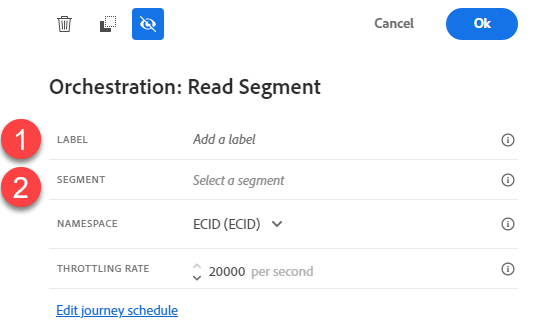
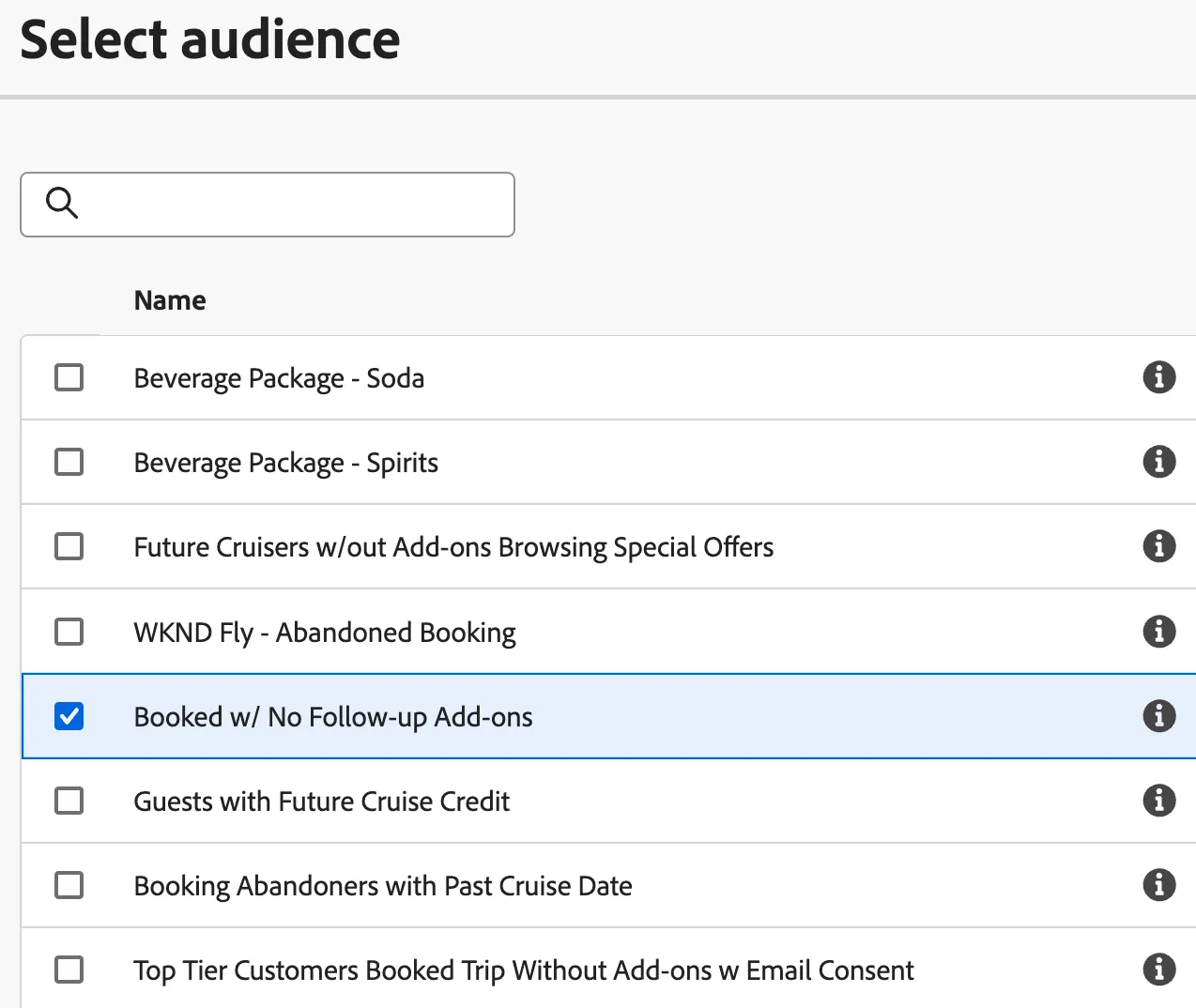
Select “Booked w/ No Follow-up Add-ons”. Click Save.
Setup Branching
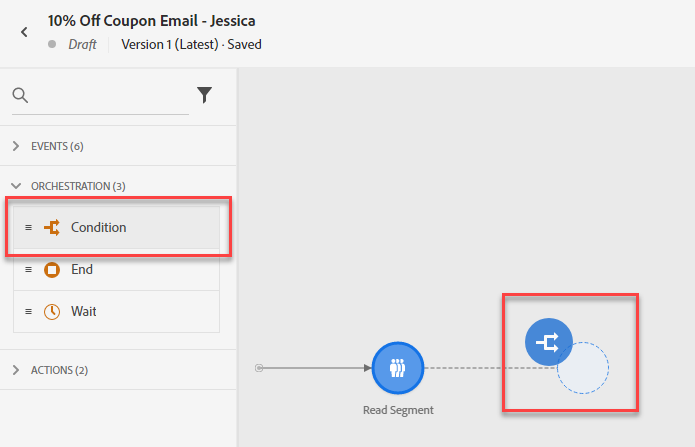
Under Orchestration Node, drag the “Condition” after the Read Segment.
Add the label “Preferred Channel”. Set Type to “Data Source Condition”. Click on “Add a Path”
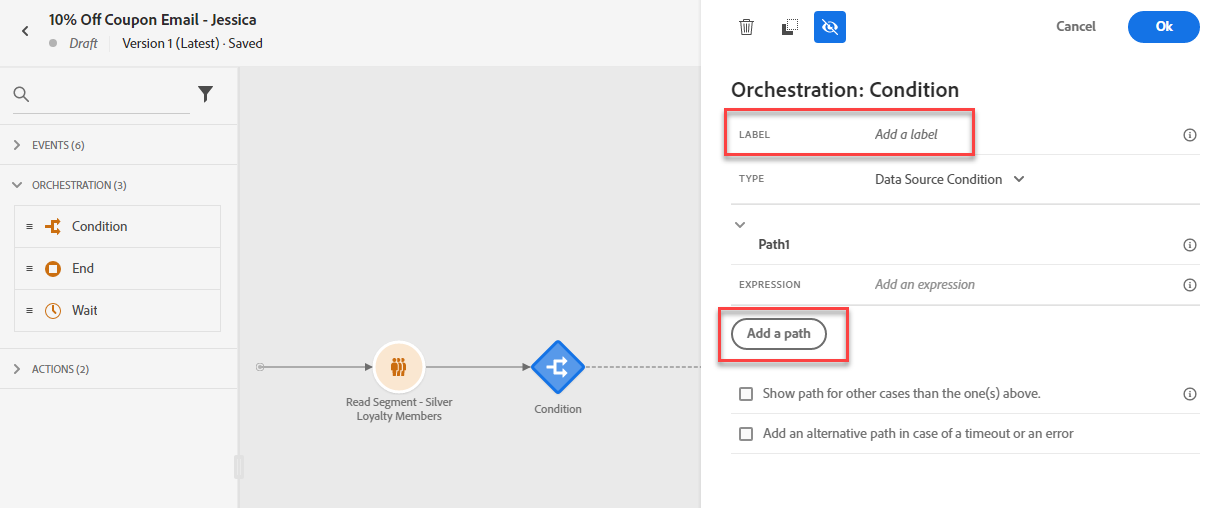
- Click Path1 and rename it to "Email". Then click on the Expression field to create your condition.
A window will open. Navigate to ExperiencePlatform > ProfielFieldGroup > profile > Consents and Preferences (consents) > Marketing Preferences and drag the field "Preferred Channel (preffered)" to the right area. Check the value "email" and click Ok on the right-hand side. Open the folder "Receieve email (email)" and drag the field "Choice Value (val)" to the right area, under the rule you made previous. Check the value "y" and click Ok on the right-hand side. Click Ok in the bottom right to save your condition.
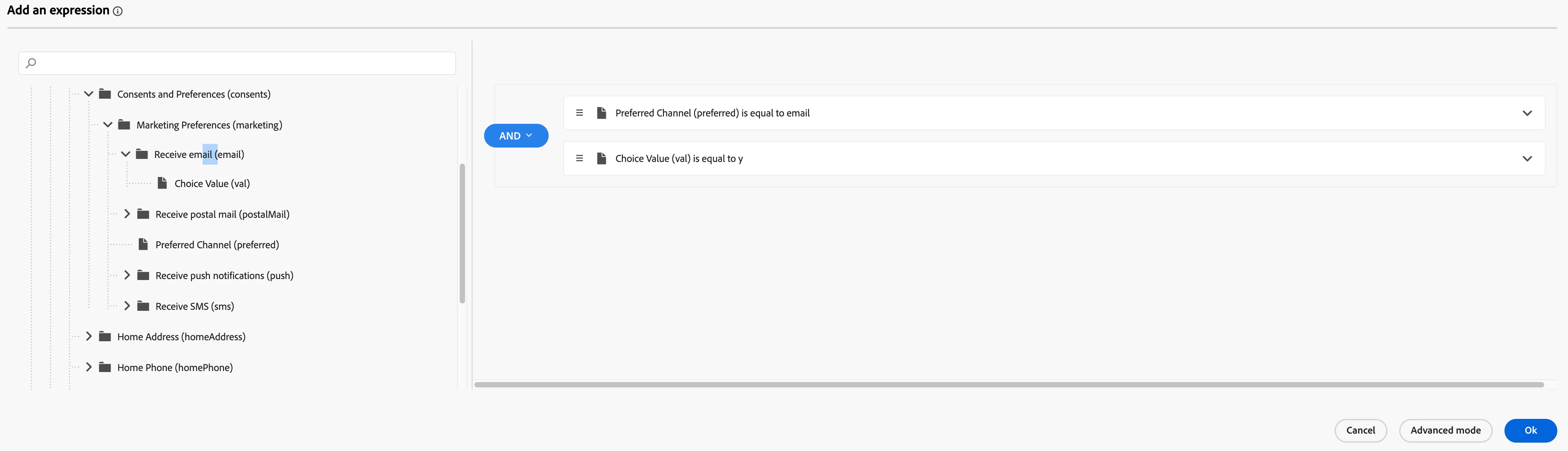
- Click Add a path and rename it to "SMS". Then click on the Expression field to create your condition.
A window will open. Navigate to ExperiencePlatform > ProfielFieldGroup > profile > Consents and Preferences (consents) > Marketing Preferences and drag the field "Preferred Channel (preffered)" to the right area. Check the value "sms" and click Ok on the right-hand side. Open the folder "Receieve SMS (sms)" and drag the field "Choice Value (val)" to the right area, under the rule you made previous. Check the value "y" and click Ok on the right-hand side. Click Ok in the bottom right to save your condition.
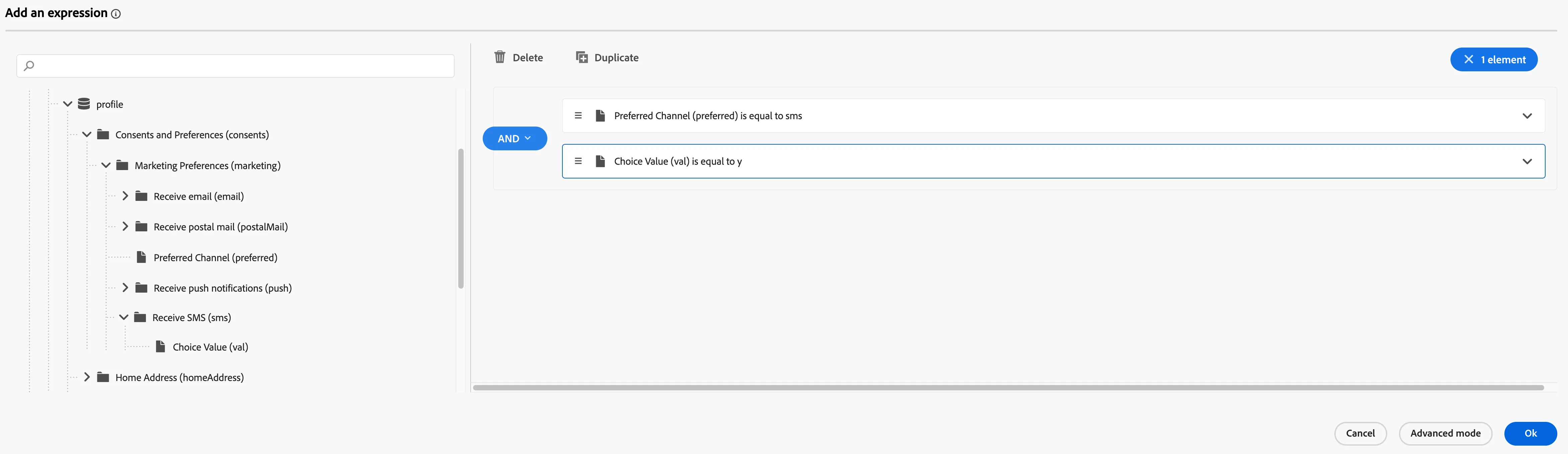
Your Condition should now look like this. Click Save
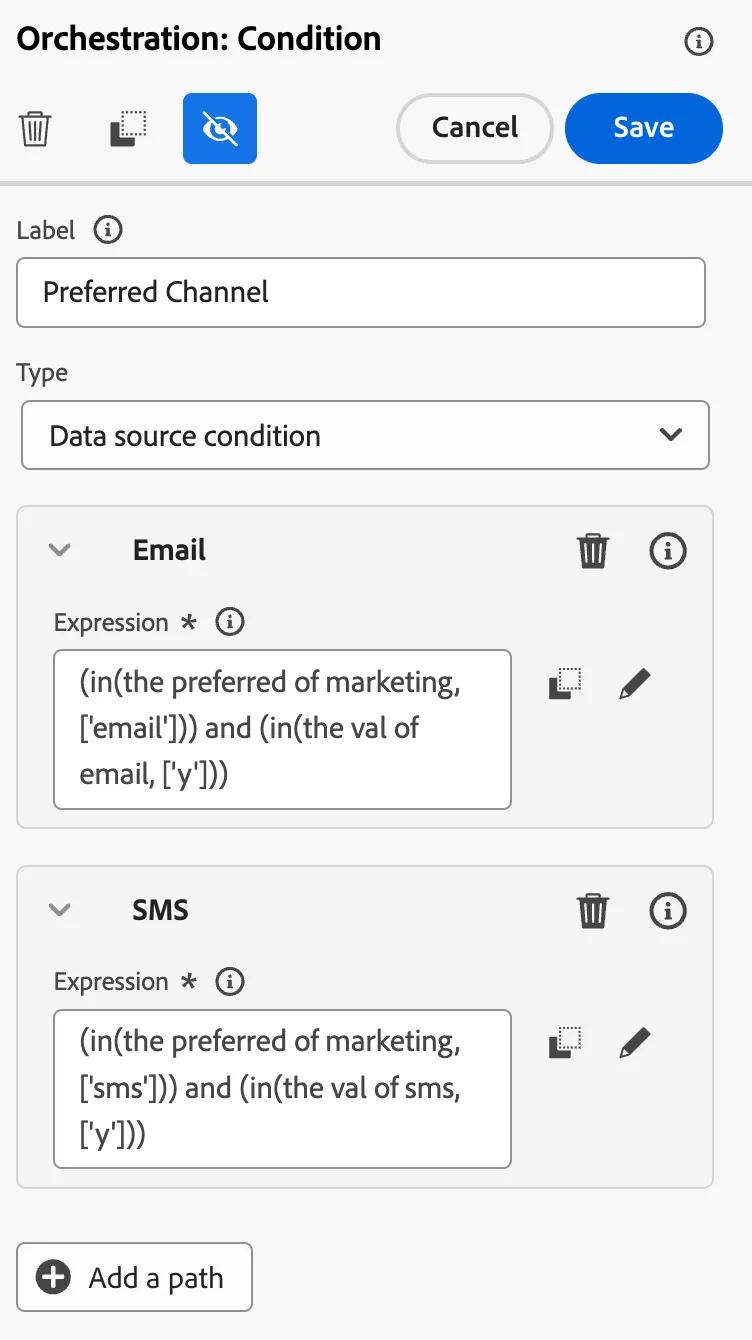
Add Messages
Under Actions, drag the Email Action onto the Canvas on Email path and drag SMS Action onto the SMS path.
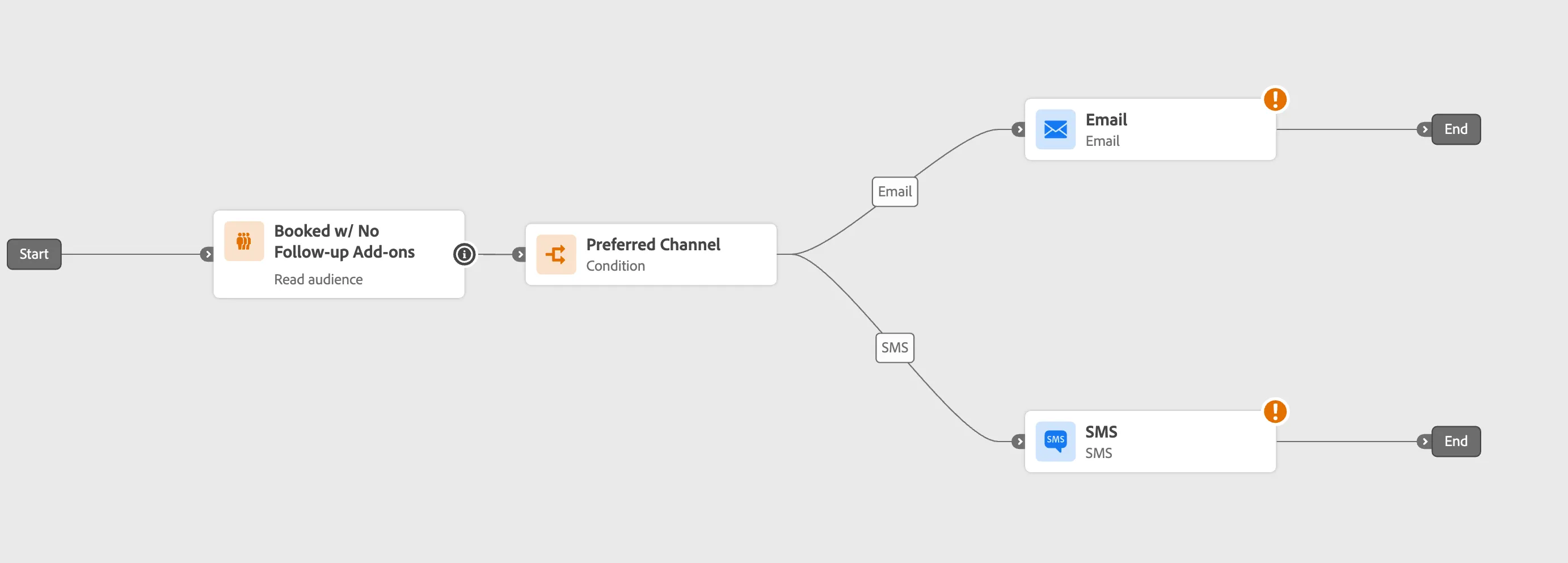
Next, we will design the Email and SMS messages. Navigate to the Email Designer Lab from the GitBook navigation menu.
\