Cart Abandoners Basic
We will create sequential segmentation to qualify visitors who visit the Wknd Fly site, enter the booking flow but have not completed the booking.
Booking Abandoners
- Click on Audiences in the left navigation panel.
- In the top right corner of the screen, click Create Audience
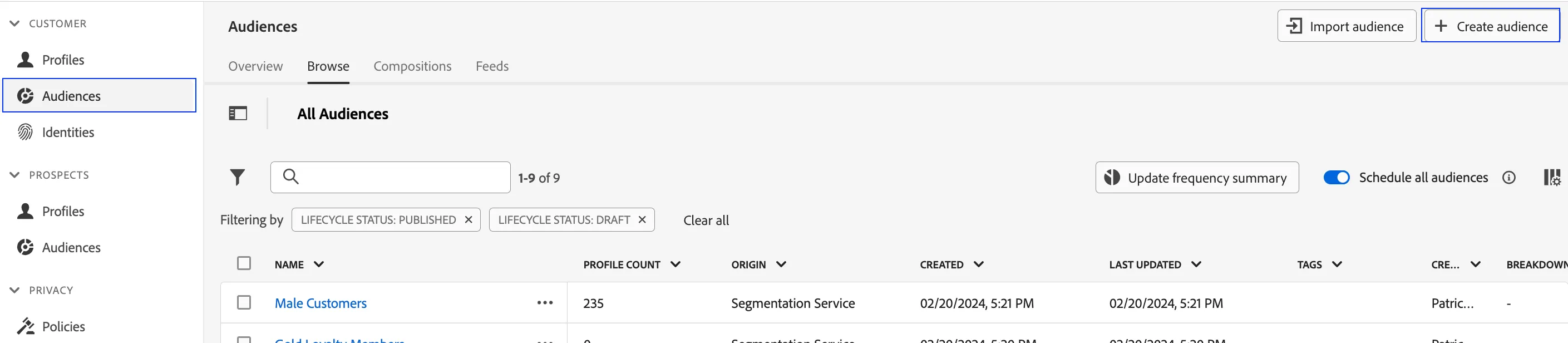
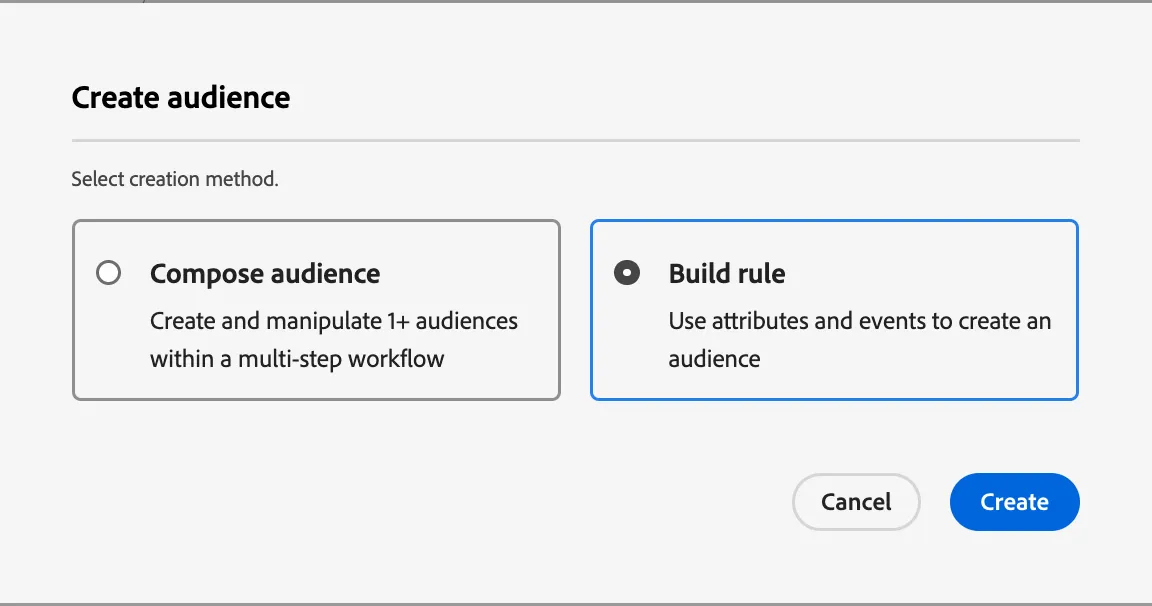
3. Select Build Rule
4. Click Create
5. Explore the segmentation canvas. This canvas allows marketers to build audiences from ALL existing attributes and events available on the real-time customer profile
6. Name your segment - Booking Abandoners- (your initials)
7. Since this is an event-based audience, click on Events in the left tab on the canvas. This selection will expose all event based data points that have been onboarded
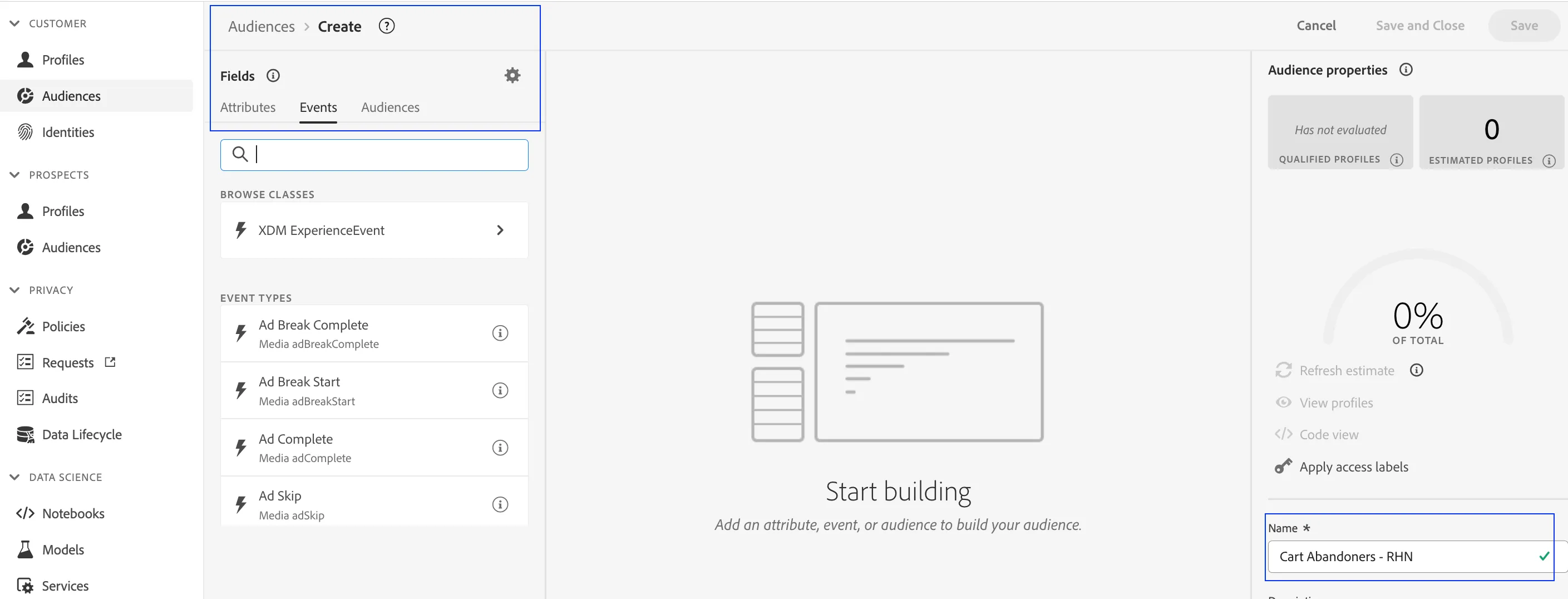
8. In the Event Types dropdown, search Event Type
9. Drag the field onto the canvas
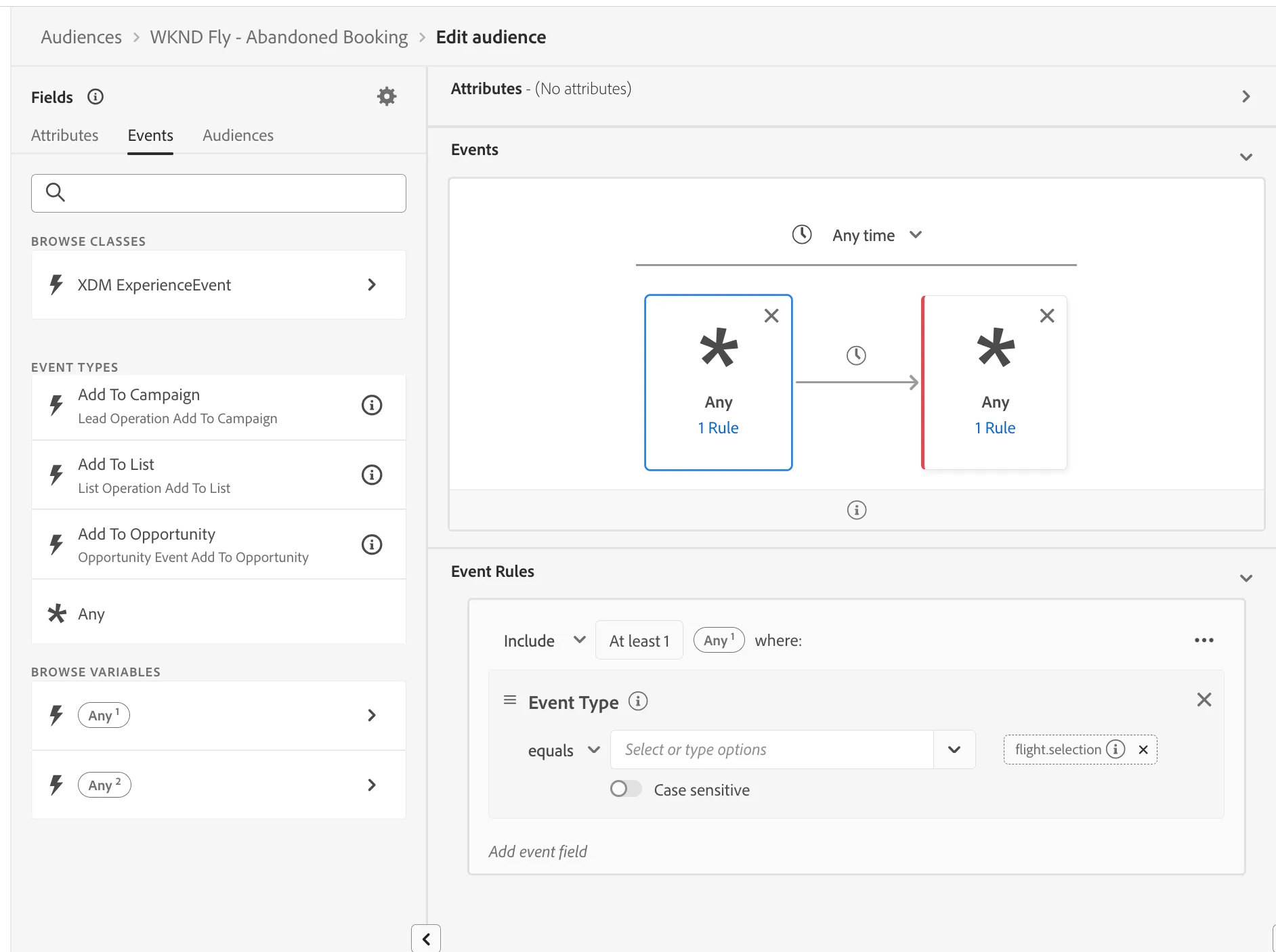
10. Dag the event again. This time, dropping the event to the right of the first box, to create a sequence of events in the canvas
11. In the first event container, enter the value "flight.selection"
12. In the second event container, enter the value "flight. booking" These parameters represent events firing on the page during the booking flow. To exclude qualifications for completing a booking, use the "Include" dropdown to select "Exclude" The logic changes to qualify visitors who have landed on the flight selection page, but have not proceed to book
18. Click Save and Close.