Audience Qualification
2 min
We can see if our profile will qualify for the Audience we created in the previous exercise in real-time using the Demo Website.
We will check that our profile qualifies for the Product Interest: Home Loan audience.
- Open the demo website on the Homepage.
- Navigate to the Loans page via the top navigation
- Click the Danske Bank Home Loan tile to navigate to the Home Loan page.
- Click Apply now to navigate to the application form and start the process
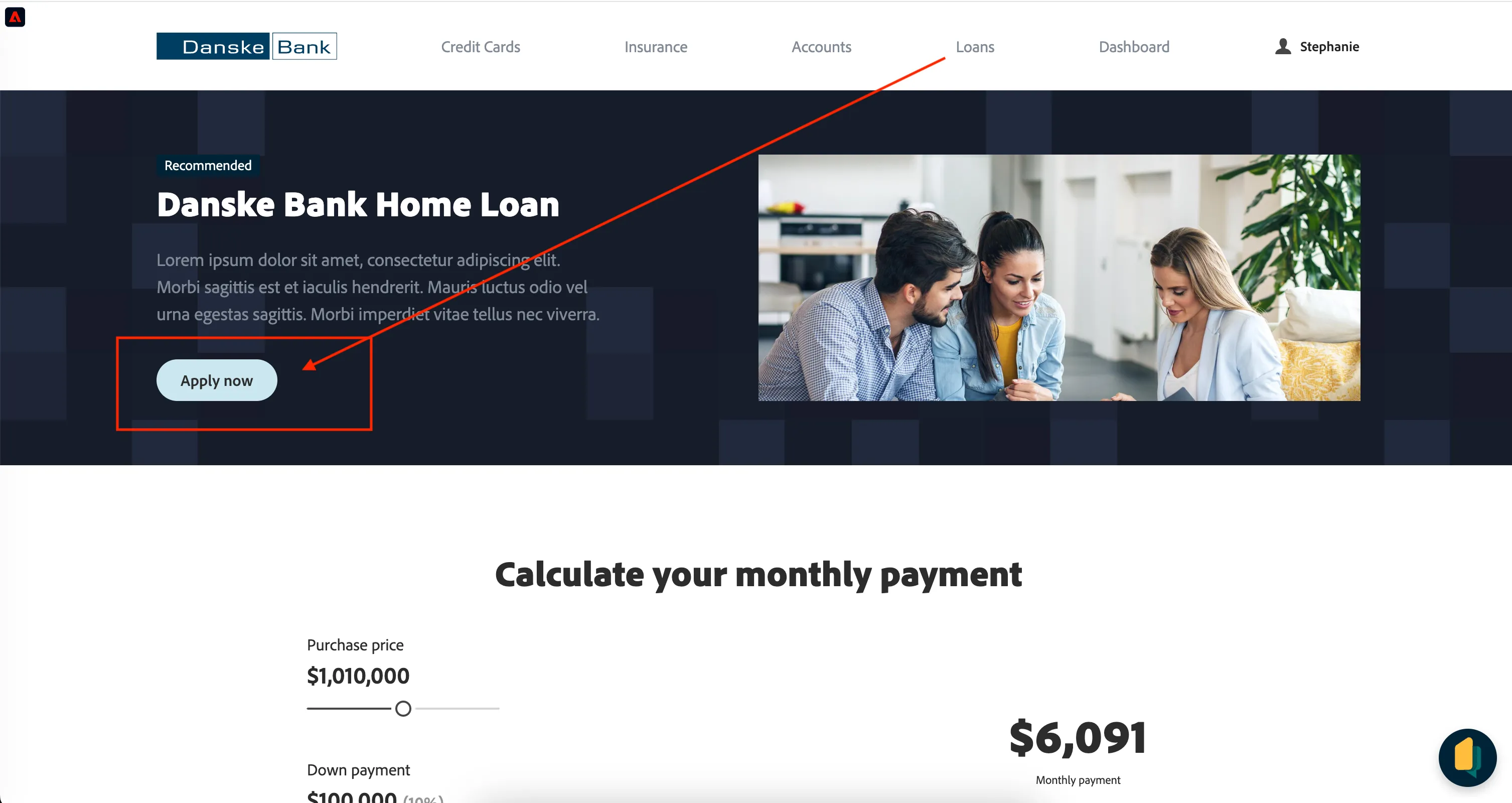
- Proceed through the Home Loan application form.
- Note: Fill in the Email Address field with your real email address, as this matches the email address ingested for your profile in the Data Foundation Lab.
- Click Submit on step 3, the final step of the form. Return to the Homepage.
- Open the Real Time Customer Profile Viewer in the top, left corner of the screen, and navigate to the Events tab.
You should see an Application Submitted event was sent to AEP.
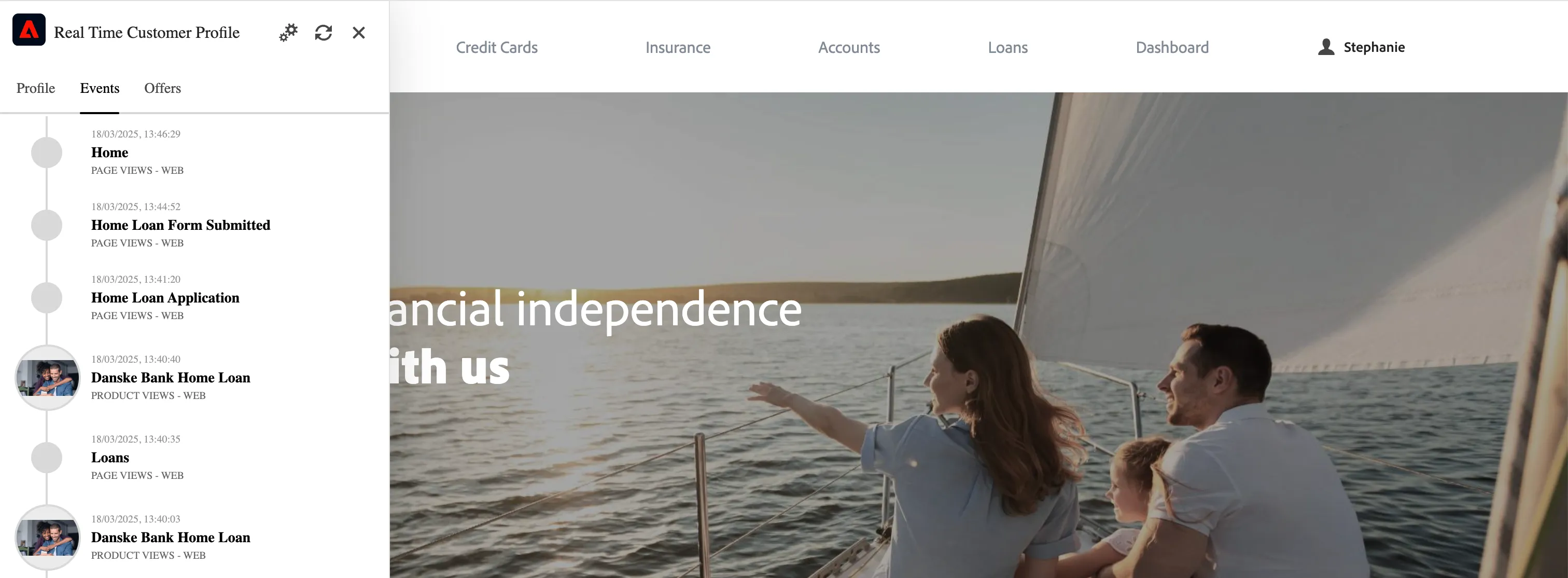
- In the Profile viewer, navigate back to the Profile tab, you should see an Audiences section at the bottom. Expand this and check that your profile has qualified for your audience.
- Note: You may see many other participant audiences, since these were all created with the same rules.
Check for your audience:
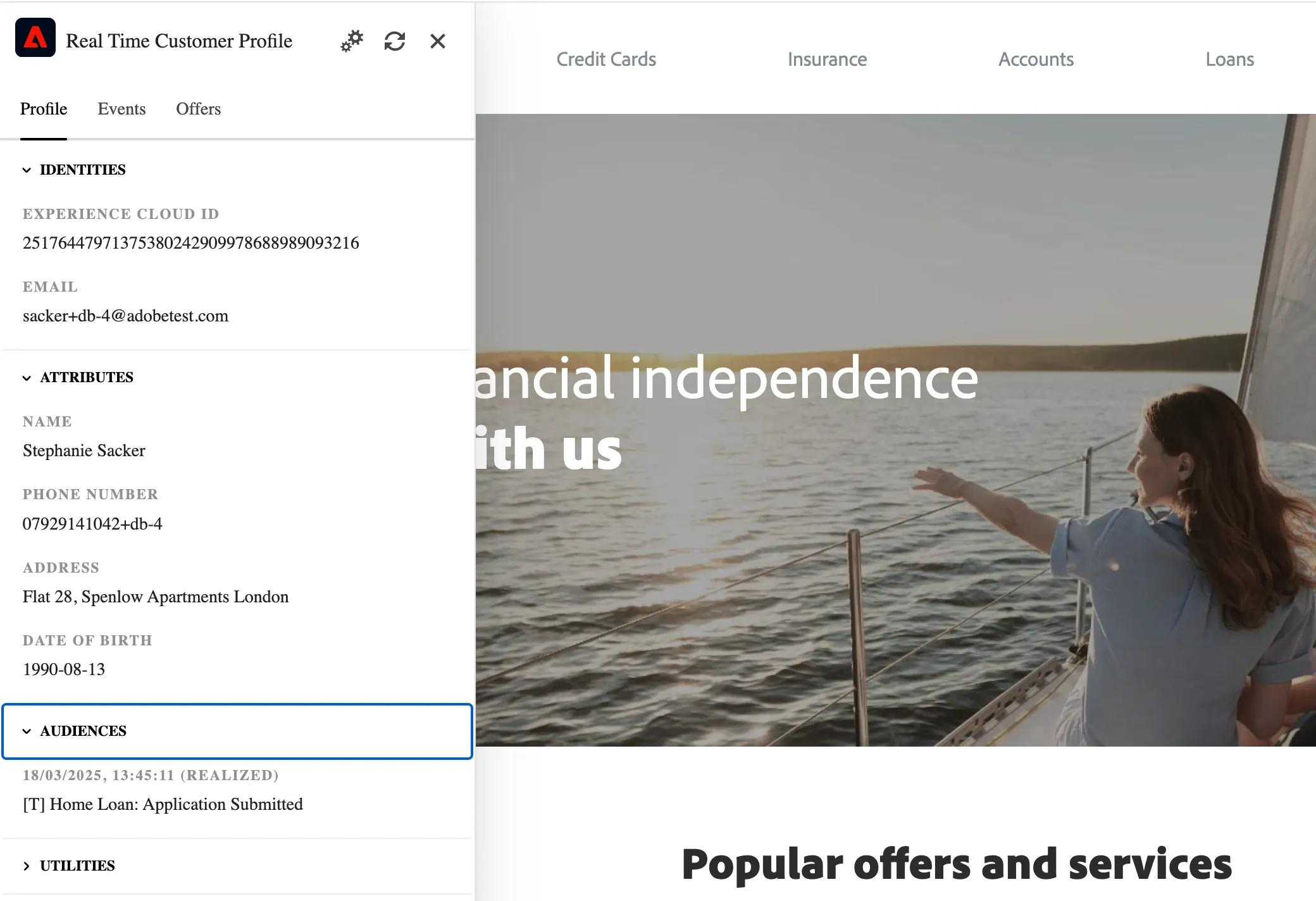
If your audience is listed under (realized), this means your profile has successfully qualified for your Audience!