4. Experimentation
3 min
In this exercise you'll learn how to use Adobe's Experimentation panel. The Experimentation panel lets analysts compare different user experiences, marketing, or messaging variations to determine which is best at driving a specific outcome.
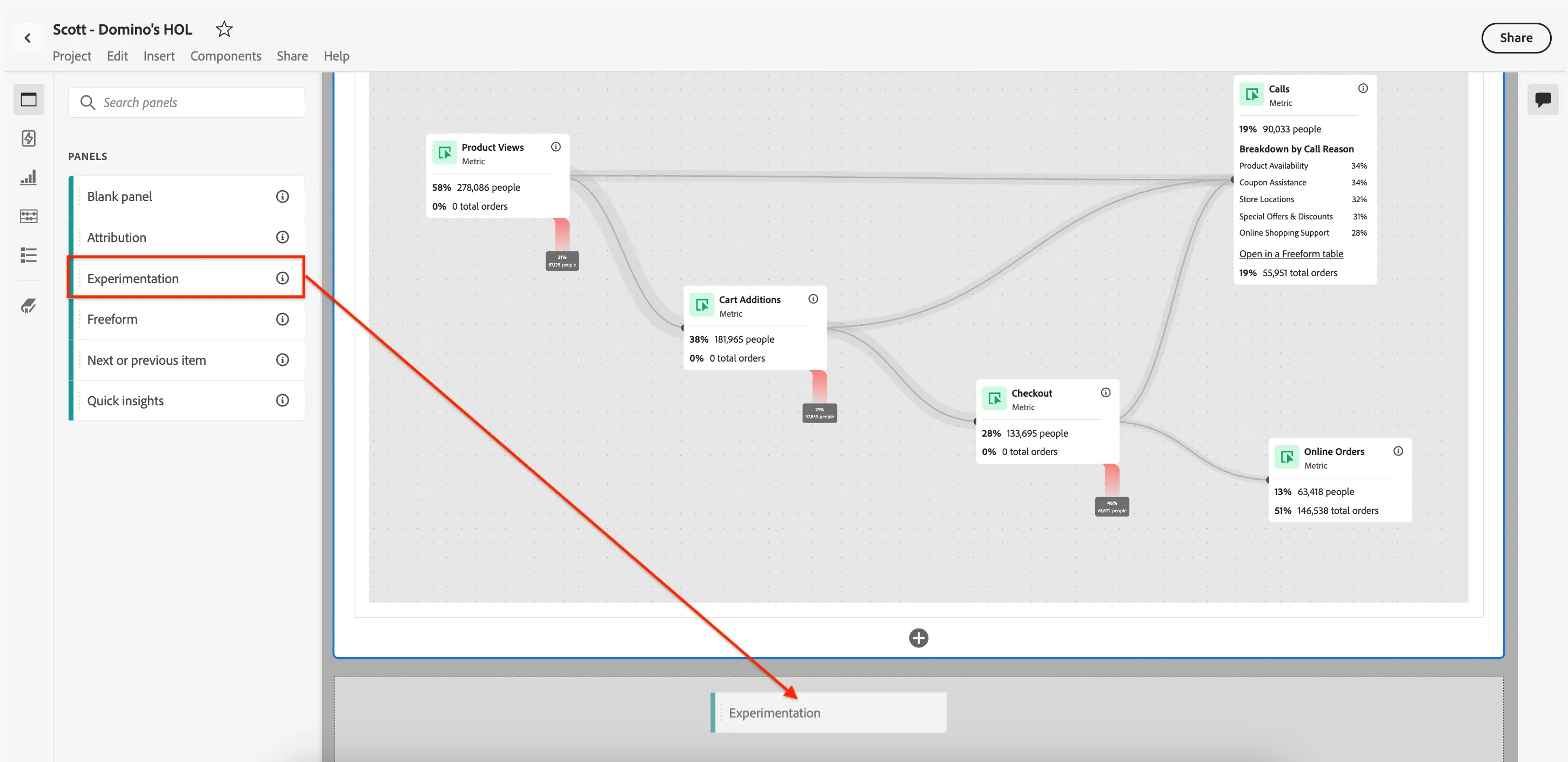
- From the left rail, select Panels.
- Drag-and-drop the Experimentation panel under the Journey Analysis panel from the previous exercise.
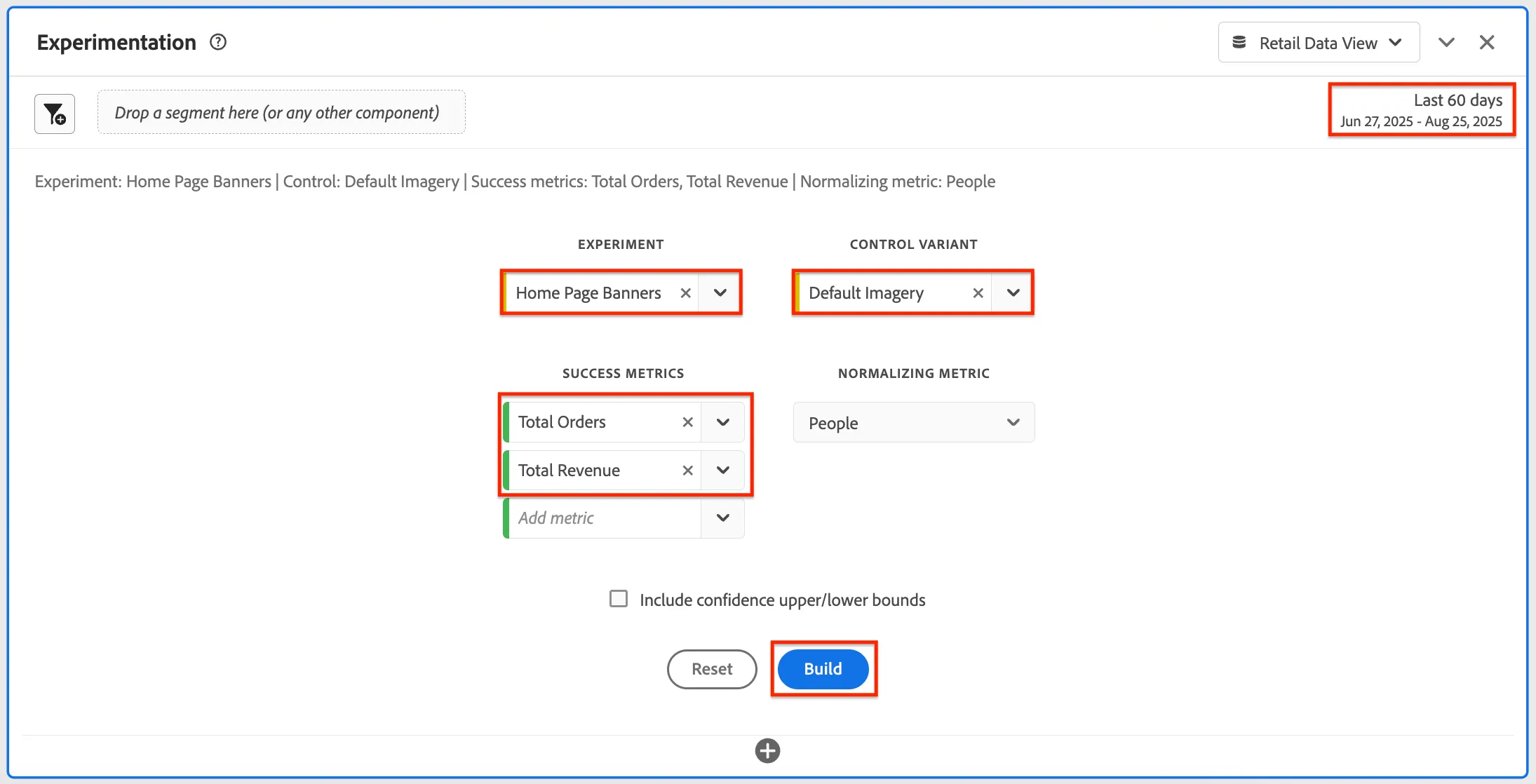
- Under Experiment, use the drop-down component menu to select Home Page Banners.
- Change the Control Variant to Default Imagery.
- For the Success Metrics add Total Orders and Total Revenue.
- Click on the Date Range and use the Preset dropdown to select Last 60 Days. Click Apply. This will give us a wider time frame to have more chance that the results of the experiment are statistically significant.
- Click Build.
- You should end up with something like this:
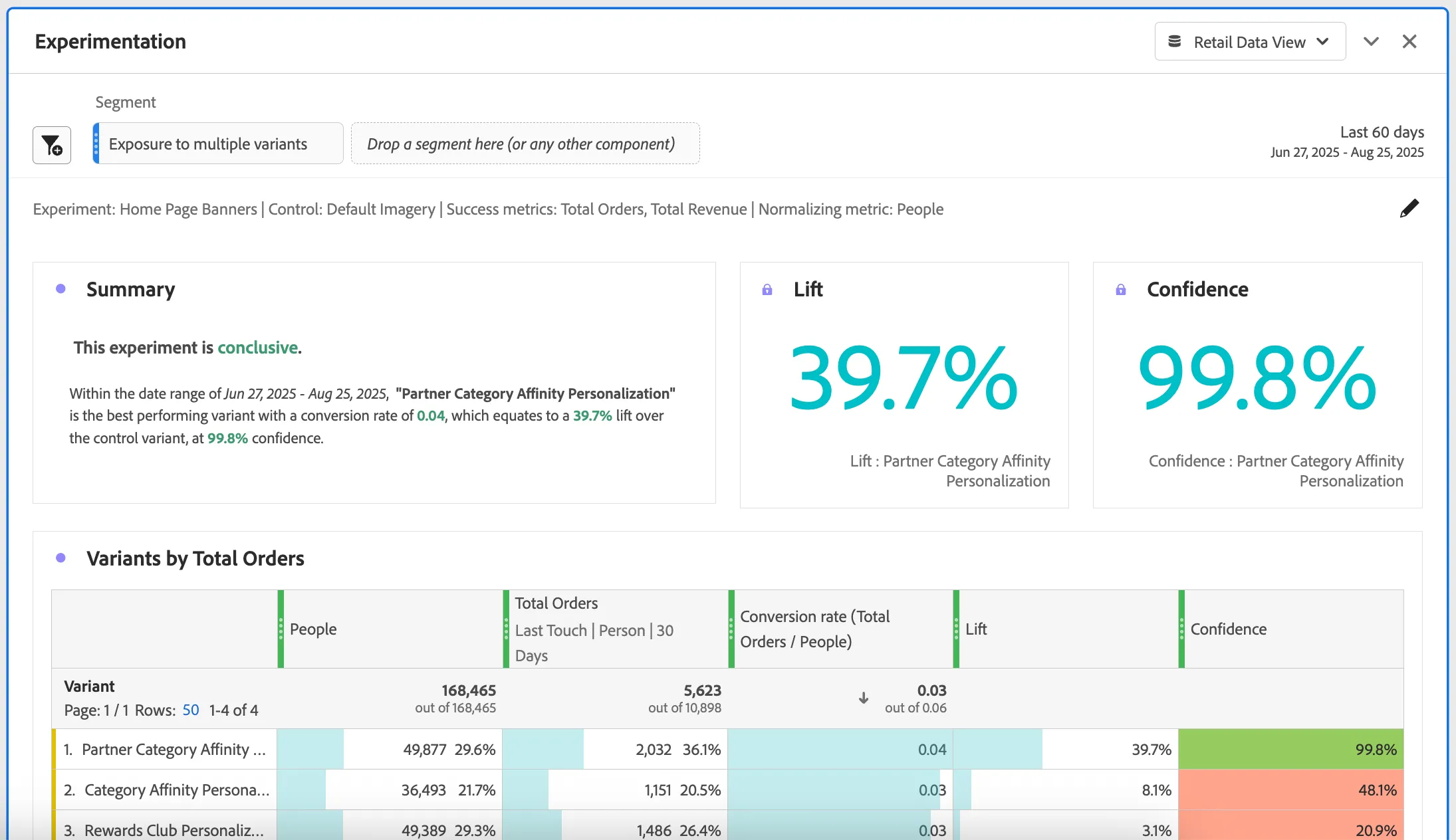
- We now have powerful insights into our experimentation programme and A/B/n testing. Note: CJA can work with external datasets for this analysis too, including offline data.
Differentiator: You can evaluate the lift and confidence of any A/B experiment from any experimentation platform: online, offline, from Adobe solutions like Target or Journey Optimizer, and even BYO (bring-your-own) data.