Applying a label
In this exercise, we will:
Apply the PSPD (sensitive data) label to a newly created audience
Building the Low Credit Score Audience
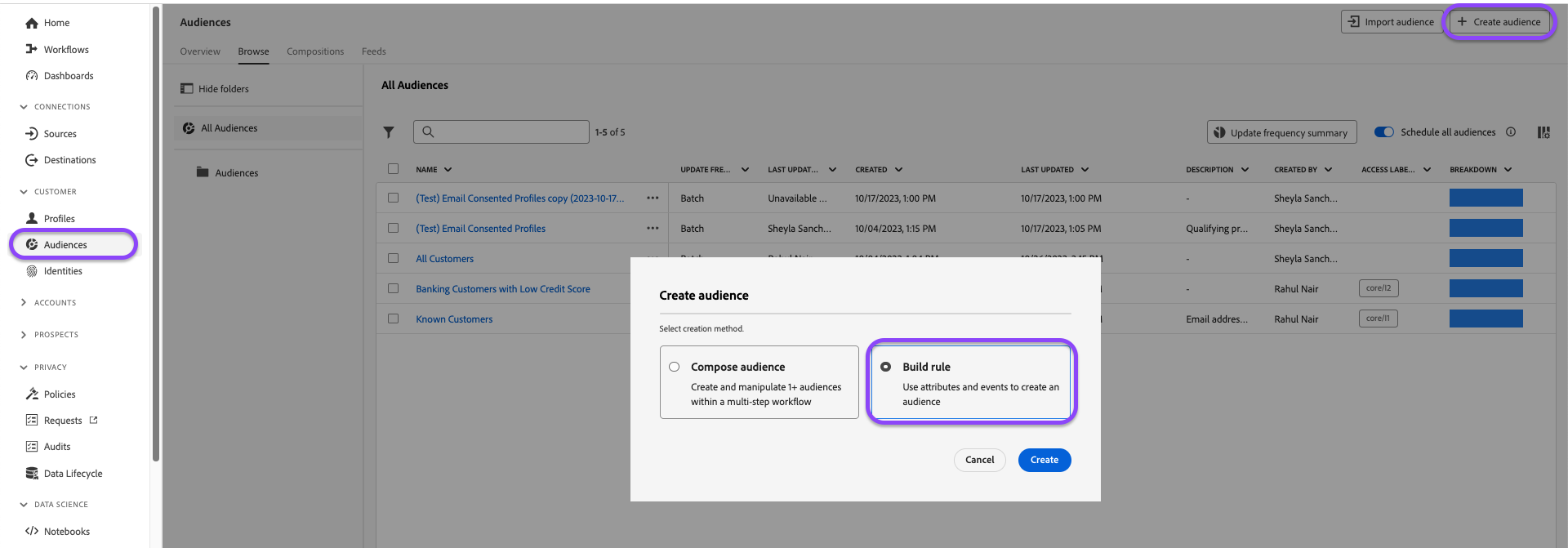
- Navigate to Audiences under the Customer accordion in the left-hand navigation bar
- In the top right corner, click +Create Audience, select Build rule then Create.
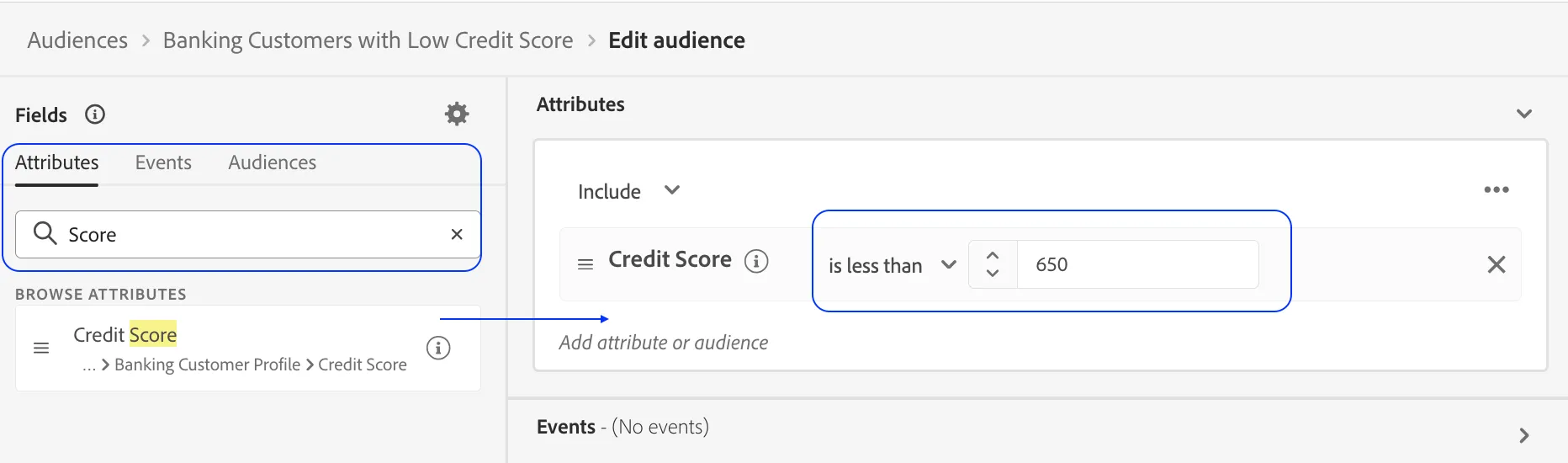
3. In the Fields pane, search Credit Score . Drag and drop the credit score field onto the canvas.
4. Change the operator to is less than or equal to and enter the value 650 in the free-form field.
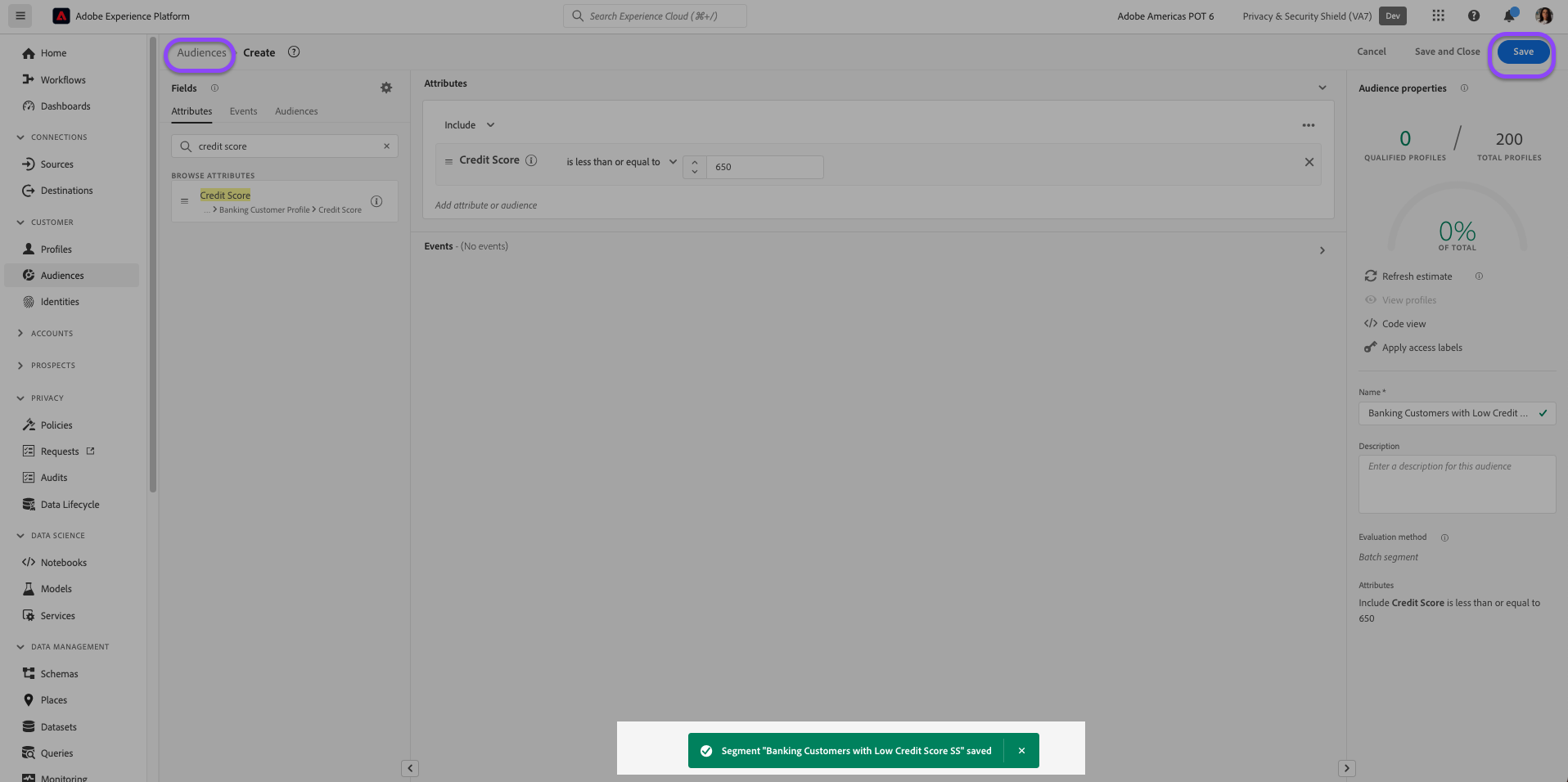
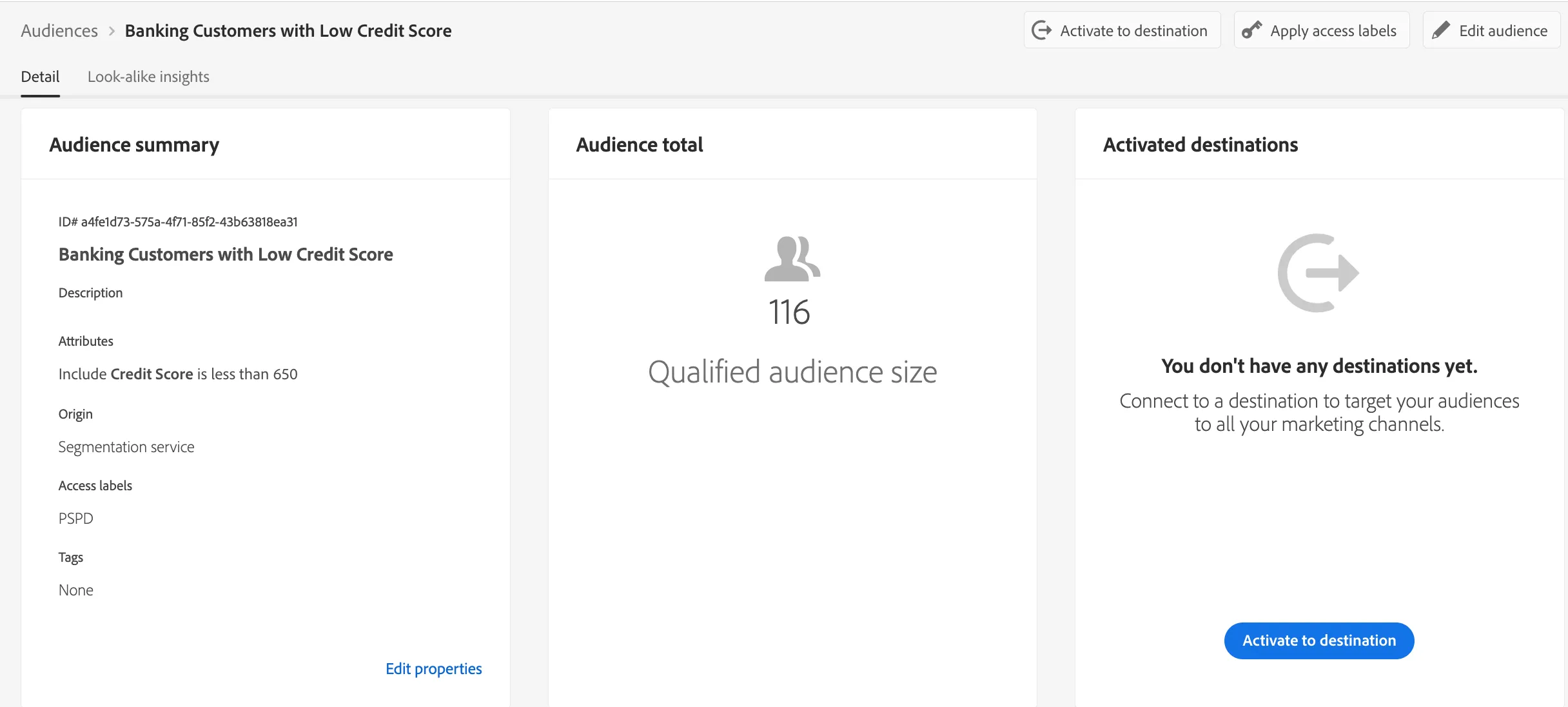
5. Name your audience Banking Customers with Low Credit Score and append your initials.
6. Save your audience by clicking Save in the top right. Then, return to the Audiences' browse page by clicking Audiences in the top left
Applying the Access Label
- Find your newly created audience. You can use your initials to filter the search
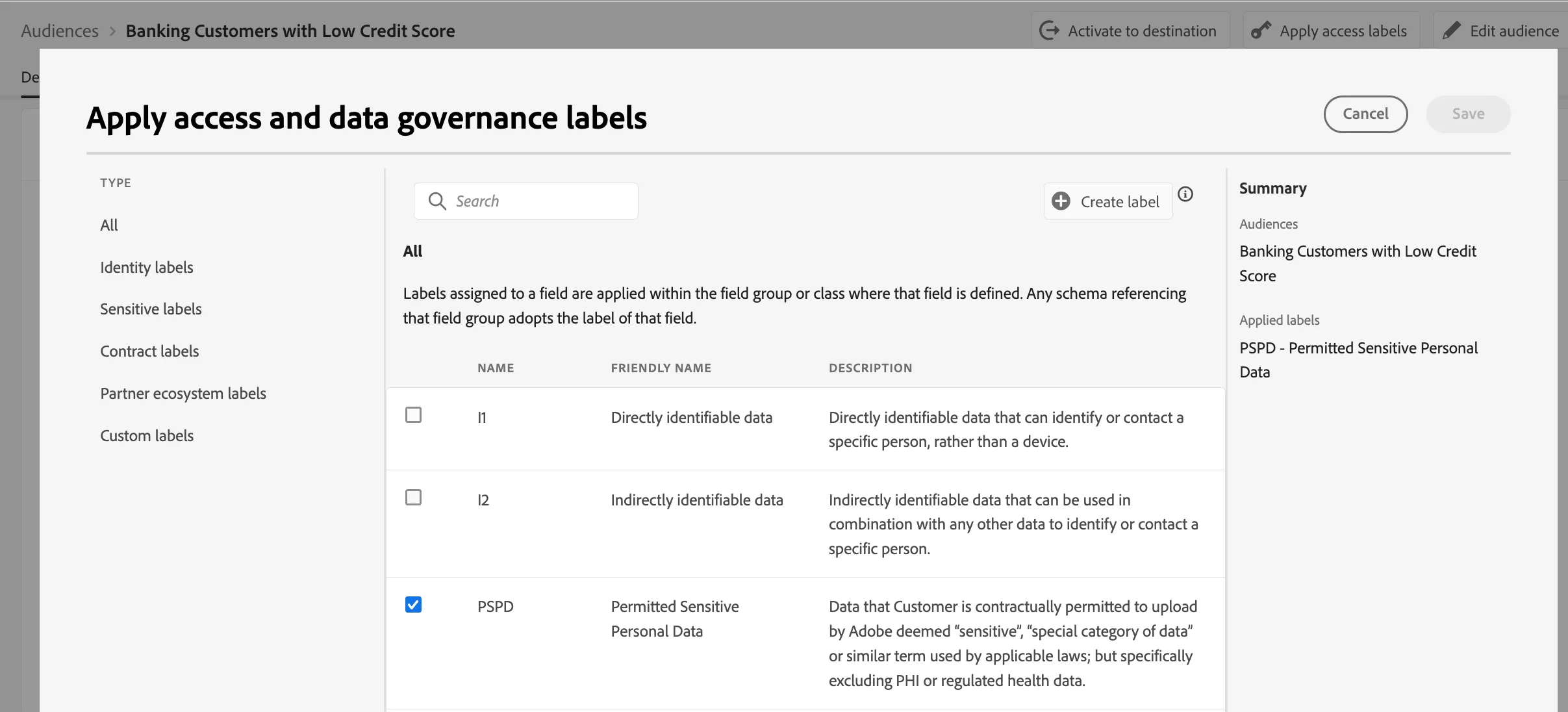
2. Click the three dots (menu) button next to your audience. Click Apply Access labels
3. A new window should appear with a list of labels. Find and select the out-of-the-box PSPD label and click Save.
4. You can now validate the application of your label in the Browse screen. The tag of the label should appear next your audience
Applying a label to an audience by itself does not change access. To restrict or permit access, a policy must be enabled to enforce access privileges.