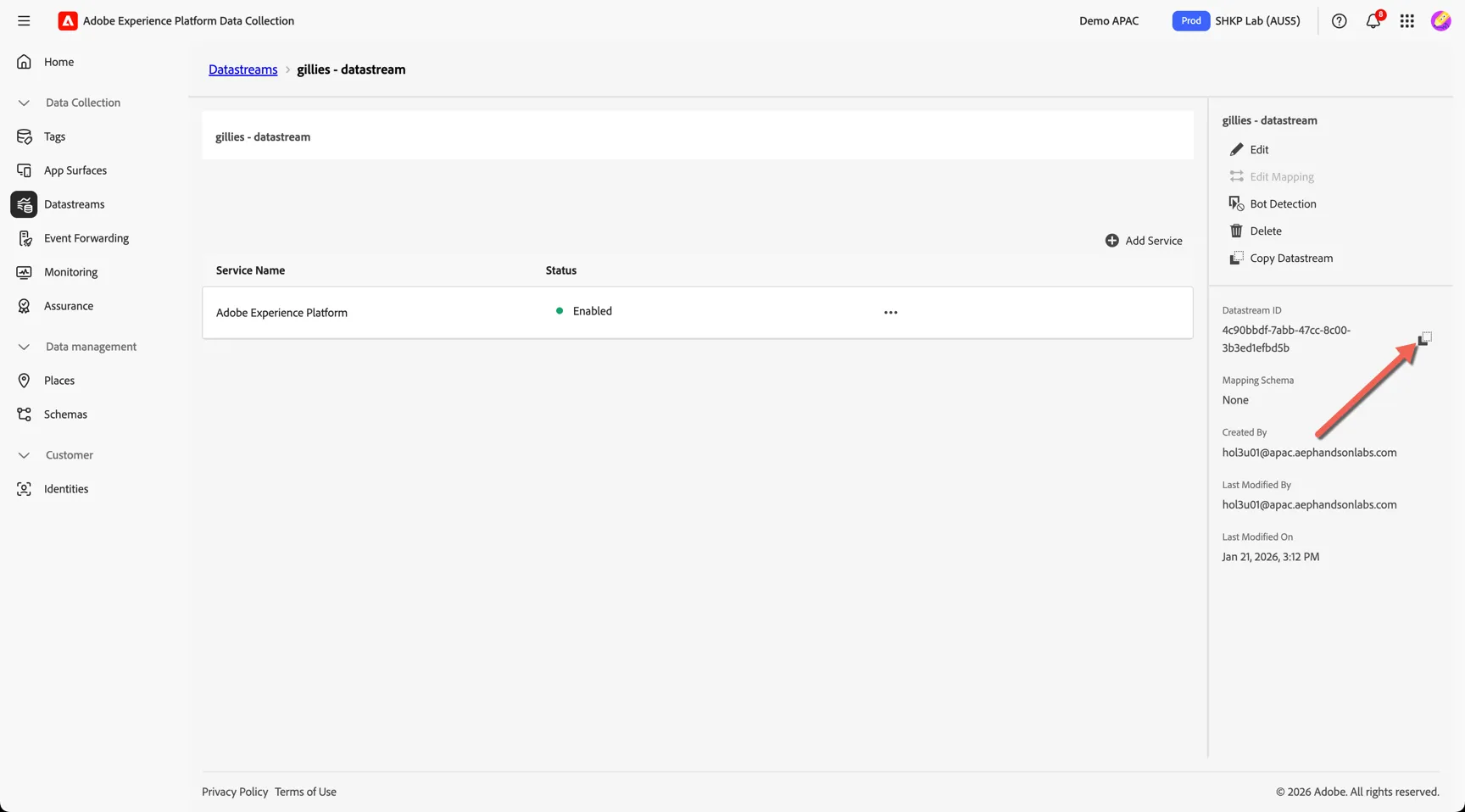
Datastreams
A datastream is a configuration that tells the Adobe Edge Network where to send the data you collect and how that data should be handled along the way. It defines which Adobe Experience Cloud products will receive the data and the rules for processing and storing it, ensuring the right information flows to the right tools in a consistent and controlled manner.
Create a Datastream
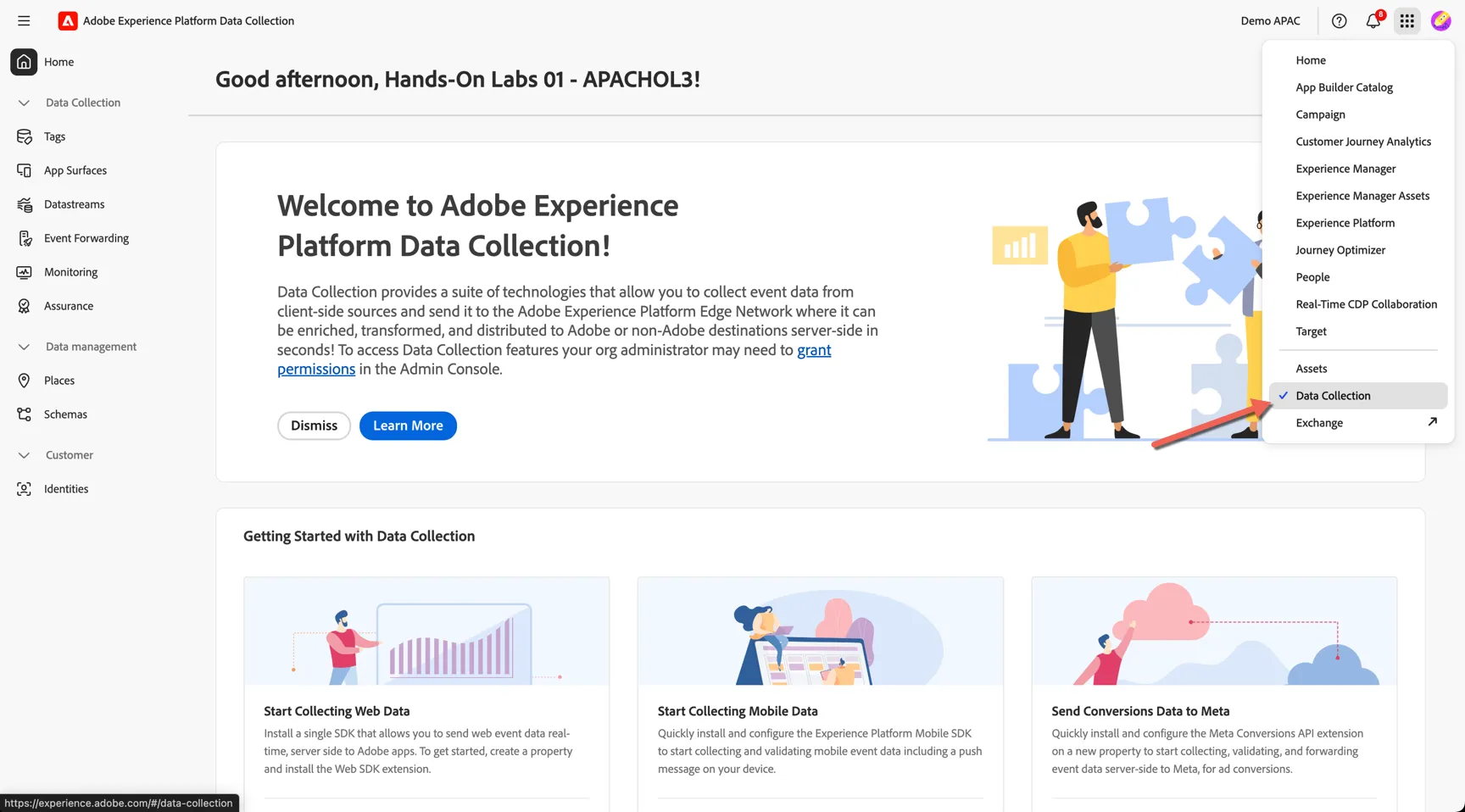
Switch to the Data Collection interface using the solution switcher in the top right.
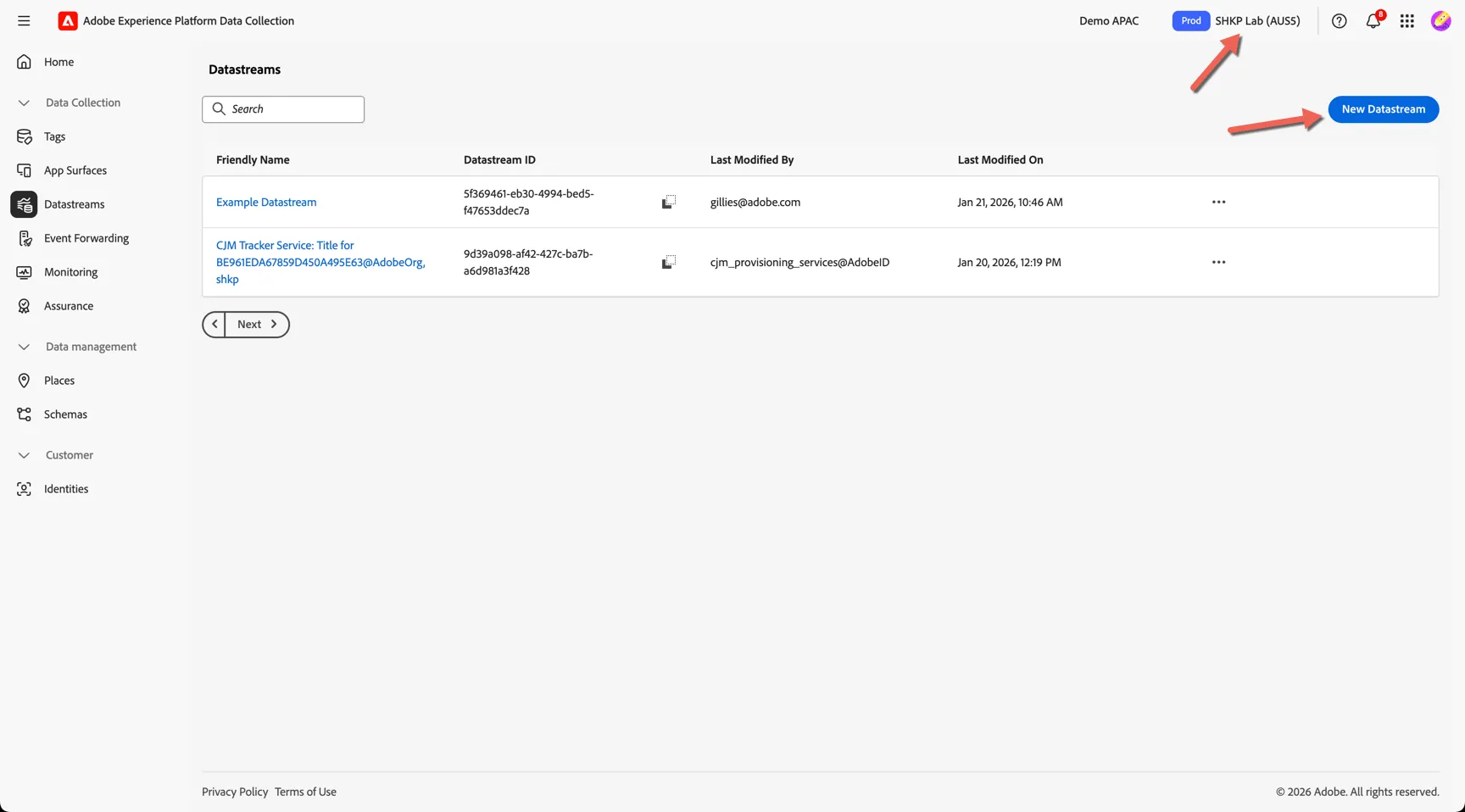
Navigate to Datastreams and click to create a new datastream. Note that datastreams are sandbox specific so please ensure you are in the right sandbox - SHKP Lab (AUS5).
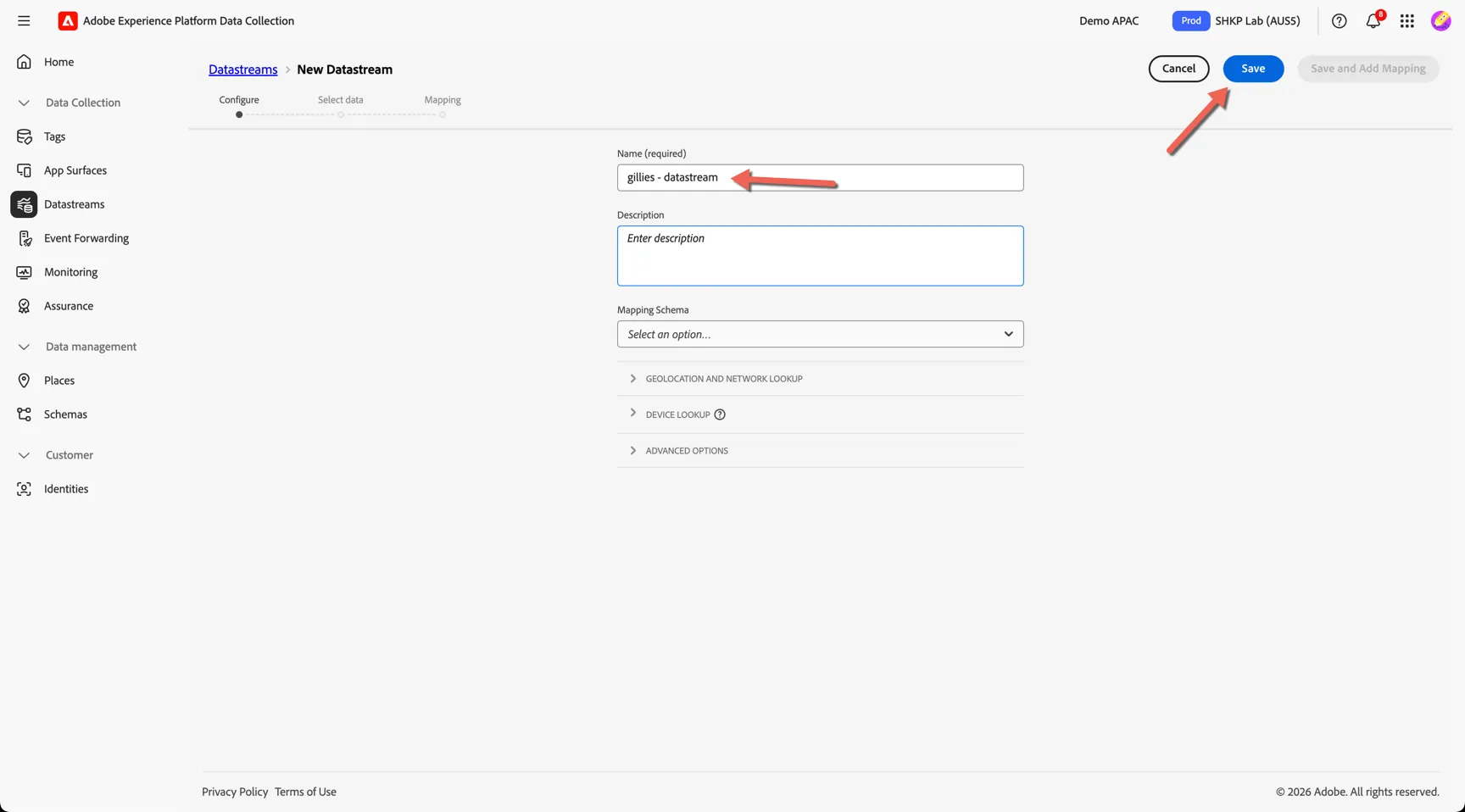
Give your datastream a name: [your surname] - Datastream
The other configurations are all optional and control whether or not we will collect specific network and device information which can be considered sensitive to some businesses. For this exercise we can stick with the default settings. Click Save.
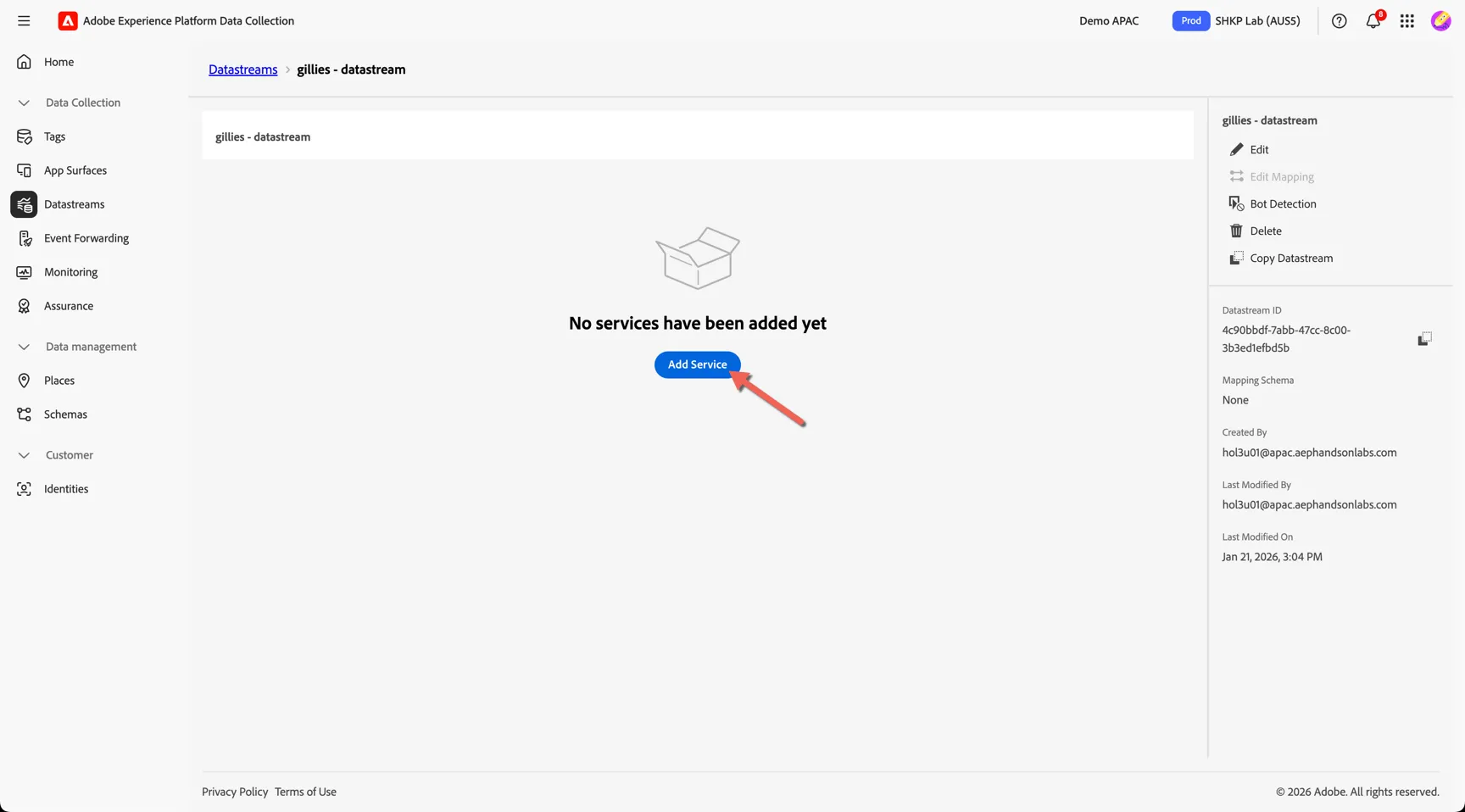
Our datastream is now created, we need to add which services the datastream will forward events to. Click to Add Service.
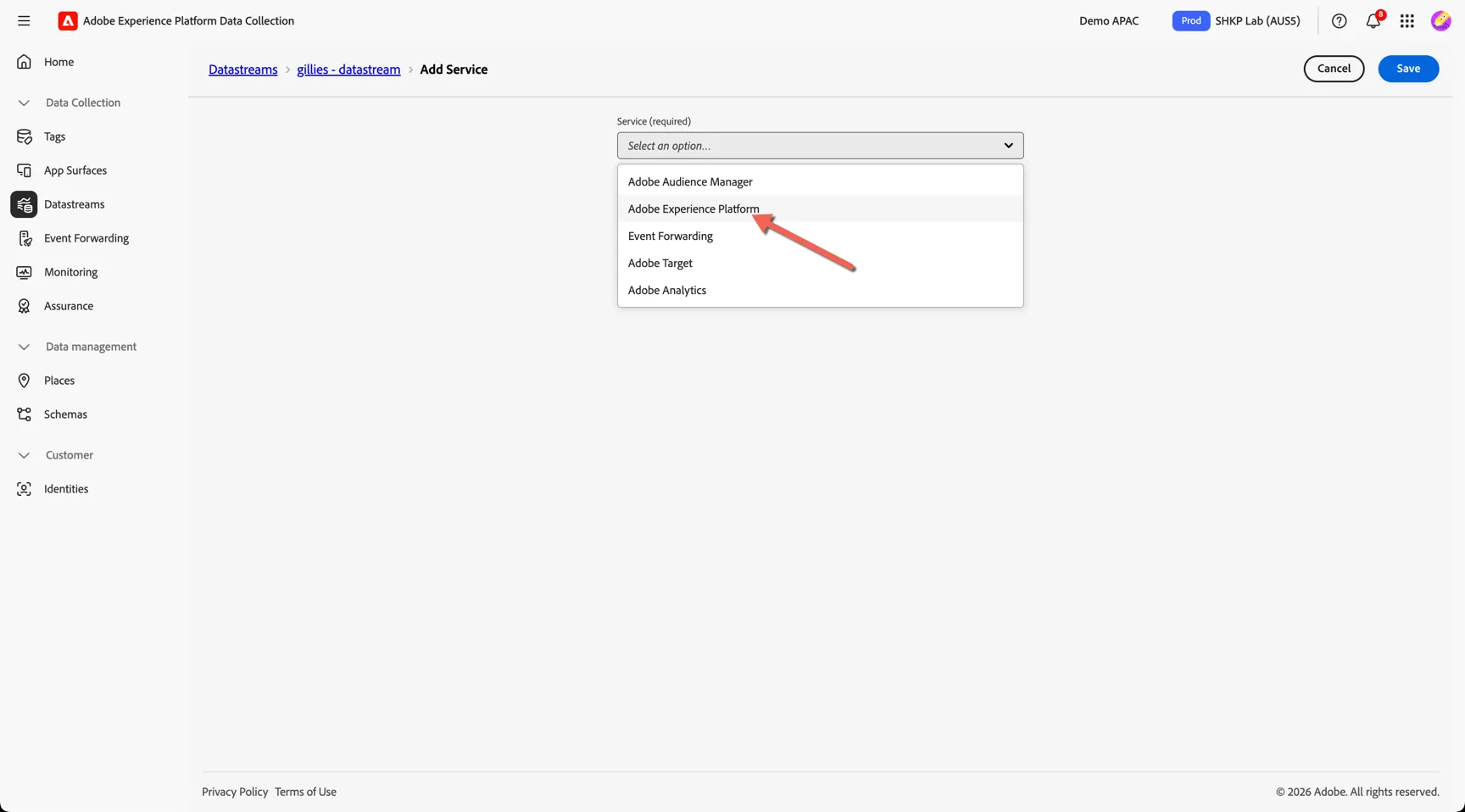
Select Adobe Experience Platform.
Select the Event Dataset that you created in the previous exercise - this is the dataset where events will land.
Select the AJO Push Profile Dataset as the Profile Dataset - this is an out of the box dataset used to store push notification tokens when the datastream is used by the Adobe Experience Platform Mobile SDK.
Lastly we need to configure which modules from Adobe Experience Platform should be enabled. For pure event ingestion, we do not require anything to be enabled, however if we want to enable push notifications and personalisation from journey optimizer (eg. offers, in app messaging and content cards) then we need to enable the Adobe Journey Optimizer module.
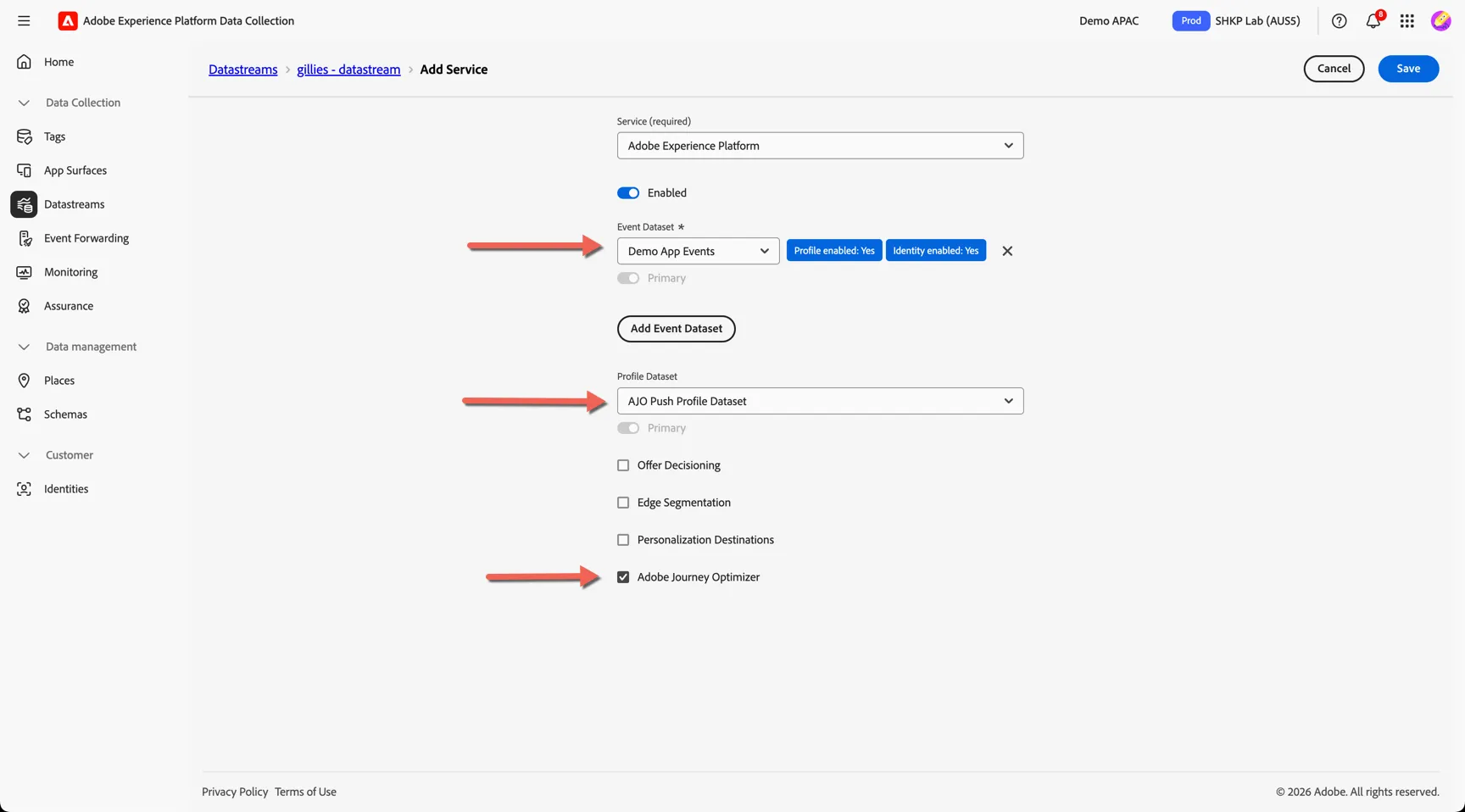
Click to Save
Copy the Datastream ID - we will use this in the next exercise to send an event to this stream.