Agent Experience
In this exercise you'll see how an Agent might share anonymous leads to understand opportunities to increase commission through recommended add ons.
We have built a simulated portal for agents to submit these leads. Click here to access it: https://adbecdn.blob.core.windows.net/demos/bajaj/agentApp.html
There are two approaches that can be considered.
Full Anonymous
From here you can generate a new lead and send it to adobe.
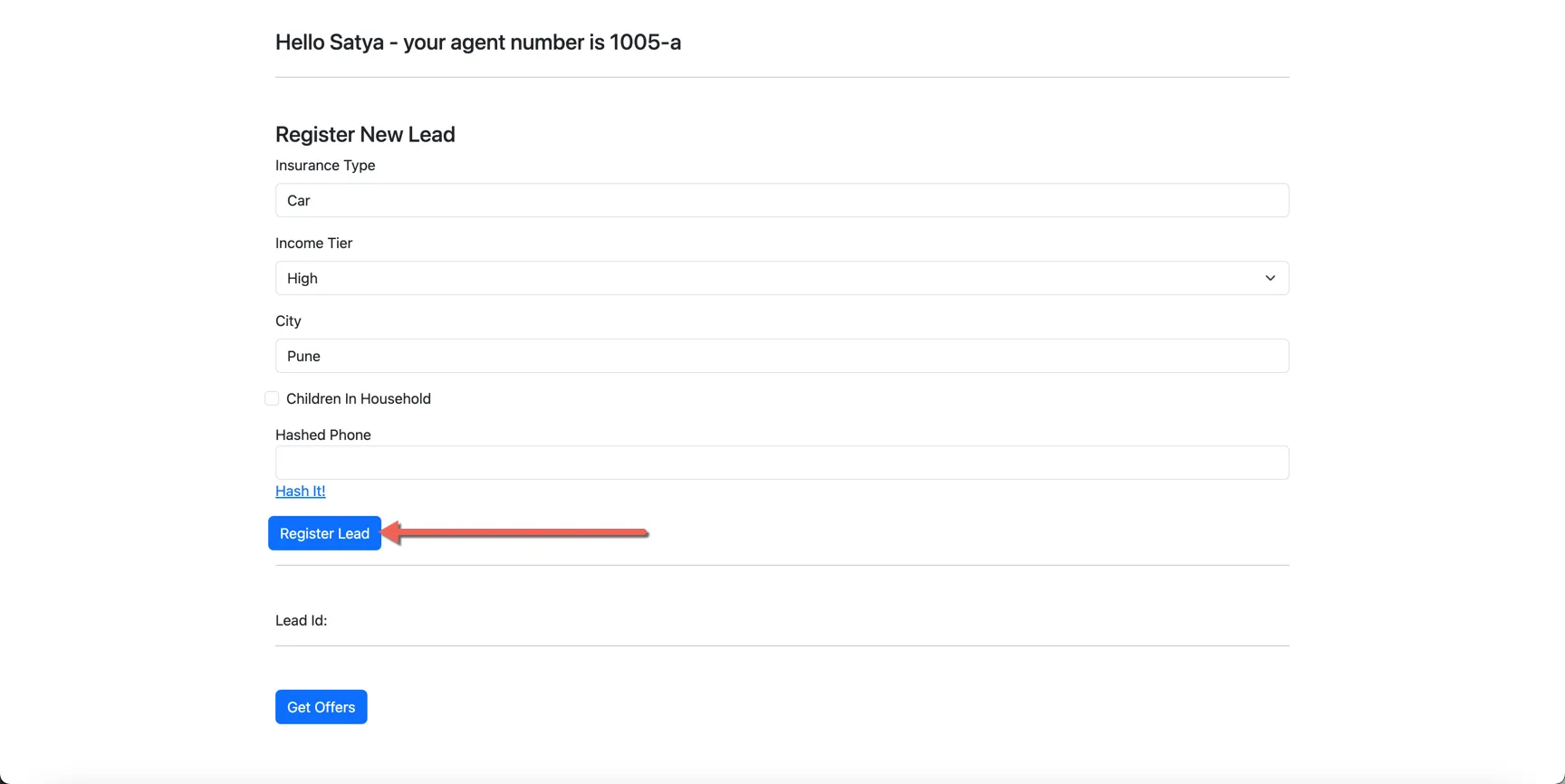
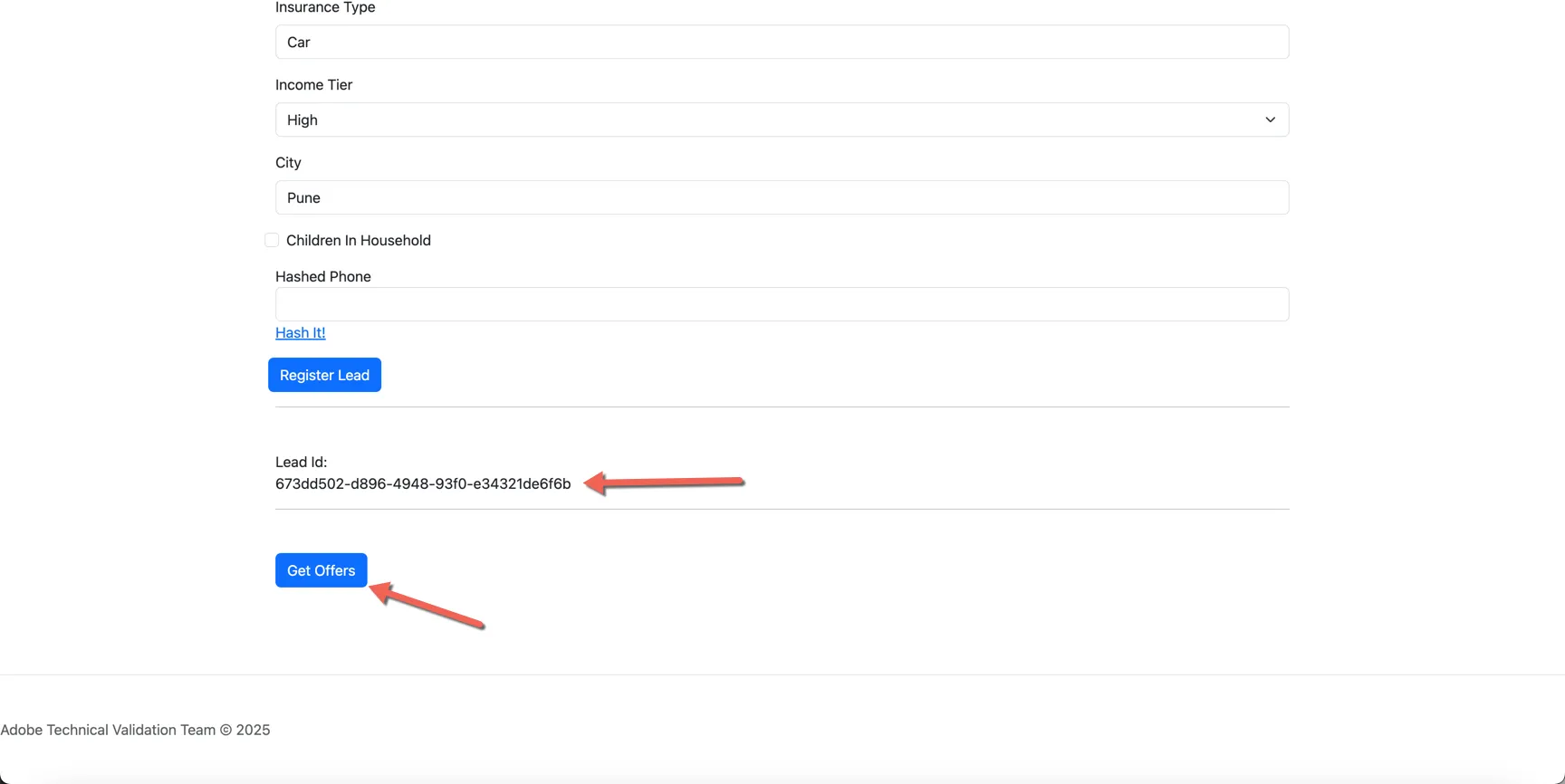
Once the lead Id is returned click the GetOffers button to see which addon's are recommended for your customer.
The next page is looking up the lead in Adobe Experience Platform and returning the most appropriate addon package. This is leveraging the Offer Decisioning capability, priority is determined by the limited demographic data provided by the agent.
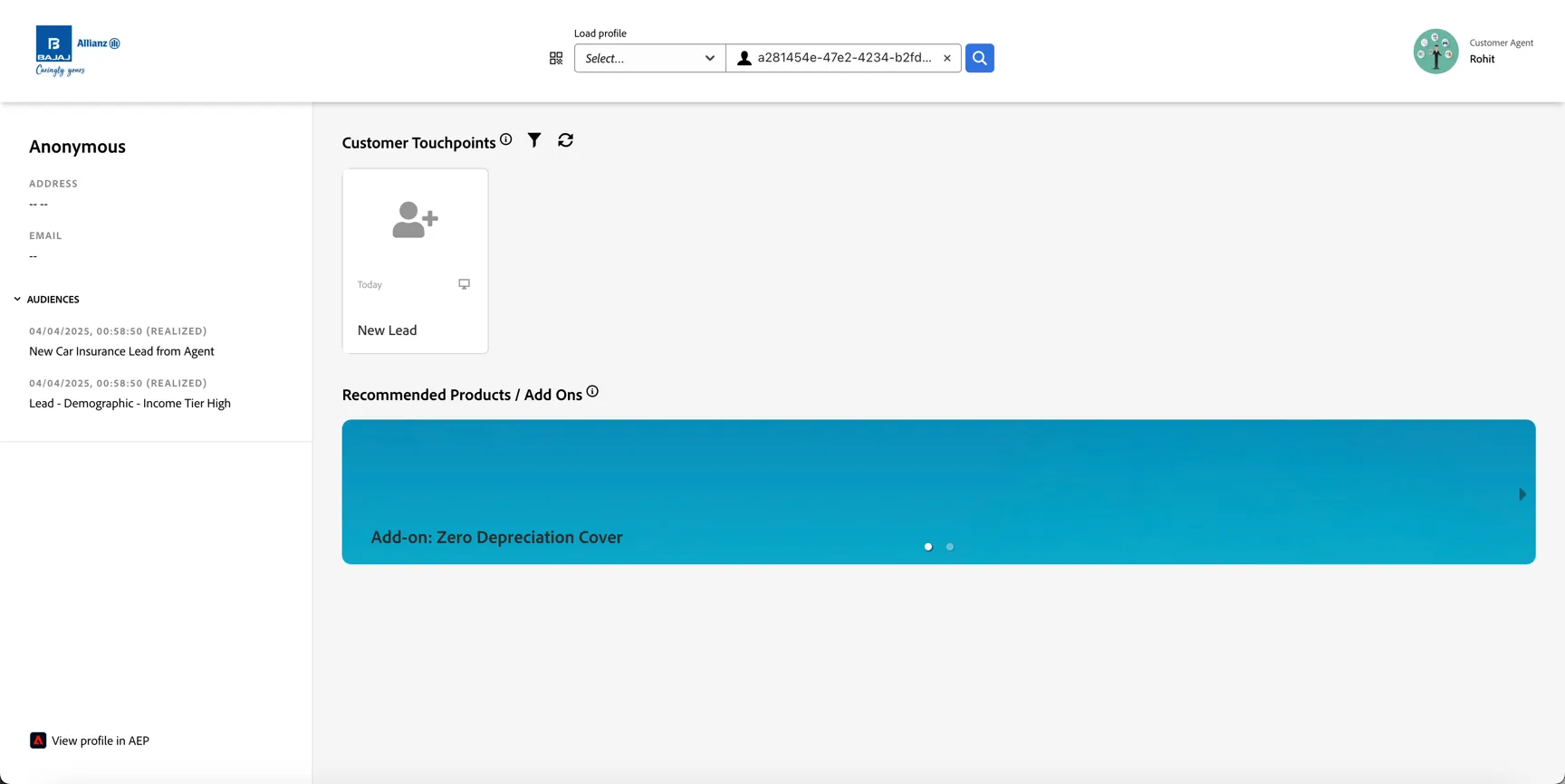
Through this approach, no PII data has been shared to Bajaj, but the agent stands a better chance to convert and potentially increase the size of their commission.
Hashed PII
If the agents are willing to share a PII identifier in hashed format, this will allow Bajaj to match the inbound lead with existing customer data that may already exist in Adobe Experience Platform. This will allow better personalisation of the offers returned, and even if the customer is not yet know, it will allow us to match any inbound leads coming directly from the website to the agent lead. By establishing this connection we are able to attribute a portion of the conversion to the initial agent regardless of which channel the customer eventually converts on. We will show how this attribution works in the last exercise for this use cases Analysing the Journey .
Open the Agent App again: https://adbecdn.blob.core.windows.net/demos/bajaj/agentApp.html
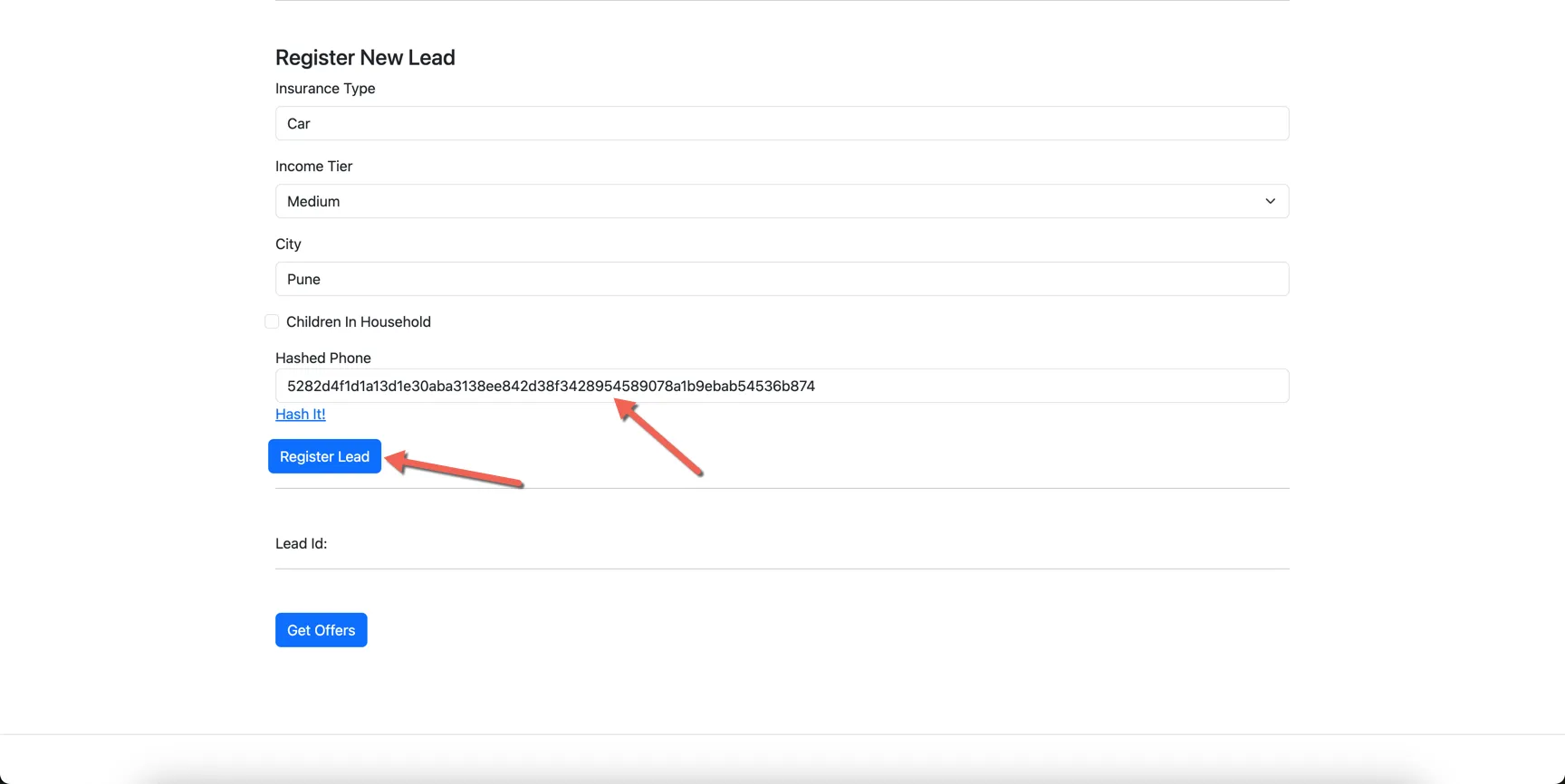
This time, add a phone number to the form and click the hash it! link.
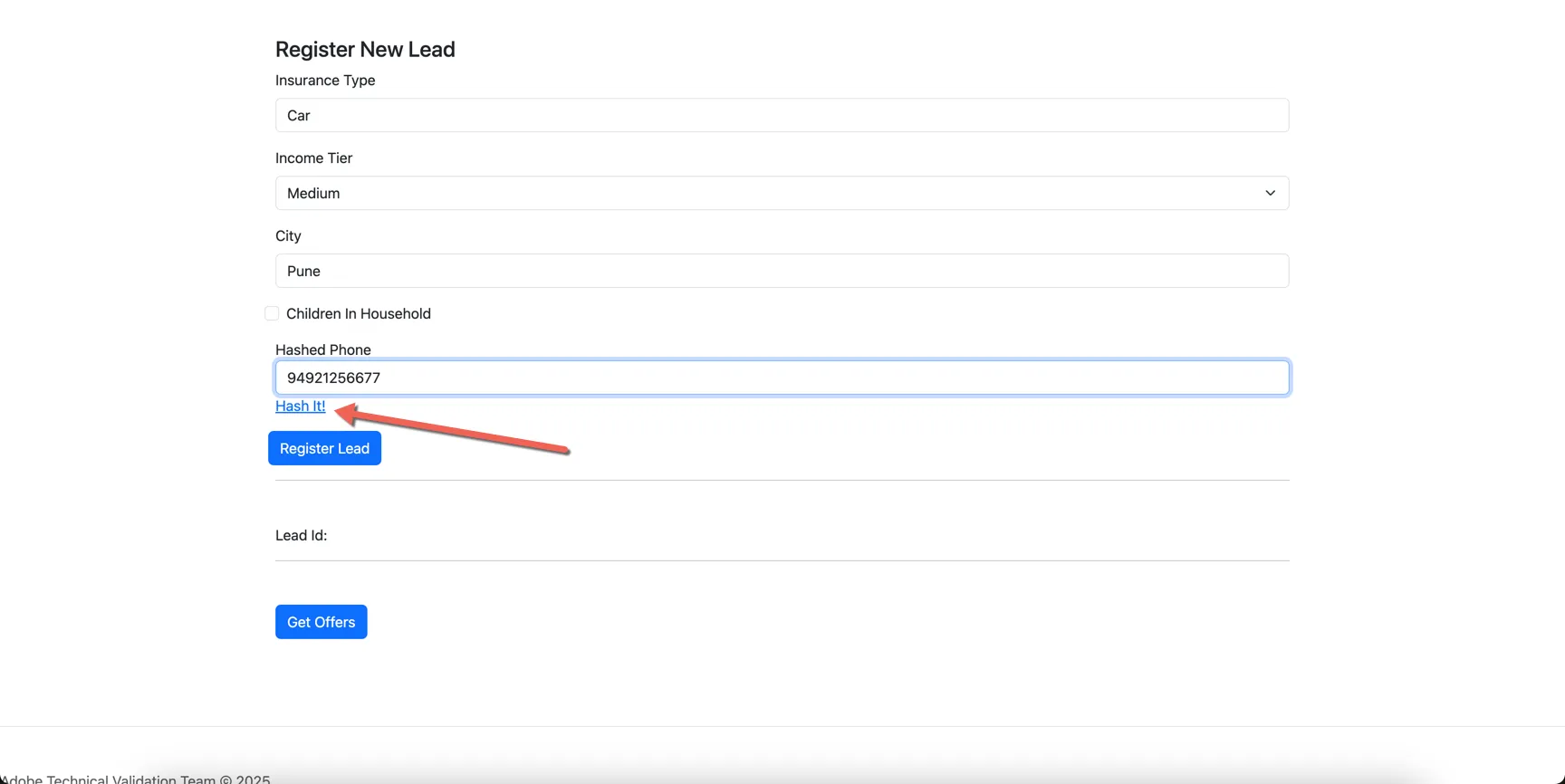
The phone number will be hashed using SHA256. Click to Register Lead.
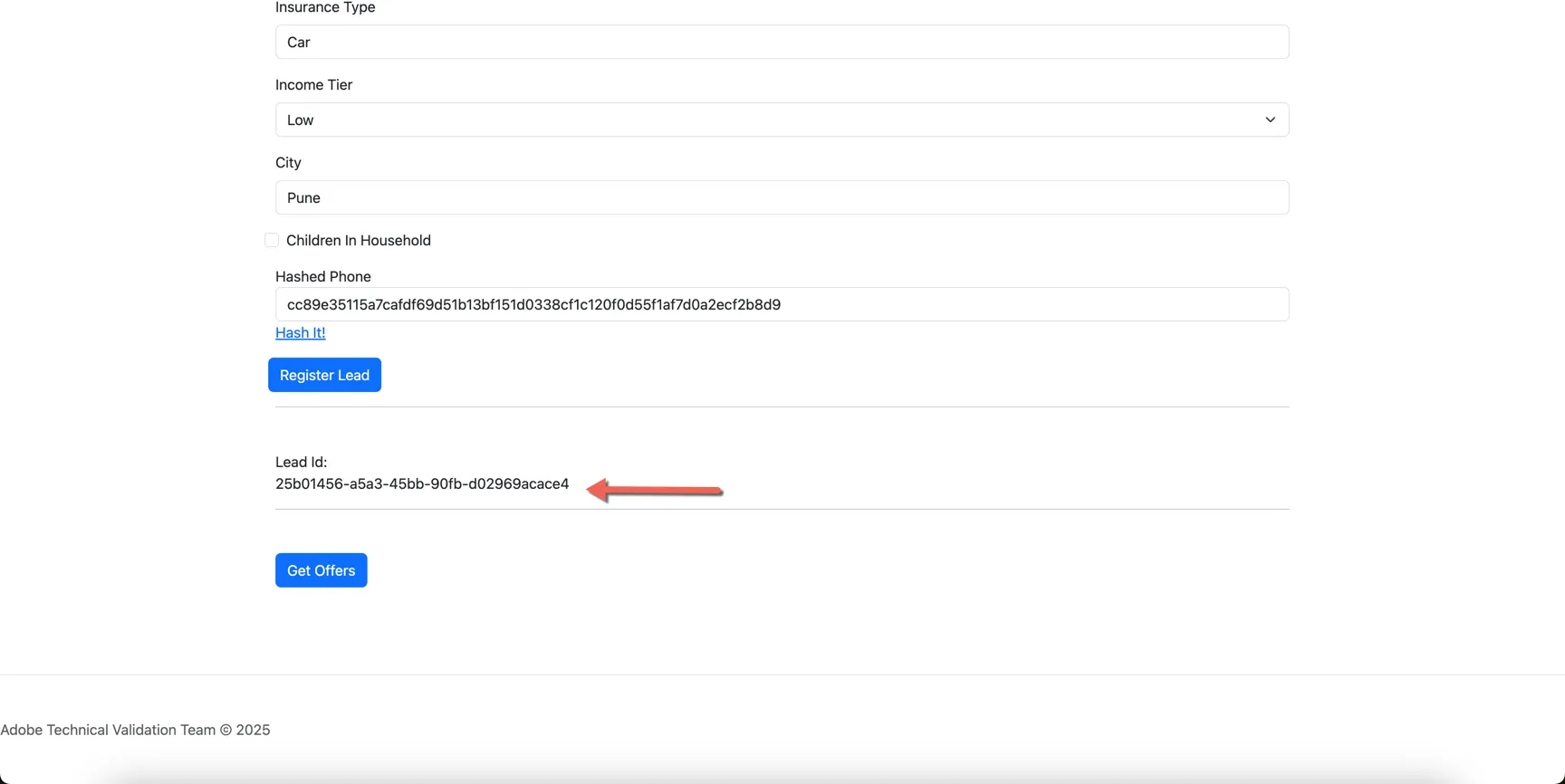
You can now look up the Lead Id in Adobe Experience Platform. Copy the value that is returned by the app.
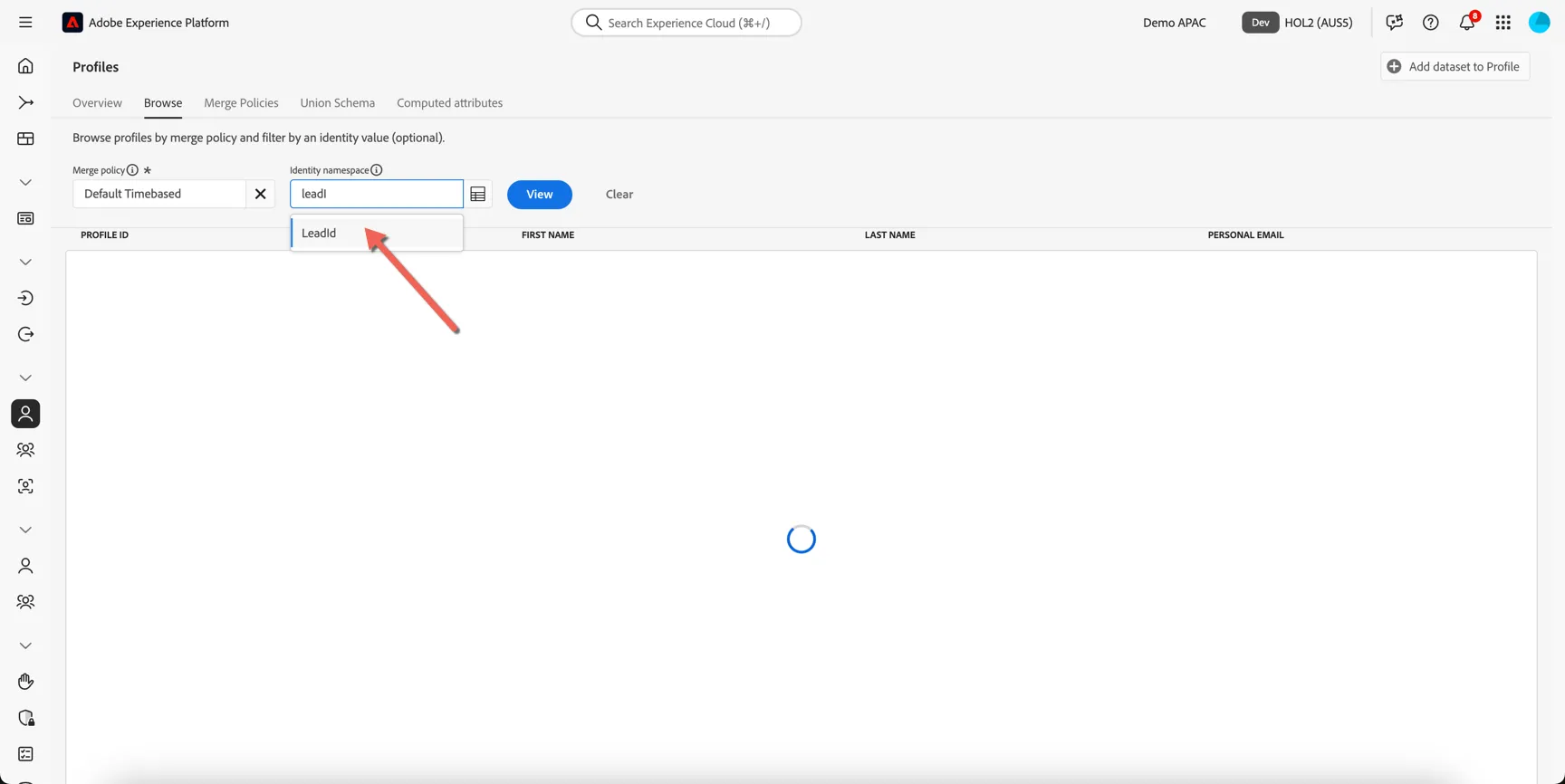
Return to Adobe Experience Platform, and navigate to Customer -> Profiles -> Browse. Set the identity namespace to LeadId.
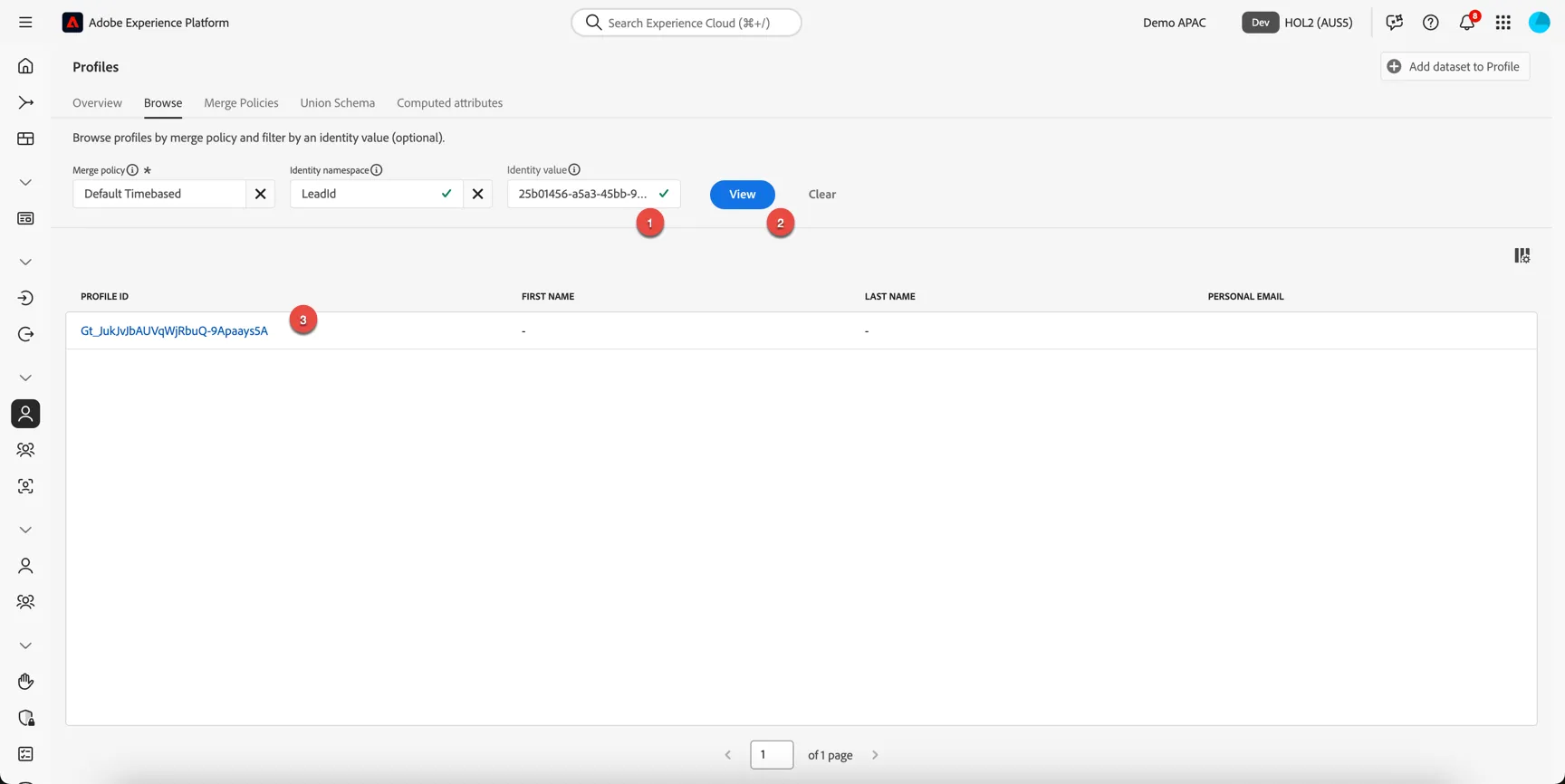
- Insert the copied lead id into the identity value
- Click view
- Click to open the lead details.
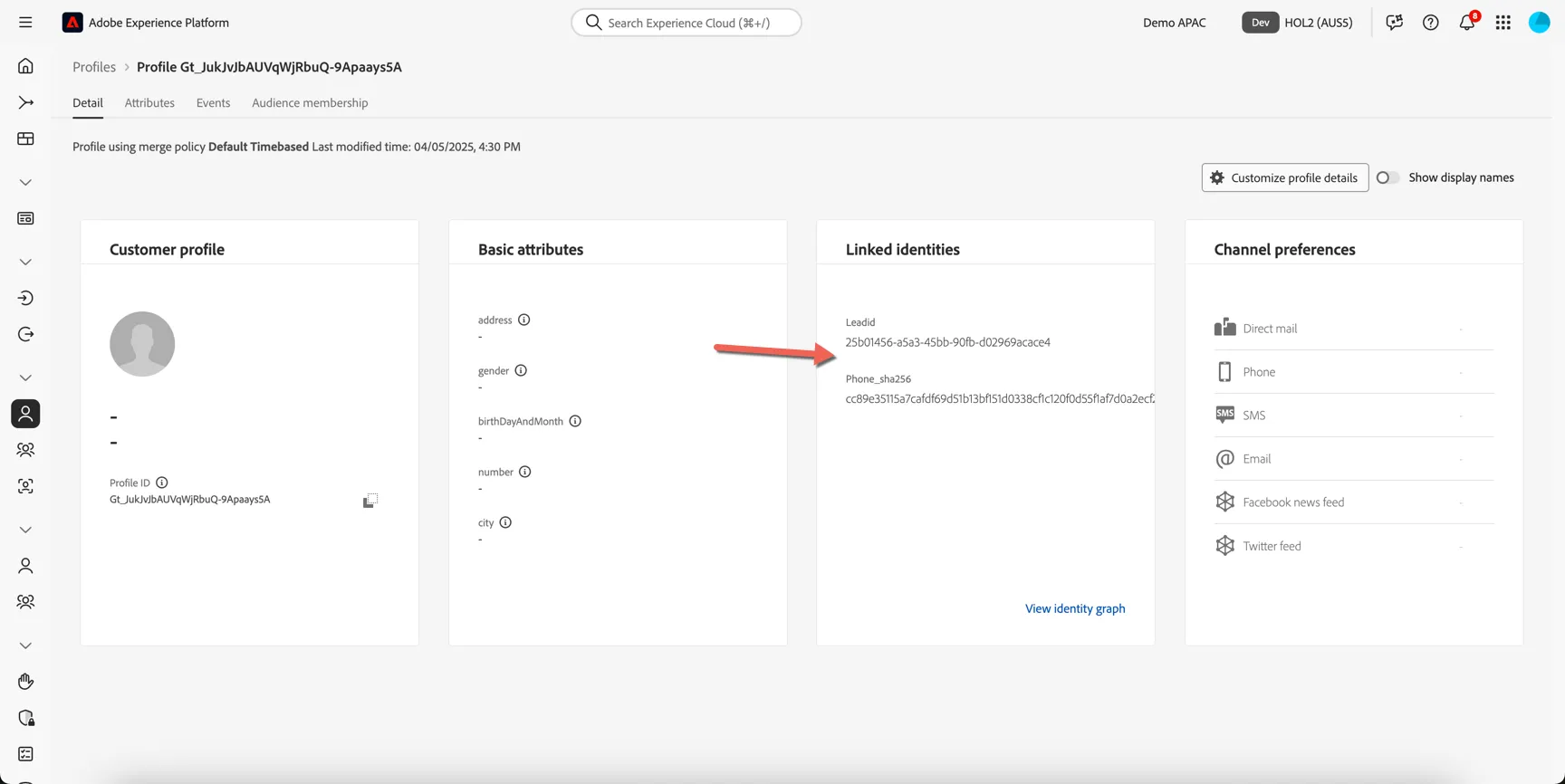
You can see that we have 2 identities - the random lead id and the hashed phone number. But no PII data is available. In this case the hashed phone number has not matched with any existing profiles.
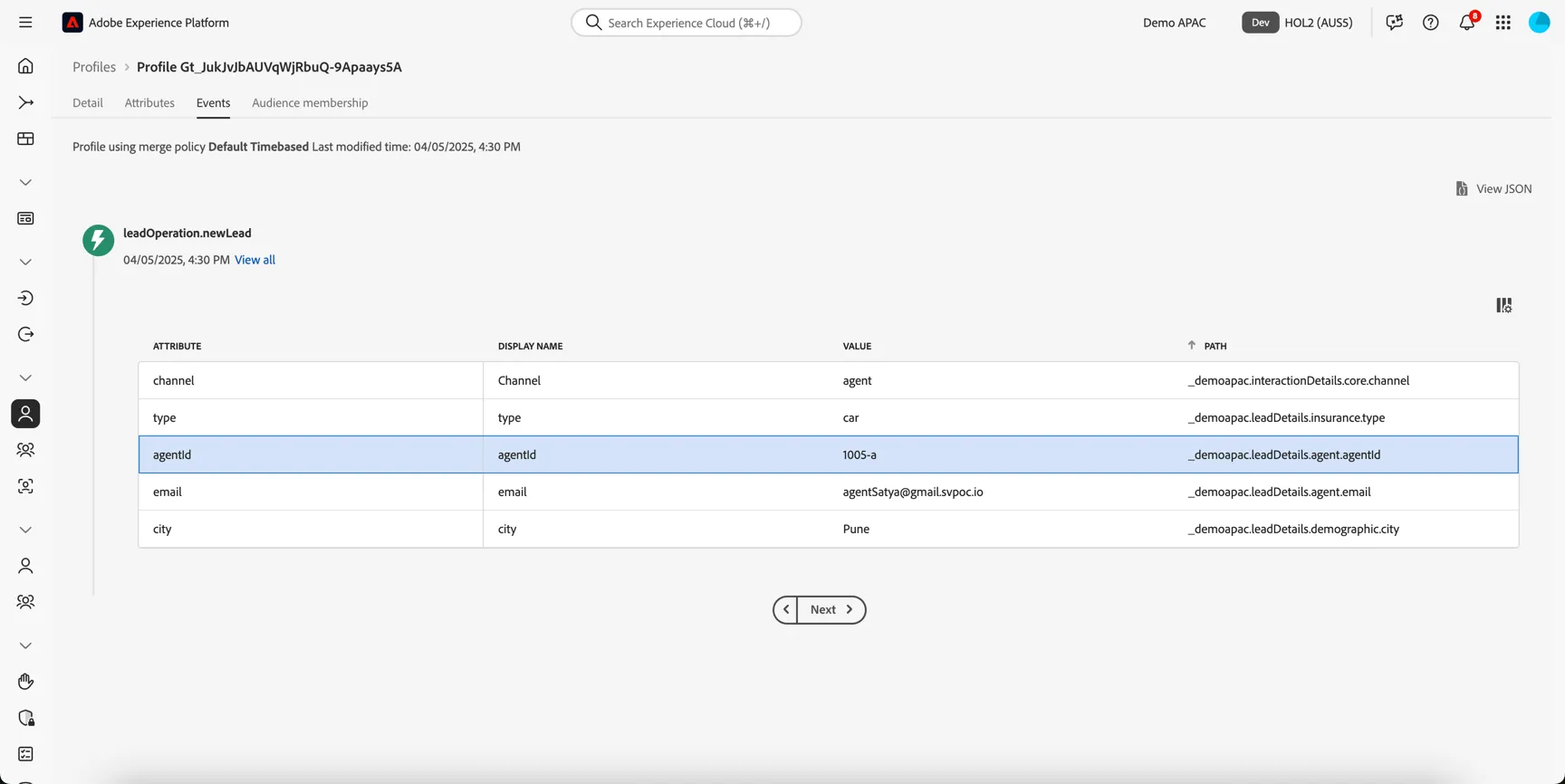
If you open the Events tab, you can see that there is one event recorded against the profile - the leadOperation.newLead event and in the event details we've recorded the agent id.
Now if the customer submits their phone number directly through the website or any other channel we will always be able to identify where the lead originated from and assign attribution accordingly.