[App] Skinny profiles
Overview
This section is an Appendix; it describes skinny profiles created by the Save audience activity and how to leverage them with AEP.
When a marketer saves an audience that is made with a federated composition flow, 2 cases happen:
- When the audience members already exist in AEP:
- The "Save audience" activity references those existing AEP profiles by their identity (e.g., email, CRM ID, etc.).
- It does not create duplicate profiles; the computed segment/segment membership is simply assigned to profiles that already exist, allowing for immediate targeting or activation.
- When the audience contains members not found in AEP:
- For records that do not reconcile with existing AEP profiles, FAC will create a lightweight or “empty” profile in AEP, with only the mapped identity fields and segment membership.
- These profiles are persisted temporarily, with a default time-to-live (TTL) of 30 days. These are sometimes referred to as “skinny” or “lightweight” profiles.
- If more data about the profile is later ingested into AEP (via other pipelines or sources), these empty profiles are enriched into full profiles.
This section describes how to leverage skinny profiles and data put in the audience with AEP.
Create an audience of customers who have consented to receive marketing emails
The marketer wants to deliver a marketing email to a list of customers. These customers exist in the datawarehouse; some of them exist in AEP and the others doesn't exist.
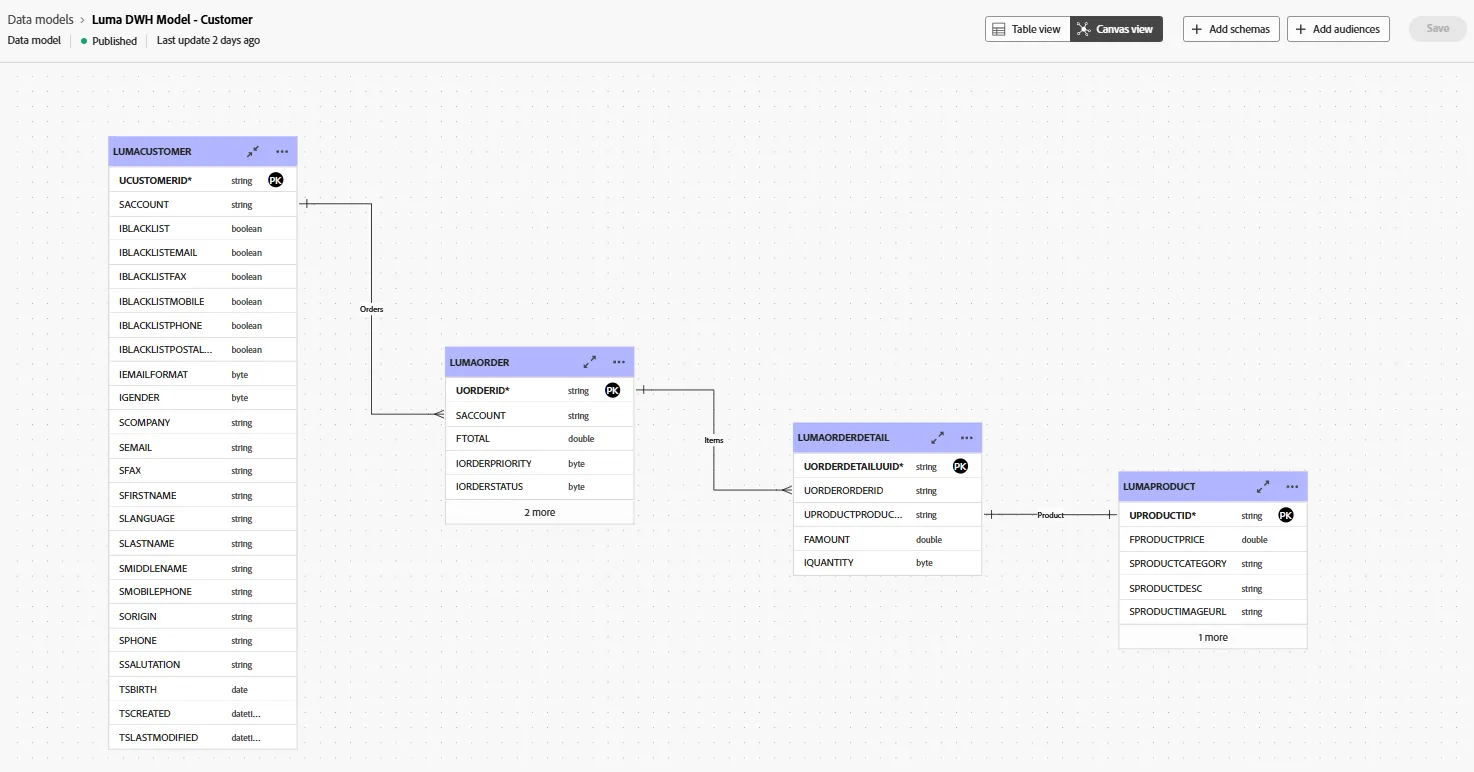
A data model has been exposed to the marketer with a LUMACUSTOMER table that contains:
- Email address
- Gender, first name, last name...
- Email optin (IBLACKLISTEMAIL field)
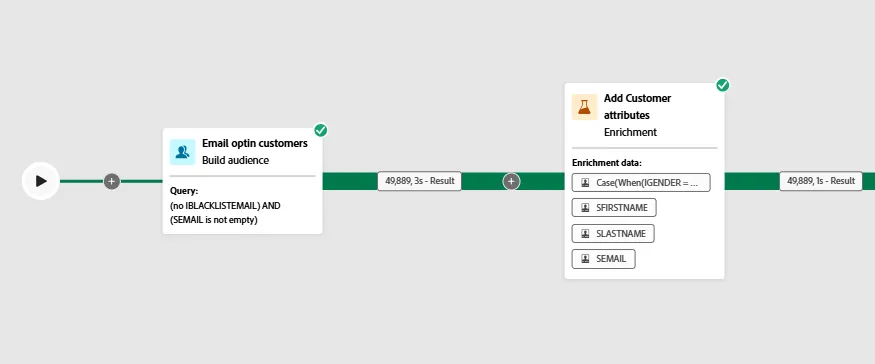
The marketer made a flow to select customers, who have consented to received marketing emails and who have made many purchases this year.
- Especially the Query and Enrichment activities:
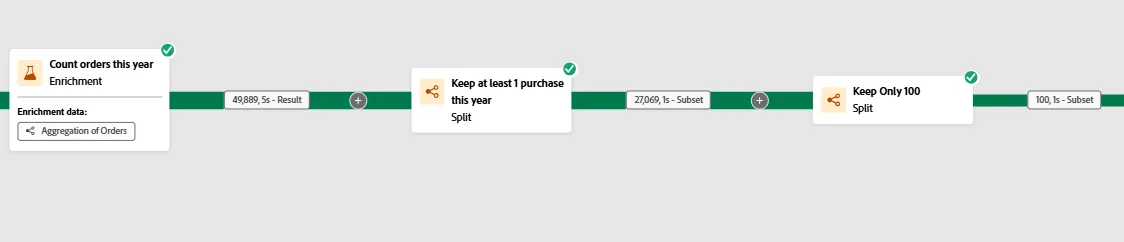
- Then look at these 3 other activities to discover how the Count aggregate has been set and used to filter the sets:
- The last activity saves data ins AEP (audience membership and attributes):
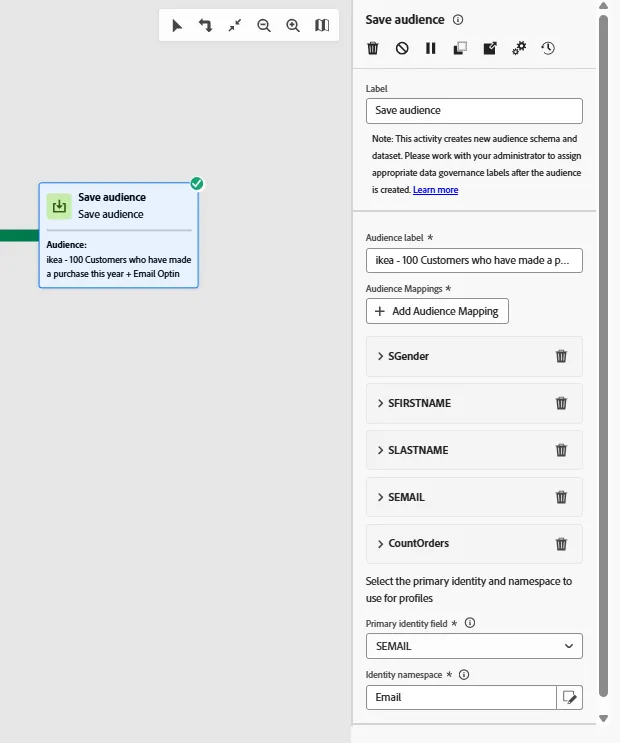
Focus on the data put inside Adobe Experience Platform
The Save audience activity has created:
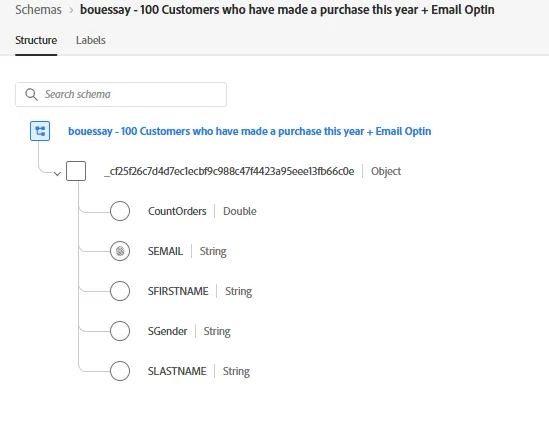
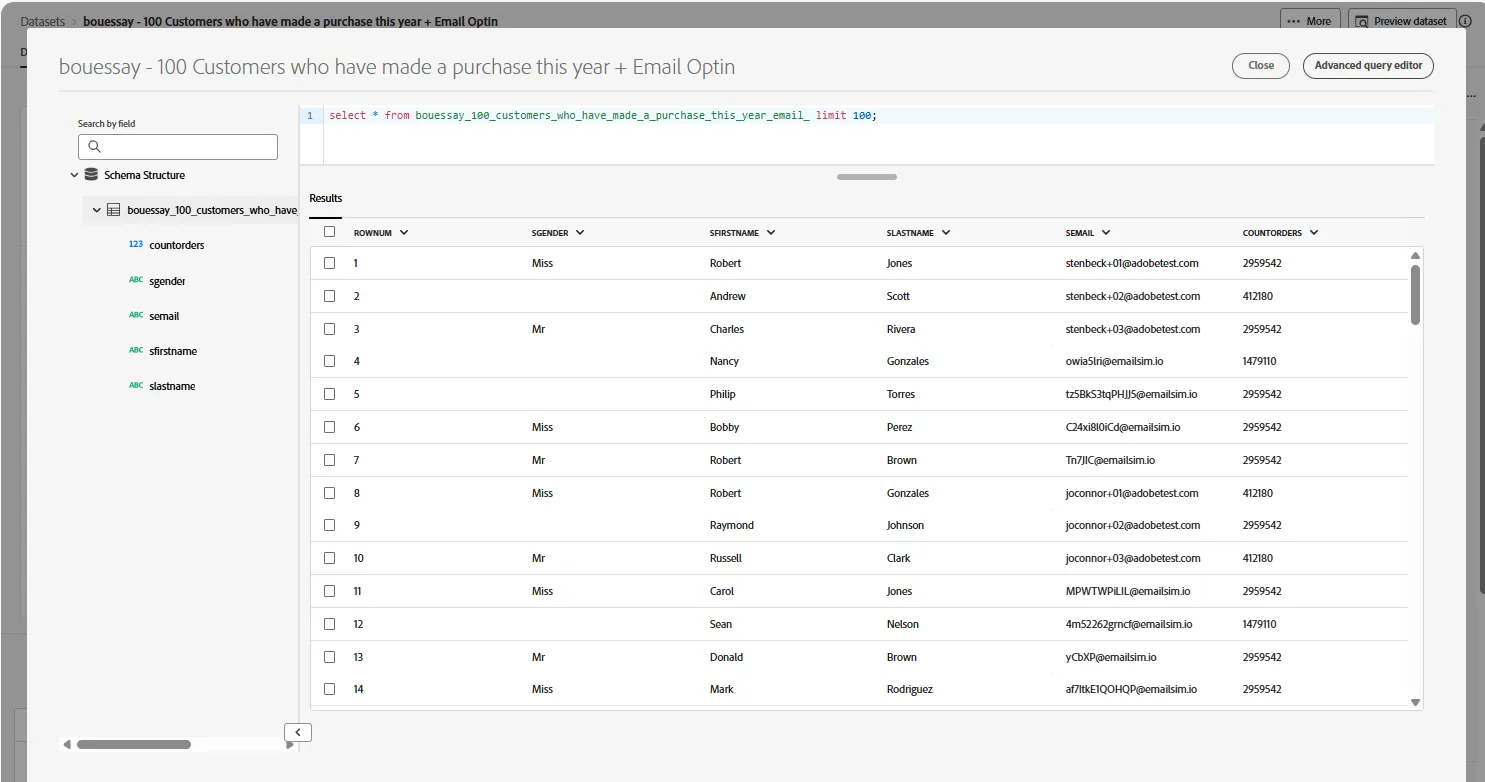
Then a job in AEP has created the audience memberships.
- Load a profile from this dataset by looking for the email adress; for instance Email = [email protected]
- Go to the attributes section and show the JSON:
{
	"identityMap": {
		"email": [
			{
				"id": "[email protected]"
			}
		]
	},
	"segmentMembership": {
		"CustomerAudienceUpload": {
			"e3aa1365-1ee6-49d1-af2a-de1ce08bce45": {
				"lastQualificationTime": "2025-07-09T09:58:48Z",
				"status": "realized",
				"payload": {
					"payloadStringValue": "631e29a1fae3eba8c38b532e095c4a0c",
					"payloadType": "String"
				}
			},
			"5156d0ba-d360-4dd3-86f3-8eb64c201b58": {
				"lastQualificationTime": "2025-07-08T13:50:38Z",
				"status": "realized",
				"payload": {
					"payloadStringValue": "3dde7ac9ba158dd76f82dcaec0113ccb",
					"payloadType": "String"
				}
			},
			"d4afac9c-d4cf-4700-b65c-5b0f3c07610c": {
				"lastQualificationTime": "2025-07-07T13:32:11Z",
				"status": "realized",
				"payload": {
					"payloadStringValue": "901b55ca36ca4b0510e3a230cec1c168",
					"payloadType": "String"
				}
			}
		},
		"ups": {
			"50ca8933-4e37-4f10-9890-cb0e30b78a31": {
				"status": "realized",
				"lastQualificationTime": "2025-07-08T00:22:43Z"
			}
		}
	},
	"mergePolicyId": "dea53d09-6584-4a76-b662-5ccbd89b2a30",
	"lastModifiedAt": "2025-07-09T10:05:51Z"
}
This is a skinny profile as it contains only 2 sections:
- IdentityMap
- segmentMembership
A skinny profile doesn't contain attribute.
Deliver the messages with the standard Email action
Look at the journey named [Example ] Read FAC audience + Send Email III
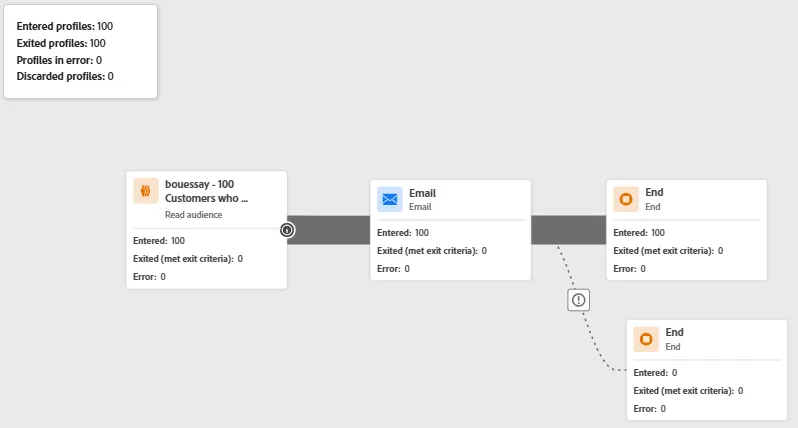
Click on the View content button of the Email activity
Look at the path of the personalization field:

The Email surface has been set to find the email adress of the profile inside the identityMap

Deliver the messages with a Custom Action
Look at the journey named [Example] Read FAC audience + webhook
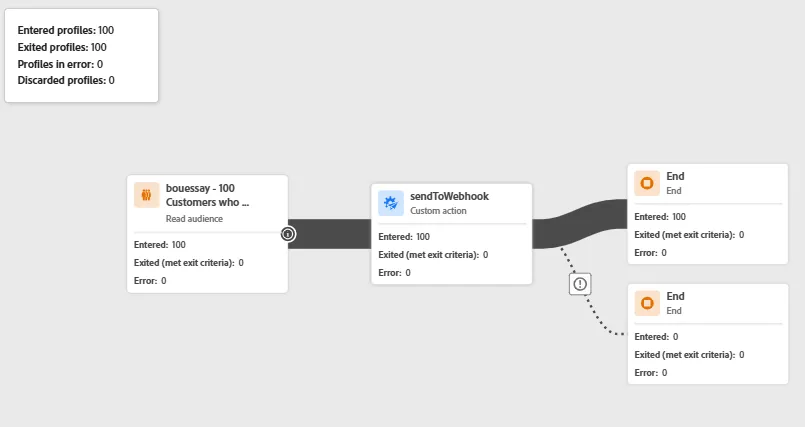
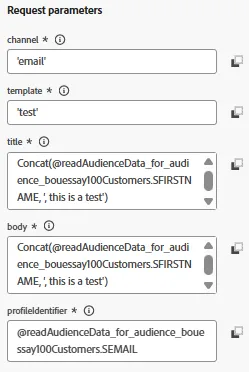
Look at the Custom Action named sendToWebhook especially in the Request parameters section the way to access the data from the audience:
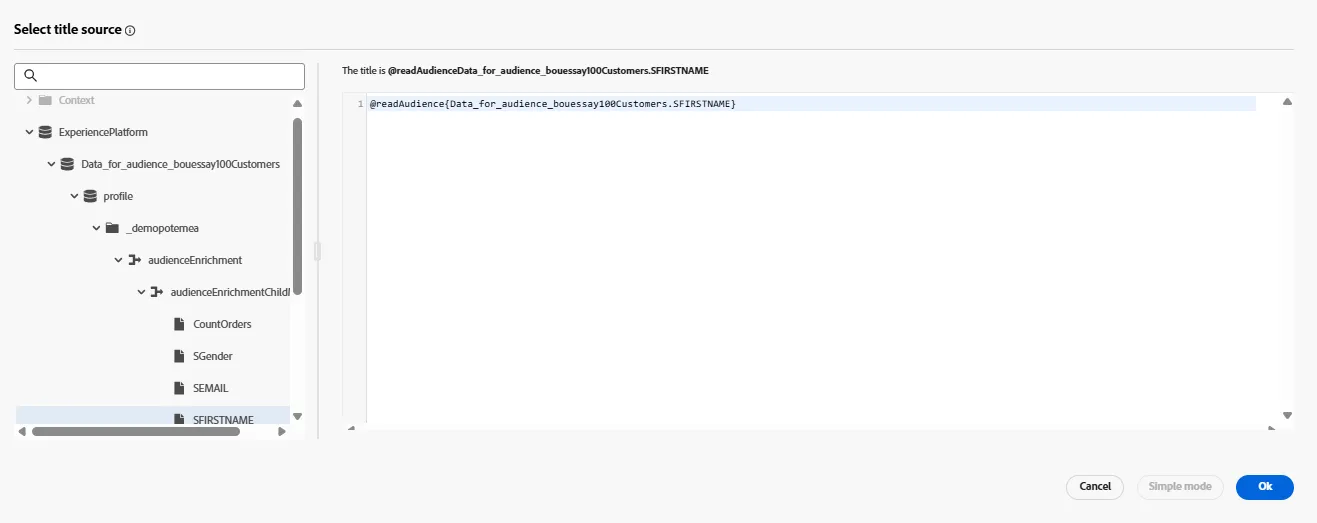
If you create a new journey, the UI show the data available from the audience this way:
Now, you know :
- What is a "skinny" profile
- How to access data from the audience with a standard action like Email
- How to access data from the audience with a custom action like the webhook