Data Model Description
Overview
This section describes the Luma Datawarehouse Model that has been exposed to the Adobe Experience Platform users; a data engineer has declared the schemas (~tables) and the relationships between schemas (~tables) to provide a data model to marketers.
Data model description
In the menu of the left side:
- Click on Federated Data > Models menu
- Click on the Data model tab
- Click on Luma Datawarehouse Model v2
- Click on Canvas view to discover schemas and links
- A schema is a representation of a table of your database. It is an object within the application that defines how the data are tied to database tables.
- A link is a join between 2 schemas
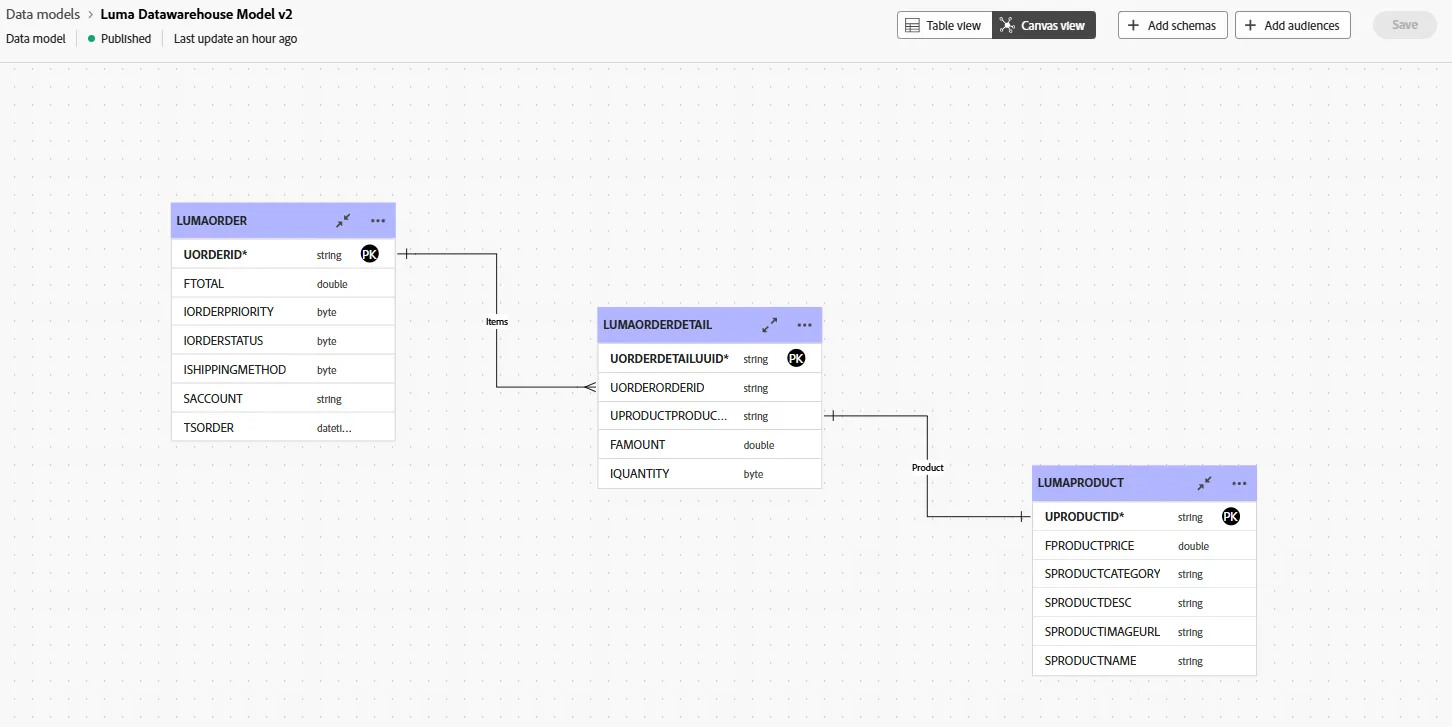
This data model is composed by 3 schemas and 2 links:
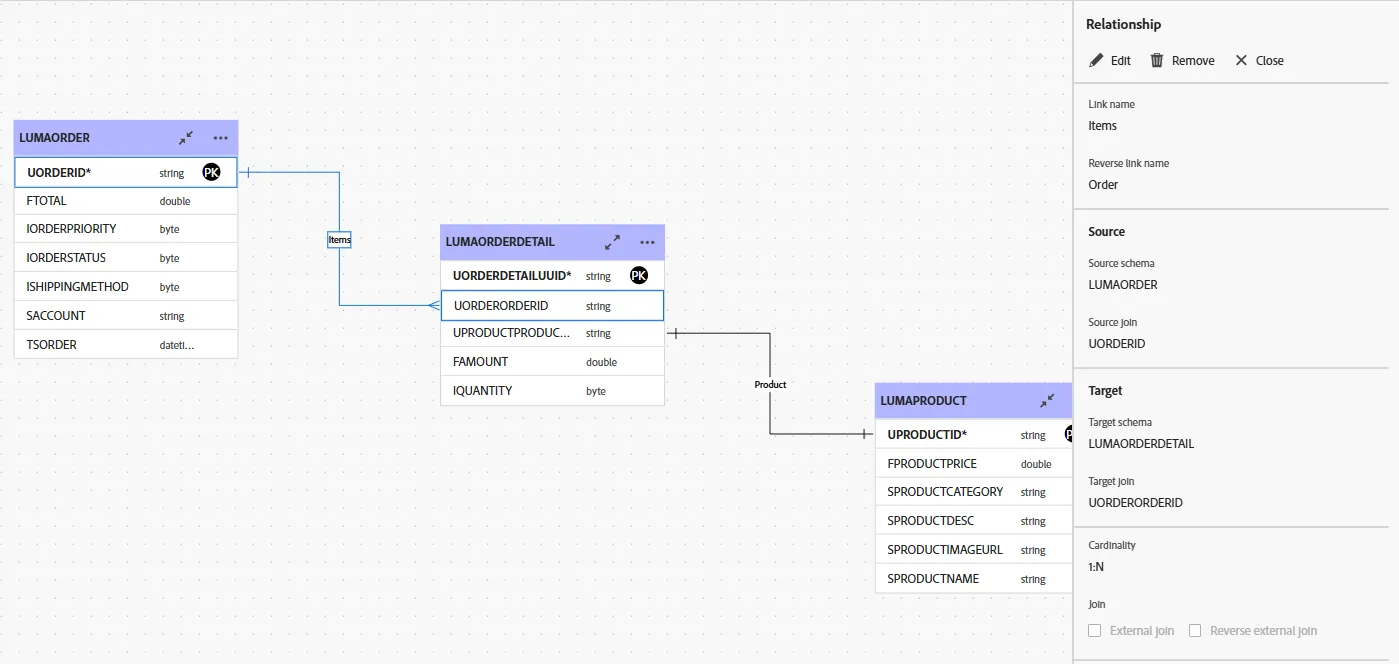
- 1 record in LUMAORDER is linked to 1..N records in LUMAORDERDETAILS
- Join definition: LUMAORDER.UORDERID = LUMAORDERDETAIL.UORDERORDERID
- 1 record in LUMAORDERDETAIL is linked to 1..1 record in LUMAPRODUCT
- Join definition: LUMAORDERDETAIL.UPRODUCTPRODUCTID = LUMAPRODUCT.UPRODUCTID
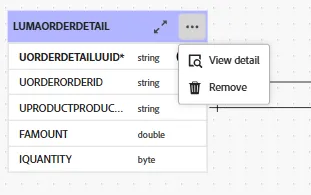
Click on the ... button to describe its content:
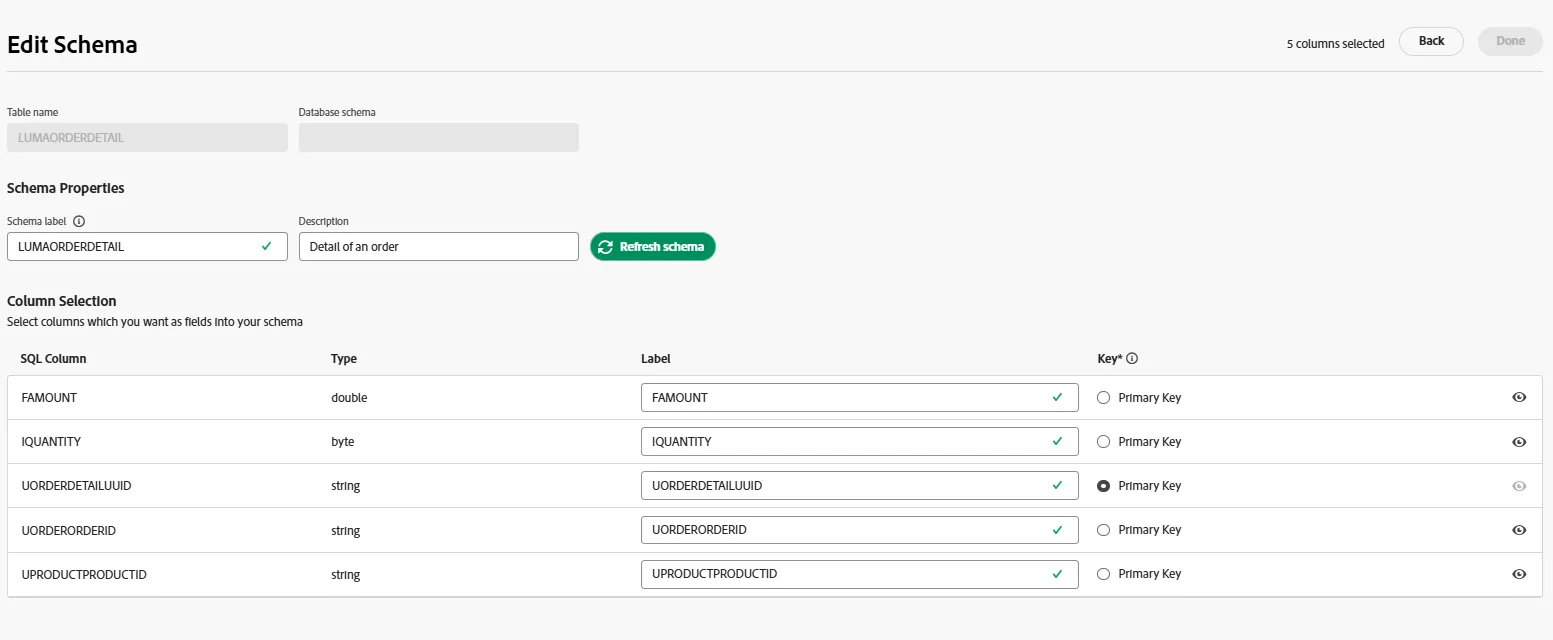
It's possible to refresh the schema and also to edit it in order to improve labels of columns or hide columns.
Then go to the Data section and click on calculate link to count the number of records; it should count 50 000 000 records:
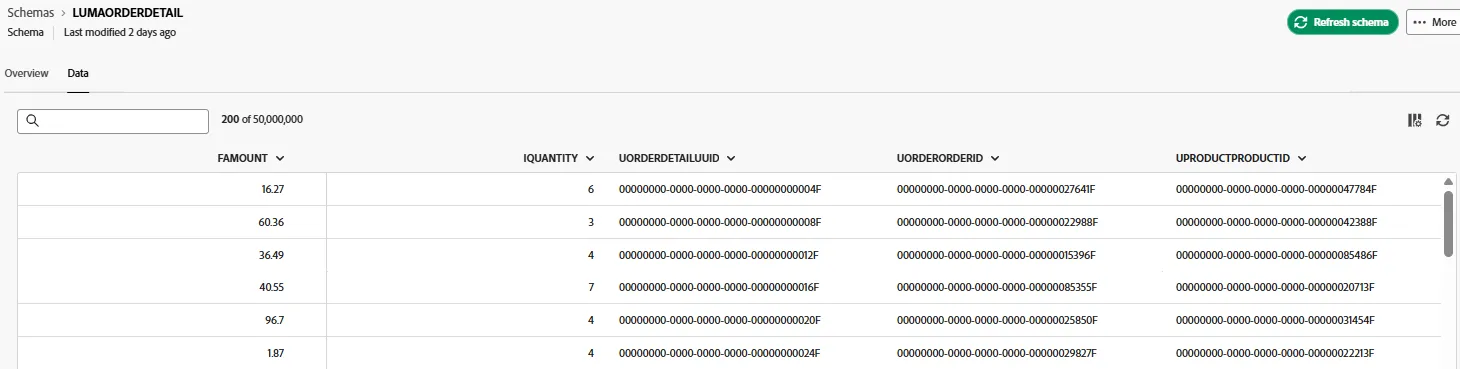
A subset of the datawarehouse has been exposed to the marketers to let them leverage data. It's possible to declare the links between tables, either 1..1 or 1..N links.
Note that a 1..N link enables aggregate features in the composition flow as you will see in the next exercise.