Postman for APIs
7 min
This section describes the prerequisites for successfully executing the API requests using the Adobe Experience Platform APIs.
Postman
In order to complete the exercises, you will need to perform authentication and HTTP requests. For ease of use, our suggestion is the use of Postman.
Installation
To install Postman:
- Click on the icon of the operating system you use.
- Click on the link to download the correct version.
- Install the app.
Download Collection & Environment
In Postman, there are 2 concepts: Environments and Collections.
- The Environment contains all of your environmental variables which are more or less consistent. In the Environment, you’ll find things like the IMSOrg of the Platform environment, alongside security credentials like your private key and others. The environment file is named XXX.postman_environment.json.
- The Collection contains a number of API requests that you can use. We have bundled these in a file named XXX.postman_collection.json.
We have combined both files in a ZIP file for you. To access:
- Download the environment and collection below.
- Extract the zip-file to a location on your computer.
Setup
To setup Postman with the correct Collection and Environment:
- open Postman.
- Click on Workspaces dropdown menu and select Create Workspace.
- In the Create workspace screen, select Blank workspace, and enter AEP Bootcamp as the Name.
- Select Personal for Visibility.
- Click on Create Workspace.
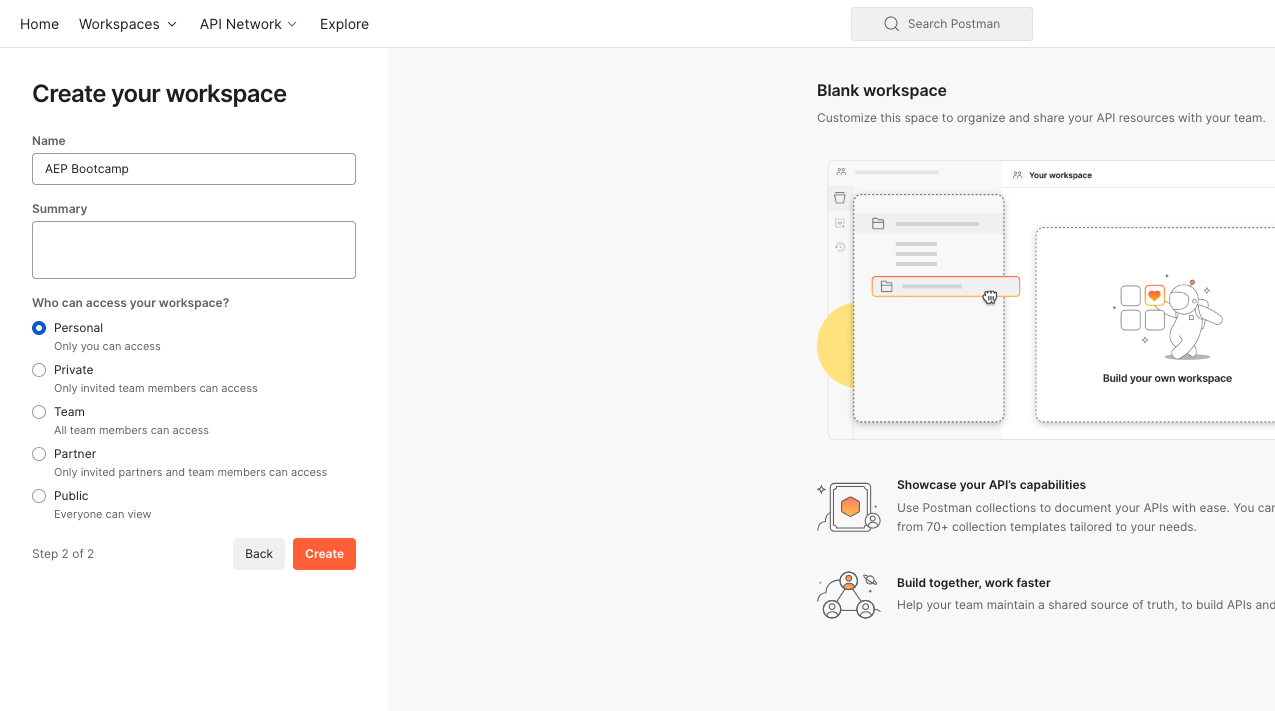
Once your workspace is created you can import the environment and the collection:
- Click on Import.
- In the Import dialog, drop in your environment and collection JSON files.
- Select the two files that you have just unzipped as part of the "Download" phase and confirm your selection.
Postman shows you an Import dialog.
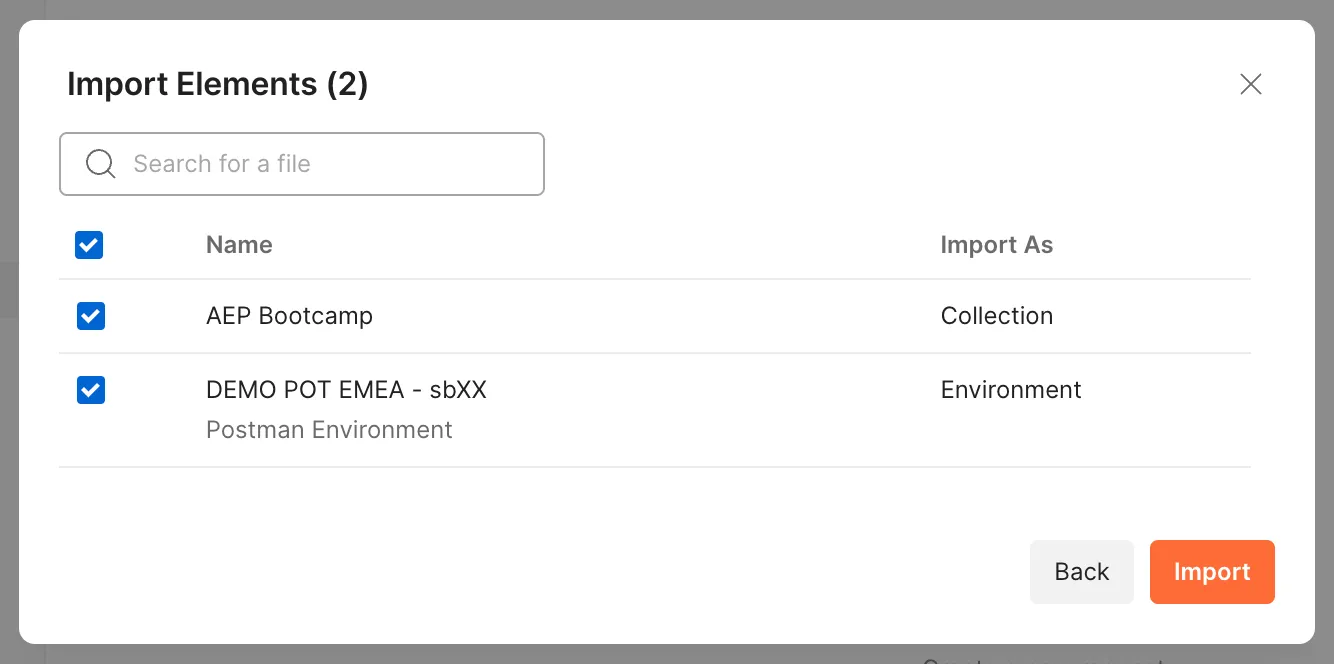
*sbXX will be replaced with the number of the sandbox you're going to use. (for example sb21)
- Click on Import. Both files will be imported. You will see your imported collection in the left panel.
- Select DEMO POT EMEA - sbXX from the No Environment dropdown list.
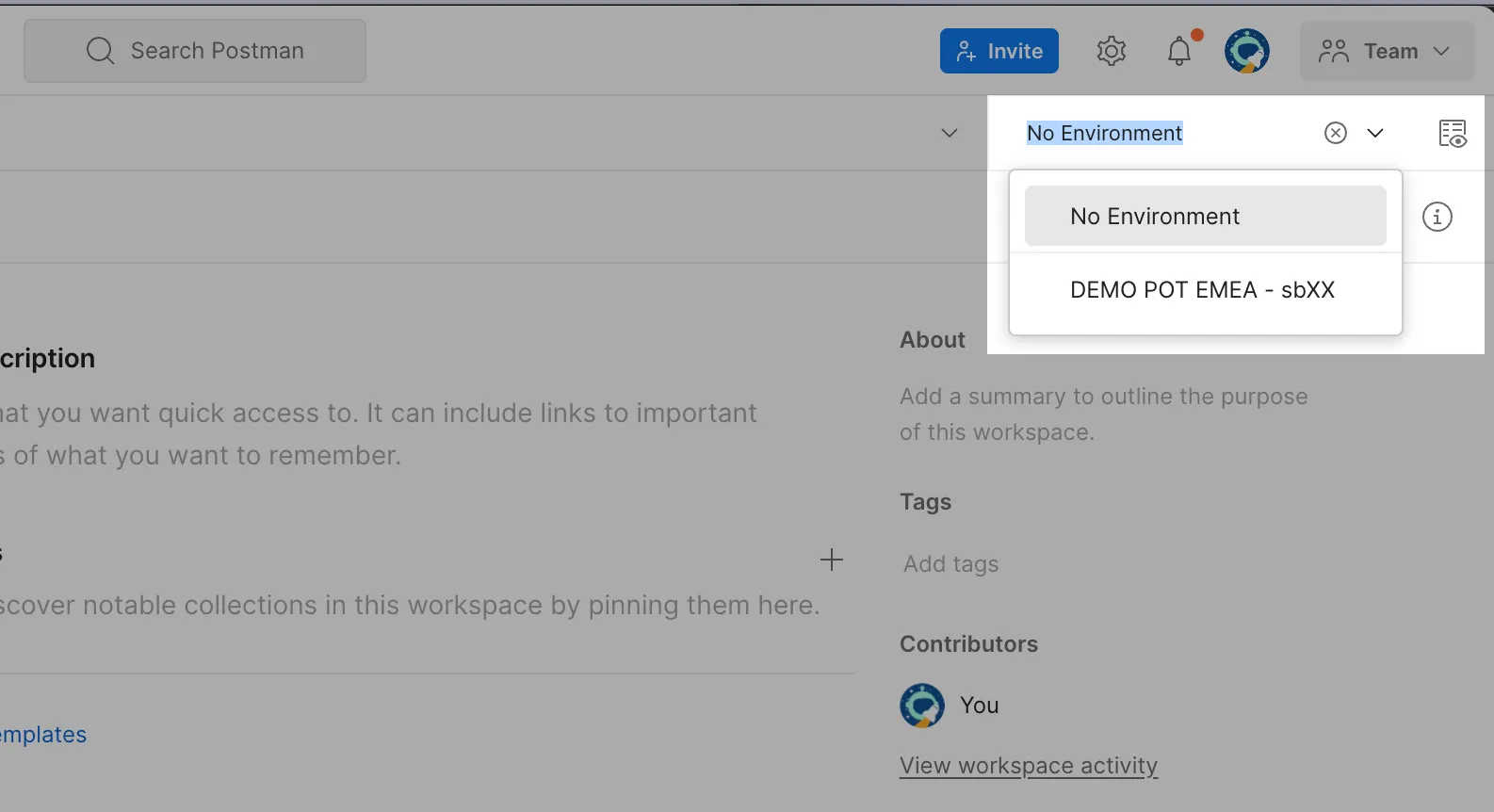
You now have your Postman configured correctly.