Lab: Complex and Advanced Journey Concepts
3 min
Journey Management (duplicating journeys)
Navigate to Journeys
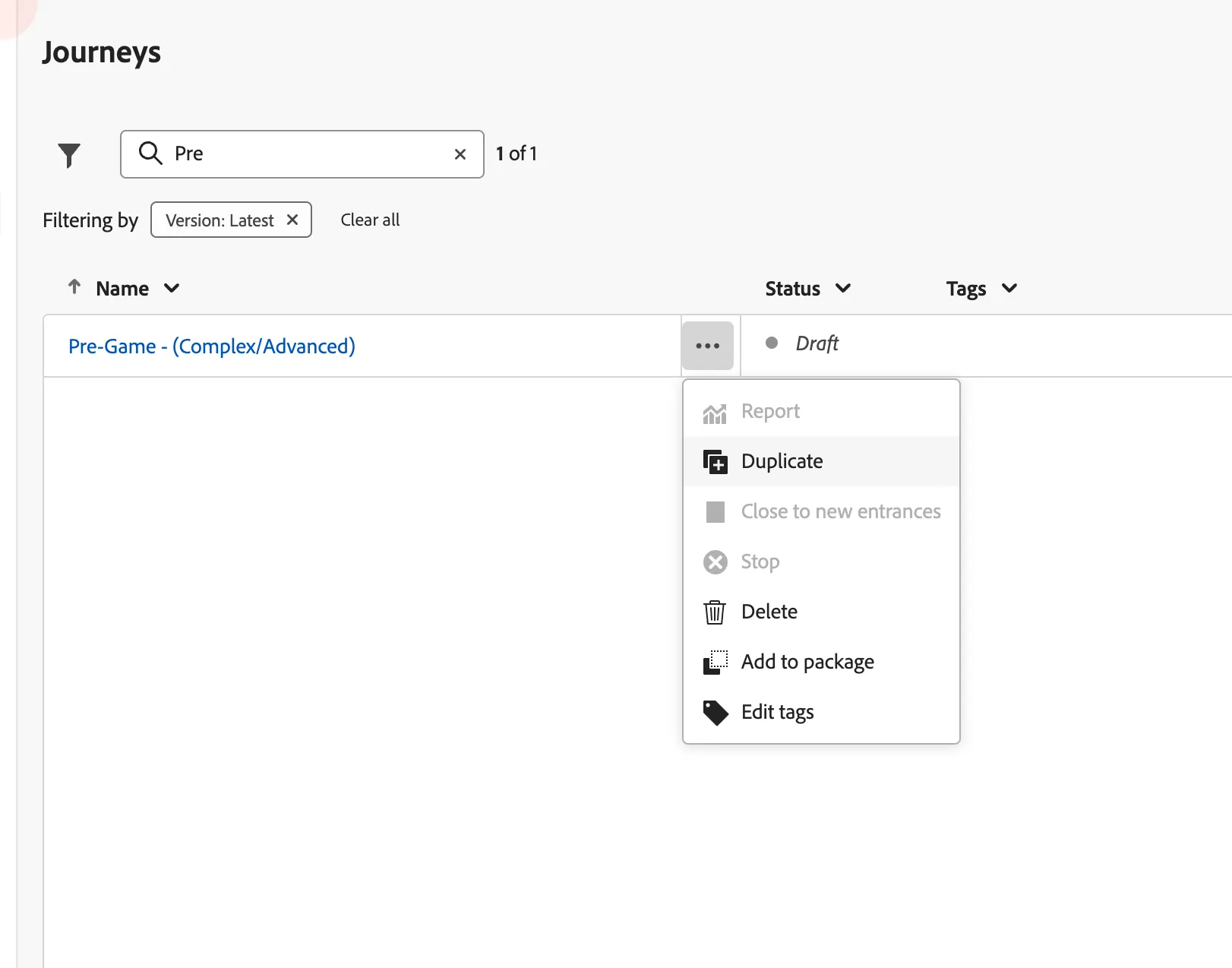
Search for "Pre-Game", Click on the 3 horizontal dots and select duplicate. Enter your initials at the end of the suggested name.
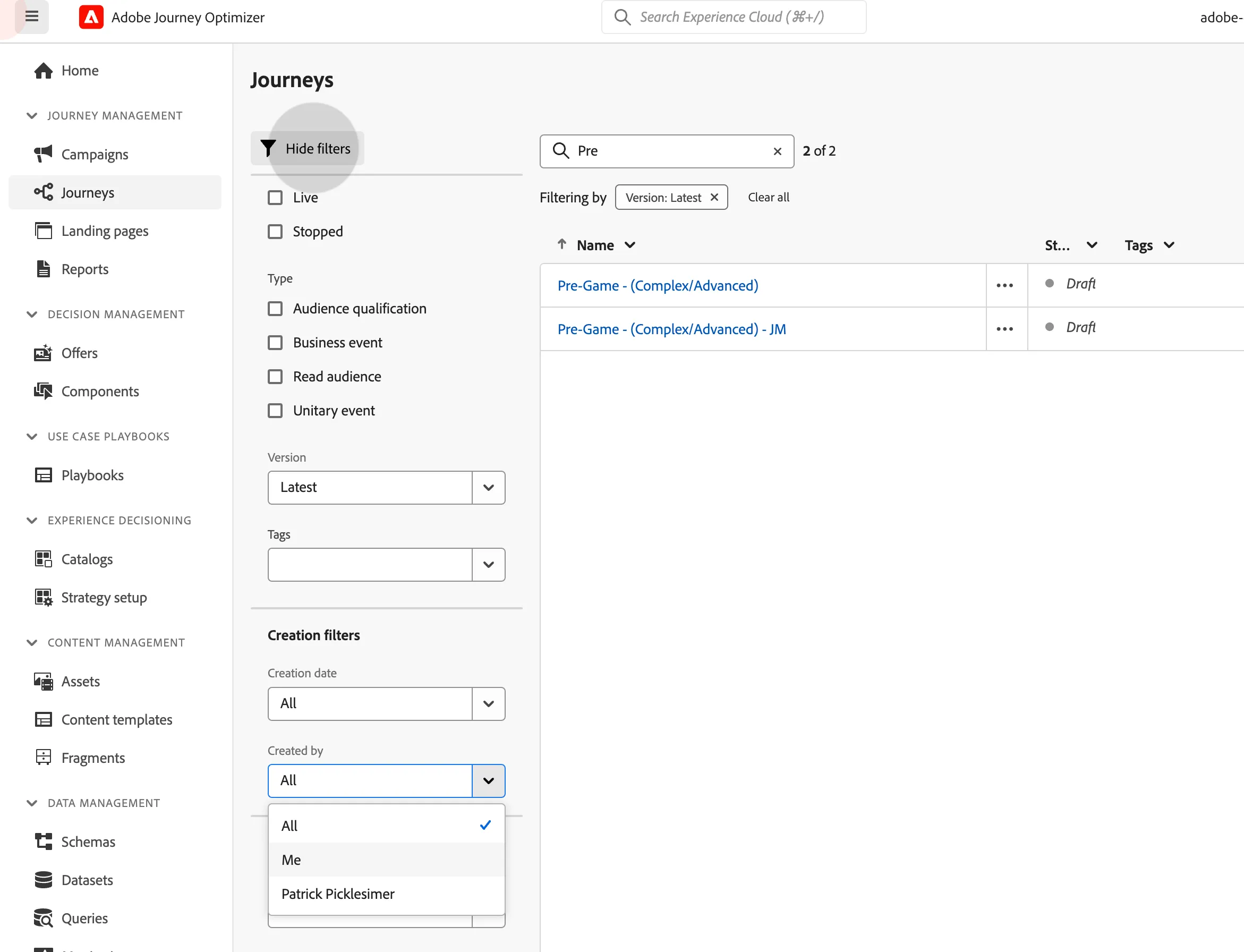
Using Advanced Filters, filter the journeys you have created so far and click on your Pre-Game journey to edit.
Custom Actions and Advanced Personalization
- Drop a custom action from the Actions option and place it into the No Parking Path.
Pass the email address from our profiles to the third party system. Click Save.
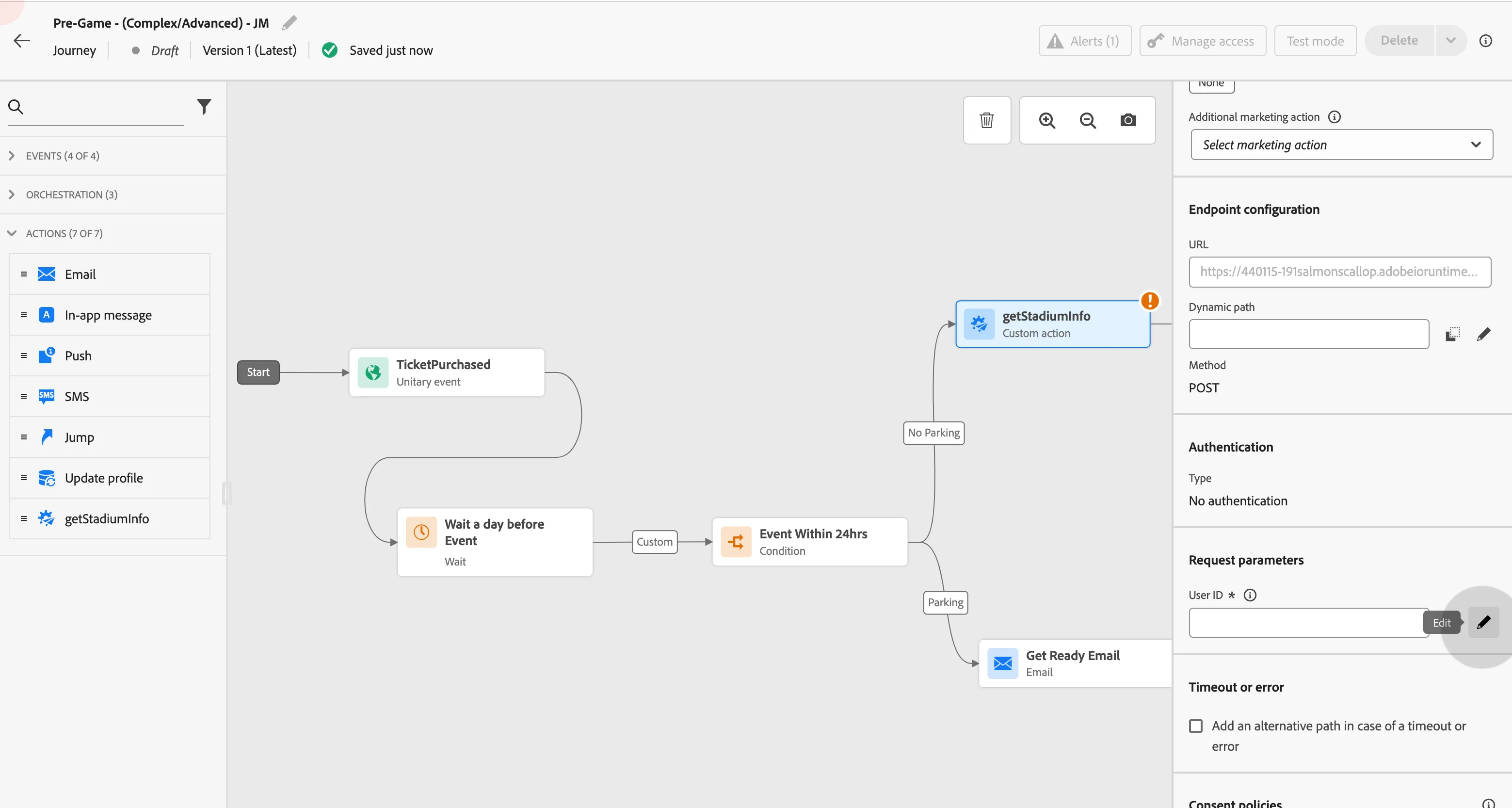
- Under Actions, drag the email node and drop it next to the Custom Action.
- Edit Email Content after selecting the Marketing Surface.
- Enter a subject line (Get Ready and secure your spot!)
- Click Edit Email Body
- Click on Saved Templates, and select the template "Available Parking Email" and use that template.
- Once the editor is open. Drag and drop a content fragment into the available spot.
- Click Save. Then exit back to the journey canvas and then to the Journey List page.
Journey Jumps and Quality of Life tricks
- Once back to the Journeys list homepage, Clear all filters from the search field.
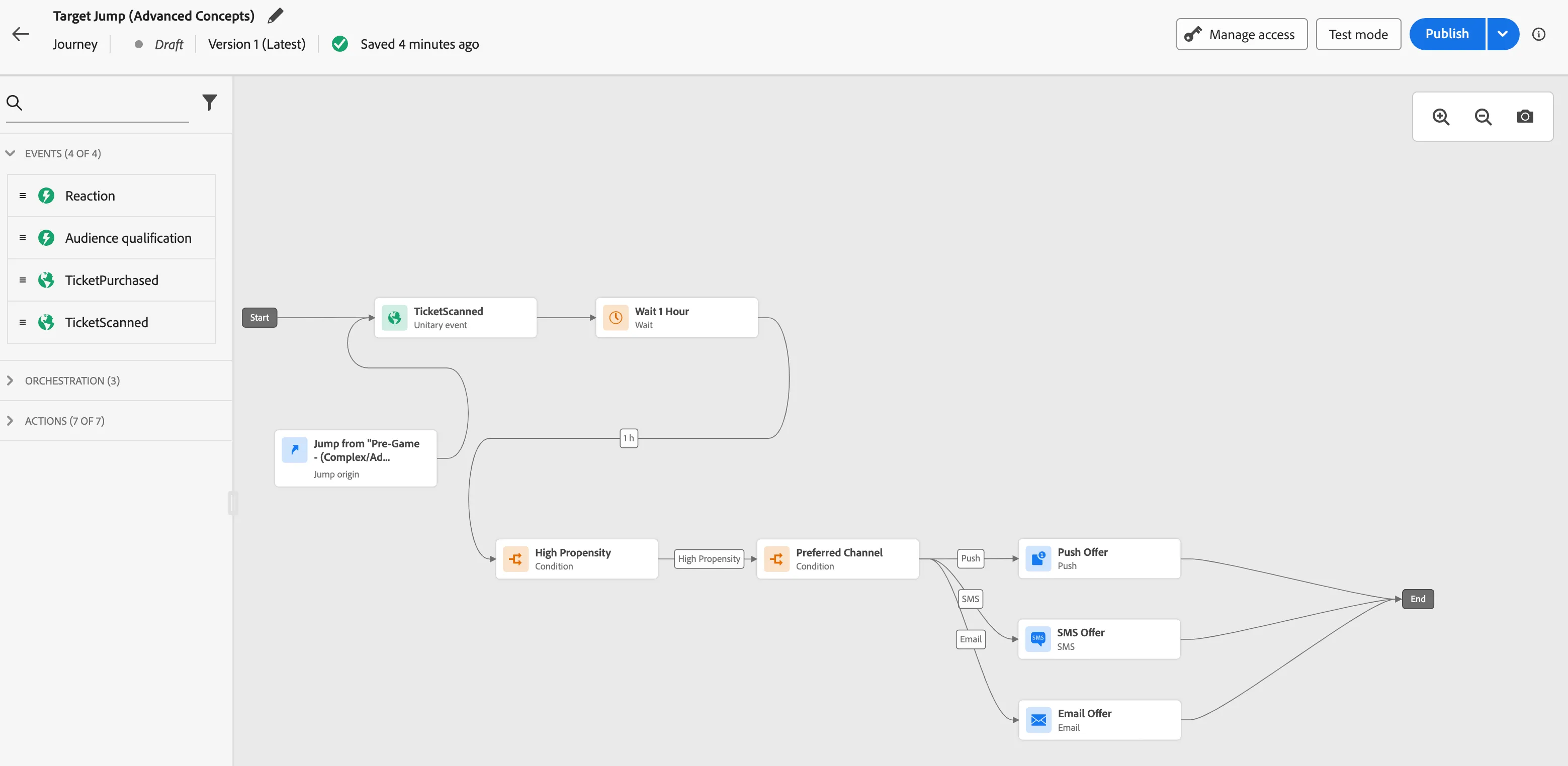
- Search for "Target Jump" and duplicate the journey and add your initials on the name.
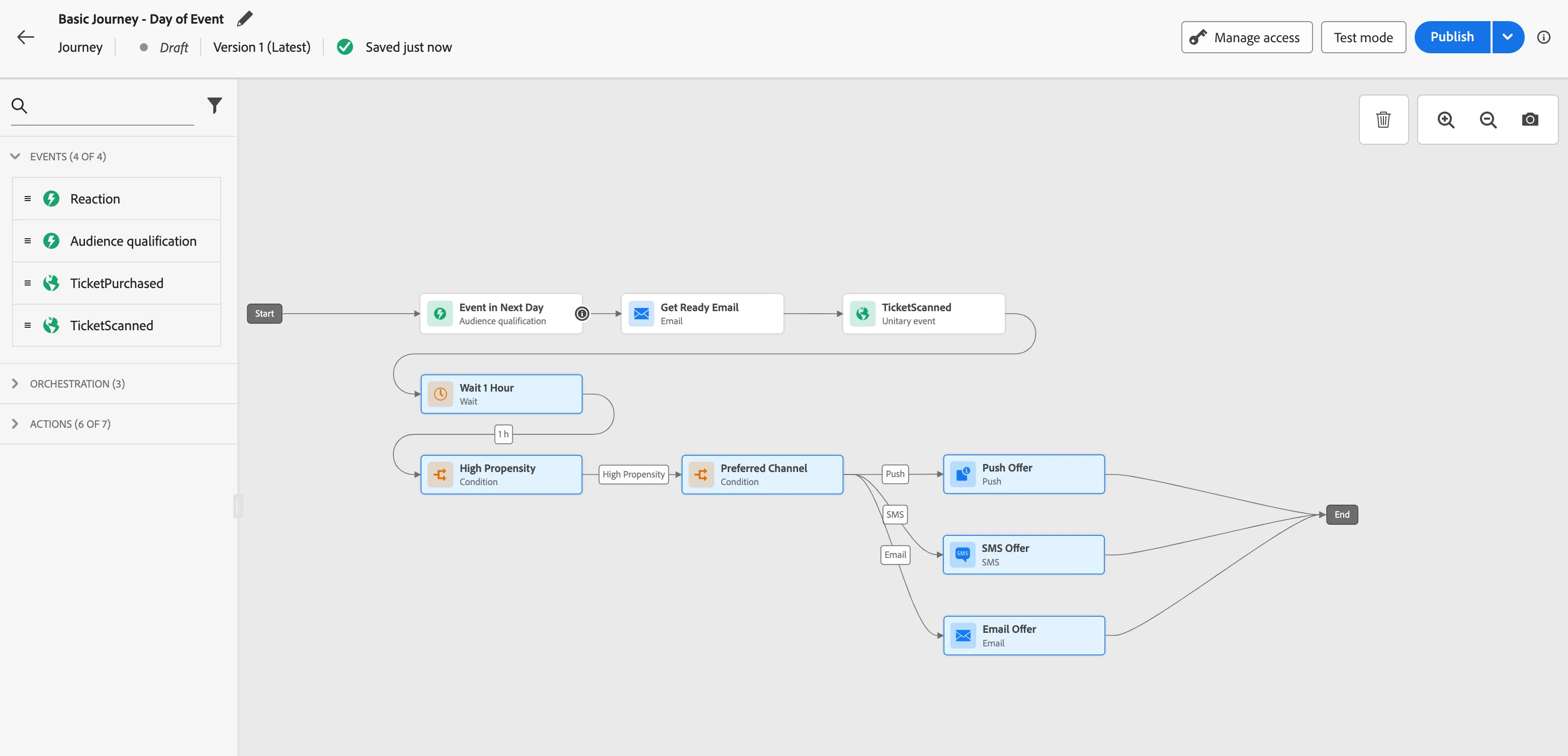
- Search for the Basic Journey you created and edit the journey.
- Select the bottom part of your basic journey (Zoom out if necessary).
Using your keyboard press control + C to copy into your clipboard.
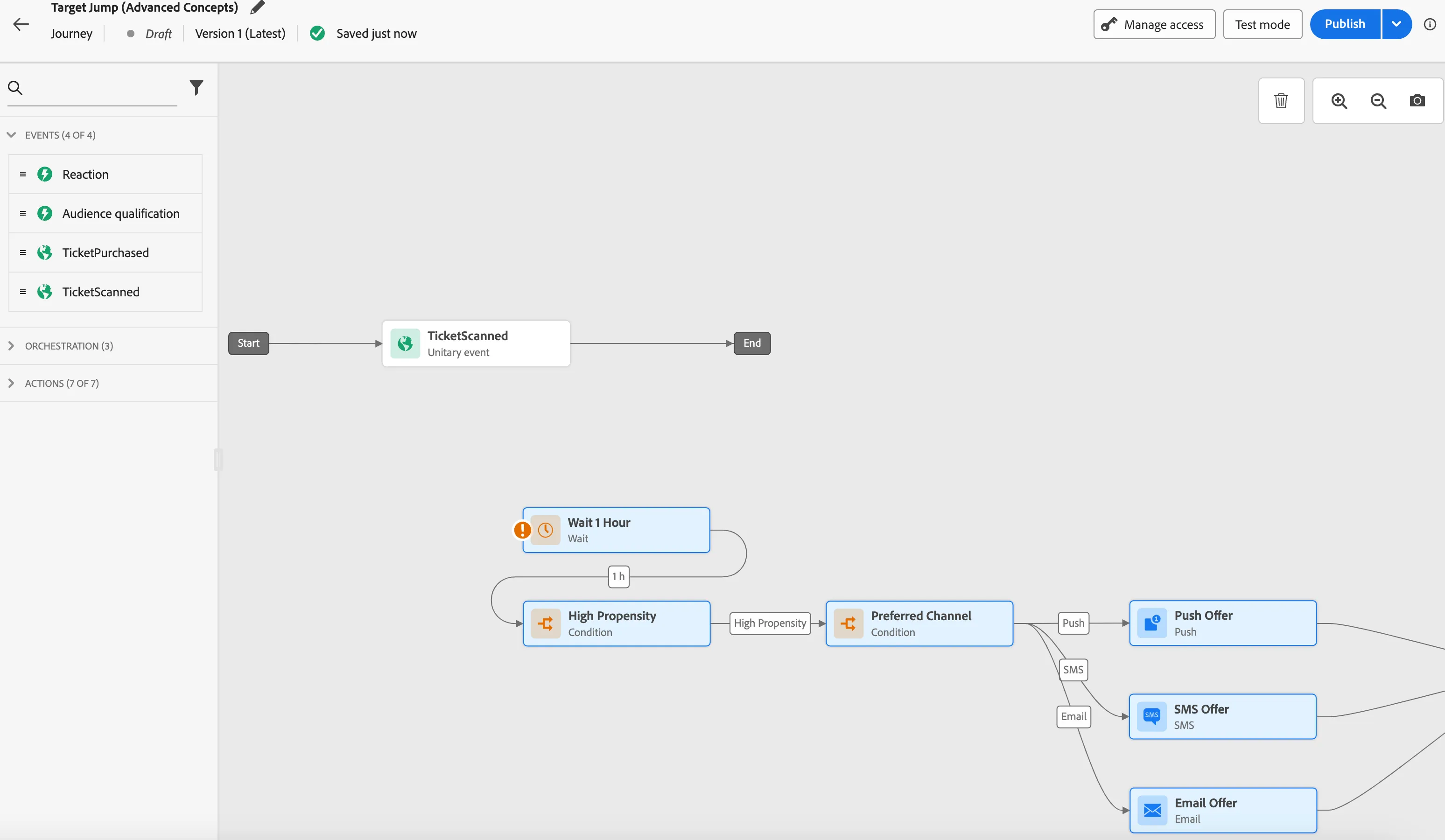
- Then go back to the journey list and open your newly duplicated Target Journey.
- Once you have the canvas open, click on it anywhere, and paste your clipboard (Control + V).
Lastly, connect the Wait Node to the realtime Ticket Scanned Event.
- Exit back to the journey list. Find your Pre-Game Journey. Edit.
- Open Actions, and drag a Journey Jump Node at the end of the Get Ready Email.
- Search for your Target Jump Journey. Click Save. Click Save.
Drag your Jump node to the other end and connect.
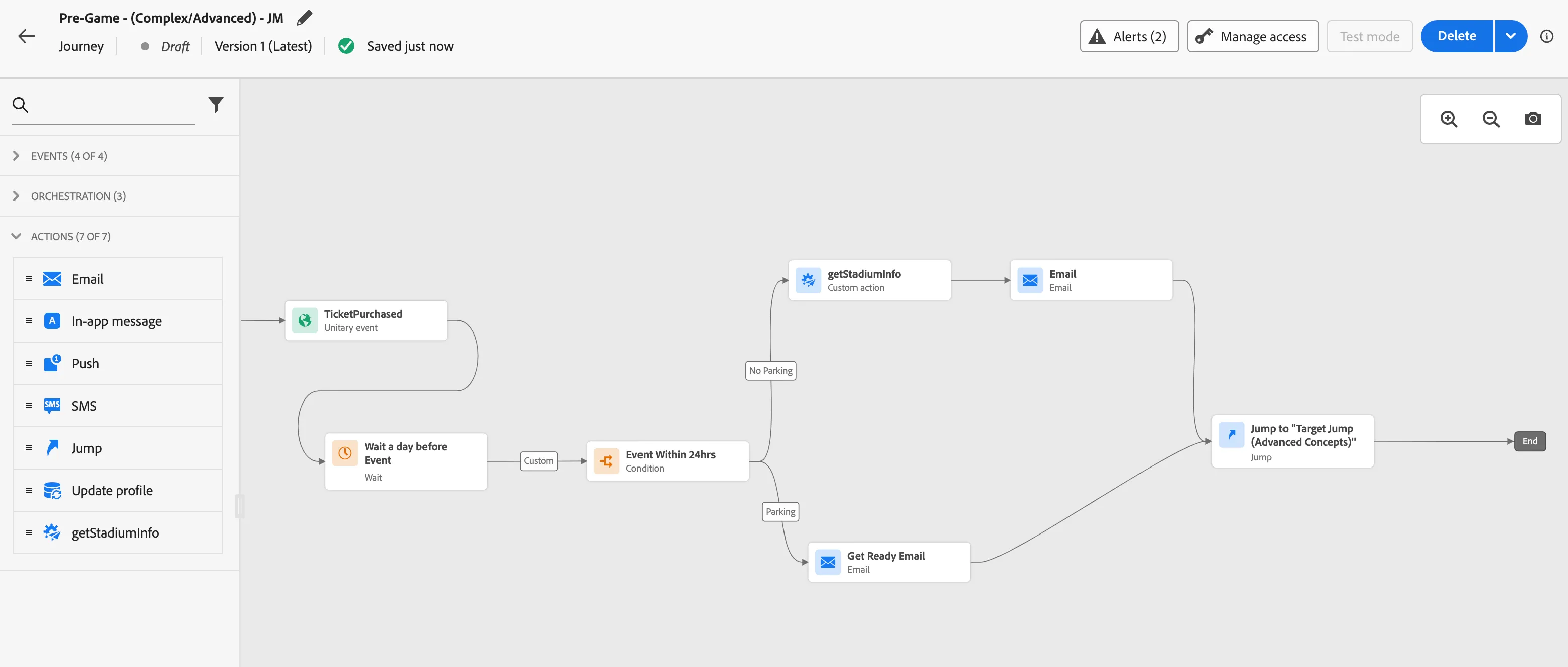
- Lastly, click on your journey jump, and click the "eyeball" button to see your Target Journey.