Create a Project
After you discover and connect with the collaborator, it’s time to create a project. Use the project space to run overlap calculations to compare your audiences with your collaborator’s audiences and discover recommended audiences that you can use in campaigns.
To create a project, select the Plus + symbol in the upper right corner. Or, if this is your first project, navigate to Collaborate > My Projects, and select Create a project.
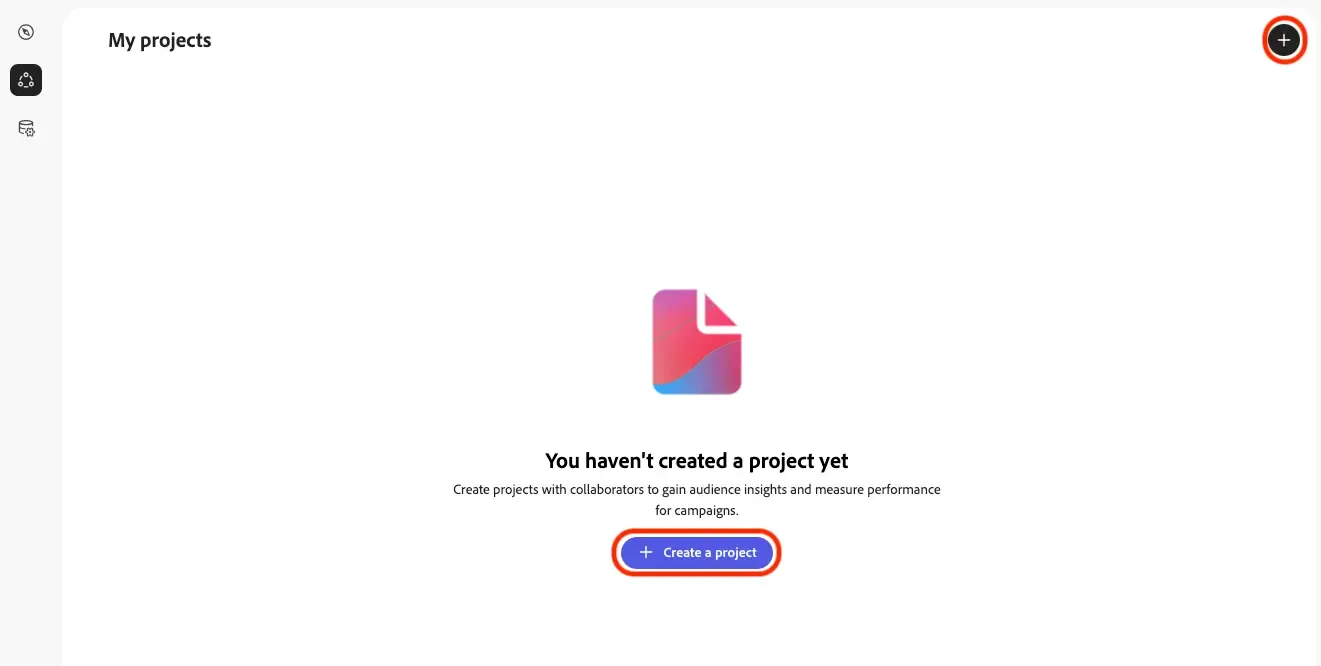
If you're in your collaborator connection, you can create a project from within the connection view
Provide a project name and optional description for your project, select an image header to easily distinguish the project, and confirm your selection.
Project name: BoxStream & Luma + your initials
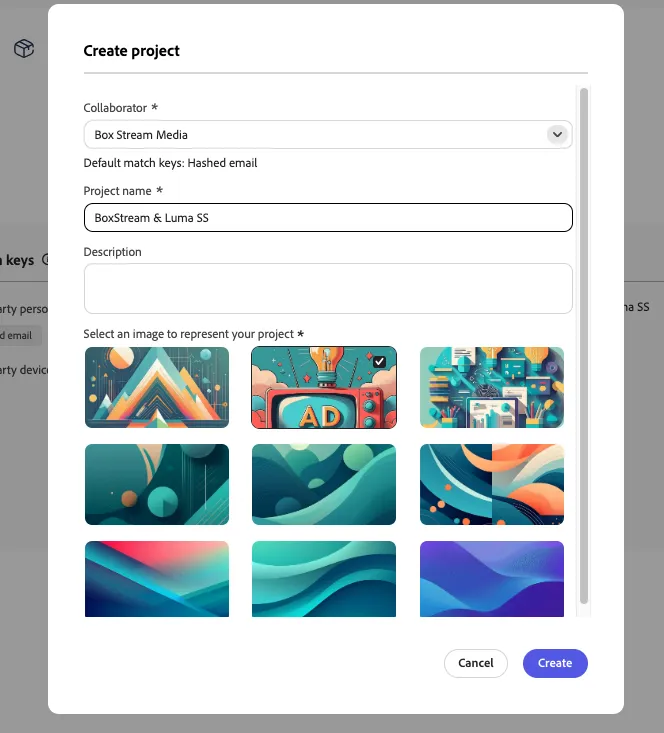
You can now view your new project and its details. Use can use the Discover tab to start running overlap calculations between your and your collaborator’s audiences.
After creating a project within a collaboration space between an advertiser and a publisher, you can now compare your audiences against your collaborator’s audiences. You can discover overlaps between audiences and get insights broken down by match keys or identities. This helps advertisers decide which audiences to share with publishers for activation, depending on the desired use case.