Individual Profiles
2 min
Let's now explore how this data looks in our system
Exploring an existing an individual profile in Adobe Experience Platform
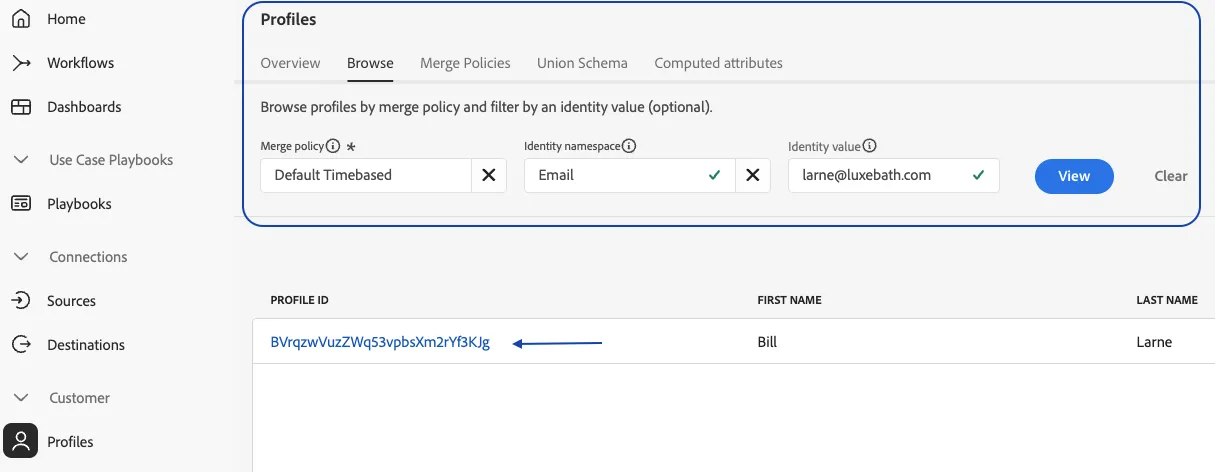
- Navigate to Profiles under the Customer section from the left-hand navigation bar
- Click on the Browse tab
- Search for 'Email' under namespaces
- Enter the below string as the Identity Value and Click View
Name | |
|---|---|
May, Aaron | |
Kim, Daniel | |
Tomes, Elliott | |
Guerrera, Jeff | |
Lynch, Kieran | |
Pond, Lauren | |
Price, Laura | |
Basich, Madison | |
Oakley, Sean | |
Spinks, Toby | |
Croft, Tom | |
Canfield, Waseema | |
Doss, Roland | |
Menda, Melissa | |
Carmer, Samantha | |
| |
| |
| |
| |
| |
| |
| |
| |
| |
| |
| |
| |
| |
| |
|
5. Click on the Profile Id
6. Review the following tabs
- Details - All Widgets
- Attributes
- Identity Graph
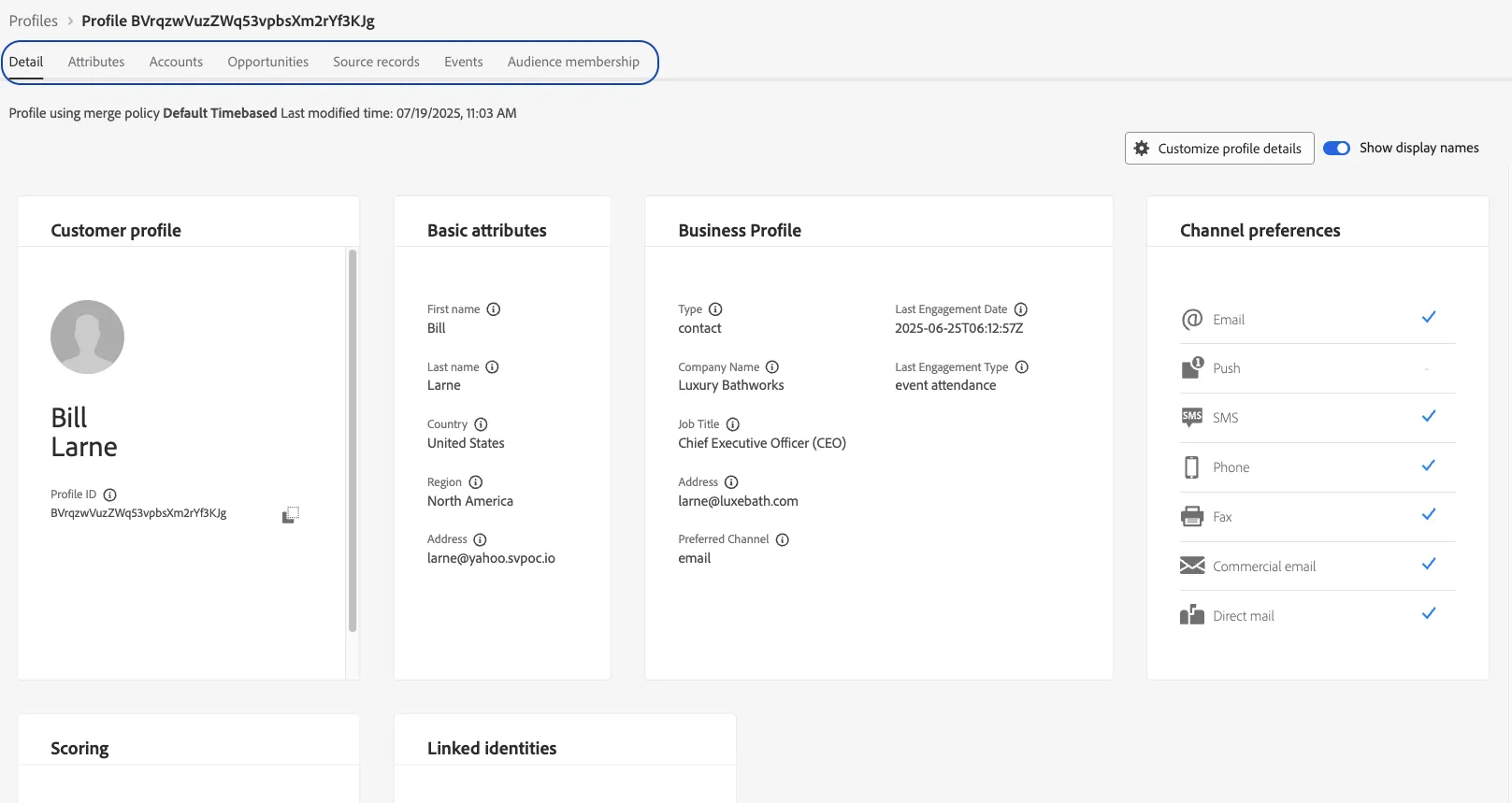
This is what a known customer profile with some CRM data would potentially look like