Pseudonymous Web Profile
2 min
Exploring a Web Visitor profile in Adobe Experience Platform
ECID: 27129643522300483383601086115040691682
- Visit the demo website and copy your ECID from the debugger tool
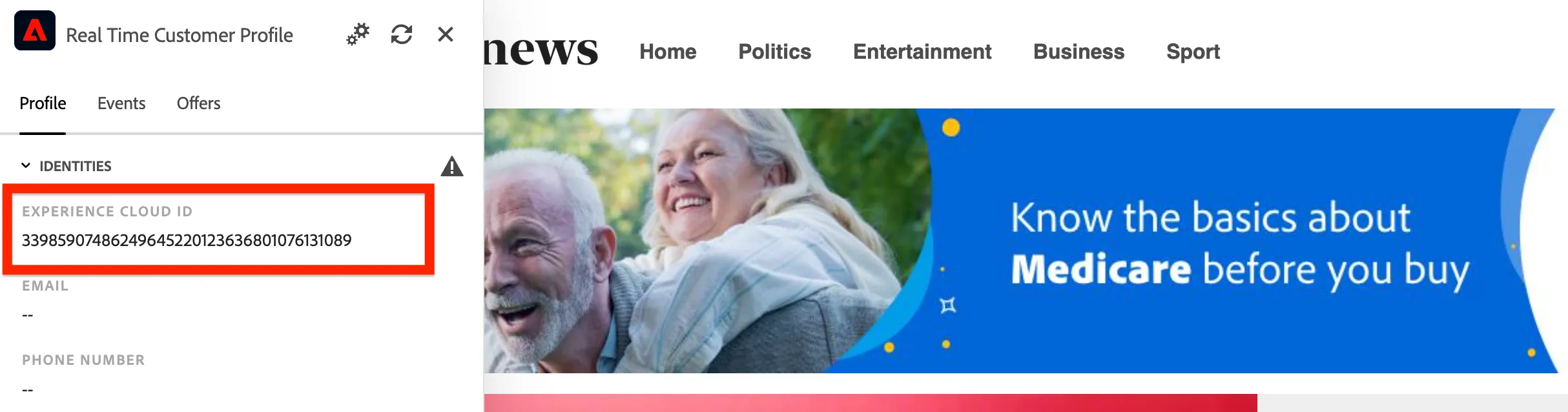
- Navigate to Profiles from the left-hand navigation bar.
- Click on the Browse tab.
- Search for 'ECID' under namespaces.
- Enter your ECID as the Identity Value.
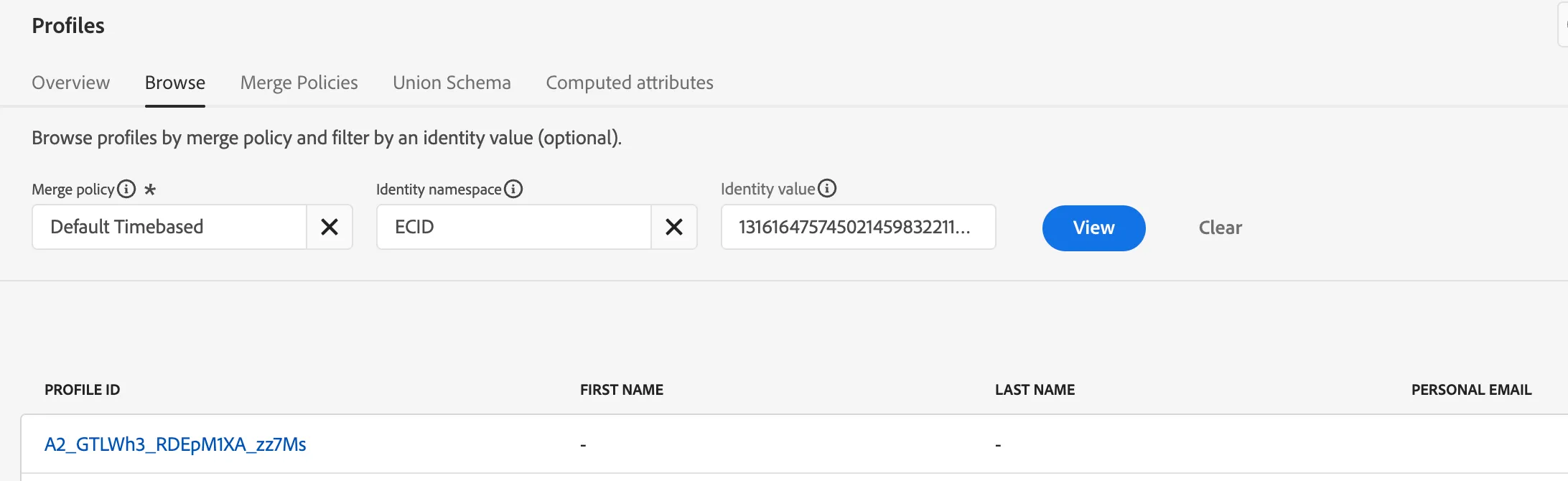
5. Click View
6. Now click on the Profile Id to explore the following tabs
- Events - Note there are no events, yet
- Identity Graph - Note this ECID is not linked to any known profile
This is what a pseudonomous visitor profile looks like