Data Ingestion Workflow (Demo)
If you are using a source connector, your data will likely be in source tables that can be accessed directly in the UI or through APIs once the connection has been established
Note: This portion will be a demo. Watch as your instructor onboard sample CRM (attached here) into a pre-created schema/dataset
Instructor workflow for file-based ingestion
This is a demo
- Create new dataset that uses NBCU CRM Schema
- Navigate to Workflows
- Select Map CSV to XDM Schema. Click Launch
- Select Existing Dataset and pick the newly created dataset from the drop down
- Enable Partial Ingestion
- Upload Account data attached below
The Next steps below would be applicable to Source Connector based ingestion
7. Review the sample data
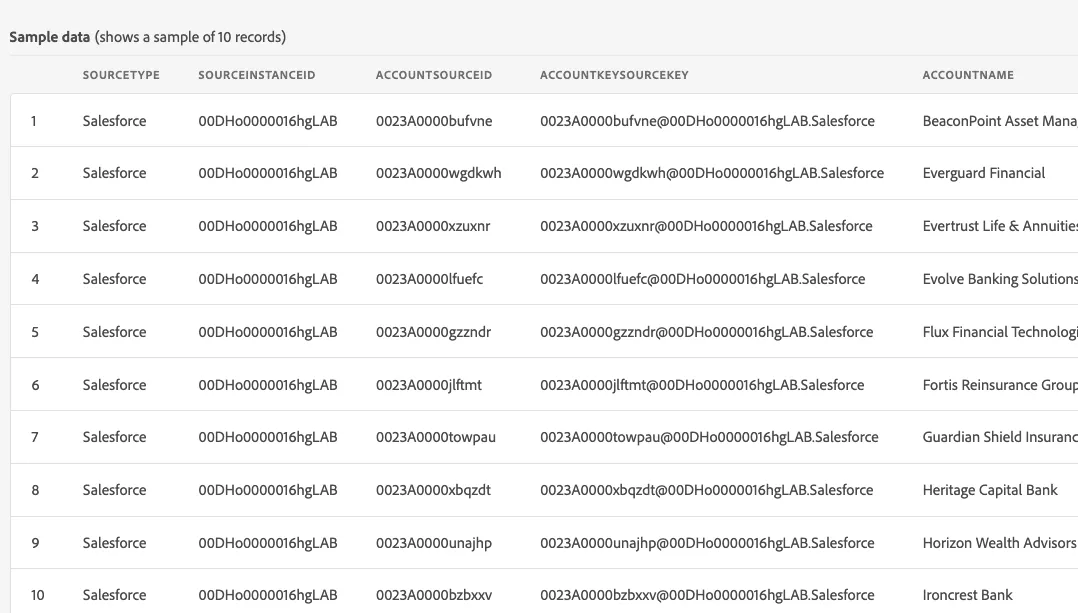
8. Confirm source fields are mapped to correct XDM fields
9. Mappings can be reused from previous successful runs or can be uploaded externally. For the purposes of the lab, we will use a pre configured mapping (attached here)
10. Review Data Prep functions
11. Click Validate and then Finish with no errors