Discover Collaborators and Send Invite
Before collaborators can work together on campaigns, they must establish a connection. This connection allows them to activate audiences, create projects, and run reports on campaign performance.
Connections are established based on your chosen collaboration pattern. Collaboration supports two key collaboration patterns: advertiser-to-publisher and brand-to-brand.
Only advertisers can discover publishers using the Discover collaborators workspace.
Private connection invite [Demo]
Private connection invites allow you to connect with collaborators you’ve communicated with outside of the product using a Connect code. To form a private connection, you need to obtain the Connect code from the collaborator you want to connect with outside of the product. You can then use this code to send a private connection invite to the collaborator in the Connect workspace.
Connect code
Before you can send a private connection invite, your desired collaborator must provide you their unique Connect code. To find and copy your Connect code, navigate to the My account tab within in the Setup workspace. The Connect code is displayed within your account details.
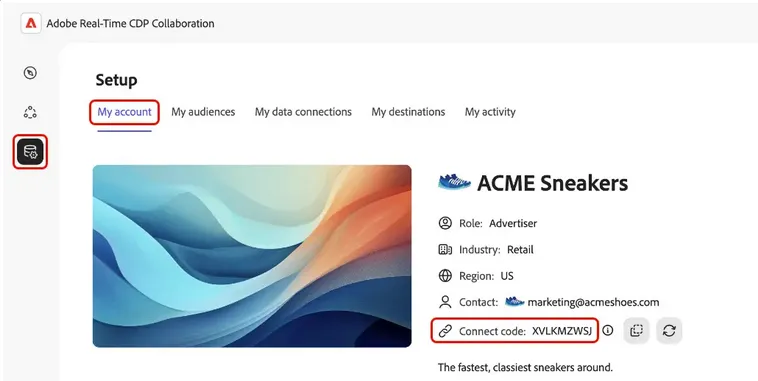
[Demo] Watch as we demonstrate how to connect with a collaborator privately using the UI's connect code.
Discover publishers and invite [Exercise]
Use the Discover catalog to explore publishers available in the Collaboration workspace.
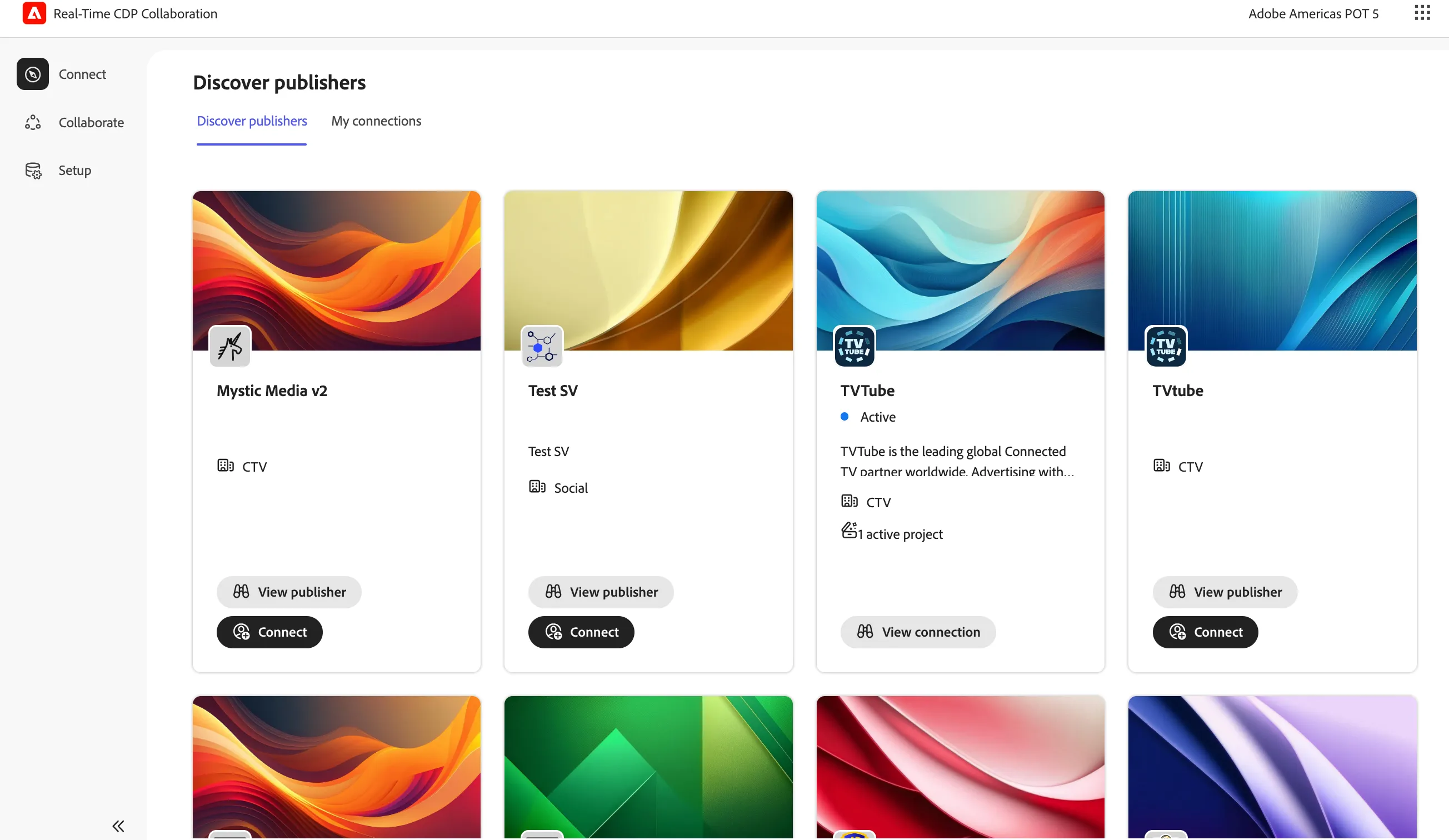
Find and select BoxStream Media and click Connect
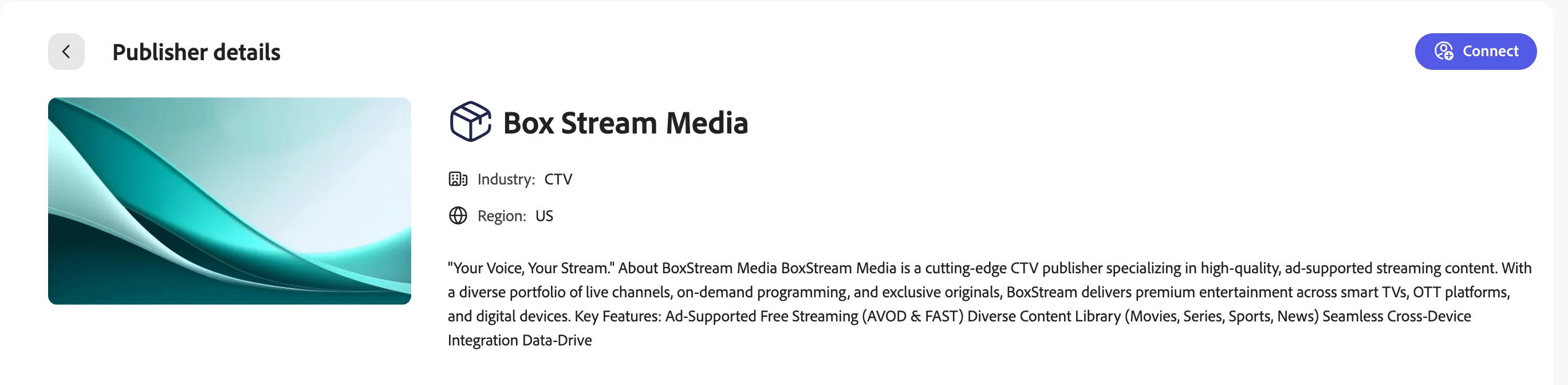
The Send connection invite window will appear. Click Send Invite
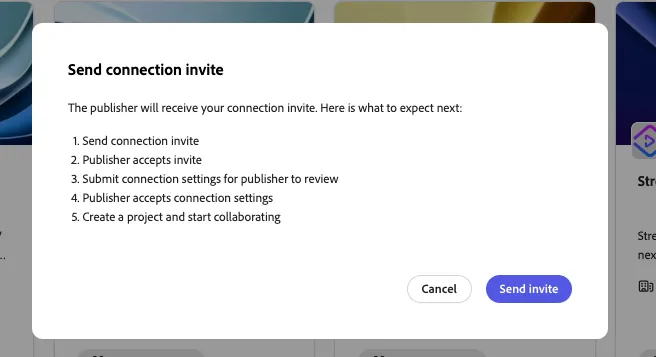
Proceed to preview your connection
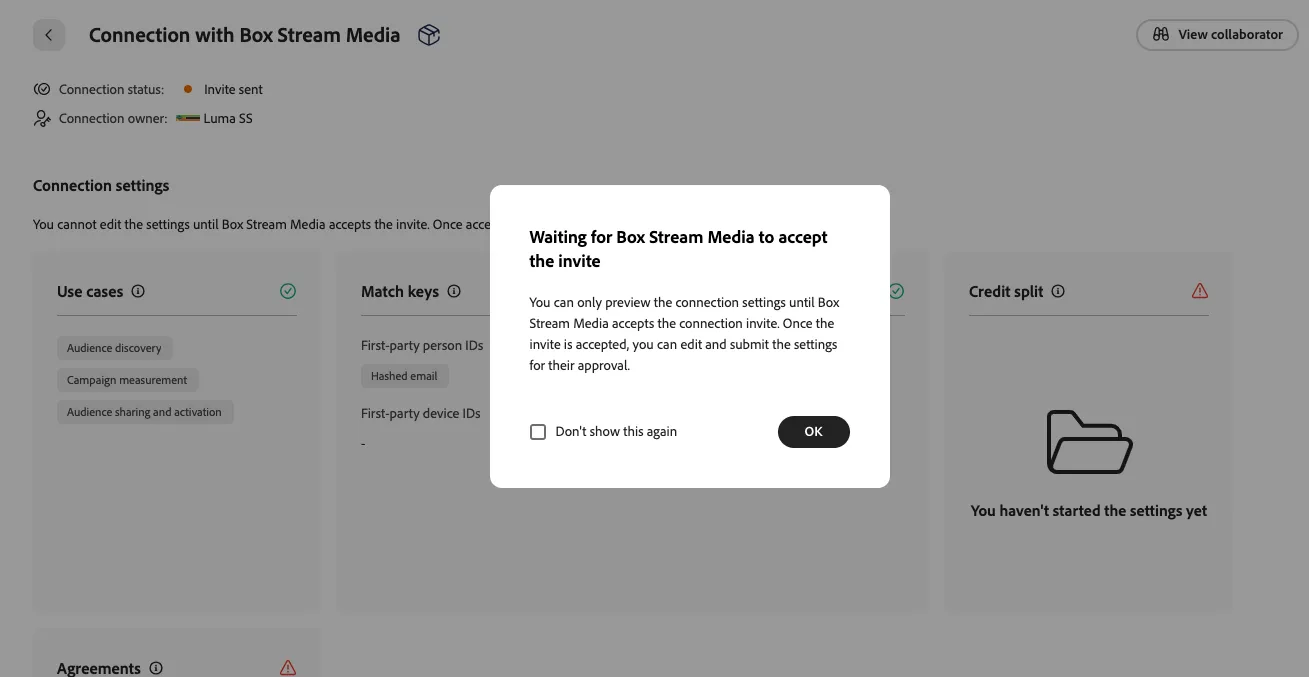
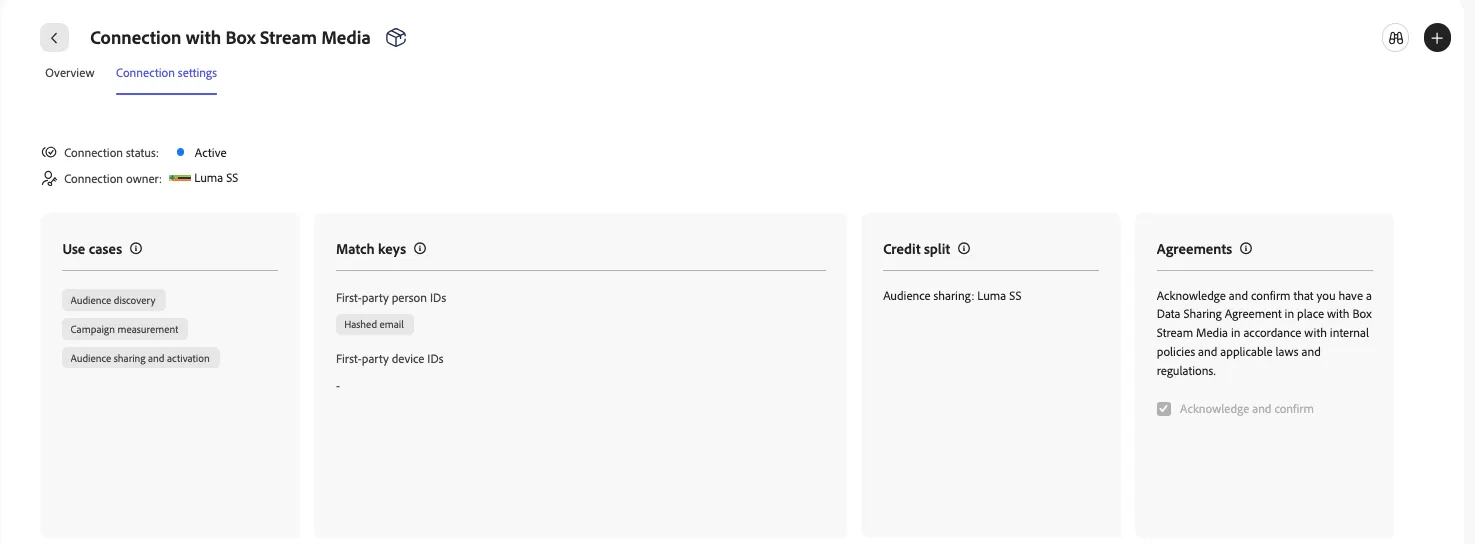
The publisher needs to accept your invitation to connect. Once accepted, you can complete the connection settings and hit Submit
The publisher's workspace will appear as below, prompting the end user to accept the connection invite. The connection is a two-way handshake to allow each party to proceed to agree to additional terms before collaborating.
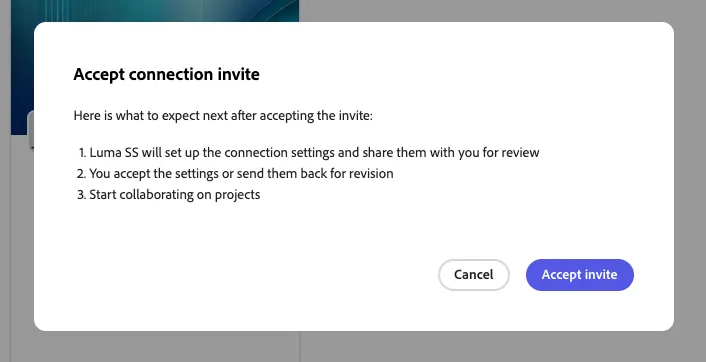
Once the publisher has accepted the connection invite, you must complete your connection settings
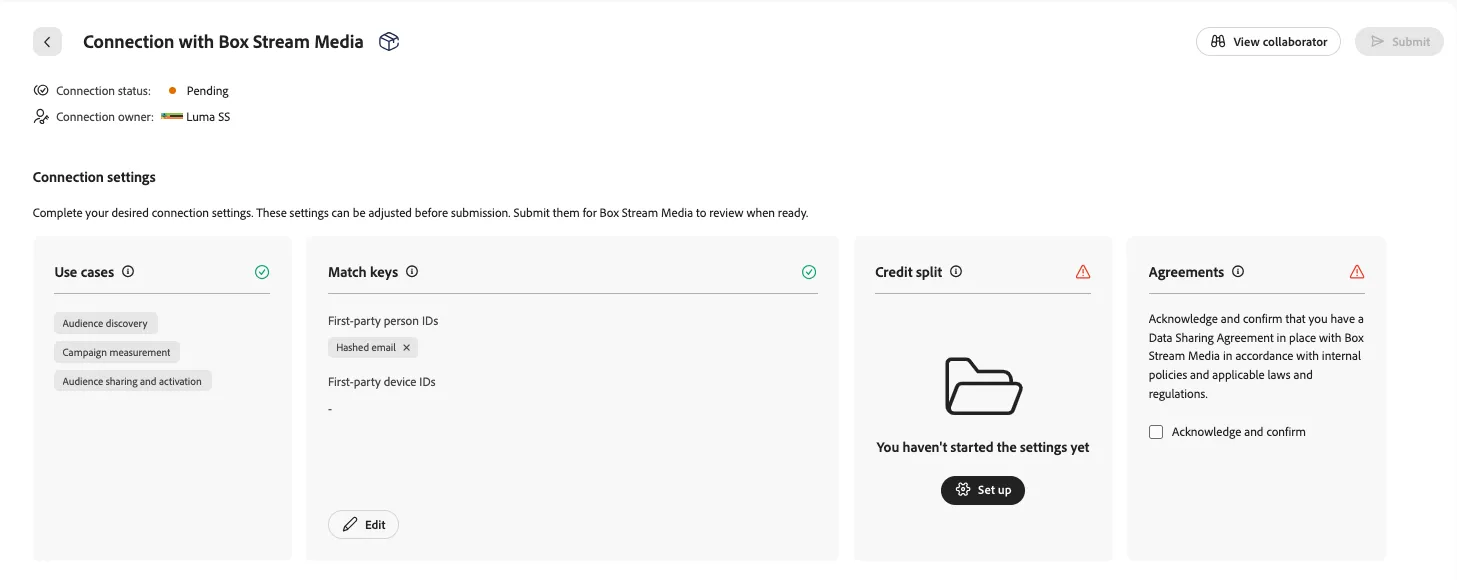
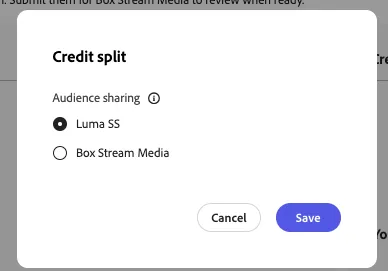
- Credit split: This section determines who is paying for the corresponding activities within Real-Time CDP Collaboration. Currently, only the audience sharing use case is configurable. Save the defaulted credit split to proceed
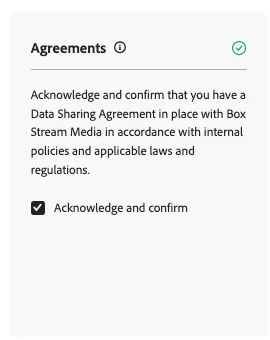
- Acknowledge and confirm: Verify that a data sharing agreement between the two parties exists.
Once submitted, the publisher must acknowledge and confirm on their end.
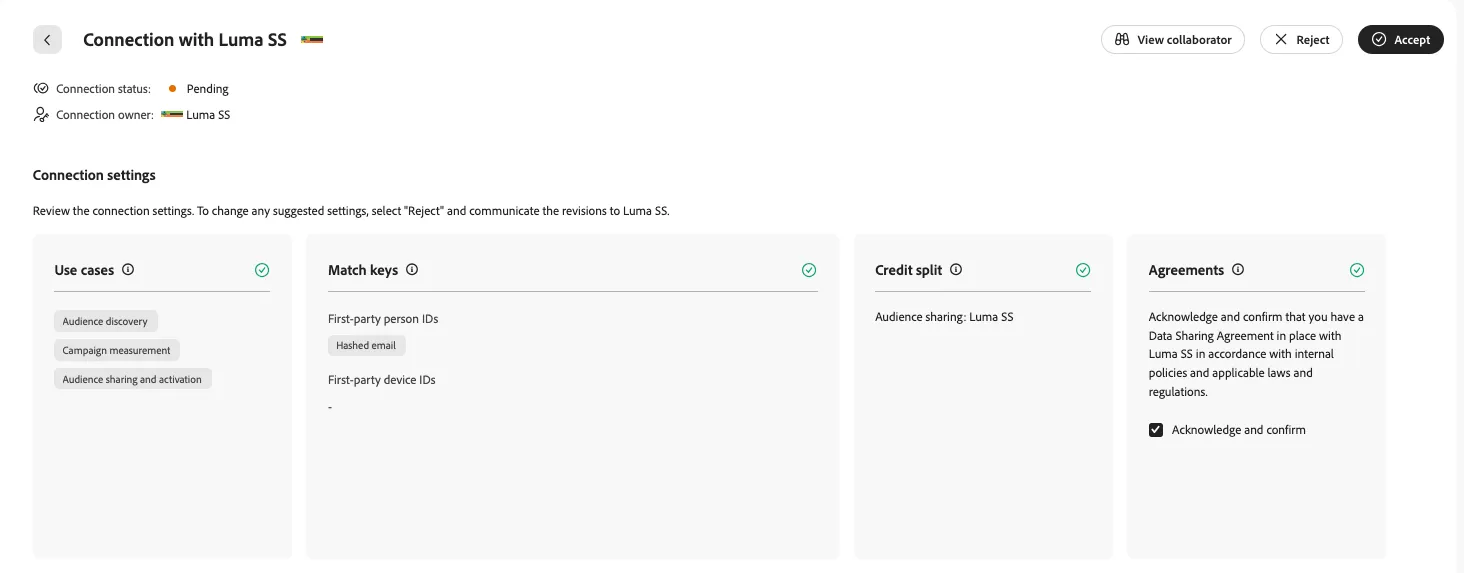
Once accepted by the publisher, you are ready to create a project and collaborate!
Your publisher connection is now Active.