Setting up a Data Model
Note: This portion will be a demo that will guide you through the process of setting up a data model to query your database through Experience Platform Federated Audience Composition
Creating a schema
To create schemas in Federated Audience Composition, follow the steps below:
- In the FEDERATED DATA section, click Models.
- Browse the Schema tab and click on the Create schema button.
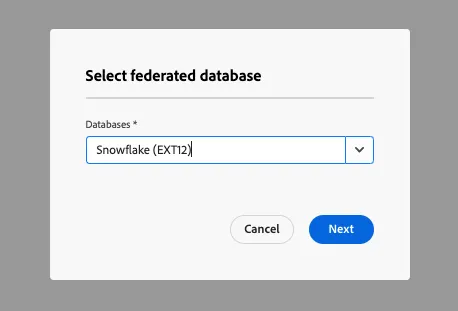
- Select your source database in the list, and click on the Add tables tab.
Select the following tables
- CRM
- Third Party Data
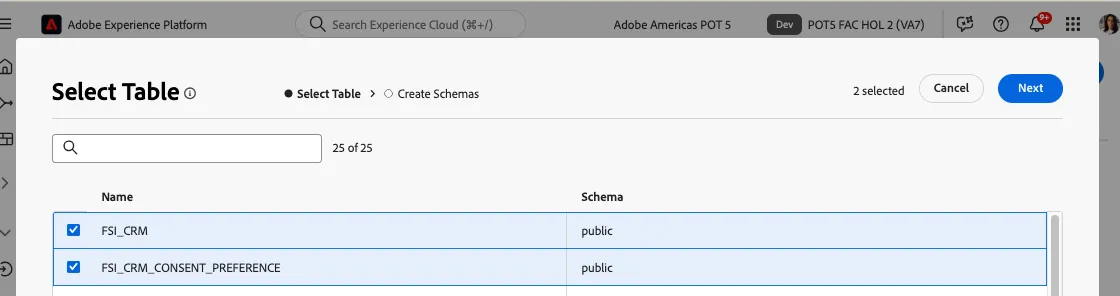
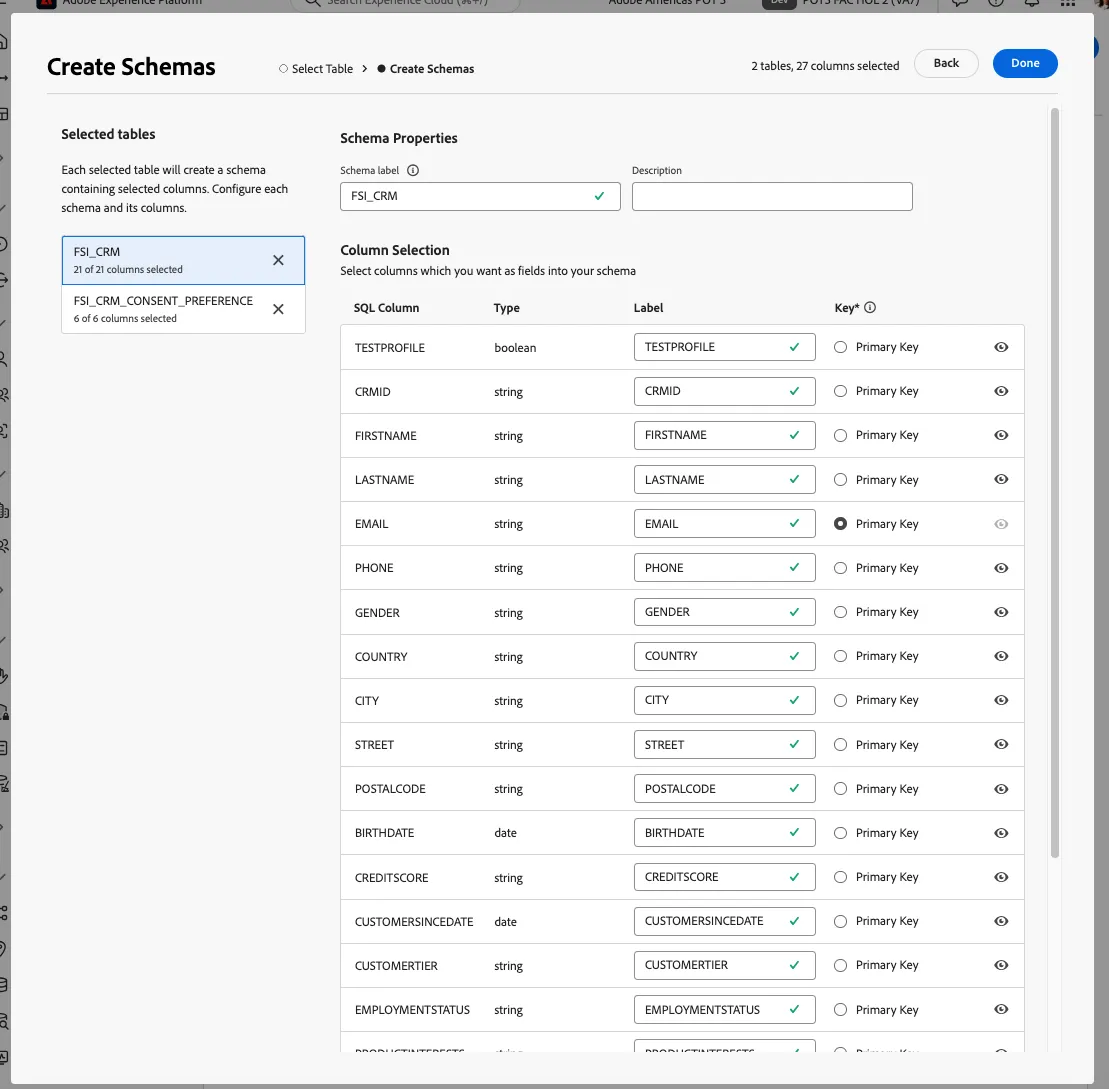
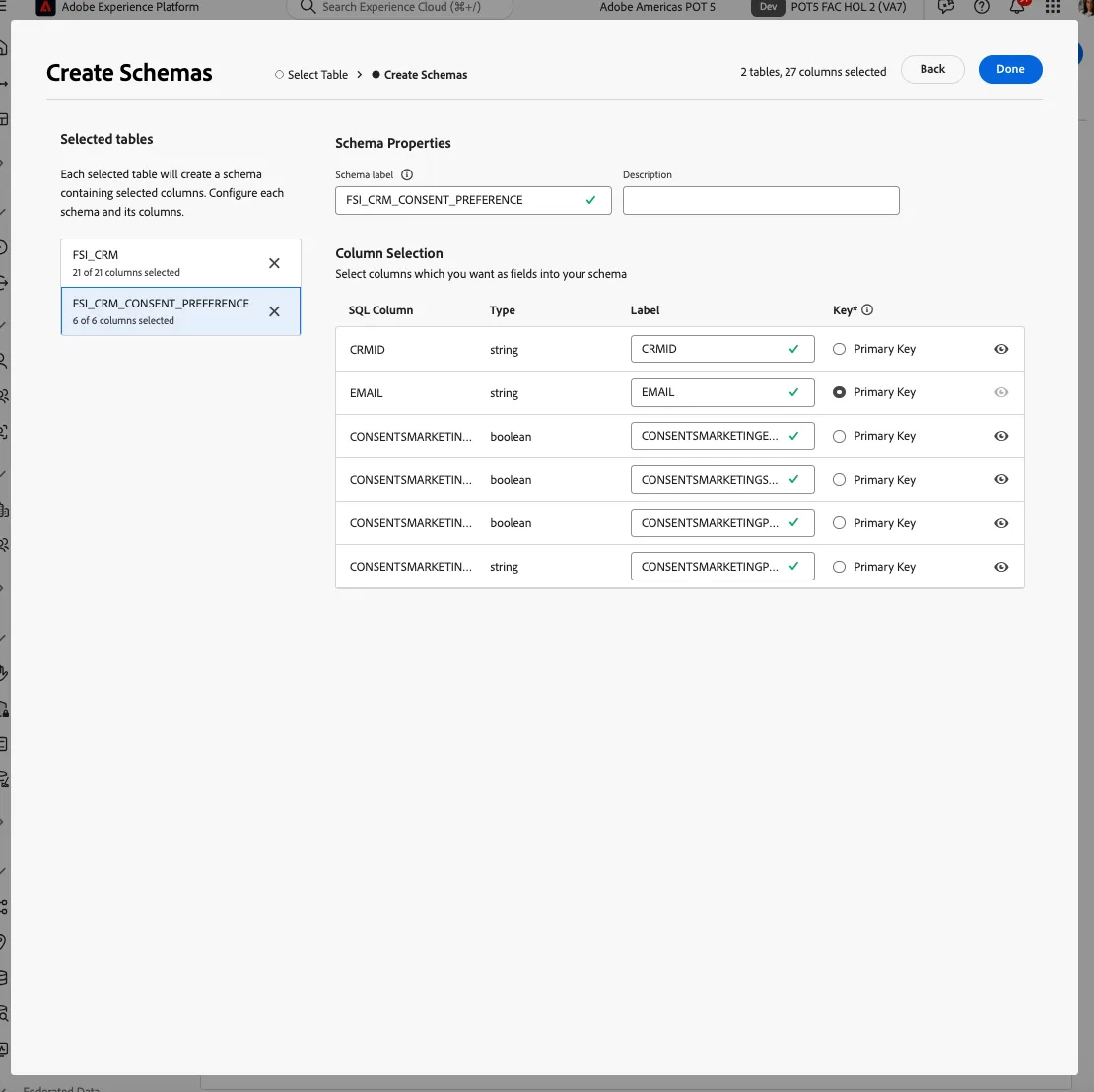
After selecting your tables, you can review the columns of each table then find and select your primary key. For this exercise, we will select EMAIL as primary key in both tables
Preview data in a schema
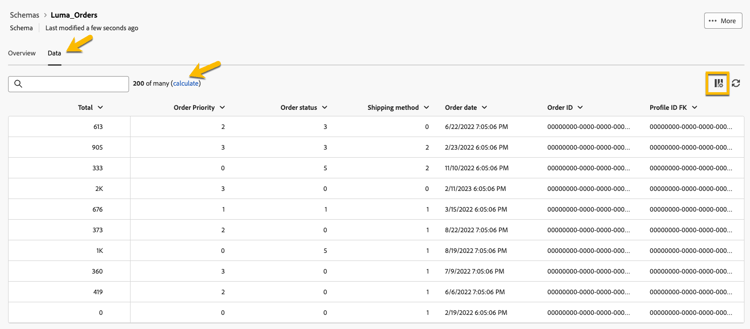
To preview the data in the table represented by your schema, browse to the Data tab as shown below.
Click on the Calculate link to preview the total number of records.
Create a data model
Data models allow you to create a link between tables. The link can be created between tables in the same database such as tables in Snowflake. You can also create a link between tables in different databases such as a link between a table in Snowflake and a table in Amazon Redshift.
To create a data model in Federated Audience Composition, follow the steps below:
- In FEDERATED DATA section, click Models then click Data Model. Click the Create data model button.
- Provide a name for your data model.
- Click on Add schemas and select CRM and Third Party Data schemas.
- This will now allow you to create a link between these tables, click on Create links.
- When creating a link, choose the applicable cardinality
- 1-N: one occurrence of the source table can have several corresponding occurrences of the target table, but one occurrence of the target table can have at most one corresponding occurrence of the source table.
- N-1: one occurrence of the target table can have several corresponding occurrences of the source table, but one occurrence of the source table can have at most one corresponding occurrence of the target table.
- 1-1: one occurrence of the source table can have at most one corresponding occurrence of the target table.
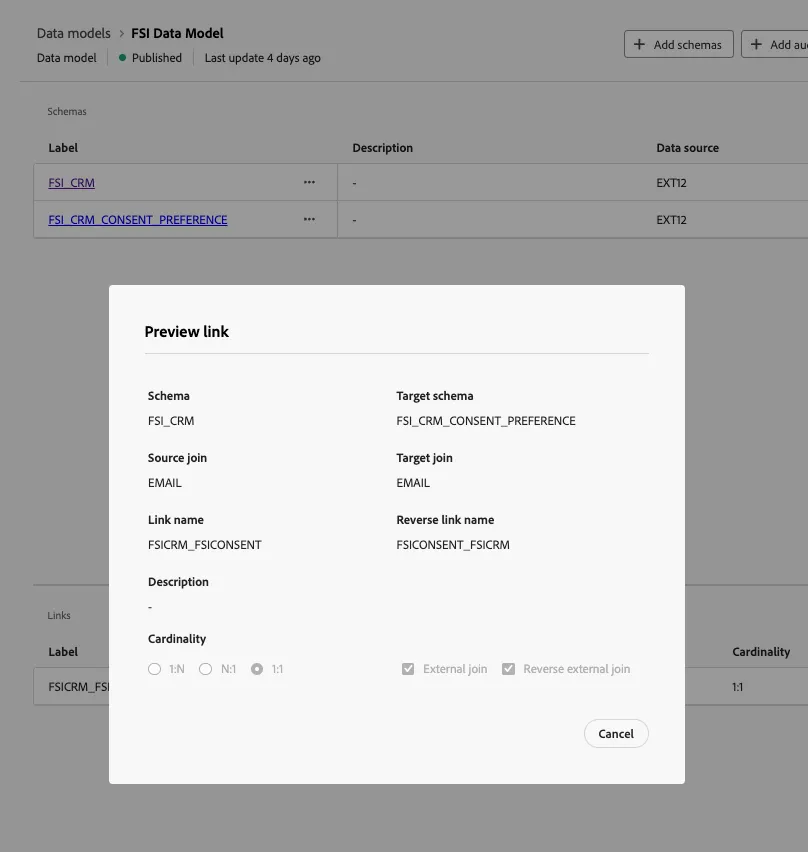
Below is a preview of the link created for the lab exercises. The link enables a join between the CRM and consent tables, using the primary key of EMAIL to perform a join.