Retargeting on Social
We may want to retaret customer who comes to the web site and don't book a test drive on Social. But we may want to limit the audience to only people who are likely to book.
It's equally important to ensure that we suppress advertising and save on media spend once the test drive has been booked.
For this purpose we will use Adobe's sequential segmentation capability. This allows us to create a complex audience which follows a sequence of events. ie. Customer did this.. then did that. Or in our case, they went to web site, then did NOT book a test.
We will then share this audience with Facebook and Google to be used for targeted advertising. Once customers complete the booking they will be automatically removed from the audience and targeted advertising will stop.
Create a sequential segment
In this exercise we're going to create a Segment to identify individuals who browse Curvv page but have not booked test drive in the last 7 days.
- Click on + Create Audience, then select build rule.
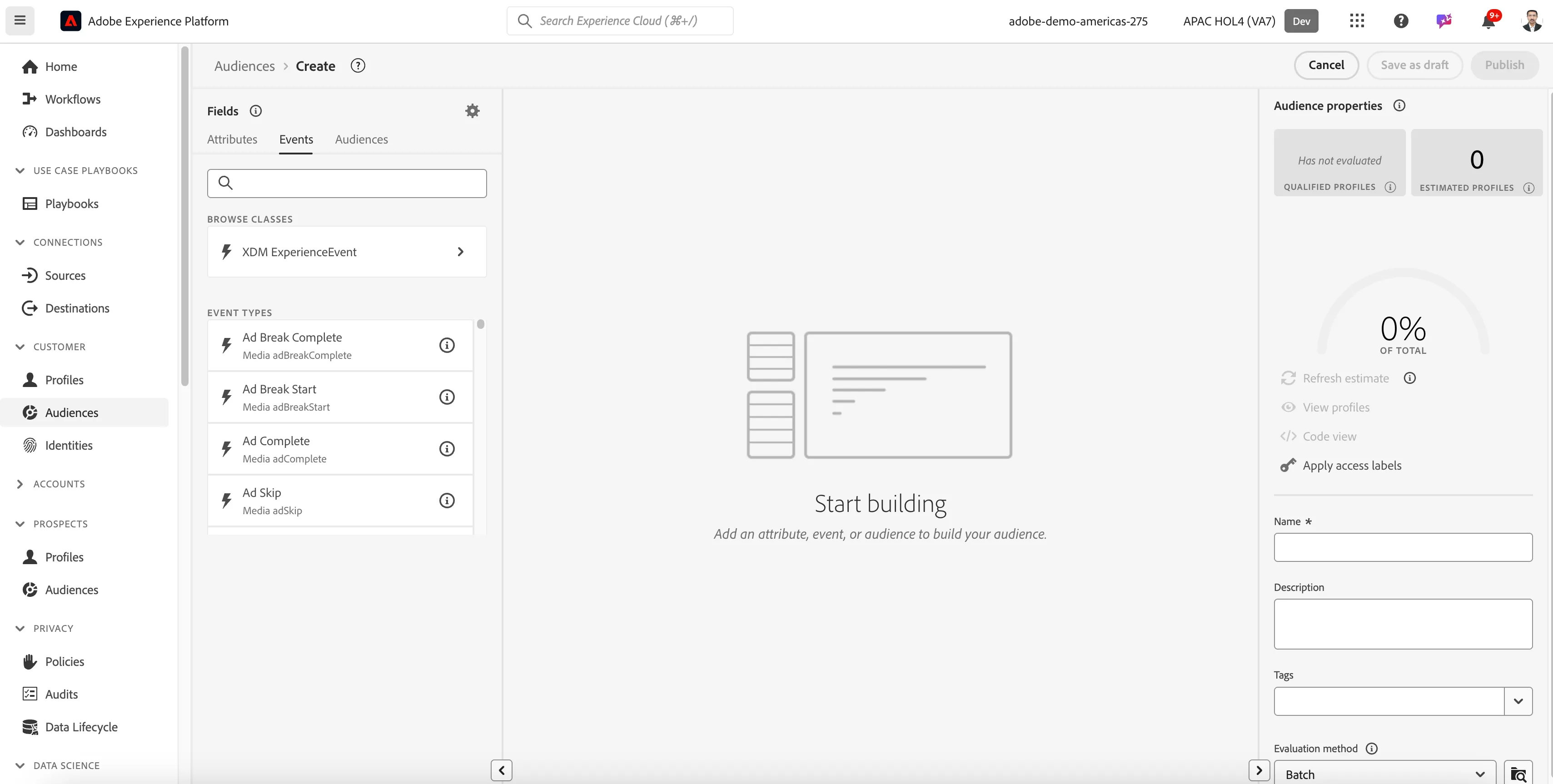
2. You will end up in the new segment builder. Change from Attributes tab to the Events tab as we'd like to create an audience based on the customers behaviour.
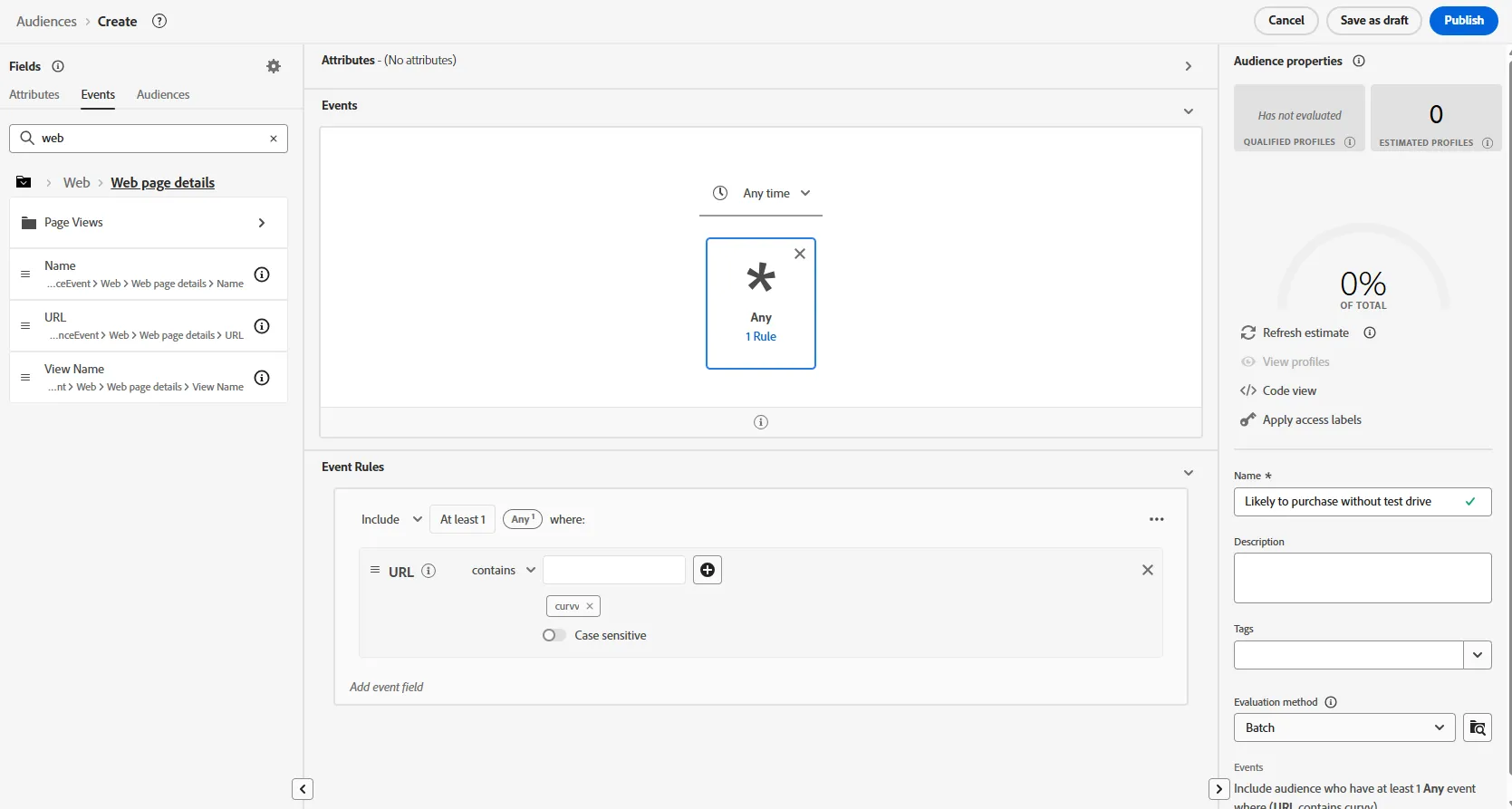
3. Search for Web page detail -> URL . Drag the URL attribute onto the canvas and replace condition by contains curvv. that will give us everybody who browse a curvv related web page.
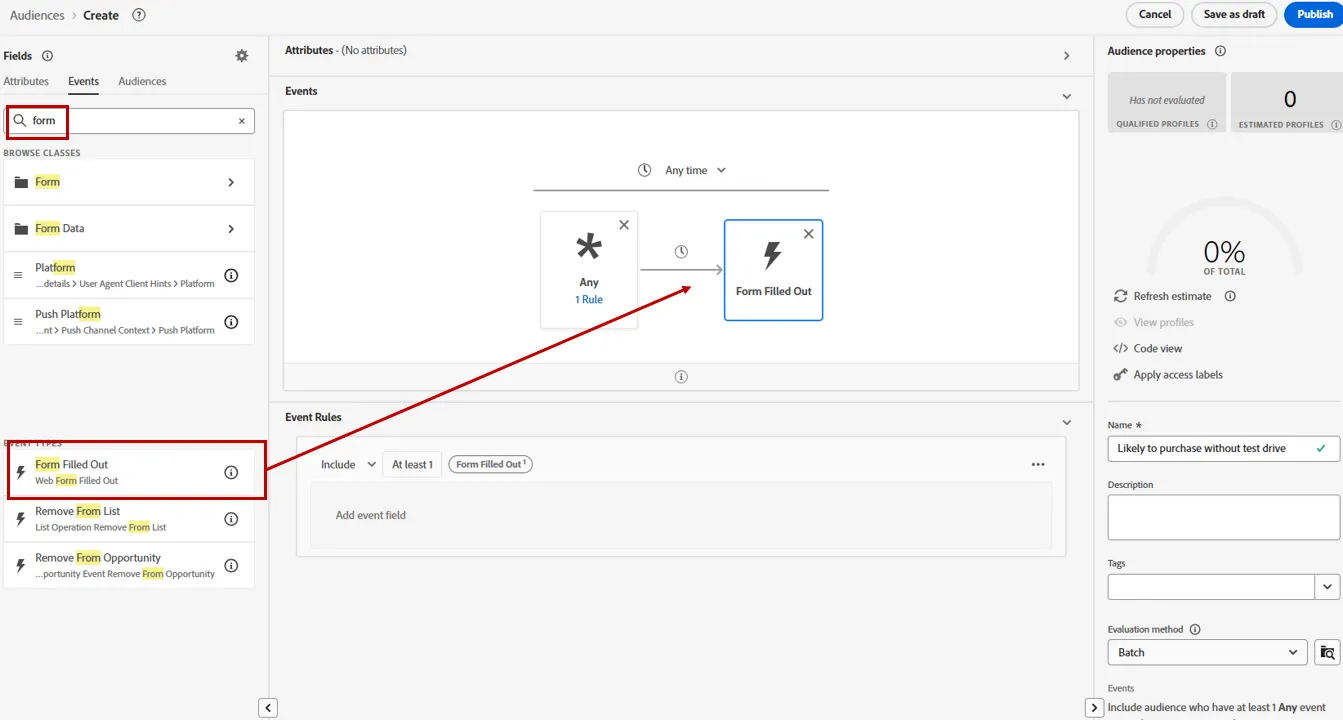
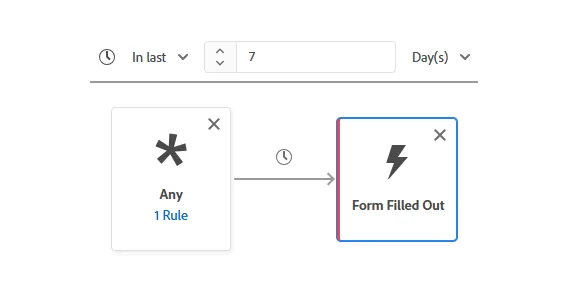
5. Search for Form, then drag and drop the Form Filled Out event type onto the canvas and add it to the right of the page view event. Note: you need to hover over the right side of the page view event to drop the Step event in sequence
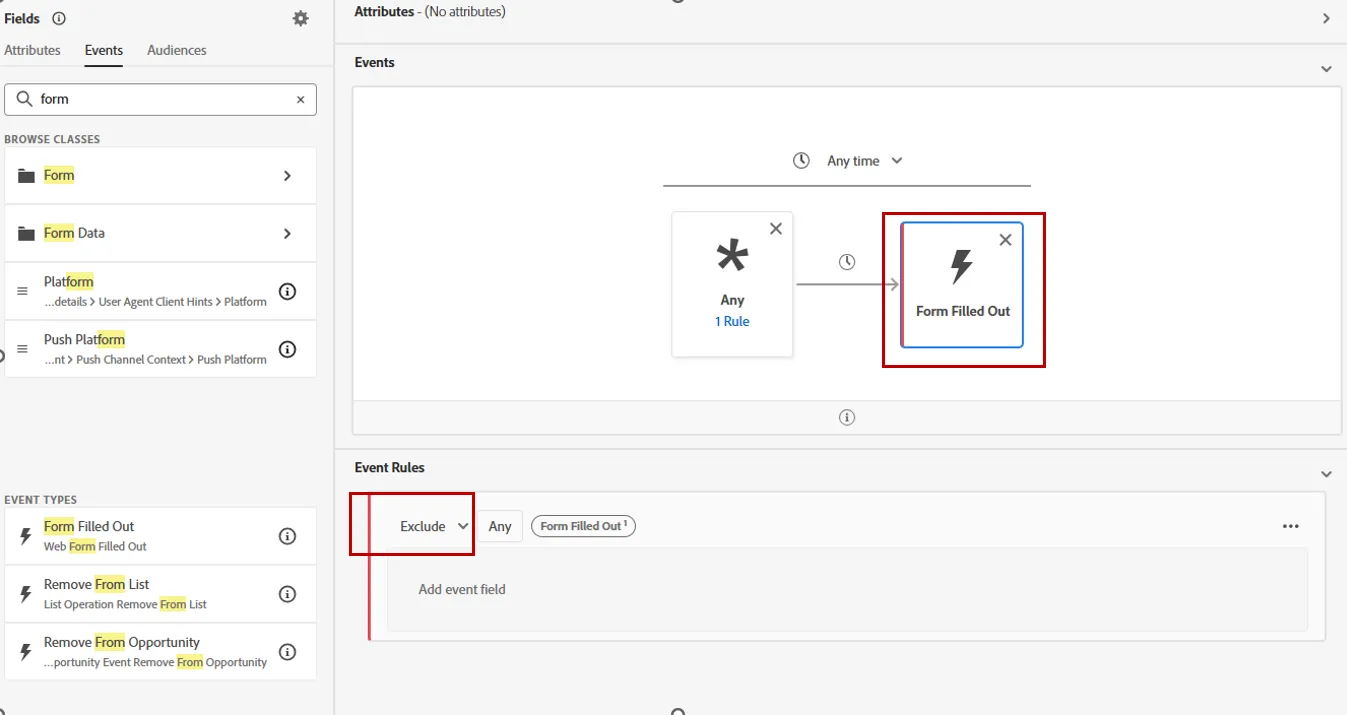
Click on the form filled out event, then change include to exclude
7. Change the overarching time period Anytime to In Last.. 7 days.
We may also want to filter only people who are likely to purchase. For this, we can use result of AI propensity score, and remove people who purchased a car recently.
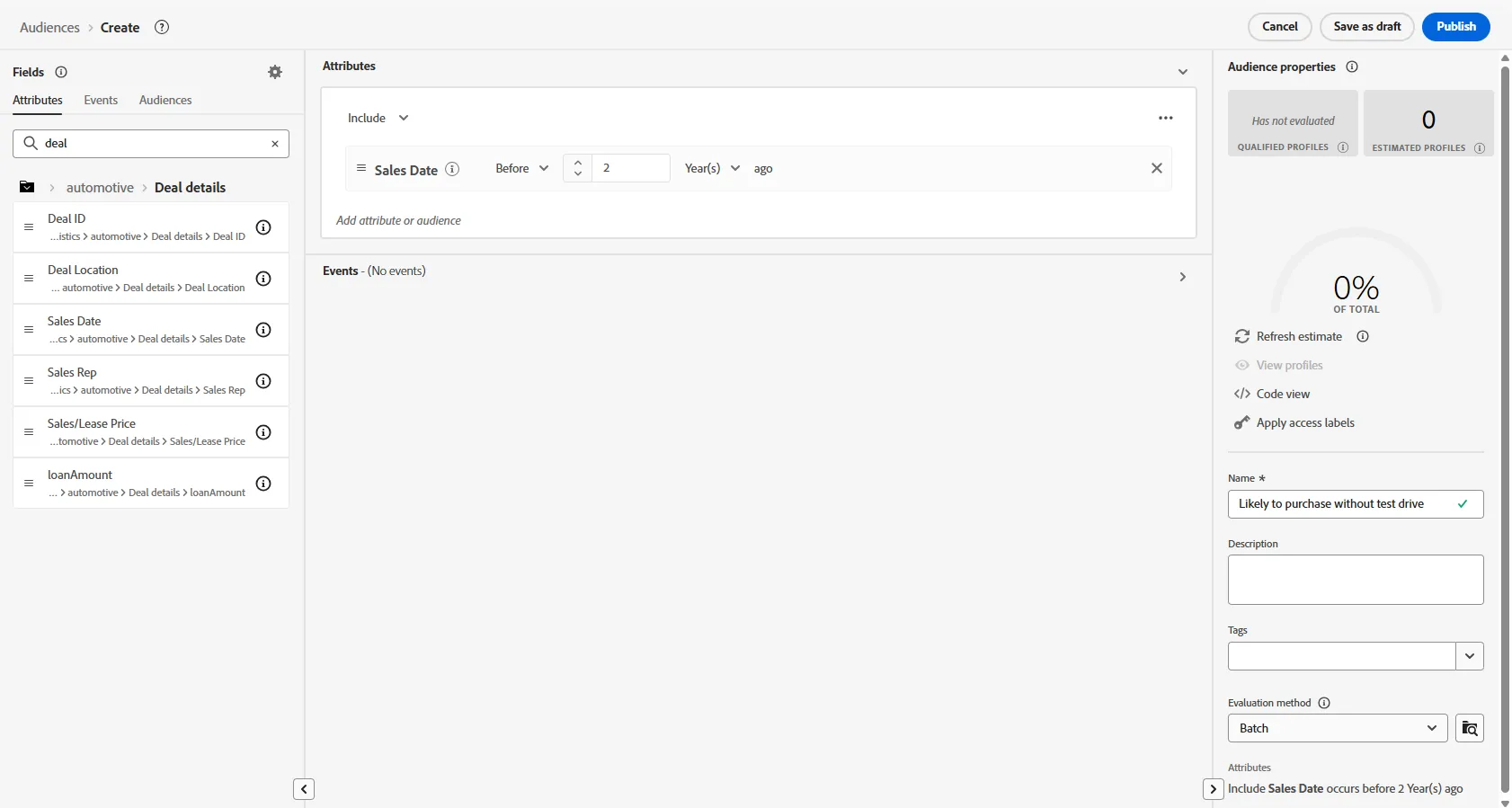
Click on the Attributes tab. Then search for Deal details. Drag and drop Sales Date onto the canvas.
Change the condition to before 2 years ago
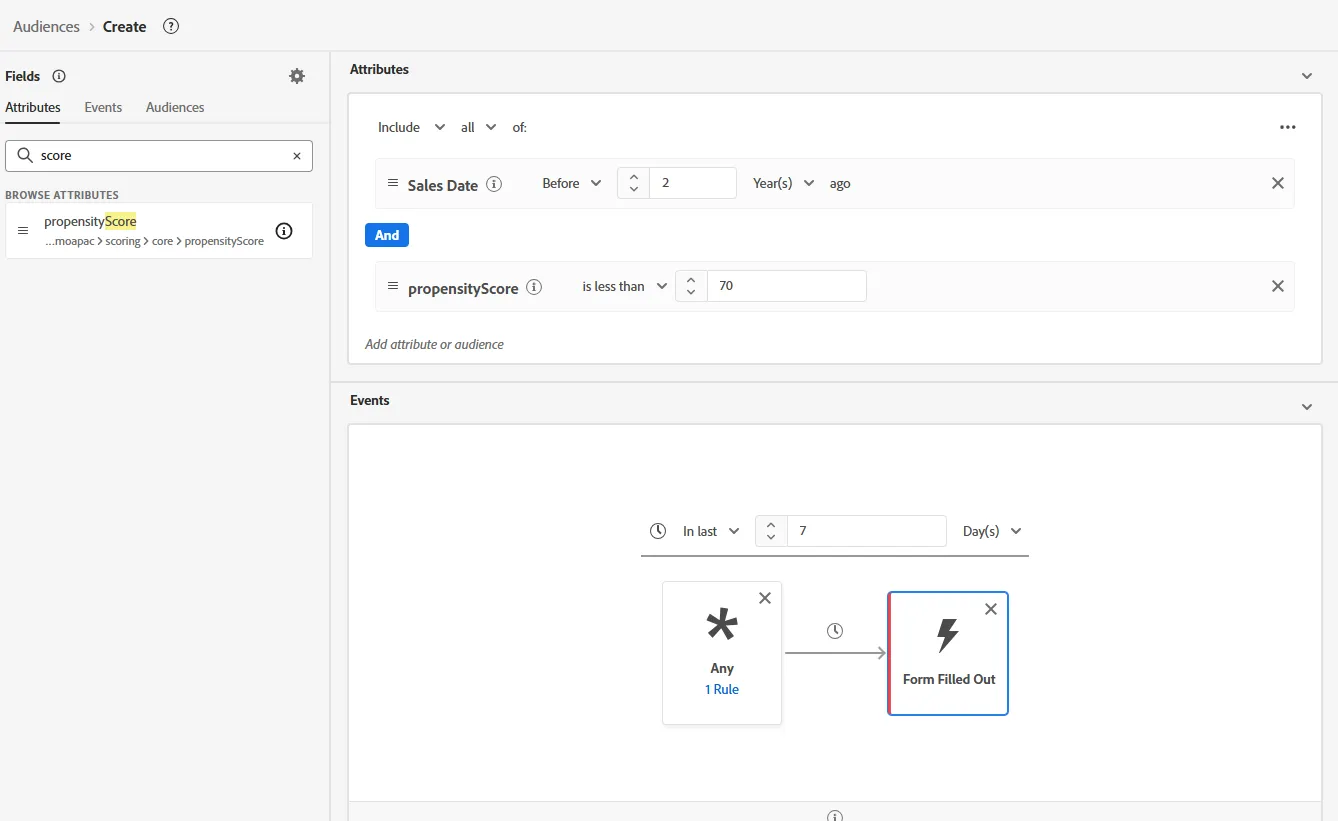
Now let's add condition on propensity score. Search for Score. Drag and drop propensityScore just under Sales Date in the central pannel. Change condition to is greater than 70.
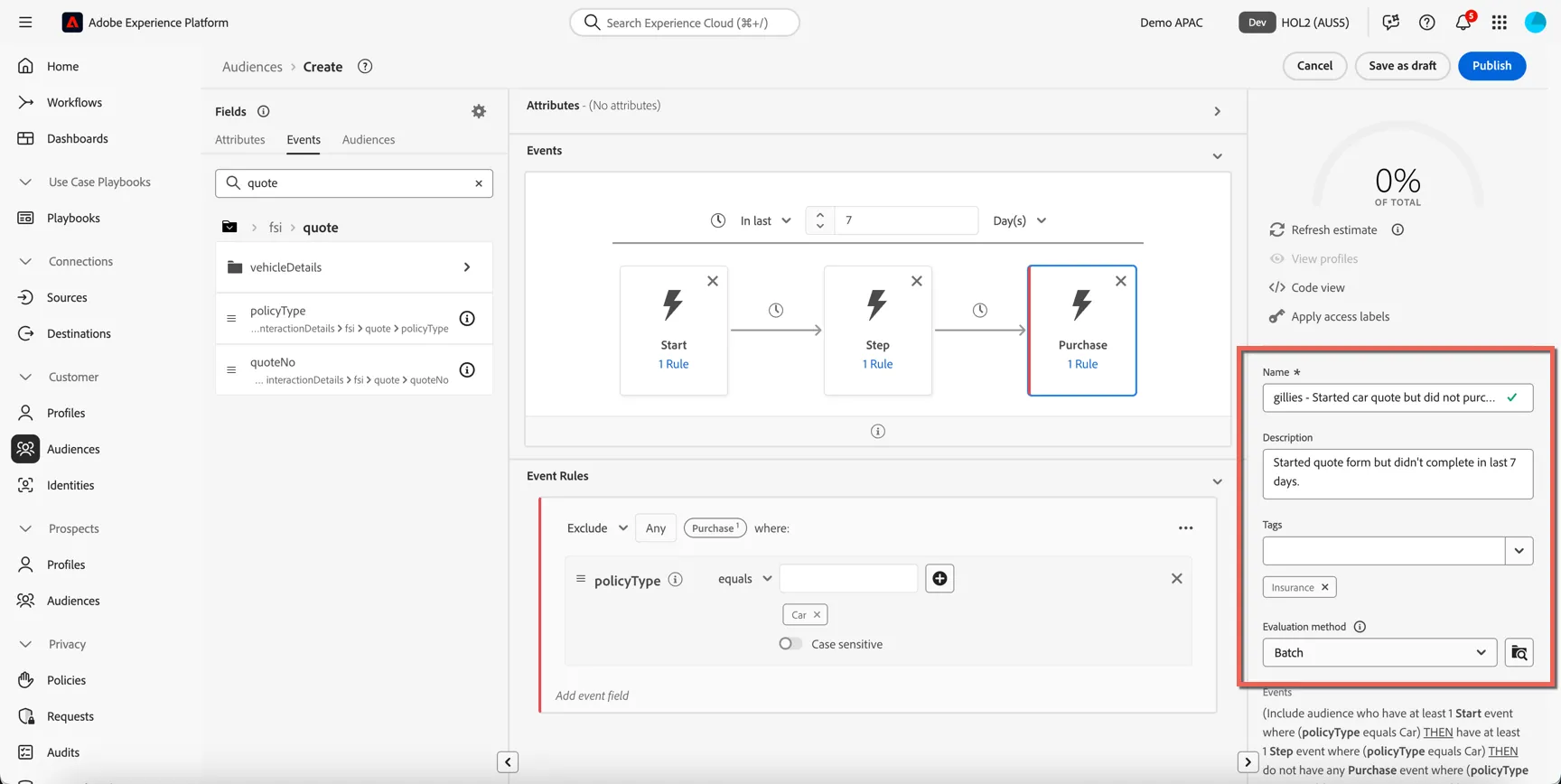
9. Give your Segment a name. E.g. your last name - prospect without test drive.
Add a description to help others quickly understand your audience logic.
16. Select Publish.
You have successfully created a Sequential Audience which we can use to retarget customers on social. By it's nature advertising will be suppressed once the customer completes the purchase.
You can now activate this audience to Meta, Google or Tiktok as desired.
Activate to Meta
Activate profiles to Meta for ad targeting, personalization, and suppression based on hashed email and phone number.
You can use this destination for audience targeting to reach and re-engage with your customers across Meta owned properties like Facebook and Instagram.
Tiktok supports the activation of identities:
- GAID - Google Advertising ID
- IDFA - Apple ID for Advertisers
- phone_sha256 - Phone numbers hashed with SHA256 algorithm
- email_lc_sha256 - Email addresses hashed with SHA256 algorithm
- externalId - An external customer defined id
Export Type = Segment Export
Meta requires that no personally identifiable information (PII) is sent in clear. Therefore, the audiences activated to these destinations can be keyed off hashed identifiers, such as email addresses or phone numbers.
Go to the Adobe Experience Platform.
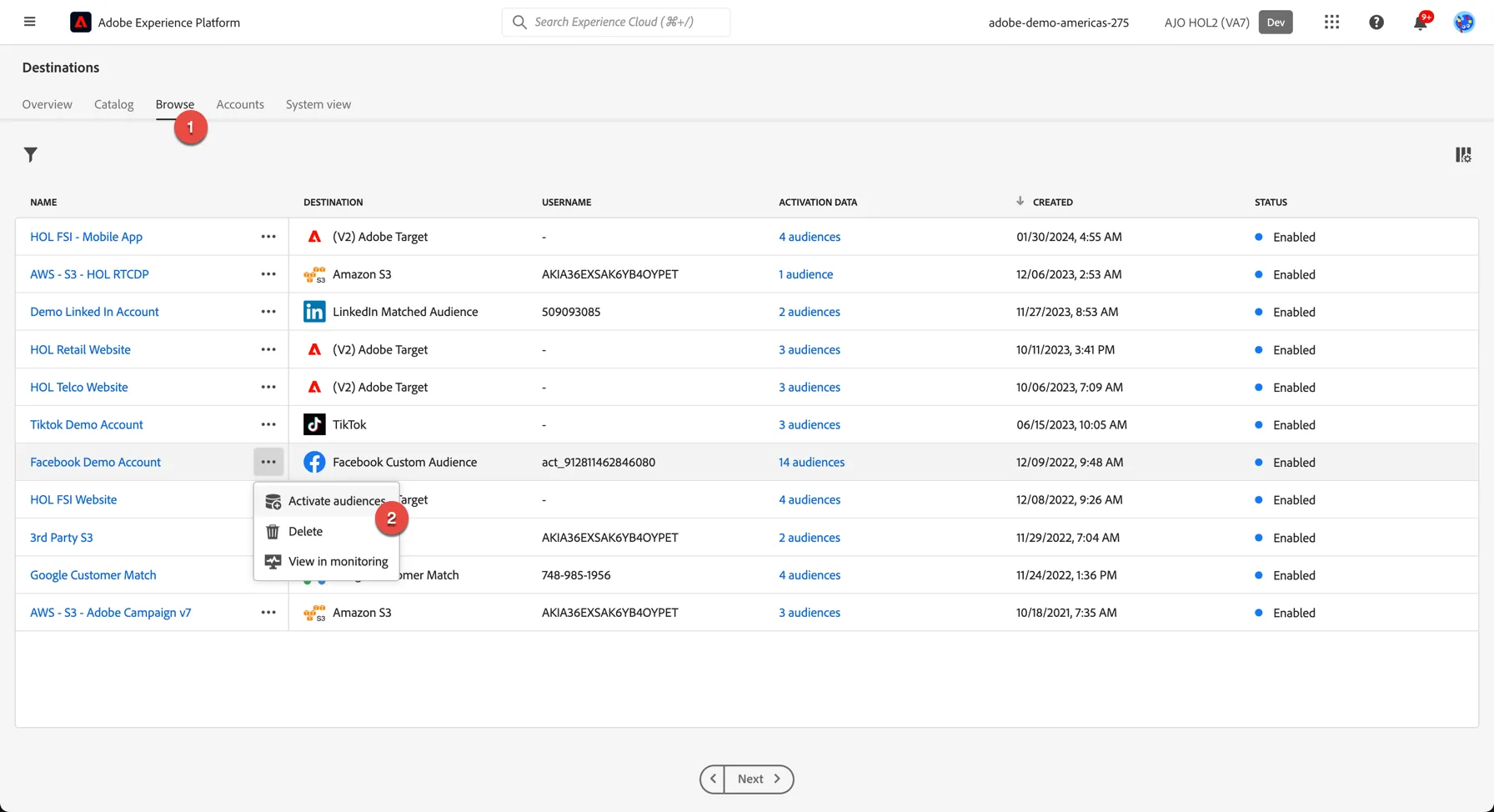
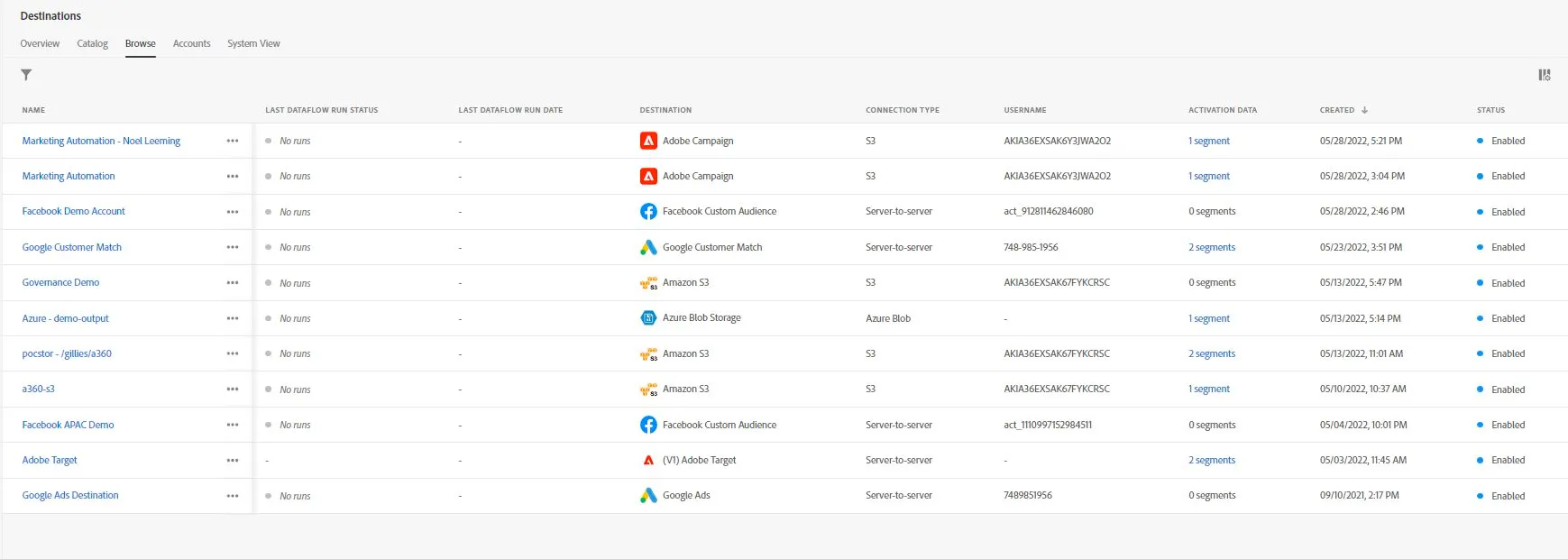
- There are a few destinations already configured for this HOL. Click on browse on the top menu to see the list. Click on the 3 dots and select to Activate audiences
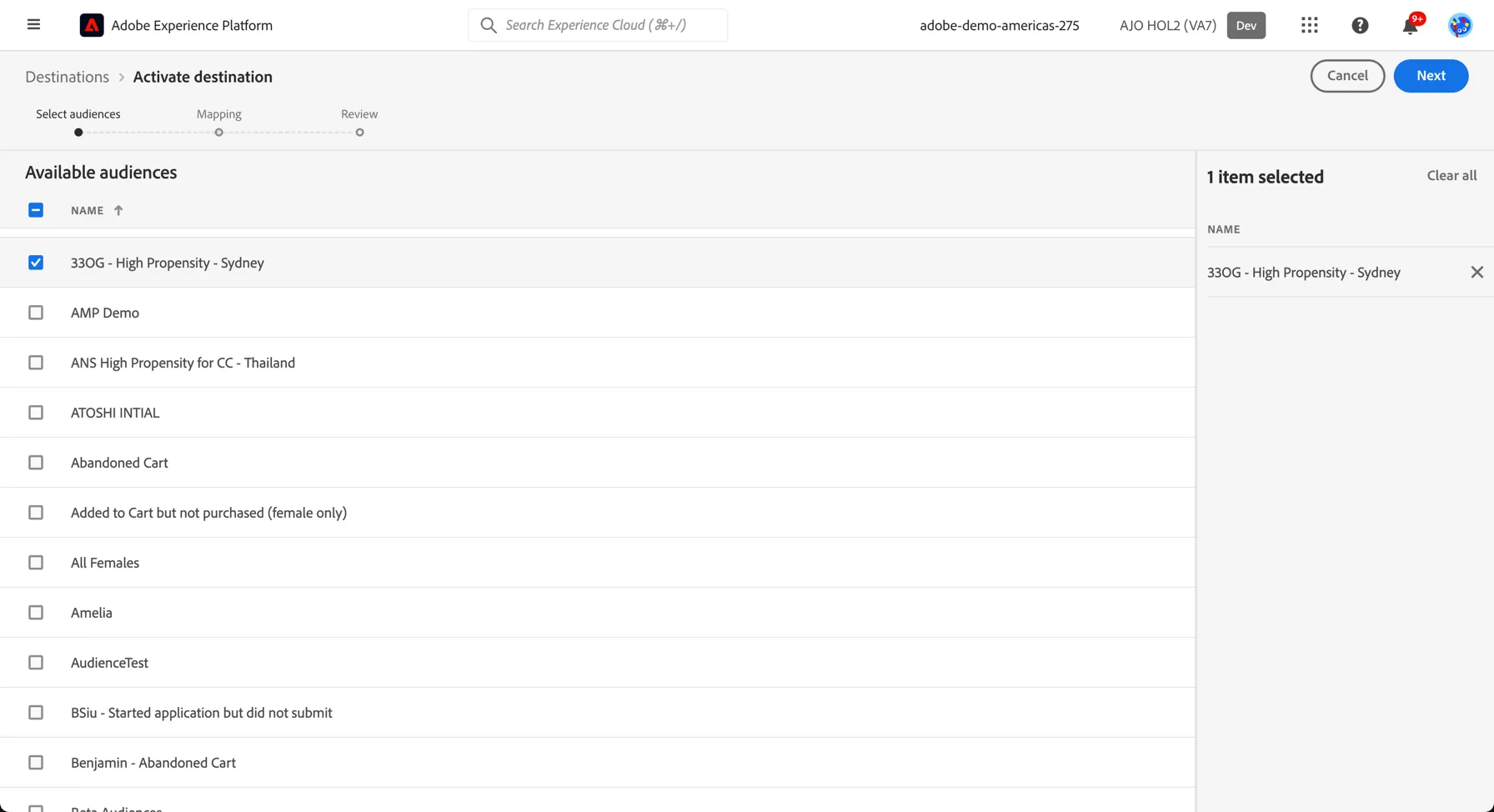
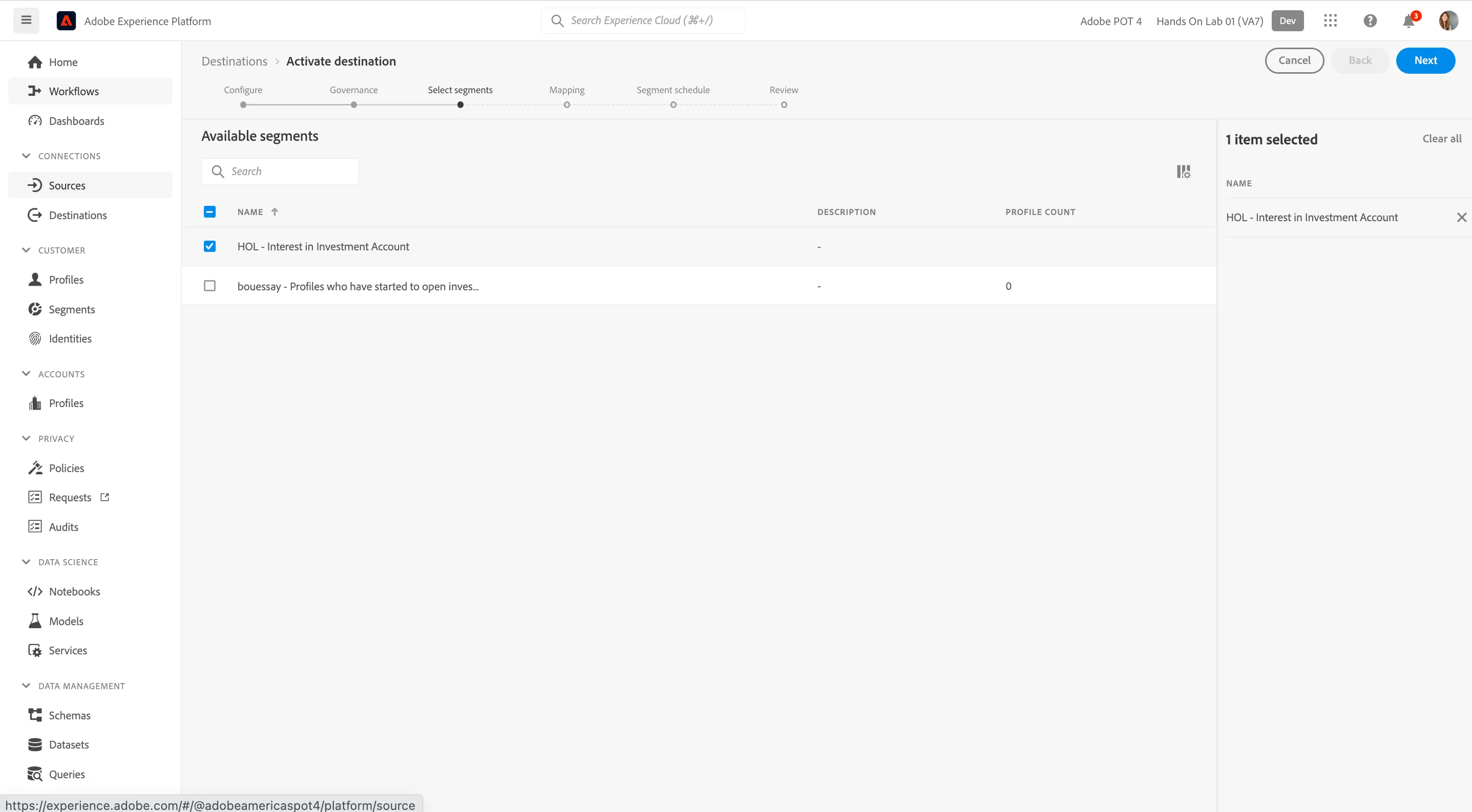
2. In the list of available segments, select the segment you created in the previous exercise.
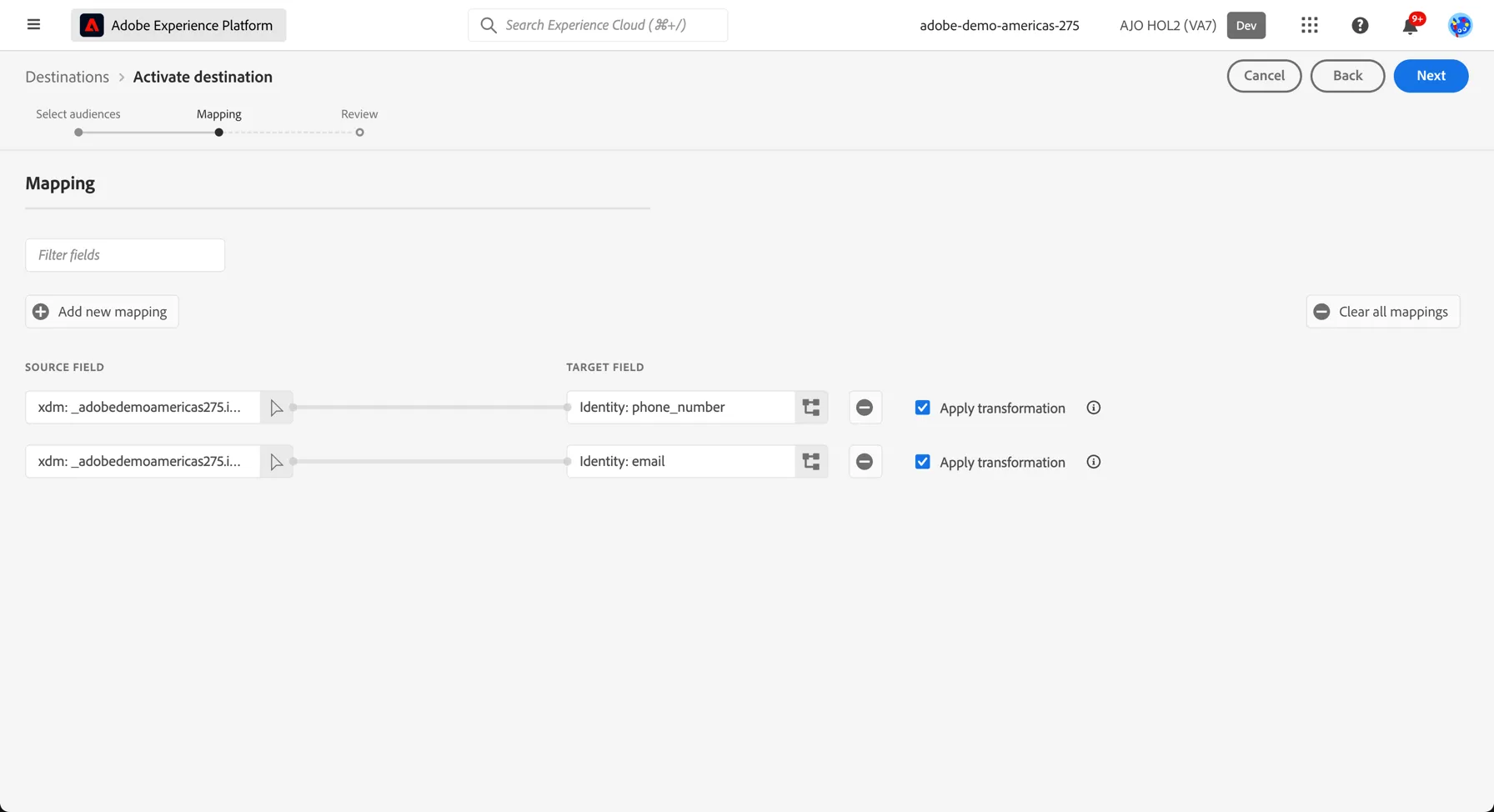
3. The mapping step only needs to be completed once, after that every segment will use the same set of mapping identifiers to match customers between Adobe Experience Platform and your destination. For Tiktok we use hashed email and phone number. Click Next to proceed to the next step.
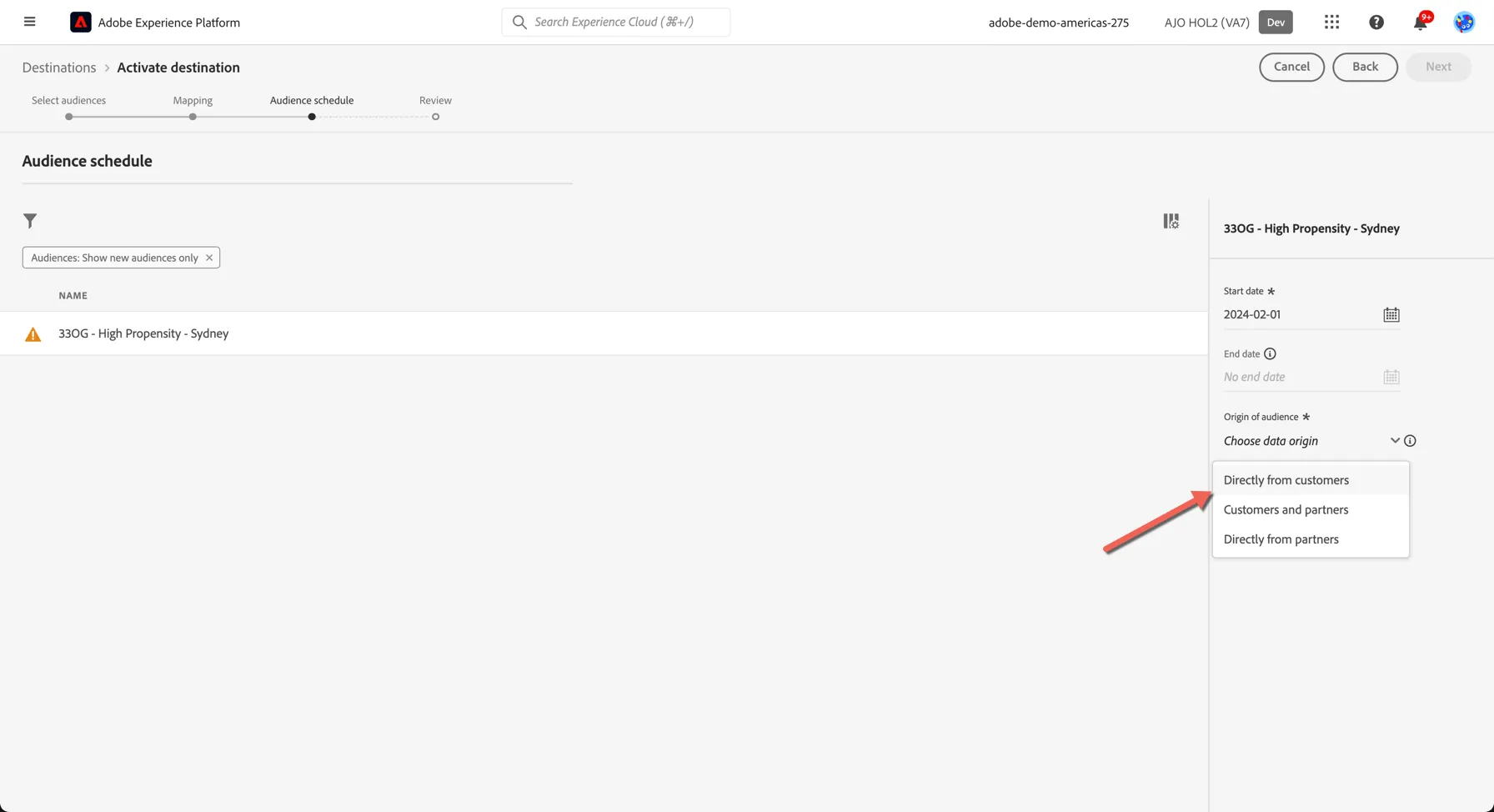
4. Meta requires that you declare where the audience data has come from, on the audience schedule step, select that the audience data has come directly from Your Customers.
5. Finally, on the Review page, click Finish.
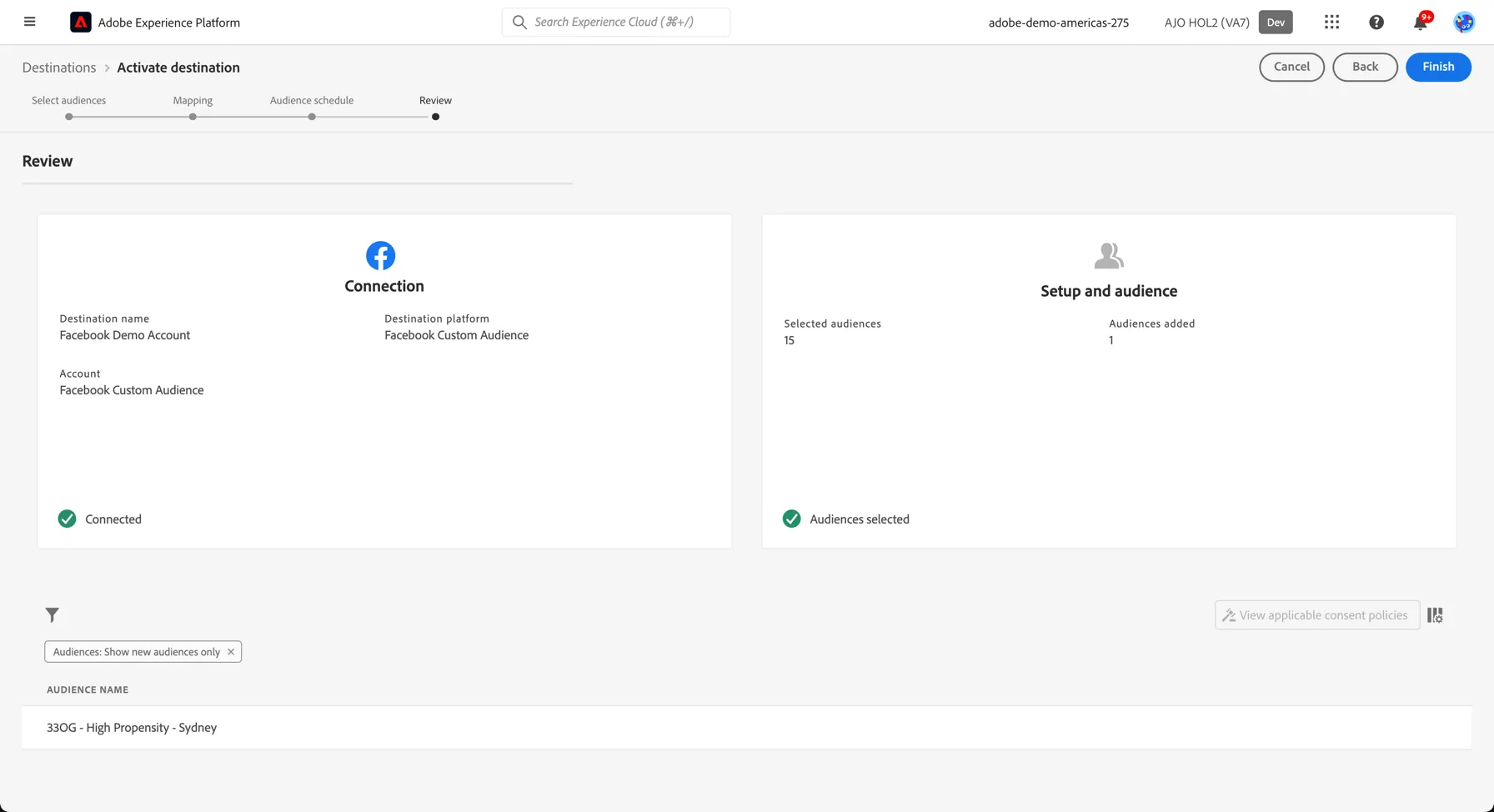
Your segment is now activated to Meta
For Meta, a successful activation means that a Meta custom audience would be created programmatically. Segment membership in the audience would be added and removed as users are qualified or disqualified for the activated segments.
The integration between Adobe Experience Platform and Meta supports historical audience backfills. All historical segment qualifications get sent to Meta when you activate the segments to the destination.
Activate to Google
Activate profiles to Google Customer Match for ad targeting, personalization, and suppression based on hashed email and phone number.
You can use this destination for audience targeting to reach and re-engage with your customers across Google’s owned and operated properties, such as: Search, Shopping, Gmail, and YouTube.
Google Customer Match supports the activation of identities:
- GAID - Google Advertising ID
- IDFA - Apple ID for Advertisers
- phone_sha256 - Phone numbers hashed with SHA256 algorithm
- email_lc_sha256 - Email addresses hashed with SHA256 algorithm
- extern_id - Custom user IDs
Export Type = Segment Export
Google and Facebook both require that no personally identifiable information (PII) is sent in clear. Therefore, the audiences activated to these destinations can be keyed off hashed identifiers, such as email addresses or phone numbers.
Go to the Adobe Experience Platform.
- There are a few destinations already configured for this HOL. click on browse on the top menu to see the list
3. In the list of available segments, select the segment you created in the previous exercise.
4. You need to specify your mapping identifiers between Adobe Experience Platform and your destination. These will be used to match the profiles in your segments between platforms.For this lab, the mapping has already been defined, we use email and phone number.Click to the Next step.
5. On the Segment Schedule step, We don't have anything to do. click next again
6. Finally, on the Review page, click Finish.
Your segment is now activated to Google
For Google, a successful activation means that a Google custom audience would be created programmatically. Segment membership in the audience would be added and removed as users are qualified or disqualified for the activated segments.
The integration between Adobe Experience Platform and Google supports historical audience backfills. All historical segment qualifications get sent to Google when you activate the segments to the destination.