Access
1 min
- When prompted for authentication, use the following Adobe ID. Do not use your own email address. Also, sign-out from all Adobe instances that might be open.
Password for all users is: xlsmart2026!
User # | Login Email |
|---|---|
1 - Trifana Fithra | |
2 - Rini Barus | |
3 - Josua Deston Girsang | |
4 | |
5 | |
6 | |
7 | |
8 | |
9 | |
10 | |
11 | |
12 | hol4u12@apac.aephandsonlabs.com |
13 | hol4u13@apac.aephandsonlabs.com |
14 | hol4u14@apac.aephandsonlabs.com |
15 | hol4u15@apac.aephandsonlabs.com |
16 | hol4u16@apac.aephandsonlabs.com |
17 | hol4u17@apac.aephandsonlabs.com |
18 | hol4u18@apac.aephandsonlabs.com |
19 | hol4u19@apac.aephandsonlabs.com |
20 | hol4u20@apac.aephandsonlabs.com |
Ensure you are in the right sandbox. On the top right you should see HOL4 (AUS5) representing the sandbox we will use for the lab. If you see a different value please click to change to HOL4 sandbox.
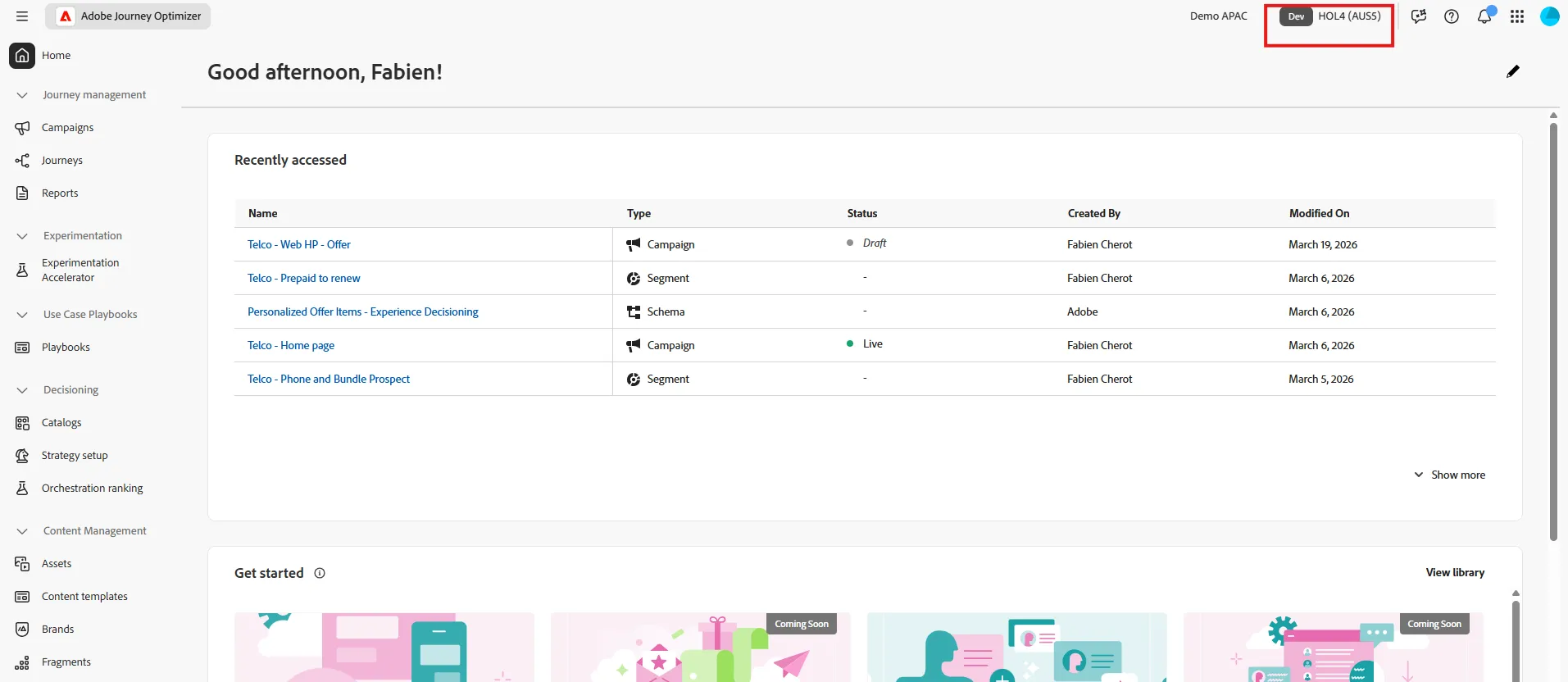
Finally, click on the 9 dots icon on the top right, then select Journey Optimizer