Unified profile and Audiences
First, let's act as customer on our web site to see how AEP collect information, then we will use this to create audiences.
Visit the Website
Before we start creating audiences for our use case, let's take a quick look at how streaming event data is ingested in real time, and how it can be used to personalize onsite experiences.
Open the CitiSignal website in an incognito browser and browse the plan page
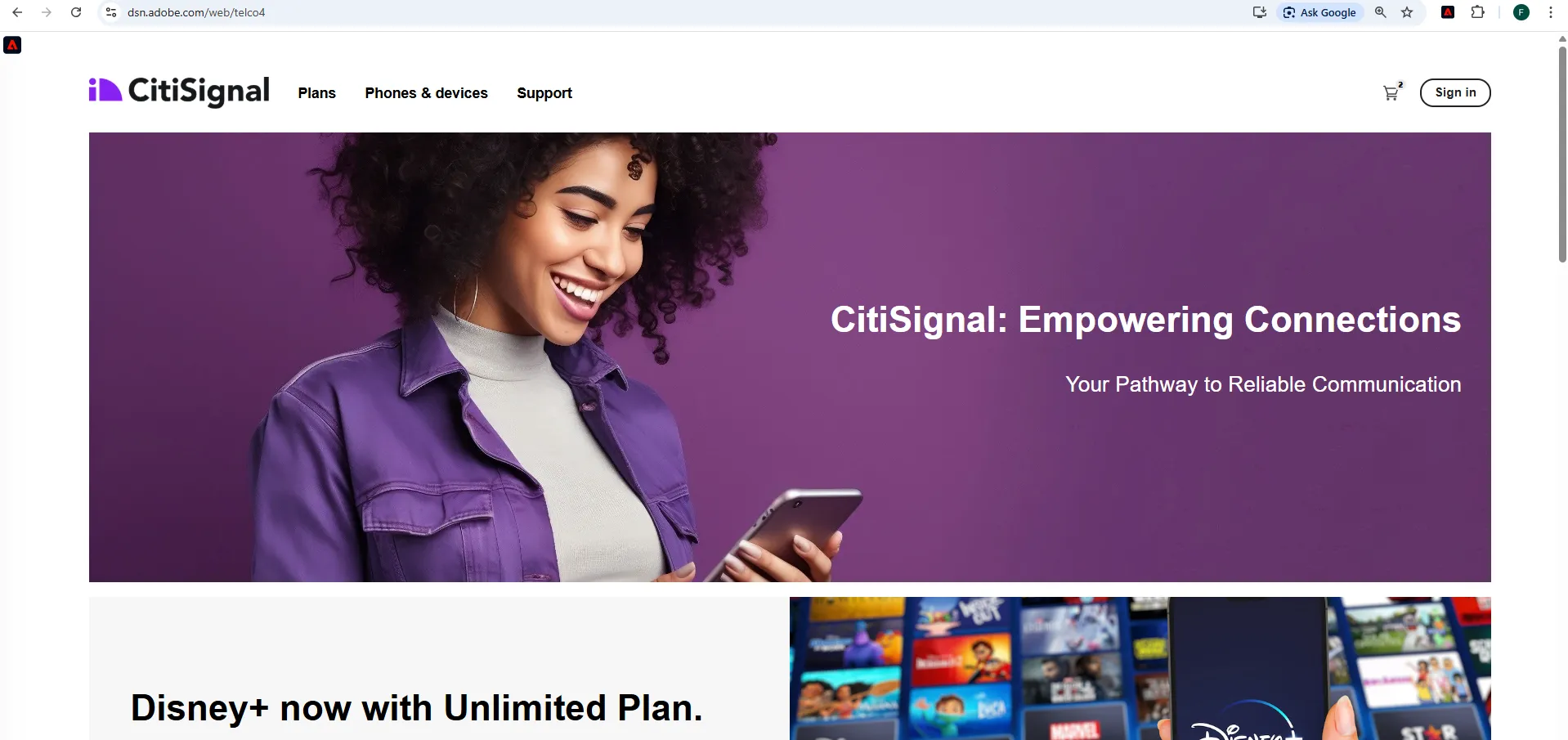
Adobe's SDK is implemented on the page and is collecting tracking events with every click.
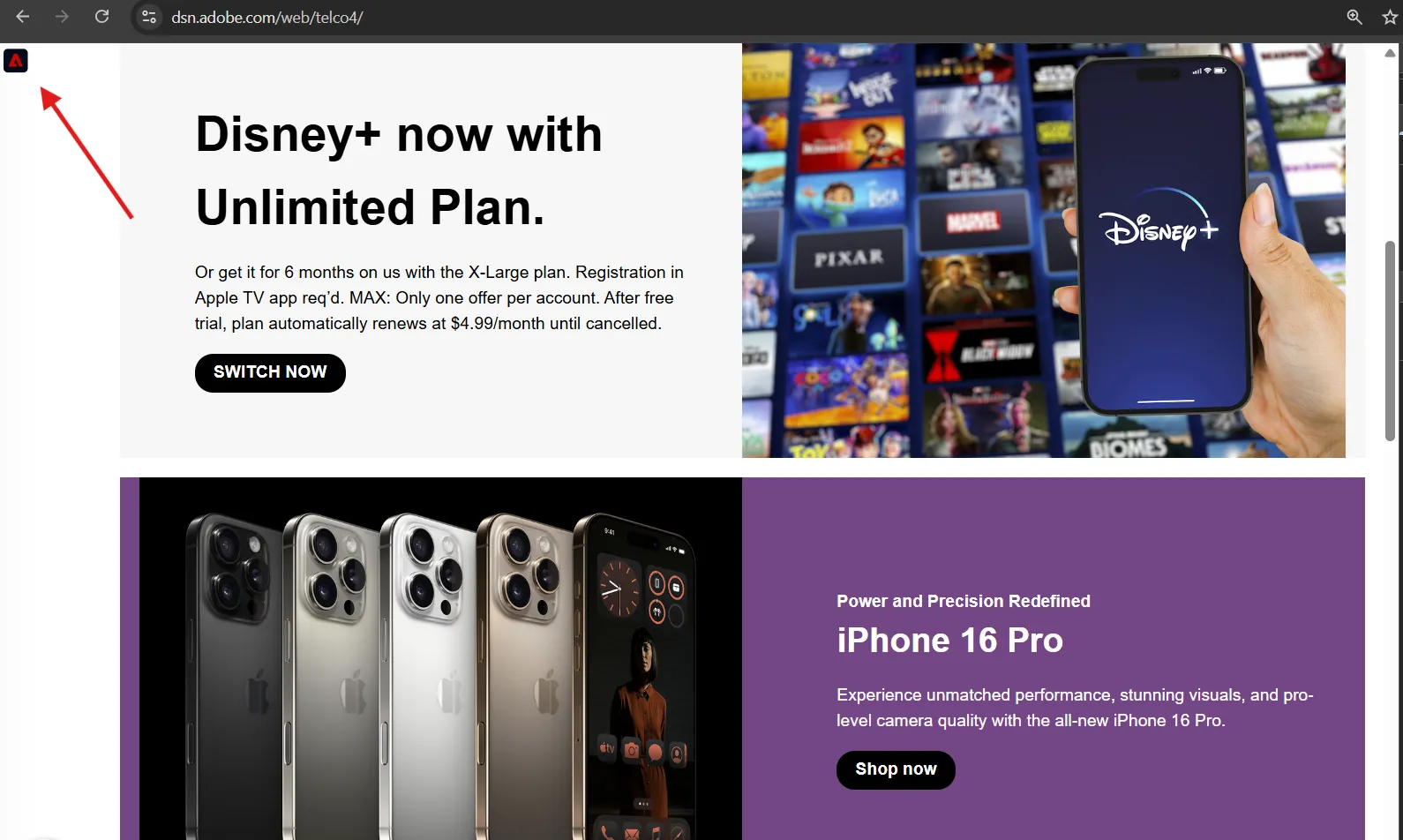
Click on the Adobe Icon to open the profile viewer in the top left corner.
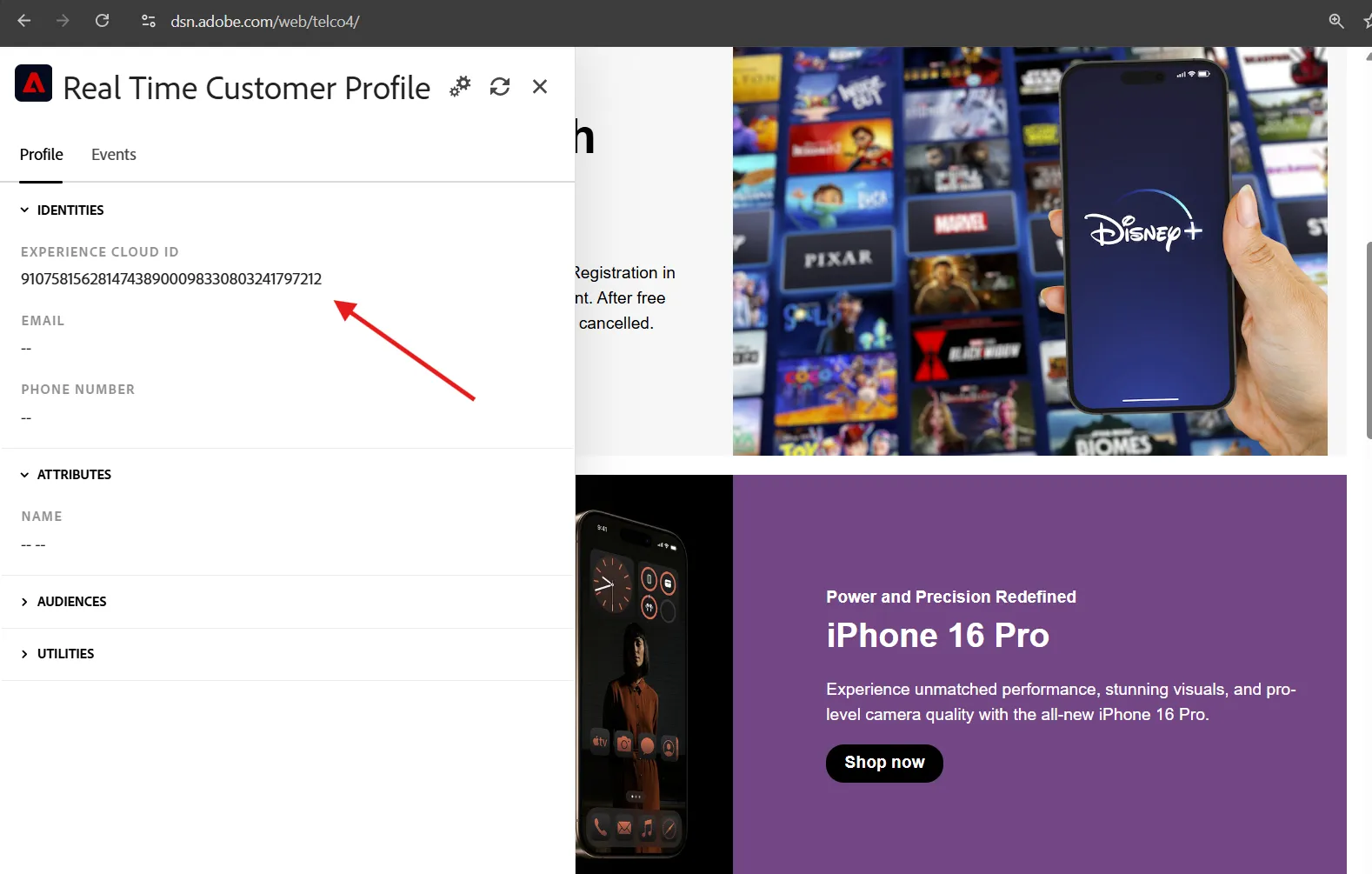
You can see that initially our profile is anonymous, we have only Adobe's Experience Cloud Id.
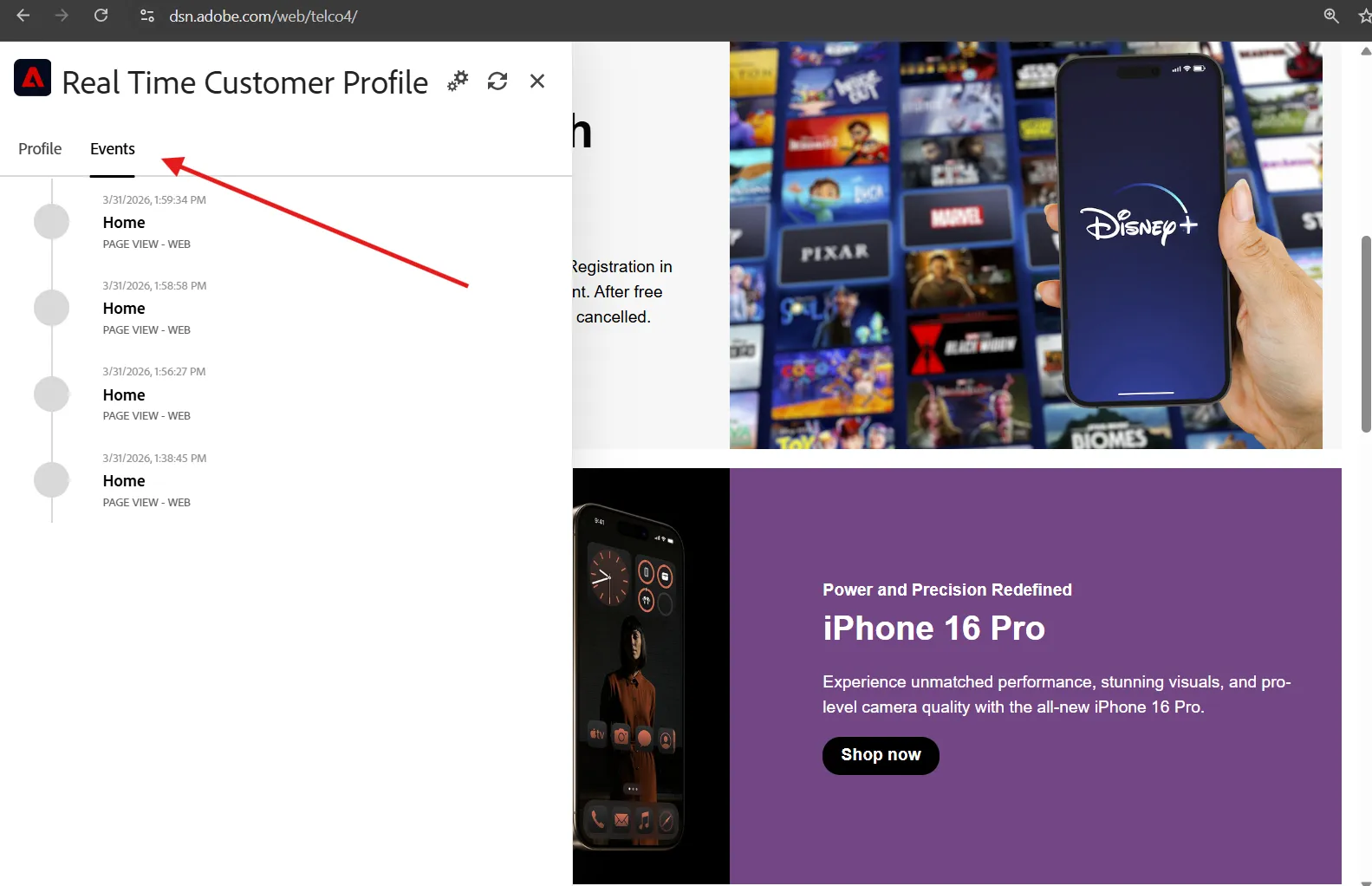
Click on the Events tab to see the events that have been recorded in real-time against the profile.
Now, visit a Phone page, and click on an Iphone. go back to the home page, you will noticed the banner has changed and we now propose a Combo Phone + Plan. This happen because your profile is qualified for the Telco - Bundle prospect Audiences.
You can open the Adobe plugin again to check the audience you belong to.
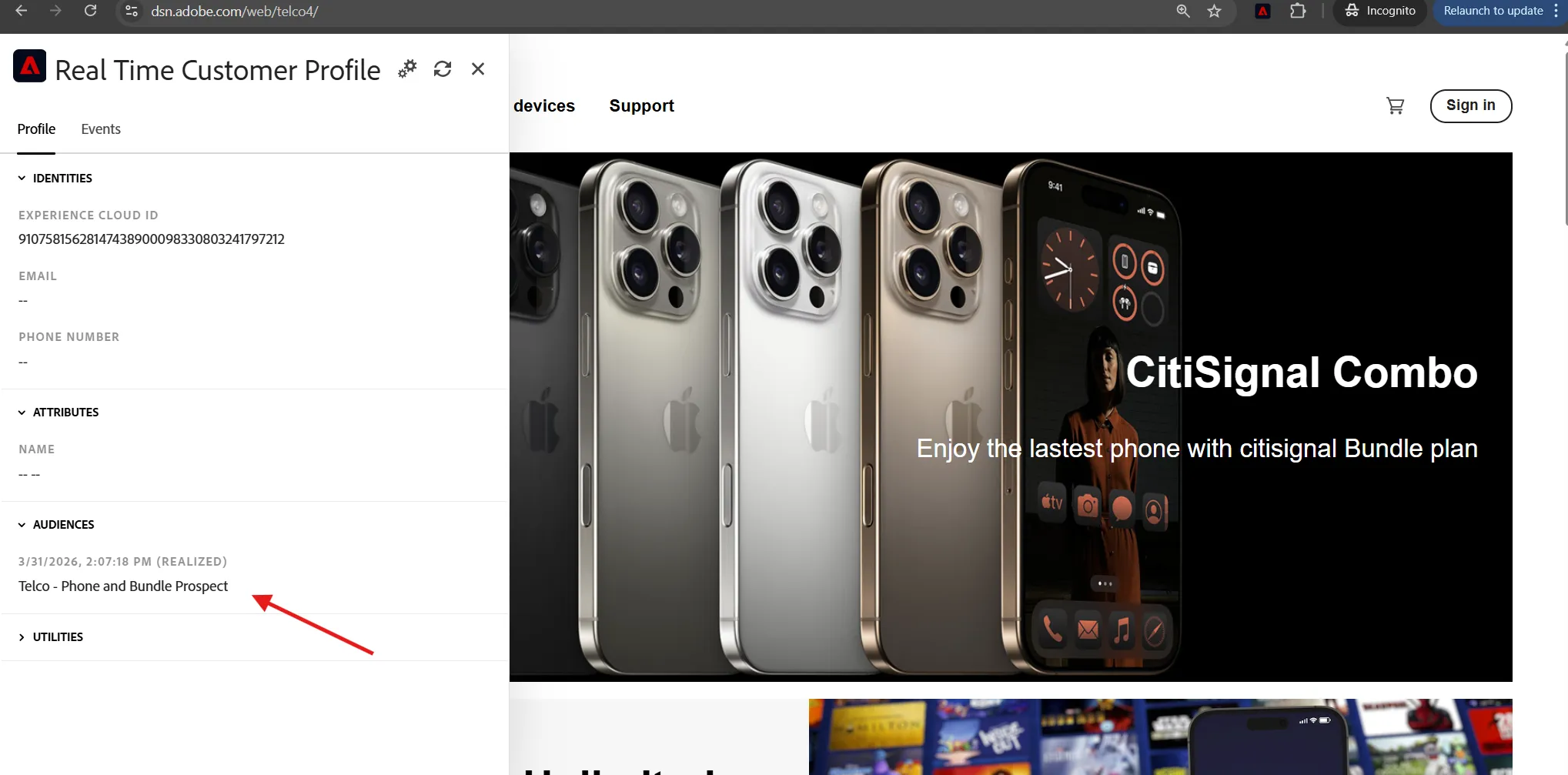
The profile will remain anonymous until a customer identifier is provided. Click on the Sign In button on the top right.
We created some customer profile for you. Use the SAME email address than the one you used to login into AEP
View the events tab again, the Web Signin event will trigger a new entry into the Identity Graph, stitching the ECID with the Email address.
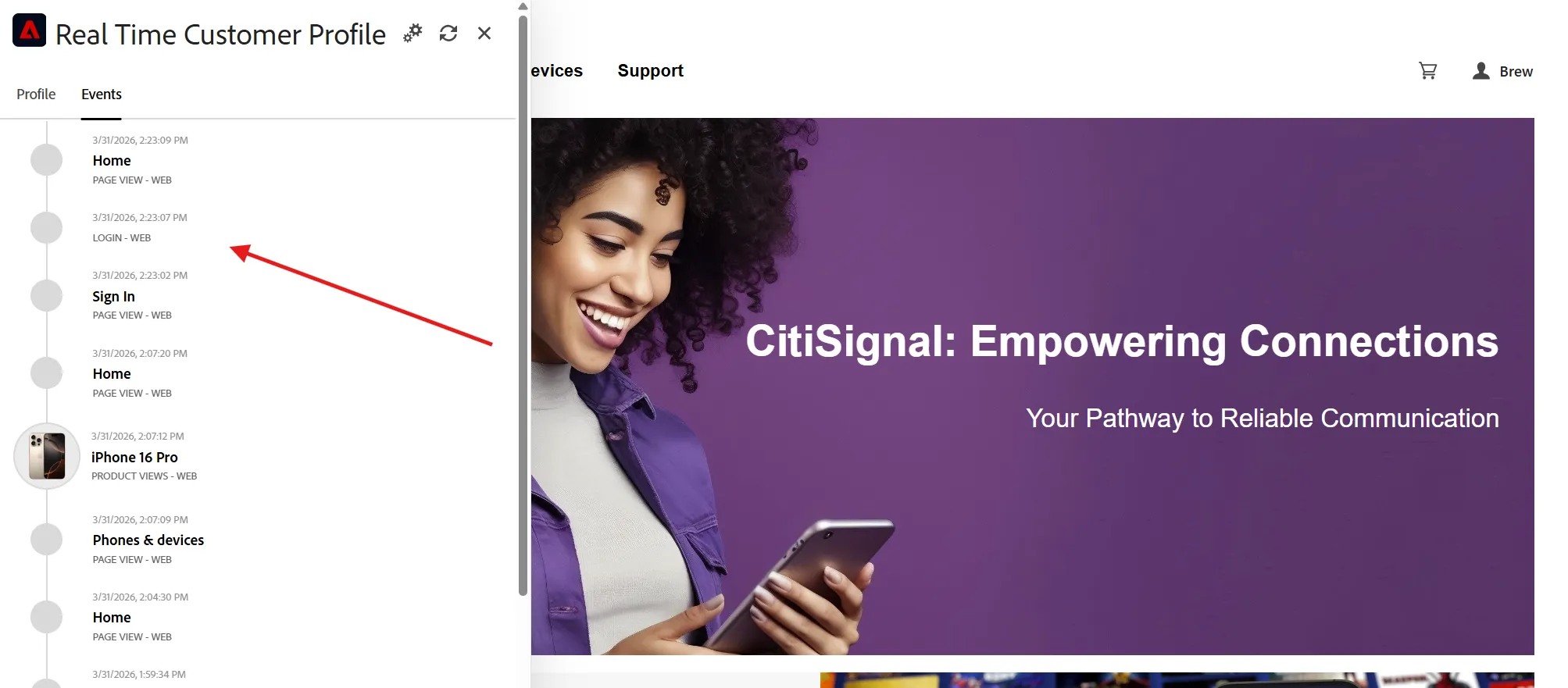
Stitching of new identities takes a few minutes, so you won't see the profile attributes update immediately here, but that doesn't mean we can't qualify for segments and personalise in real-time.
Note that some flicker is expected here on our demo website, proper implementation on a production website can avoid this side effect.
Now that you've seen the data collection and audience qualification in action, let's move on to viewing the profile in Adobe Experience Platform and creating some real-time audiences of your own.
The Unified Profile
The data collected from all of the source systems is unified into an actionable profile based on the identities collected from each source. Follow the instructions below to look up the profile you just authenticated with on the website.
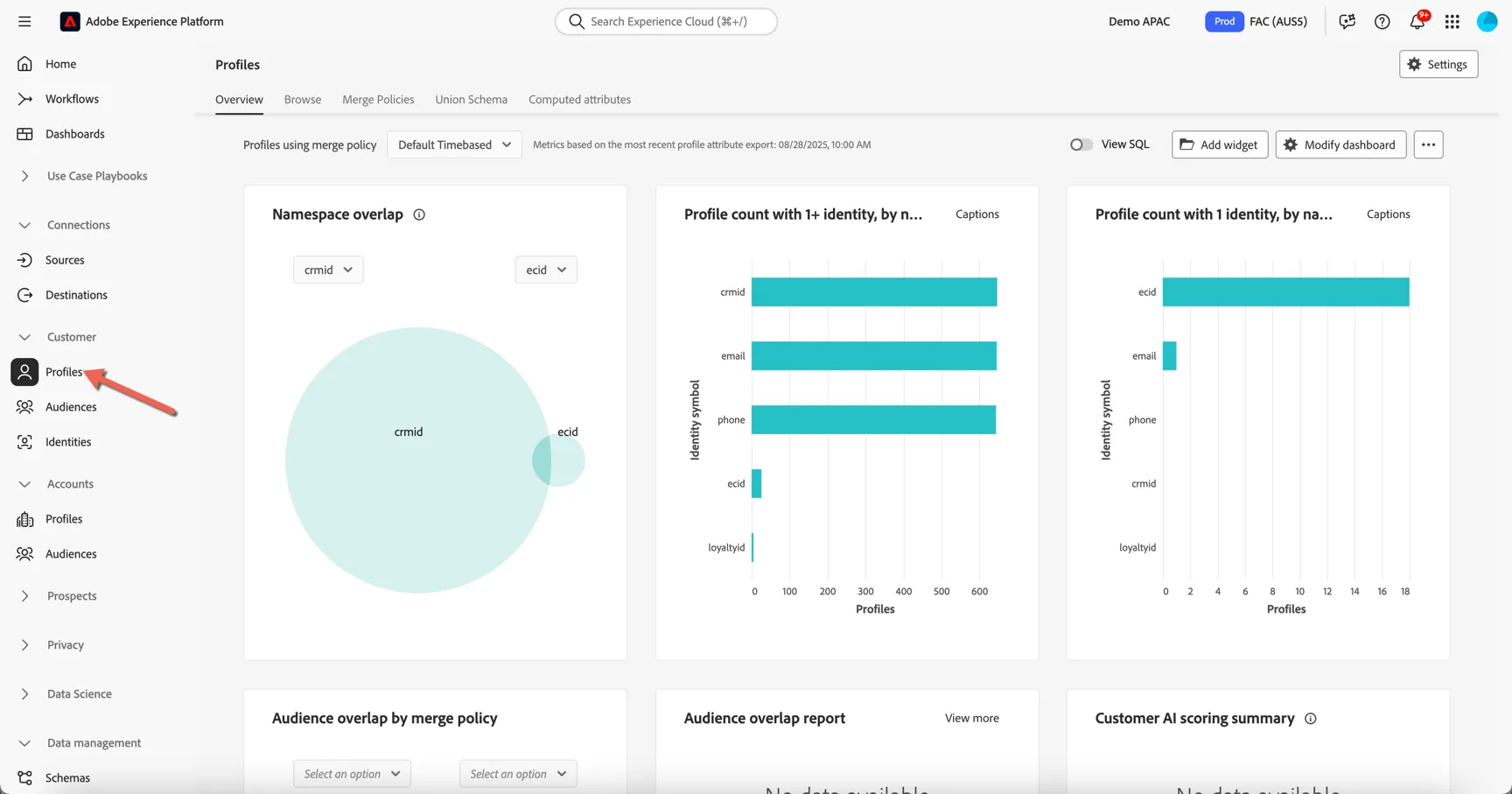
Browse to Customer -> Profiles. The Overview dashboard shows insights on how many profiles exist in the sandbox along with the distribution of identities.
To lookup a specific profile, move to the Browse tab.
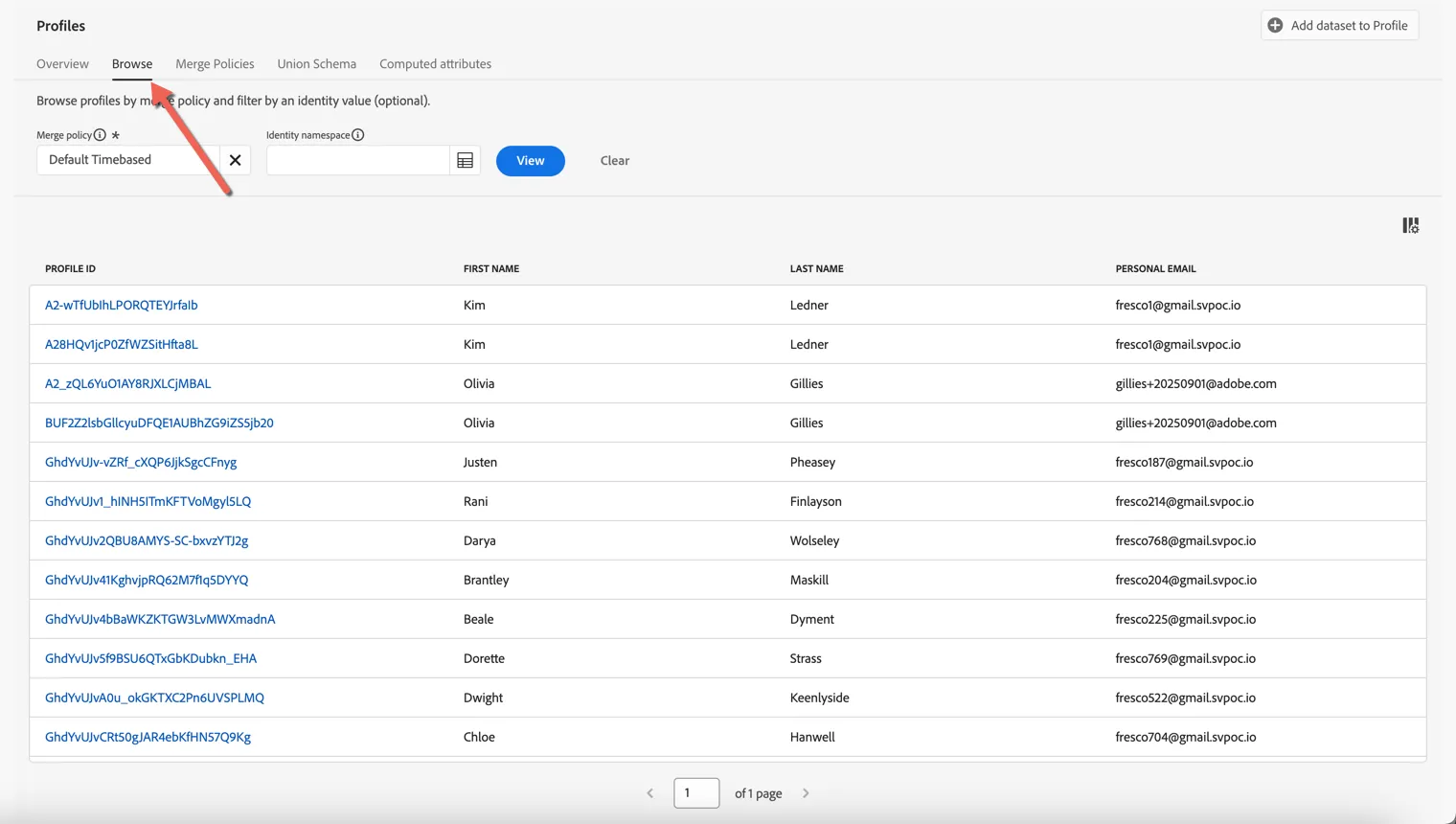
Profiles can be retrieved by any of the attributes which have been defined as "Identities". Which Identity Namespaces are leveraged depends on your organisations requirements. CitiSignal are currently using a custom cross device id called Demo System - CRM ID as well as Email address to identify known users. Any user who's authenticated on the website will have one or more ECID cookies also. For this exercise we will use a known customer id to look up your profile.
First set the Identity Namespace to be Email or ECID. Then use the value displayed in the Adobe Plugin on the web site to retrieve your profile
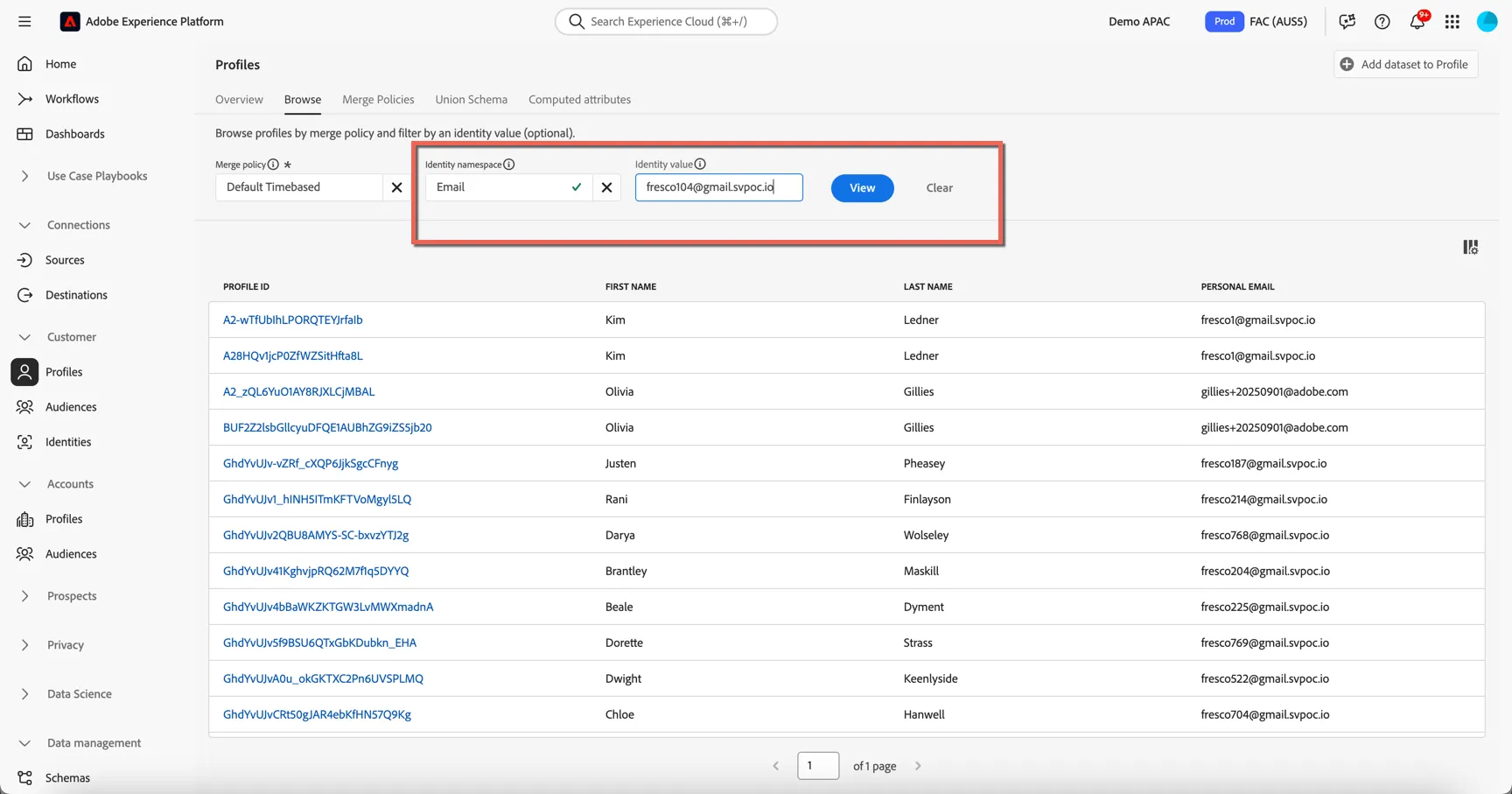
Click to View button to search for the profile, then click on the Profile Id to view the profile details.
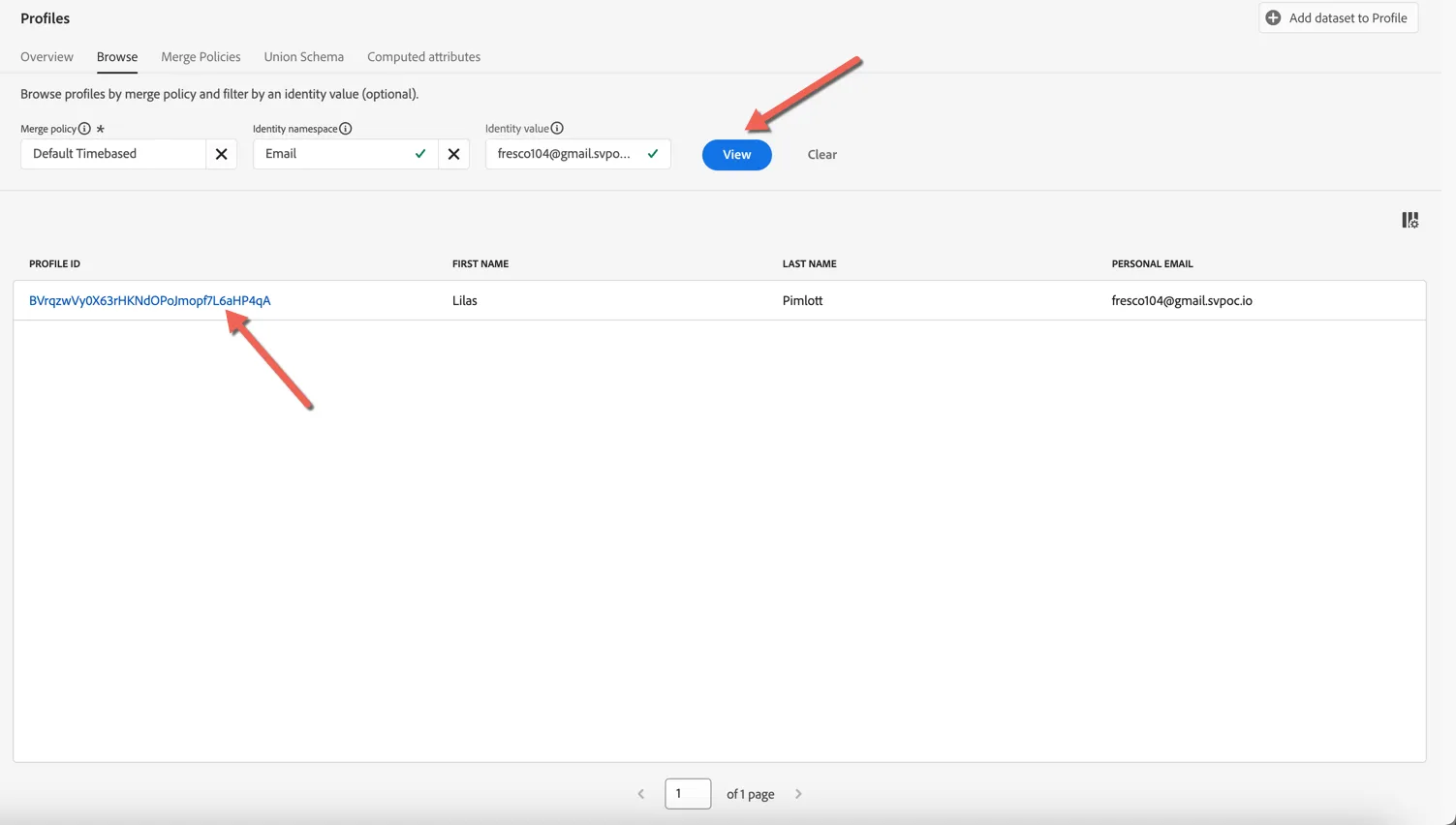
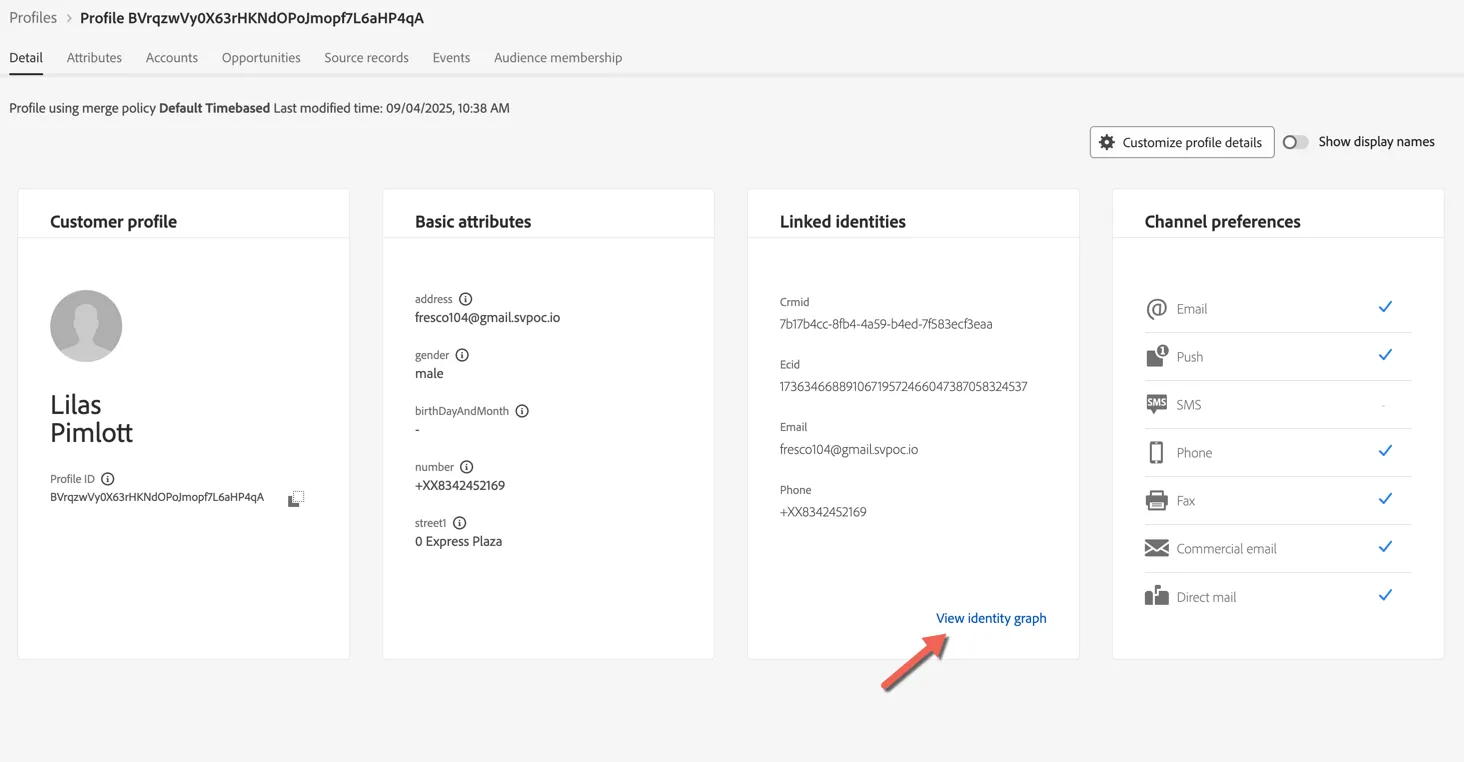
The Detail tab shows us some basic information about the profile, which fields are displayed here can be customized according to business needs.
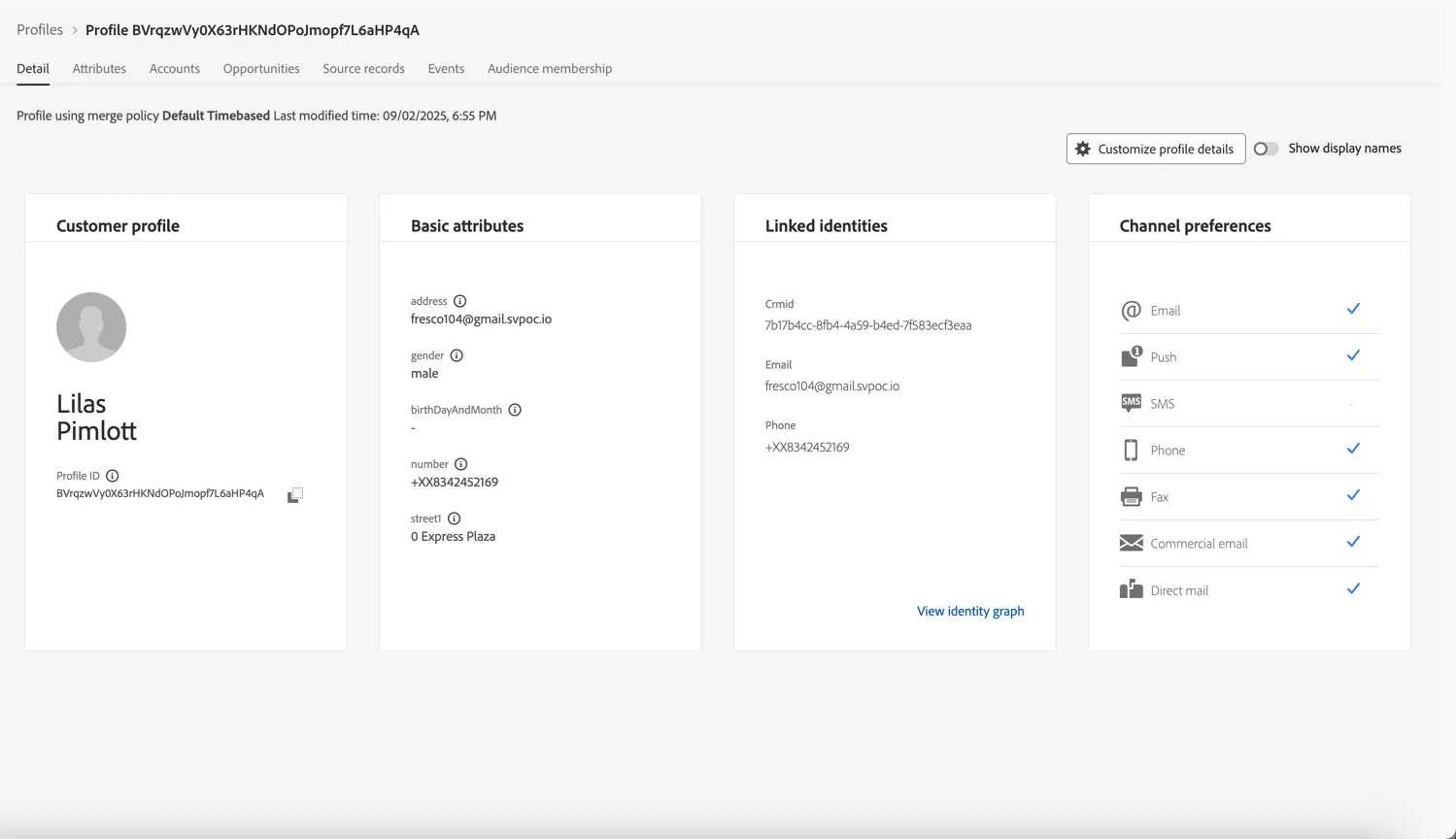
There are 2 main types of data collected against the profile, Attributes and Experience Events. Profile can change over time while Experience Events represent point in time interactions a profile has had with your brand, whether that's viewing a web page, watching a show, purchase a phone, subscribe to a plan, calling the call center or visiting a store.
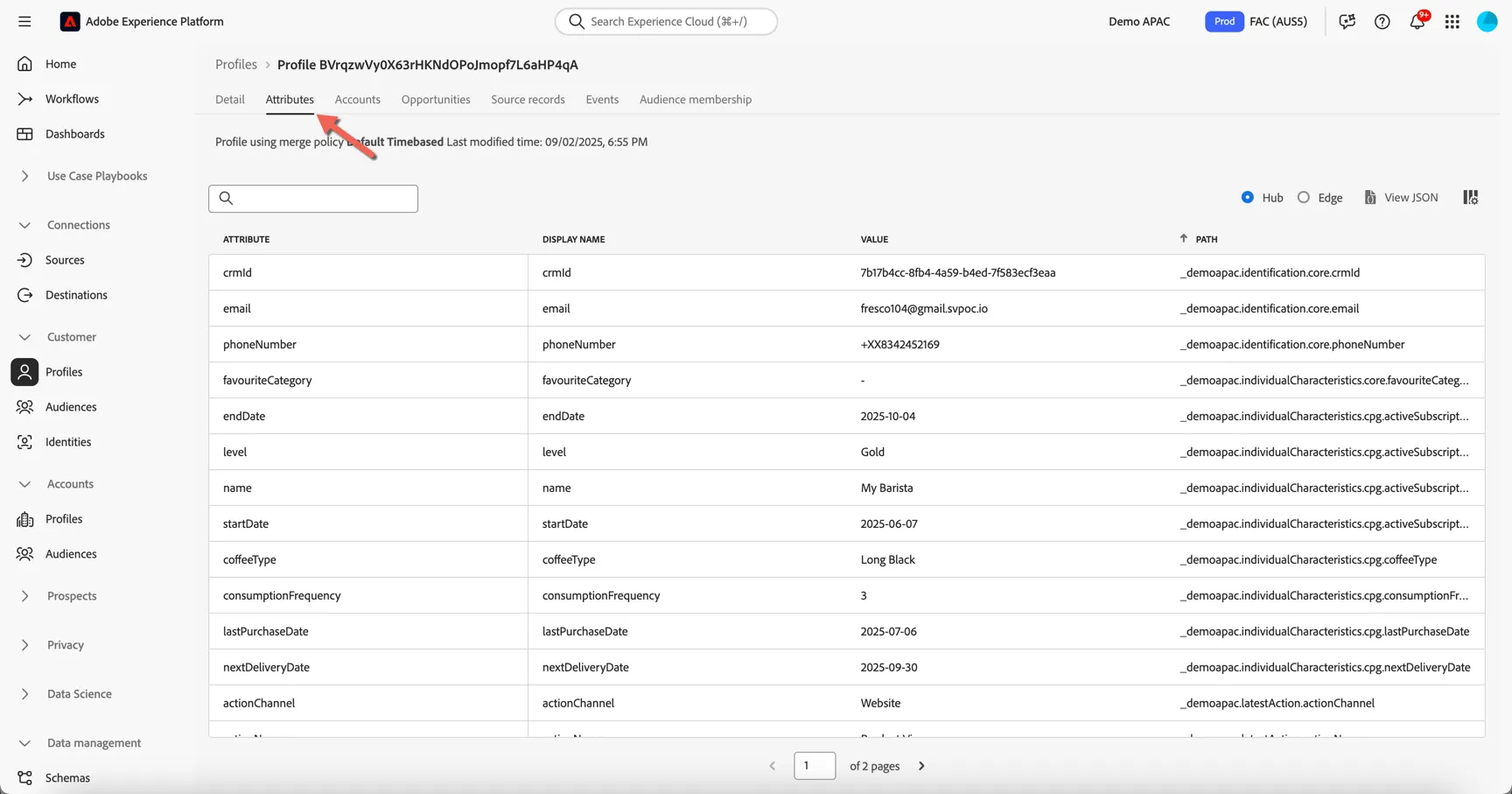
Click on the Attributes tab to view the full list of attributes ingested for this profile. These attributes can come from different source systems, Adobe Experience Platform will merge them in real-time.
Take a look at the detail, you should be able to see Mobile subscription detail, loyalty data, and demographic data.
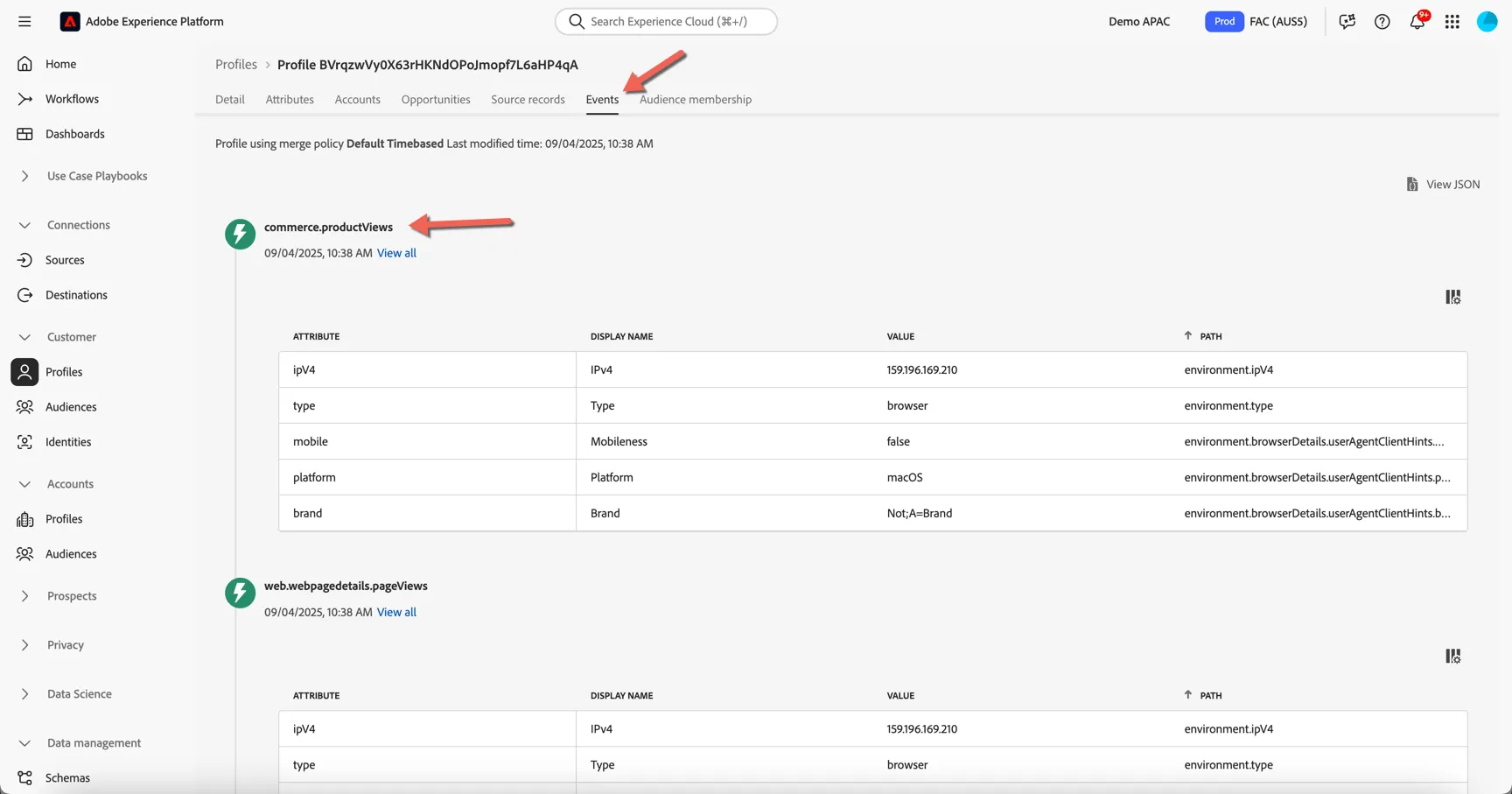
Click on the Events tab. Here you can see a chronological view of all the behavioural experience events coming from different source systems for this profile. These events are ingested in real-time from the sources like your website and mobile app.
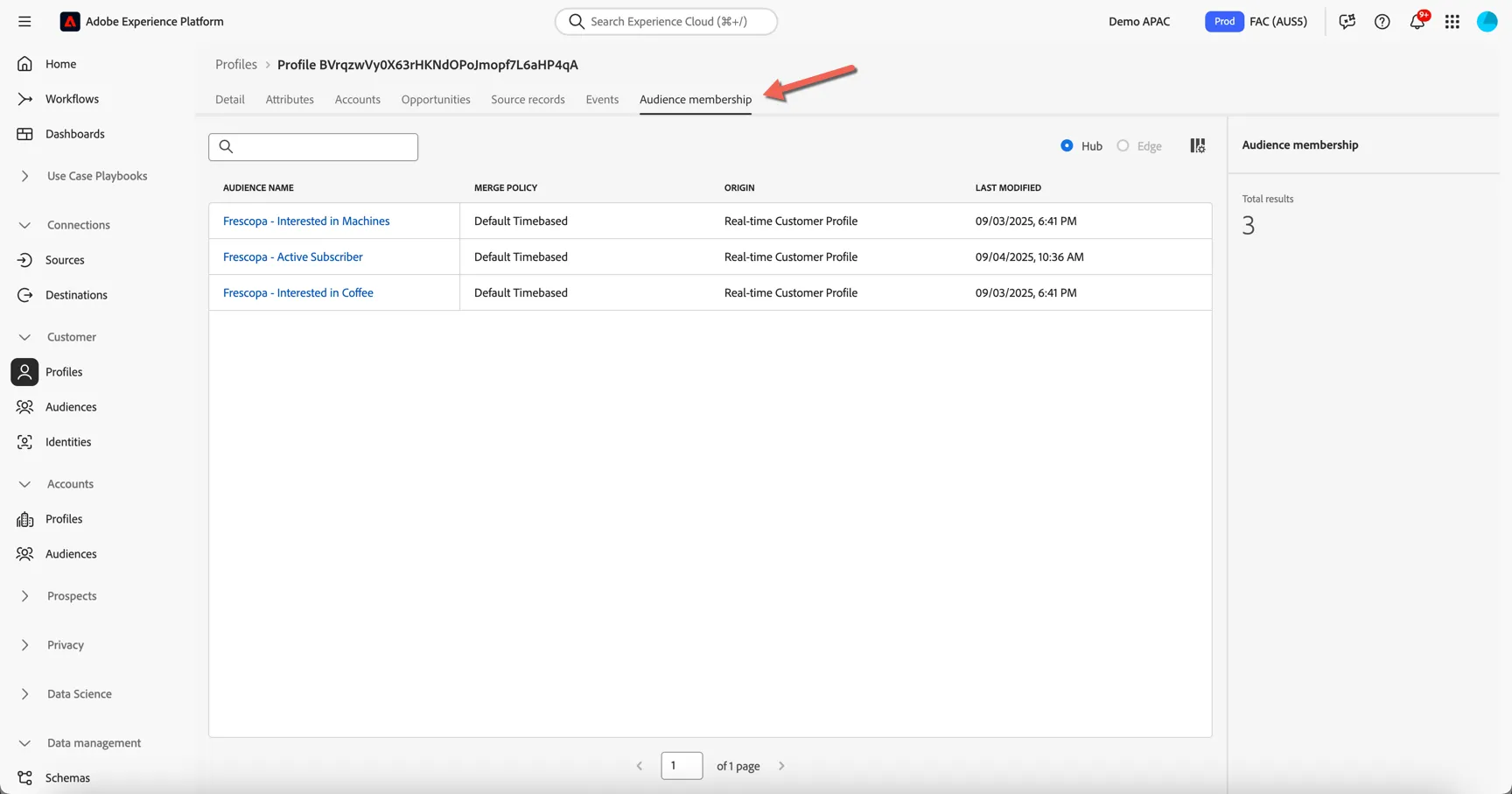
Move to the Audience membership tab. Here you can see which audiences the profile is currently a member of, this list will update as the profile moves in and out of audiences based on their attributes and behavior.
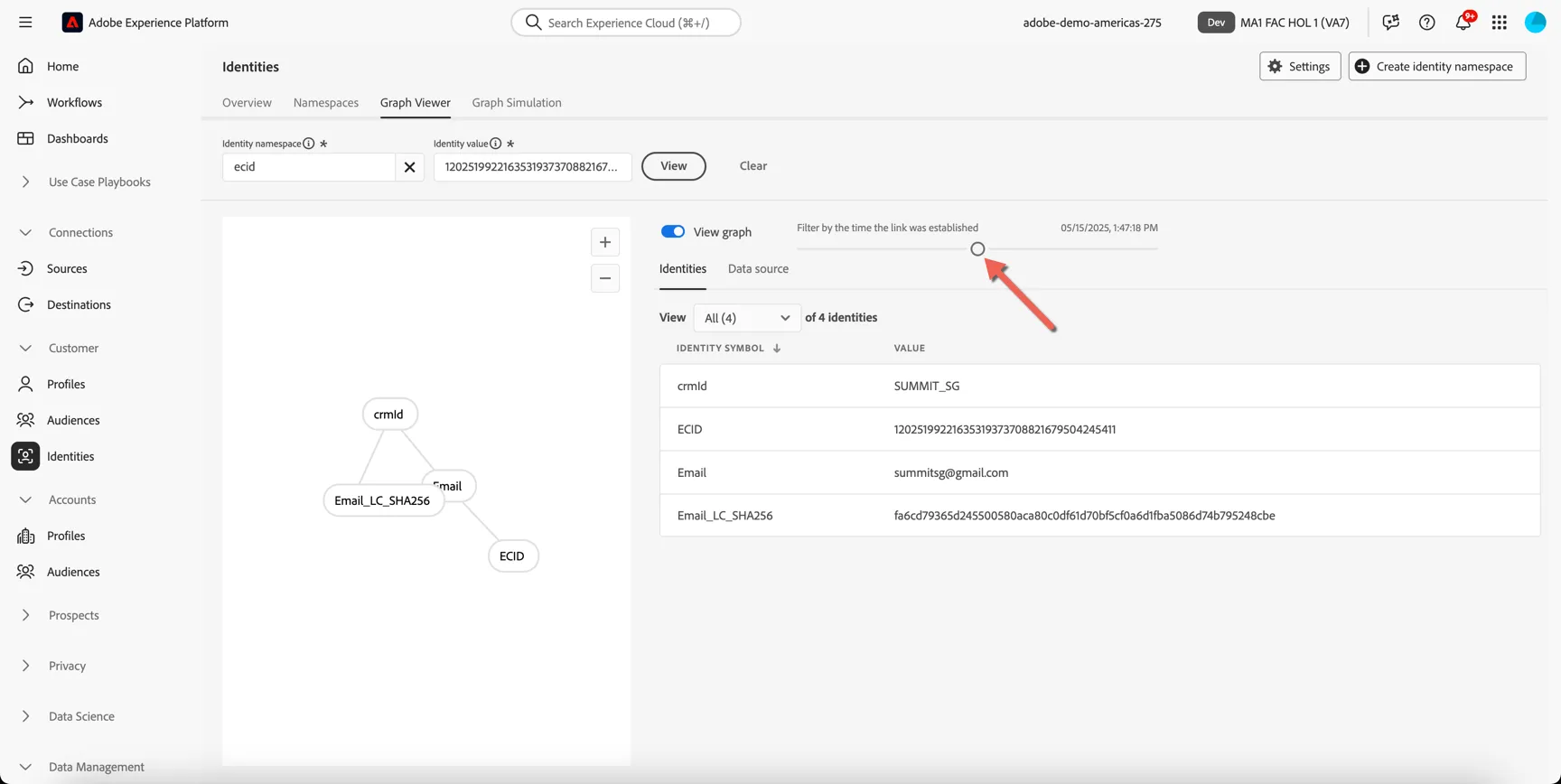
Lastly, return to the Details tab and click to view the Identity Graph.
Here you can see a visualisation of the Identity Graph linking all of the different sources of information together to create our profile. You can see that there are multiple ECID's or Cookie ID's attached to the profile, this represents the different devices that the customer has identified themselves on.
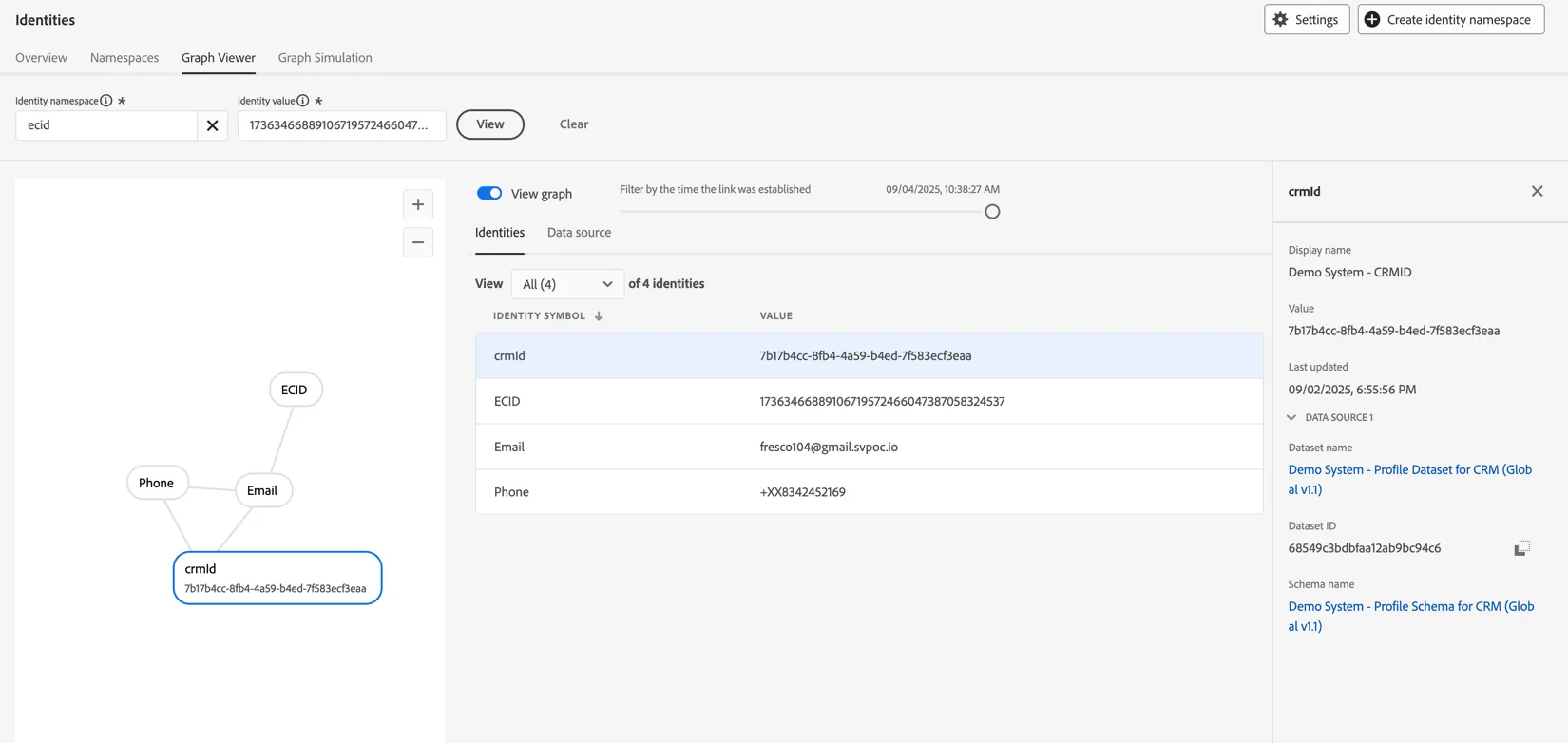
Use the slider to see how the graph grew as the profile interacted over time.
Create a real-time audience for Web visitor
Let's start with a simple real time audience to understand what type of product your prospects are interested in by checking which pages they browse on your web site.
Let's identify customer who are more interested in Android phone than Apple Phone.
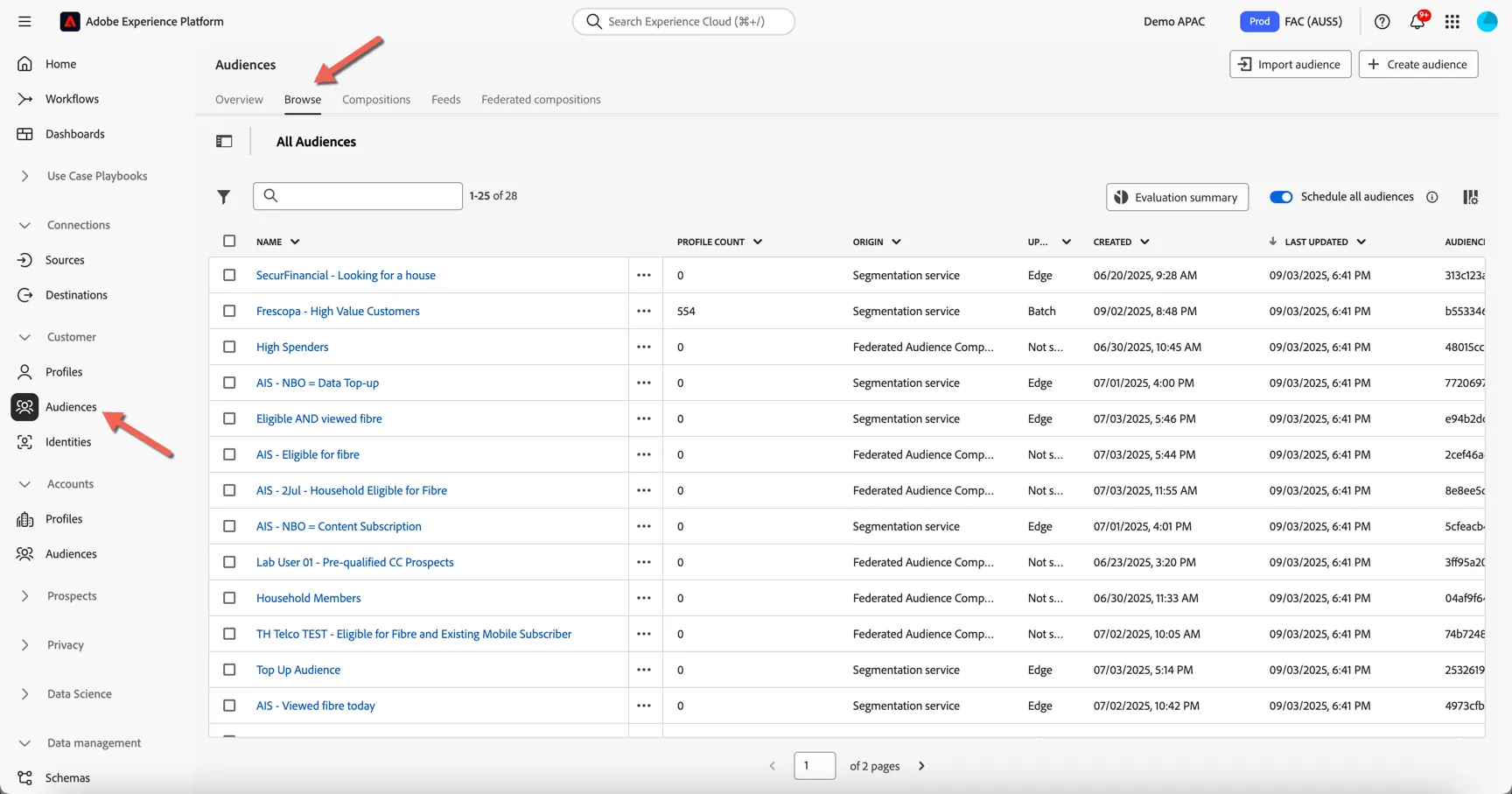
Click on Customer -> Audiences, then click Browse to open the Audience Portal.
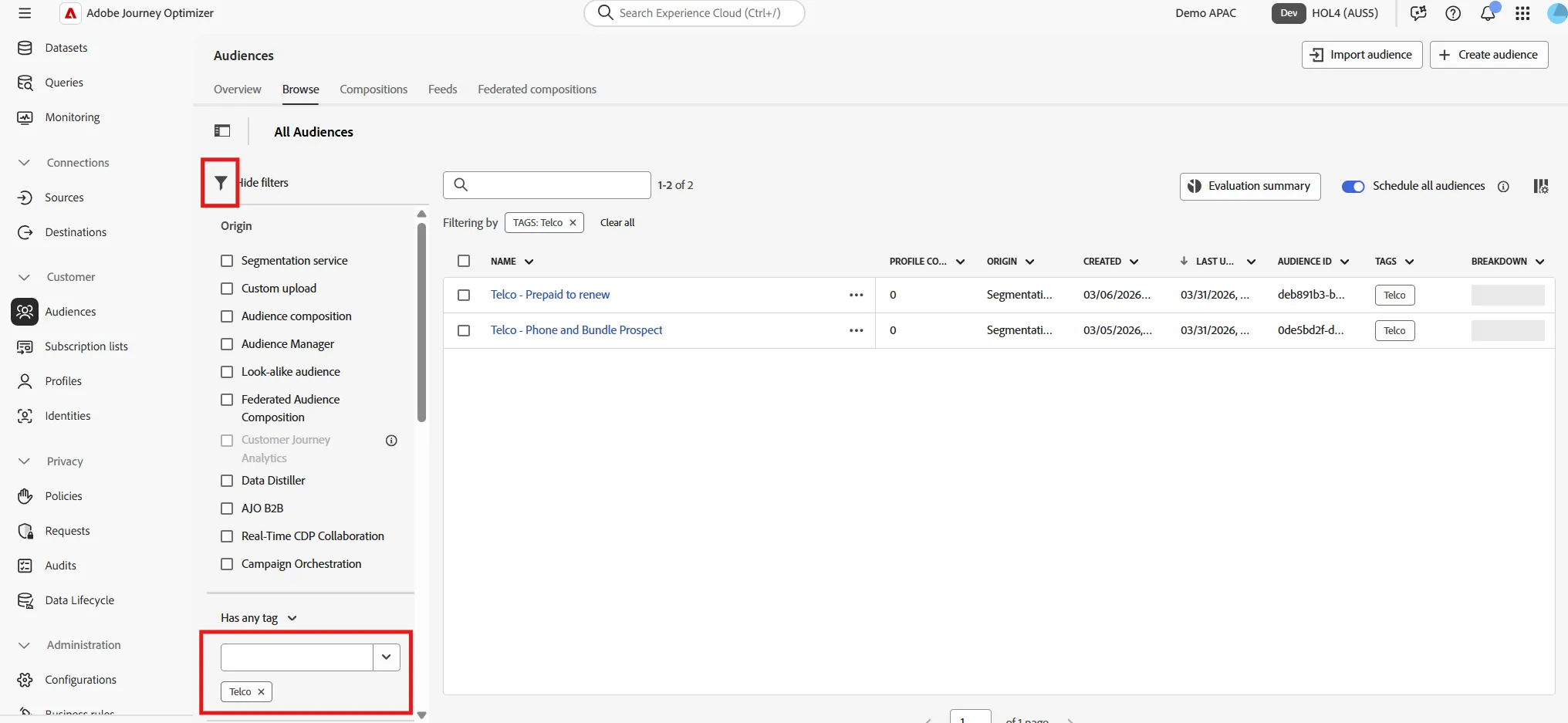
Click on the filter icon. The origin shows the many types of audiences that can be found in the portal. Each audience can be tagged for easy filtering, apply a filter for Telco tag, to show the audiences already available.
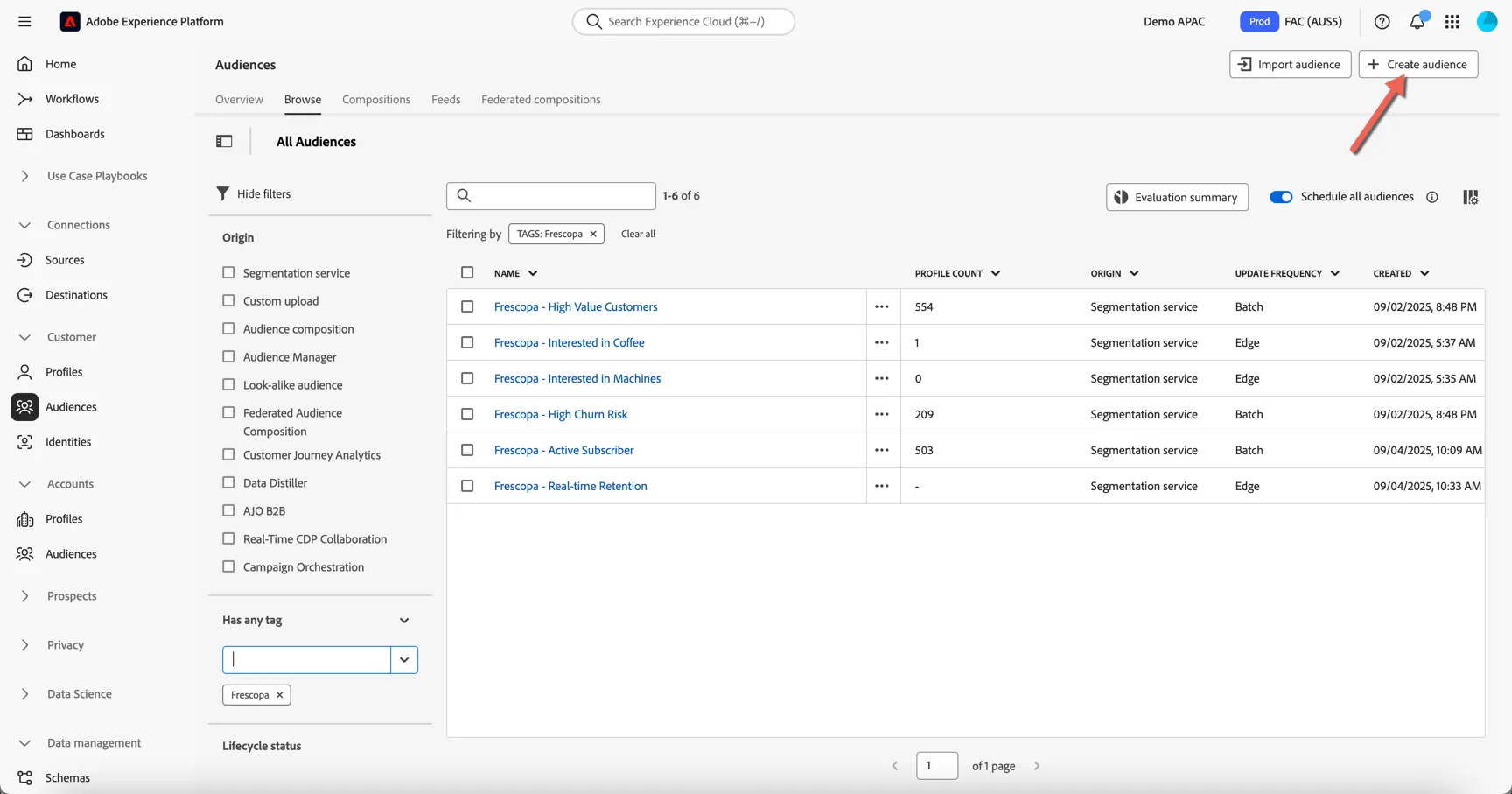
Let's create our new audience. Click to Create Audience in top right corner.
Click to Build rule and click Create.
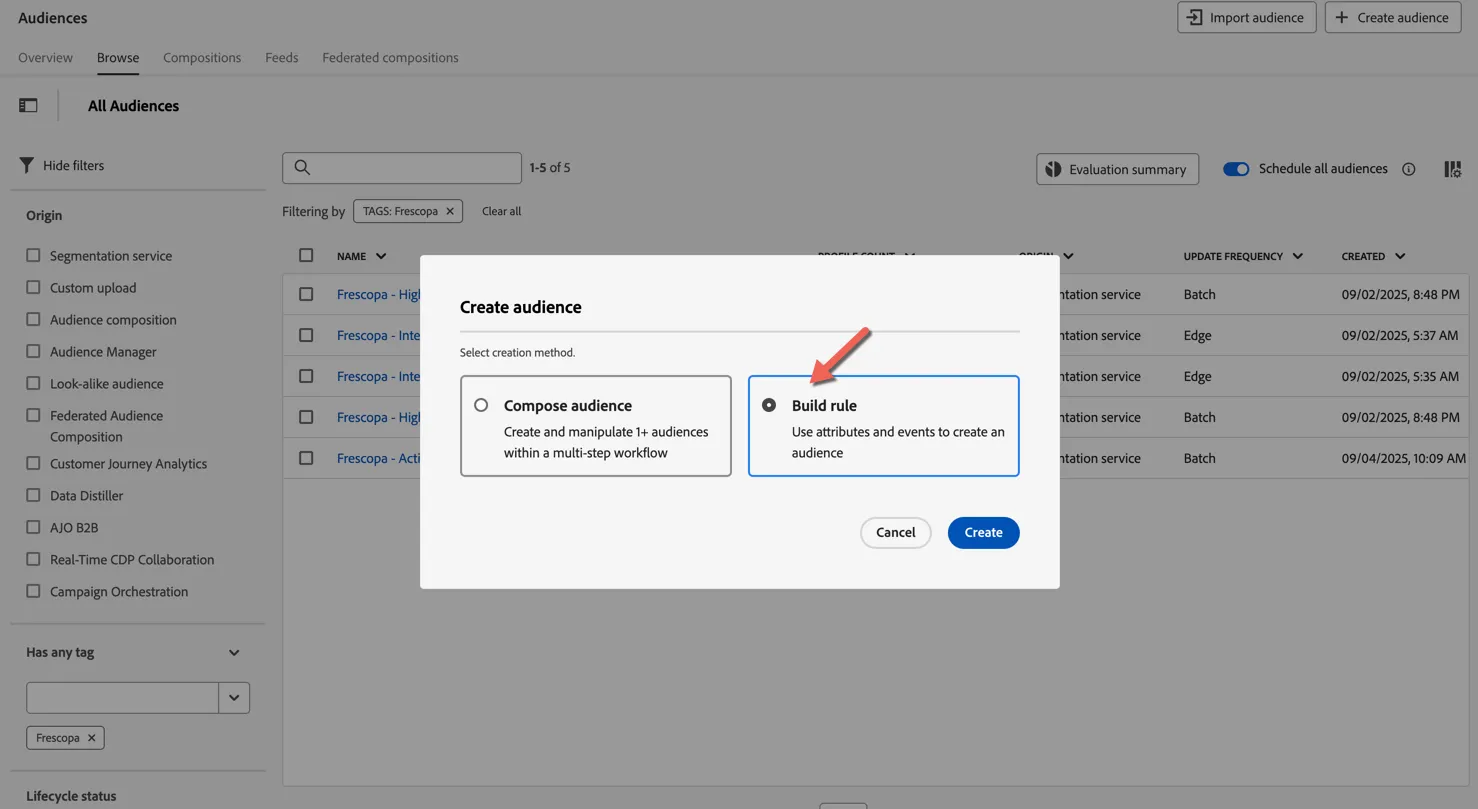
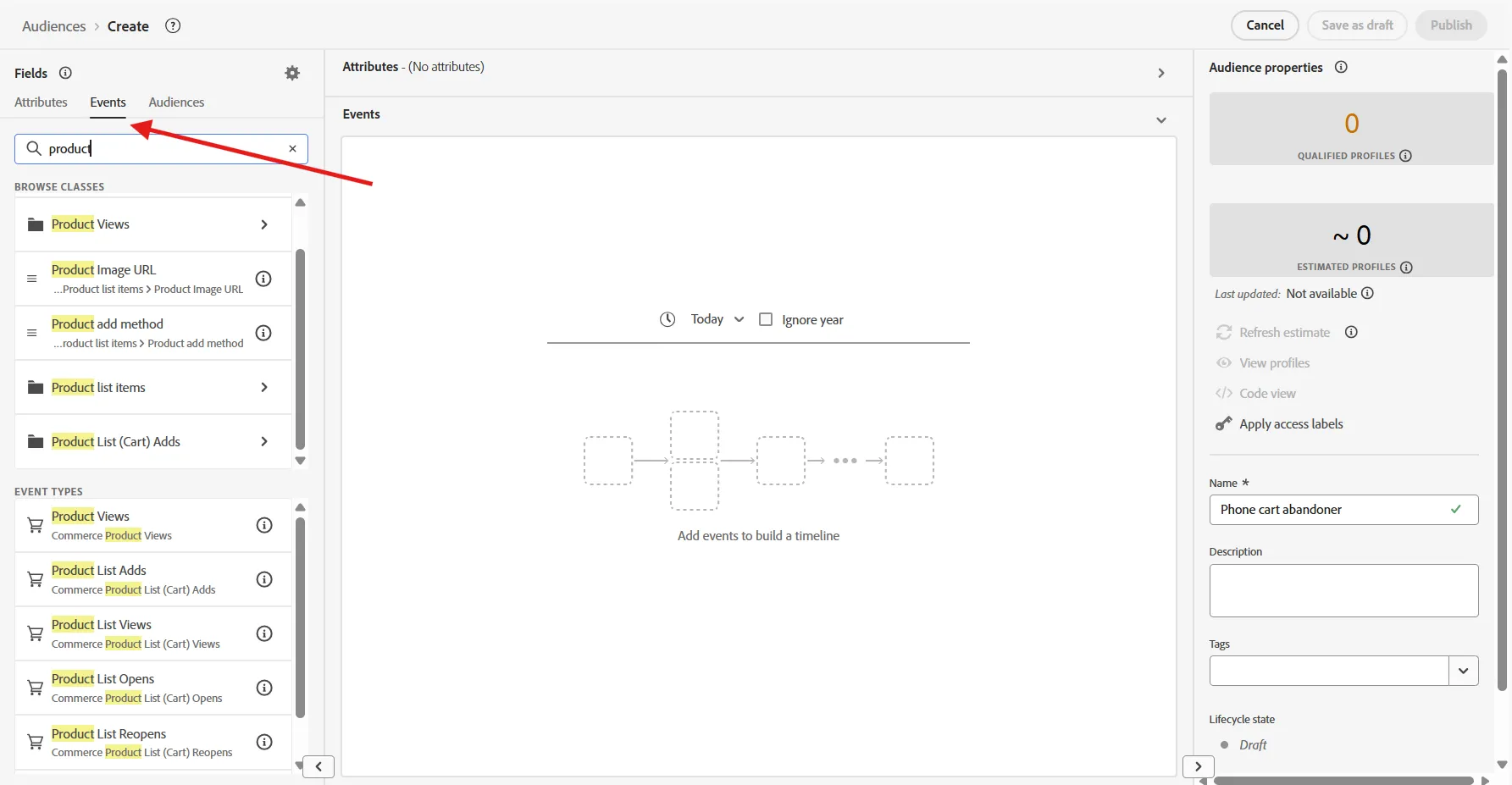
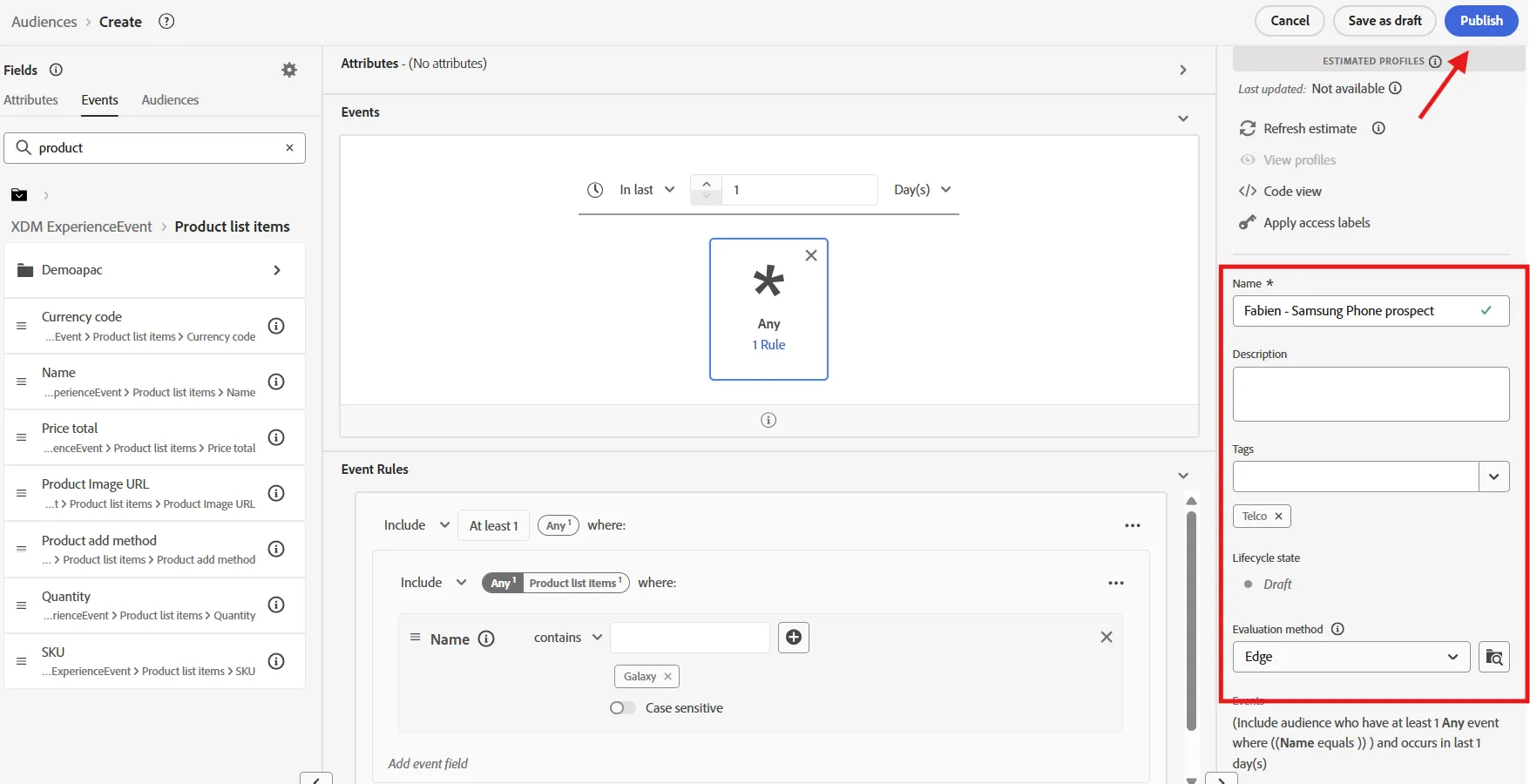
Go to the Event Tab, Search for Product. The left pannel will show you the attributes or group of attributes related to product, then the type of event related to product such as "add product to the cart, purchase product, etc.
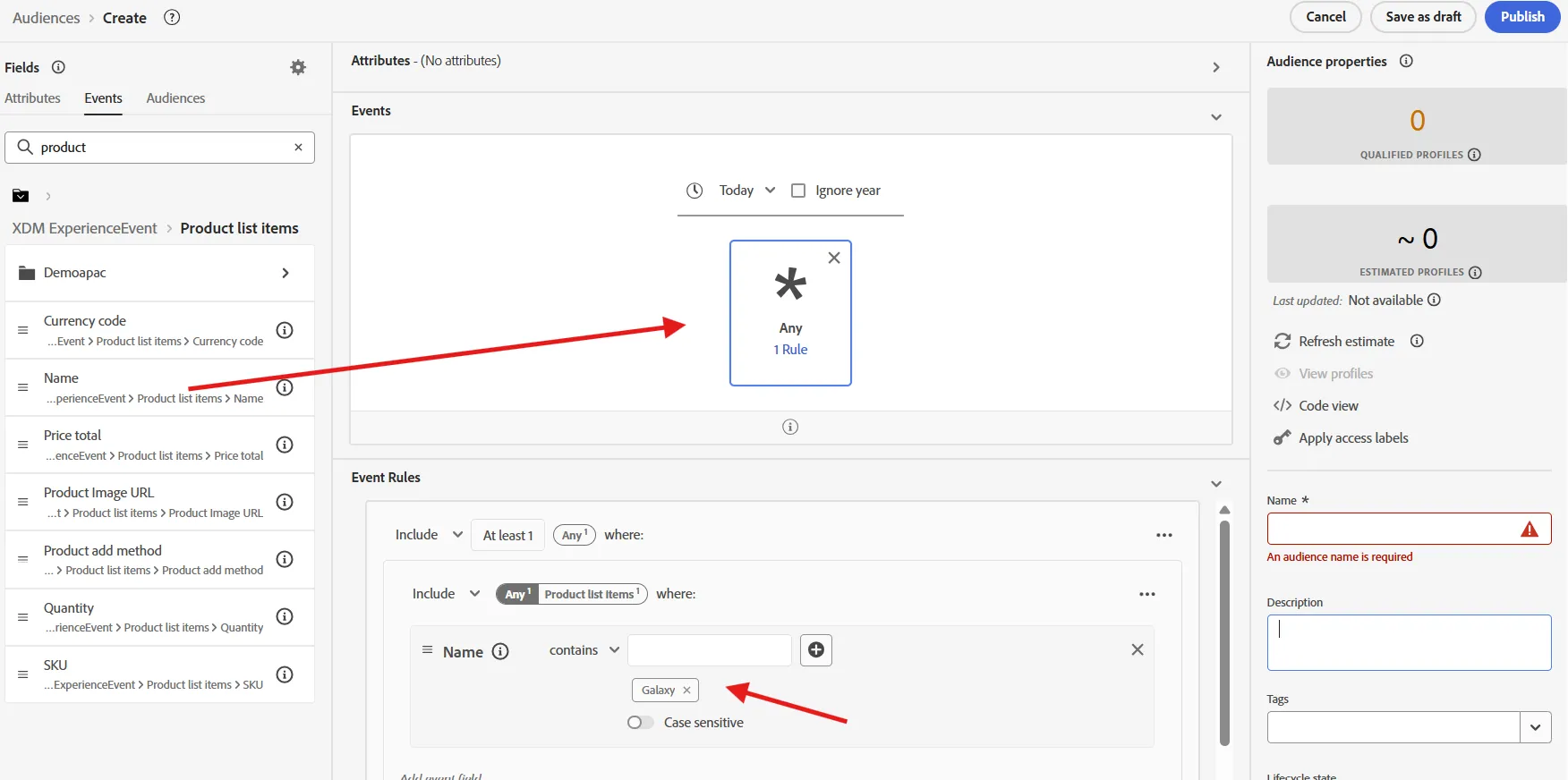
Extend the product List Item group by clicking on it, you will see different information we can capture about a product, such as name, SKU, category, etc.
Drag and drop the Name attribute onto the canvas.
On the Event rules section, change the condition to contains, then type Galaxy and enter
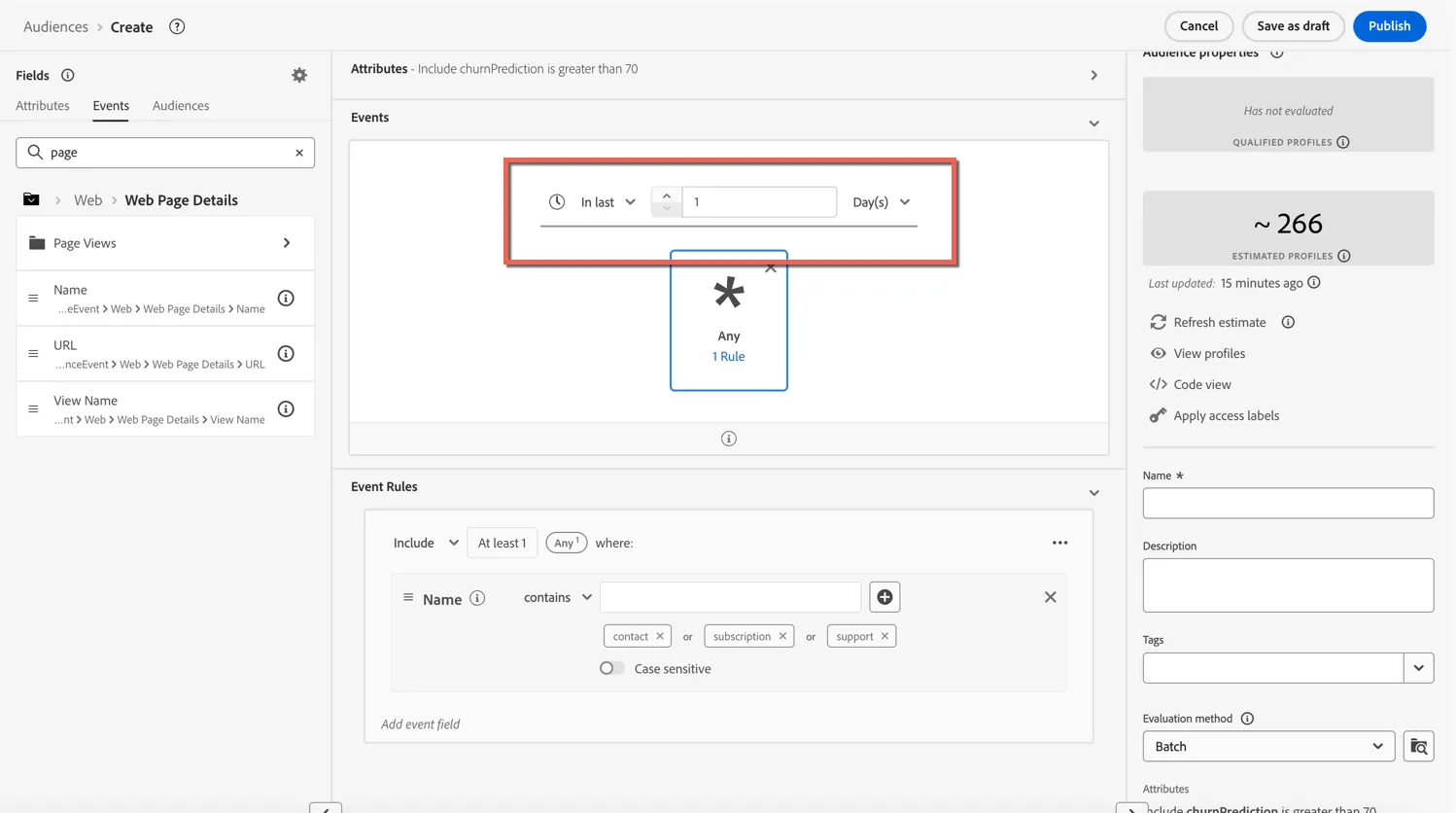
Next we'll change the timerange for our event to be within the last day.
Lastly we need to configure the Audience Properties:
Name: give your audience a unique name - include your initials perhaps, something like "John - Samsung Phone prospect"
Description: an optional description to help others understand the purpose of this audience - this will also be leveraged by the audience agent to understand more about the audience.
Tags: add the Teloc tag for easy sorting and filtering
Evaluation Method: Set the evaluation method to Edge - this ensures the audience will qualify in real-time (sub 250 milliseconds) when the customer lands on the website.
Click to Publish the audience.
Create a real-time audience for Customer who need to renew their subscription
Now, let's create an audience for people who have a mobile Plan that they need to renew soon because they have no data left or the contract end date is in the next X days
Repeat the same process as previously : Go to audience portal, create a new one, select build rules.
For this one, we will use the Mobile subscription detail that are stored as profile attributes.
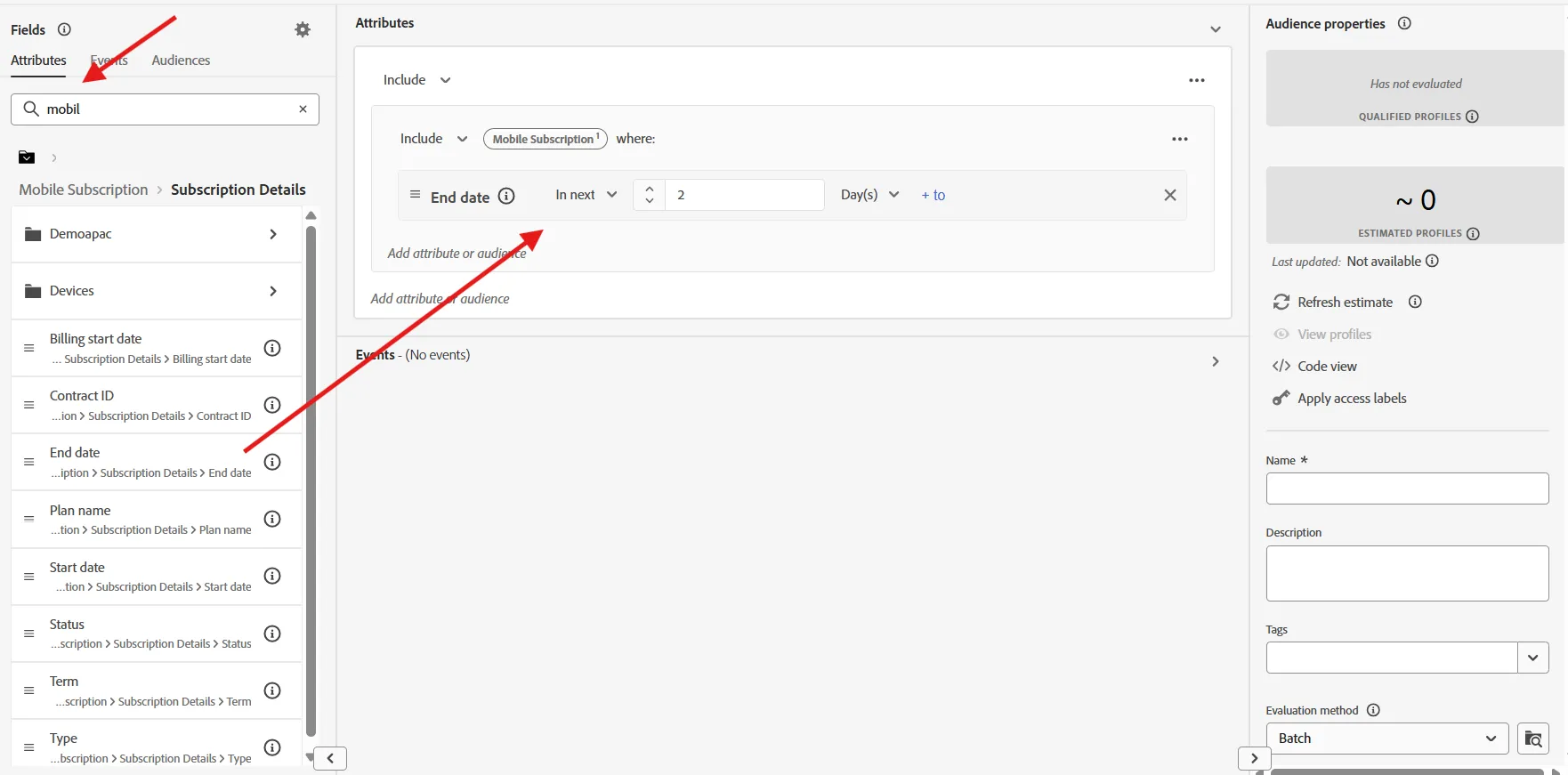
Go to attributes, search for mobile, you will see the list of attribute group related to mobile. Extend mobile subscription, then subscription detail. Select the End Date attribute and drag and drop it onto the canvas.
Change the condition by selecting In Next condition, then select 3 days
We also want to include people who run out of data.
For this, select the dataLeft attribute which is under mobile subscription>subscription detail>demoapac.
Drag and drop it just under End Date, and change condition to is less than 3 Gb
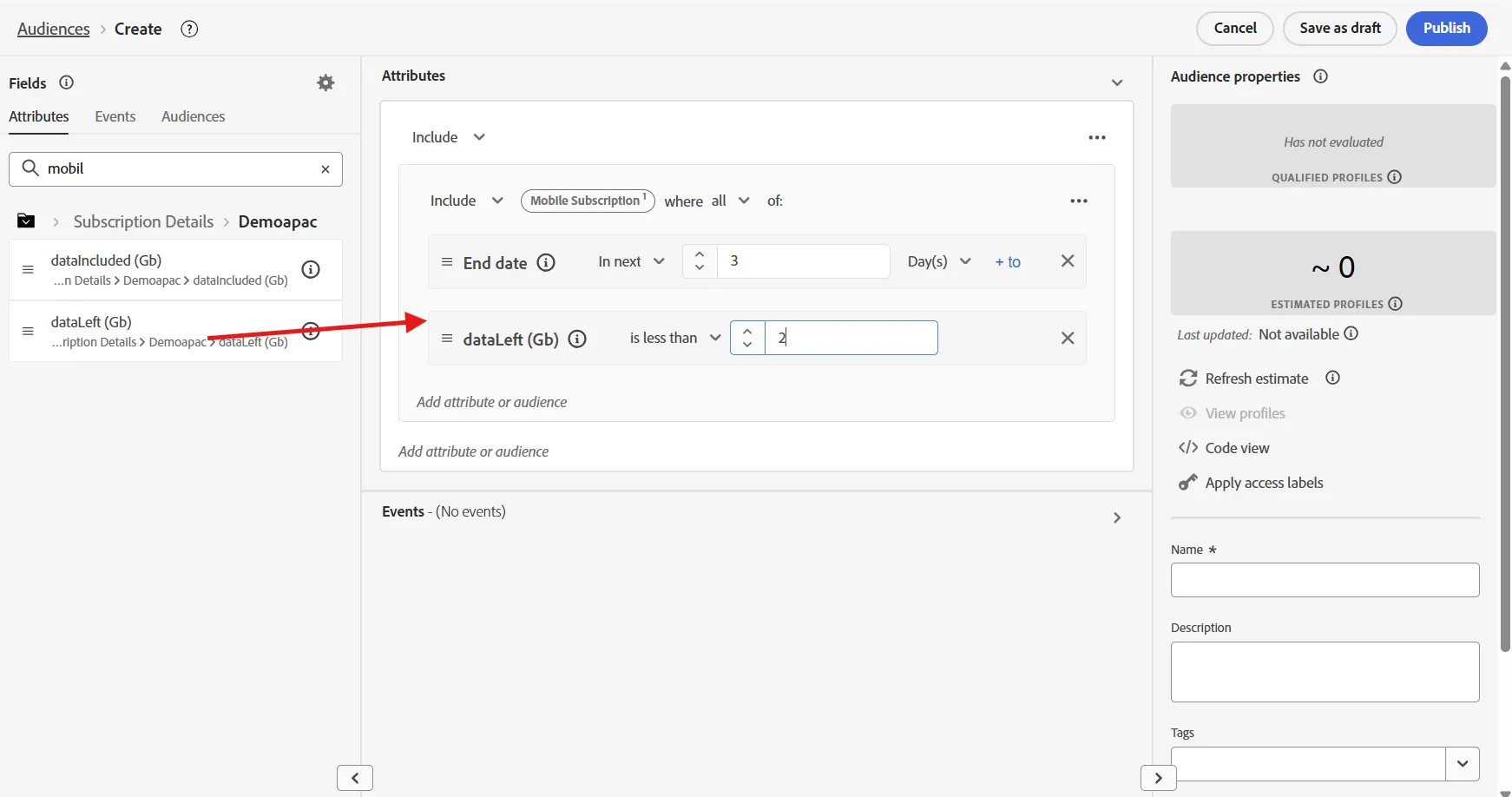
Give your audience a name, something like "John - Prepaid customer to renew", add the telco Tag, change evaluation method to streaming, and publish
Summary
By consolidating known and pseudonymous customer data from diverse sources—such as CRM systems, behavioural events, and device IDs—AEP creates a single, actionable view of your customers. AEP Provides a central repository for all of your audiences regardless of how they're created. Enrich and segment unified profiles in real time with the segmentation service and leverage AI-powered insights to fuel your workflows, ensuring your campaigns are on target and relevant.