Create an Audience
2 min
Within CJA there are multiple ways of creating and publishing audiences. The most common way that we will cover during our HOL is from a selection within a specific visualizations (see data visualizationsdata visualizations). Here is an example:
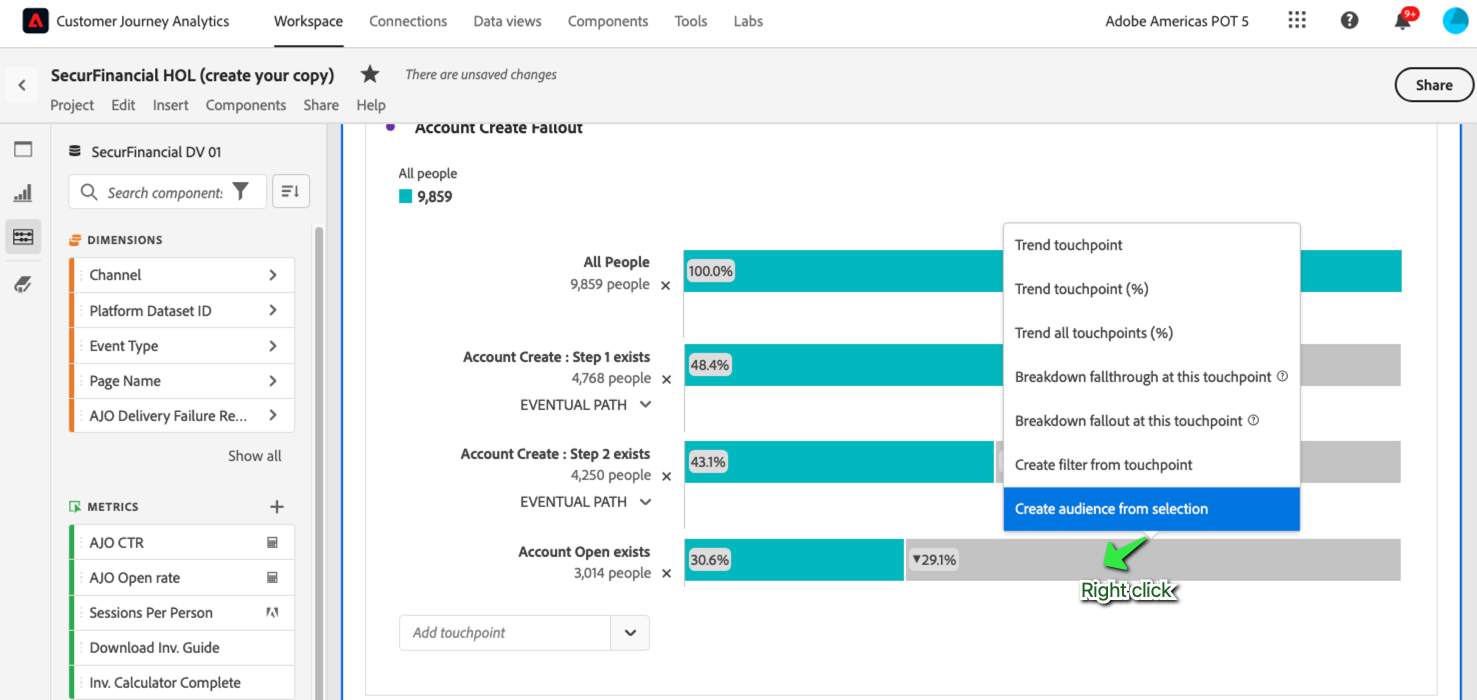
By right clicking on an area of interest we have the ability to select "Create audience".
This will bring us to a page where we can refine our audience before publishing it:
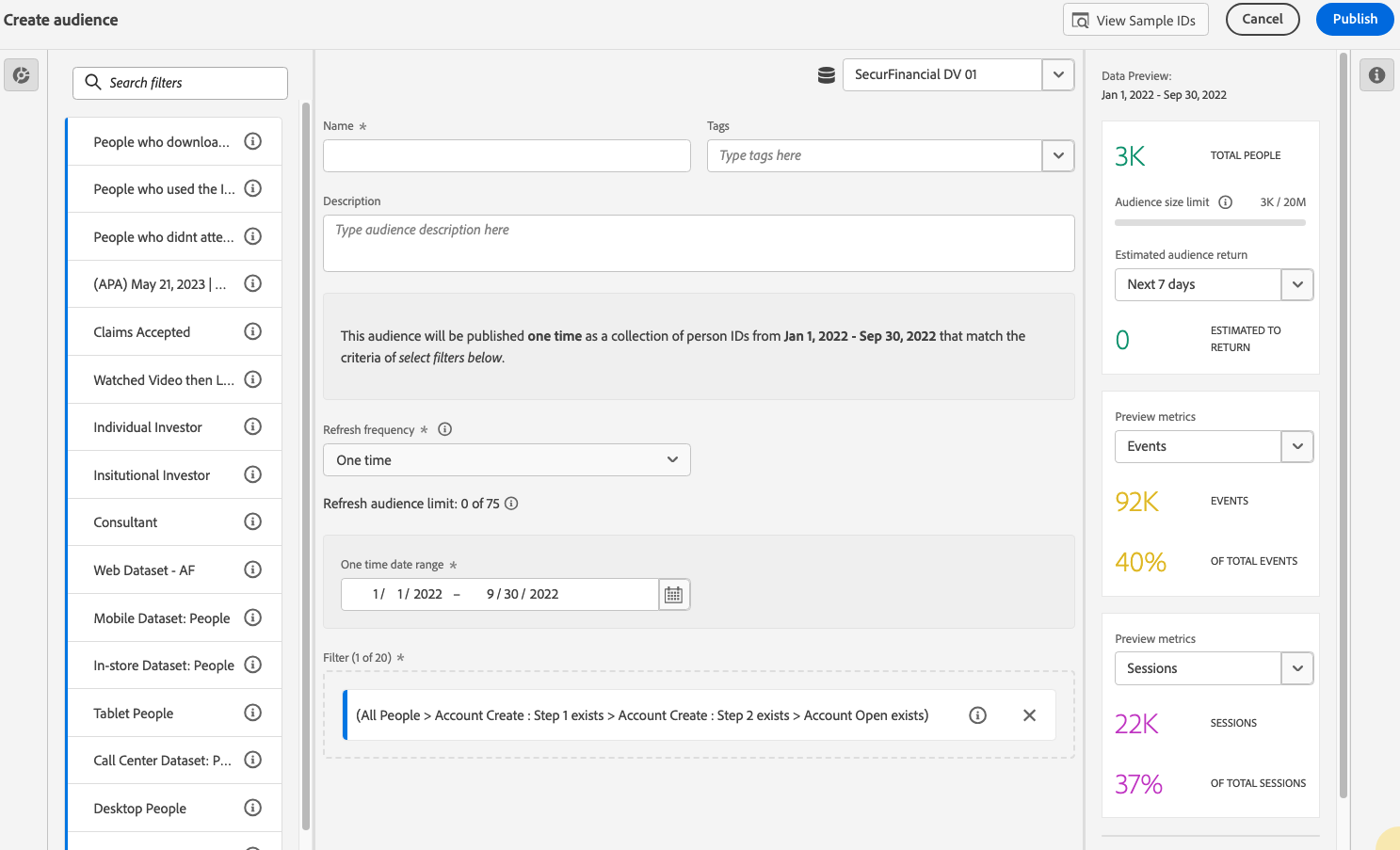
Configure these settings before you can publish the audience:
- Refresh frequency: The frequency at which you want to refresh the audience.
- You can choose to create a one-time audience (default). For example, this could be helpful for specific, one-time campaigns.
- You can select other refresh intervals. For the 4-hour refresh frequency, there is a limit of 75 to 150 audience refreshes, depending on your Customer Journey Analytics entitlement.
- Expiration date: When the audience will stop refreshing.
- note: the default is 1 year from the creation date. Expiring audiences are treated similarly to expiring scheduled reports - the admin gets an email a month before the audience expires.
- Refresh lookback window: Specifies how far back in your data window you want to go when creating this audience. The max is 90 days.
- One-time date range: Date range when you want the one-time audience to be published.
- Filter: the main input to the audience. You can add up to 20 filters. These filters can be joined with And or Or operators.
- View sample IDs: A sample of IDs in this audience. Use the search bar to search for sample IDs.
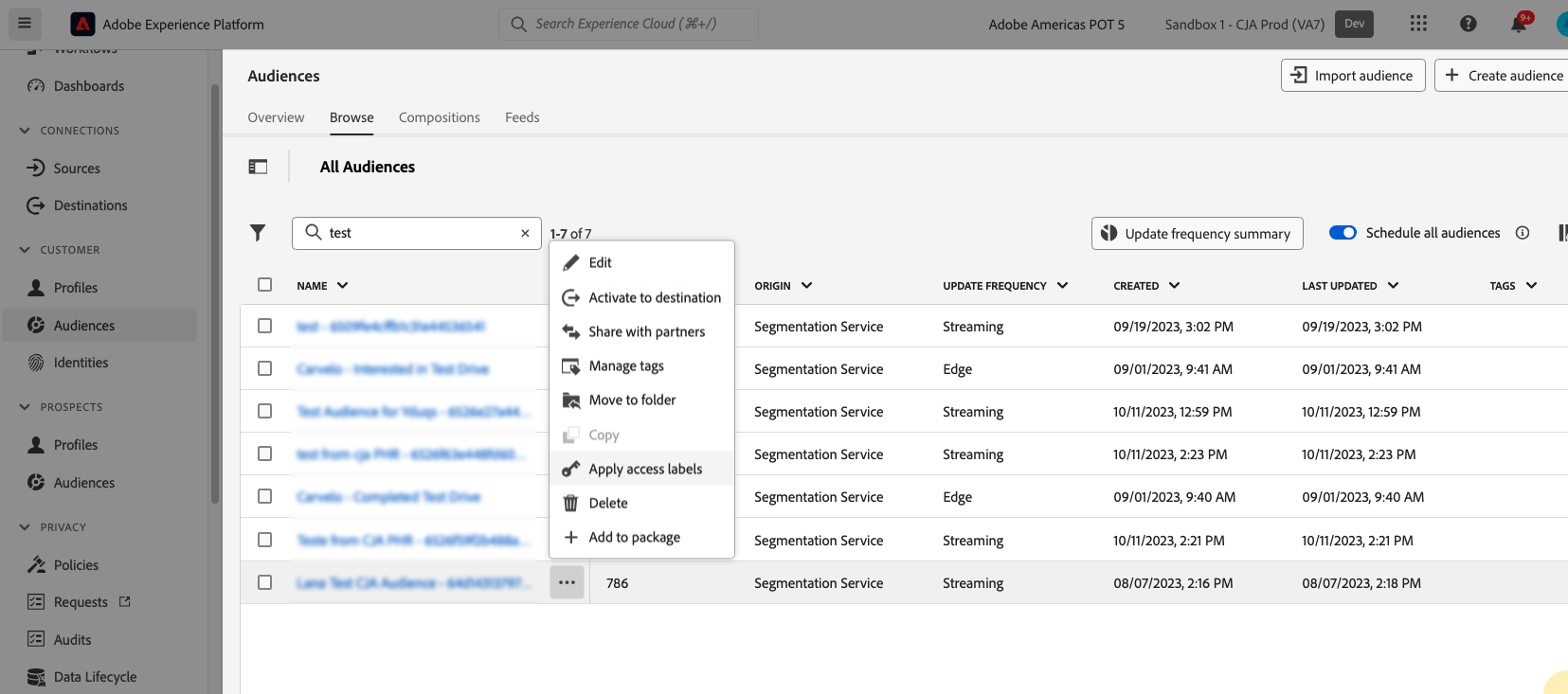
After hitting "publish" you're audience will be available in AEP for acrtivation, sharing, and more:\