Data Views
5 min
description: >-
  Lets you determine how to interpret data from a Connection. It specifies all
  dimensions and metrics that will be available in Analysis Workspace.
Once we've created a Connection we need an associated Data View in order to use the components (dimensions/metrics) from our datasets for CJA reporting. In practice, you have the ability to create different data views for the same connection, with different sets of components . Or create data views with different settings for visit timeout, attribution, etc.
The true power of Data Views lies in it's ability to do extensive data transformation on ingested data at report time.
Note: Connections and Data Views modules are not Hands-on due to HOL technical limitations. Please follow the presenter on-screen.
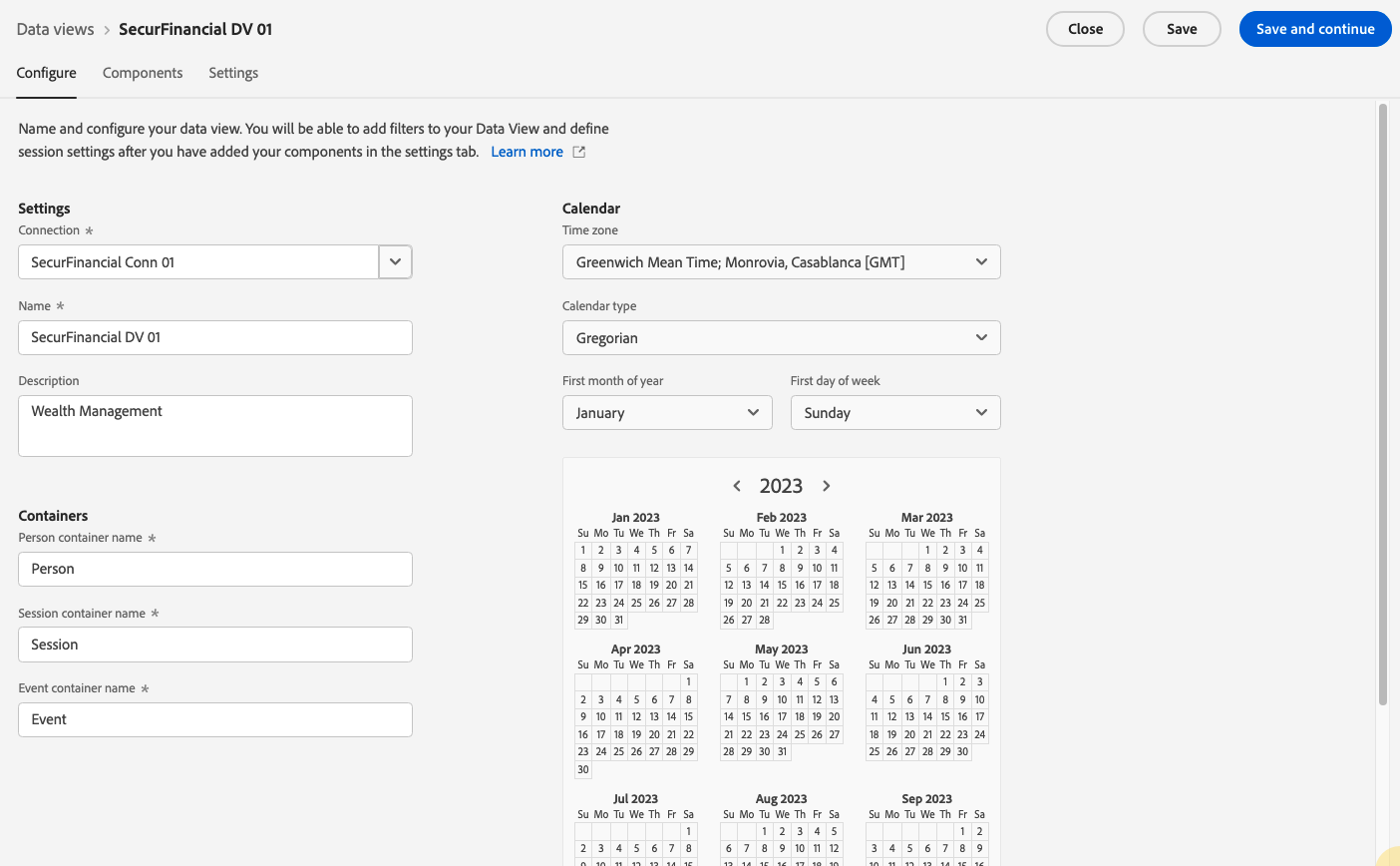
- First, under the "Configure" tab, we need to define overarching settings for the data view:
- the Connection it's referencing
- Name
- Containers
- Calendar
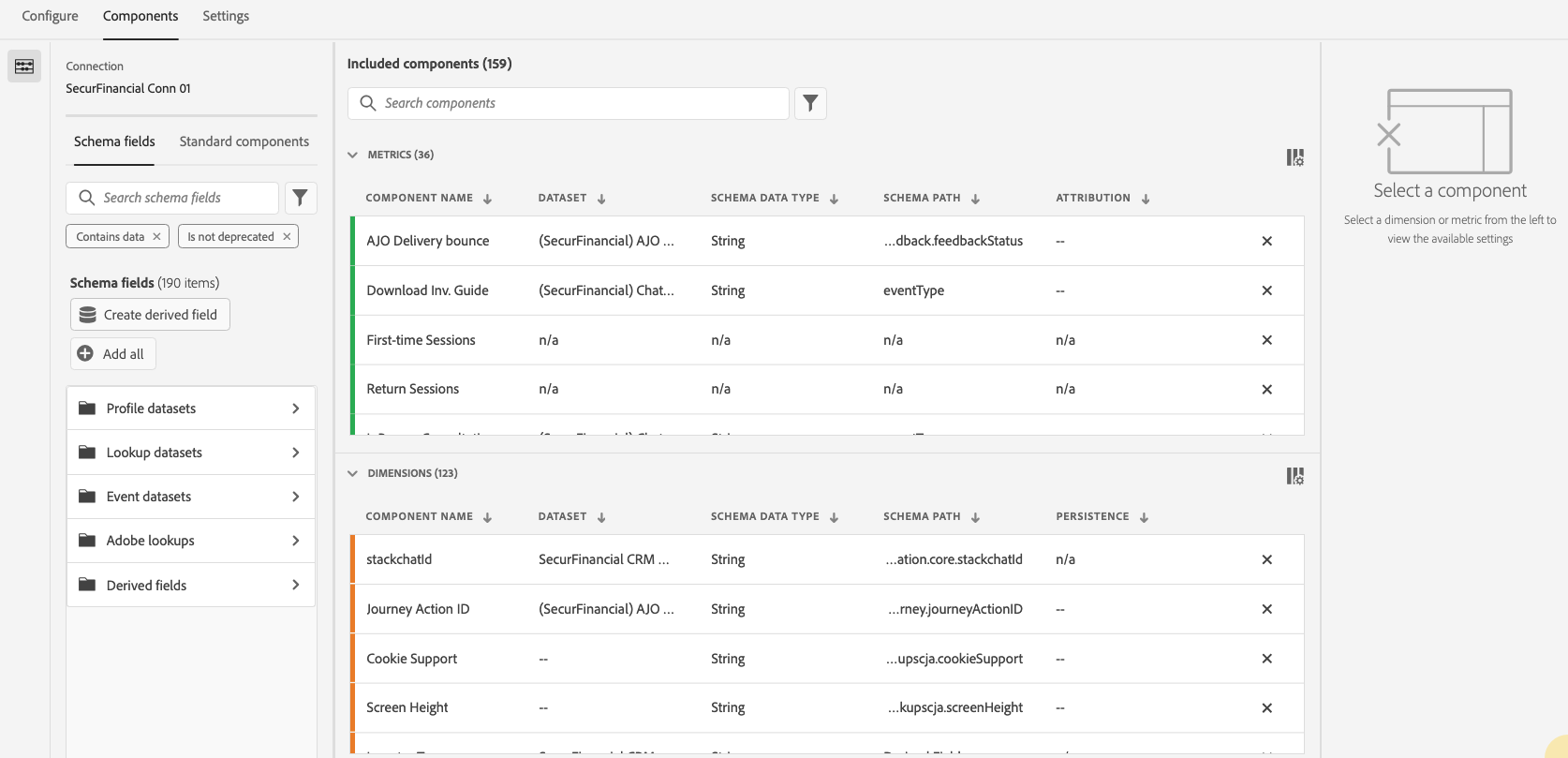
- Next, we will select components from our schema. These are the dimensions and metrics that we want to see in our reports.
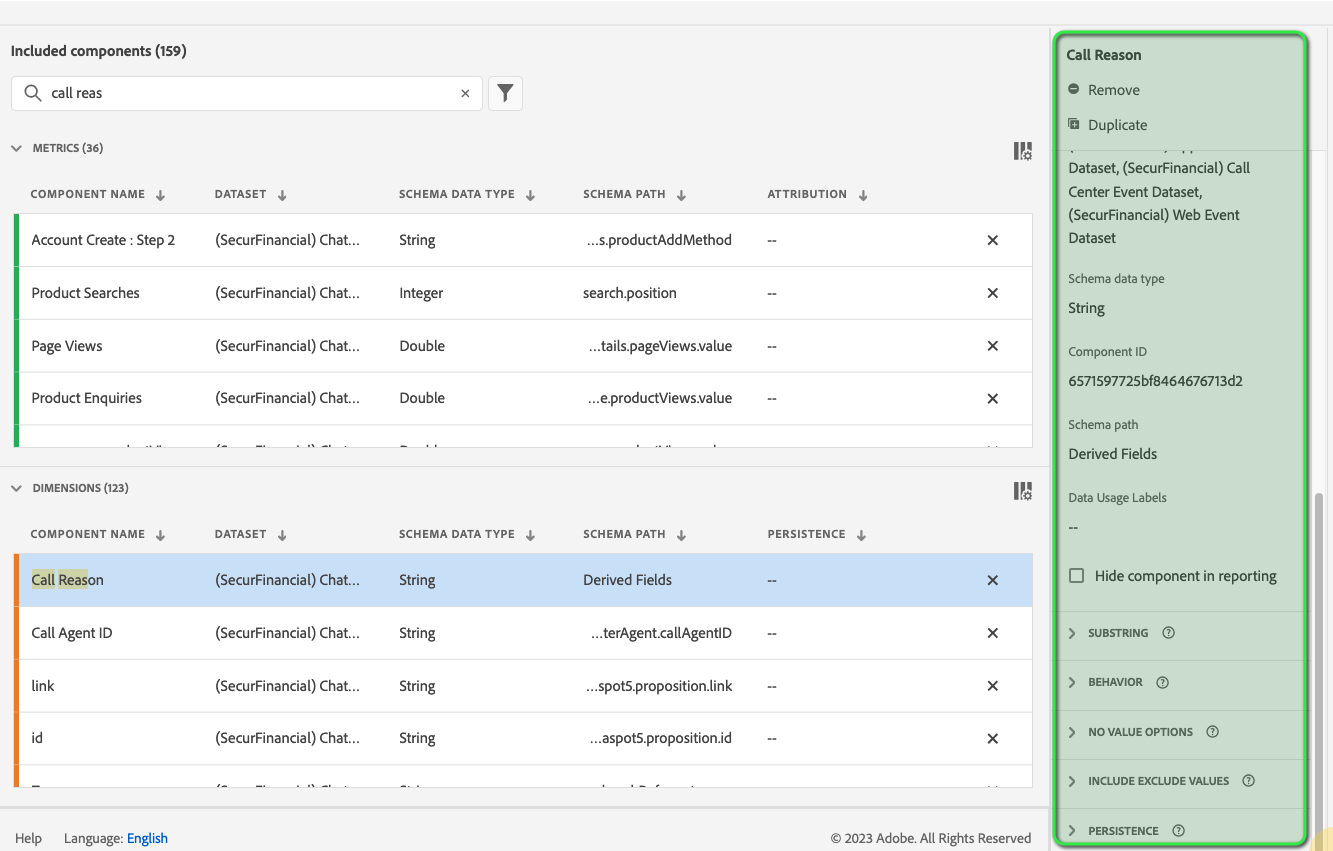
- Once you select a component, it's respective settings will appear on the right panel
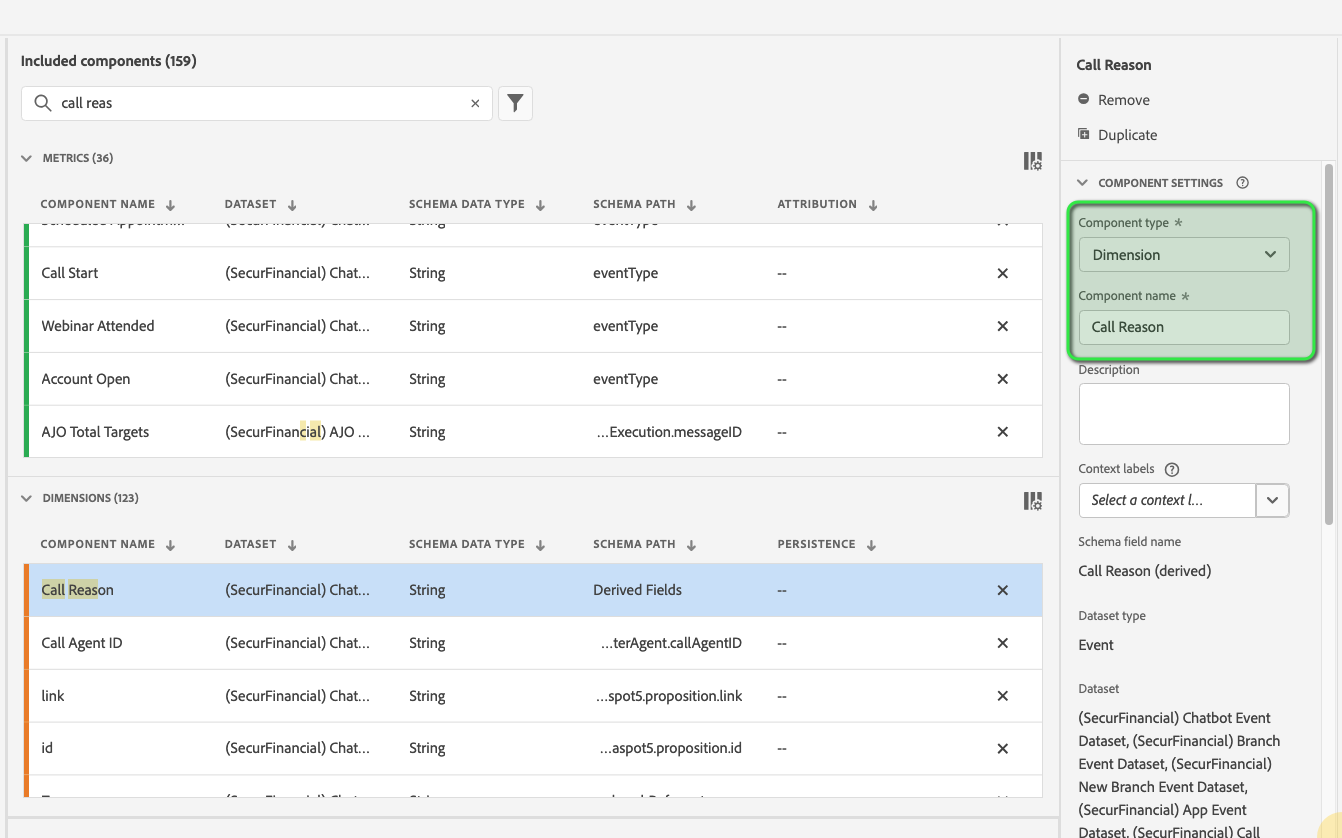
- Available component settings depend on if the component is a dimension/metric and the schema data type. Settings include:
- From here we also have the ability to duplicate metrics or dimensions and then modifying specific settings is an easy way to create multiple metrics or dimensions from a single schema field.
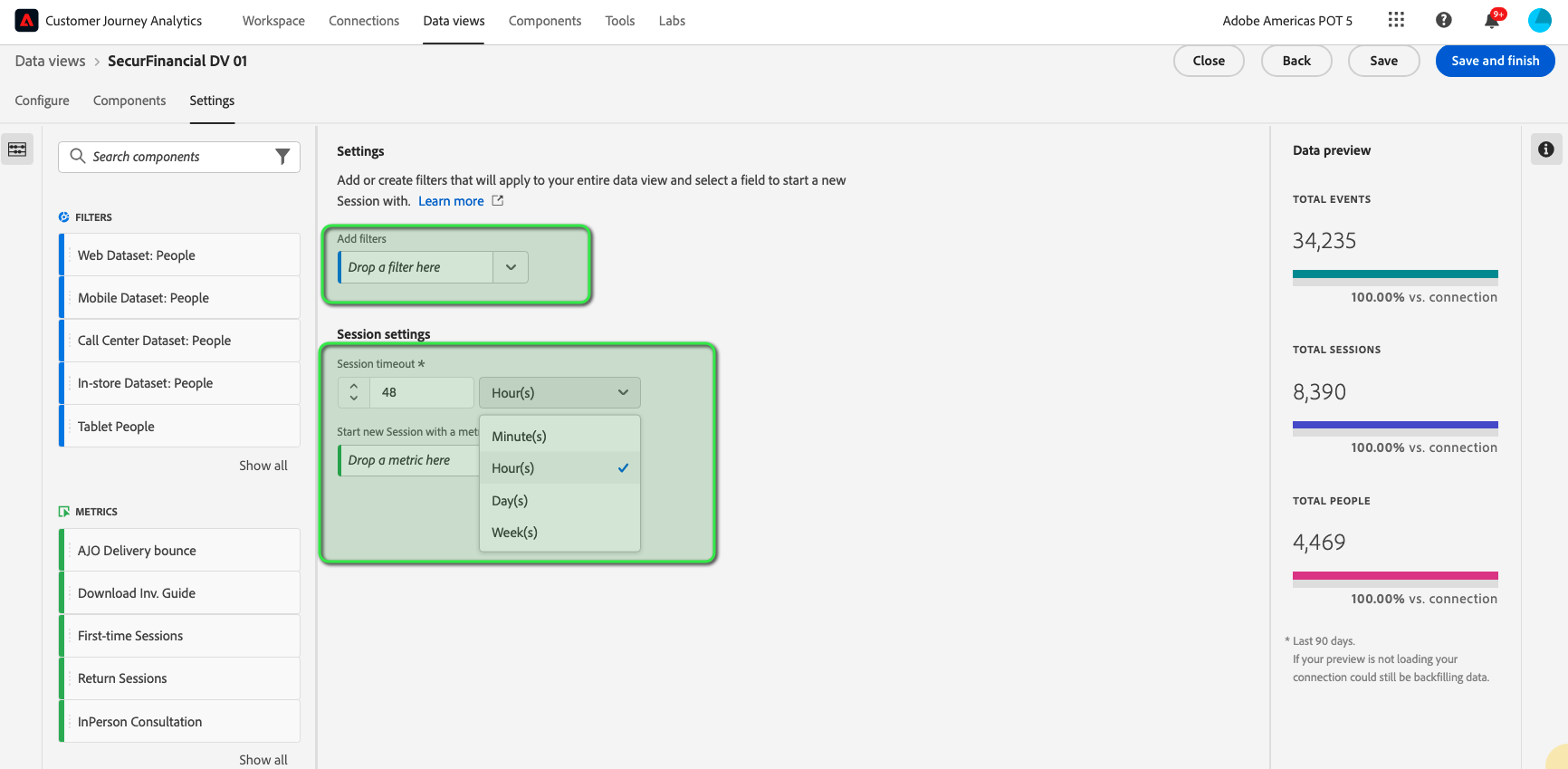
- Lastly, before saving we need to define the session timeout setting. We can also add filters at the Data View level to limit the amount of data in our reports (location, product, division, etc.)
\