Dataset and Data Ingestion
Dataset and Data Ingestion
Datasets will be defined by a schema for data to be ingested. This lab will walk through the steps to complete a data ingestion workflow to create a dataset and ingest data.
Start a Data Ingestion Workflow
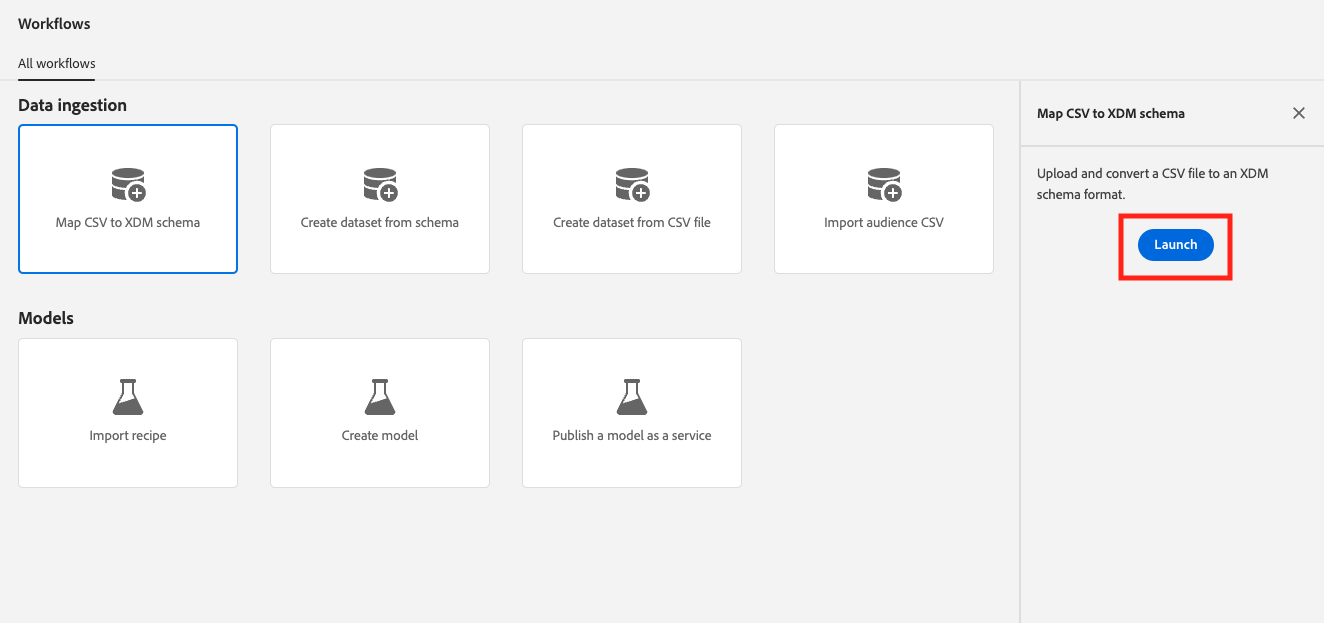
- Navigate to Workflows in the left-side navigation panel in the Adobe Experience Platform UI. Select Map CSV to XDM schema and then click on Launch.
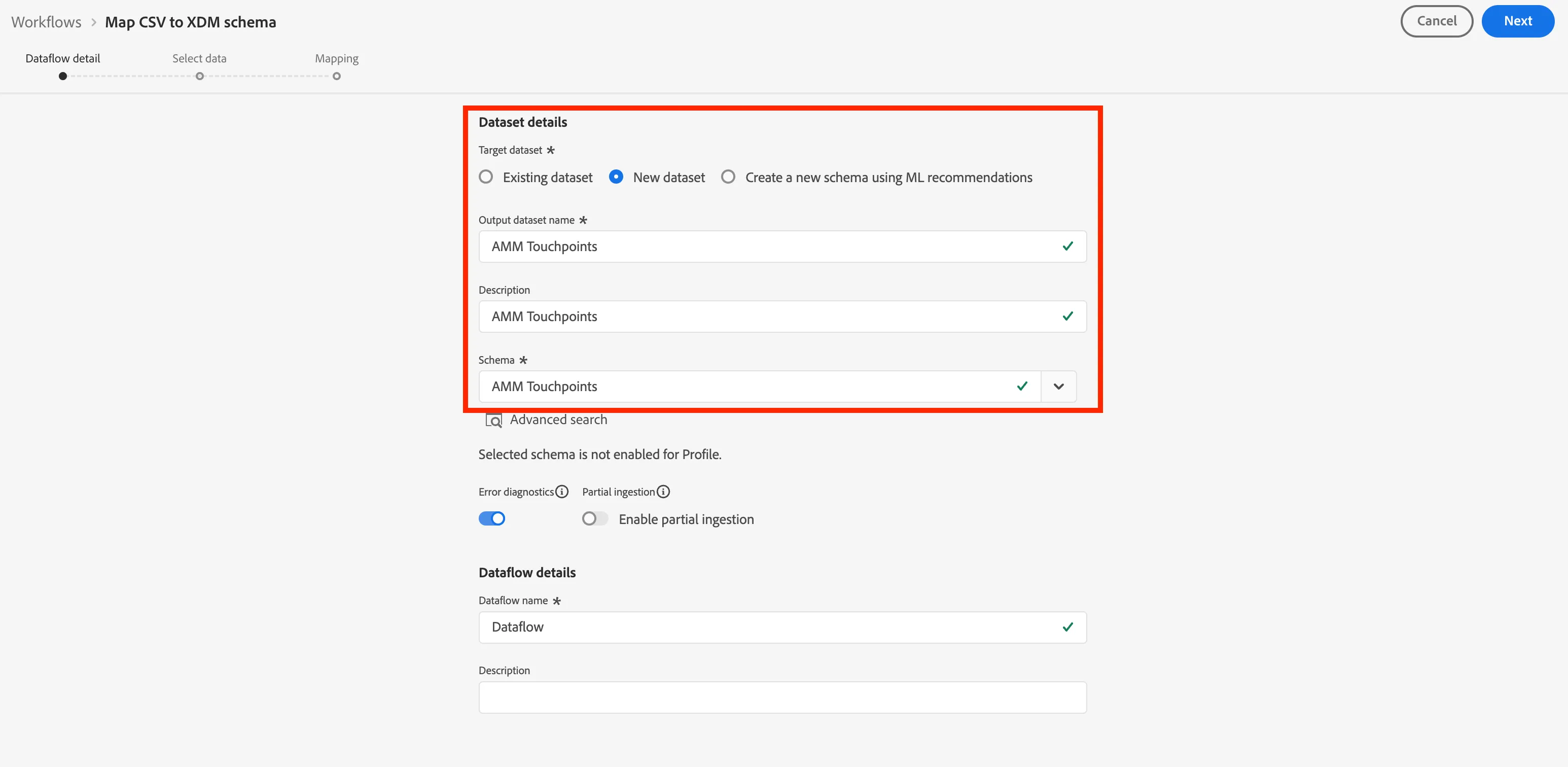
- Select New dataset on the of your screen. Next you will need to add some information about your dataset and schema:
- Output dataset name: AMM Touchpoints + {{Participant Initials}}
- Description: AMM Touchpoints
- Schema: AMM Touchpoints + {{Participant Initials}}
- Click Next to navigate to the next screen.
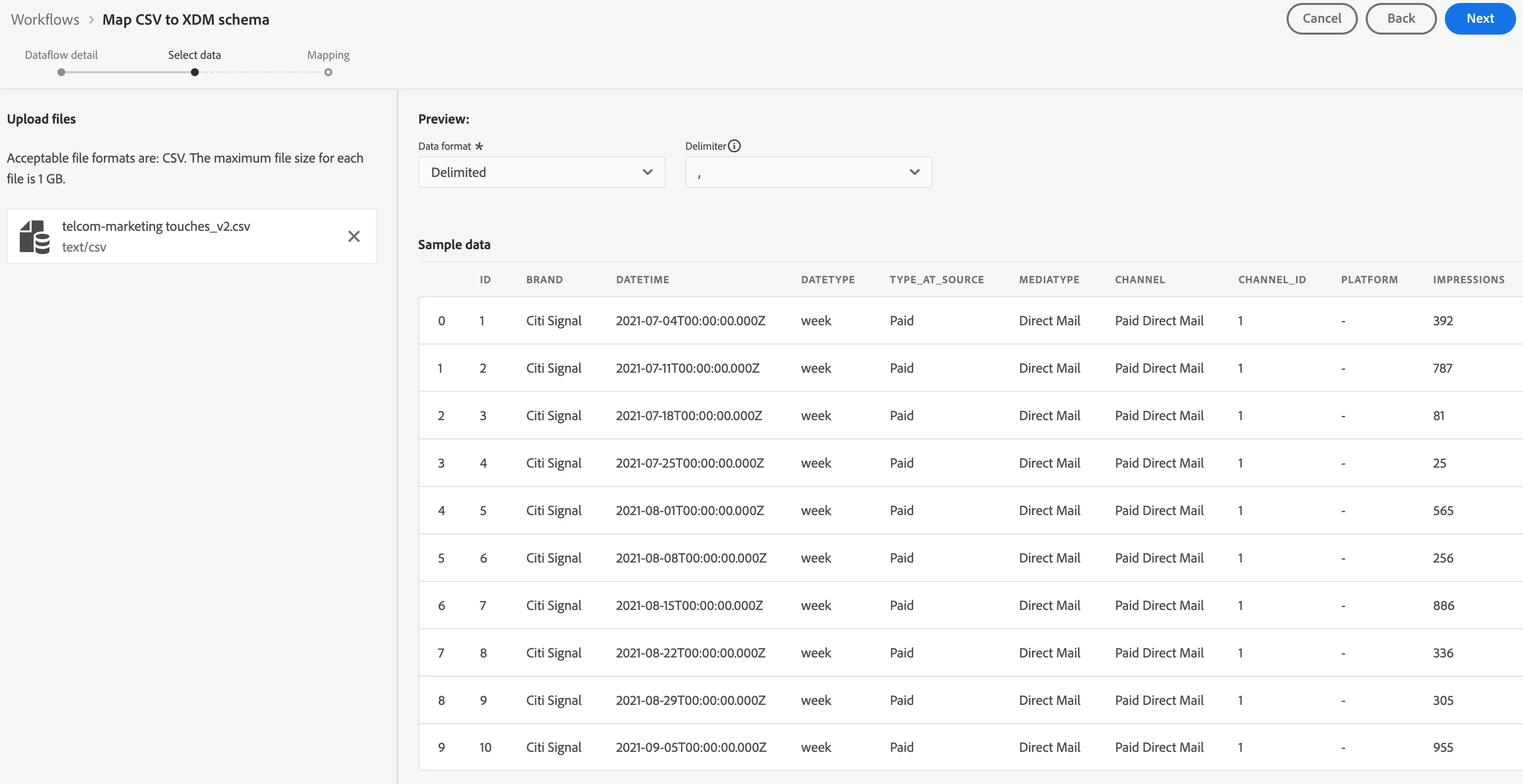
- You will be selecting the data that will need to be ingested.
- Download this file of demo data:
- Click on Browse or drag and drop the file called AMM Marketing Touchpoints Data. You will see a preview of the data once it is uploaded. Click Next.
You now need to map your table Column Headers with an XDM-property in your Dataset.
NOTE: for the Schema Mappings, Adobe Experience Platform has linked fields together already. However, in the case not all proposals of mapping are correct, you can adjust the individual mappings in the UI.
To edit the mappings:
- Select the lightbulb icon on the Target field you want to change.
- If your chosen field doesn't appear in the list, choose Select manually.
- Select your chosen field from the schema structure.
- Your source attribute is now mapped to your chosen Target field.
- You can also type your Target field directly in the text box if you know the path.
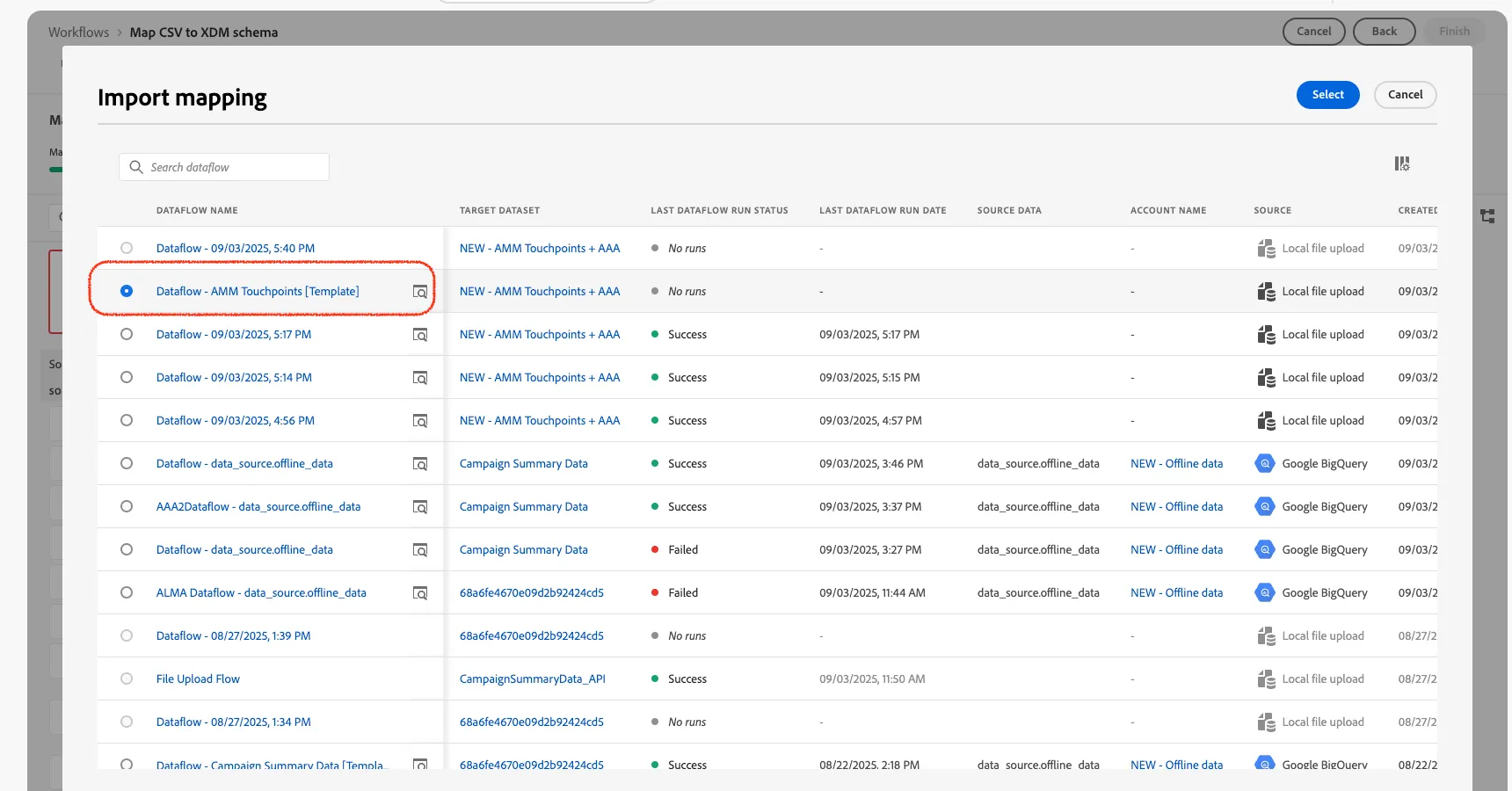
For this exercise you will not need to edit any of the mappings. Instead will choose to Import Mapping from a previous ingestion.
- Select Import mapping from the menu above the mappings near the center of the screen.
- Select Import mapping from flow.
- This will open a window with mappings from previous Dataflows.
- Select the Dataflow - AMM Touchpoints [Template].
- Click Select.
- Click Finish to start the ingestion.
- Navigate to Data Management > Datasets. Once success you should be able to see you dataset in the list of datasets.
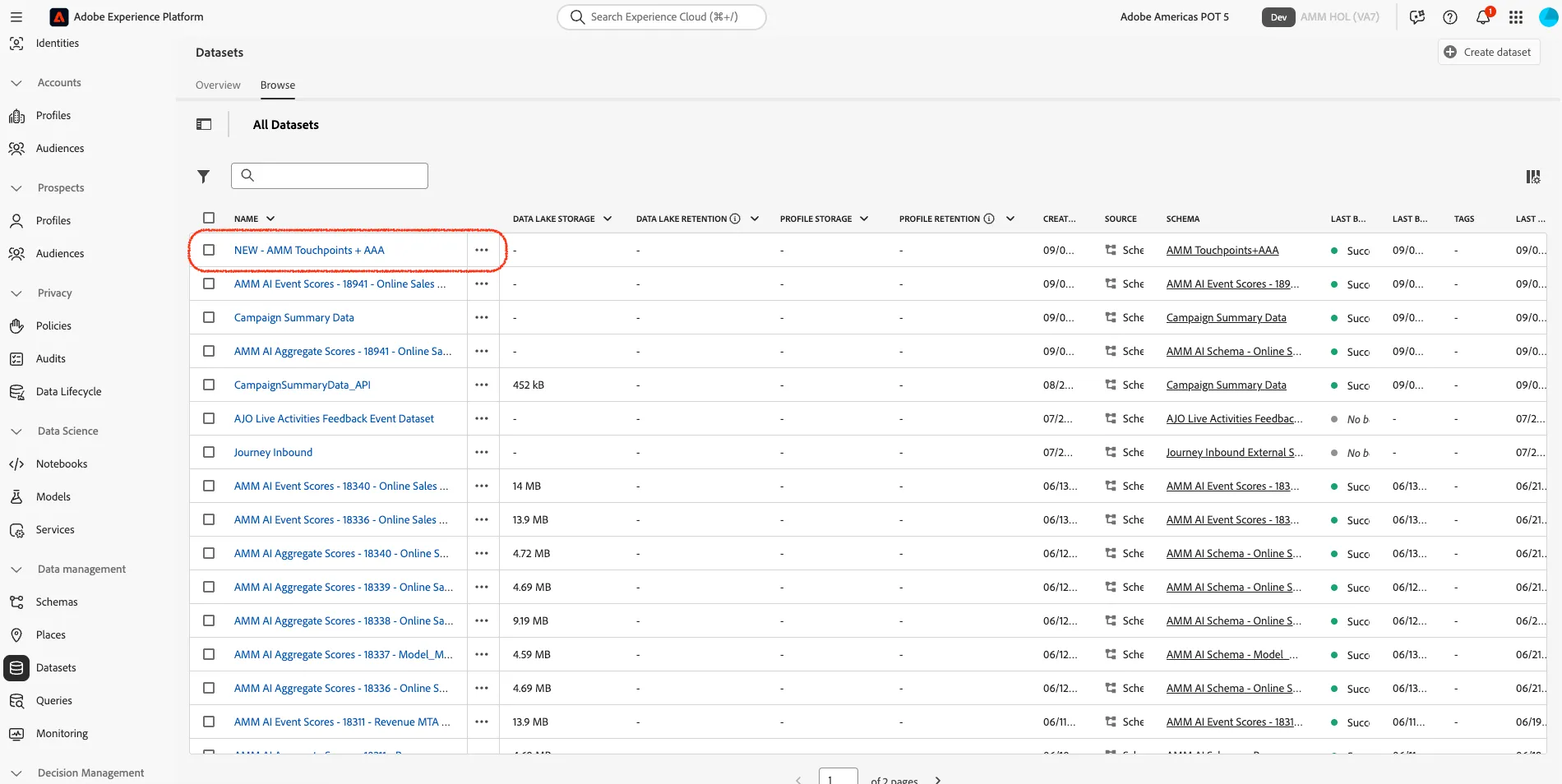
You can check your dataset ingestion status by clicking on the name of your dataset.
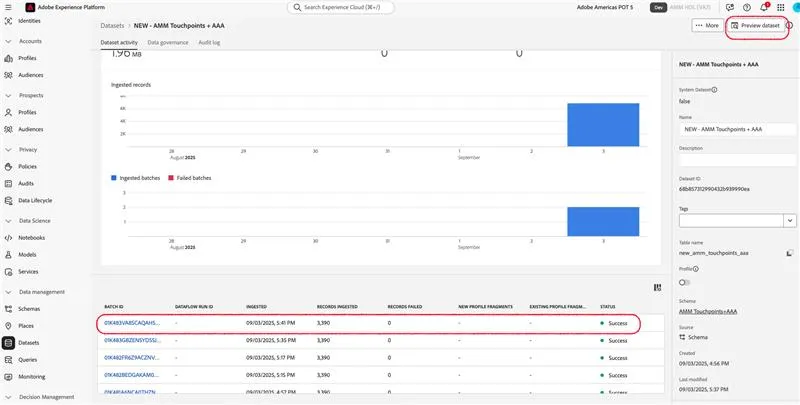
Congratulations! You have completed the Data Ingestion exercise.