Access & prerequisites MY/ID
Access to Adobe Experience Platform (Monday 15 July Users)
- When prompted for authentication, use the following Adobe ID. Do not use your own email address. Also, sign-out from all Adobe instances that might be open.
Password for all users is: maybank2026!
User # | Login Email |
|---|---|
1 - | |
2 - | |
3 - | |
4 | |
5 | |
6 | |
7 | |
8 | |
9 | |
10 | |
11 | |
12 | hol2u12@apac.aephandsonlabs.com |
13 | hol2u13@apac.aephandsonlabs.com |
14 | hol2u14@apac.aephandsonlabs.com |
15 | hol2u15@apac.aephandsonlabs.com |
16 | hol2u16@apac.aephandsonlabs.com |
17 | hol2u17@apac.aephandsonlabs.com |
18 | hol2u18@apac.aephandsonlabs.com |
19 | hol2u19@apac.aephandsonlabs.com |
20 | hol2u20@apac.aephandsonlabs.com |
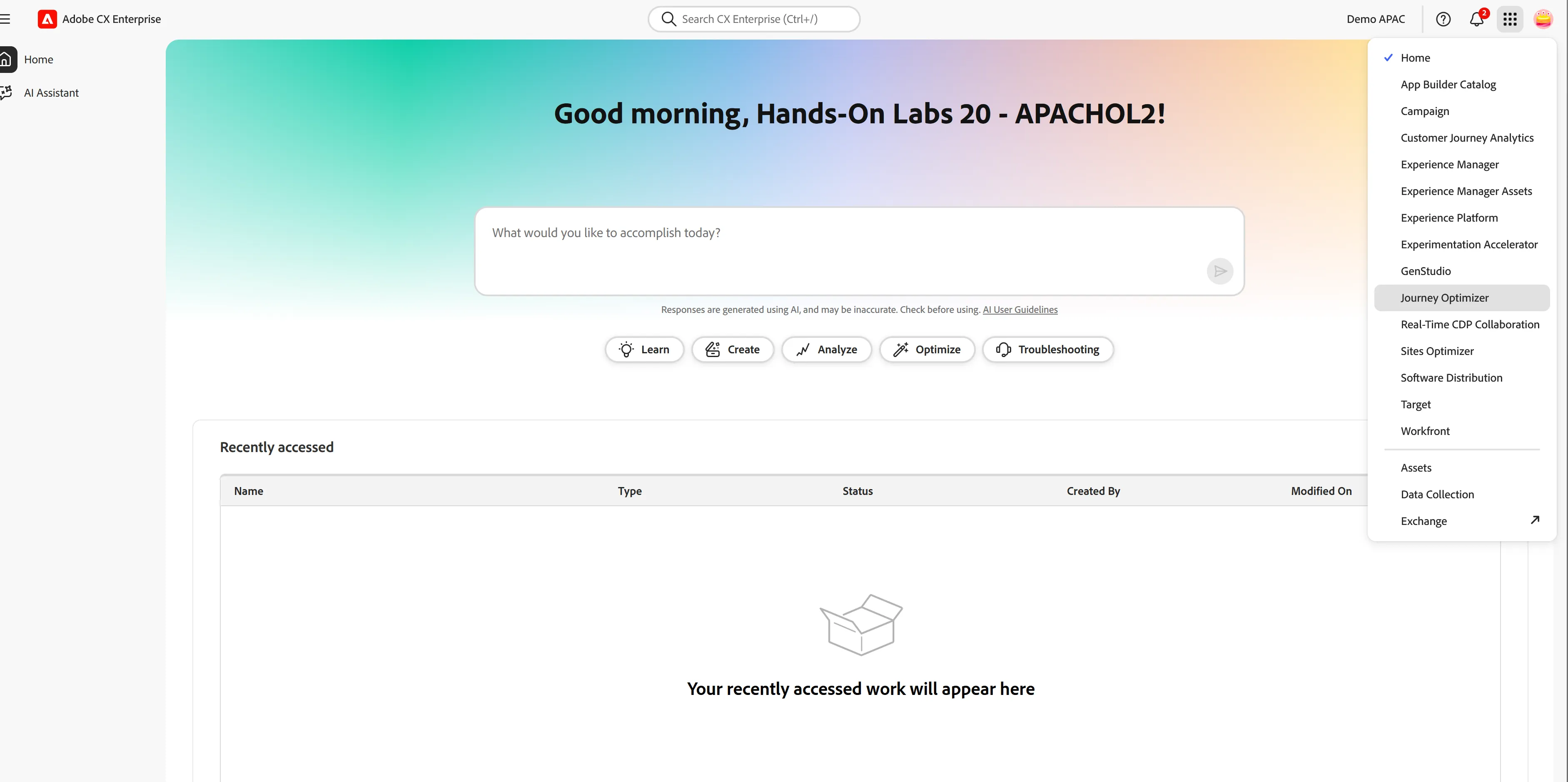
You will land on CX Entreprise home page, where we can ask our Agent question, to create audiences or journey, and a lot of other stuff! But let;s do that manually as a first step.
Click on the 9 dots icon on the top right, then click on Jounrey Optimizer. This is where all journeys are managed
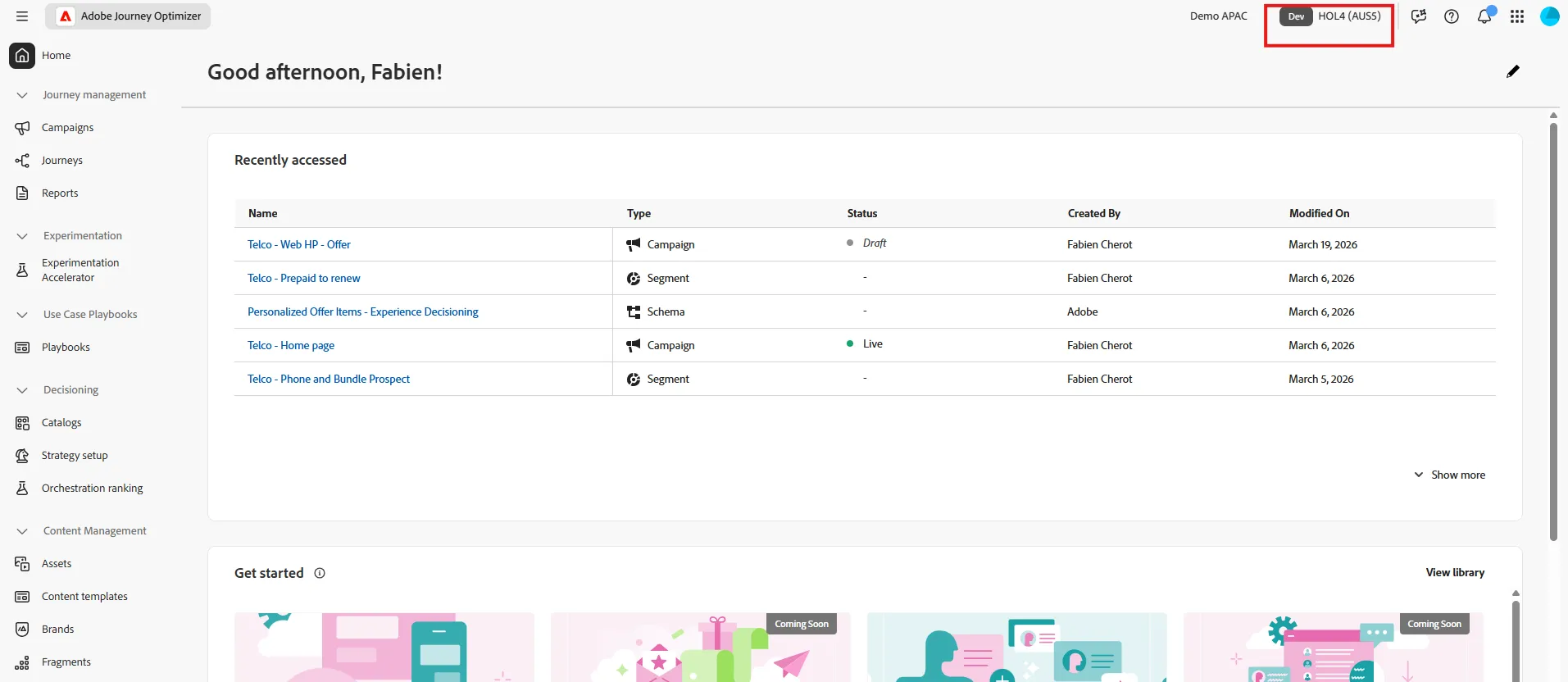
Once you land on Adobe Journey Optimizer, ensure you are in the right sandbox. On the top right you should see HOL2 (AUS5) representing the sandbox we will use for the lab. If you see a different value please click to change to HOL2 sandbox.