Create Journey
We will first create the Journey flow, then add the content for each message.
Create a Journey
Create a Journey with Agent
Navigate to Journey Management -> Journeys and click on Create Journey.
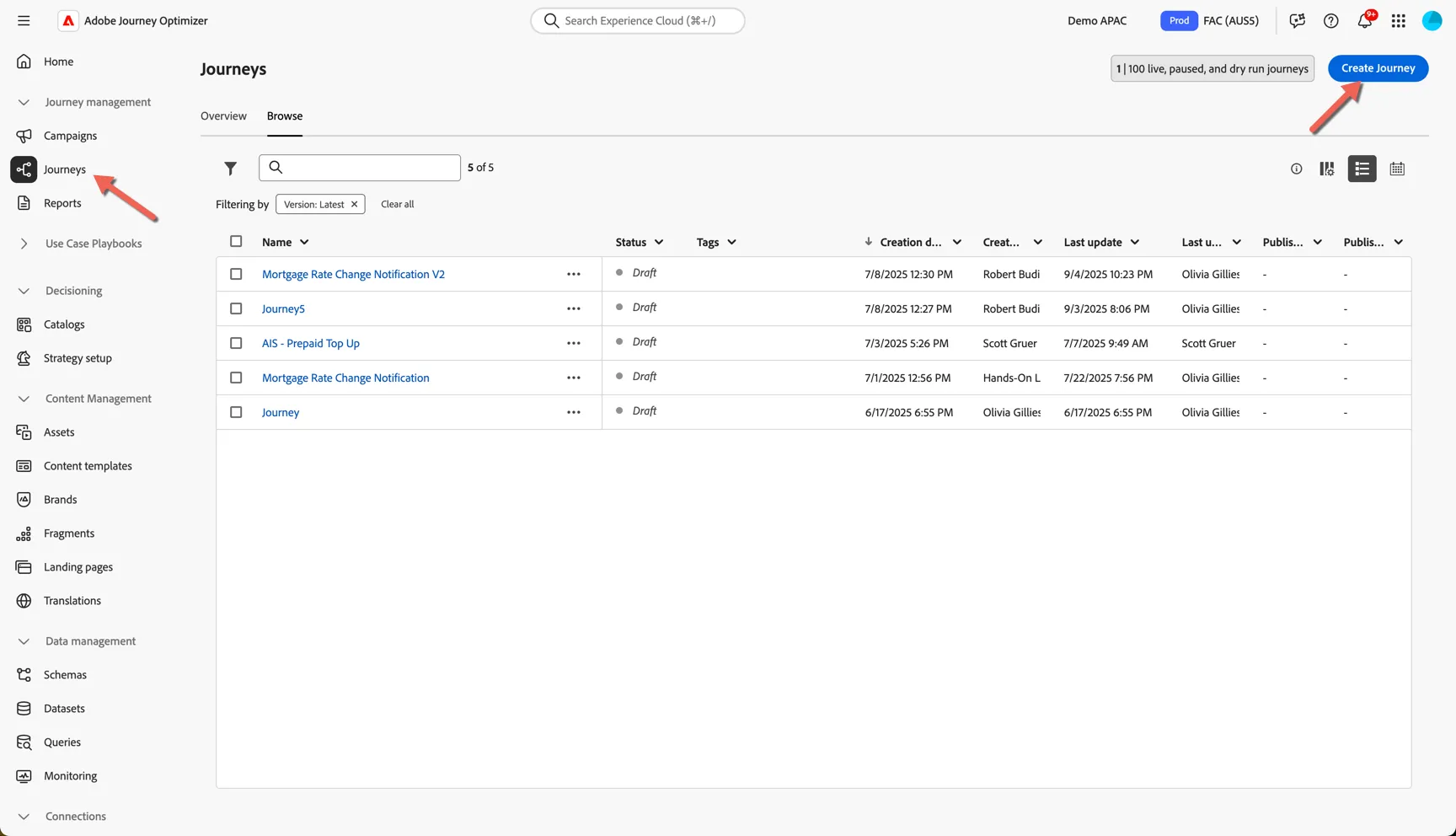
select Create with AI
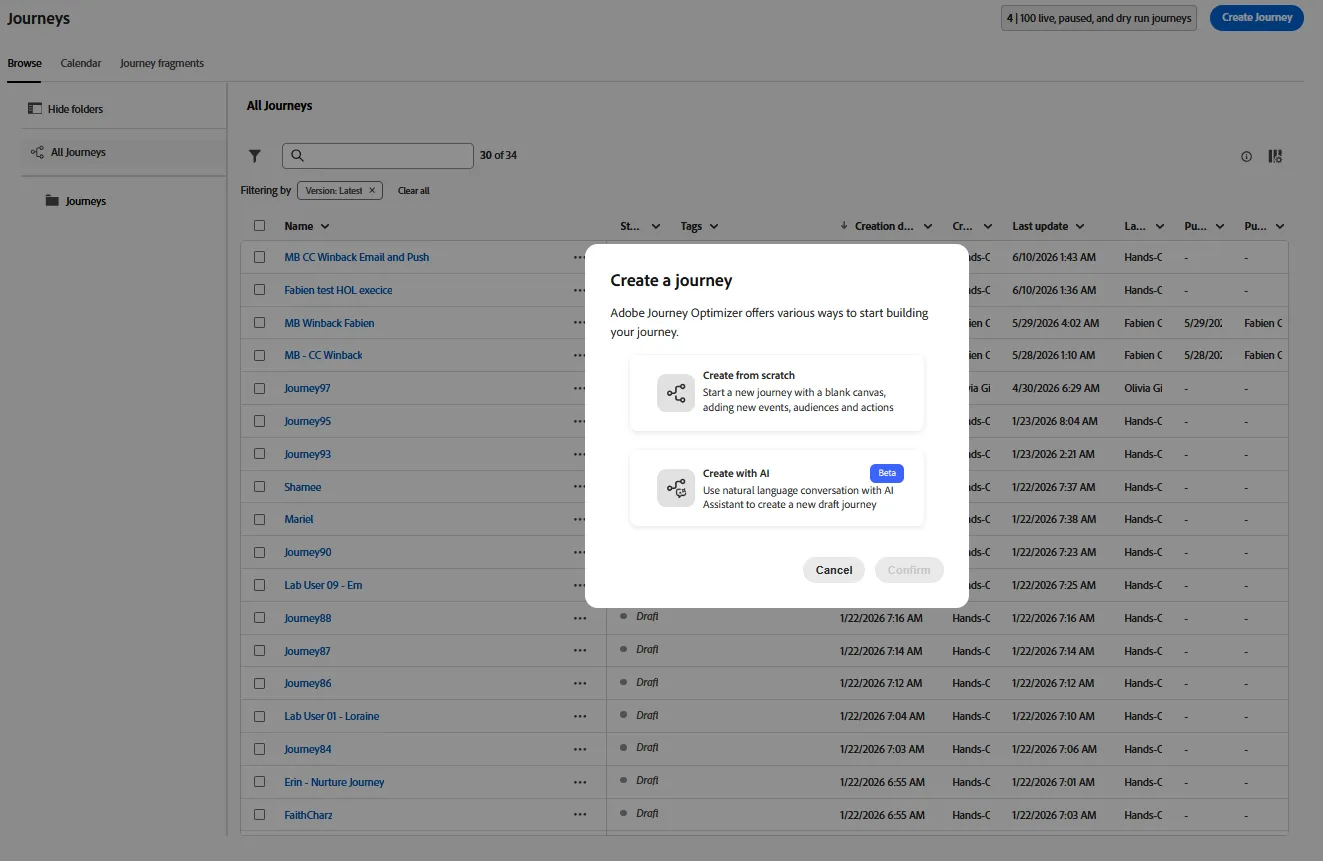
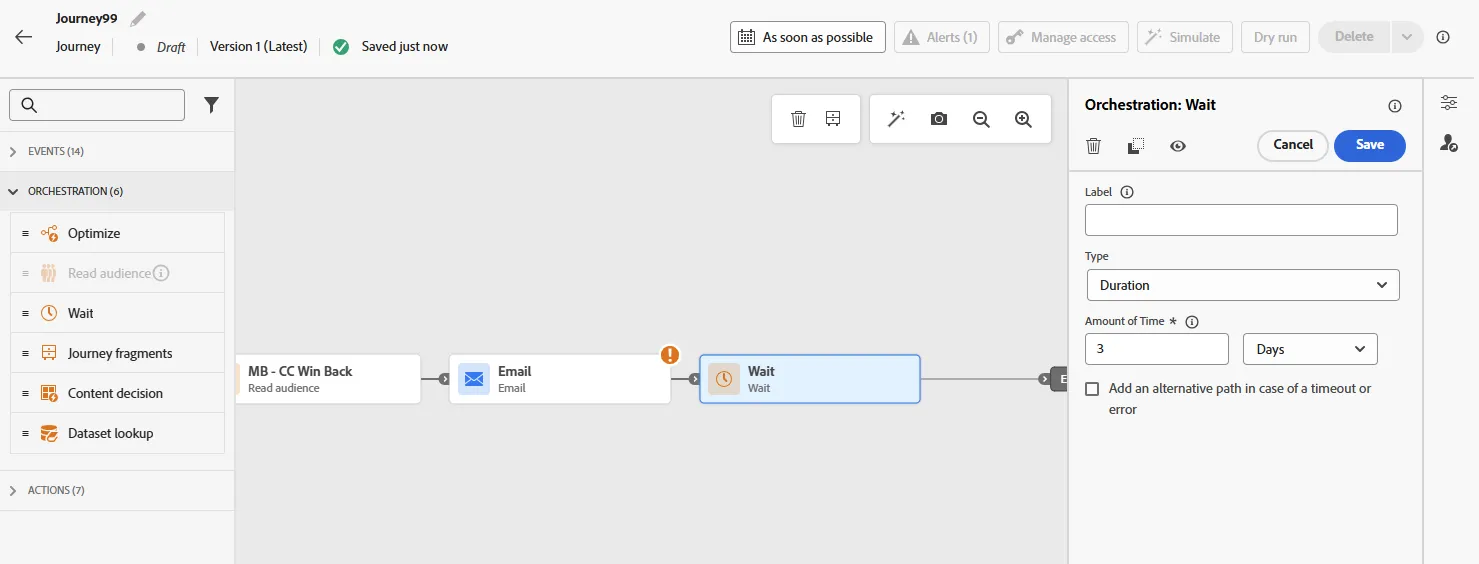
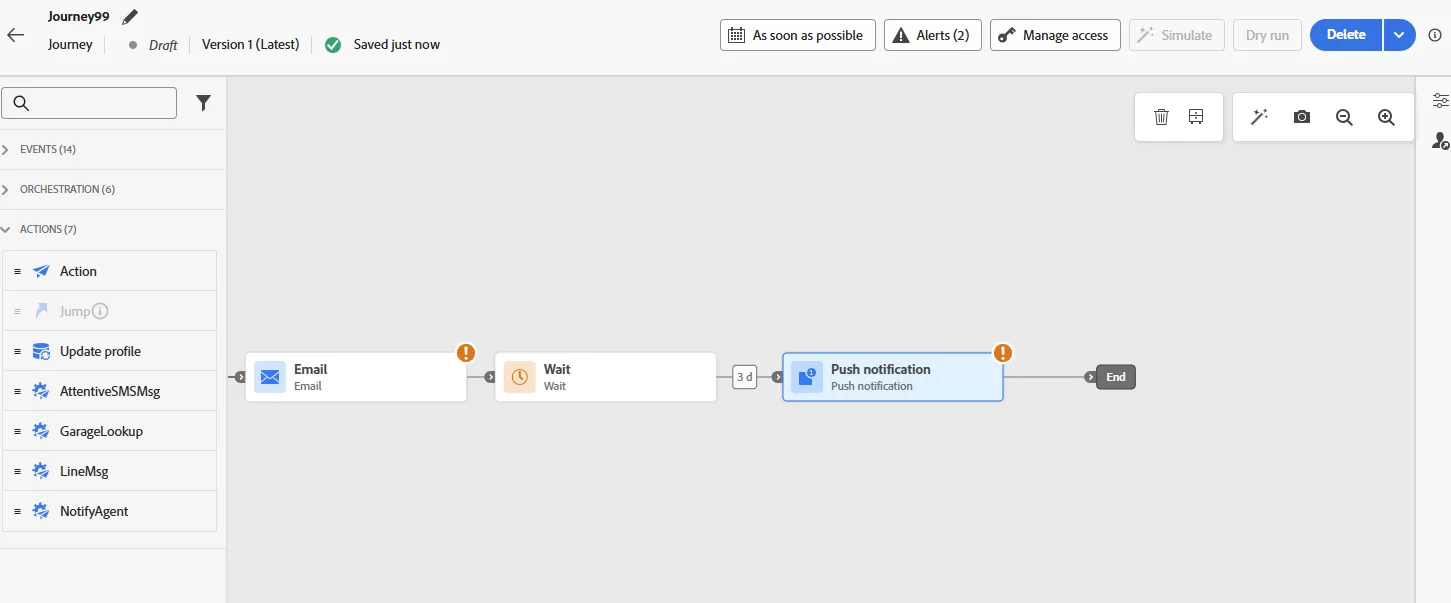
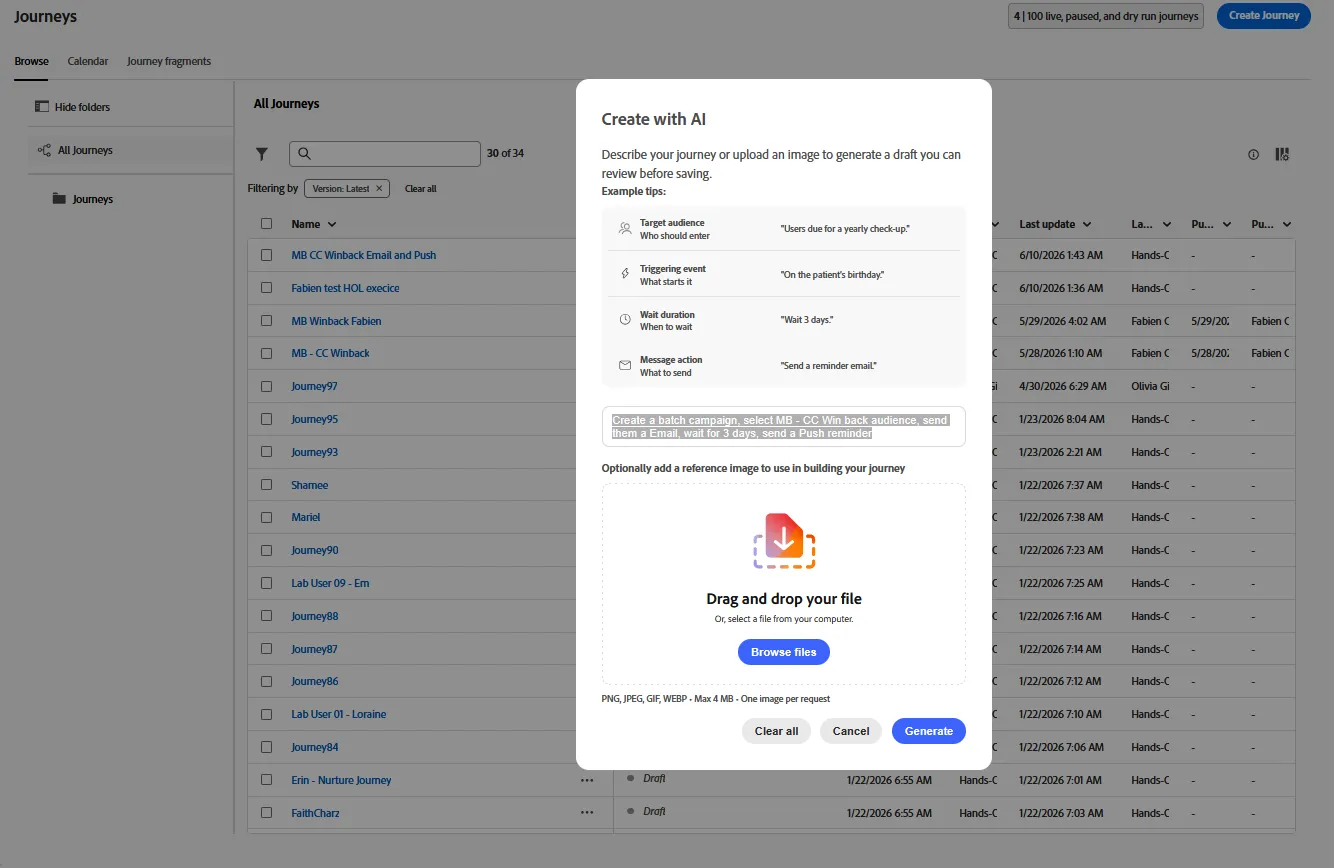
Add a Promt describing the journey we want to create. Copy and paste this one : Create a batch journey, select audience "MB CC winback", send an email, wait for 3 days, then send a push message
The agent will analyse your query, and propose a plan to execture. quickly review and type yes
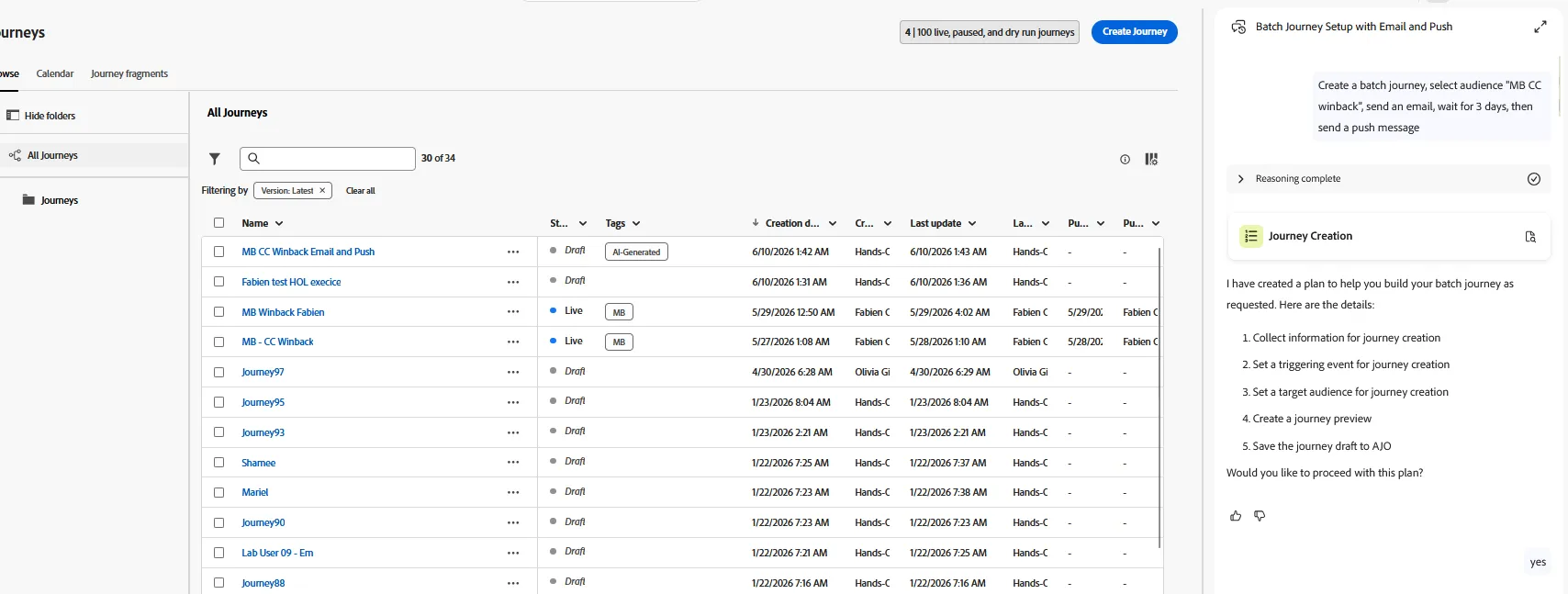
Process will continue. Follow the instructions and confirmed when needed. It may require confirmation of the audience to use if he can't find an exact match.
When the journey is ready, it will ask you if you want to save it, type yes. Then finally ask for a review before saving. Review and approve.
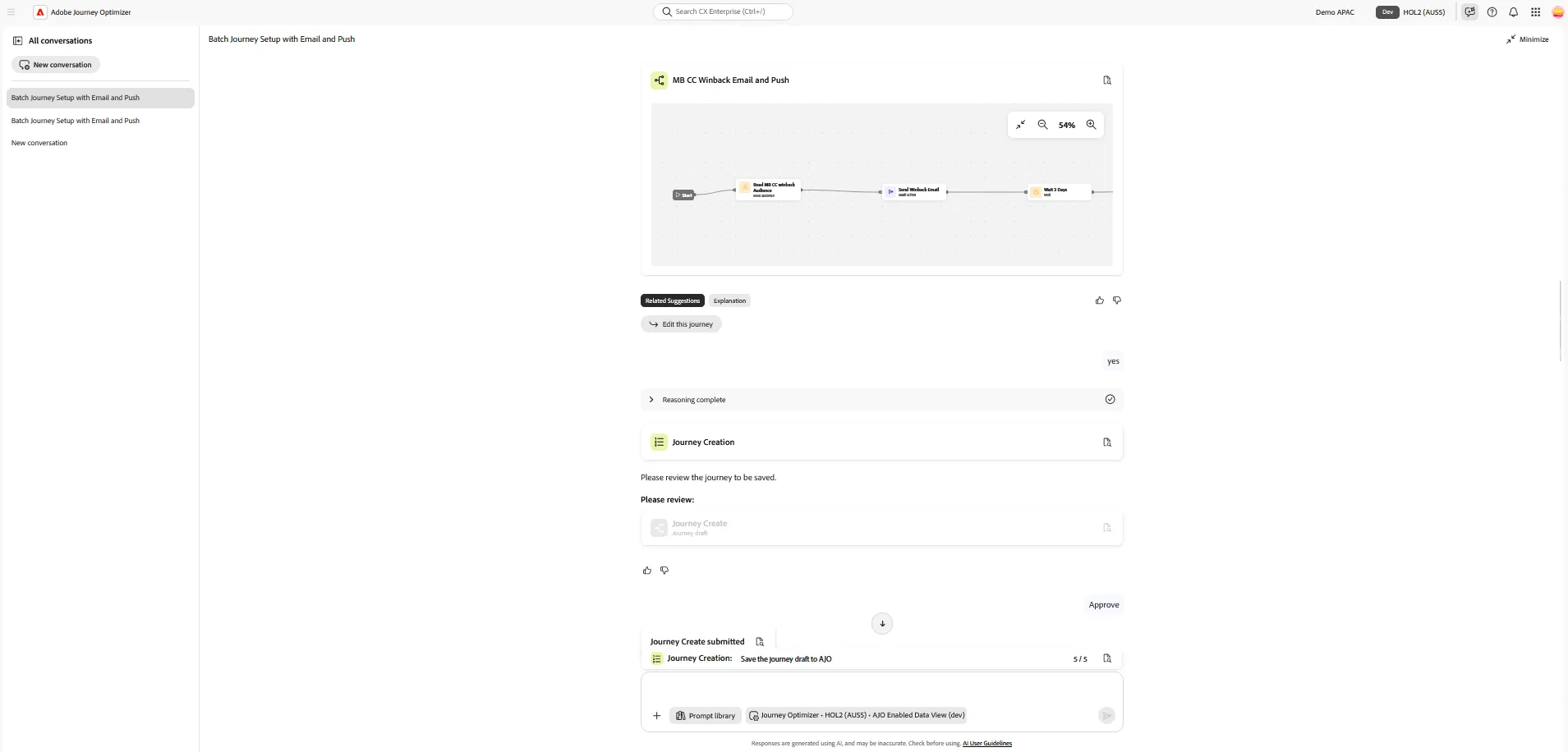
Finally, the agent may ask you if you want to continue the configuration by adding some content. While we can use the agent, we will do that manually in the next exercice.
Open your journey and review the configuration.
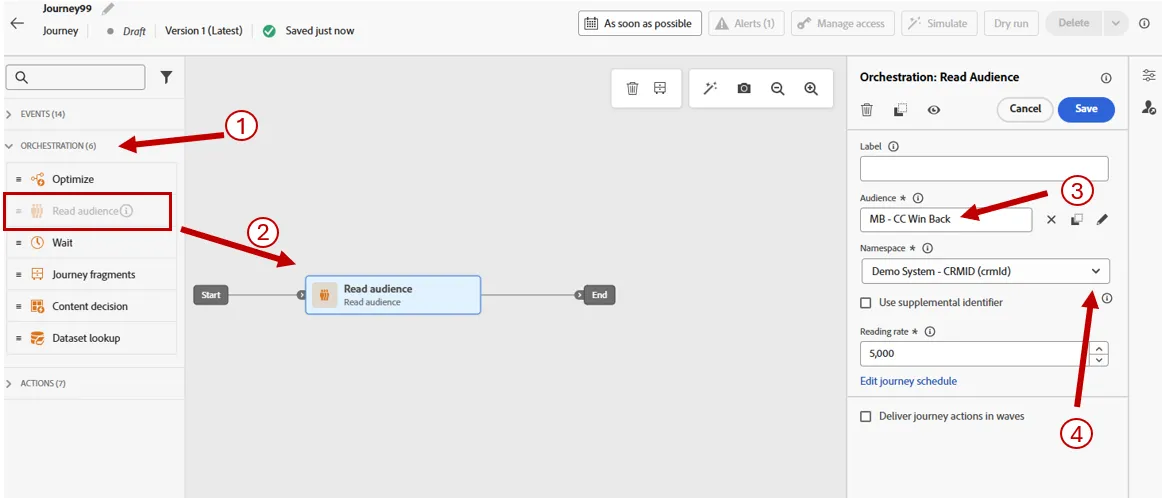
In the Read audience activity setting, change the Identity Namespace to CRMID