Analytics
Let's start to check what
Journey Reporting - Optional
You can eventually pusblish your journey, and check live reporting.
If your journey is not live, open the journey MB Winback Fabien
Click on View report, if you need to have a quick view of the main metrics in real time, select last 24hr report, otherwise click on all time report.
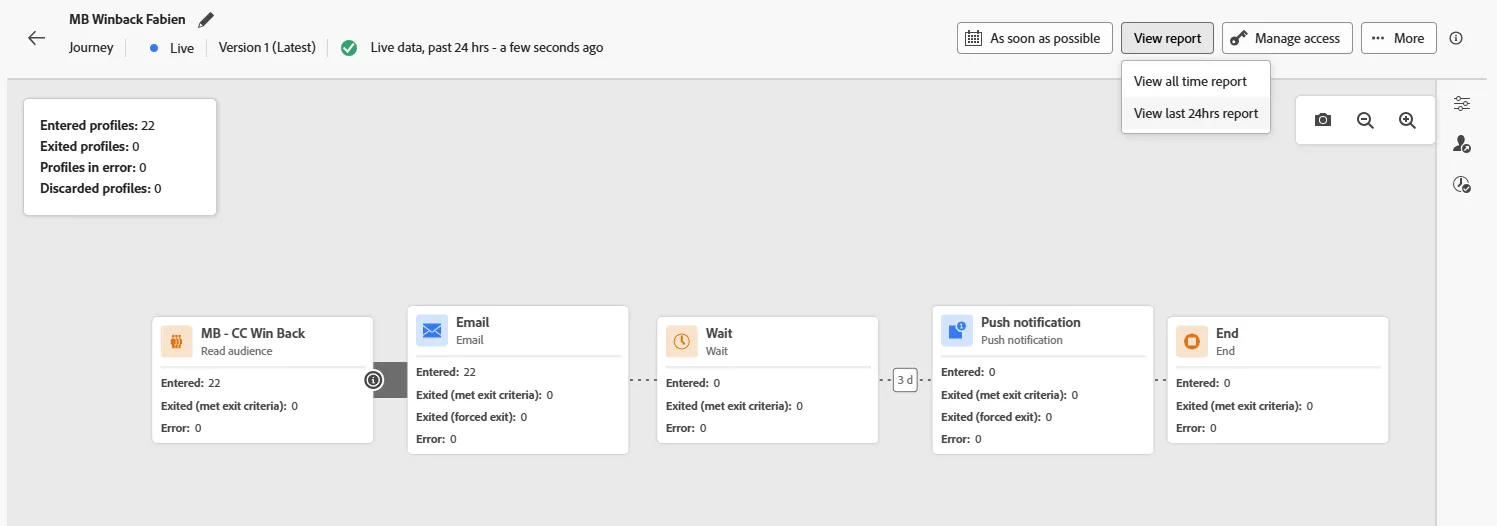
You cna explore the report, but as we don't use real customer data we will not get a lot of interaction. Instead, let's use Customer journey Analytics for some more advanced analysis
CJA - Access
Switch to Customer Journey Analytics using the solution switcher:
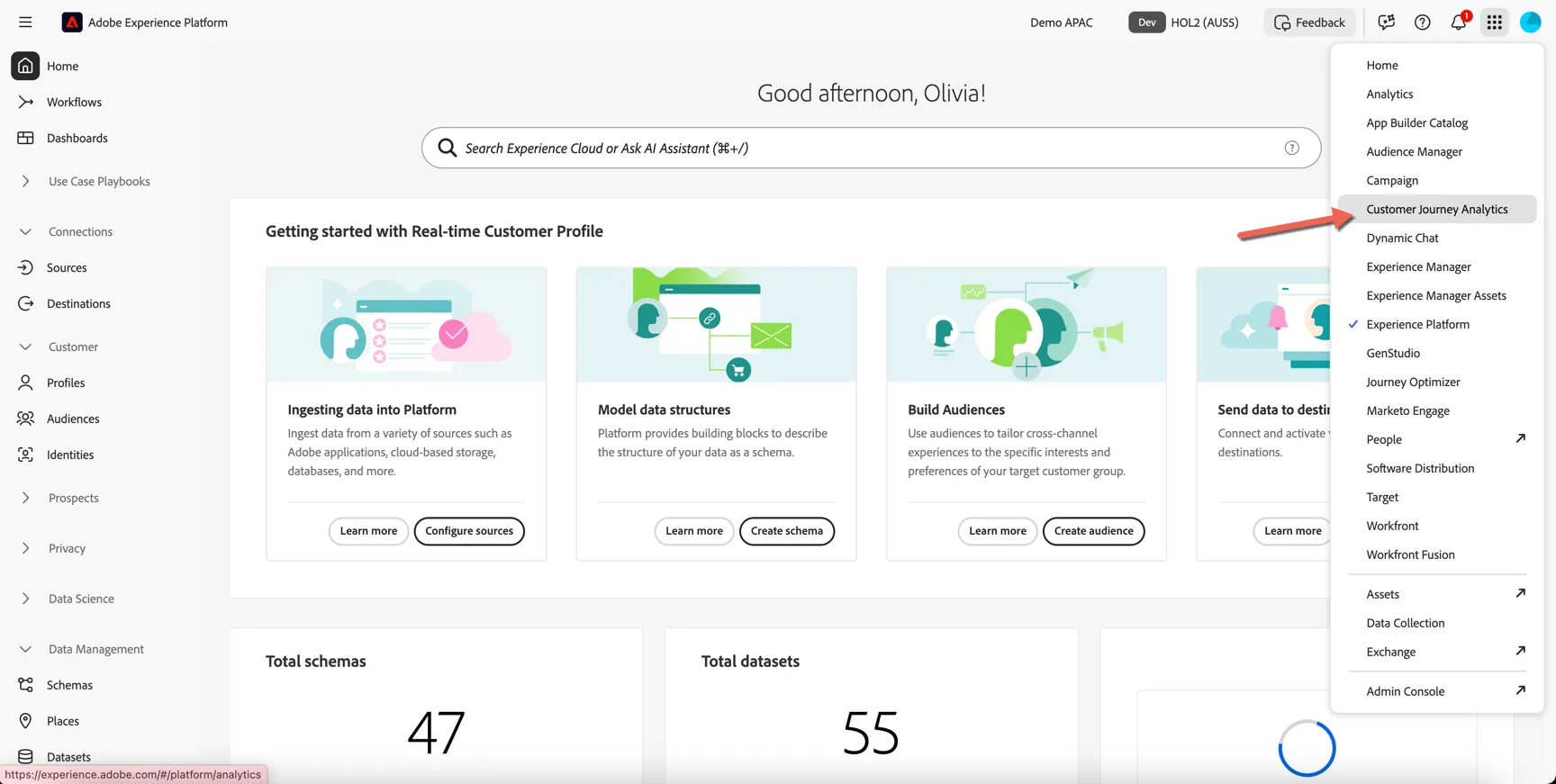
CJA Introduction
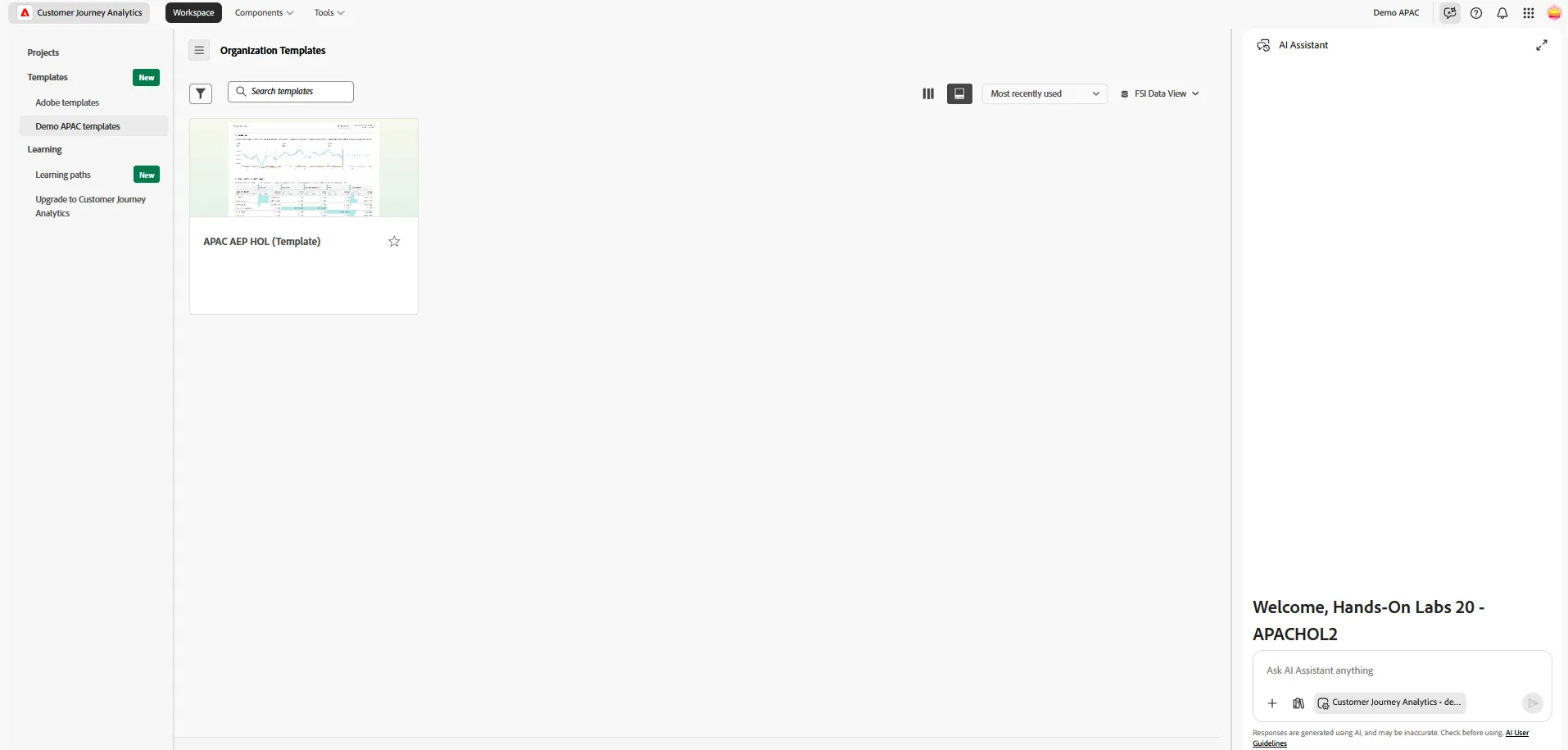
First we'll start by creating a new project from a pre-built template. This will provide you with some initial insights while giving you an isolated area to explore the data further.
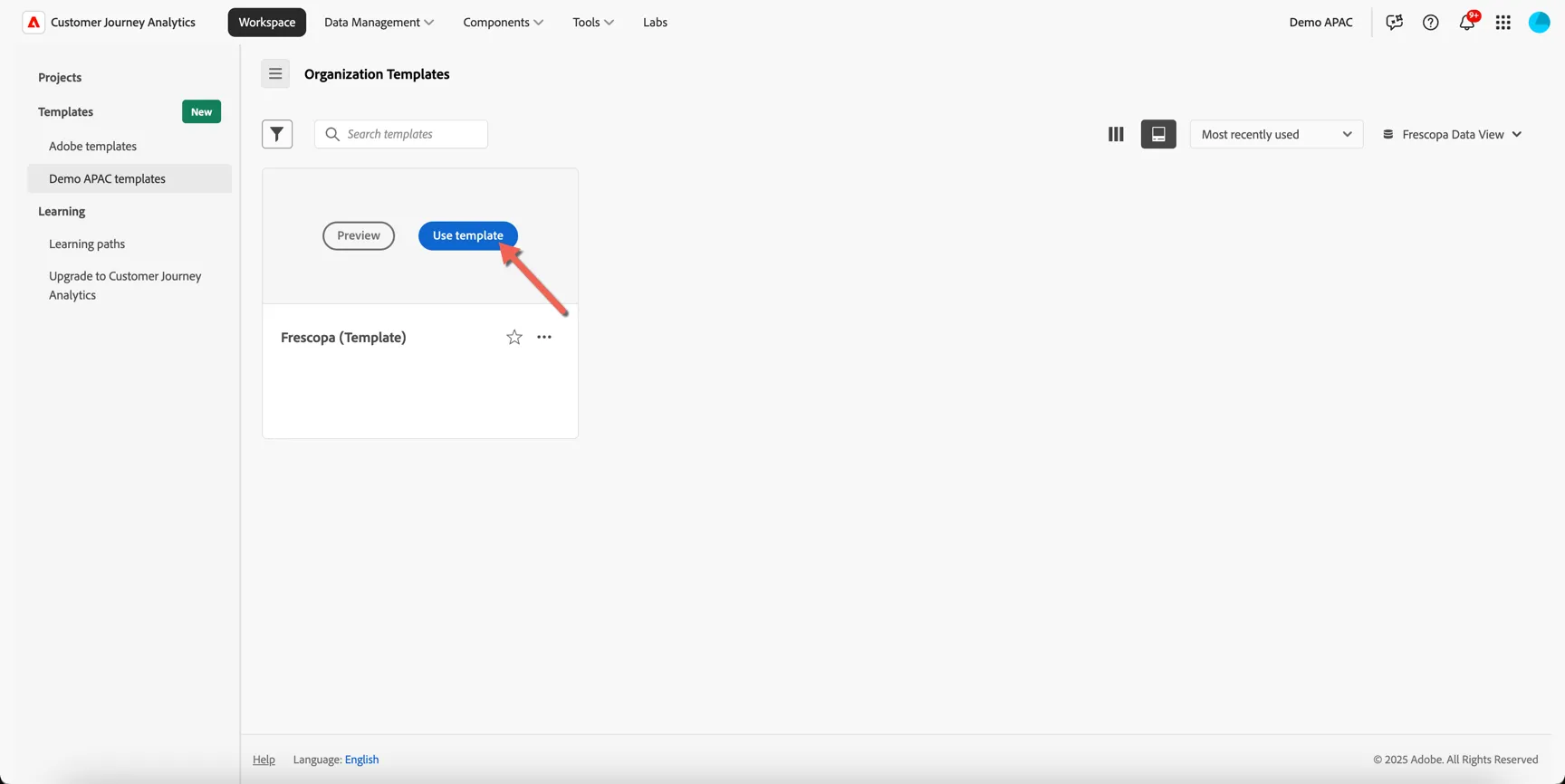
Under Workspace -> Templates -> Demo APAC templates and select the FSI Data View on the right side.
Hover over the APAC AEP HOL (template) card and click to Use template
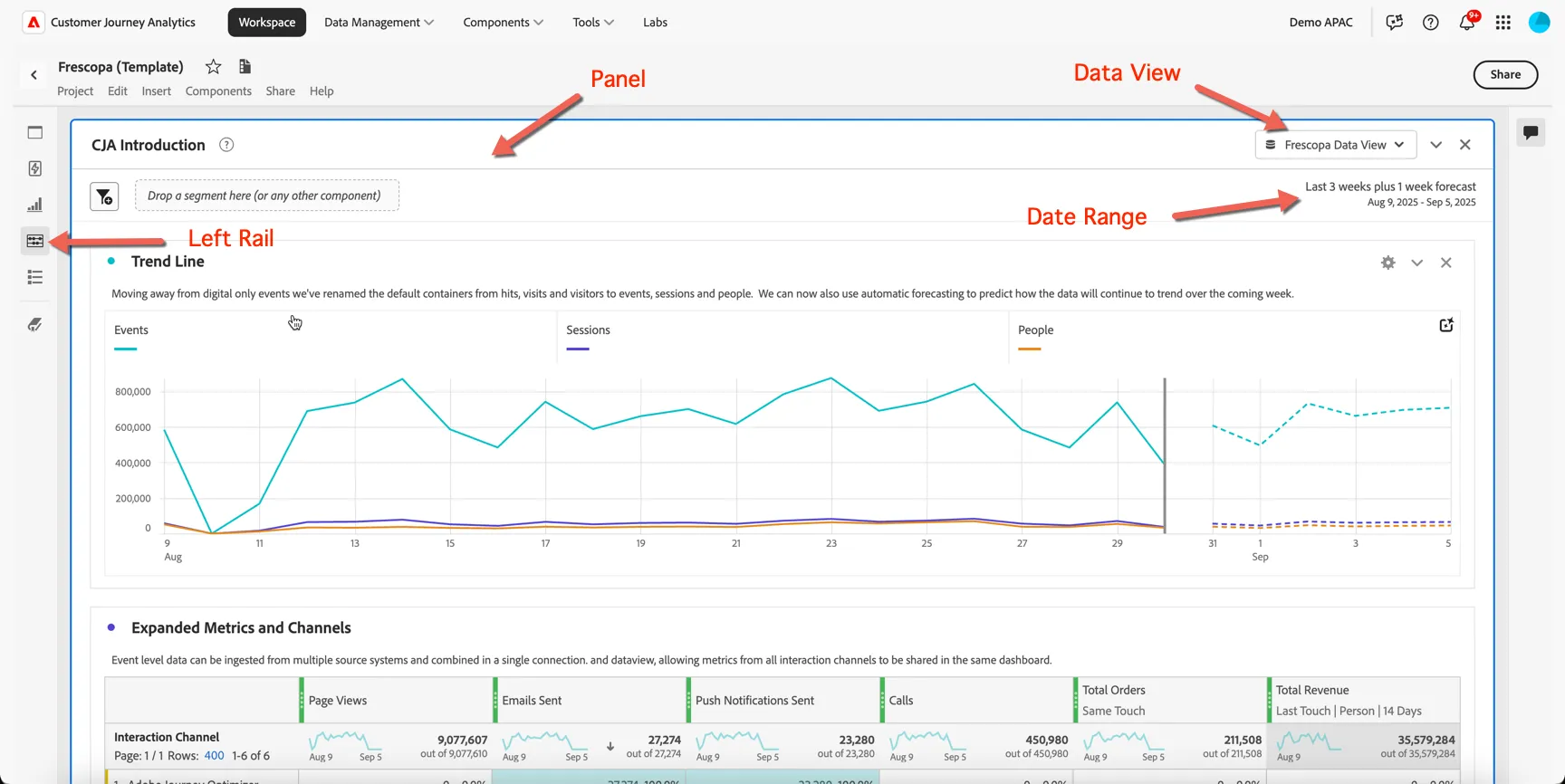
Take note of the following UI components:
Panel - Each dashboard/project is made up of one or more panels
Data View - Controls what data is available to the report - keep in mind this includes multiple datasets that can span multiple channels and data sources.
Date Range - The date range controls what data is displayed in the panel
Left Rail - Provides access to all of the components required to build your reports. You will find menu's for panels, components, visualisations, guided analyses and a table of contents for the current dashboard.
Data Insights Agent
Let's use CJA's Data Insights Agent to analyse how the in offline (ie. in store) sales are performing and whether there have been any recent changes.
Open the AI Assistant by clicking the icon in the top right.

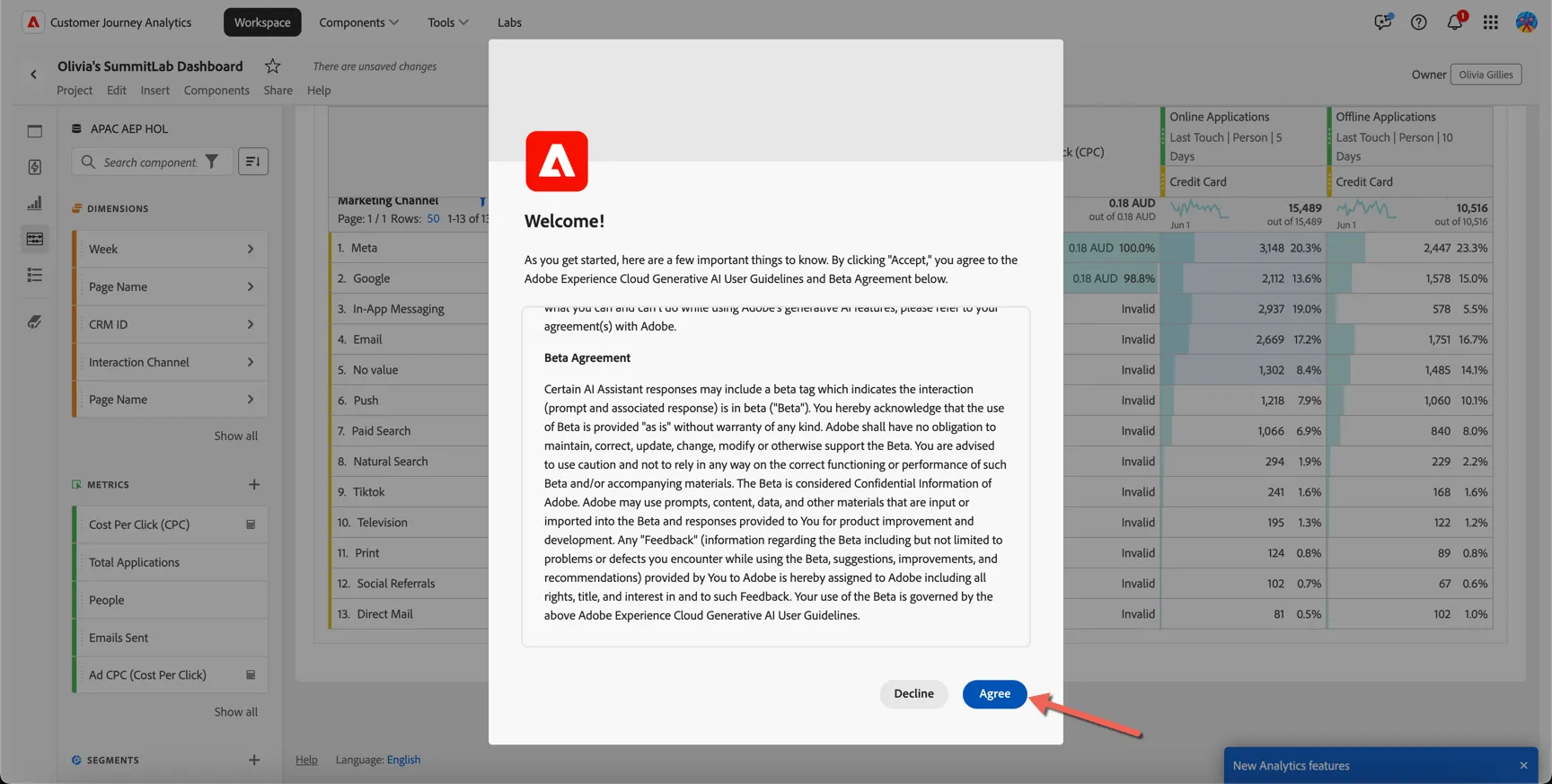
You might be asked to accept the Generative AI User Guidelines and Beta Agreement, you can safely do this in our demo environment.
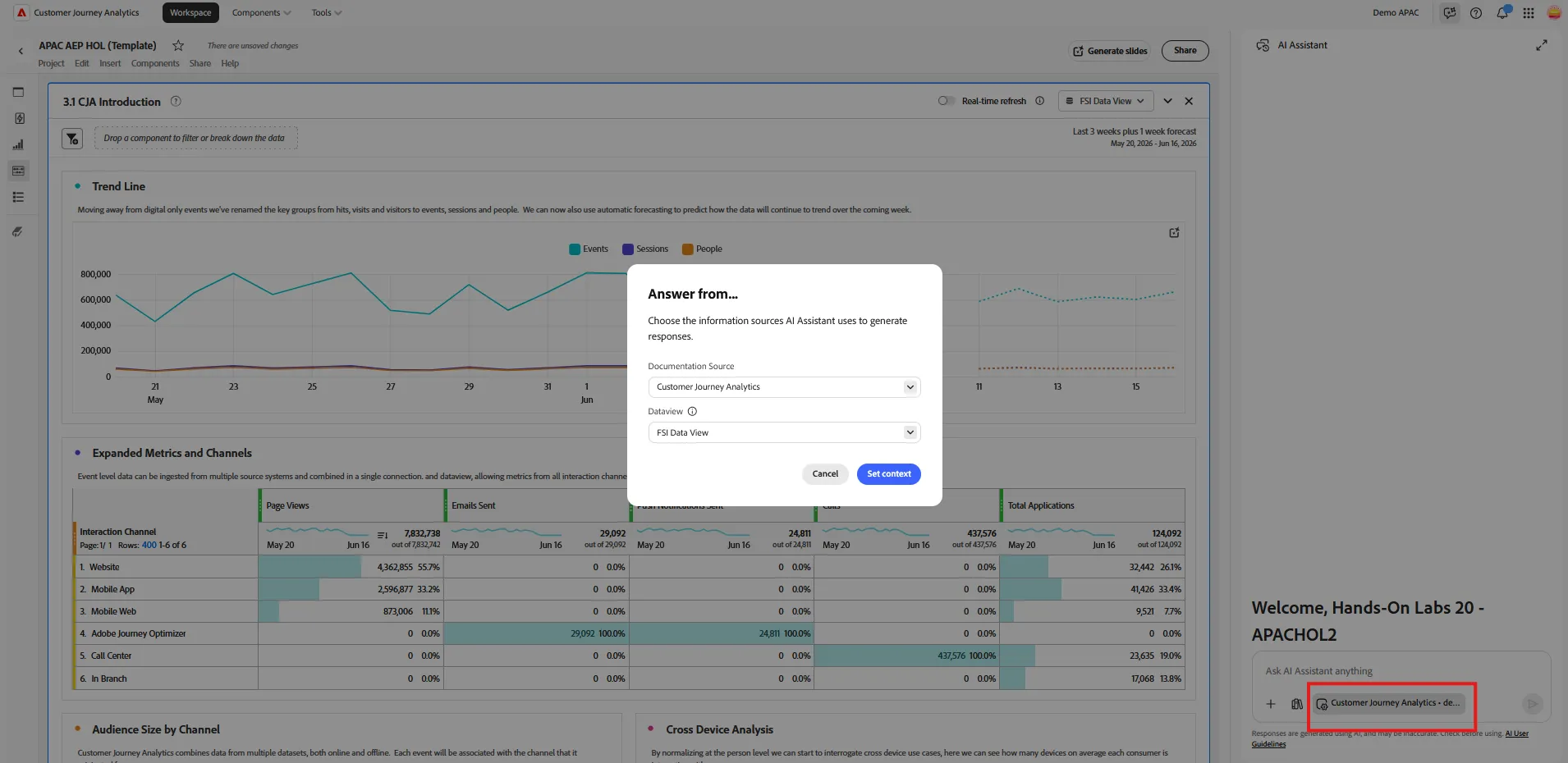
Click on the context button and check you use Customer Journey Analytics, and Demo FSI Dataview
Let's check the performance of our markeitng email campaigns. Type in the prompt : give me performance trends of all campaigns for the last 30 days, including metrics email open, email clicks, page view, online application, and offline application, with breakdown per campaign, use a line visualisation
After some time, the agent will give you the result in the chat interface. Click on "analyze in workspace to add the visalisation.
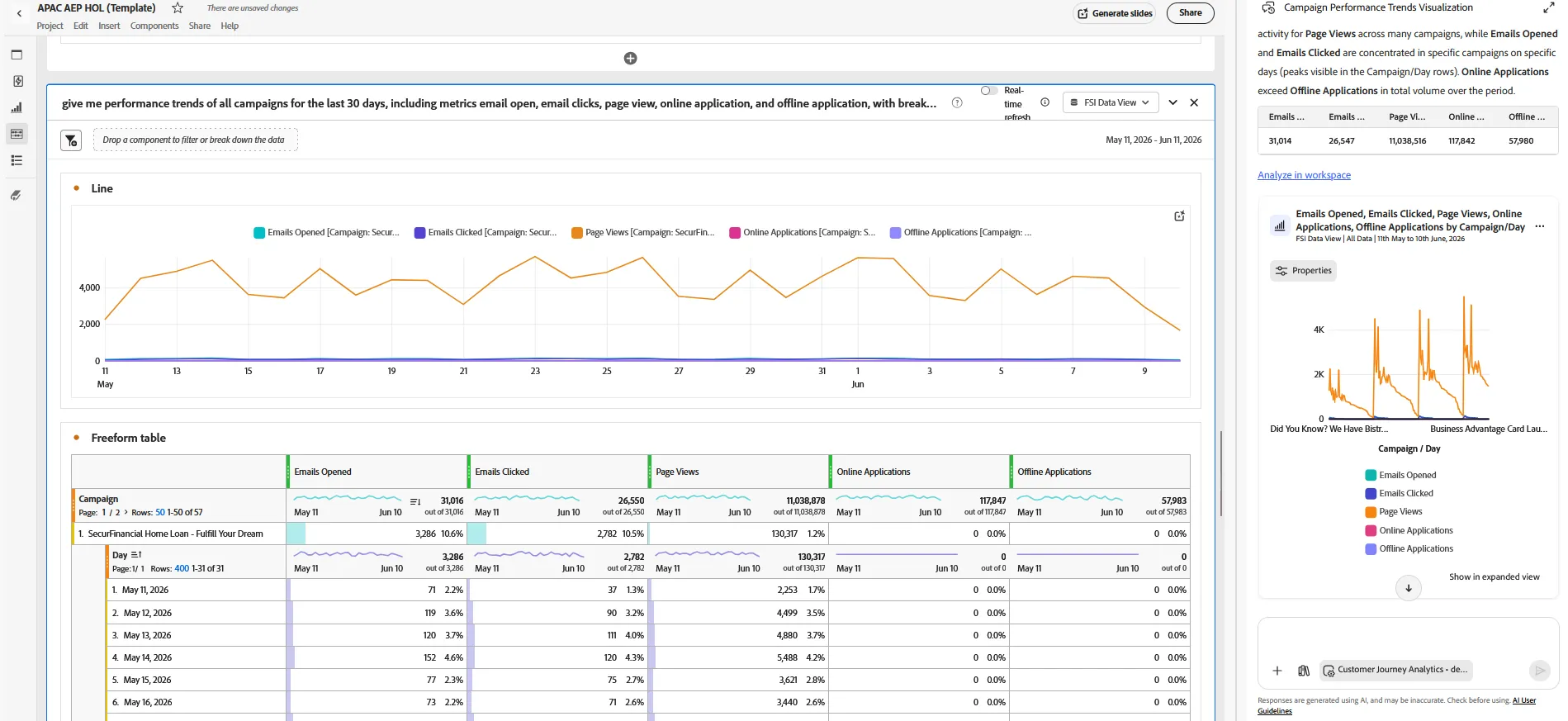
If the dashboard is not exaclty what you want, you can still change it.
Let's compare the attribution method for offline application.
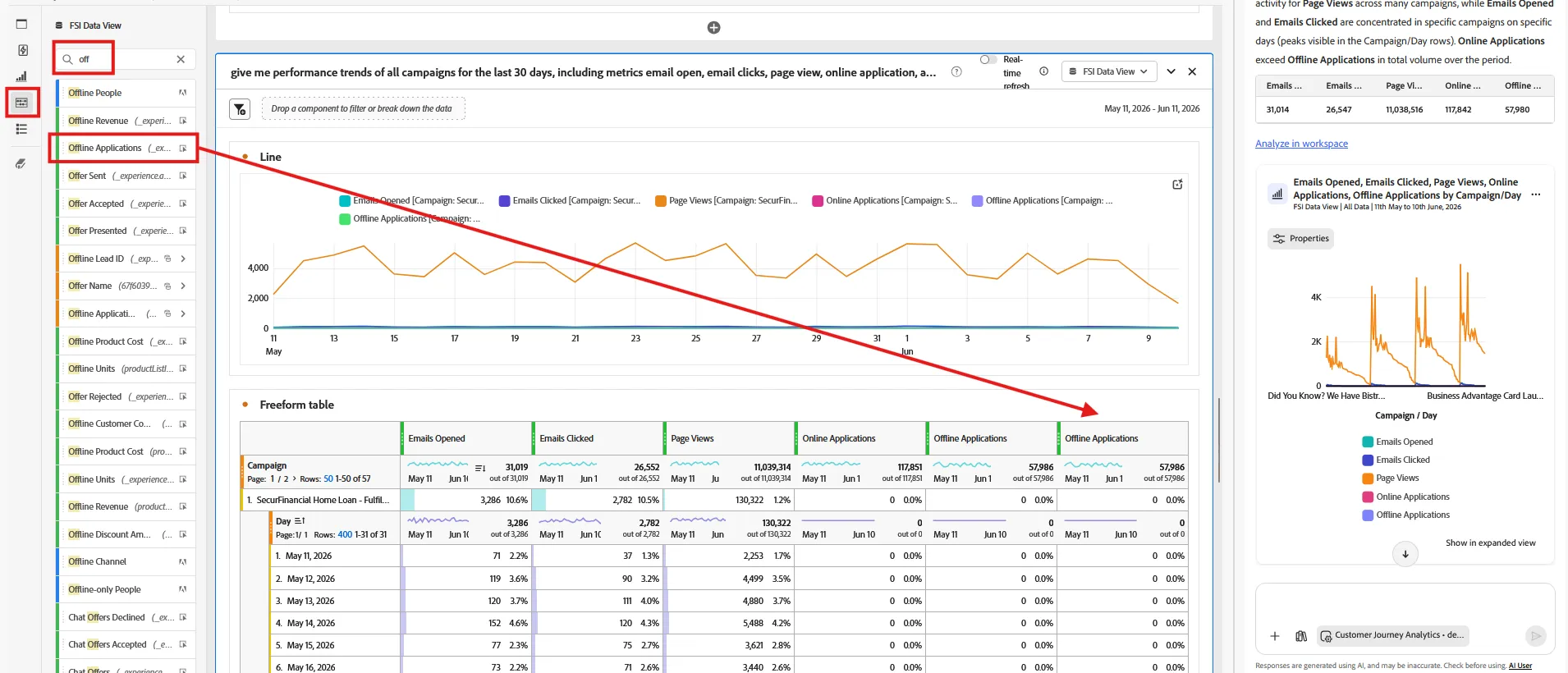
- Open the component menu (4th icon on the left)
- Search for application
- Drag and drop the offline application metrics on the right of your free form, just left of the previous merics.
Click on the gear icon of the metrics you just droped, then click on "use a non default attribution method"
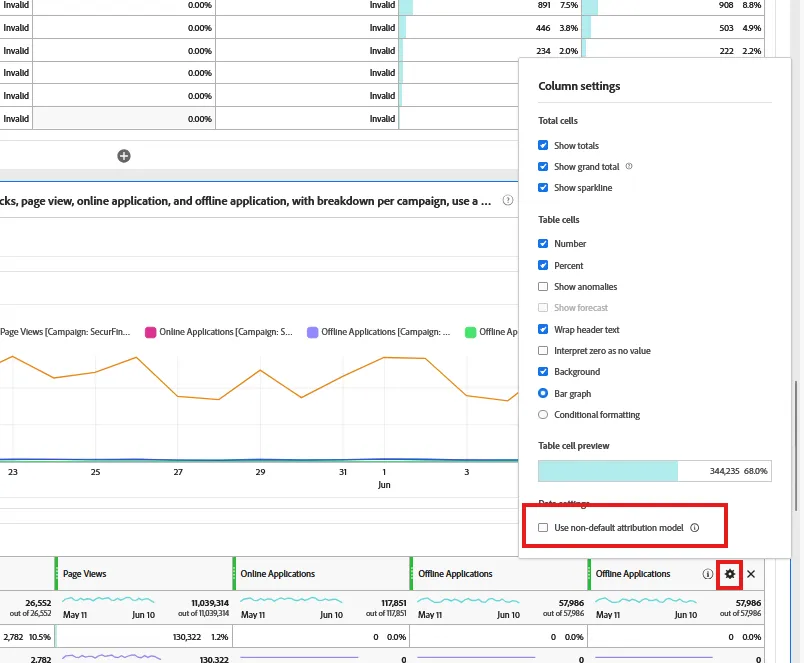
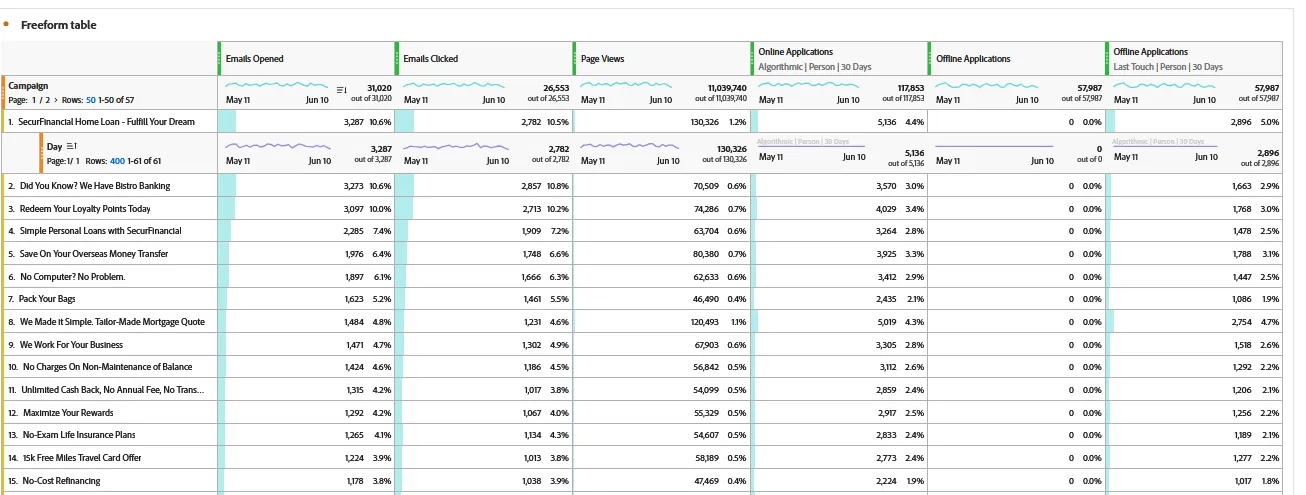
Browse the different option, select algorithmic.
You may observe that the number of application per campaign is different.
This way to link online to offline to understand exactly what is the ROI of your campaing is very powerfull
Summary
Customer Journey Analytics empowers organisations to see the full customer journey across every channel - online and offline. CJA unifies fragmented data into a single, intuitive interface, enabling even non-technical users to uncover deep, actionable insights with drag and drop ease. With Data Insights Agent we're democratising access even further building reports through natural language prompts. Whether you're optimising campaigns or troubleshooting customer pain points, CJA delivers clarity, agility, and precision that traditional analytics tools simply can't match.
Congratulations, you've completed the exercise to gather insights using Customer Journey Analytics!