Test the journey
1 min
Your campaign is now ready to go live, we can select when to send it with the scheduler and click on publish, but before that we may want to test the end to end journey.
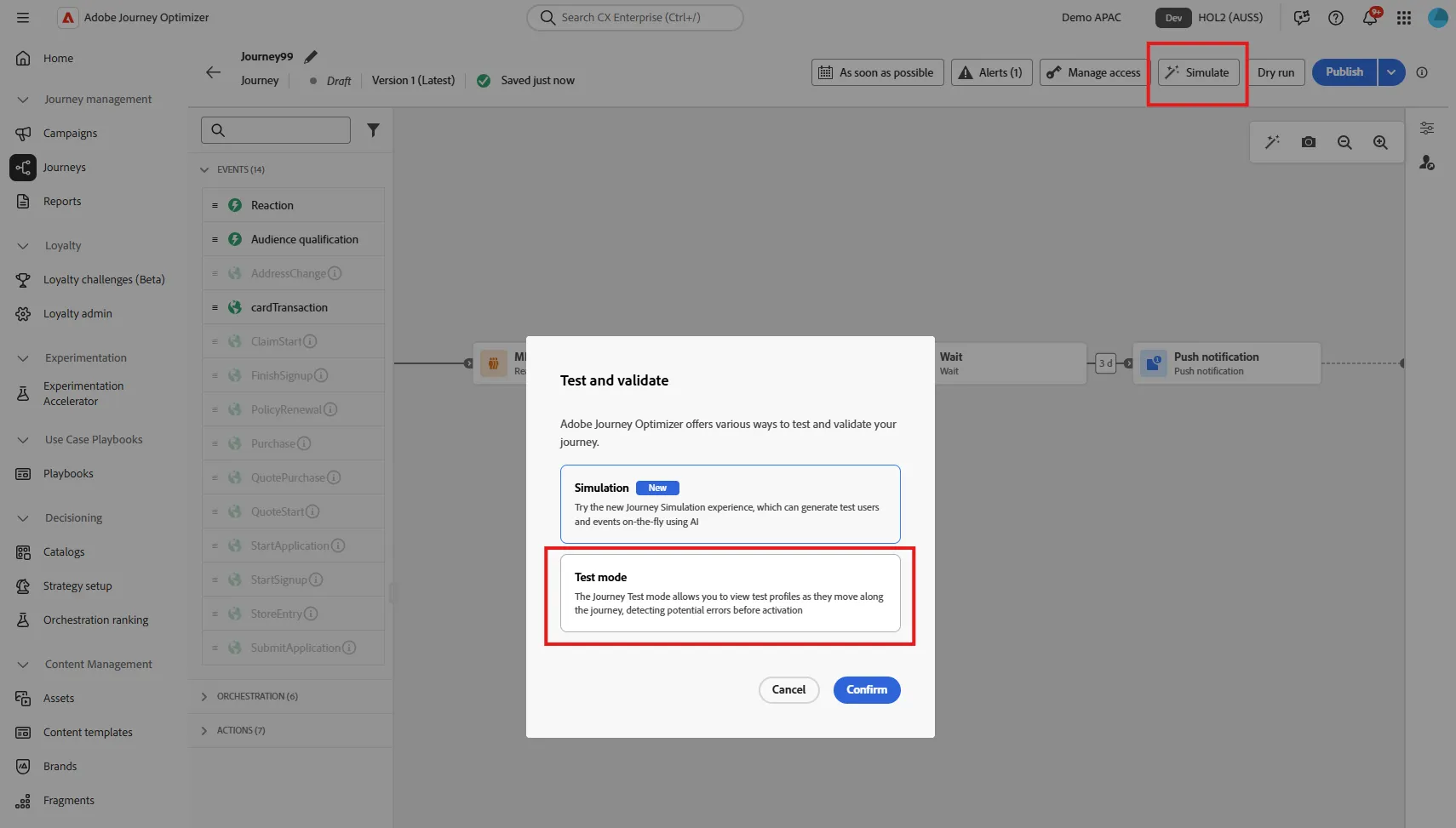
Clcik on the simulate button. That will open a pop up with 2 options:
- Simulation, which will use AI to generate user. This is specially usefull if you have multiple branches and need to test them all.
- Test mode : which will use test profile. As you have one profile that you used to log in into the app, this is the one we will use.
Click on Test mode
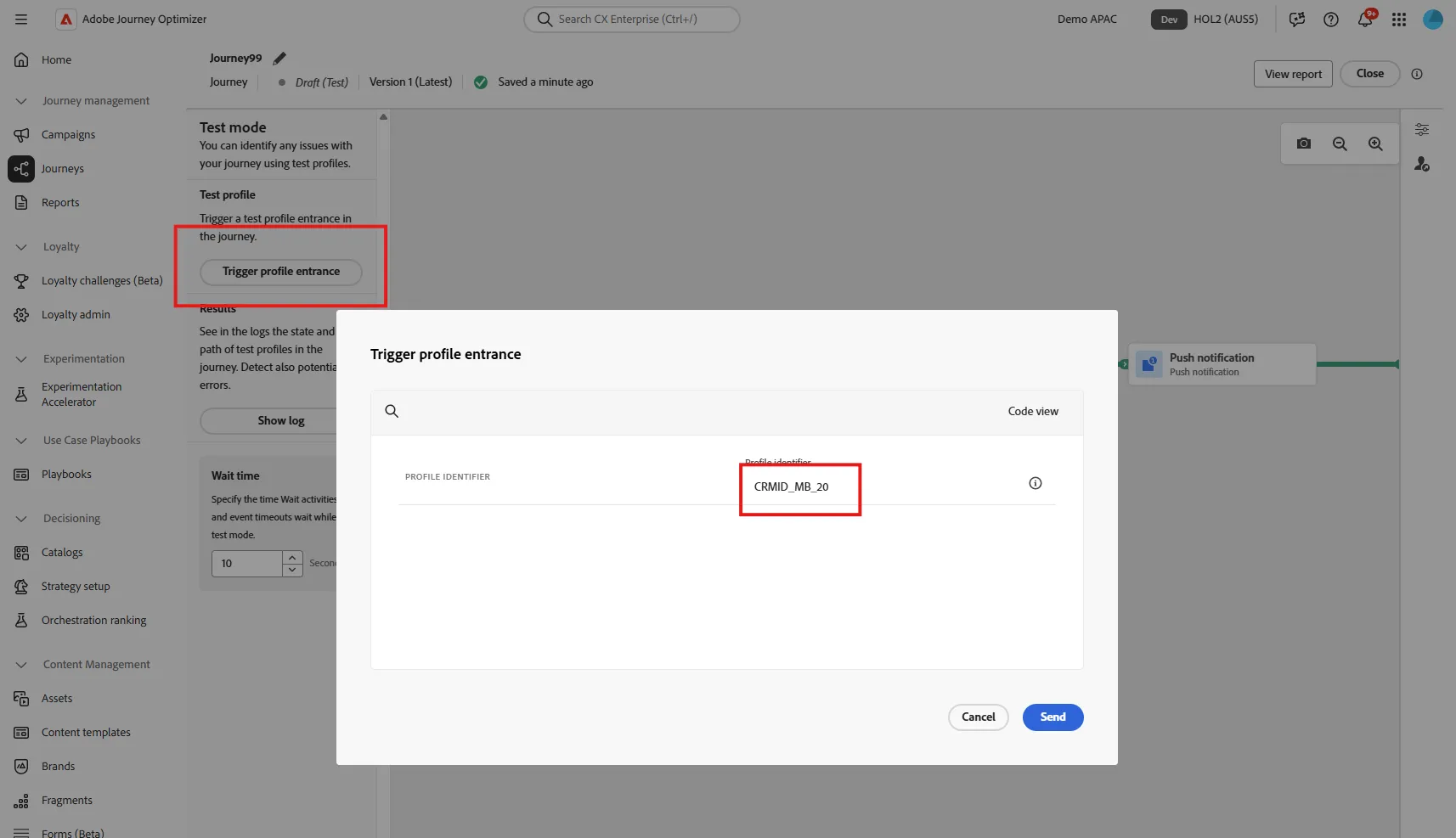
After a few second, you can trigger a profile entrance. You have to select the profile to use. For this journey we need to specify a CRMID. Enter CRMID_MB_{your seat number}. For example, if you loged in into the app with ser [email protected], enter CRMID_MB_6
After a few second, you should receive the push message. The presenter will check if email is recieved for this gmail address.
you can close the test mode.