Condition: Check if mobile app user
2 min
Our Journey so far:
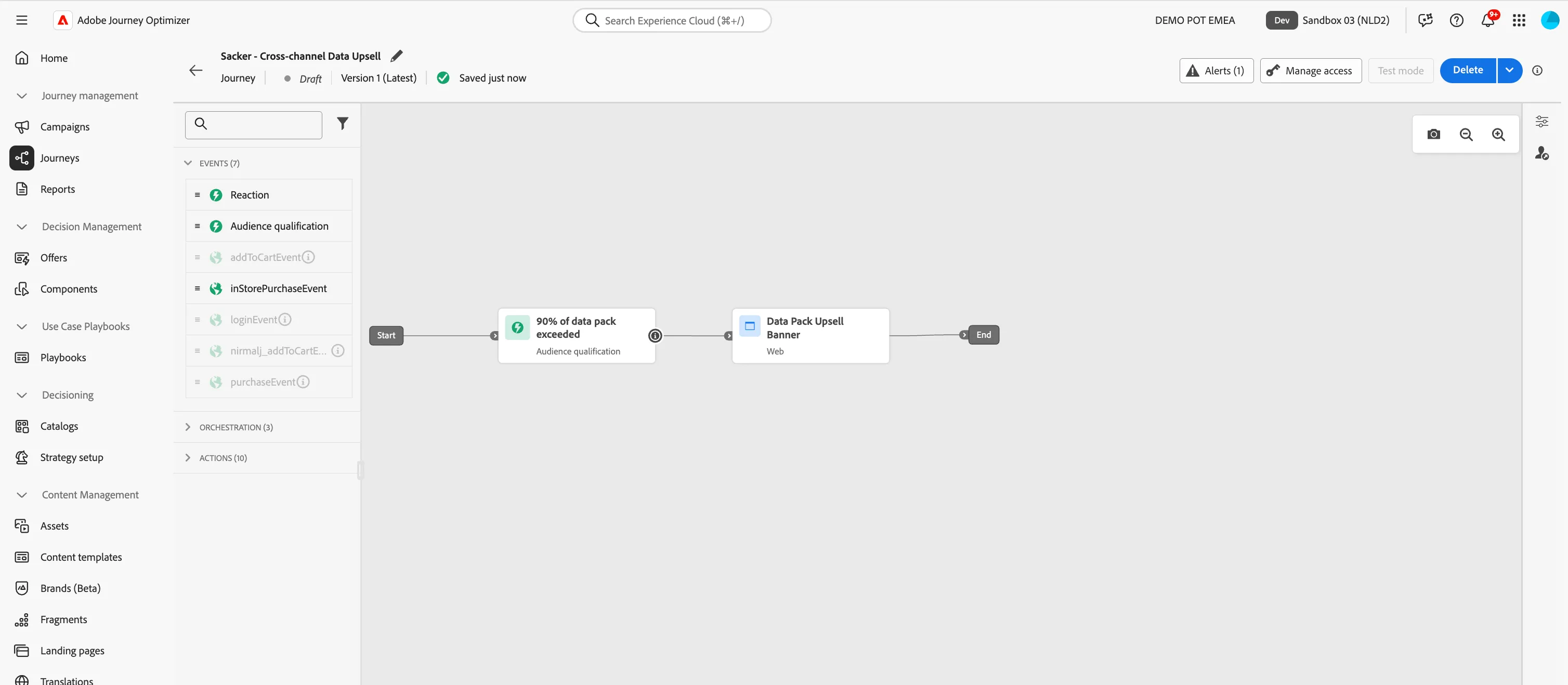
Add a Condition
We want to add a condition into our Journey that checks if a customer has the mobile app. If yes, they will receive a Push message, if no they receive an Email message.
- From the orchestration tab, choose Condition and drag it onto the canvas after the Web Channel Action.
- Click on the activity to open the detailed view.
- Set the label to Has Mobile App?.
- Click on Path1 and change the label to Yes.
- Click on Add an expression to open a window.
- On the left side, open Audiences.
- In the list of Audiences, drag the Active Mobile App customers onto the expression editor.
- Click Ok in the top right corner of the white box, and then Ok again to save the condition and close the expression editor.
- Check the box Show path for other cases than the one(s) above
- Set the Label to No.
- Your screen should look like the image below. You can reposition the paths on the canvas by clicking and dragging to move them. Click Save.
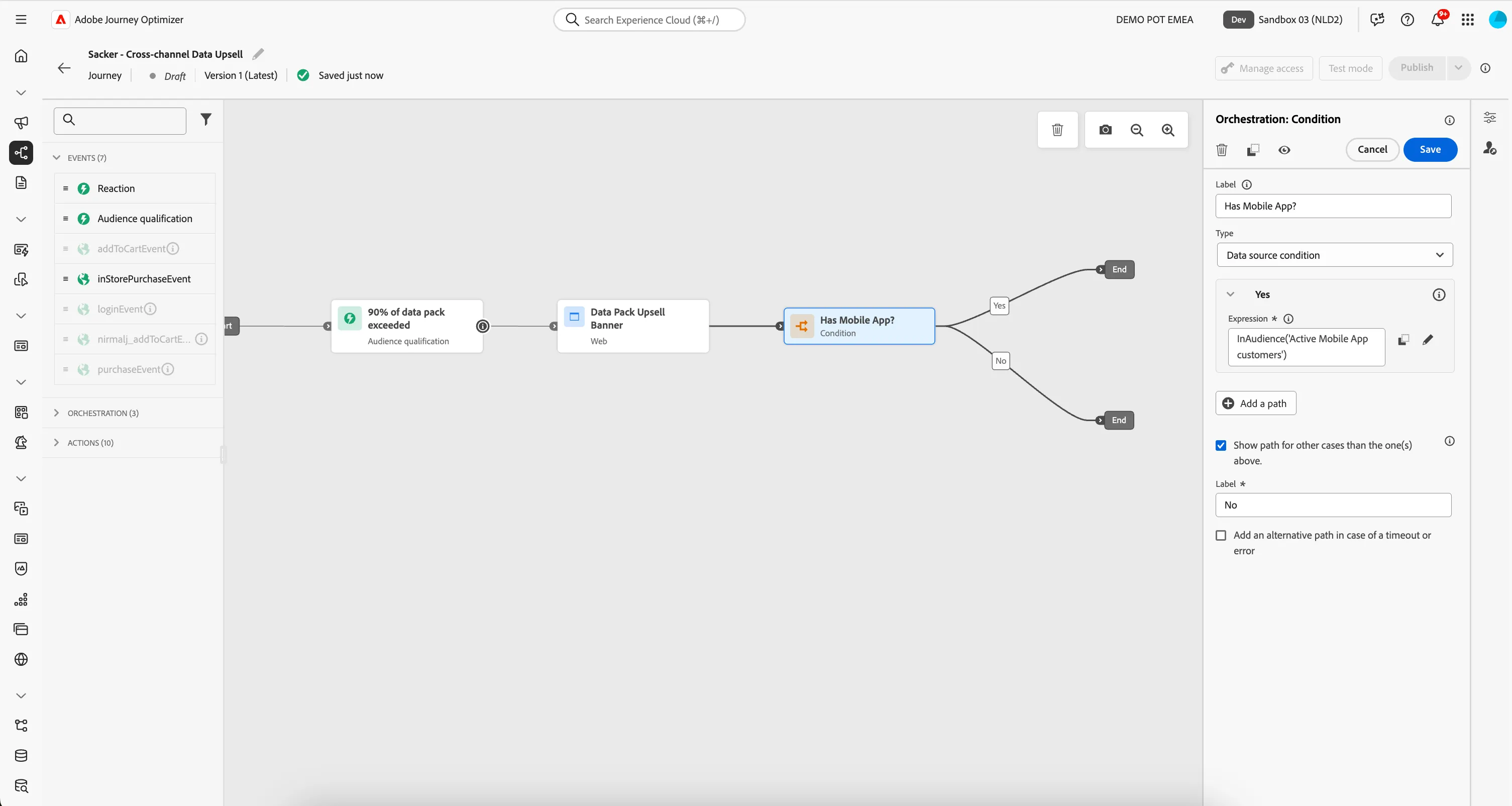
You've successfully added a Condition into your Journey. To read more about conditions in Journeys, see the Adobe Experience League documentation.
Proceed to the next steps where we will compose our Push and Email messages.