Configure Integrations & Skills
Objectives
Activate Integrations and Skills to pick up the latest knowledge sources. The latest knowledge sources has information about Travelbrew and once connected, brand concierge will be answer about Travelbrew.
Concierge overview
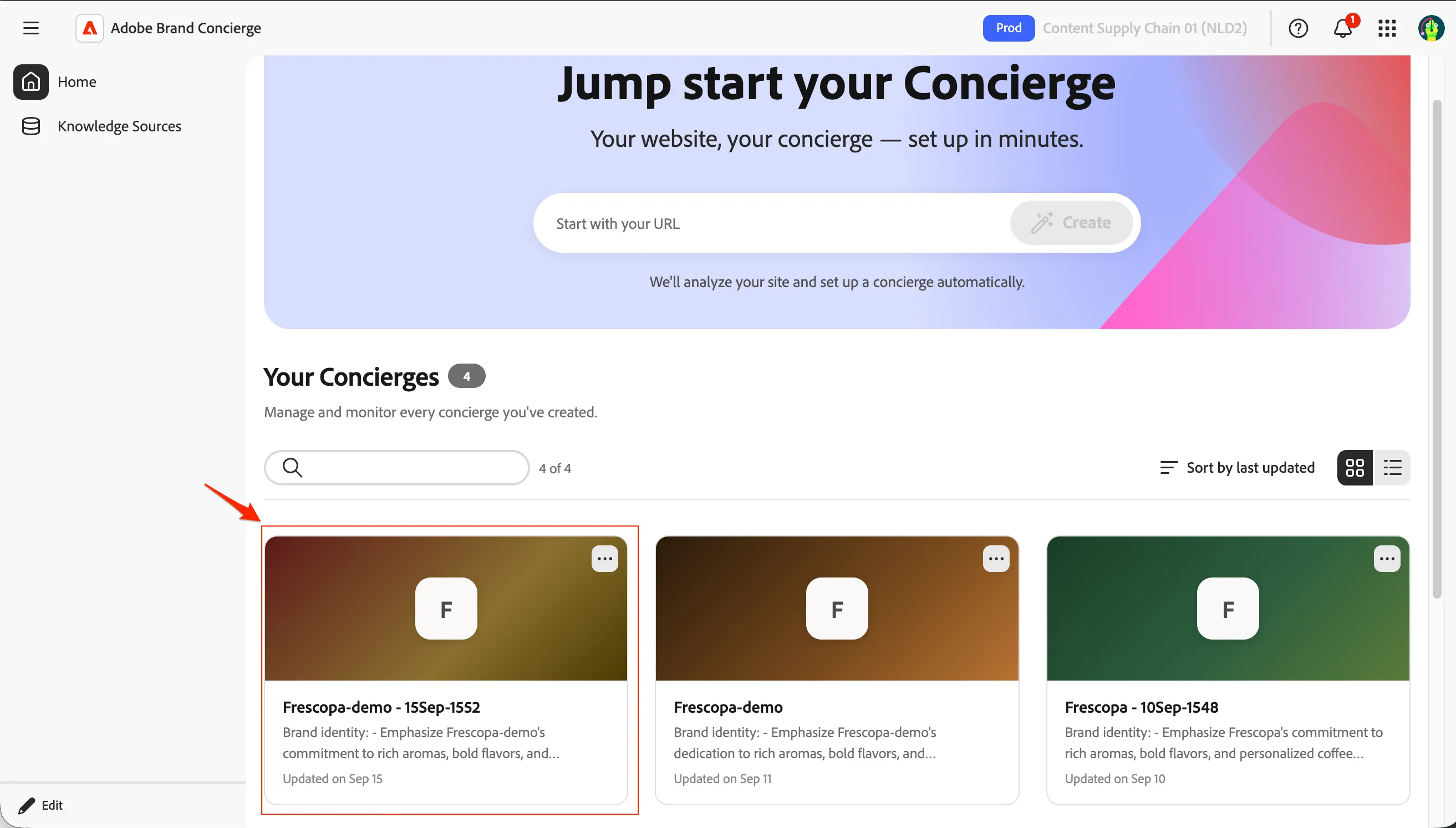
- Navigate to Home and go into your concierge by clicking on the concierge tile. Please ensure you are selecting your own concierge.
- You will have 10 options on your concierge with a full functional preview. The various options are as below.
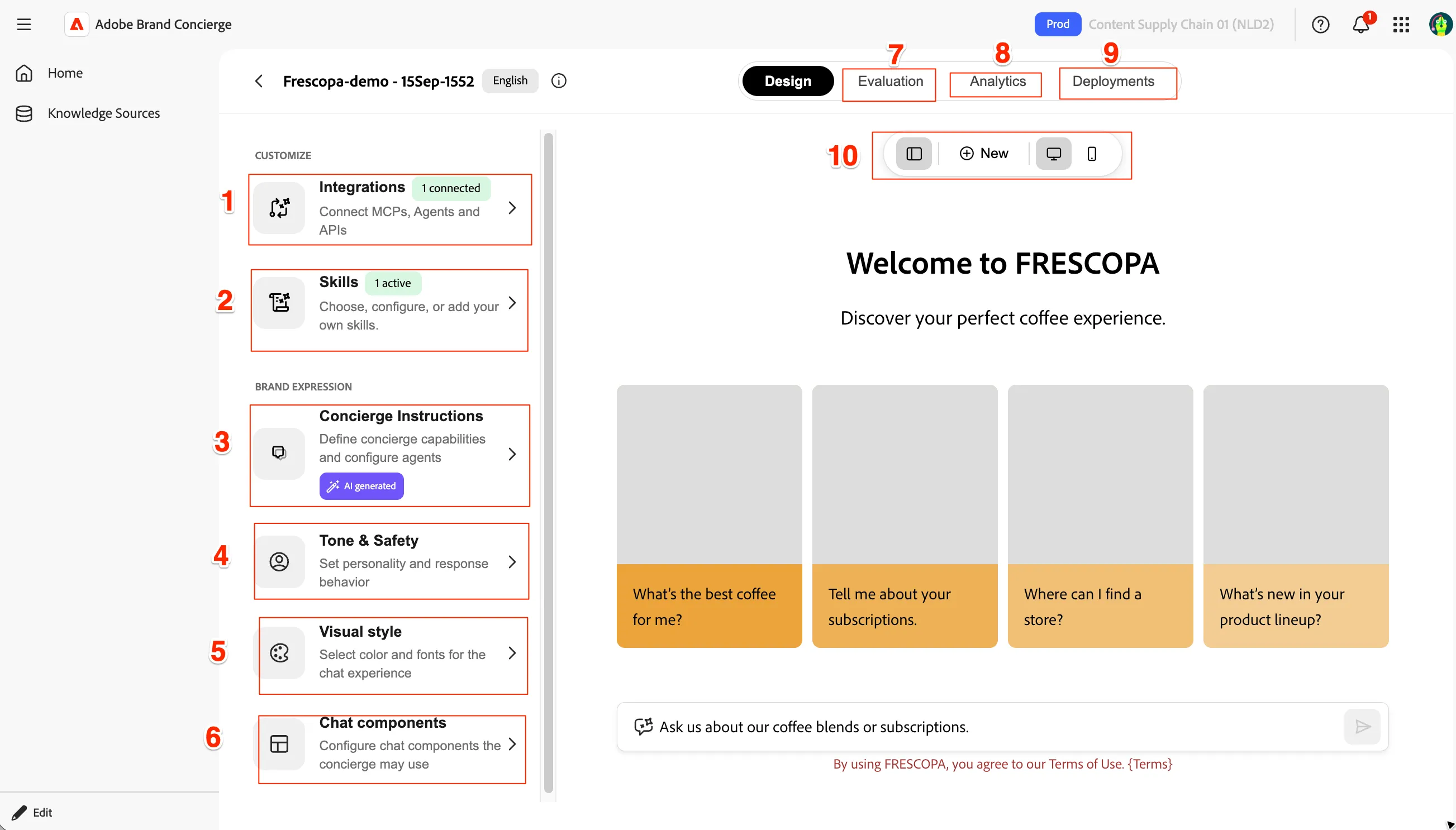
Sl.No | Item | Notes |
|---|---|---|
1 | Integrations | Connect external MCPs, agents, and APIs so the concierge can act on live systems and data |
2 | Skills | Add, choose, and configure the capabilities (skills) the concierge can perform. |
3 | Concierge Instructions | Define the concierge's core capabilities and agent behavior (can be AI-generated) — its master brief. |
4 | Tone & Safety | Set the concierge's personality, voice, and guardrails for how it responds. |
5 | Visual style | Pick the colors and fonts that theme the chat experience to your brand. |
6 | Chat components | Configure the UI building blocks (cards, inputs, forms) the concierge can render in chat. |
7 | Evaluation | Test and score the concierge's responses for quality and correctness before shipping. |
8 | Analytics | Track usage, engagement, and performance of the live concierge. |
9 | Deployments | Publish and manage where the concierge goes live across environments/channels. |
10 | Preview Options bar | Start a new chat and toggle the layout and desktop/mobile preview of the experience. |
Configure Integrations
let's start updating the Integrations.
- Click on Integrations to go into details of it.
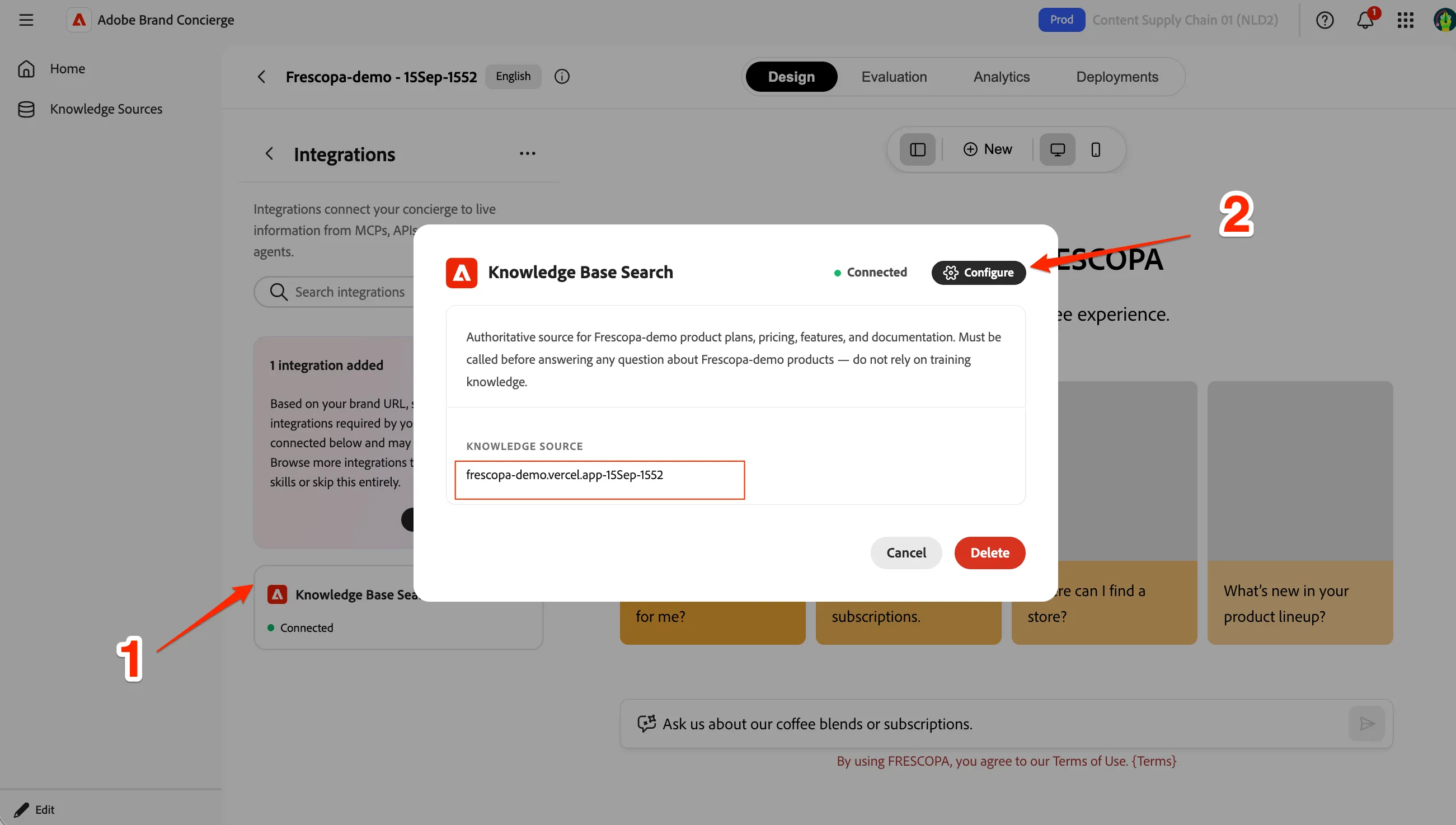
- Click on Knowledge Base Search to see the details. It is configured to the initially created source. Click on Configure to change it.
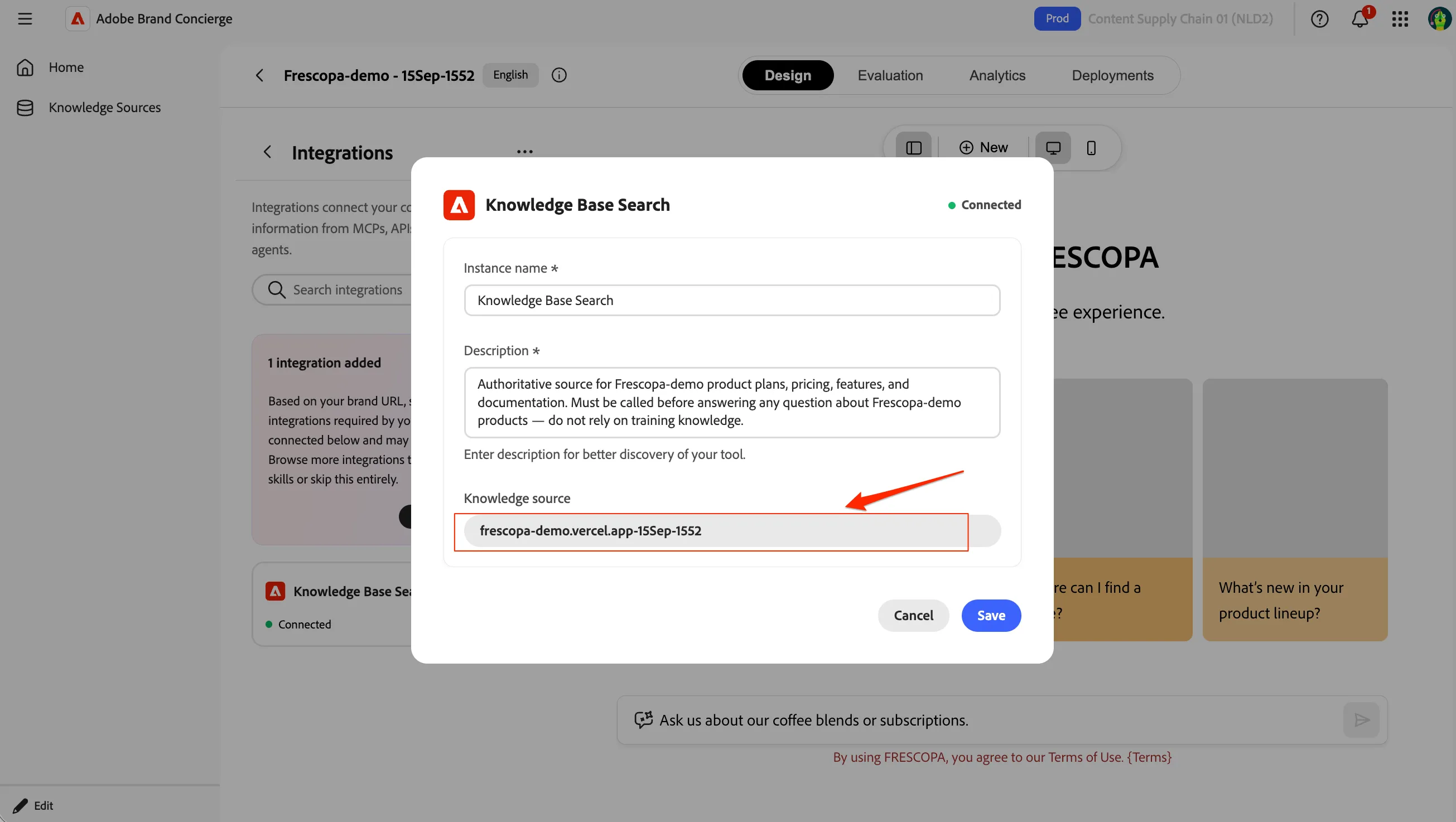
- Now the Knowledge Base search configuration is editable. You can change the name, description and source. Click on the source name (frescopa-demo.vercel.app-XXMM-XXXX to select another source.
- Select Frescopa website with TravelBrew pages source from the list and click Save. This is the same source content ingested earlier to save time so that we don't wait for the ingestion to be completed for the lab created knowlege sources from the previous exercise.
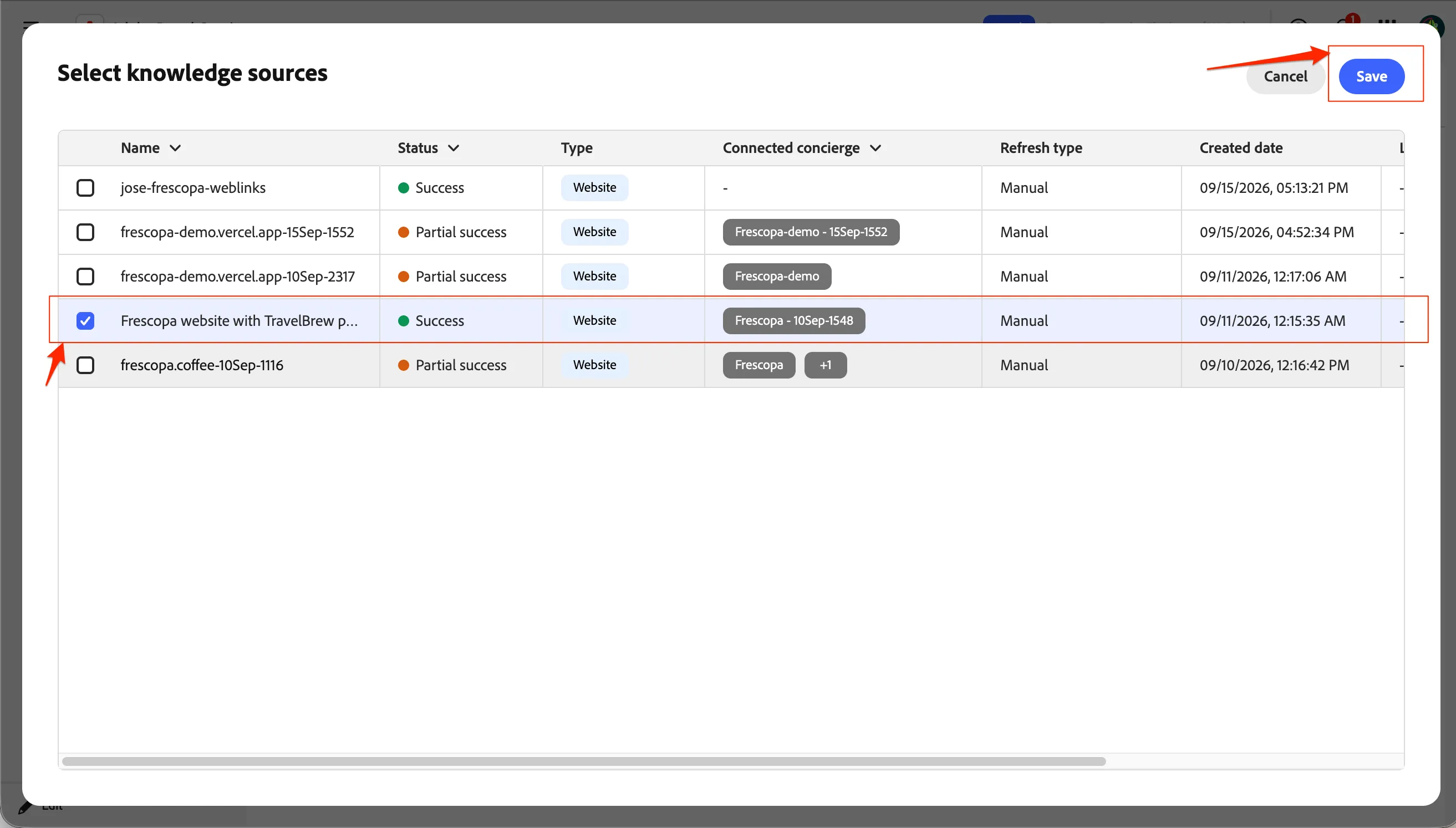
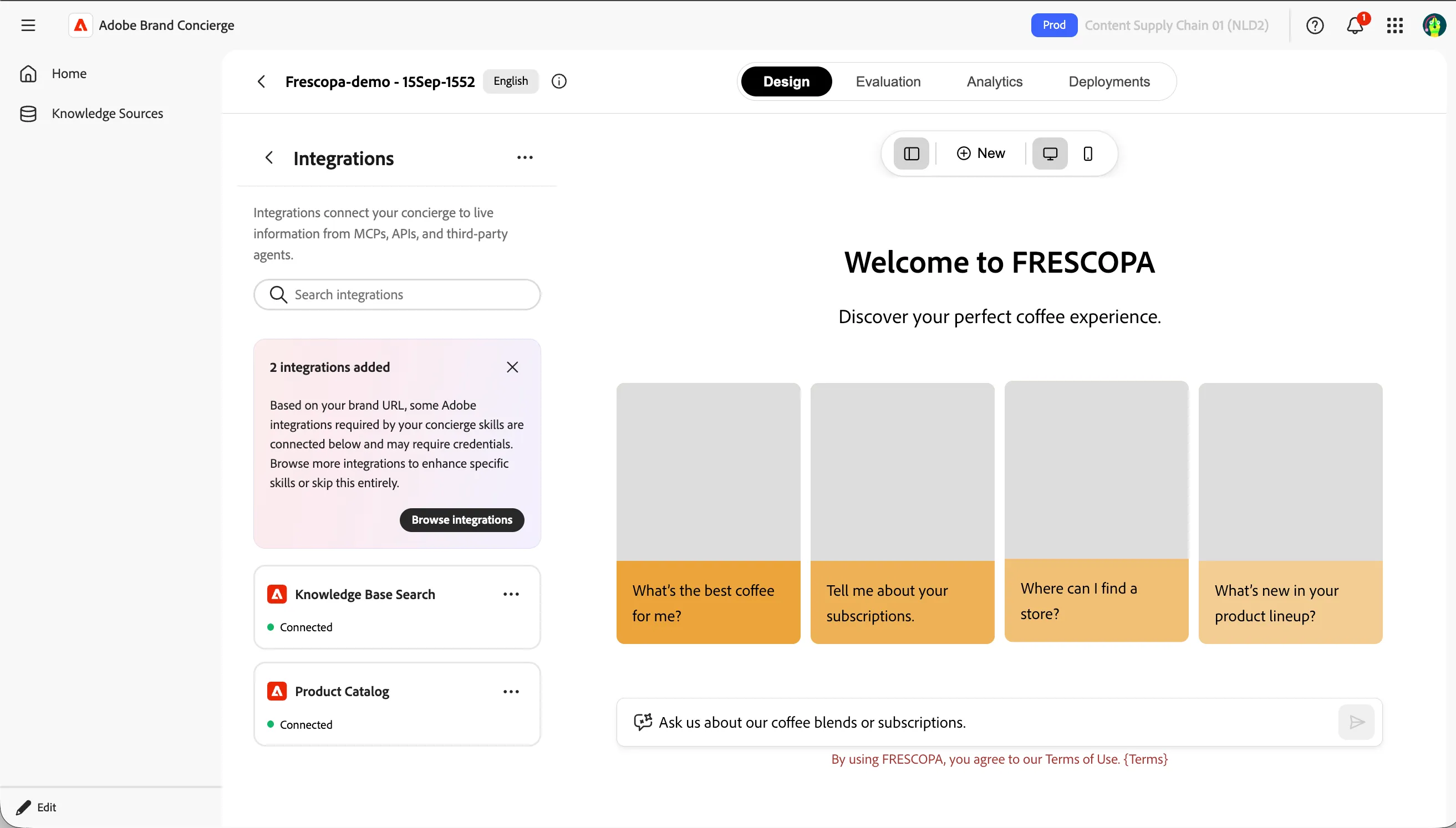
- Click on Save to go back to the concierge view and Knowledge base search will show as connected.
- Click on Browse Integrations to add another Integration.
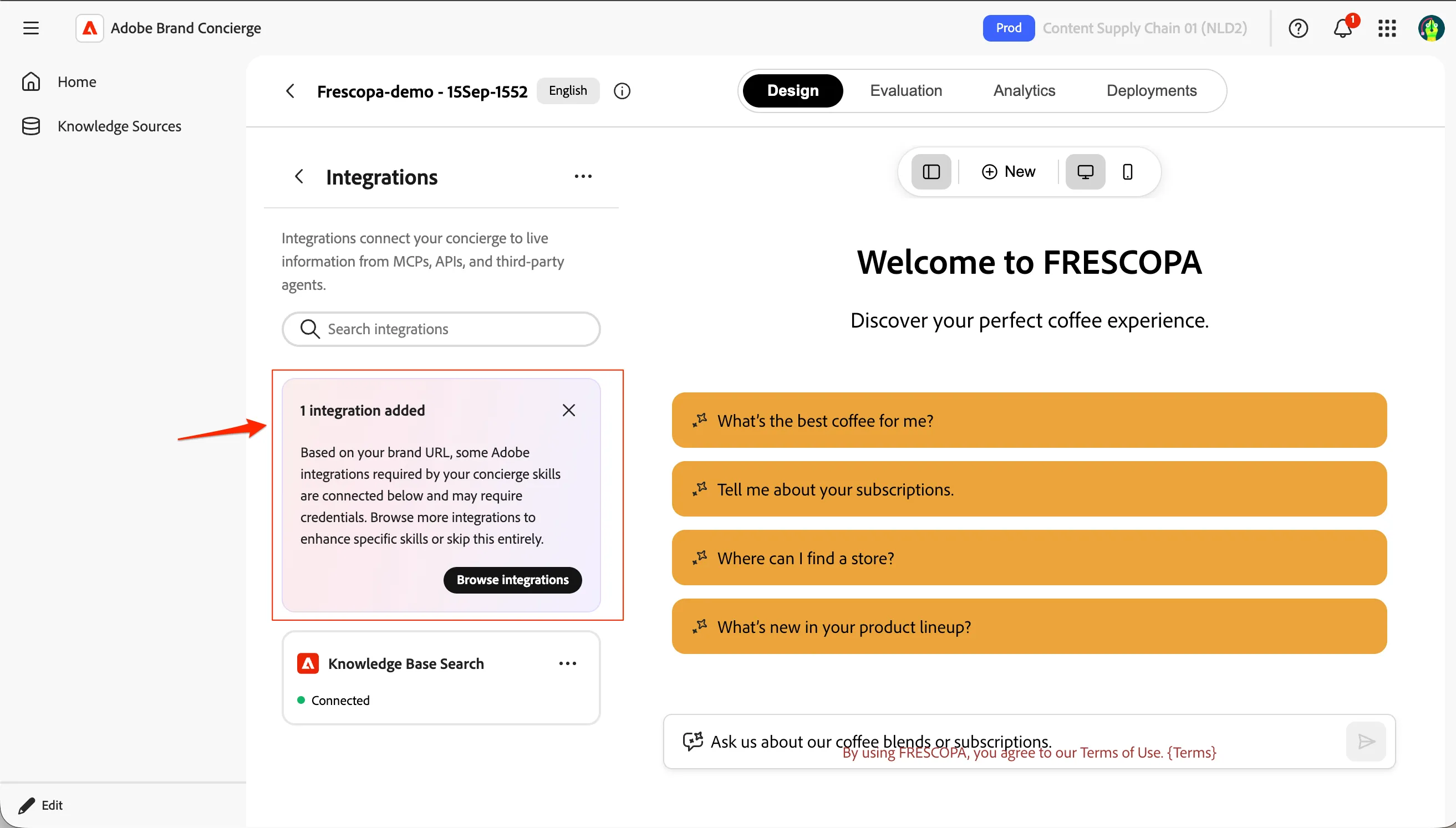
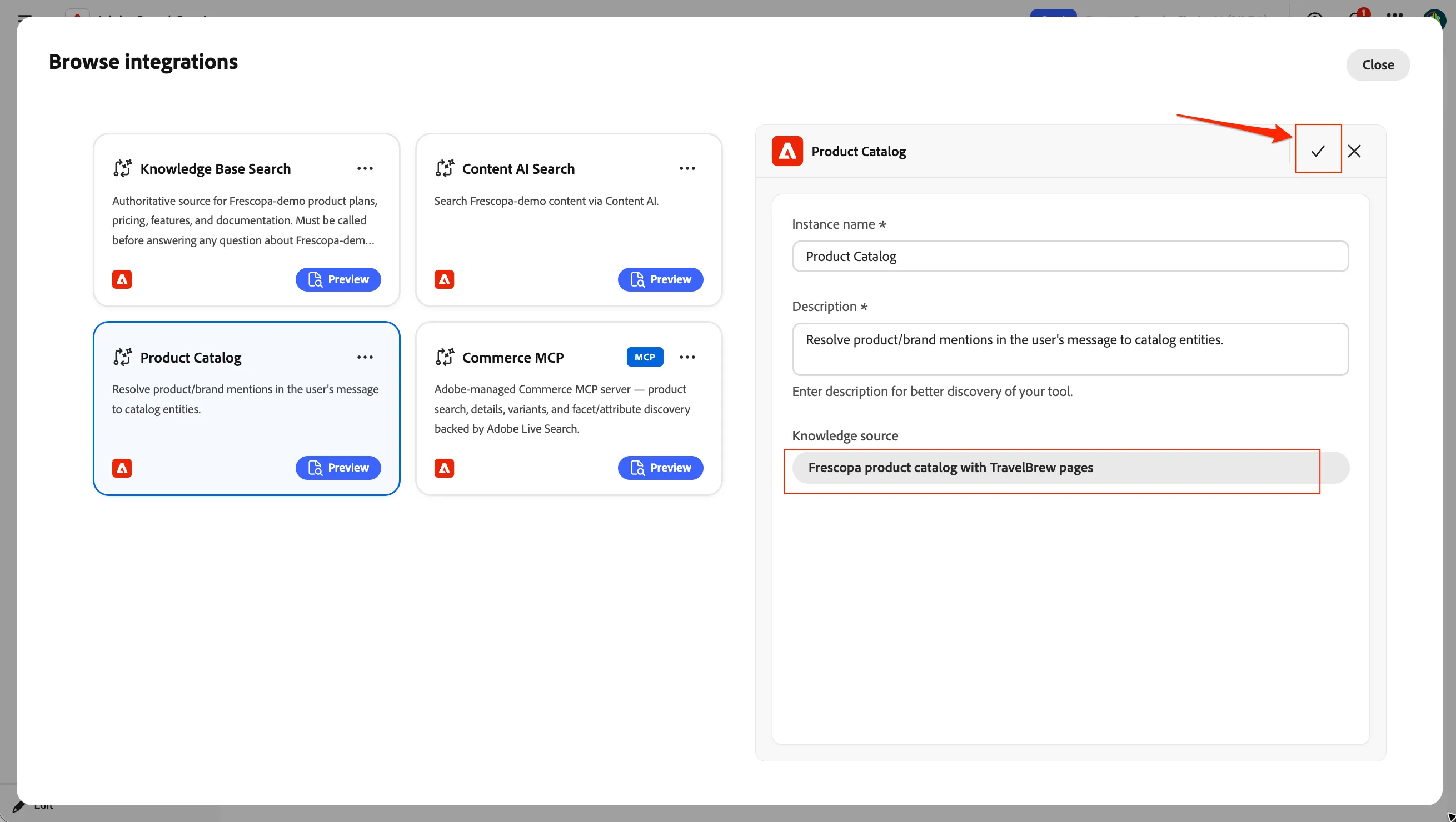
- Select Product Catalog and click Configure to proceed to configure a product catalog knowledge source.
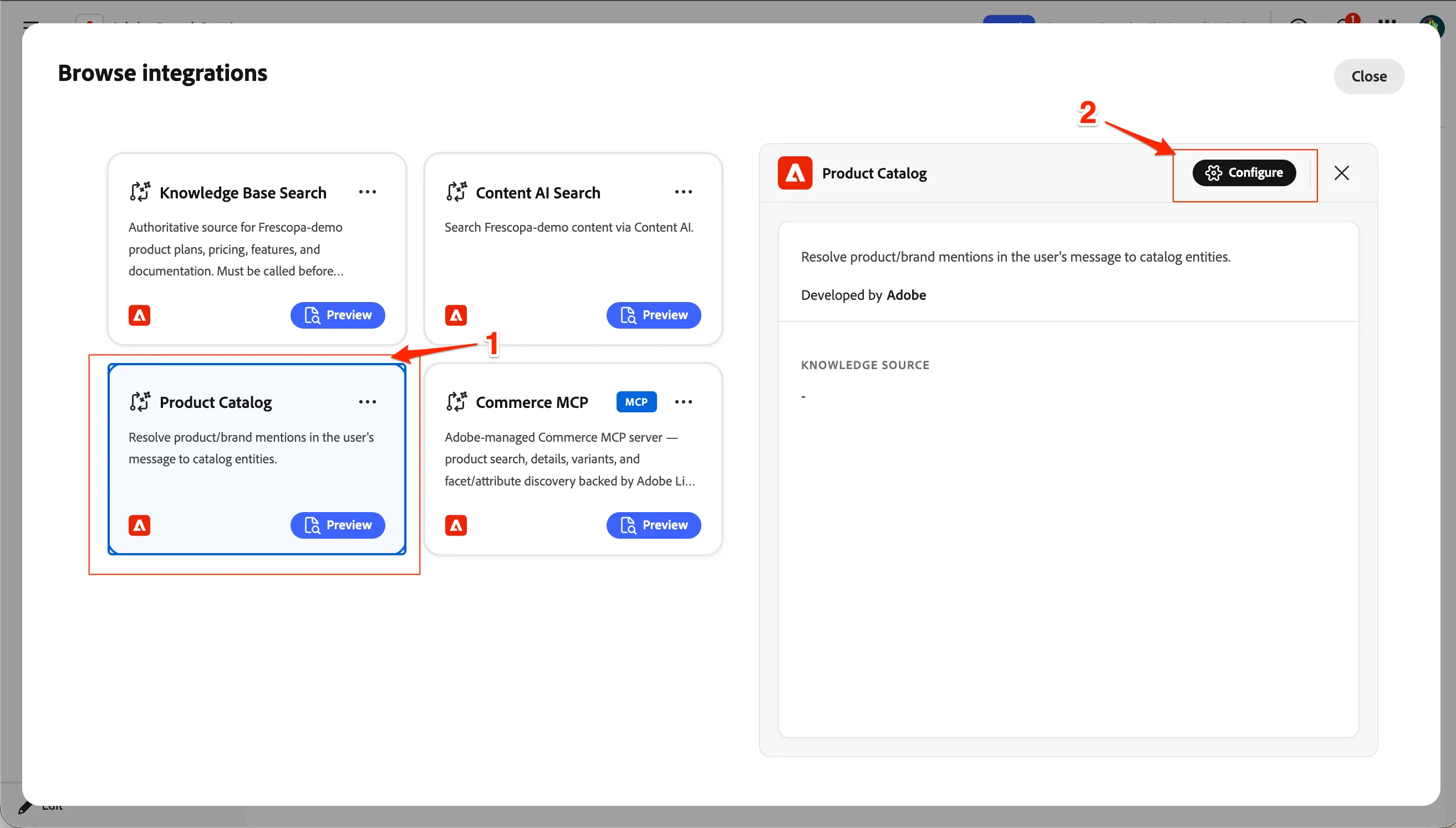
- Click on Select knowledge source
- Select Frescopa product catalog with TravelBrew products and click Save.
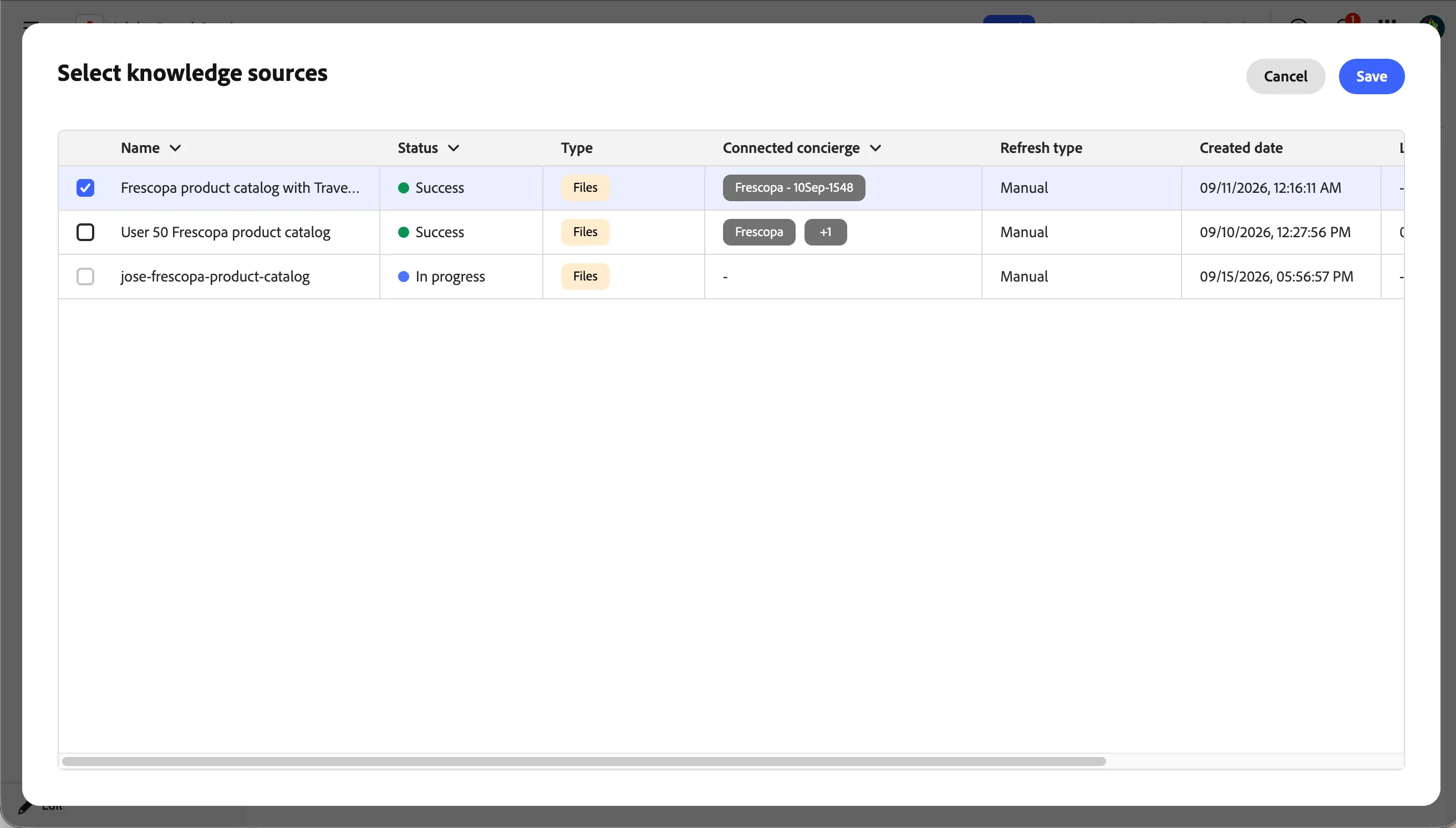
- Click on the tick icon to save the new product catalog knowledge source. This should take you back to the concierge preview.
You have now successfully updated the integrations with an updated site links knowledge base and added a new product catalog to your concierge.
Configure Skills
Now that we have the necessary integrations for our concierge, we will proceed to configuring the skills using these integrations.
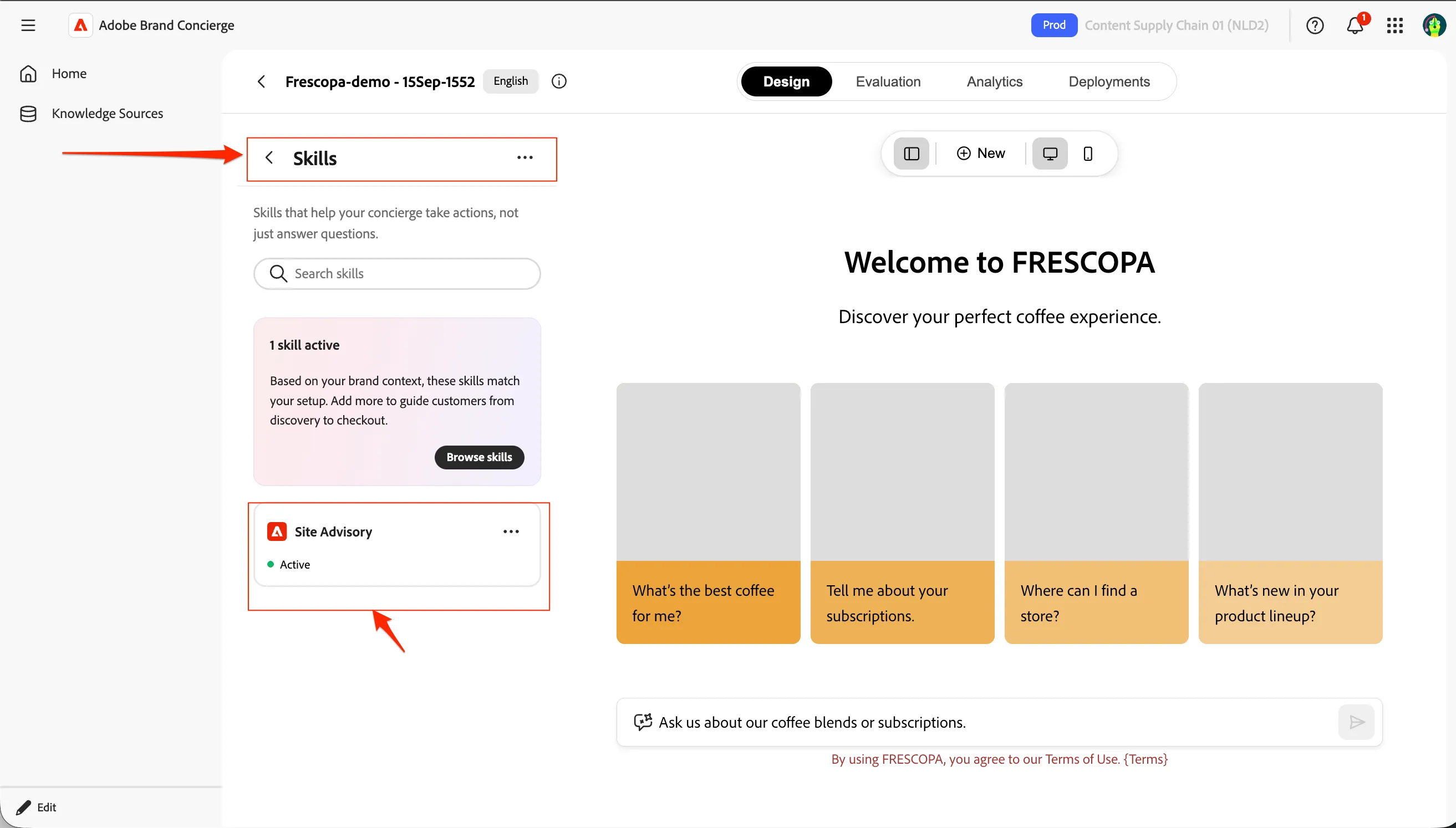
- Navigate to Concierge default page by < icon.
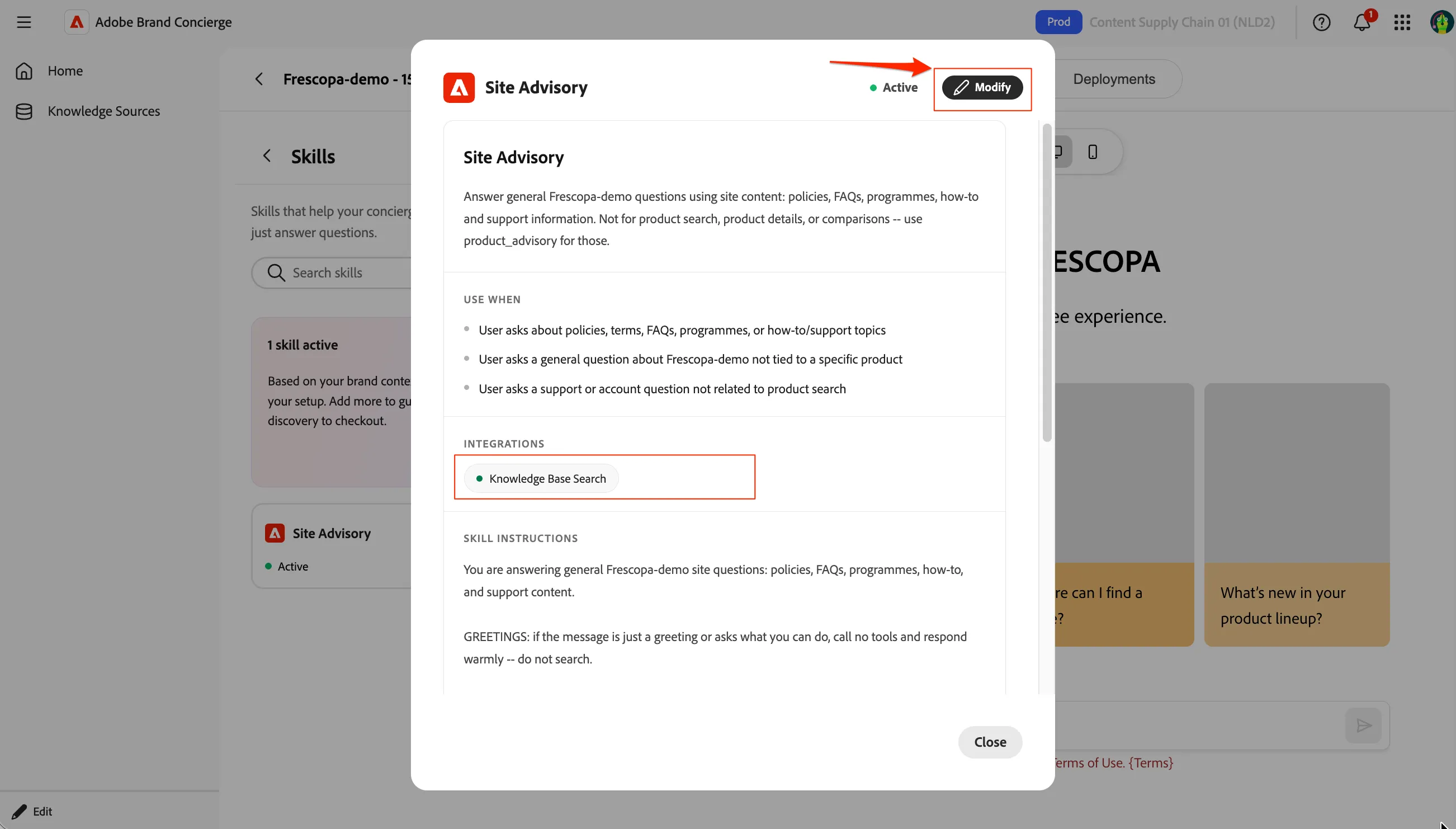
- Select Skills menu item to go into configuring the skills. Click on Site Advisory skill to see the details.
- As you can see the details of the skill, you can see the integrations are limited to Knowledge base search integrations alone. Click on Modify to edit the skill.
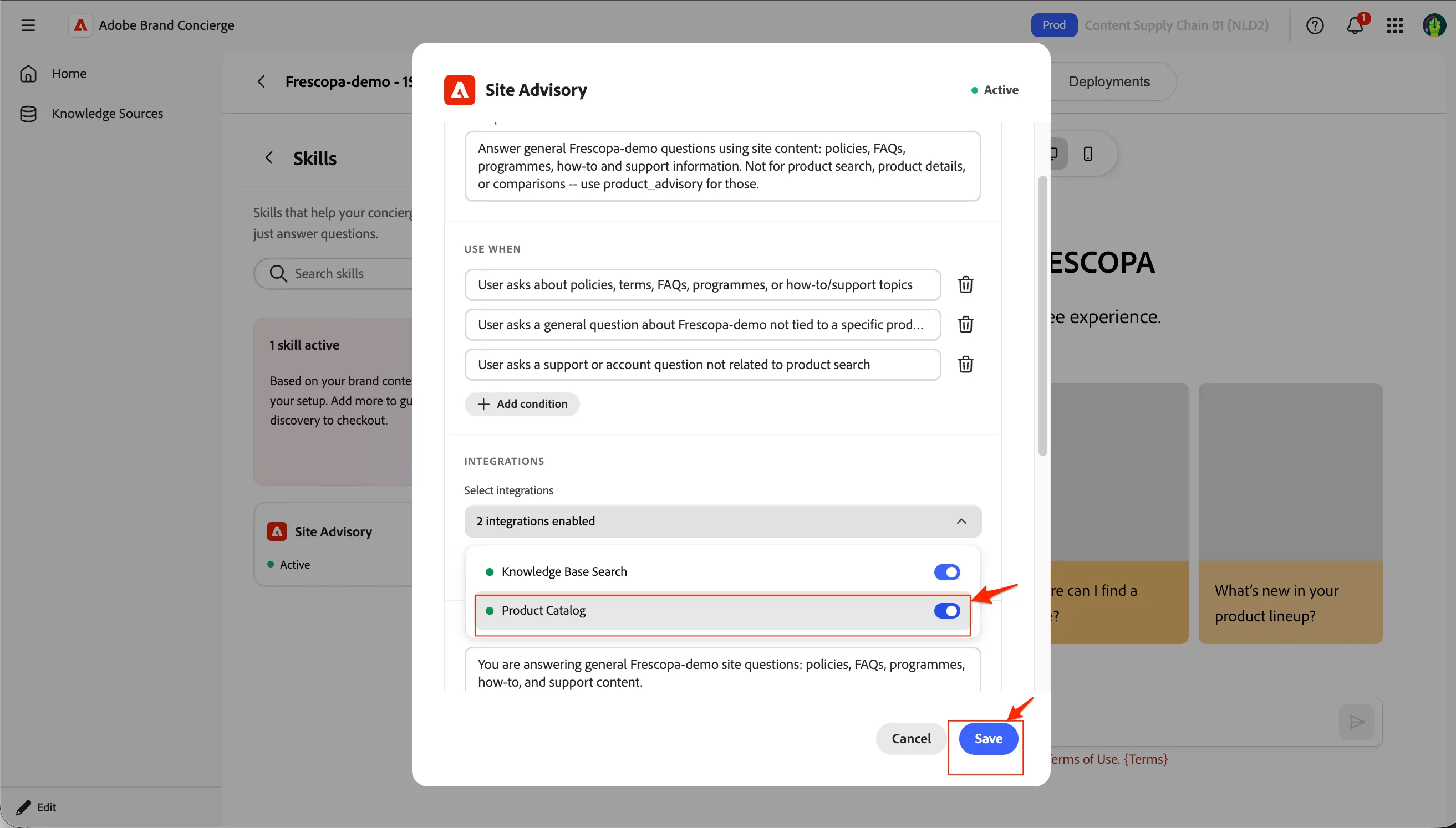
- You can update various skills configurations in this view. Enable the product catalog integration as well for this skills so that the skill is aware of the new travelbrew products as well. Click Save once both are toggled on and Close the Skill details popup.
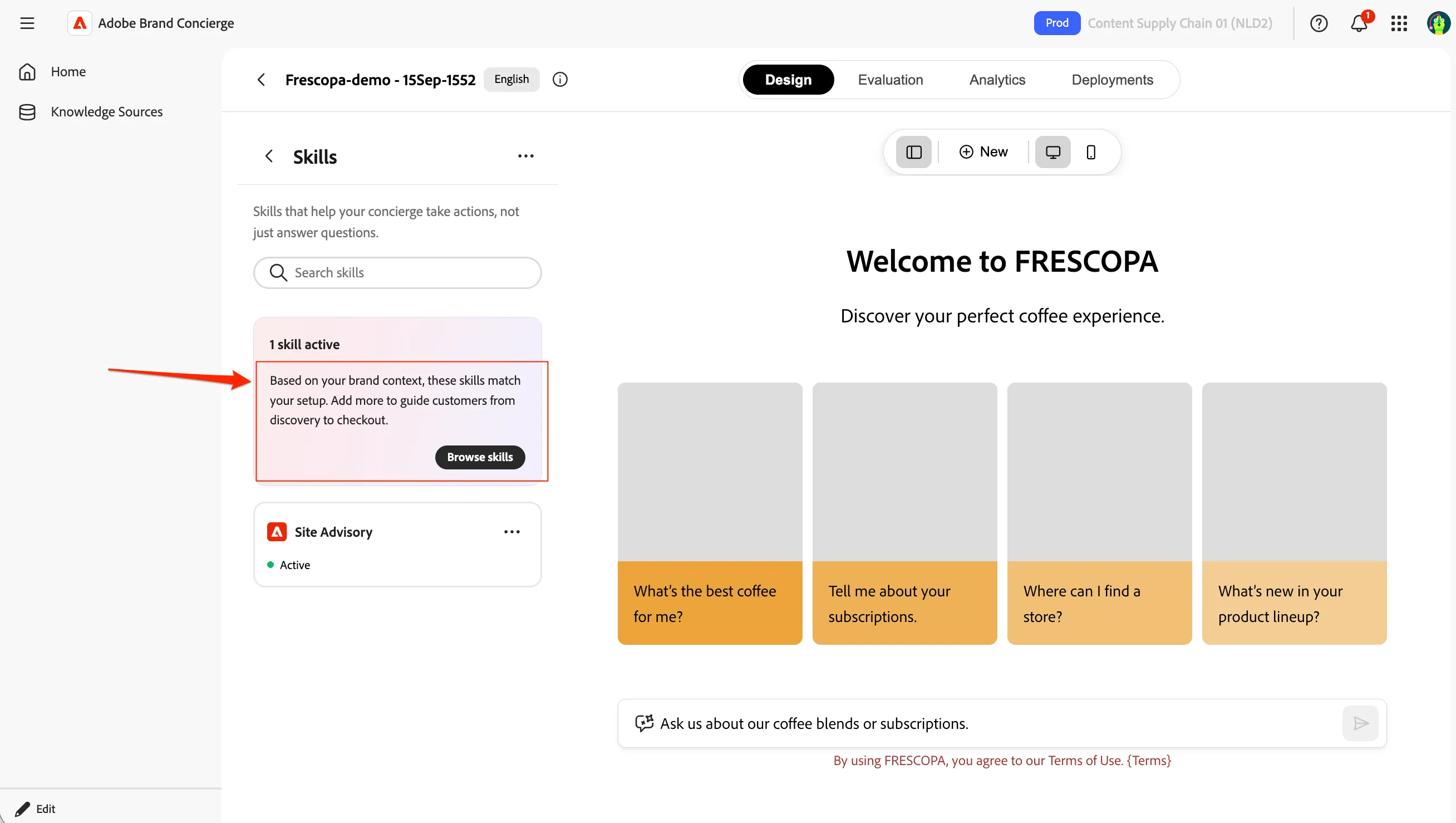
- Now, click on Browse skills for adding another skill.
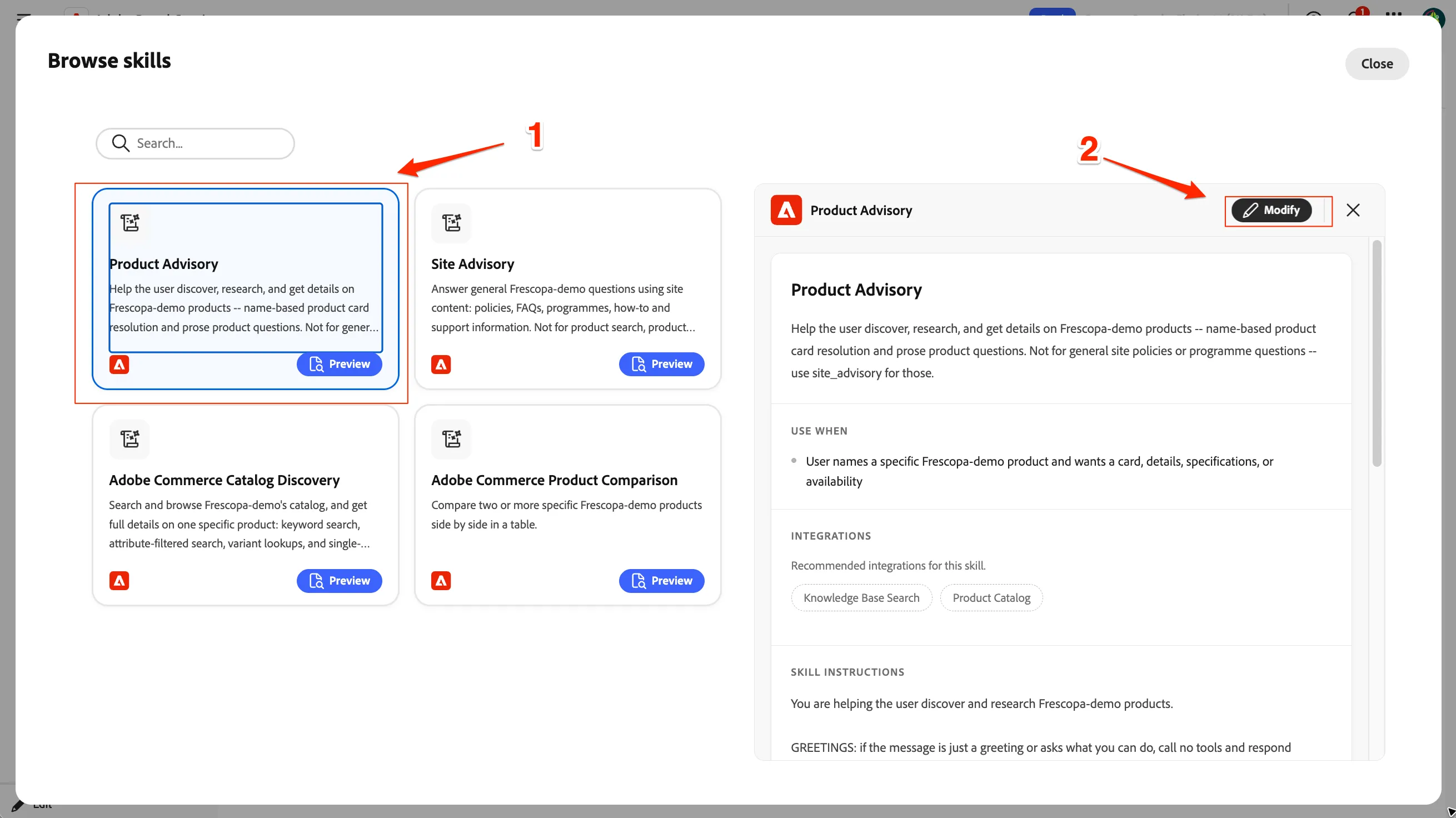
- Select Product Advisory skill and click on Modify button.
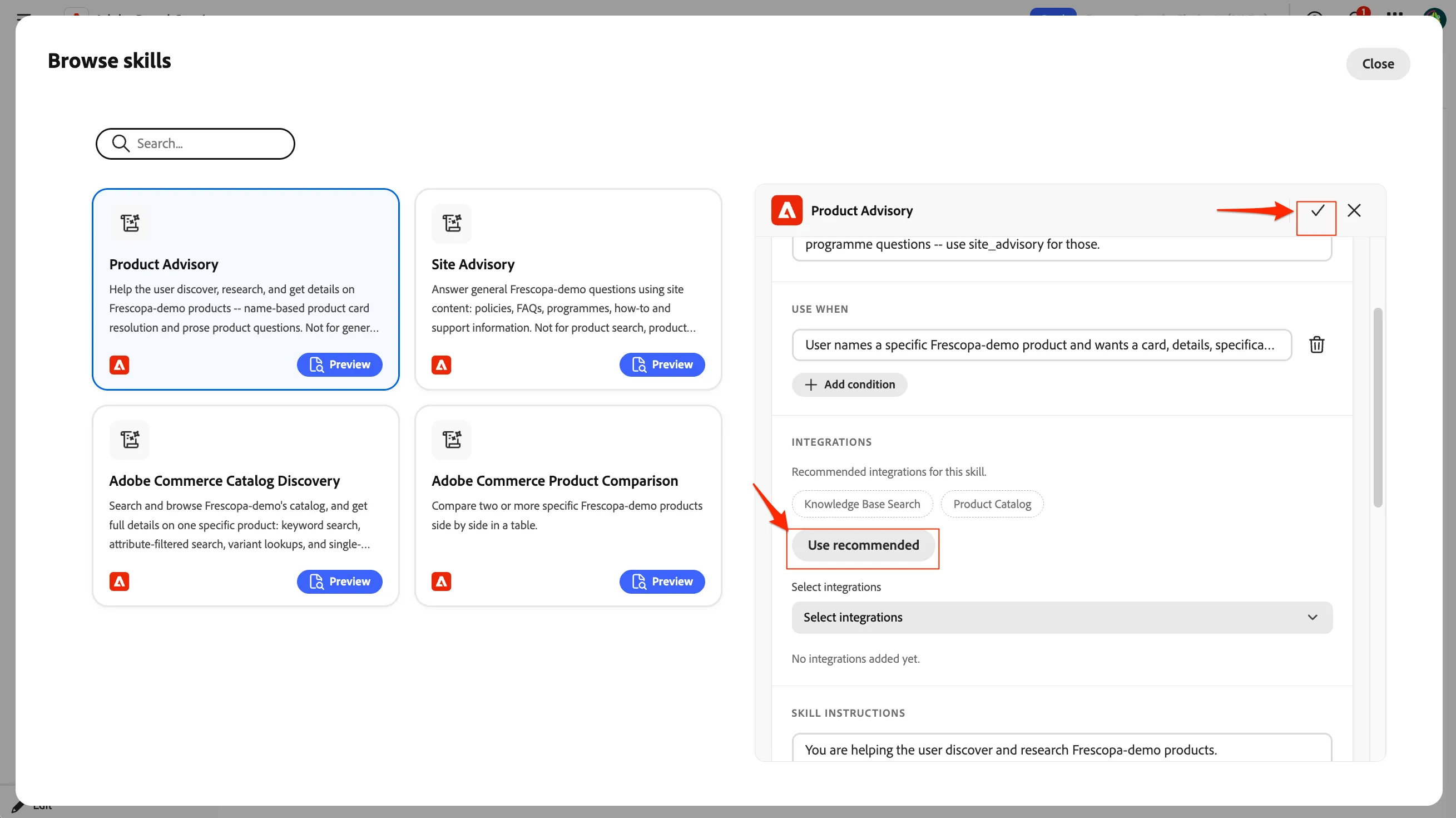
- Click on Use recommended in the integrations to add knowledge base search and product catalog integrations to this skill as well. Click on the tick-icon to save and then close.
We have now set up two skills for our concierge to answer the questions.
4.3 Checkpoint / Reflection
AI responses will reflect brand voice and compliance rules based on the selections made in this exercise.