Exploring Customer Journeys
Adobe Customer Journey Analytics (CJA) empowers you to visualize, investigate, and understand the customer journey from every angle. This module focuses on three powerful tools: Journey Canvas, Cohort Analysis, and Guided Analysis, each providing unique perspectives and actionable insights.
Journey Canvas
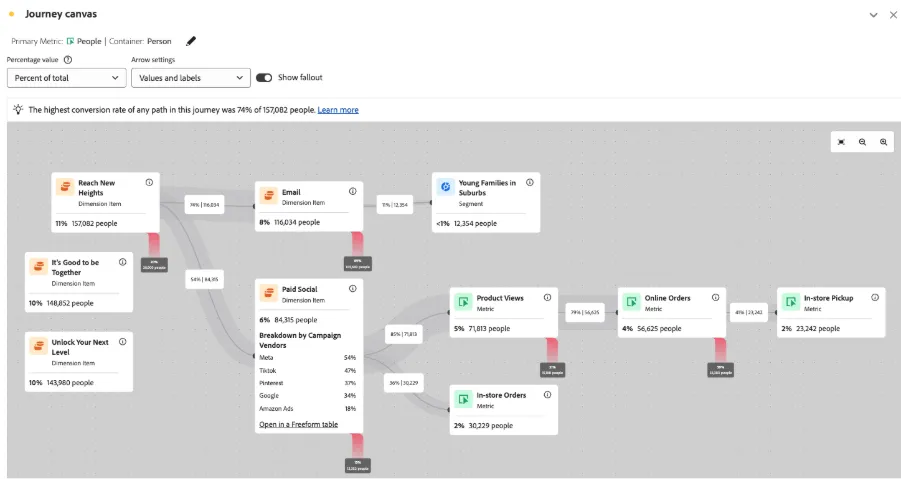
Journey Canvas is an advanced visualization tool that lets you map, customize, and explore even the most complex cross-channel journeys.
What it does: Define a customer journey by combining any combination of events, dimensions, segments, and date ranges. Drag nodes to create a journey’s flow, representing every key step, decision point, or channel.
Value:
- Visualize all possible entry points, paths, and outcomes.
- Instantly identify exactly where customers fall out (“fallout”) or continue (“fallthrough”).
- Drill into specific audience segments at any journey step by dragging on breakdowns.
When to use: To answer, “What happens as customers move through a specific flow?” or, “Where do we lose or retain customers across touchpoints and channels?”.
For more information on the Journey Canvas see the Adobe Experience League.
Cohort Analysis
Cohort Analysis allows you to group customers who share a common start event (e.g., app usage, feature usage, plan activation, first order) and observe their behaviors, retention, or conversion patterns over time.
What it does: Segment users into distinct cohorts—by time, attribute, or custom dimensions—and track engagement, retention, or churn weeks or months later.
Value:
- Reveal lifecycle trends in retention, engagement, or churn.
- Identify the best timing for campaigns, offers, or interventions.
- Compare different groups side-by-side (e.g., by campaign, product, or geography).
When to use: When you want to answer, “How well are we retaining users after their first interaction?” or, “Which campaigns drive longer-term engagement?”
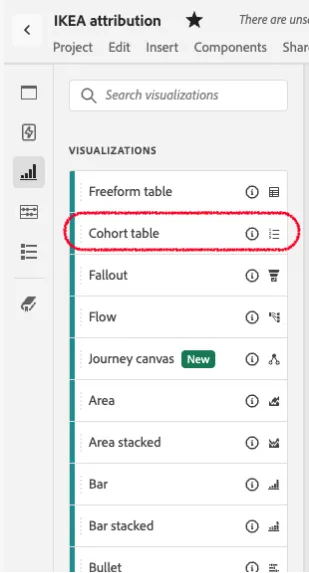
You can find the Cohort table visualization on the left-rail under ‘VISUALIZATIONS’
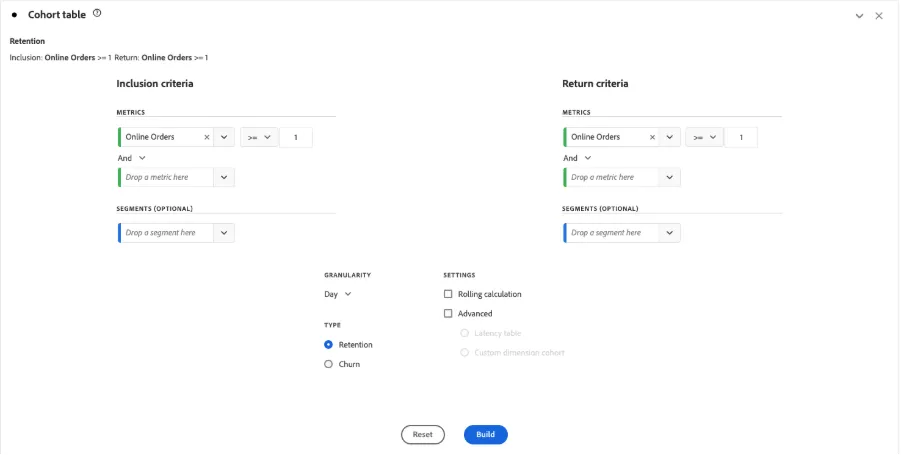
A new panel appear, where we can define the cohort we want to calculate. Like in the example, how often people buy online
More information on Cohort Analysis see the Adobe Experience League.
Guided Analysis
Guided Analysis provides a set of workflow-driven, pre-built insights designed for users of any skill level.
What it does: Offers workflows to quickly answer business-critical questions—retention, conversion trends, feature engagement, funnel performance, net growth, and more—with minimal setup.
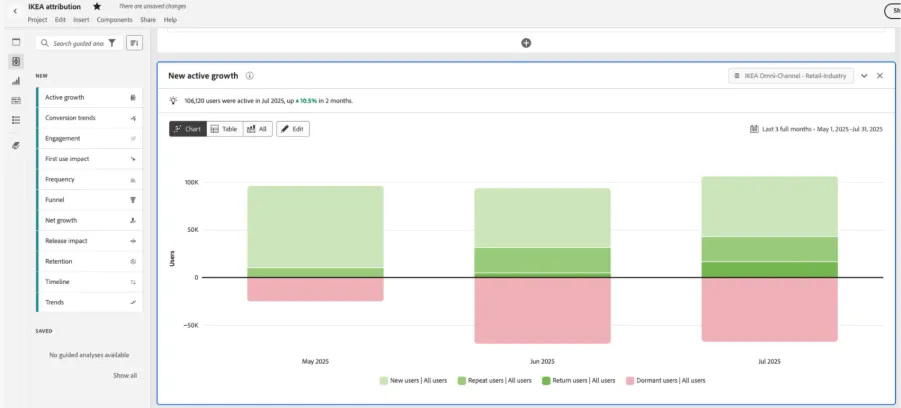
Value:
- Self-serve, high-quality insights done by clicks.
- Boosts productivity for teams without need of knowing analytics.
When to use: When you want fast, repeatable answers to common journey questions, enable broad team access to insights, or standardize journey reporting.
For more information on Guided Analysis see the Adobe Experience League.
To create a new guided analysis,
- Go to the left rail, and see the full list of guided analysis available:
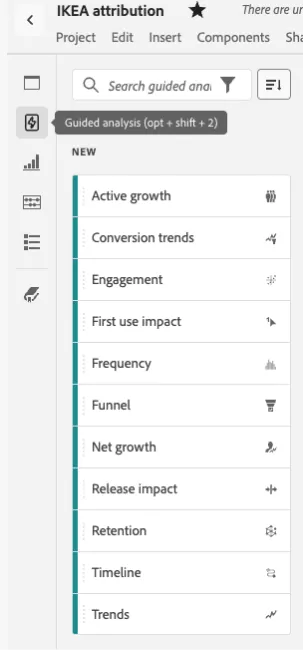
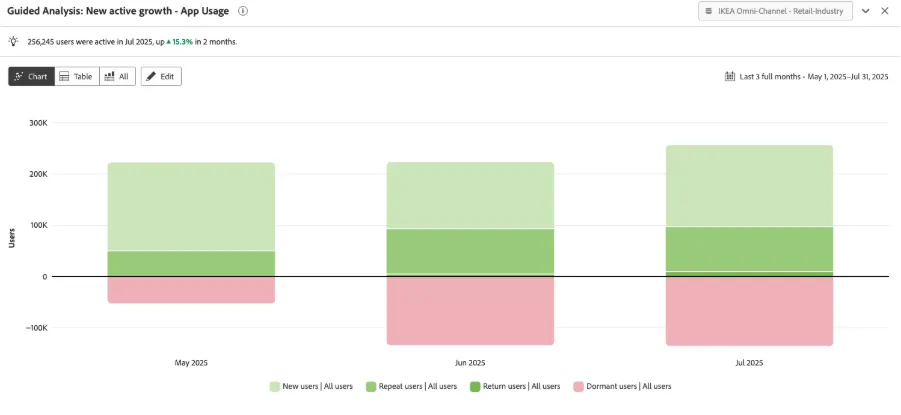
To create a new active growth analysis, drag and drop the element in a new panel, and click on the Create Active growth button:
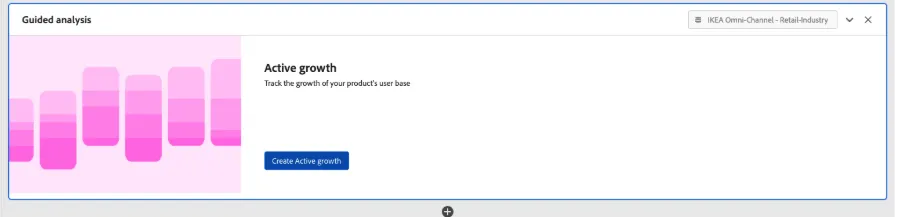
Filter by the event you want to see the users active growth analysis, in this case ‘Any event’ Filtered by ‘Interaction Channels’ = ‘Mobile App’ to see how many users are: New Users, Repeat Users, Return Users or Dormant Users in the App.