5. Generating local variants of the page
In this section, your facilitator will roll out the master NBO Mortgage page to every regional company using Multi Site Manager (MSM). You'll then find your own county's local page, override the Content Fragment with your own county variant, and see exactly how MSM tracks what's inherited from the blueprint versus what's been made local.
Business Context
Länsförsäkringar is one brand delivered through many regional companies — a mortgage page built centrally needs to reach every county without anyone rebuilding it from scratch, while still leaving room for local products, offers, or messaging to differ where it matters.
MSM (Multi Site Manager) is what makes that possible: one blueprint page, rolled out to every regional site as a live page, with each county free to override specific pieces locally — and AEM keeping track of exactly which pieces are still inherited and which have diverged.
Objective
Understand how a central blueprint page is rolled out to every regional company via MSM, then override your own county's Content Fragment locally, proving that central governance and local adaptation can coexist on the same page structure.
What This Proves
- Multi-company versions of the same page can be managed centrally and locally
- It's clear which content is centrally controlled and which parts are locally editable
- Local versions inherit from a shared master structure
- Local adaptation can reflect local products, offers, or content
- Changes in shared content can be propagated without recreating the page
Facilitator: roll out the blueprint
This part is done once, by the facilitator, on the main screen, everyone watches before working on their own page.
- Navigate to the blueprint page, the page built in the Building a Page exercise, under LF Mortgage Site > Blueprint > NBO Mortgage.
- From Page Properties, go to the Blueprint tab and click Rollout.
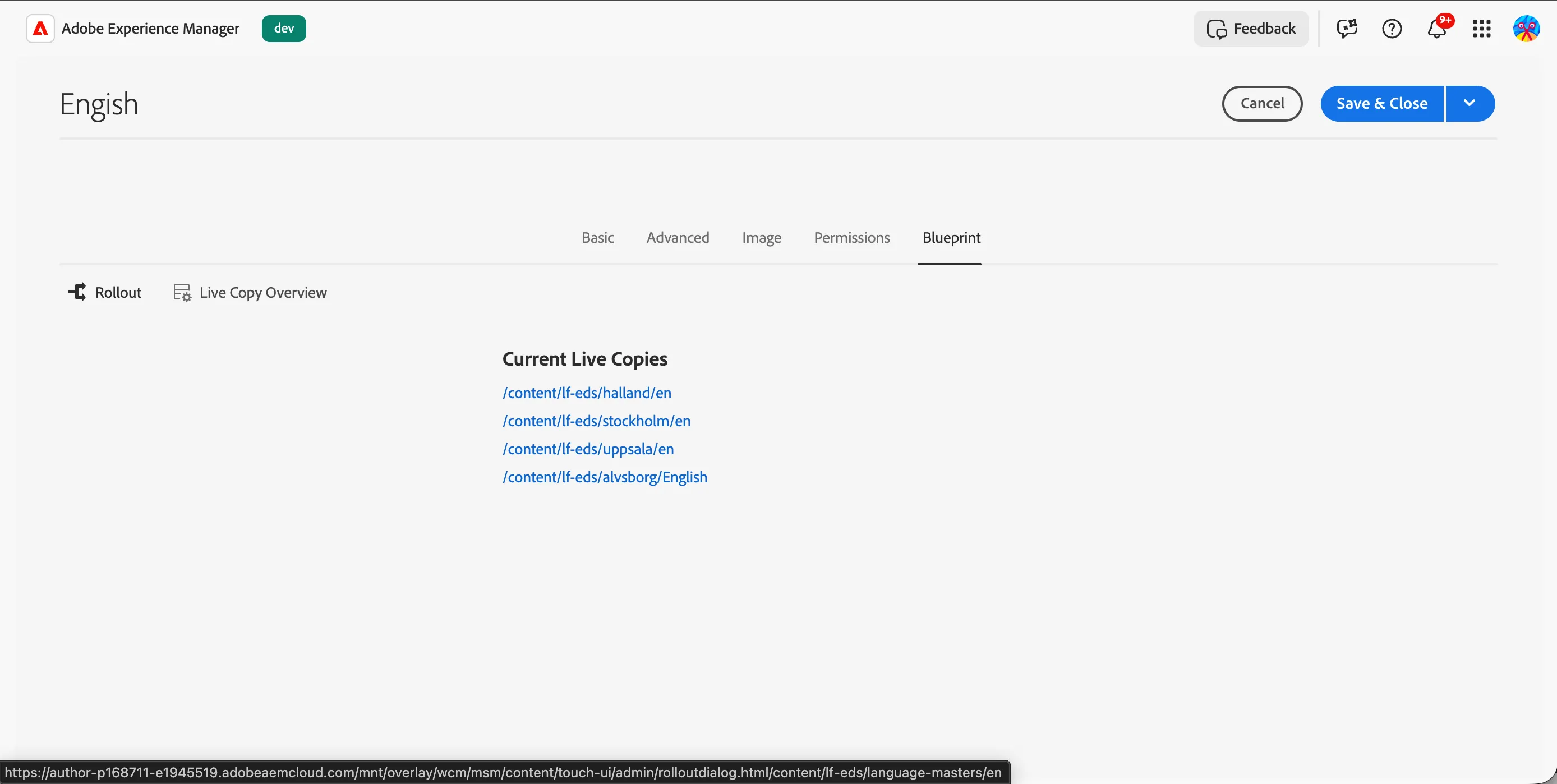
- Confirm the rollout targets, every regional LF company site should be listed.
- Click Rollout.
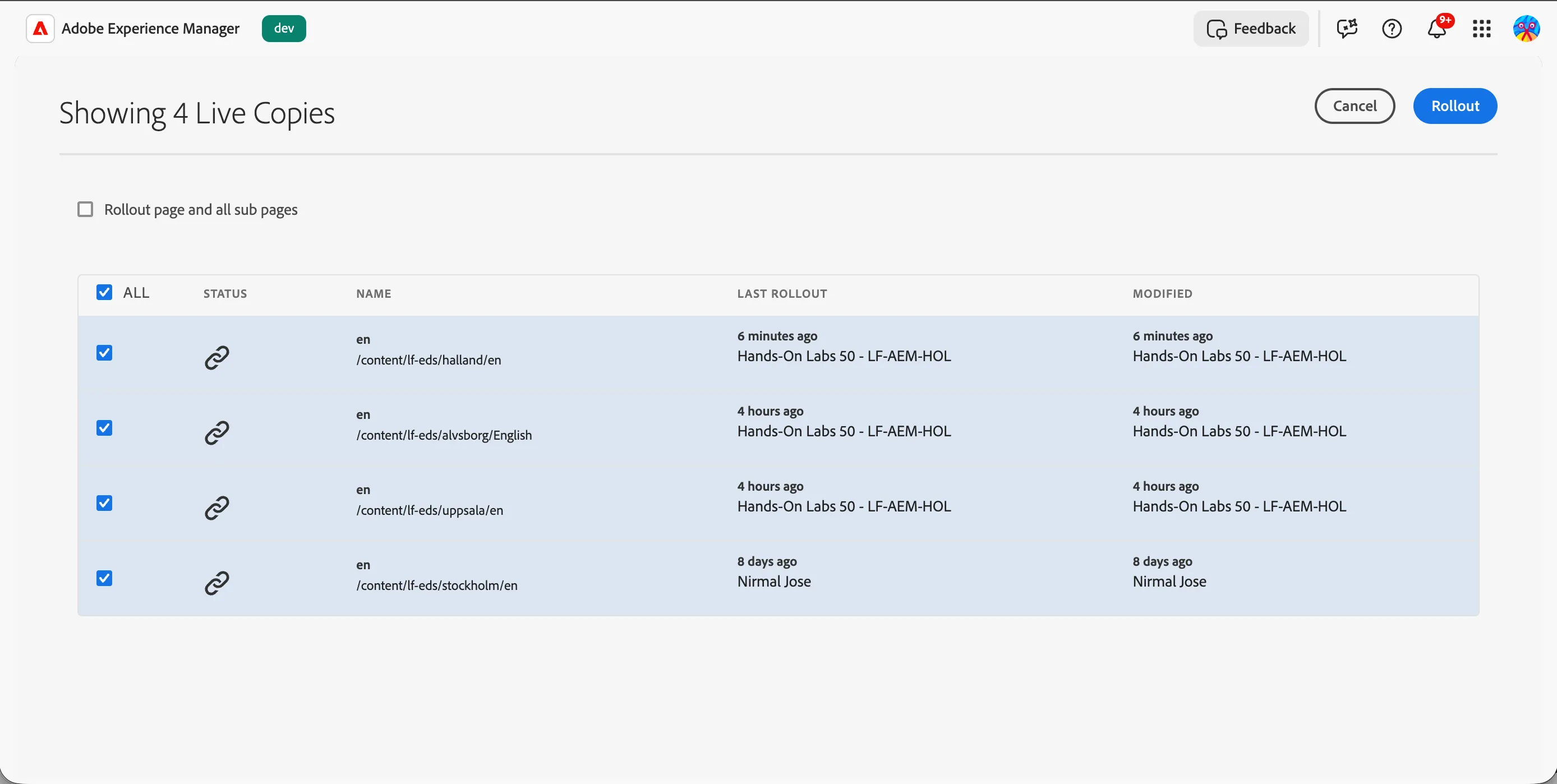
Find and localise your page
- Navigate to your own county's site: LF Mortgage Site > Language Masters > English > Hands-on Lab > {{LASTNAME}}- NBO Mortgage.
- Open the page and confirm it looks identical to the blueprint, same Hero Banner, same Content Fragment block, this is the inherited state, before any local edit.
- Click Edit to open the page in the Universal Editor.
- Select the Content Fragment block and replace the referenced fragment with your own, {{LASTNAME}}-ISK Tax-Free, the AI-generated variation you created in the Creating a Localised Content Fragment exercise.
- From the Content Tree menu, select the Content Fragment block again. On the top menu, click the Inheritance toggle to break the inheritance.
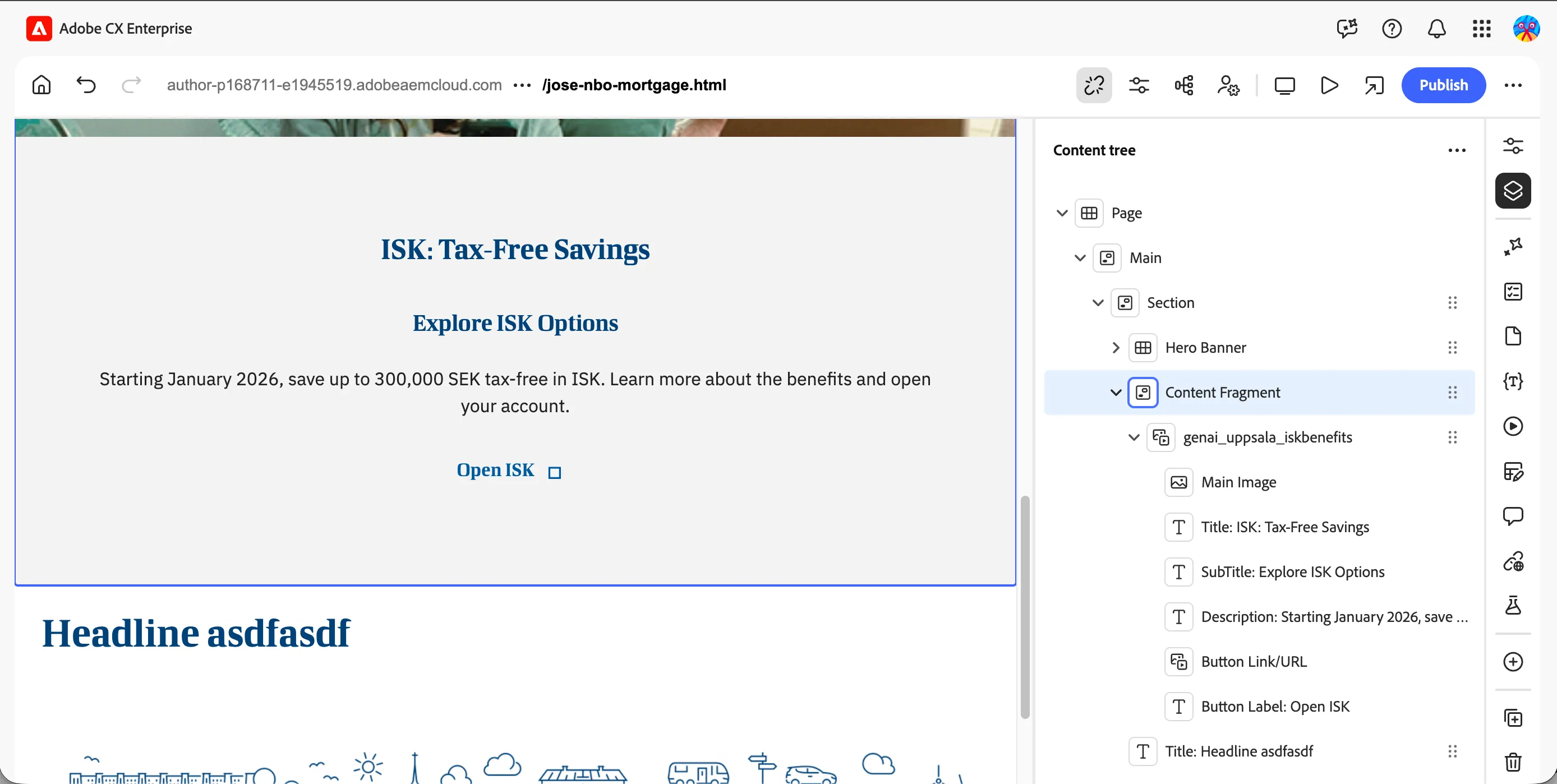
Check the MSM status
- With the page still open, look for the MSM status indicator on the Content Fragment block, or in the page's MSM properties panel.
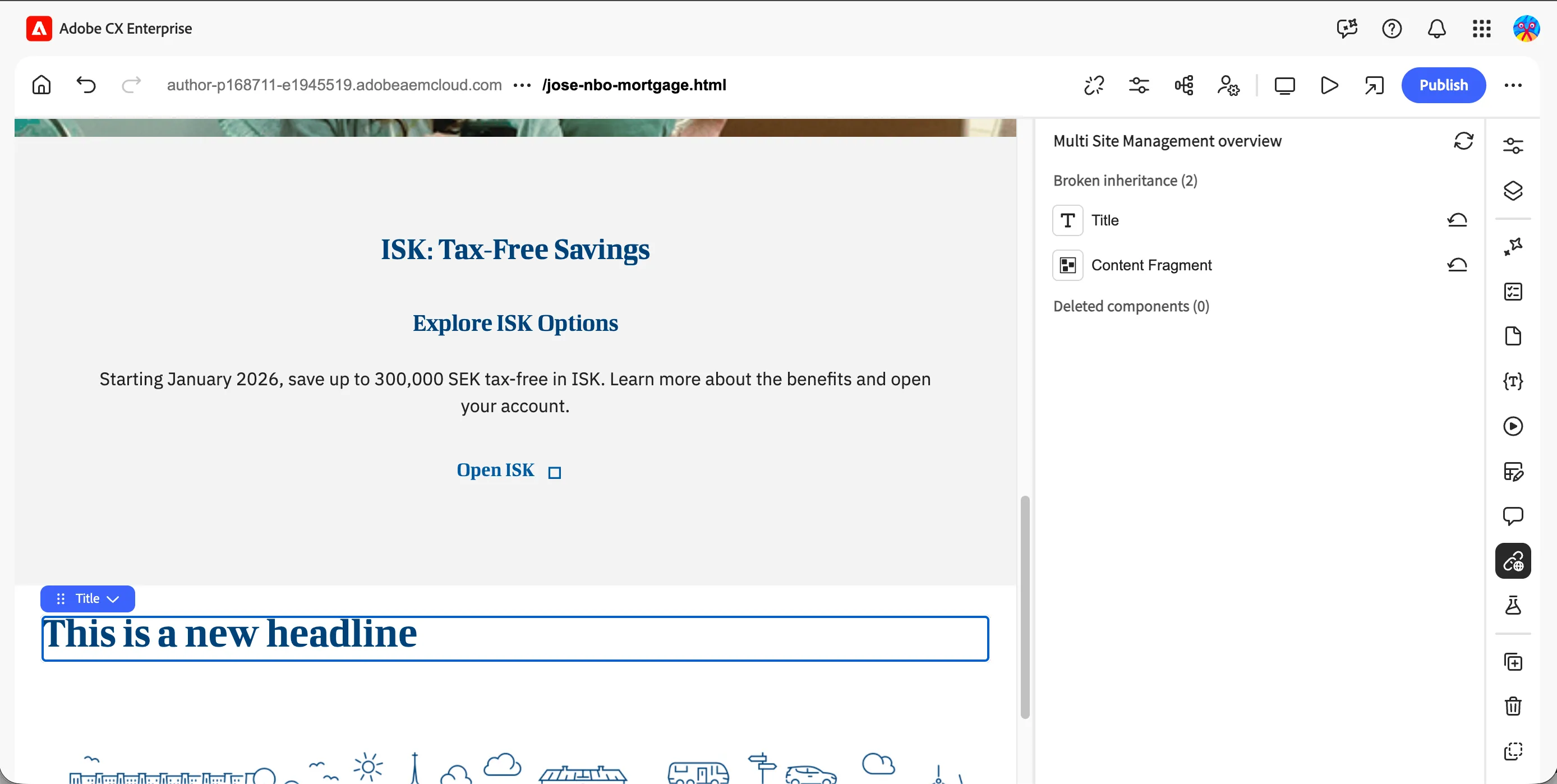
- Confirm the Content Fragment component now shows as locally overridden, while the Hero Banner block still shows as inherited from blueprint.
What you learned
You should have:
- ✅ Watched the facilitator roll out the blueprint page to every regional company
- ✅ Found your own county's version of the page, inherited from the blueprint
- ✅ Overridden the Content Fragment block with your own county's AI variation
- ✅ Confirmed the MSM status shows the Content Fragment as locally overridden and the Hero Banner as still inherited