7. Personalise (DEMO)
In this section, your facilitator will show how RTCDP audiences and Adobe Target's Experience Targeting work together to deliver a different mortgage experience to different customer segments, using the page built earlier today.
A single mortgage page can't speak equally well to everyone who lands on it, a first-time buyer and an existing LF customer weighing a remortgage have different questions, different anxieties, and different reasons to trust the calculator. LF's own criteria call for content that's personalised "in real time, across multiple channels, based on customer engagement, behavior, and history."
Business Context These audiences are built from a mix of behavioral data (page views, calculator usage) and profile data (existing product holdings), the same kind of signals LF already has, brought together in one place rather than living in separate systems.This is the moment worth pausing on: same page, same underlying blocks and Content Fragment built earlier, but three distinct framings, all governed centrally through one activity rather than three separate pages someone would need to maintain.
This step is presenter-led rather than hands-on. You'll watch two systems work together: Real-Time CDP (RTCDP), which defines who an audience is, and Adobe Target, which decides what they see, using the page you built earlier today as the canvas.
Objective
See how a small set of pre-built RTCDP audiences feed into an Experience Targeting activity in Adobe Target, delivering a different Hero Banner and Content Fragment experience depending on which audience segment a visitor matches.
What This Proves
- Content can be personalized in real time based on audience, behavior, and history
- Personalization can be tailored to a specific product, offer, or regional context
- The same page and content blocks built earlier today can serve multiple audiences without duplication
- Personalized experiences can be previewed as different target groups would see them
The RTCDP Audiences
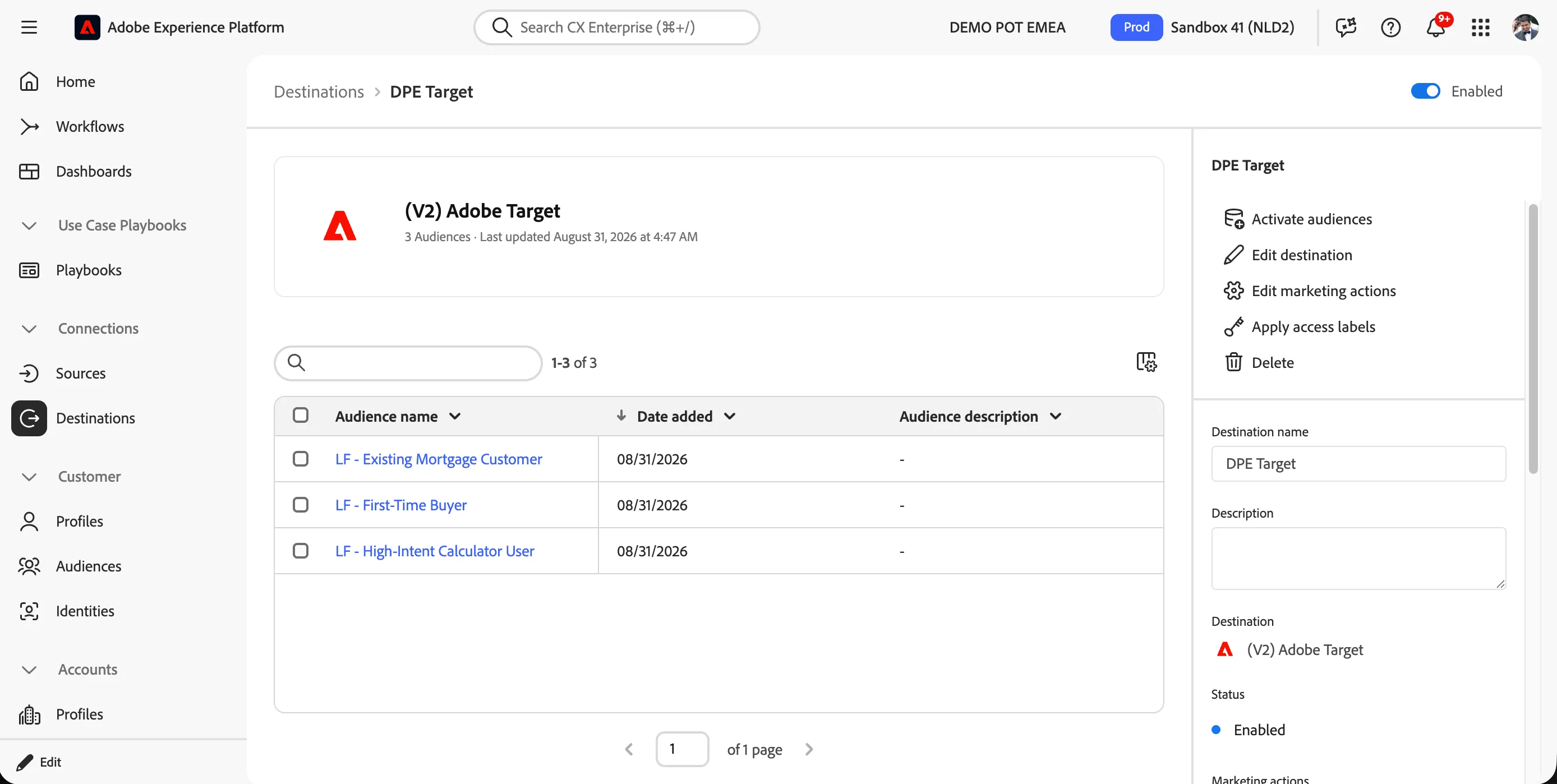
Your facilitator has pre-built a small set of audiences in RTCDP, ahead of this session.
- Open Real-Time CDP and navigate to Audiences.
- Review the pre-built audience list. For today's demo, we're using three:
- First-Time Buyer — visitors with no prior mortgage or home-loan product history, identified through browsing and profile signals
- Existing Mortgage Customer — visitors who already hold an LF mortgage product, likely evaluating a remortgage or additional borrowing
- High-Intent Calculator User — visitors who have used the mortgage calculator more than once in the last 14 days without submitting an application, a strong signal of active intent
Building the Experience Targeting Activity in Target
This part is built live by the facilitator, on the main screen.
- Open Adobe Target and select Create Activity > Experience Targeting.
Experience Targeting is different from an A/B test, rather than splitting traffic randomly to compare variants, it delivers a specific, intentional experience to each matched audience. Nobody is in a control group here, everyone who matches an audience sees the experience built for them.
- Select the mortgage page built earlier today as the target page.
- For each audience, define the experience:
- First-Time Buyer → Hero Banner emphasizes "New to home buying? Start here" messaging, Content Fragment surfaces the ISK/savings-adjacent content reframed around building a deposit
- Existing Mortgage Customer → Hero Banner emphasizes "Thinking about remortgaging?" messaging, Content Fragment surfaces relevant refinancing information
- High-Intent Calculator User → Hero Banner emphasizes "Ready to apply? Pick up where you left off" messaging, with a more prominent CTA straight to the application form
- Default/unmatched → the generic page built earlier today, exactly as constructed in the Building a Page exercise
- Connect each experience to its corresponding RTCDP audience using the audience picker.
- Save and activate the activity.
Preview as each audience
- Use Target's Preview function to view the page as each of the three audiences would see it, alongside the default experience.
What You Learned
You've now seen how:
- ✅ RTCDP audiences define customer segments using behavioral and profile data
- ✅ Adobe Target's Experience Targeting delivers a specific, intentional experience to each matched audience, not a random split
- ✅ The same page and blocks built earlier today can be personalized for multiple audiences without duplicating the page itself
- ✅ Personalized experiences can be previewed exactly as each target audience would see them
This is the same personalization capability that, in the next step, we'll test using Target's Experimentation extension in Universal Editor, to actually measure whether a variant like this outperforms the default.