6. Configure and audit SEO elements
In this section, we will configure the page title, meta description, Open Graph fields and URL slug for our local NBO Mortgage page, then audit the page's SEO, accessibility, and performance using Preflight and the AI Content Visibility Checker.
Business Context
Awareness for the NBO Mortgage journey starts largely through search — a customer looking for mortgage information needs to find LF's page, and needs it to look right when it's shared or previewed elsewhere. Editors need direct control over these fields, on their own local page, without waiting on a technical team.
But setting the fields is only half the job — LF also needs confidence the page is actually accessible, technically sound, and credible from both a traditional search and an AI-search perspective before it goes live. That's what the audit half of this exercise proves.
The deeper technical SEO layer — canonical URLs, redirects, structured data — is admin-configured rather than something every editor touches page by page. We'll walk through what that looks like, but the hands-on focus here is the fields and checks you'll actually use day to day.
Objective
Configure the page title, meta description, Open Graph fields on your local NBO Mortgage page, then run a Preflight audit and check AI content visibility, proving editors can both manage core SEO fields and verify the page meets accessibility, technical, and AI-search quality standards before publishing.
What This Proves
- Editors can set page title, meta description, Open Graph fields, and URL slug
- These settings are configured per-page, including on locally-adapted pages
- Tools exist for evaluating site/content quality (EEAT)
- Tools exist for evaluating site performance
- Accessibility guidance and clear error messages are provided for content issues
- Canonical URL, redirects, noindex/nofollow and structured data are supported at a platform level (shown, not configured live)
- Semantic heading structure is supported (shown, not configured live)
Configure your page's SEO fields
- Open your local NBO Mortgage page, the {{COUNTY_NAME}} version from the Generating Local Variants of the Page exercise, e.g. {{LASTNAME}}-nbo-mortgage, in the Universal Editor.
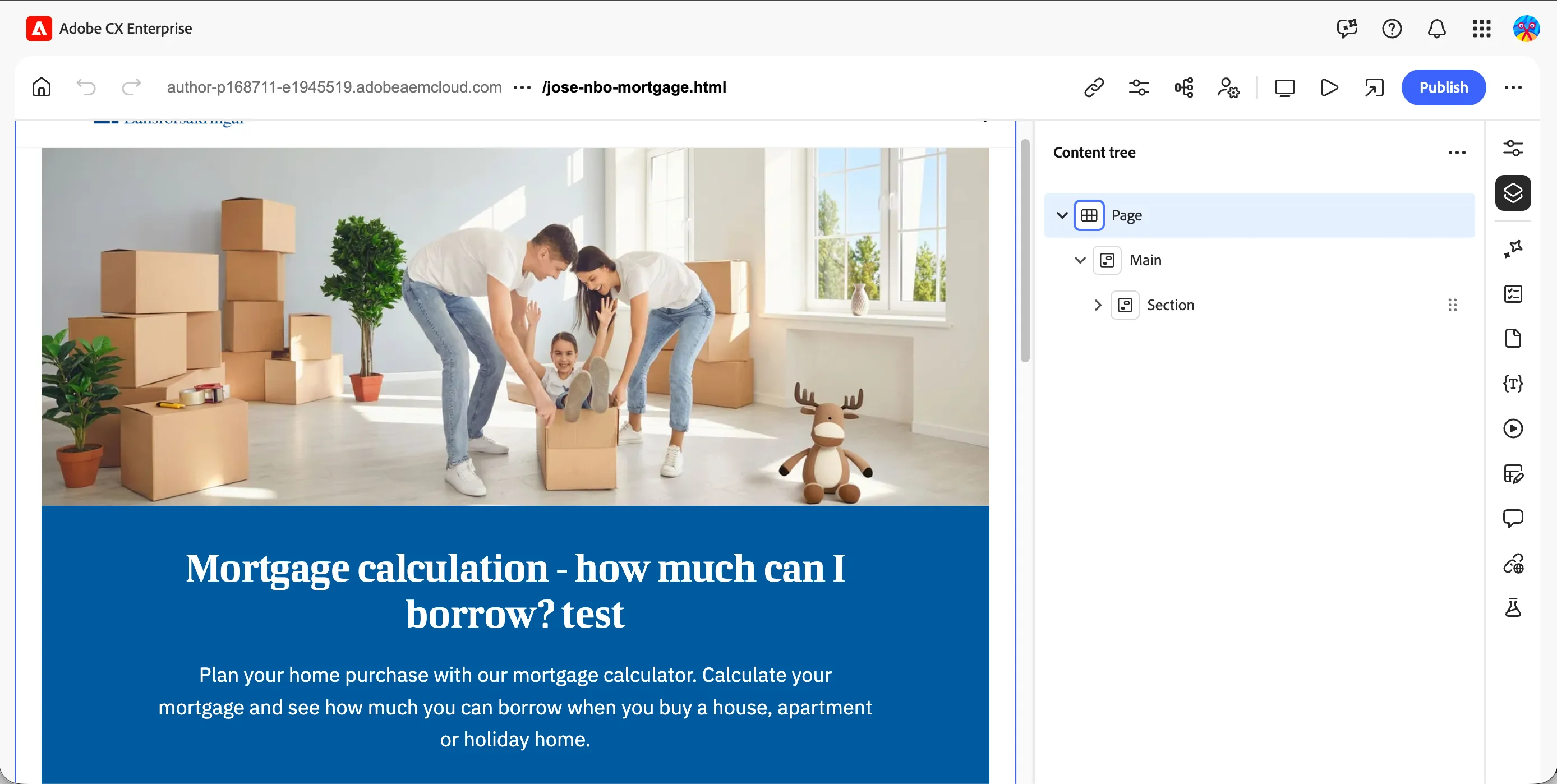
- In the Content Tree menu, click on the Page block.
- Click Properties to show the configuration panel, this is where all the page-level SEO configurations live.
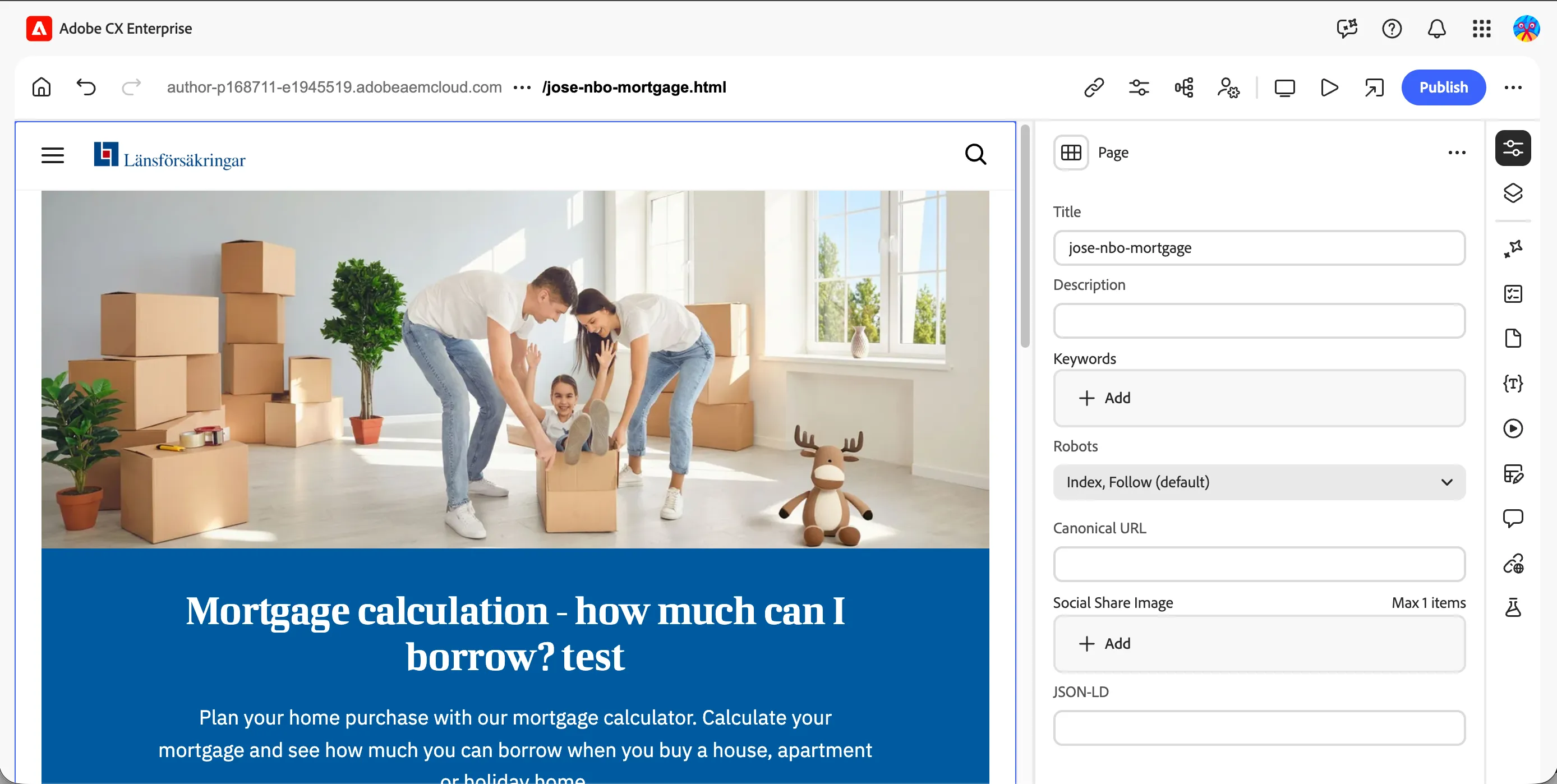
- Set the Page Title, e.g. "Mortgage Offers for Homeowners | Länsförsäkringar".
- Set the Meta Description, a short, compelling summary referencing your county.
- Scroll to the Open Graph fields and set the OG Title, OG Description, and OG Image, this controls how the page appears when it's shared on social platforms or messaging apps, separate from what a search engine sees.
- Publish the page. Select Live and Publish.
Audit your page with Preflight
- With your SEO fields saved, open the Preflight extension in Universal Editor.
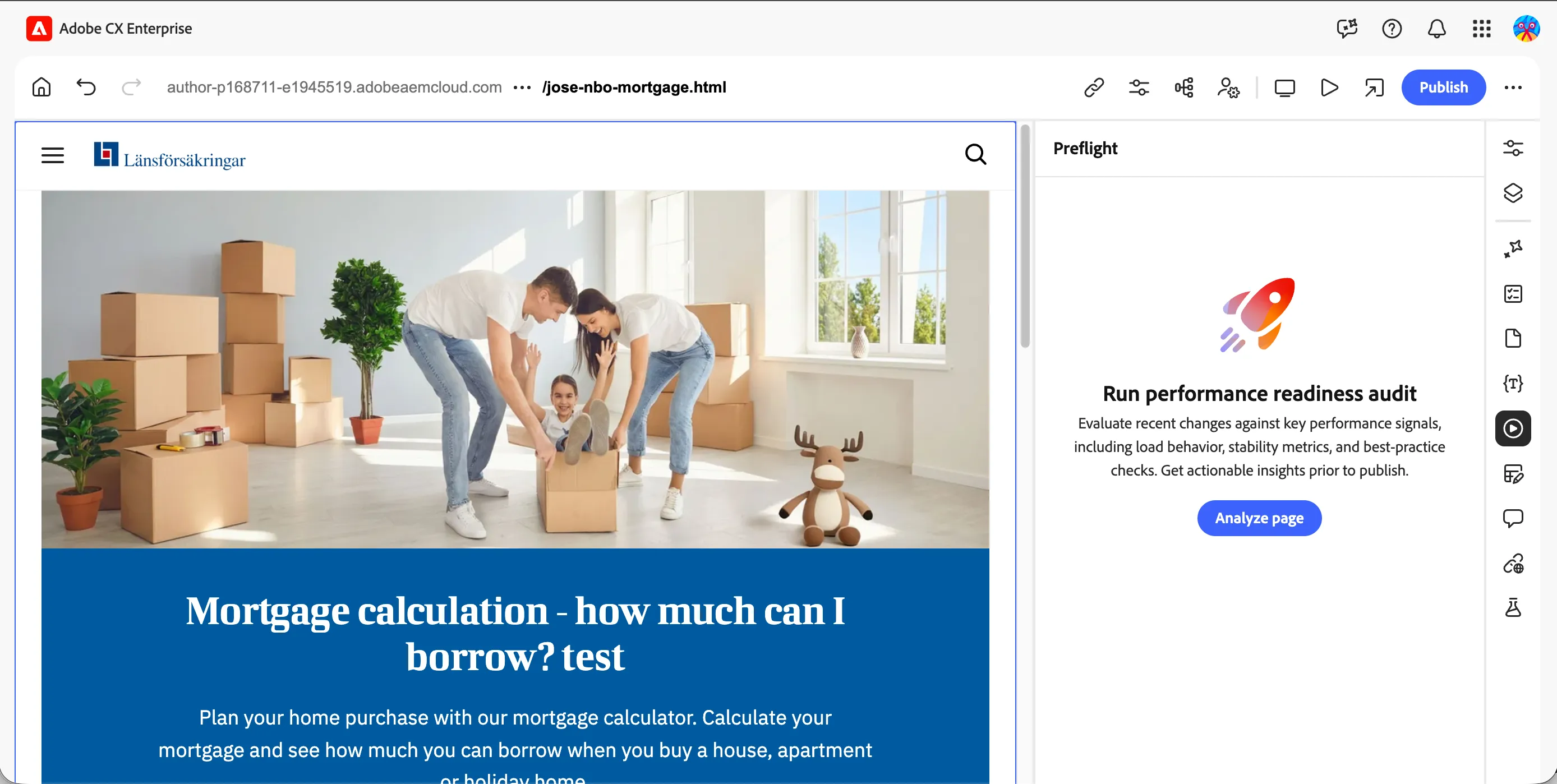
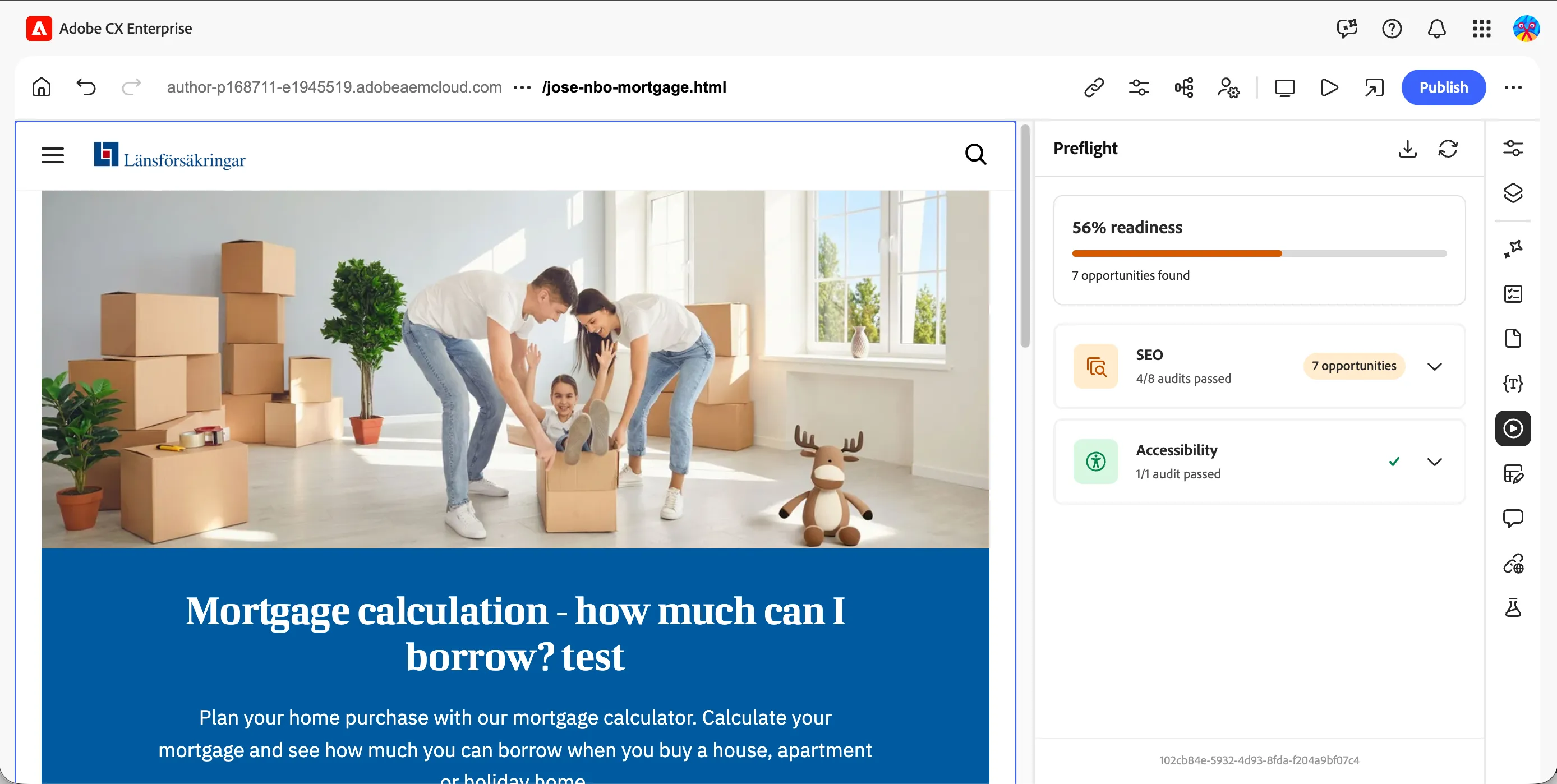
- Run the audit against your local page. Review the results across:
- Accessibility, flagged issues like missing alt text or heading structure
- SEO, confirms your title, meta description and slug are present and well-formed
- If anything is flagged, fix it directly, e.g. add missing alt text, and re-run the audit to confirm it clears.
What else the platform supports (walkthrough)
This part is a guided walkthrough, not something you'll configure yourselves today, these settings live at an admin/template level rather than per-page.
- Your facilitator will show:
- Canonical URL configuration, for pages with overlapping content
- Redirect management and redirect chain tracking
- Noindex/nofollow settings, at both page and link level
- Schema.org structured data, applied at page and block level
- Semantic heading structure, showing how heading levels are enforced through the page's block templates
- How much of your webpage is visible to LLMs, using the AI Content Visibility Checker, powered by the Adobe Brand Visibility Chrome extension. Add the extension here
What you learned
Before moving to Step 6, you should have:
- ✅ Set the Page Title and Meta Description on your local page
- ✅ Set Open Graph Title, Description and Image
- ✅ Set a clean, descriptive URL slug
- ✅ Ran Preflight and reviewed accessibility/SEO/performance results
- ✅ Fixed at least one flagged issue and confirmed it cleared
- ✅ Checked EEAT signals via the LLMO extension
- ✅ Seen the admin-level SEO controls — canonical URLs, redirects, noindex/nofollow, schema.org, semantic headings — walked through by your facilitator