1. Create journey
Narrative context
A customer visits the LF Stockholm website and runs a mortgage simulation — first home purchase, 2.5M SEK, 25 years. The moment they click Calculate, an event fires. This exercise sets up the journey that catches that event and begins the experience.
Access AJO
- Click the navigation icon
 in the top right corner and select Journey Optimizer.
- In the left menu, under Journey Management, click Journeys.
Create the journey
- Click Create Journey, then select Create from scratch.
The Journey Properties panel opens on the right.
- Set the Name to [{{LASTNAME}}] - Mortgage simulation to pre-approval.
- Scroll down to Re-entrance and set waiting period to 30 days.
- Click Save.
- Click the icon
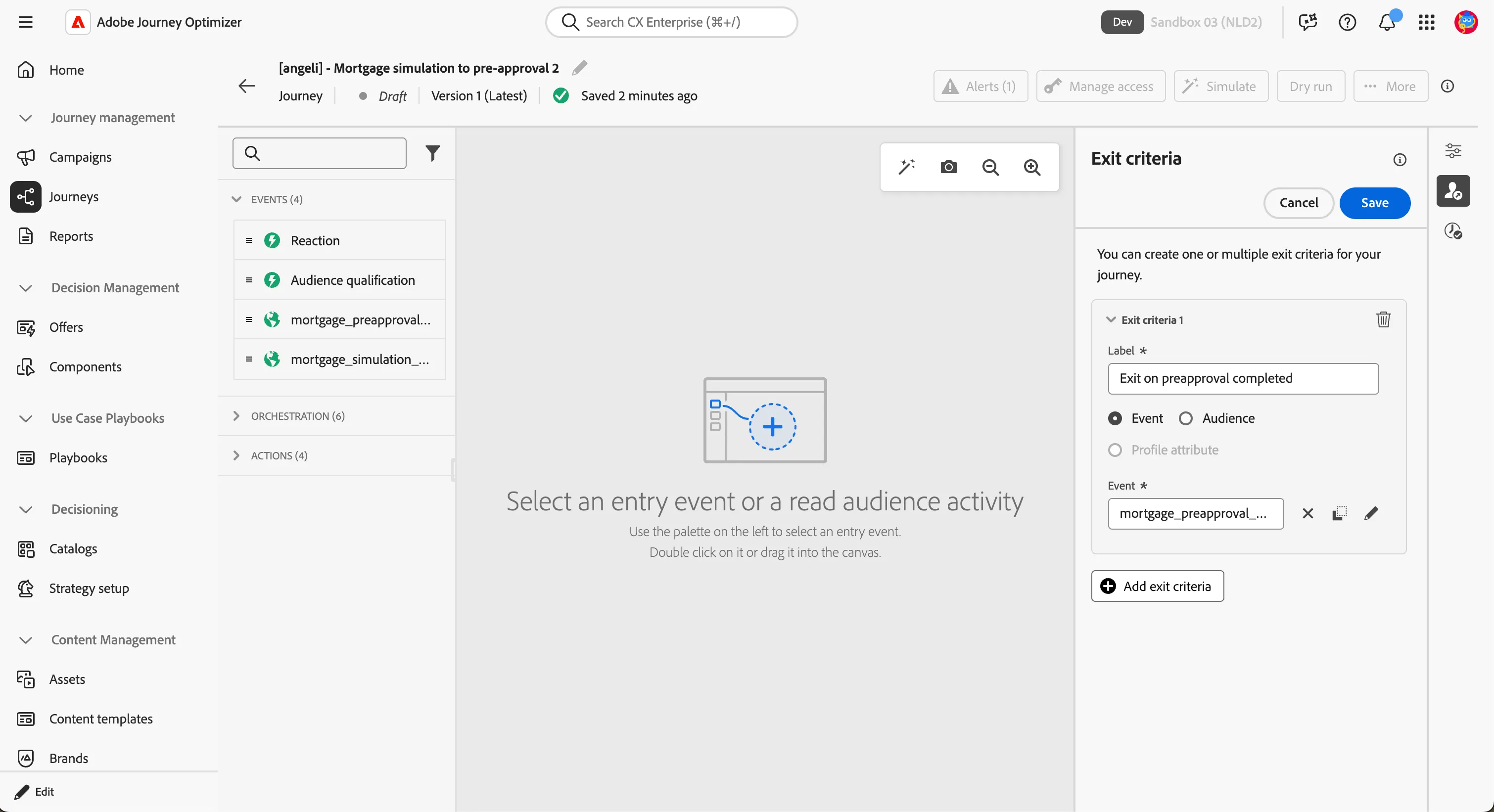
 , then Add exit criteria.
- Set the label to Exit on preapproval completed.
- Set the type to Event.
- Select the event mortgage_preapproval_completed.
- Click Save.
Why exit criteria matter. Without this rule, a customer who completes the pre-approval application mid-journey would still receive the follow-up email a few days later. The exit criteria remove them from the journey the moment they convert — the brand stops marketing to people it has already won.
Add the entry event
- In the left panel, click the Events tab.
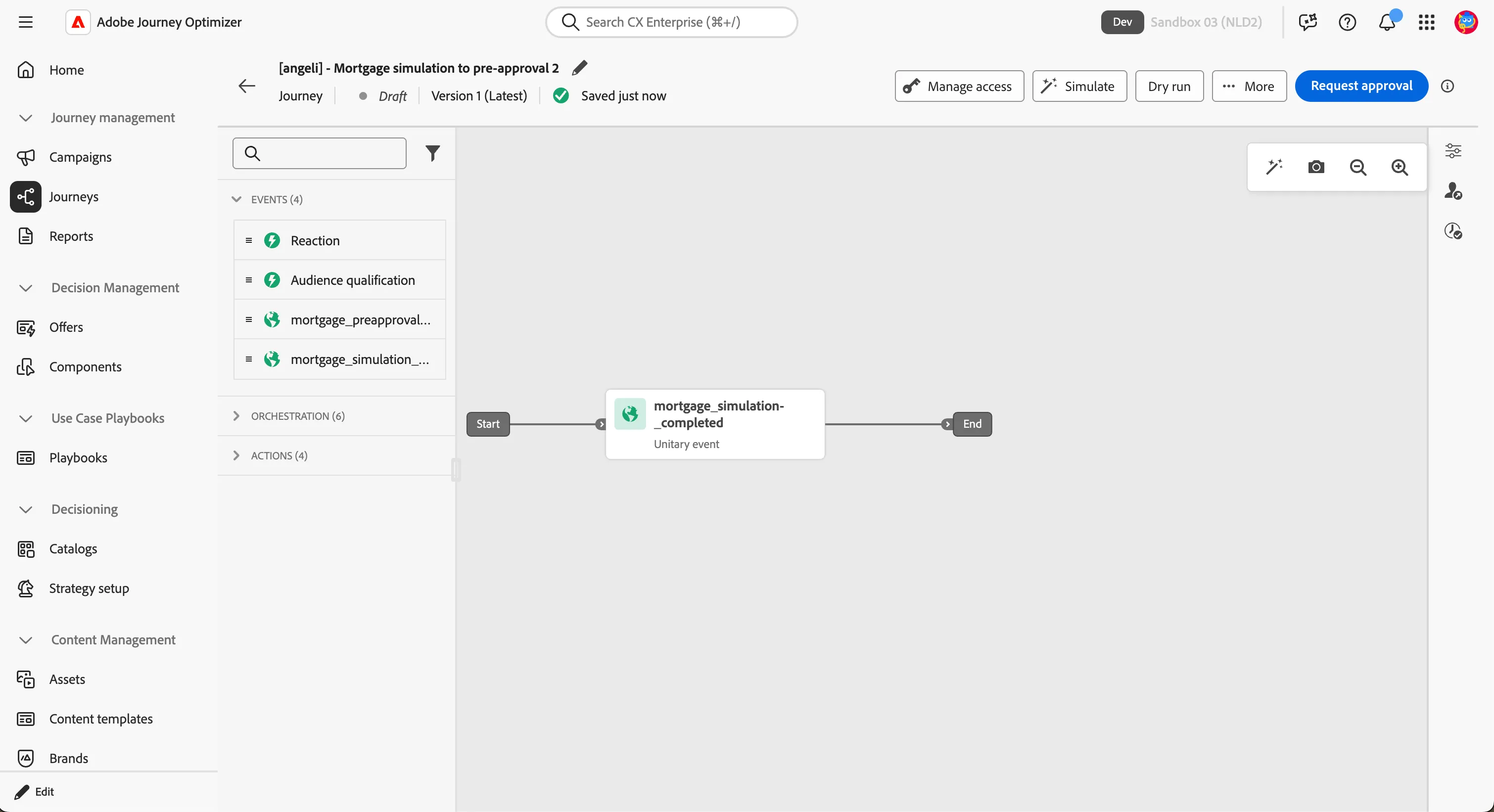
- Find mortgage_simulation_completed and drag it onto the canvas.
The Properties panel opens automatically.
- Set the Label to Mortgage simulation completed.
- Leave the rest of the configuration as it is.
- Click Save.
Add the first wait
A mortgage simulation often takes several minutes. The customer may still be on the website, comparing options. Sending a communication immediately would interrupt that moment. A 30-minute wait lets the active session finish before the journey starts speaking.
- In the left panel, click the Orchestration tab.
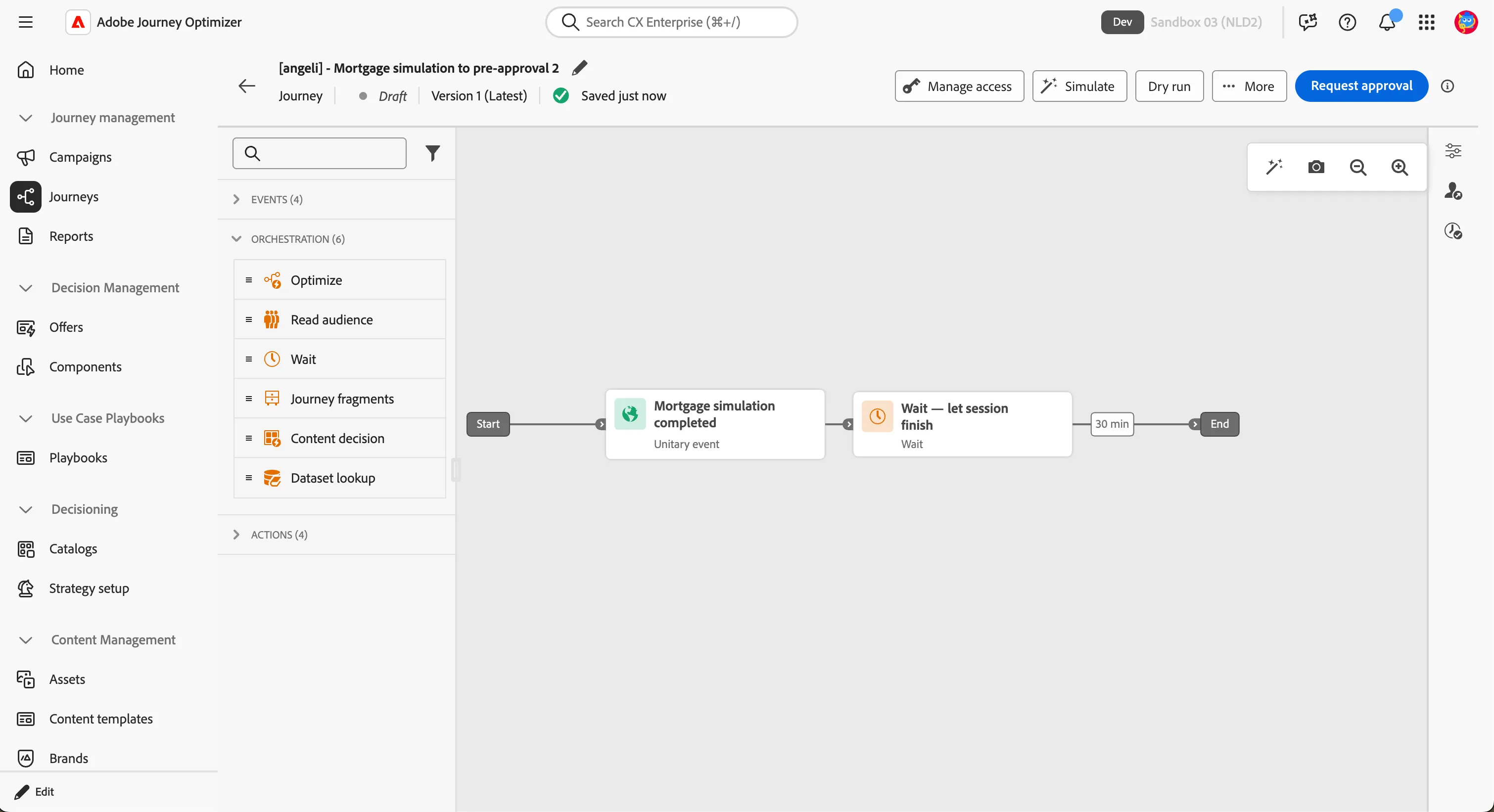
- Drag Wait onto the canvas and drop it after the entry event.
- In the Properties panel, set the Label to Wait — let session finish.
- Set Duration to 30 minutes.
- Click Save.
Business punchline
You have told the platform: every time someone completes a mortgage simulation, start this experience for them — wait until their browsing session is likely over — and stop the moment they convert. In production this journey runs continuously for thousands of customers, each at their own point in the timeline, with no manual intervention.